


Top10VPN is editorially independent. We may earn commissions if you buy a VPN via our links.
The Best VPNs for Linux
Simon Migliano
Simon Migliano is a recognized world expert in VPNs. He's tested hundreds of VPN services and his research has featured on the BBC, The New York Times and more. Read full bio
We’re fully independent and have been reviewing VPNs since 2016. Our ratings are based on our own testing results and are unaffected by financial incentives. Learn who we are and how we test VPNs.
VPNs Tested
61
Total Hours of Testing
30,000+
Combined Years of Experience
50+
All the shortlisted VPNs in this guide come with both a full GUI (graphical user interface) and a CLI.
🔄 Recent Updates
We’ve updated our VPN recommendations in light of ExpressVPN’s newly released app.
VPN Comparison Table
Use the table below to compare our favorite Linux VPNs by the testing key metrics:
Unblocks more streaming services than most Linux VPNs
Compatible with fewer distros than Proton VPN
Can be too advanced for beginners
Based in the US (Five Eyes nation)
Pricing Plans
$11.99/mo
$7.50/mo over 6 months
$2.03/mo over 39 months
Local Download Speed
96Mbps (4% loss)
Countries with Servers
91
Servers
18,651
Supported Linux Distros
Ubuntu, Mint, Debian, Fedora, Arch/Manjaro
Logging Policy
No Logs
Torrenting
Yes
Simultaneous Connections
Unlimited
Support
24/7 Live Chat
Compatible with
Windows
Mac
iOS
Android
Linux
Amazon Fire TV
Android TV
Apple TV
Router
Chrome
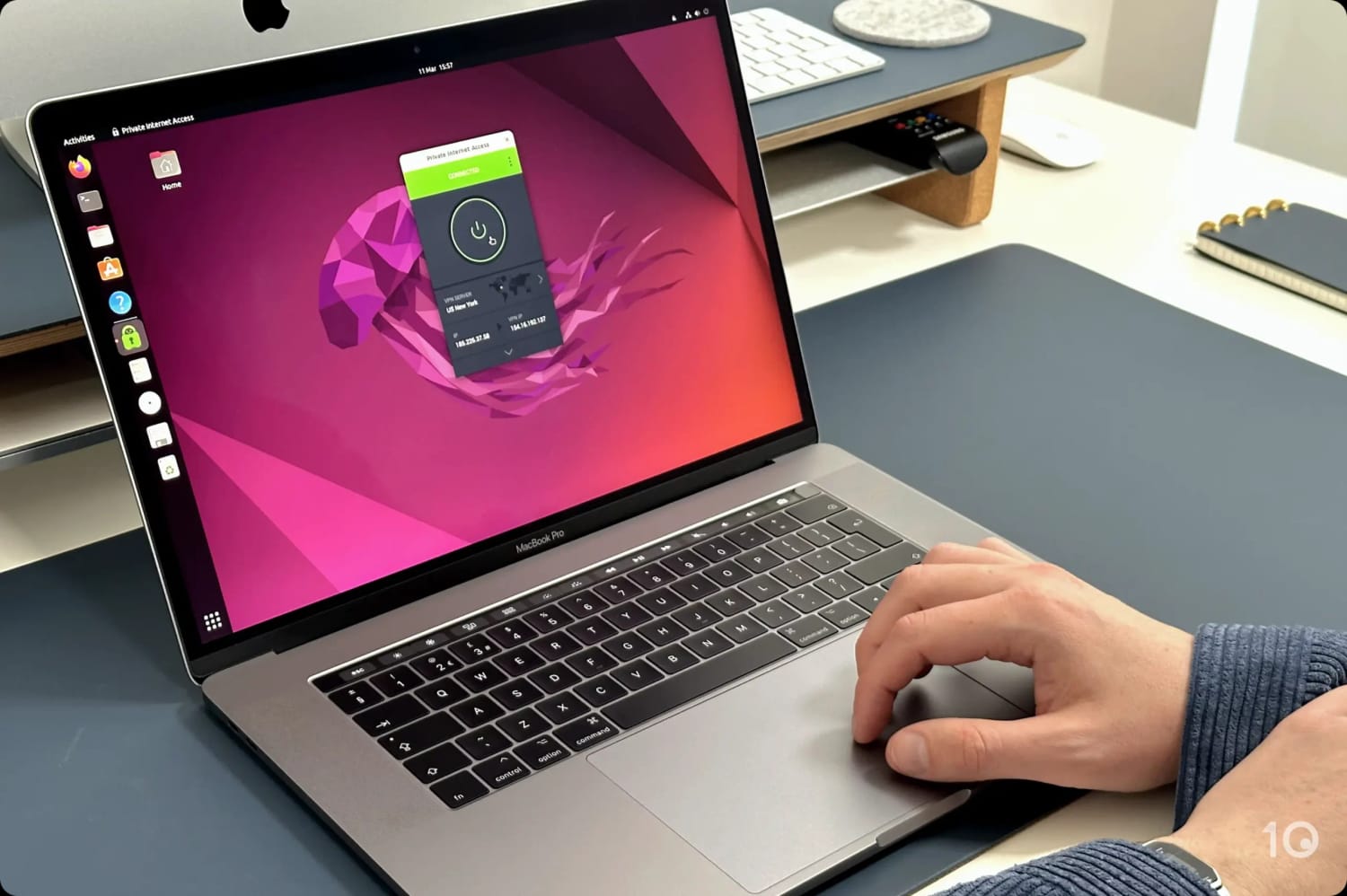
While other VPNs treat Linux like an afterthought, PIA continues to champion the platform with a fully-compatible, cutting-edge app.
It supports a GUI, which works across multiple distros, as well as CLI support if you prefer something more lightweight. There are no missing features and the VPN looks, feels, and performs exactly as you’d expect on any other platform.
As privacy-conscious Linux users ourselves, the VPN’s proven no-logs policy and open-source app also align perfectly with our priorities.
PIA’s Linux GUI is identical to its other VPN apps.
Well-Made Linux App with Full Feature Parity
Crucially, PIA includes its kill switch on Linux. This saved us from having to manually configure one in Linux’s network settings which can be time-consuming and, frankly, quite difficult.
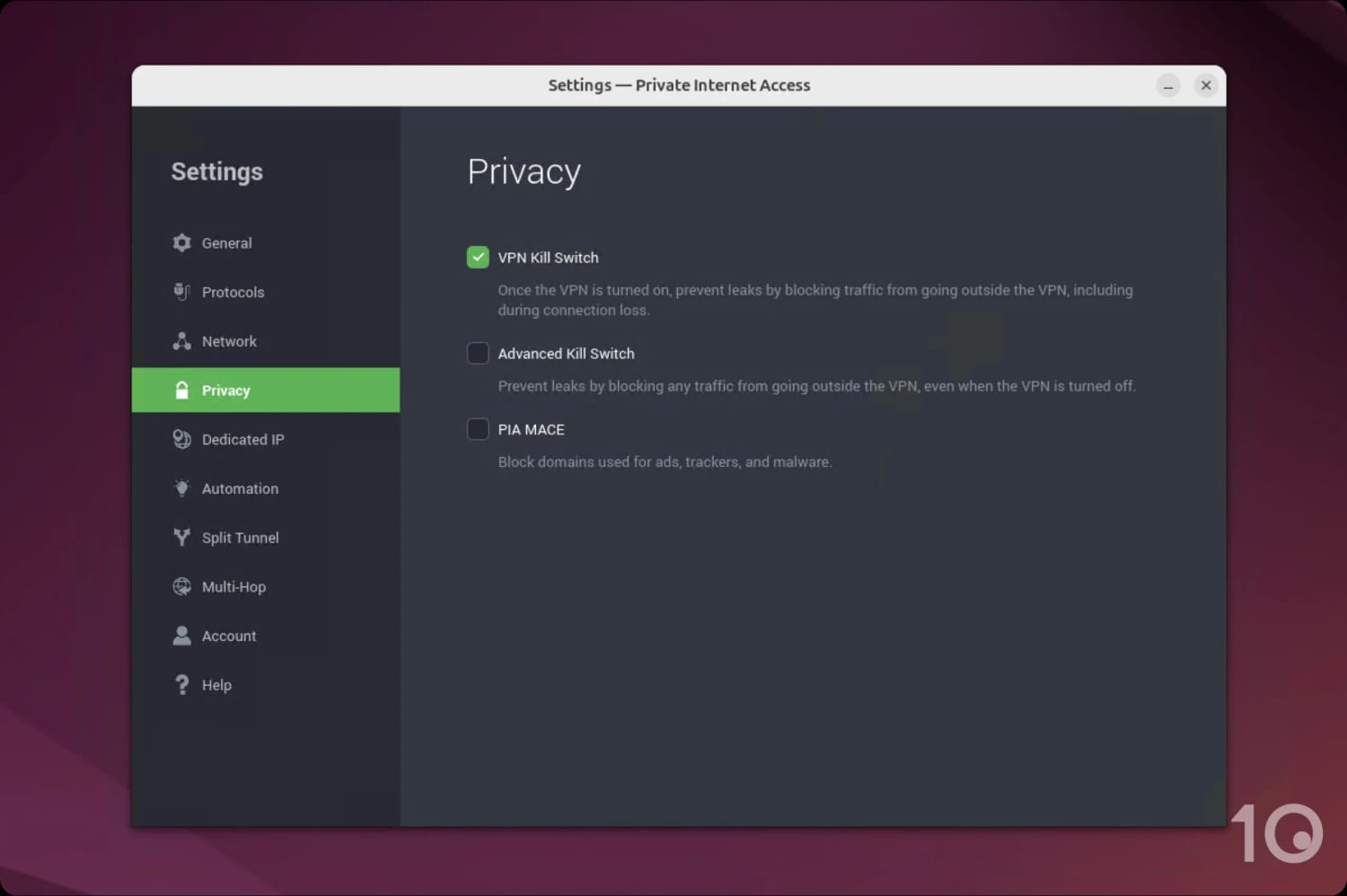
PIA lets you use its advanced kill switch and ad-blocker on Linux.
You also have access to the VPN’s ad-blocker, split tunneling, and full server network. This level of feature parity is exceptional and makes it worthwhile to use a VPN on Linux.
We found PIA a lot easier to use than most VPNs we test on Linux. You only need to click the power button once to connect and most of its extra features are neatly hidden within a drop-down menu.
Though user-friendly, PIA’s advanced features can be confusing if you’re unfamiliar with VPNs, but the learning curve isn’t too steep.
Seamless Setup & Compatible with Most Distros
PIA is compatible with most popular Linux distros, making setup straightforward. It also works on both 32-bit and 64-bit systems, allowing for wider compatibility.
Using Ubuntu, the setup process took us less than 1 minute. This is due to PIA providing an easy-to-use installer to download the bulk of its software unlike Mullvad, for example, which requires entering multiple inputs into your CLI.
Robust Privacy & Security Features That Work with Linux
PIA tunnels your traffic with the open-source WireGuard protocol and encrypts it with ChaCha20. This is a highly secure configuration that’s enabled by default within the VPN’s Linux app.
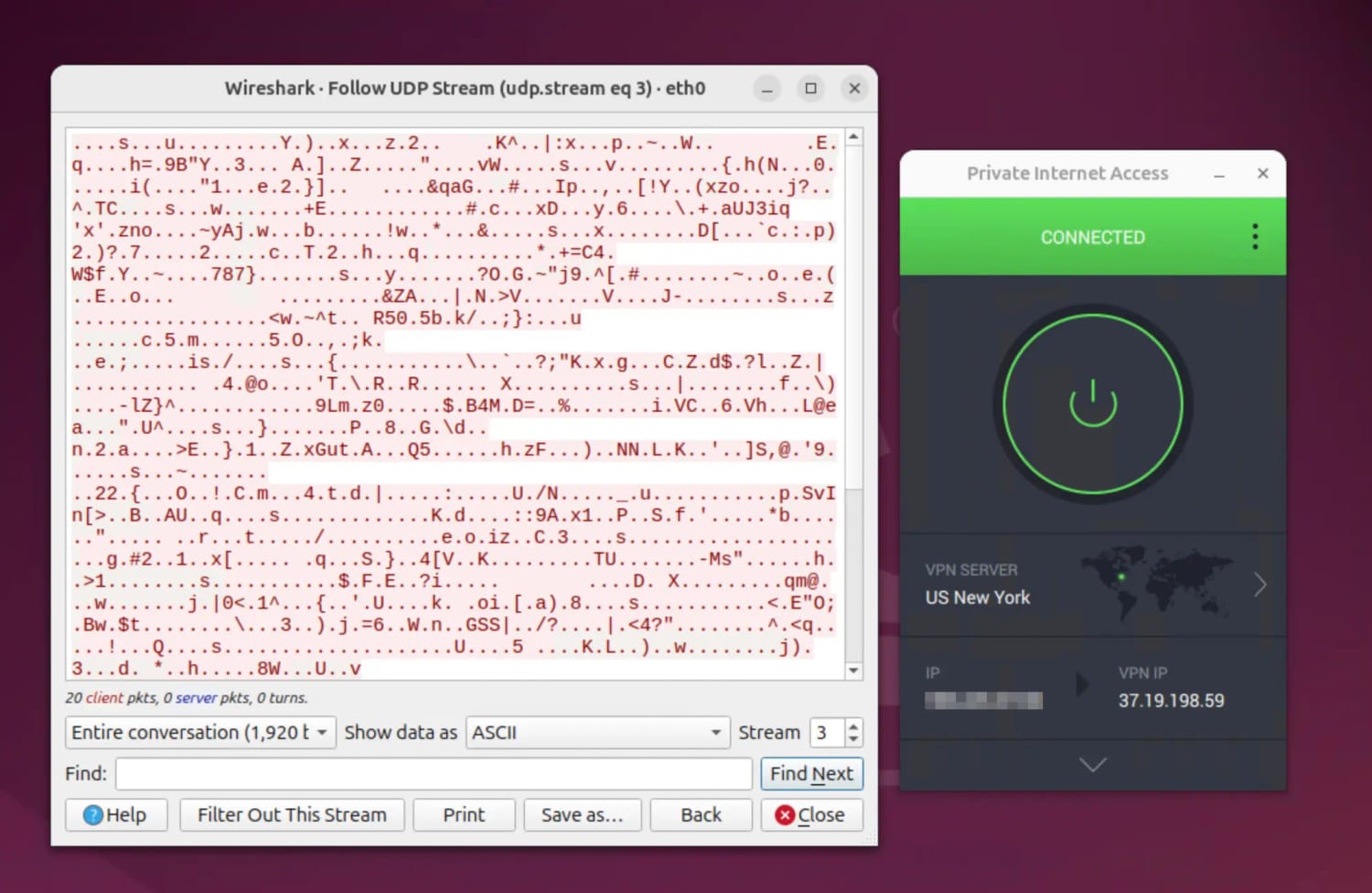
We tested this ourselves, by using Wireshark to analyze our VPN encryption within the Linux environment.
PIA encrypted our internet traffic while on Linux.
Each data packet displayed incoherent symbols indicating that the VPN successfully encrypted our connection.
Aside from its encryption, we were reassured to learn that PIA also operates its own DNS servers which are enabled by default within the Linux app. This keeps everything in-house, preventing your Internet Service Provider (ISP) from seeing which websites you visit.
Fast Speeds for 4K Streaming
On a nearby server, PIA slowed down our download speeds by just 4% on a nearby server.
This is exceptionally fast and is thanks to PIA’s WireGuard implementation working correctly with Linux.
Over longer-distances PIA had a much greater impact on our connection speeds. For example, our US to Australia connection slowed down by 18%.
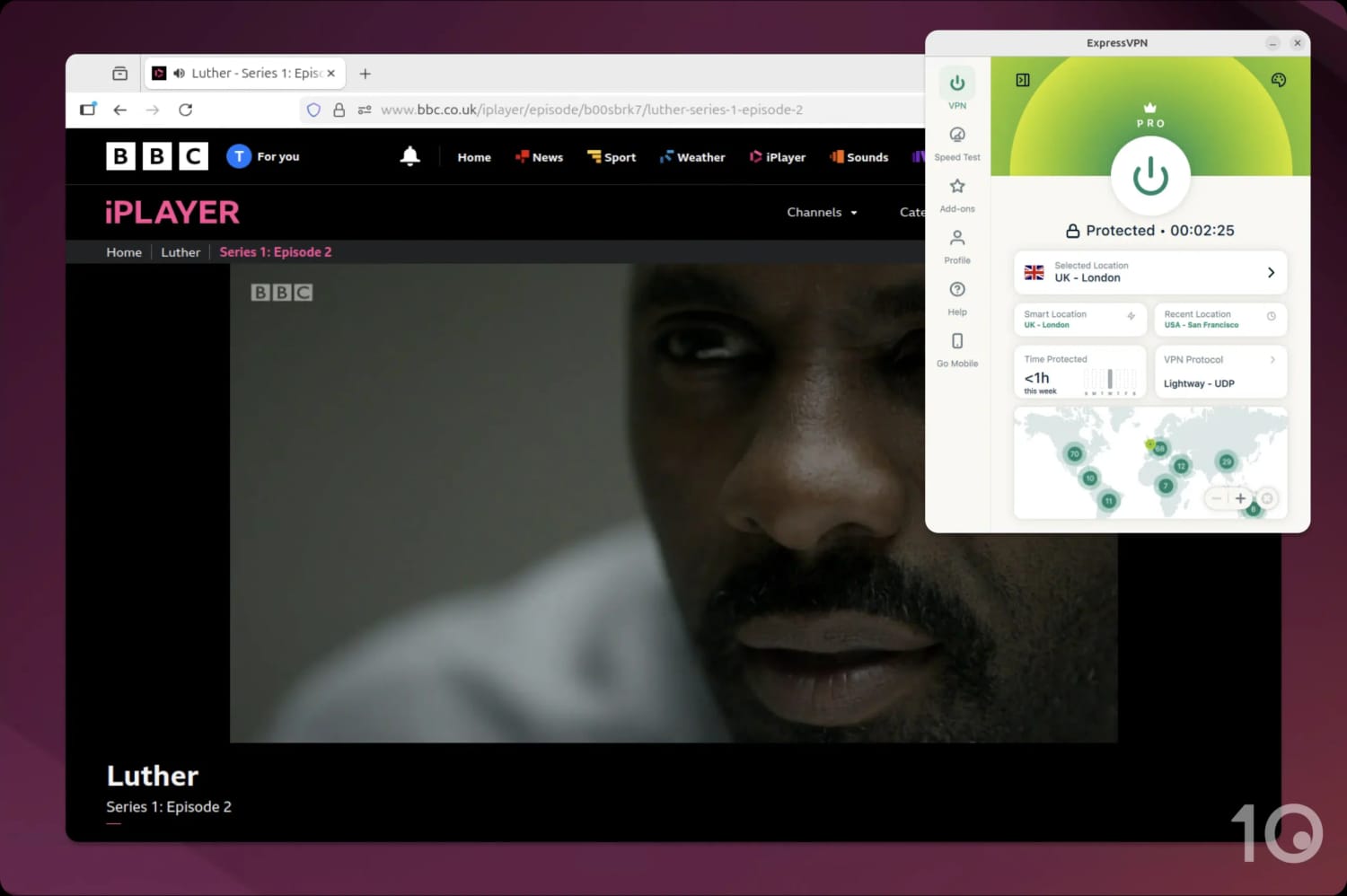
While this is slightly worse than competitors like ExpressVPN, it didn’t affect our streaming experience. Video quality remained consistent, even when accessing geo-blocked content.
This reliability is useful, as PIA consistently unblocks US Netflix, HBO Max, BBC iPlayer, and more. In contrast, Proton VPN Free doesn’t work with any streaming service, and Mullvad only unblocks a few.
For us, Mullvad guarantees anonymity on Linux. It’s proven not to log any data and the VPN uses a one-time payment model to avoid the paper trail that comes with typical VPN subscriptions.
Its bespoke Linux app is also open-source, which means that anyone can inspect it for vulnerabilities and flag them for fixing.
Though private and secure, Mullvad isn’t as widely compatible with Linux distros as the other VPNs on this list, and it’s one of the worst VPNs available for streaming.
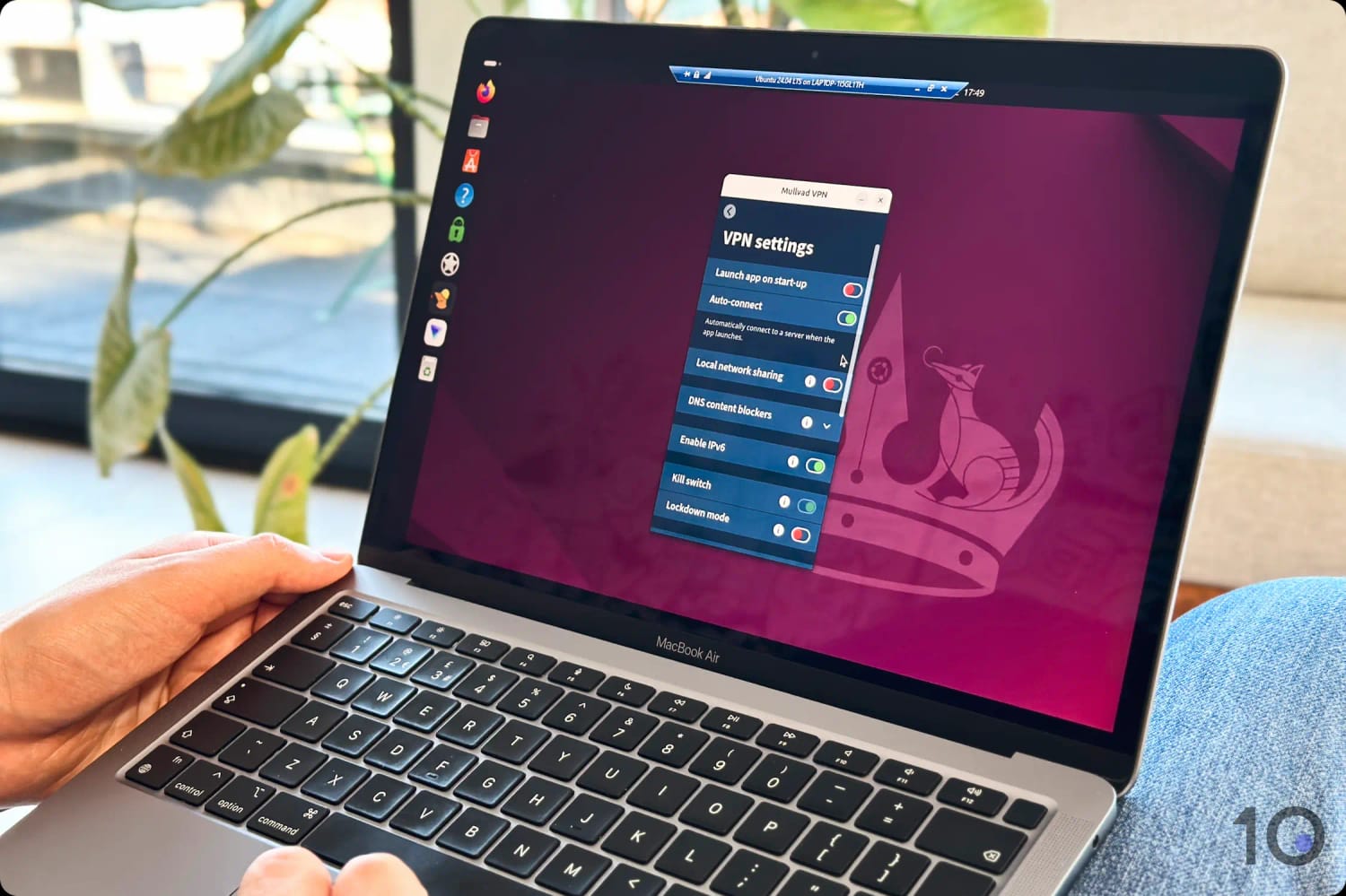
We were impressed by Mullvad’s feature-rich Linux app.
Custom-Built App with a User-First Design
Personally, we find Mullvad the nicest VPN to use on Linux. It’s very obvious that the app is custom-made for the OS, and not another ported PC client.
Its main screen is simple, with only a few essential buttons, and its map interface is far less obtrusive than the typically cluttered designs in similar interfaces.
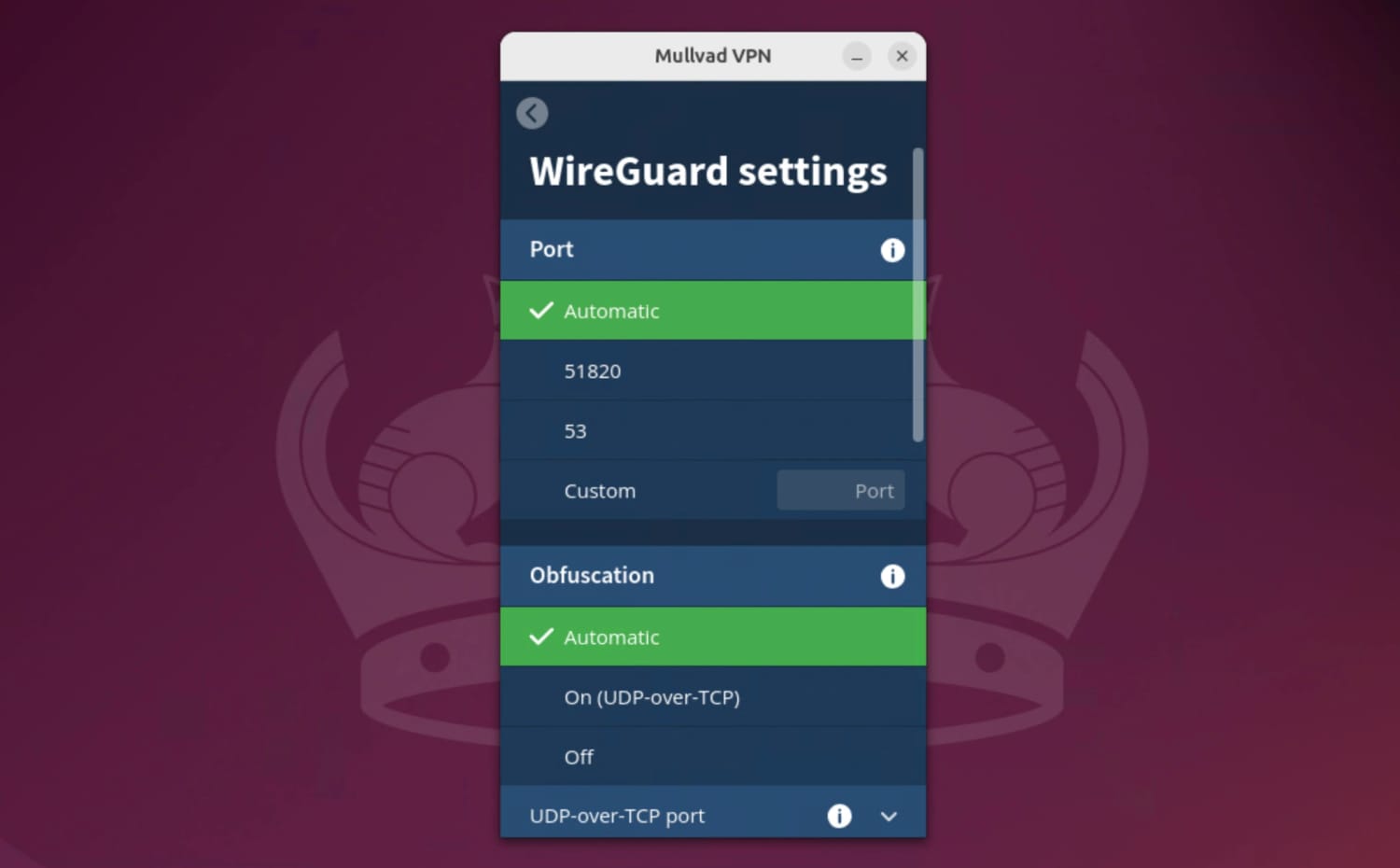
Within its settings, Mullvad includes more advanced features than many Linux VPNs. You can customize its WireGuard protocol by port number and IP address type, and there’s even options for multi-hop and obfuscation.
Mullvad allowed us to customize our connection within its Linux app.
However, we noticed that the VPN selects ‘Automatic’ as its default protocol, which often uses OpenVPN. For optimal performance, click the cog icon in the top-right corner and click ‘VPN settings‘ and then scroll down to ‘Tunnel protocol‘ and select WireGuard.
Limited Distro Compatibility, but Quick to Set Up
Mullvad is only compatible with Ubuntu, Debian, and Fedora distributions and 64-bit systems. This is disappointingly narrow compared to Astrill or Proton VPN’s selection.
Though the setup process isn’t overly complicated, we were disappointed by the lack of an installer for less tech-savvy users.
As is the case with its other apps, you only need to provide your 16-digit account number to sign in. This is far quicker, and easier, than having to enter an email or password.
Passed All Security Tests in Linux Environment
Mullvad uses WireGuard or OpenVPN to establish a VPN tunnel and encrypts it with ChaCha20 or AES-256 respectively.
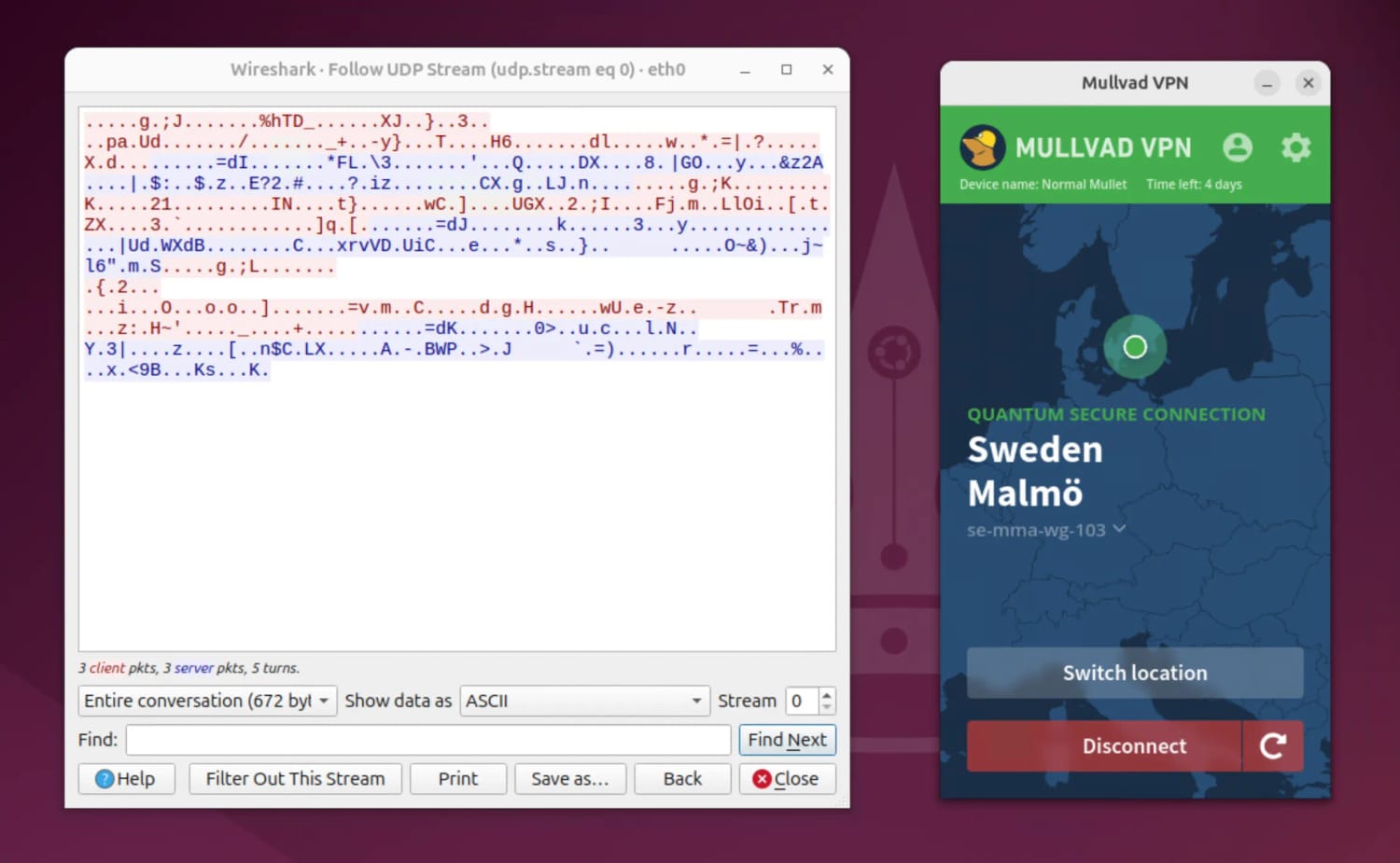
We experienced no connectivity issues with Mullvad and our encryption tests showed that it successfully encrypted our internet traffic:
Using WireGuard, Mullvad encrypted our connection on Linux.
Mullvad also includes a standard kill switch and a permanent kill switch called “Lockdown mode”. The latter cuts your internet until you connect to the VPN making IP leaks virtually impossible.
We tested both kill switches on its Linux app and detected no data leaks.
Proven No-Logs VPN & Diskless Servers
Mullvad excels at privacy with a genuine no-logs privacy policy.
Unlike most VPNs, Mullvad does not require you to provide account details or pay for a regular subscription. Instead, you make an anonymous payment and set up your account with a randomly generated code. This ensures complete anonymity.
We’ve set up Mullvad countless times in testing and personal use, and we’ve always found its unique sign-up process straightforward enough.
Moreover, Mullvad operates a diskless server network which makes it impossible for anyone to extract your personal data.
Not a Great Choice for Streamers
Mullvad barely impacted our local speeds with an average decrease of 6%. Over longer-distances, our speeds dropped slightly with an average international speed loss of 15%
We found this sufficiently fast for most activities on our Linux. However Mullvad doesn’t work with most streaming services so it was difficult to test the impact on video quality when bypassing geo-blocks.
Though a relative newcomer, ExpressVPN’s Linux app has impressed us due to its outstanding streaming performance and impressive suite of features.
No expense has been spared, with the Linux app performing exactly the same as its desktop counterparts: it unblocks the same amount of Netflix libraries, outputs the same fast speeds, and runs just as smoothly in the background.
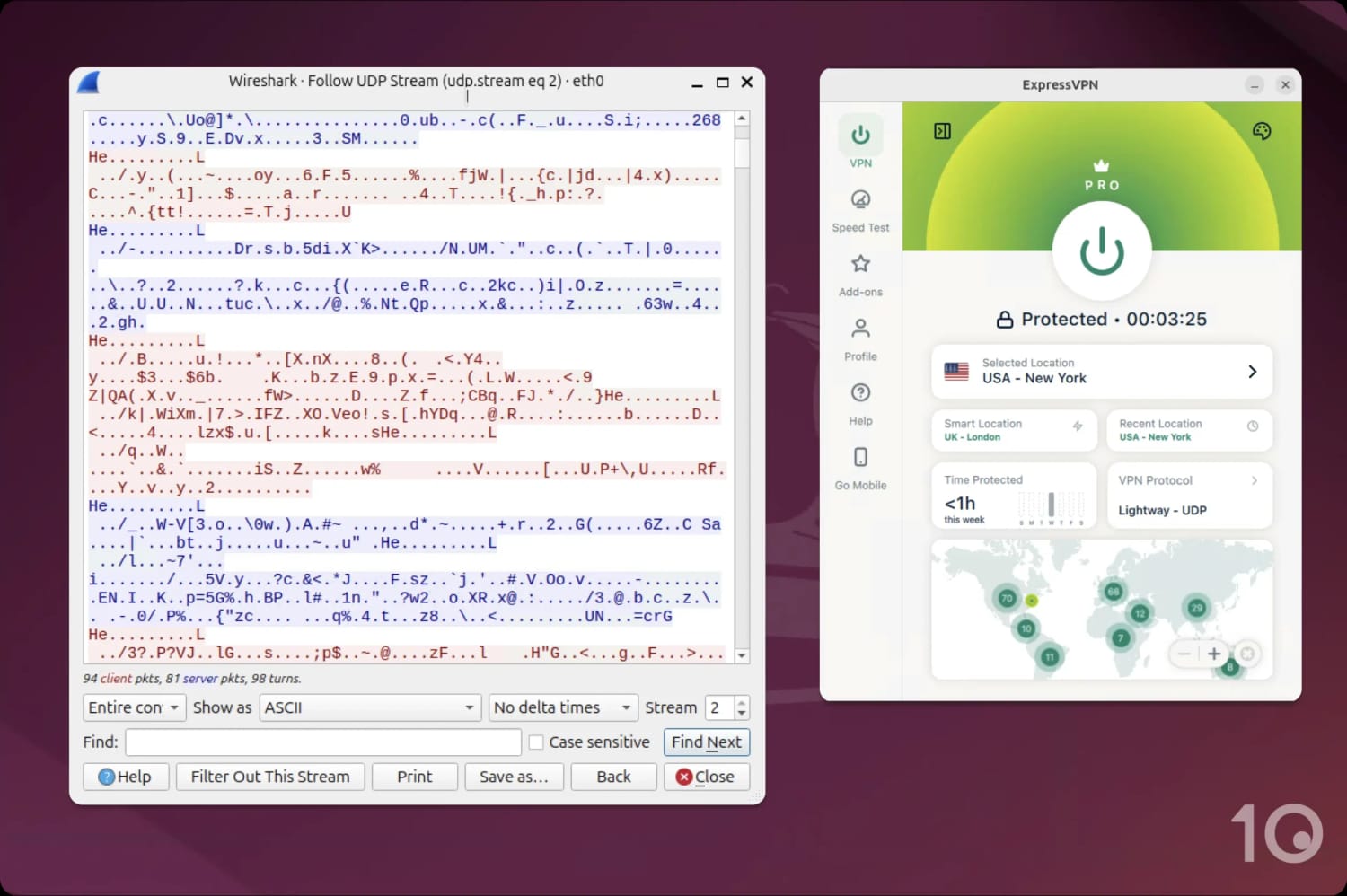
Having said that, its app interface isn’t the cleanest. Unlike on PC, it features an asymmetrical design compromising of a side panel, connect button, and a map display — all of which look odd together.
Fully-Featured App with an Unusual Interface
ExpressVPN’s newly-released Linux app has every feature you’d expect from a big-name VPN, including dedicated IP, an ad blocker, and split tunneling.
More importantly, all of these features can be enabled in-app with just a few clicks. We found this so much easier than having to memorize various commands to enter into the Linux terminal.
While we’re pleased to see ExpressVPN finally release an app for Linux, its interface really isn’t to our tastes.
It uses the same design as its App store client for macOS, including the peculiar introduction of a map interface.
We think it looks clunky, especially as the map seems to cut off quite abruptly on our display. We’d welcome an app re-design at some point.
Unmatched Streaming Options
Typically, when a VPN service prioritizes privacy and security — as is the case with many Linux-focused providers — they tend to under invest in speed and streaming.
Thankfully, this isn’t the case with ExpressVPN. As the best VPN we’ve reviewed in general, it is also one of the fastest with an average speed loss of 2%, and the best for streaming.
This was a refreshing change from our typical Linux experience. While testing on our Ubuntu, we used the VPN to stream US Netflix in 4K quality without any buffering or freezing.
In comparison, we struggled to stream most content platforms with Mullvad, and the free version of Proton VPN failed to work with any.
Fast Setup & Generous Distro Compatibility
Thanks to its universal installer — and helpful online guides — the VPN is quick to set up on your Linux.
It didn’t take us long, and once installed you have a variety of sign-in options, including an email link and activation code.
ExpressVPN is also compatible with a wide range of distributions that include Ubuntu, Debian, Fedora, Linux Mint, and more.
However, we were disappointed to learn that it only supports 64-bit systems.
Advanced Privacy & Security Features
ExpressVPN is one of the first VPN services to implement post-quantum protection on all of its apps, including Linux.
This is essential for future-proofing against more advanced attacks on your VPN encryption.
While it’s disappointing that it’s only available on Lightway, a close-sourced protocol, we have no reason to suspect it is in any way compromised.
Another standout feature is ExpressVPN’s implementation of RAM-only (diskless) servers, which erase your activity data following every reboot. This is far safer than using a physical hard drive, and ensures your personal data is kept secure.
Among the 23 VPNs we tested, only Proton VPN and Windscribe provide dedicated GUI apps for Linux.
Many others, like PrivadoVPN, don’t provide a Linux app at all, while TunnelBear and X-VPN only offer a CLI-based solution.
However, Windscribe’s app is still in beta, which led to crashes and various usability issues during our testing. Additionally, it imposes a 10GB data cap, limiting how long we could use it.
Ubuntu, Mint, Debian, Fedora, Arch/Manjaro, MX, Kali
Logging Policy
No Logs
Torrenting
No
Simultaneous Connections
1
Support
Email & Online Resources Only
Compatible with
Windows
Mac
iOS
Android
Linux
Amazon Fire TV
Android TV
Apple TV
Router
Chrome
Proton VPN is by far the best free VPN we’ve used on Linux. Its bespoke Linux app is free to install and use, without any restrictions on bandwidth.
It’s also highly secure with ChaCha20 encryption, a no-logs policy, and fast connection speeds.
However, its server network is limited to just 10 countries. you can’t select your server location, and its app design requires improvement.
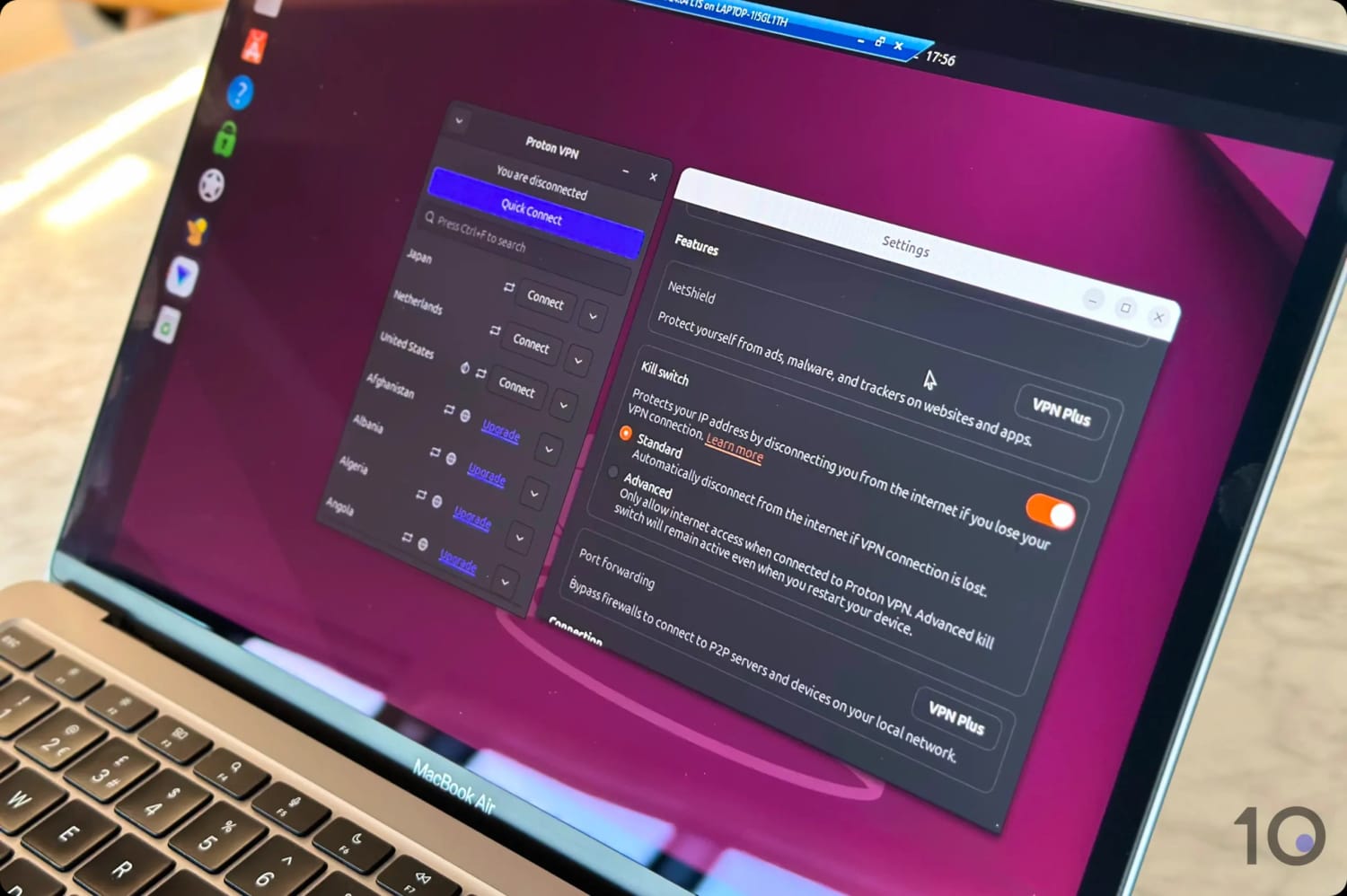
Thankfully, Proton VPN’s free service has an integrated kill switch on Linux.
Functional, but Limited Linux App
Proton VPN’s Linux app includes a GUI, but it falls short of the polish and user-friendly design found in the paid VPNs on our list.
Unlike our top 3 recommendations, Proton VPN’s Linux app differs significantly from its Windows counterpart. Most notably, it lacks a map interface and does not incorporate any icons.
Previously, its Linux app displayed the connected country’s flag, but now it only shows a text confirmation. We found this much harder to quickly tell if the VPN was connected, especially when the app was alongside another window.
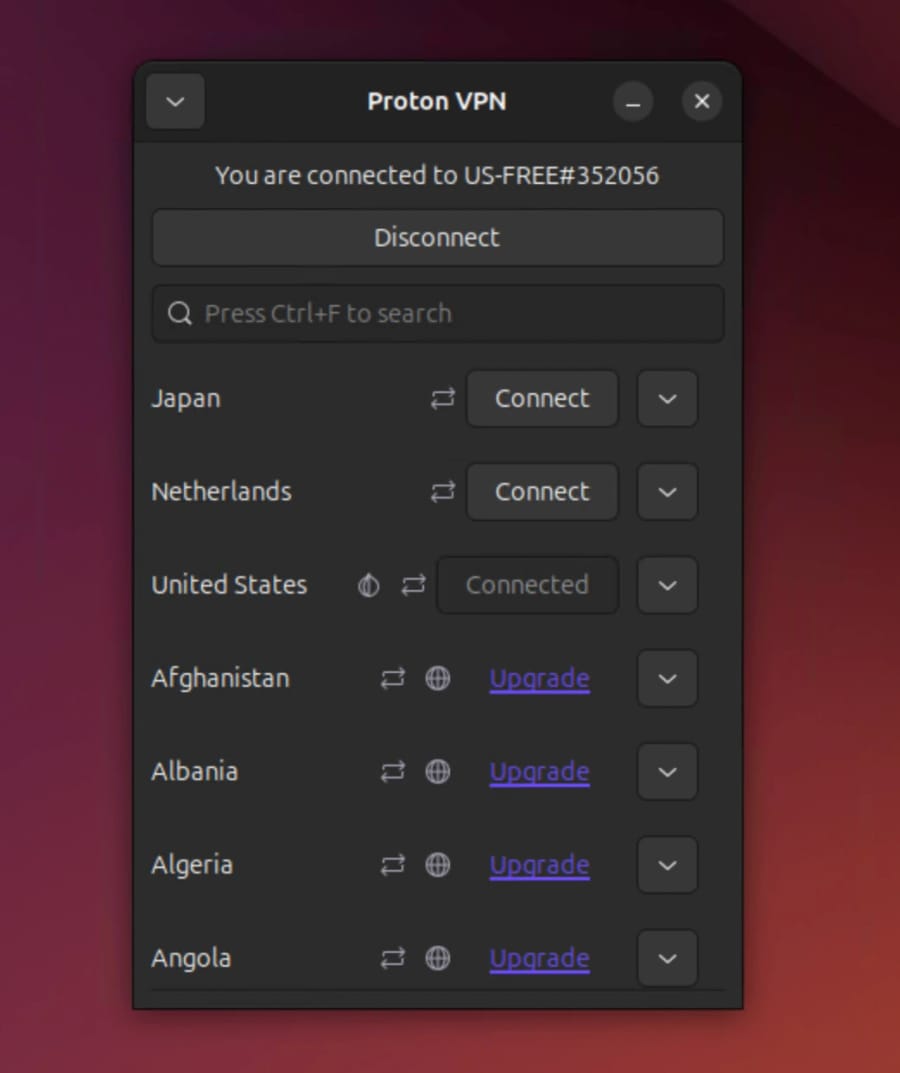
Proton VPN’s Linux app is basic but functional.
For a free Linux VPN, Proton VPN has an excellent number of basic and advanced features such as an integrated kill switch, WireGuard support (although it’s labelled ‘experimental’ on Linux), an auto-connect tool, and its proprietary VPN ‘Accelerator’.
That said, we were disappointed by the amount of paywalled features including port forwarding and access to Proton VPN’s full server list.
Compatible with More Distros than PIA or ExpressVPN
From our recommended VPNs, Proton VPN is compatible with the most Linux distros.
You can install its free tier on the following distros:
Debian 10
Ubuntu 20+
Mint 20+
MX Linux 19+
Kali Linux
Elementary OS 6.0+
Fedora 31+ (excluding Rawhide)
Archlinux/Manjaro
There are also OpenVPN and IKEv2 config files, in addition to a CLI installation guide.
It took us slightly longer to set up than PIA’s Linux app at just under 3 minutes.
Highly-Secure & Open-Source Linux VPN
Proton VPN is one of the most secure free VPNs available. It tunnels your traffic with WireGuard, encrypts it with ChaCha20, and uses Perfect Forward Secrecy for key exchange.
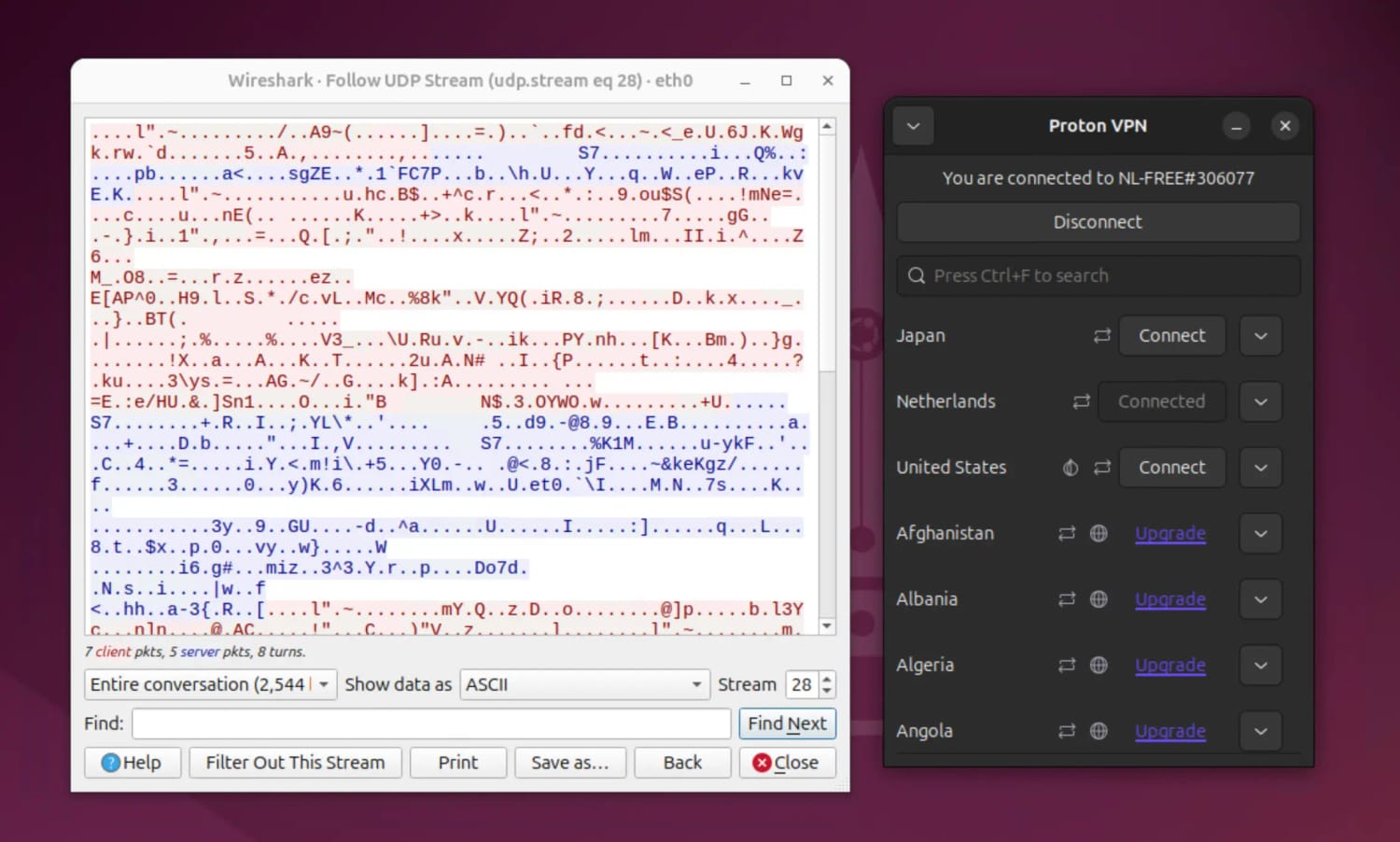
We tested this with a packet analyzer and found that Proton VPN securely encrypted our traffic on Linux.
Proton VPN’s free client encrypted our traffic, displaying it as incoherent symbols.
Proton VPN also includes IPv4 and IPv6 leak protection built into its Linux app. We tested this with our in-house leak test tool and detected no data leaks.
Genuinely No-Logs Free VPN
Proton VPN has a zero-logs policy which logs no identifiable data. The only information it retains is your email when you create an account, which can easily be bypassed with an anonymous email address.
In 2019 Proton VPN proved its policy in court, when it was asked to submit user data. Since no relevant data had been stored, it had nothing to hand over.
The final factor that makes Proton VPN such a strong choice for privacy is its jurisdiction.
Being based in Switzerland, which isn’t part of the 14 Eyes and or the EU, makes Proton VPN a very good choice for privacy-conscious users.
Exceptional Download Speeds at Off-Peak Times
Proton VPN’s speeds are exceptional, with an average speed loss of 12% on same-country connections, even using the free service.
We’ve regularly used Linux with Proton VPN running in the background, sometimes for multiple hours, and have never noticed an impact on performance or our download times.
That said, Proton VPN only has 2,000 free servers which can easily become congested, reducing your speeds. For context, PIA has 18,651 servers and Mullvad has 674.
To avoid this, we suggest using the VPN at non-peak times or upgrading to its paid version.
Although most reputable VPNs support Linux, the quality of their applications and the extent of their compatibility with different Linux distributions can vary significantly.
The main point of difference between most VPN services and the VPNs recommended in this guide is the availability of a GUI. Sadly, most VPNs opt for a Command Line Interface (CLI) on Linux instead of an app, which is much harder to use and navigate.
In the section below, we’ll list popular VPNs alongside their reasons for exclusion from this article:
Surfshark
Many users have reported problems with Surfshark’s Linux app.
While Surfshark does provide a bespoke Linux app with a well-designed GUI, it only works on Debian, Ubuntu, and Mint with no workarounds for alternative distros.
Moreover, we’ve encountered several anecdotal reports of Surfshark not working on Linux, ranging from installation problems to connectivity issues.
NordVPN
Though NordVPN is an exceptional VPN for almost every use case, we’re reluctant to recommend it for Linux due to it collecting some logs.
To be clear, it only store connection timestamps for 15 minutes after a VPN session ends, which isn’t terrible. But, it’s still not as private as our recommended Linux VPNs, which all use proven no-logs policies.
How We Test VPNs for Linux
When evaluating and ranking VPNs for Linux, we focus on five key testing categories.
Each VPN is assigned a score out of ten for each category which is then weighted and combined into an overall rating for Linux.
In the following section, we detail why we test each category, how the testing works, and how much they contribute to the overall rating:
1. Linux App (40%)
Test Conducted: We used each VPN’s Linux app ourselves and documented our experience. This included an evaluation of the installation process, availability of a GUI, and general ease of use. We also recorded the availability of features like an integrated kill switch and the option to dock the VPN app.
Why It’s Important: A positive user experience ensures accessibility for users of all skill levels and minimizes any friction in day-to-day usage.
Optimal Result: An easy-to-install VPN app with a modern GUI and full feature parity with Windows and macOS.
2. Linux Distro Compatibility (20%)
Test Conducted: We recorded all listed Linux distributions on each VPN’s provider website and personally downloaded the installers of the most popular distros. We also noted the availability of both 32-bit and 64-bit apps.
Why It’s Important: Unless the VPN service provides an installer for your specific Linux operating system, you won’t be able to run the app.
Optimal Result: Installers for Debian, Ubuntu, Fedora, and Arch, in 32-bit and 64-bit formats.
3. Security (15%)
Test Conducted: We inspected each Linux VPN for security features with an emphasis on the availability of the WireGuard or OpenVPN protocols alongside ChaCha20 or AES-256 encryption respectively. We also checked for a kill switch and tested all of the above with a mix of in-house and third-party tools.
Why It’s Important: Robust encryption and an effective kill switch is essential for protecting your network traffic from targeted attacks or monitoring of your activity. A Linux VPN with inadequate security is at risk of data breaches, man-in-the-middle attacks, and more.
Optimal Result: A VPN with WireGuard or OpenVPN support and a kill switch that’s configured to work in the Linux environment. We expect the VPN to have no known vulnerabilities in its source code or ongoing data breaches.
4. Privacy (15%)
Test Conducted: We examined each VPN’s logging policy and recorded the data they collect and how long they keep it for. We also checked for any privacy-enhancing features, like diskless servers, as well as real-world evidence of the VPN’s logging practices such as court cases and audits.
Why It’s Important: An overly intrusive logging policy can compromise your online anonymity. Many VPNs, especially free ones, can log and sell your user data to third-parties.
Optimal Result: An audited logging policy that doesn’t collect any user data and has been proven by real-world events, like a server seizure or court subpoena.
5. Speed (10%)
Test Conducted: We used our self-developed speed test tool to calculate the speed loss of each VPN while connected to servers in different regions.
Why It’s Important: Your internet connection speed determines your streaming quality, browsing speed, download time, and more.
Optimal Result: An average download speed loss of below 10% across all server locations.