



Top10VPN is editorially independent. We may earn commissions if you buy a VPN via our links.
The Best VPNs for Russia
Simon Migliano
Simon Migliano is a recognized world expert in VPNs. He's tested hundreds of VPN services and his research has featured on the BBC, The New York Times and more. Read full bio
The best VPN for Russia, whether you’re traveling or live there, is without a doubt Astrill. It has an unbelievable 100% success rate at bypassing aggressive Russian internet blocks, which no other VPN can match. Astrill is also one of the few VPNs that offers Russian IP addresses. Windscribe is a good free alternative that still works in Russia, but it comes with several limitations compared to Astrill.
If you’re living in or traveling to Russia, you have no choice but to pick a secure and trustworthy VPN, with a proven track record of effectively bypassing aggressive internet censorship.
Roskomnadzor, the country’s internet censorship agency, has also targeted VPNs, with roughly 200 services blocked to date, including popular names like ExpressVPN, IPVanish and NordVPN.
With more and more VPN services and websites being banned, and VPN apps disappearing from the app stores, finding a VPN that works in Russia is challenging.
Summary: The Best VPNs for Russia
Of the 61 VPNs we tested, these three are yet to be blocked and still work reliably in Russia:
We’re fully independent and have been reviewing VPNs since 2016. Our ratings are based on our own testing results and are unaffected by financial incentives. Learn who we are and how we test VPNs.
VPNs Tested
61
Total Hours of Testing
30,000+
Combined Years of Experience
50+
If you’ve come here in need of a Russian IP address from abroad, Astrill is still our top choice. CyberGhost and Proton VPN also offer Russian IP addresses, but they won’t work from inside Russia.
EXPERT ADVICE: We recommend installing two VPNs onto your device(s) before you travel to Russia, as downloading a VPN inside the country can be challenging.
VPN Comparison Table
Use the table below to compare the best VPNs for Russia based on their ability to bypass web censorship, obfuscation technology, logging policy, and more.
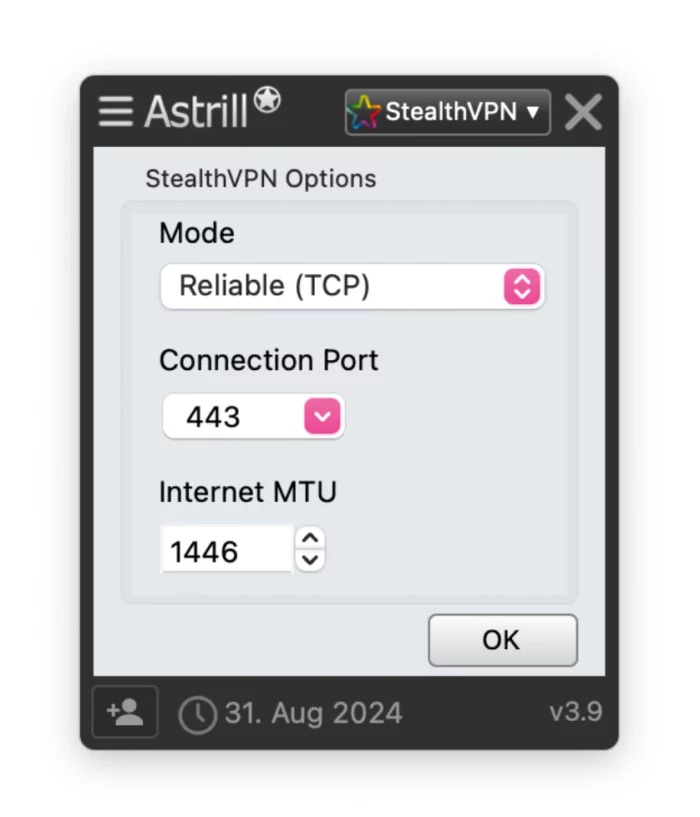
Astrill bypasses internet censorship in Russia effectively. Its proprietary Stealth VPN protocol adds an extra layer of obfuscation over the already secure OpenVPN protocol.
The VPN service also runs more than two servers in Russia and is therefore also a great choice for getting a Russian IP address from abroad.
Moreover, the VPN uses AES-256 and ChaCha20 encryption, and doesn’t suffer from IP or DNS leaks. It’s also based in Liechtenstein, a privacy-friendly country, though not a privacy-haven.
Astrill does have drawbacks, though. Though it’s exceptional for circumventing internet firewalls, it’s considerably more expensive than most other services on the market.
We used Astrill VPN to unblock YouTube in China.
Extremely Effective Anti-Censorship VPN
Astrill has earned itself a strong reputation for its outstanding ability to beat the most sophisticated internet restrictions.
Even in China, the VPN has never failed to bypass the Great Firewall in our tests.
With StealthVPN enabled, we accessed popular websites blocked in Russia like YouTube, Facebook, and X (Twitter).
Using Astrill’s StealthVPN protocol.
The VPN service also provides a mirror download link to help you download the VPN from within Russia.
Moreover, since Astrill isn’t as popular as other VPN providers, it isn’t targeted as aggressively by the Russian government. This allows the company to even operate physical VPN servers within Russia, minimizing potential speed losses.
One thing to be aware of, though, is that these physical servers are in theory required to retain data and could be seized at any point by Russian authorities.
While Astrill’s logging policy is reasonably private, the service does temporarily retain your originating IP address during your VPN session, as well as connection timestamps.
Crucially, the VPN won’t log what you do online, such as the websites and apps you use.
Excellent Settings to Bypass Firewalls
Astrill offers a wide range of settings to improve your internet connection’s encryption and security.
There are four different tunneling protocols available, a working kill switch on all devices, and effective DNS leak protection.
The service also routes all traffic through its own DNS servers, and never through potentially less-secure third-party servers.
A setting that can be useful is ‘Smart Mode’, which automatically uses your VPN IP address on international websites, but your real one for local services. A sort of automated VPN split tunneling setting.
As a backup to StealthVPN, Astrill also provides a SOCKS5 proxy, which you can then use with a standalone Shadowsocks client to unblock websites in Russia.
This requires some technical know-how, but in a nutshell this is what you do:
Get the server IP: Look for the ‘SOCKS5 Proxy’ or ‘Manual Settings’ section in your Astrill account area. Get a specific server IP, and the SOCKS5 port listed in your dashboard.
Get your proxy login details: Note down your proxy username and password from your dashboard.
Open a Shadowsocks Client: Choose a reputable Shadowsocks client and enter your proxy login details.
Encryption: Choose an encryption algorithm (usually AES-256-GCM or ChaCha20-Poly1305).
We recommend using one of these Shadowsocks clients: Shadowsocks-Windows (for Windows), Shadowsocks (by Max Lv) (Android), and Shadowrocket (iOS).
Clunky & Unappealing Apps
Alongside its expensive price tag, the biggest drawback of using Astrill is its visually unappealing apps across all platforms.
Its old-fashioned and clunky interface can put off most people at first – from VPN beginners to experts.
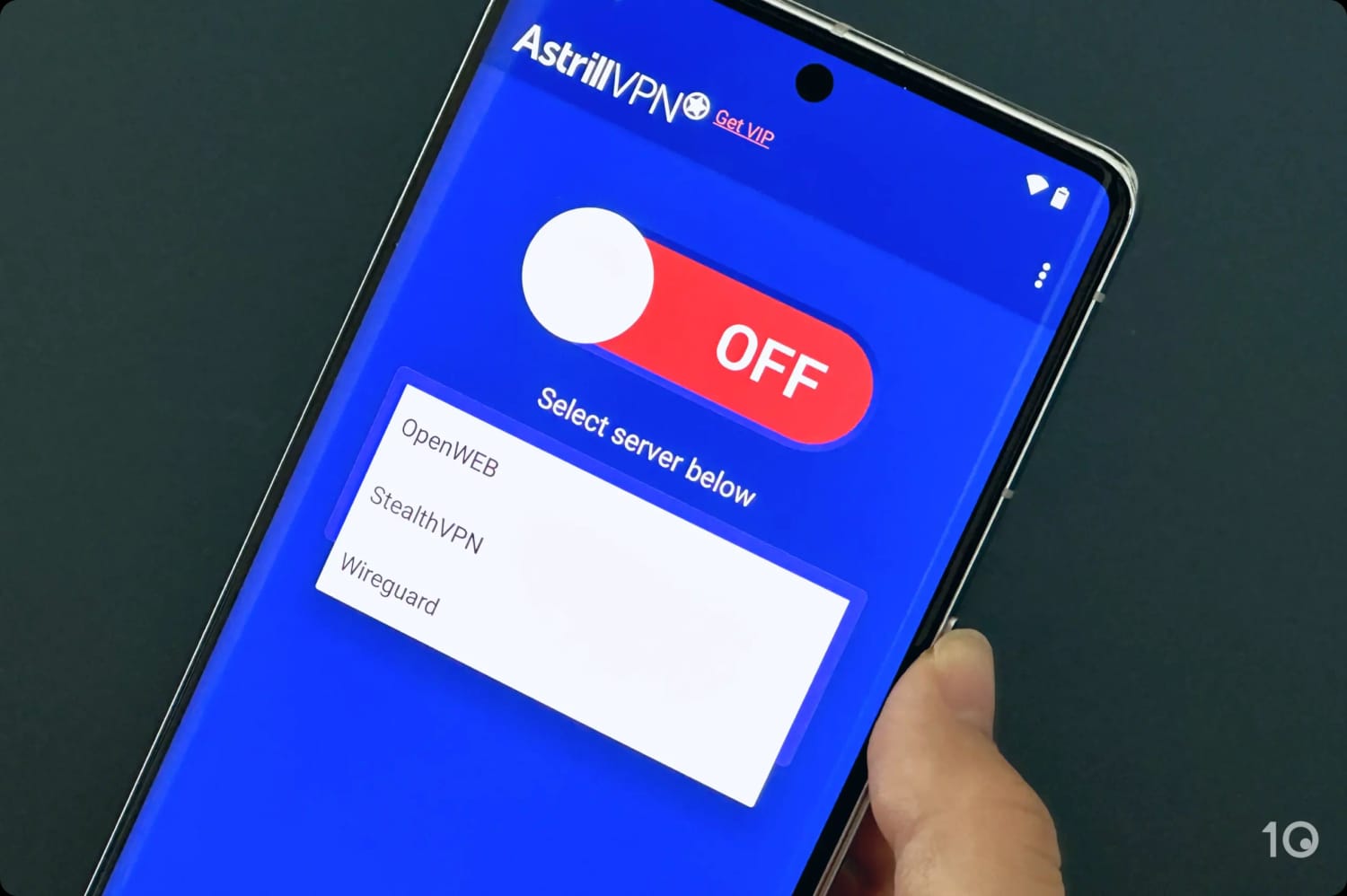
The mobile apps are slightly better designed, but the desktop software is quite frankly ugly.
PrivateVPN still works in Russia, delivering a good experience and, in our opinion, great value for your money. On a 3-year subscription plan, it costs as little as $2.00/mo over 36 months.
We preferred it to Astrill on mobile devices, mainly because of its better interface and usability.
That being said, PrivateVPN isn’t as effective as Astrill, with a lower success rate in unblocking websites and apps from Russia.
Also, PrivateVPN doesn’t operate any Russian servers, neither physical nor virtual, therefore you can’t use it to get an anonymous Russian IP address.
PrivateVPN’s desktop and mobile apps.
Stealth Protocol & Servers in Neighboring Countries
PrivateVPN doesn’t have a large VPN server network, but it does offer access to servers in neighboring countries like Ukraine, Finland, Latvia, and Romania for faster speeds connecting out of Russia.
We connected to PrivateVPN’s Ukraine server with Stealth VPN enabled.
PrivateVPN’s obfuscation setting is also called Stealth VPN. You can toggle it on under Advanced View > Stealth VPN. While it works in Russia, it proved less consistent than Astrill’s in our tests.
Importantly, if Stealth VPN suddenly stops working, you won’t have any other recourse with PrivateVPN.
Better at Bypassing Streaming Geo-blocks
Where PrivateVPN is much better than Astrill is at bypassing streaming geo-restrictions.
Its dedicated streaming servers unblock most content platforms we tested it with, including 10 Netflix libraries and various Disney+ and Prime Video regions.
We unblocked US Netflix from abroad using PrivateVPN.
PrivateVPN also works surprisingly well with popular streaming services like BBC iPlayer and HBO Max.
Considering its low-cost price, these are very good streaming results. You can also try PrivateVPN risk-free by using the service’s 30-day refund policy, which the company will honor based on our experience.
Diskless server network & open-source desktop apps
Easy-to-use & intuitive apps
Privacy-friendly logging policy
No free Russian IP addresses (only paid)
Often fails to load video content in HD/4K
No human live chat
No SOCKS5 proxy
Data Cap
10GB per month
Russia Server Locations
None
Countries with Servers
10
Servers
10
Jurisdiction
Canada (Five Eyes Member)
Simultaneous Connections
Unlimited
Support
Email & Online Resources Only
Compatible with
Windows
Mac
iOS
Android
Linux
Amazon Fire TV
Android TV
Apple TV
Router
Chrome
Windscribe offers the most reliable free VPN that still works in Russia, with a generous network of free servers in 10 countries.
When in Russia, we recommend connecting to its Romania, Norway, or Germany server locations for the fastest speeds.
Windscribe’s obfuscation protocols — Stealth and WStunnel — continue to work rather well in Russia, although they aren’t as effective as Astrill’s VPN obfuscation technology.
There are also no free Russia servers available; for access to those (in Moscow and St. Petersburg), you’ll have to get a paid Windscribe subscription.
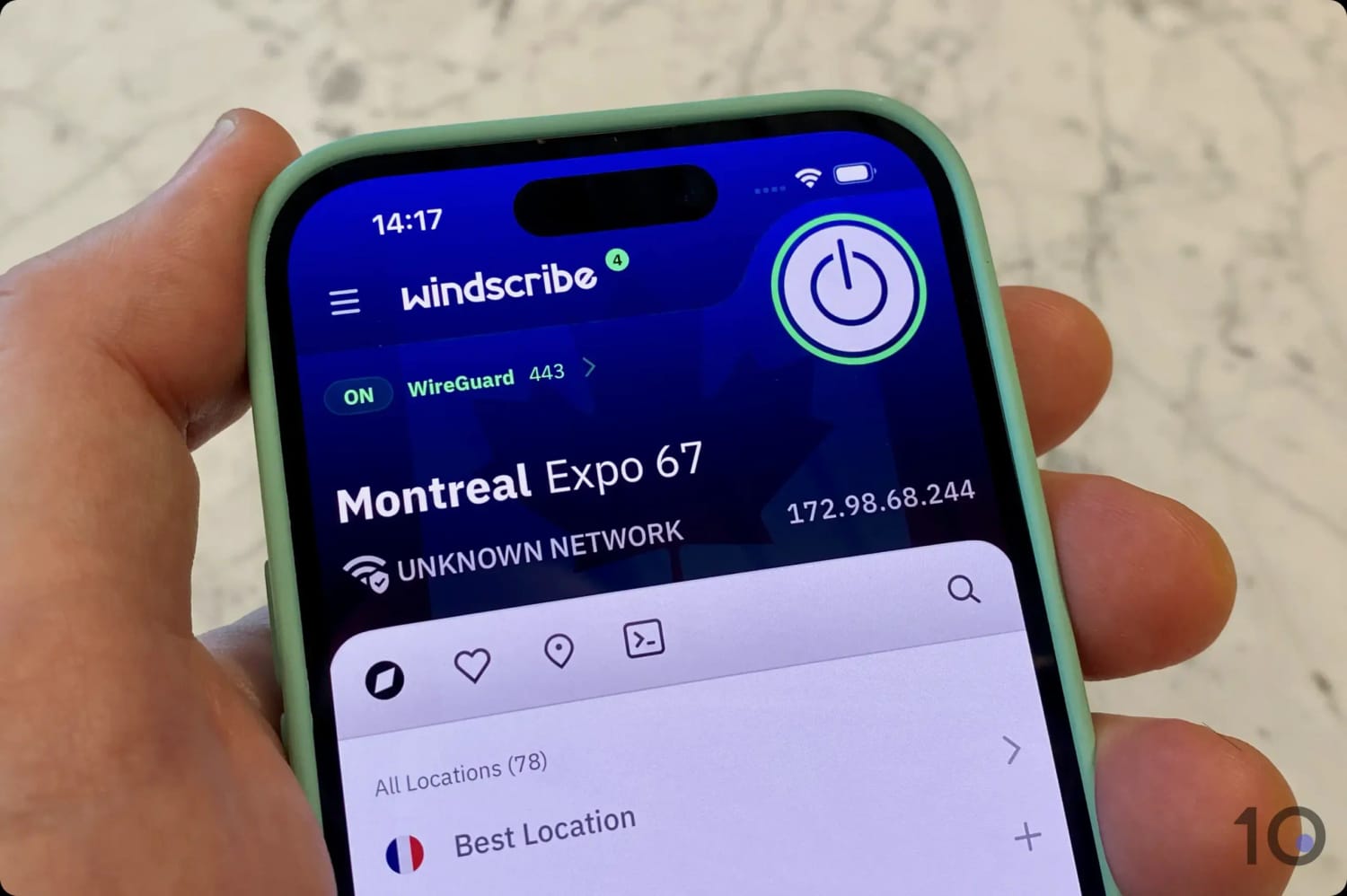
Using Windscribe’s free iPhone app.
100% Free Obfuscation Options
Windscribe’s free service can still access websites and apps blocked in Russia.
It has the most effective obfuscation of any free VPN we’ve tested, beating out Proton VPN and PrivadoVPN by some margin.
It’s also one of a few VPNs that lets you access its obfuscation settings for free, unlike most other free services.
Windscribe doesn’t log any personally identifiable information and operates a diskless server network, almost eliminating the risk of data being extracted from its VPN servers.
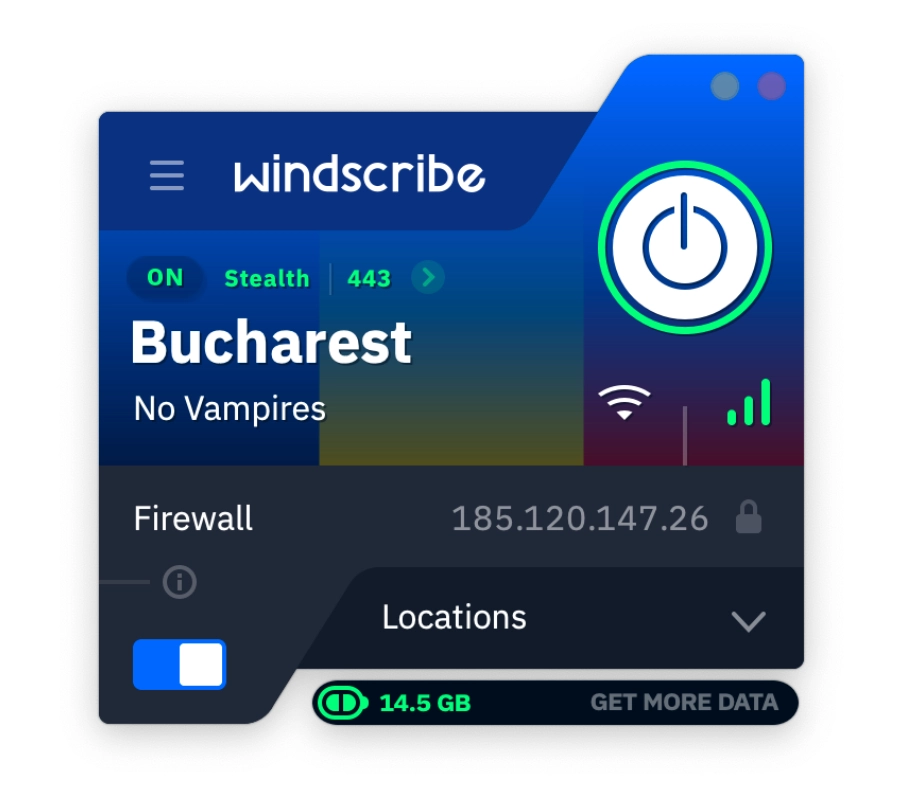
Using the Stealth protocol, port 443, and the free Bucharest server.
10GB Monthly Data Restriction
Windscribe is designed for VPN beginners, with apps that are relatively simple to use despite the many advanced settings on offer.
The design of the apps and browser extensions is starting to look a bit dated but, for such a good free service, we’re ok with that for now.
The big downside to using Windscribe is its 10GB monthly bandwidth cap. While it’s a generous allowance compared to many secure free VPNs, you’ll quickly max it out with regular streaming or torrenting activity.
If you’re only browsing websites, or using services like X (Twitter), then 10GB may last you the whole month, as long as you don’t consume a lot of video content or download large files.
It’s not always possible to download and install a VPN once you’re in Russia, which is why we recommend downloading one (or even two) before you travel.
Fortunately, the three VPNs we recommend in this guide also provide alternative websites to download and install their software within Russia.
Before your travel, contact your chosen VPN’s customer support and ask for the latest URL (mirror link) that works in Russia.
Instructions: How to Use a VPN in Russia
Visit the VPN service’s website and sign up. If you’re already in Russia, contact your VPN service to find a mirror download URL.
Install the latest version of the VPN app onto your device.
Launch the VPN app and sign in. Some VPNs provide a username and password, or you’ll create your own.
Turn on obfuscation protocols or features. Astrill offers an effective proprietary StealthVPN protocol. PrivateVPN also has its own StealthVPN mode, which uses Shadowsocks proxy to bypass firewalls.
Turn on the VPN’s kill switch. This prevents your real IP address from leaking if your internet connection drops suddenly.
Connect to a VPN server in a nearby country like Finland or Poland for the fastest internet speeds.
How to Get a Russian IP Address with a VPN
If you want to access web content only available in Russia, then you’ll need to get a Russian IP address.
Getting a Russian IP address has become trickier in recent years, though. Many major VPN services, like ExpressVPN and NordVPN, have removed their physical servers from Russia to protect their users from government surveillance.
Currently, the most secure and trustworthy VPNs with servers in Russia are Astrill, CyberGhost, Proton VPN (paid version), and Windscribe Pro.
Watch our video tutorial on how to get a Russian IP address using a VPN:
We used Windscribe VPN to get a Moscow IP address.
Instructions: How to Get a Russian IP Address
Subscribe to a VPN service with servers in Russia. We recommend using Astrill to get a Russian IP address.
Install the latest version of the VPN app onto your device. Navigate to the VPN provider’s website and download the app onto your computer.
Launch the VPN app and sign in. Some VPNs provide username and password, or you’ll create your own.
Connect to a VPN server in Russia. Find the server list in your VPN app and select a Russia server.
Verify your new IP address. Open your preferred internet browser and use an IP checker tool to confirm your IP address and geolocation has changed to Russia.
VPNs with Servers in Russia
As we’ve already mentioned, many popular VPN services have removed their servers in Russia. Here’s a comprehensive list of VPNs that still offer access to Russia servers (whether physical or virtual):
Astrill
Bitdefender VPN
CyberGhost
FastestVPN
Hotspot Shield
Kaspersky VPN
Perfect Privacy
Proton VPN
PureVPN
TorGuard
Touch VPN
VPN Proxy Master
VyprVPN
Windscribe Pro
ZoogVPN
From this list, we only recommend using the following: Astrill, CyberGhost, Hotspot Shield, Perfect Privacy, Proton VPN, TorGuard, or Windscribe.
Are VPNs Banned in Russia?
By encrypting your traffic and changing your IP address, VPN software can access blocked web content that’s deemed incompatible with the views of the Russian government.
Using a VPN in Russia is not illegal in itself, but using an ‘unauthorized’ VPN is against the law.
The punishment for using an unauthorized VPN in Russia is 300,000 RUB (~$3,400) for the user and 700,000 RUB (~$8,000) for the VPN service.
To become an ‘authorized’ VPN service, the company must cooperate with the Russian state and agree to block all the websites in the government’s extensive website blacklist. They must also agree to share user data with Russian security services.
This makes using an ‘authorized’ VPN in Russia useless from a privacy and anti-censorship perspective.
We’re pleased to see many VPNs have ignored these regulations and continue to unblock websites censored by the Russian state. However, there is always a risk that a VPN with physical Russia servers might be forced to cooperate with data requests.
If you use one of our recommended VPNs for Russia, it’s very unlikely your traffic will be identified, intercepted or blocked.
Internet Censorship in Russia
Over the past decade, the Russian government has made several attempts to increase its control over the domestic internet. Here are some of the most important events affecting the country’s online freedoms:
1. Blocking VPNs
Since 2022, Russia has increased internet restrictions in the country, blocking over 4,000 websites and apps including YouTube, Facebook, X, Instagram, BBC News, and Quora.
As a result of these widespread blocks, Russian citizens have turned to VPNs to access banned websites. In retaliation to the rising number of VPN users, the Russian government began restricting access to VPNs like Proton VPN and NordVPN in June 2022.
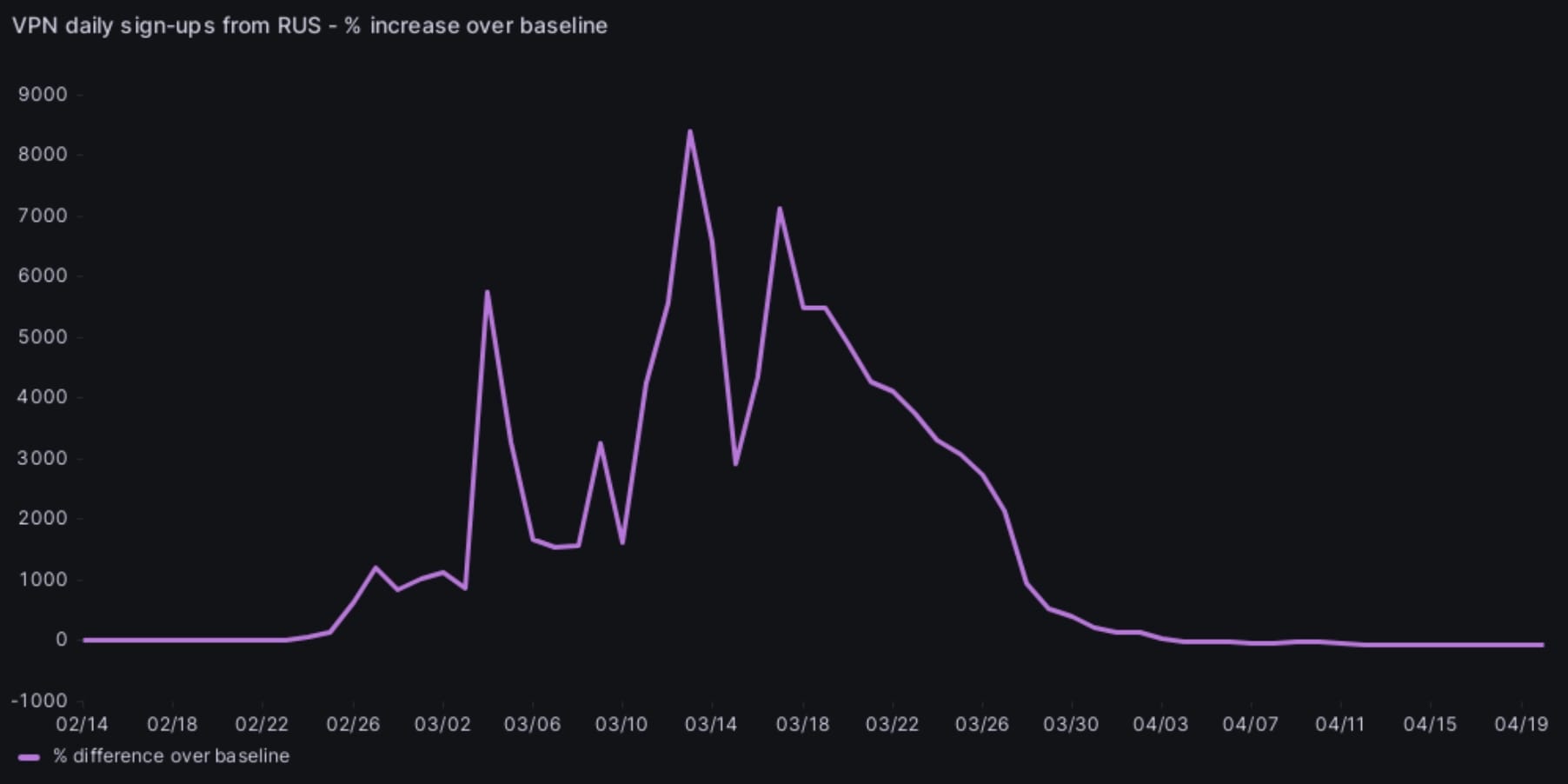
Proton VPN recorded a 9,000% rise in Russian signups on the 24 March 2022.
In April 2023, reports emerged of popular VPN protocols OpenVPN and WireGuard traffic being blocked by Russian ISPs.
Russian internet censorship has developed significantly over the last few years and it has become increasingly difficult to bypass these restrictions.
This is why we recommend using Astrill, which has highly sophisticated obfuscation tools that still beat Russia’s internet firewalls.
2. Blocking Telegram
In April 2018, the Russian Communications Watchdog blocked over 4 million IP addresses in an attempt to ban the private messaging app Telegram.
Telegram remained online, while hundreds of unrelated websites and apps were unintentionally shut down.
The sudden rise in blocked IP addresses in Russia after the attempted block on Telegram.
The sites and services involved included MasterCard, Twitch, Viber, and popular e-commerce and online banking sites. It took over a month for these apps to be put back online.
3. The Yarovaya Law
In 2016, Russia’s parliament approved the Yarovaya Law.
This law requires all Russian telecom companies and Internet Service Providers (ISP) to store detailed user communication records for six months, and all connection metadata for three years.
This allows the government to access records of everything you do online at any time.
Promoting ‘extremism’ online is punishable by up to five years in prison. Under the Yarovaya Law, ‘extremism’ can include modest protests, including ‘humiliation of national dignity.’
4. Russia’s Domestic Internet
More recently, Russia has initiated the final steps of its censorship strategy — to create its own domestic alternative to the global internet.
In November 2019, the aptly named ‘Sovereign Internet’ law came into force. This law allows the Russian state to switch off Russia’s access to the worldwide web in the event of an “emergency.”
The government also launched its own version of Wikipedia, called Ruwiki, in July 2023. It was created by copying all of Wikipedia’s articles and removing or editing articles with narratives contrary to the Russian government’s official line.
How We Test VPNs for Russia
We use a unique, exhaustive testing process to make sure we only recommend the safest and most reliable VPNs for Russia.
We test every VPN service in five key categories, and use these results to calculate an overall rating for Russia.
For Russia specifically, we test every VPN for:
Bypassing censorship in Russia
Effective obfuscation technology
VPN servers in nearby countries
AES-256 encryption and OpenVPN
Safe no-logs policy & no IP or DNS leaks
Fast download & upload speeds
Here is a table showing how our chosen VPNs for Russia performed in our testing categories:
Below is a more detailed breakdown of the five testing categories, along with how much of the overall rating for Russia they make up:
1. Bypassing Russian Censorship (50%)
Minimum Requirement: Some VPN servers work in Russia. We Recommend: All VPN servers reliably work in Russia.
The most important attribute of a top Russian VPN is its ability to bypass censorship.
We use remote servers to test every VPN on its ability to access restricted websites and services.
The most effective VPNs will work to bypass website blocks on all servers, without limitations. However, we also reward the services that can work to bypass censorship almost all of the time.
2. Obfuscation Technology (20%)
Minimum Requirement: Some obfuscation functionality. We Recommend: Multiple advanced obfuscation tools.
Obfuscation is a type of technology designed to disguise or camouflage your VPN traffic.
Typical encryption stops third parties from being able to see your activity. Obfuscation prevents them from knowing it is VPN traffic at all.
This type of technology is vital if you’re looking to bypass online censorship safely and effectively.
For this reason, we test every VPN for the ability to select an obfuscation protocol from the settings menu. VPNs with multiple obfuscation options, AES-256 encryption, and IP leak protection are rewarded.
3. Privacy & Logging Policy (10%)
Minimum Requirement: A clear privacy policy with minimal logs. We Recommend: A strict zero-logs privacy policy.
Russia has banned unauthorized VPNs, which means it’s important there are no logs of your internet connections in the country.
We analyze every VPN privacy policy in detail to assess its privacy policy, jurisdiction, and ownership. We do not recommend any service that collects identifying logs or has ties to the Russian government.
4. Speed (10%)
Minimum Requirement: Average download speeds over 60Mbps. We Recommend: Average download speeds over 80Mbps.
We regularly test for local speeds from the US, and international download speeds while connected to Australia, Singapore, the UK, and more.
After recording speeds connected to a VPN, we compare them to speeds without using a VPN to figure out the percentage drop.
The best VPNs only have minimal speed loss when connected to servers in the same continent. It’s likely that the further away the server you connect to, the slower your internet speeds will be.
5. Nearby Servers to Russia (10%)
Minimum Requirement: VPN servers in some countries near Russia. We Recommend: A wide range of VPN servers in Russia and nearby countries.
Finally, we test every VPN to assess the number of server locations on offers both within Russia and its neighboring countries.
The closer these servers are to your physical location, the better your VPN speeds will be.
VPN services with multiple server locations in a wide range of neighboring countries are rewarded, while those that cater only to Western countries are penalized.
Data Cap Penalty
Almost all free VPNs come with a data cap. Like with most limitations on free VPNs, this is imposed to encourage users to upgrade to a premium subscription.
If you use up your data cap, the rest of your internet activity will be outside of the VPN tunnel. Consequently, your ISP can monitor the webpages you visit and you won’t be able to access blocked websites in Russia.
We apply a penalty to the VPN’s final overall rating for Russia based on its data cap:
Unlimited bandwidth: No deduction to the overall rating
10GB per month: -20% to the overall rating
500MB per day: -25% to the overall rating
5GB per month: -30% to the overall rating
1GB per month: -35% to the overall rating
200MB per day: -40% to the overall rating
500MB per month: -50% to the overall rating
FAQs
What Is the Best VPN Protocol to Use in Russia?
Generally speaking, OpenVPN and WireGuard are the best for balancing speed and security. They’re open-source VPN protocols that have been verified for safety time and time again.
However, these protocols do not obfuscate your internet traffic by default. To circumvent strict internet blocks, we recommend using a VPN with strong Stealth protocols, like Astrill or Windscribe.
These stealth protocols are often built using OpenVPN as their foundation, and will prevent packet analyzers from identifying your VPN traffic.
Which VPN Has the Most Servers in Russia?
CyberGhost is the VPN with the most servers in Russia, with 60 virtual servers in Moscow. Proton VPN has 16 physical VPN servers in St. Petersburg.
How Can I Stay Anonymous Online in Russia?
If you’re an internet user in Russia, the country’s laws on internet freedom can be frightening. To stay safe and anonymous online, here are a few best practices you should follow:
Use a pseudonym. No level of encryption or digital hygiene can hide who you are if you post under your real name. Pick a fake one that can’t be linked back to you.
Use a VPN. A VPN will keep your browsing activity and location private by encrypting your internet traffic, routing it through a secure tunnel, and masking your true IP address.
Use SOCKS5 with Shadowsocks. As an alternative to a VPN, wrapping a SOCKS5 proxy in a Shadowsocks client can be another solution to bypassing Russia’s internet firewalls.
Use the Tor Browser. Tor works by encrypting your online communications and relaying your traffic through randomized nodes. Tor is slow, but if you’re unable to access a VPN, then it is an alternative choice for anonymous browsing in Russia.
Use common sense. Don’t geotag your content, discuss events from your personal life, or keep a local record of your written content. Stay away from social media websites, and be careful about what you post.
What's the Best VPN for Netflix in Russia?
In March 2022, Netflix suspended its service in Russia. However, can you get round this suspension by using a VPN like PrivateVPN, which unblocks 10 Netflix regions, including the US, UK, and Japan.