



The Bottom Line
CyberGhost is a good VPN, but not the absolute best. It scored 8.3/10 in my testing, with good streaming performance, a 100-country server network, and excellent value on long-term plans. It’s held back by inconsistent long-distance speeds, a dated app interface, and missing advanced features like multi-hop. That said, it remains a solid, dependable all-rounder, and its 45-day money-back guarantee makes it low-risk to try.
8.5/10 8.0/10 8.6/10 7.9/10 9.6/10 8.6/10 8.1/10 8.3/10 6.9/10
- Generous free trial options
- Large server network
- Minimal logs retained
- Smart DNS proxy works in five countries
- User-friendly apps for popular devices
- Anonymous token-based dedicated IPs
- Inconsistent download speeds
- Missing advanced security features
- Apps feel dated
- Ungenerous device limit
- No multi-hop servers
I’ve been reviewing CyberGhost for 10 years now and my thoughts largely remain the same: it’s a good VPN, but it lacks the wow-factor needed to stand out.
I chalk this up to its infrequent release of new features, which has caused the VPN service to stagnate and feel slightly dated compared to its rivals. In some respects, this works in the VPN’s favor since the lack of clutter makes it easier for beginners.
CyberGhost also requires minimal commitment to start using since it offers a 24-hour free trial on PC (no card details needed), as well as 3-day and 7-day free trials on Android and iOS respectively. If you sign up for a 6-month or 2-year subscription, the VPN also offers a full refund if you request it within 45 days of purchase.
While CyberGhost is a solid choice, I can’t help feeling it has the potential to be much more. Adding extra features like multi-hop, more consistent speeds, and a modern app design would transform it into a top-tier VPN.
🔄 Key Updates
Clarified Kape’s ownership of sister VPN brands for transparency, added CyberGhost’s bug bounty program, and updated its speed test results.
Pricing Plans
$$$$| 1 month | $12.99 |
|---|---|
| 6 months | $41.94 ($6.99/mo) |
| 26 months | $56.94 ($2.19/mo) |
Free Trial Options
| Money-Back Guarantee | 45 days |
|---|---|
| Free Trial | 1, 3 & 7 days |
| 100% Free Plan | No |
Privacy
We calculated this rating by examining the VPN's logging policy, jurisdiction, ownership, and privacy features. We also evaluated its history of handling user data and responding to legal requests.
Ranked #15 out of 59 VPNs for Privacy
While not a strictly 'no-logs' VPN, CyberGhost doesn't collect enough data to identify you. It keeps some non-invasive data to maintain its service, but this is aggregated and anonymized. That said, I can't 100% guarantee anything until the VPN passes the definitive test: a real-world court case or server seizure.
| Originating IP Address | No |
|---|---|
| Browsing Activity | No |
| Individual Connection Timestamps | No |
| Date of Last Connection | Yes |
| VPN Server IP | No |
| Device Information | Yes |
| Individual Bandwidth Usage | No |
| Account Information | Yes |
| Jurisdiction | Romania (EU Member) |
|---|---|
| Privacy Policy | No Identifiable Data |
| Transparency Reports | Yes |
| Diskless Servers | Yes |
| Anonymous Payment Options | Yes |
You can read CyberGhost's full privacy policy on its website.
CyberGhost logs its users’ connection attempts — and whether those attempts are successful — to manage its service. Since your connection is one of many, it’s kept anonymous.
It also stores your username and payment details. This is standard practice and can easily be sidestepped by using an alias email and an anonymous payment method, like cryptocurrency.
Based on these claims alone, CyberGhost doesn’t pose a risk to your online privacy, but I can’t provide a full guarantee until its policy is proven by a court case or server seizure.
That said, the VPN has published transparency reports since 2011 and has never recorded an instance of complying with an information request.
It has also invested in a RAM-only (diskless) server network, which means any data is stored virtually and periodically wiped. For me, this is a strong indicator that CyberGhost’s claims are truthful.
Clarifying CyberGhost’s Ownership
Initially founded by a tech entrepreneur in 2011, CyberGhost was eventually purchased by a company called Crossrider in 2017.
This generated some controversy, since Crossrider had a past association with an ad-injector platform. Crossrider then rebranded to Kape Technologies, shifted in focus to privacy and security, and overhauled its entire senior management team.
CyberGhost has actually improved its privacy practices under Kape’s ownership, which includes undergoing two independent audits by Deloitte to prove its no-logs infrastructure.
Today, Kape has evolved into a digital privacy heavyweight, adding ExpressVPN and Private Internet Access to its portfolio of VPN services.
Streaming
We calculated this rating by identifying which streaming services the VPN could unblock and measuring how consistently it could access them.
Ranked #9 out of 59 VPNs for Streaming
CyberGhost has always been a reliable choice for streaming, but it’s not in my top five. It unblocks 10 Netflix regions, as well as popular streaming services like HBO Max, Prime Video, Hulu, and BBC iPlayer. Its Smart DNS feature is one of its highlights, which unblocks content from multiple countries and not just the US like most other VPNs.
| Streaming Service | Works with CyberGhost |
|---|---|
| BBC iPlayer (UK) | Yes |
| DAZN (Canada) | No |
| Disney+ (UK) | Yes |
| Hulu (US) | Yes |
| ITVX (UK) | Yes |
| HBO Max (US) | Yes |
| Netflix (US) | Yes |
| Netflix (UK) | Yes |
| Prime Video (US) | Yes |
| Sky Go (UK) | Yes |
Having reviewed CyberGhost for 10 years, I’ve always been impressed by how many streaming services it can access.
I’m confident it maintains this consistency through its focus on specific platforms. Unlike some other VPNs, which provide streaming-optimized servers for entire countries, CyberGhost goes one step further with servers for individual content platforms.
I used these dedicated servers myself to access services like CBC Gem (Canada), Canal+ (France), and NBC (US).
While connected to its Netflix servers, I unblocked 10 regional libraries, including the US, UK, and Canada. This is more than most VPNs can unblock, but it’s still far below ExpressVPN’s and NordVPN’s totals.
Another trend I’ve noticed is CyberGhost’s effectiveness at unblocking US and UK streaming services. This includes bypassing BBC iPlayer’s notoriously strict geo-blocks.

I streamed BBC iPlayer on-demand using CyberGhost’s UK servers.
Despite its excellent unblocking capabilities, there’s a fair amount I don’t love about CyberGhost. First of all, it can’t access a single DAZN region and it struggles with some major European platforms, like Mediaset Infinity (Italy) and RTVE Play (Spain).
CyberGhost also struggles during peak periods, and I ran out of patience with the occasional buffering, switching to ExpressVPN for much smoother viewing.
What makes this so frustrating is that CyberGhost has the potential to be among the very best streaming VPNs, but these performance and UX issues hold it back.
Speed
We calculated this rating using our proprietary tests of download, upload, and ping speeds across servers in 10 countries.
Ranked #35 out of 59 VPNs for Speed
Over short distances, CyberGhost barely slows down your download speed with an average drop of 5%, which isn't enough to affect your online activity. On longer distance connections, internet speed declined by 19% on average, which isn't great when I compare it to the fastest VPNs on the market.
Based on our internal speed results, and my personal use, I’m confident you won’t notice a difference in internet speed when using a nearby CyberGhost server.
It’s a slightly different story when connecting to servers continents away. A speed loss of 44% while connected to a South African server is understandable, but compares poorly to Private Internet Access’ 26% dip over the same distance.
The issue isn’t just the raw numbers themselves, but the instability of the connection over long distances. Whenever I test CyberGhost, my download speed fluctuates wildly, especially when I’m streaming live events.
Not only did my video stream buffer here and there, but on a couple of occasions it outright froze!
Security
We calculated this rating by testing the VPN's security protocols, encryption, leak protection, and kill switch reliability. We also assessed the provider's track record and any past security incidents.
Ranked #26 out of 59 VPNs for Security
CyberGhost is safe to use thanks to robust encryption, secure protocols, a working kill switch, and effective leak protection. To compete with other big-name VPNs, it needs to fix an issue with the kill switch, and add advanced security features like post-quantum protection.
| Independent Audit | No |
|---|---|
| VPN Kill Switch | Yes |
| Leak Protection | Yes |
| OpenVPN (TCP/UDP) | Yes |
|---|---|
| WireGuard | Yes |
| ChaCha20 | Yes |
| AES-256 | Yes |
CyberGhost provides two options for protecting your connection: the WireGuard protocol with ChaCha20 encryption, or OpenVPN with AES-256. Both are highly secure, open-source solutions, backed by industry experts.
I used a packet analyzer (Wireshark) to ensure its encryption worked as advertised. The result: CyberGhost encrypted my device’s connection, and left me feeling reassured.
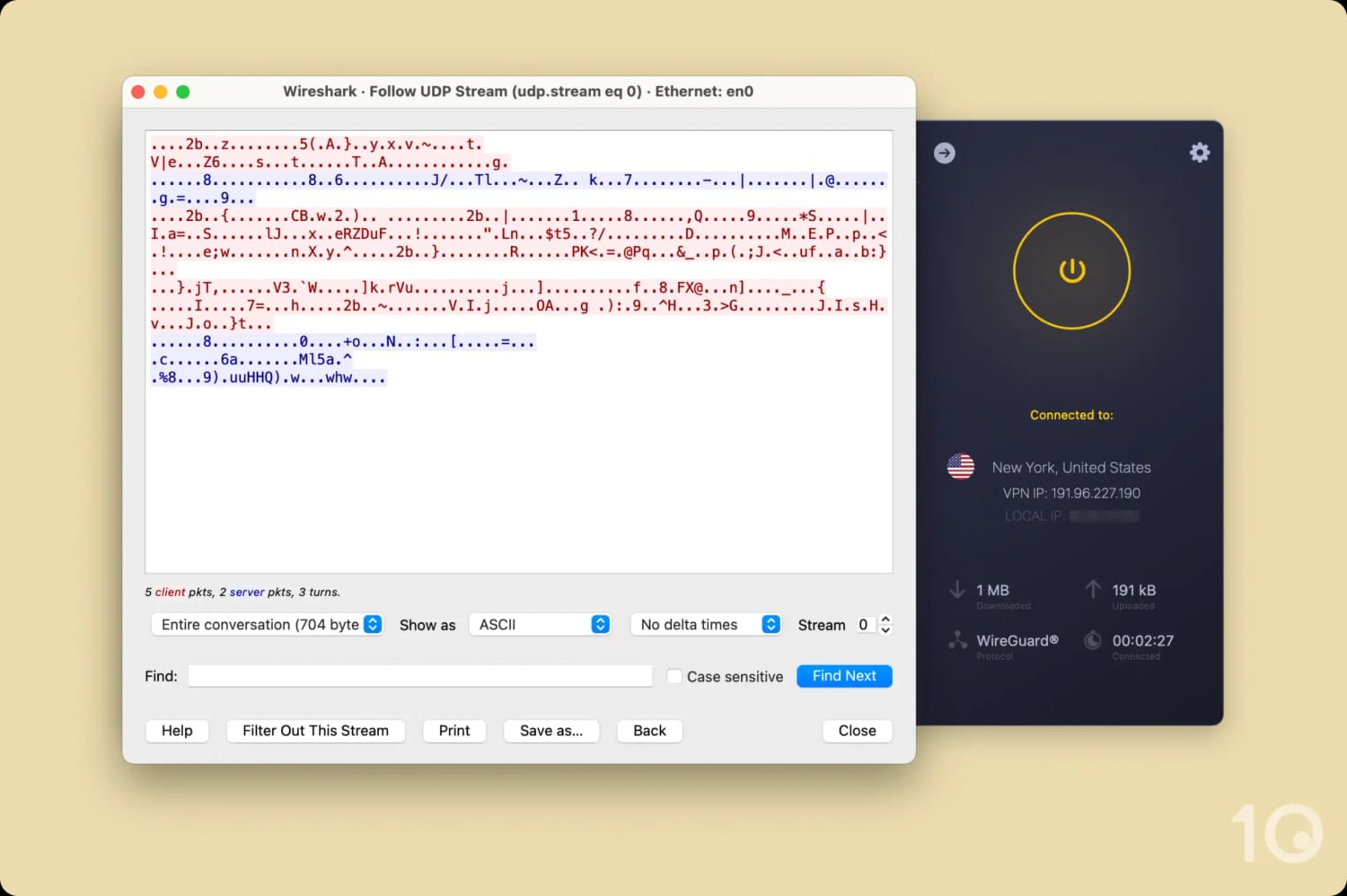
CyberGhost encrypted my internet connection and displayed it as meaningless symbols.
As part of my testing, I also checked for IP, DNS, and WebRTC leaks. I didn’t detect any major issues, apart from an IP leak when I switched servers.
While it does activate during an unintended VPN disconnection — the more critical use case — I’d like to see the kill switch also cover the period between server switches.
That aside, my only other criticism is that CyberGhost isn’t keeping pace with its rivals.
While I appreciate the bug bounty program to crowdsource vulnerability reporting, I’d love to see open-source apps and post-quantum encryption introduced to level up the VPN’s security.
I’m also waiting to see security-specific independent audits carried out, to complement the privacy-focused ones commissioned a few years ago.
Server Locations
We calculated this rating by assessing the number of countries and cities available, their geographic spread, and availability in popular regions.
Ranked #4 out of 59 VPNs for Server Locations
CyberGhost has one of the largest server networks available, with IP addresses in 100 countries. It also offers city-level choice in 10 countries, which is more than most.
| Continent | Countries with Servers |
|---|---|
| Europe | 45 |
| Asia | 28 |
| South America | 9 |
| North America | 8 |
| Africa | 6 |
| Oceania | 2 |
Since I’ve been using CyberGhost I’ve seen its server network gradually expand to 100 countries.
Though the vast majority of its servers are concentrated in North America, Europe, and Asia, the VPN provider has made significant headway in Oceania by expanding its reach into Australia and New Zealand.
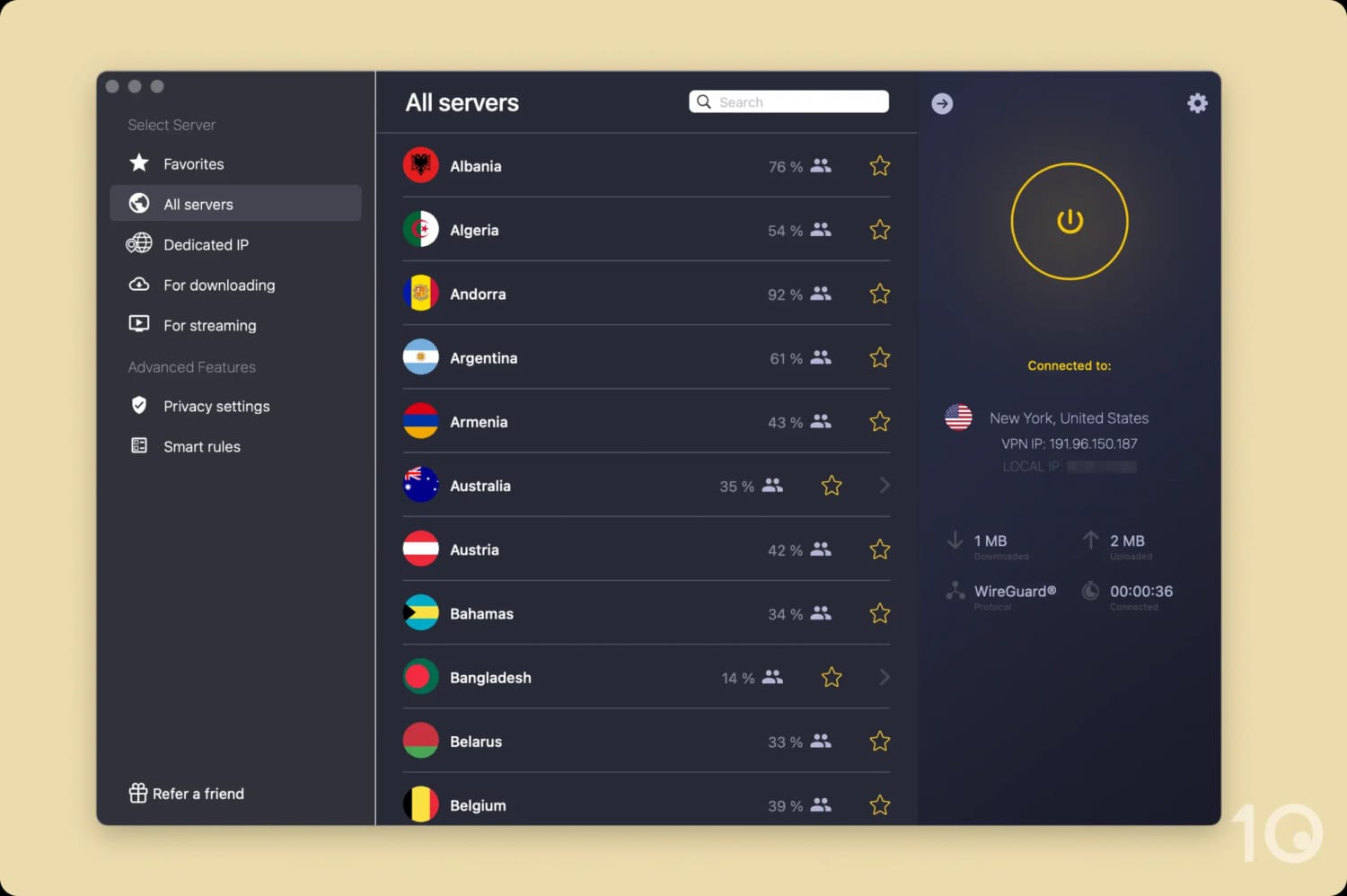
CyberGhost’s server locations are easy to find in the desktop app.
CyberGhost lets you connect to specific cities in 10 locations, most notably in the US, UK, and Canada. The US locations are especially useful to bypass US sports blackouts.
My only critique here is the lack of city-level choice in Asia or Africa. By contrast, Proton VPN lets you choose between Abuja or Lagos in Nigeria, or Johor Bahru or Kuala Lumpur in Malaysia.
User Experience
We calculated this rating by assessing the VPN’s ease of use, interface design, and setup process across multiple platforms.
Ranked #12 out of 59 VPNs for User Experience
My user experience with CyberGhost was overall positive; it's not particularly hard to use and beginners can pick it up quite quickly. If anything, I wish its apps were slightly more complex given they lack advanced features. While I've encountered bugs and crashes over years of testing, these issues are being steadily patched out.
Interface & Ease of Use
CyberGhost’s interface isn’t pushing any boundaries, but its simplicity works in its favor. Power users and beginners alike will have no problem using it.
Its apps feature a gray background with a midnight blue power button, which turns yellow once connected. There’s nothing wrong with this color palette from a functional standpoint — you can easily tell when the VPN is on — but it looks dull compared to its rivals.
Read how CyberGhost looks and feels on each platform in the sections below.
Desktop & Laptop (Windows & Mac)
CyberGhost’s desktop apps are incredibly simple, only displaying the absolute essentials: a power button, server list widget, and an arrow that opens settings.

While I love the simplicity, its interface feels less like the intentional minimalism of ExpressVPN, and more stripped-back and bare. This is less evident on the Mac app which looks crisp and polished.
Both apps take the approach of PIA, another Kape product, of using a slim interface for the home screen and an expanded display for the settings.
Though this can pollute the screen, I like the balance it strikes between compactness and accessibility.
The app also subdivides its server network into multiple lists: NoSpy, gaming, torrenting, and streaming.
This is great for a beginner, but this level of hand-holding eventually becomes quite frustrating. I’d rather these various optimizations were built into the VPN’s standard servers to save myself time.
Mobile (iPhone & Android)
CyberGhost’s simplistic interface really suits a mobile display. I loved that everything you need was visible on the home screen including a one-tap connect button.

While I’d like to see more features added, it’s a refreshing change from competitors that load their mobile apps with paid add-ons and promos.
I was disappointed to learn that CyberGhost only offers one size for its iOS widget, and it isn’t even sized properly. The widget has visible black lines on either side of it, making the iOS app feel budget and rushed.
Streaming Devices (Fire TV, Apple TV & Android TV)
Plenty of VPNs struggle with their streaming device apps, but I actually liked using CyberGhost across all platforms.

Its apps closely resemble their desktop counterparts, and there’s a surprising array of options hidden behind the settings cog.
It’s simple and clearly laid out, and it even has a Streaming tab where you can see servers sorted by which streaming service they unblock.
Torrenting
We calculated this rating by assessing the VPN's torrenting features, including P2P servers and port forwarding support. We also evaluated its average bitrate and stance on file-sharing.
Ranked #10 out of 59 VPNs for Torrenting
When it comes to torrenting, CyberGhost prioritizes privacy over speed. There's very little to fault with its logging policy or pro-torrenting stance, but I'm concerned by the 61% decrease in download speed (bitrate) that emerged during my tests. It's a bad result, to be completely honest.
| Torrenting Attribute | CyberGhost |
|---|---|
| Permits P2P Traffic | Yes |
| Average Download Bitrate | 3.9MiB/s (61% loss) |
| Countries with P2P Servers | 97 |
| Port Forwarding | No |
| Kill Switch | Yes |
| Logging Policy | No Identifiable Data |
In terms of keeping your identity hidden, CyberGhost is good for torrenting: its privacy policy protects you against copyright trolls and the kill switch stops your real IP ever being accidentally exposed.
The sticking point is the VPN’s sluggish P2P speeds. Despite most of CyberGhost’s servers being optimized for P2P traffic, its average bitrate (torrenting speed) of only 3.9MiB/s is woefully slow. That’s a 61% slowdown compared to the baseline.

I had to wait over an hour for larger downloads to complete.
For context, the best VPNs for torrenting lose less than 10% in P2P speed. PIA, for instance, has an average bitrate of 9.6MiB/s.
I could really feel the speed difference using CyberGhost: it took me 81 minutes to download a 20GB file. Without the VPN running it took me 32 minutes. With PIA it took me 33 minutes, so just one extra minute.
You can’t even try to boost your torrenting speed with port forwarding, since CyberGhost doesn’t offer it.
Device Compatibility
We calculated this rating by evaluating the VPN's support for various devices. We considered dedicated apps, browser extensions, Smart DNS functionality, and router compatibility.
Ranked #6 out of 59 VPNs for Device Compatibility
CyberGhost has custom apps for all popular devices and platforms. Unlike most VPNs, it also includes free browser extensions although they're very basic and hit-or-miss. I'd like to see CyberGhost improve these browser add-ons, and loosen its strict device limit.
| Windows | Yes |
|---|---|
| Mac | Yes |
| iOS | Yes |
| Android | Yes |
| Linux | Yes |
| Amazon Fire TV | Yes |
| Android TV | Yes |
| Apple TV | Manual Setup Only |
| Router | Manual Setup Only |
| Chrome | Yes |
| Smart DNS | Yes |
|---|---|
| Unblocks Content From |
|
Simultaneous Connections: 7
I was surprised by CyberGhost’s ungenerous allowance of 7 simultaneous connections. Once you go over the limit you’ll be asked to log out of one device, otherwise you can’t use the VPN.
Given most VPNs are increasingly offering unlimited simultaneous connections, CyberGhost’s device policy feels dated and out of step.
By contrast, CyberGhost’s Smart DNS is a real standout feature. Unlike most Smart DNS proxies that only provide access to the US, CyberGhost offers proxies for five countries: the US, UK, Japan, Germany, and the Netherlands.
This makes it so easy to stream on devices that don’t natively support VPN apps, such as older Smart TVs and game consoles.
Additional Features
We calculated this rating by evaluating the VPN's extra capabilities beyond the basic VPN service. This includes bypassing censorship, additional tools like malware blockers, and customization options like split tunneling.
Ranked #10 out of 59 VPNs for Additional Features
CyberGhost has a good range of additional features, including an ad blocker, automatic WiFi protection, and split tunneling. It also offers an impressive token-based dedicated IP system and premium, safer servers for an additional sum. That said, there's a clear absence of multi-hop servers and modern obfuscation to get around censorship.
| Additional Feature | CyberGhost |
|---|---|
| Split Tunneling | Yes |
| VPN Obfuscation | No |
| Multi-Hop Servers | No |
| Dedicated IP | Yes (additional fee) |
| Ad Blocker | Yes |
Smart Rules Offers Unmatched Customization
CyberGhost lets you customize your VPN connection using its Smart Rules setting. You can use it to decide when your VPN connects, what it connects to, and which apps it protects.
This includes split tunneling functionality, specifically the option to exclude specific websites from entering the VPN tunnel and forcing the VPN to always connect when opening designated apps.
For example, I excluded Amazon from my connection to ensure I always had access to my local account when shopping.
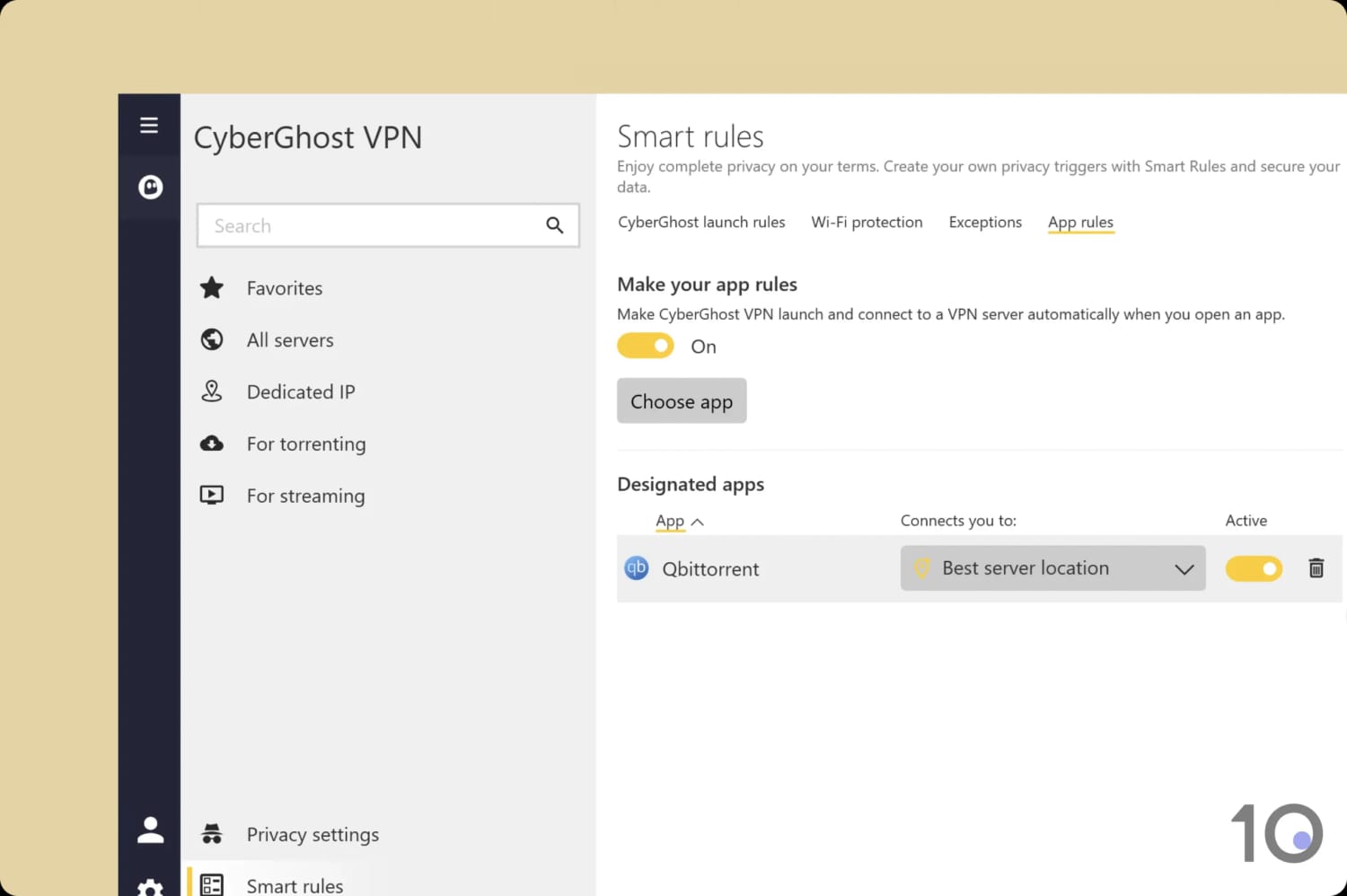
You can find CyberGhost’s split tunneling feature in the app’s settings.
Fully Anonymous Dedicated IPs
For an additional fee, you can add a dedicated IP to your VPN. This is a fixed IP address that only you, and you alone, can access.
Its main benefits include avoiding CAPTCHAs and ensuring secure access to a remote server.
Unlike NordVPN, which links your dedicated IP to your account, CyberGhost randomly generates a token to activate your IP. This process is completely anonymous and eliminates any link between yourself and your online activity.

Dedicated IP is available on CyberGhost’s desktop and mobile apps.
NoSpy Servers for Long-Term Subscribers Only
NoSpy servers are unique to CyberGhost. They are essentially first-class servers, reserved in a private data center and, according to CyberGhost, a lot safer. They use top-shelf hardware, dedicated uplinks, and come with more bandwidth.
NoSpy servers are only available on its 6-month and 26-month plans. I personally don’t like this approach, as all paying customers should get access to the full suite of core VPN features.
Proton VPN’s Secure Core servers, for instance, are very similar in nature and are available on every subscription plan.
CyberGhost Key Data
| Attribute | CyberGhost | Typical VPN |
|---|---|---|
| Owner | Kape Technologies | Independent |
| Launch Date | 2011 | 2015 |
| Local Download Speed | 95Mbps (5% loss) | 89Mbps (11% loss) |
| International Download Speed | 81Mbps (19% loss) | 80Mbps (20% loss) |
| Countries with Servers | 100 | 40 |
| Privacy Policy | No Identifiable Data | Identifiable Data |
| Simultaneous Connections | 7 | 10 |
| Netflix Libraries | 10 | 3 |
| Torrenting | Yes | Yes |
| Works In China? | No | No |
| Cheapest Price | $2.19/mo over 26 months | $3.87/mo over 24 months |
| Customer Support | 24/7 Live Chat | |
| Apps & Extensions |           | |