

Top10VPN is editorially independent. We may earn commissions if you buy a VPN via our links.
The Best VPNs to Watch Kayo Sports Overseas
Simon Migliano
Simon Migliano is a recognized world expert in VPNs. He's tested hundreds of VPN services and his research has featured on the BBC, The New York Times and more. Read full bio
The most effective way to watch Kayo Sports overseas is to use a top-tier VPN that regularly refreshes its IP Australian addresses and consistently beats Kayo’s geo-restrictions. NordVPN is the best VPN to use, thanks to exceptional cross-country speeds and unblocking abilities that provide an excellent streaming experience on popular devices. You can even try NordVPN for free for 7 days on Android, or make the most of its 30-day money-back guarantee.
Kayo Sports is one of Australia’s favorite streaming platforms, with over 50 different sports available live and on-demand.
The service is especially popular for streaming the AFL, the NRL, F1 races, and international cricket and rugby matches.
If you’re overseas, however, you usually aren’t be able to watch Kayo Sports since it blocks access to non-Australian IP addresses.
Unless you use a virtual private network (VPN), that is. Thanks to this simple piece of software, you can change your online location to Australia and bypass Kayo’s geo-restrictions.
You can install a VPN on many devices, like most programs and apps. The app connects you to servers all over the world, including Australia, and once you’re connected, your IP address will change to the server location you chose.
Easy, right? Well, not quite. Kayo has strong protections in place that block many VPNs, and only a few services can unblock the platform from overseas consistently.
Quick Guide: How to Watch Kayo from Overseas
Choose a VPN that works with Kayo Sports. We recommend NordVPN, which performed best in our tests.
Download and install the VPN app onto your device.
Connect to a VPN server in Australia. Once connected, your device will adopt an Australian IP address.
Log into the Kayo Sports website/app. Create an account if you don’t have one already.
Start streaming.
Why Trust Us?
We’re fully independent and have been reviewing VPNs since 2016. Our advice is based on our own testing results and is unaffected by financial incentives. Learn who we are and how we test VPNs.
VPNs Tested
61
Total Hours of Testing
30,000+
Combined Years of Experience
50+
Out of 61 VPNs we tested with Kayo Sports, only three provided us with the smoothest and most consistent access from outside Australia: NordVPN, ExpressVPN, and Surfshark.
In this guide, we’ll explain why we picked these three VPNs and show you how to use them to unblock Kayo on various devices.
How to Watch Kayo Sports Outside Australia
There a various ways to watch Kayo Sports with a VPN with different instructions for different devices. Some methods are easier than others.
For instance, unblocking Kayo on a laptop is a lot more straightforward than on mobile, since the Kayo Sports mobile app is only available in Australian app stores and it looks up your GPS location, too.
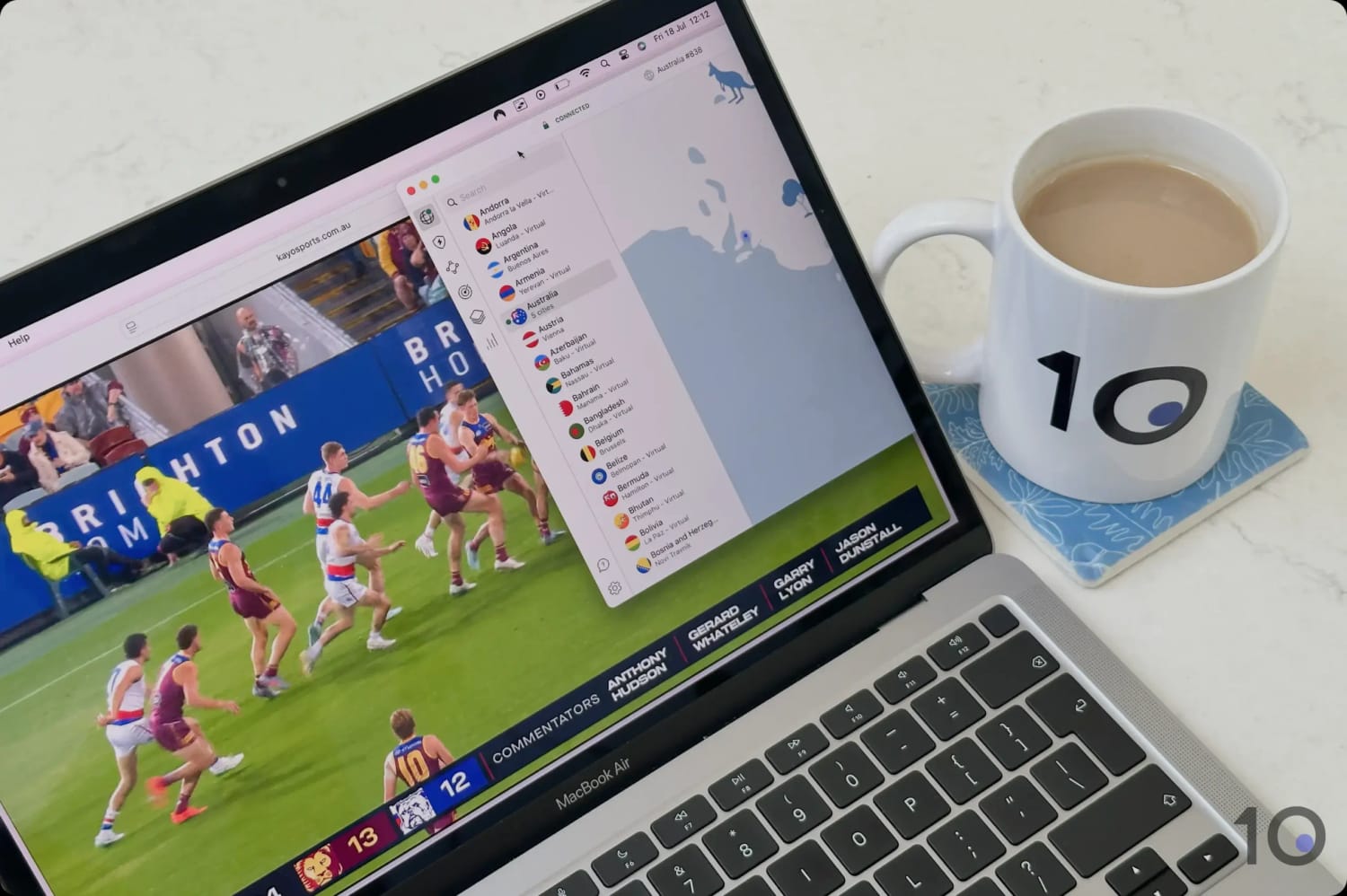
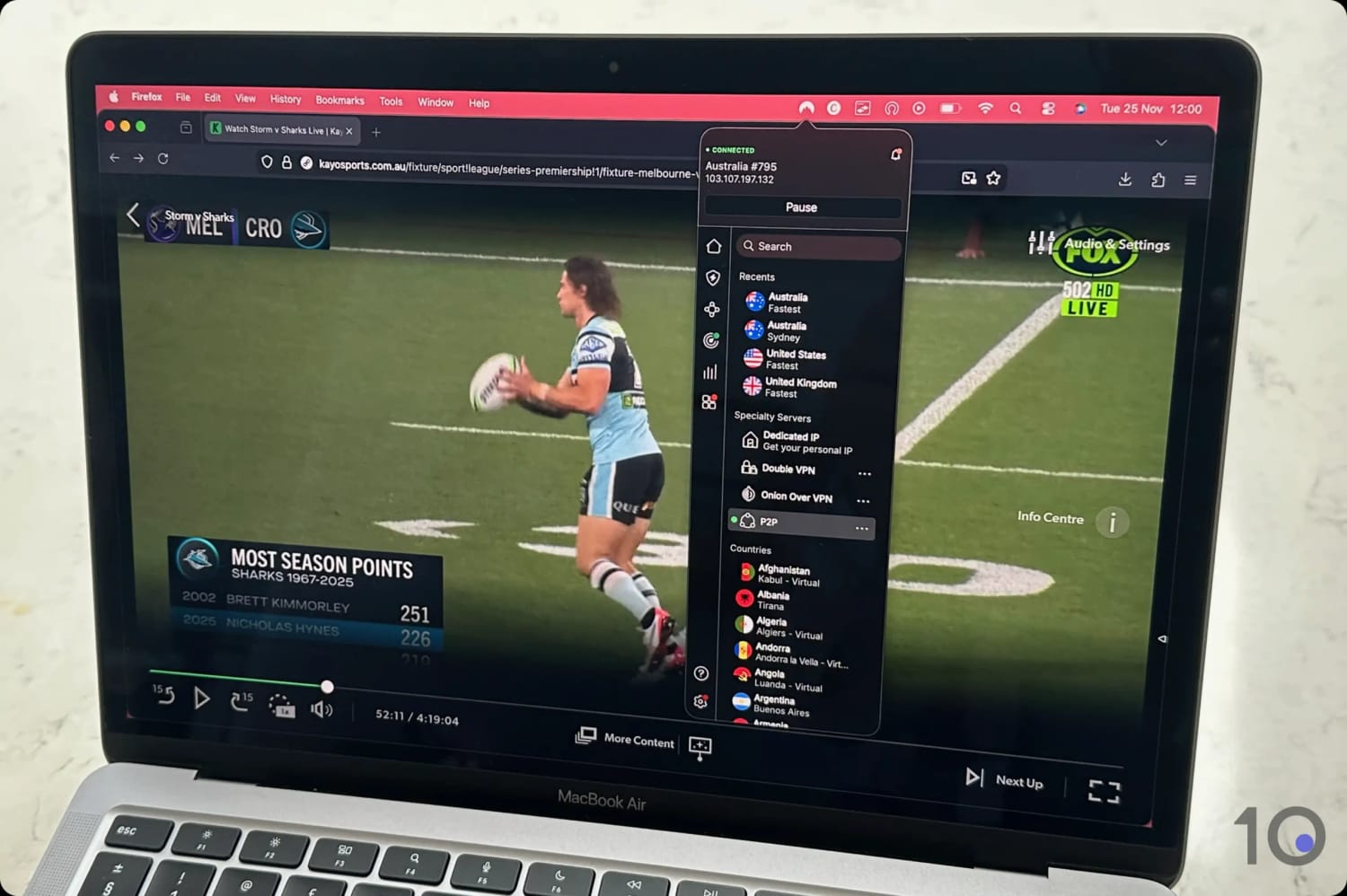
We accessed Kayo Sports on Mac using NordVPN.
The instructions below will help you bypass Kayo’s geo-blocks on the most popular devices, such as computers, smartphones, and streaming devices.
Remember, if you have to create a new Kayo Sports account, you’ll need an Australian phone number. If you don’t have one, ask a friend or relative, or use a virtual phone service such as CallHippo.
Desktop & Laptop (Windows & Mac)
Streaming Kayo on a computer is arguably the easiest of the methods we’ll go through.
All you need to do is get a VPN that works with the streaming service, connect to an VPN server location in Australia, and go to the website in your web browser.
Instructions: How to Use a VPN with Kayo on Desktop
Sign up to a VPN that unblocks Kayo Sports: NordVPN is our current favorite.
Download and install the VPN app from the official website.
Launch the VPN app and sign in using your account details.
Search for an Australian server in the VPN’s server list..
Connect to your chosen server to get an Australian IP address..
Go to the Kayo Sports website in your web browser and log in or create an account.
Select the live game or on-demand content you want to watch.
Mobile (iOS & Android)
Like we said, the Kayo Sports app is only listed in Australian app stores. Therefore, if you want to install it on your phone, you’ll need to change your account country to Australia.
Moreover, Kayo’s Android app using GPS data to determine your real geographical location. You therefore need to spoof both your IP and your GPS location.
However, we found that you can access Kayo via your mobile browser. Unlike many other streaming services, Kayo doesn’t redirect traffic to its app, so you can load videos in-browser instead.
The instructions below assume that you don’t have access to the Kayo Sports mobile app, and are therefore focused on in-browser streaming.
Instructions: How to Use a VPN with Kayo on Phone/Tablet
Subscribe to a VPN that works with Kayo: NordVPN offers a 3-day free trial on Android and a 30-day refund guarantee on iOS.
Download the VPN app from the App Store or Google Play.
Launch the VPN app and connect to an Australian VPN server.
Go to the Kayo Sports website and create an account.
Choose the content you want to stream.
To watch live games: On the home screen, live games will be under the ‘Live & Upcoming’ heading:
On Android, tap ‘From Live’ to access the live game.
On iOS, tap ‘From Start’ and fast forward the stream to the live position. This is because the ‘From Live’ option on iOS didn’t work.
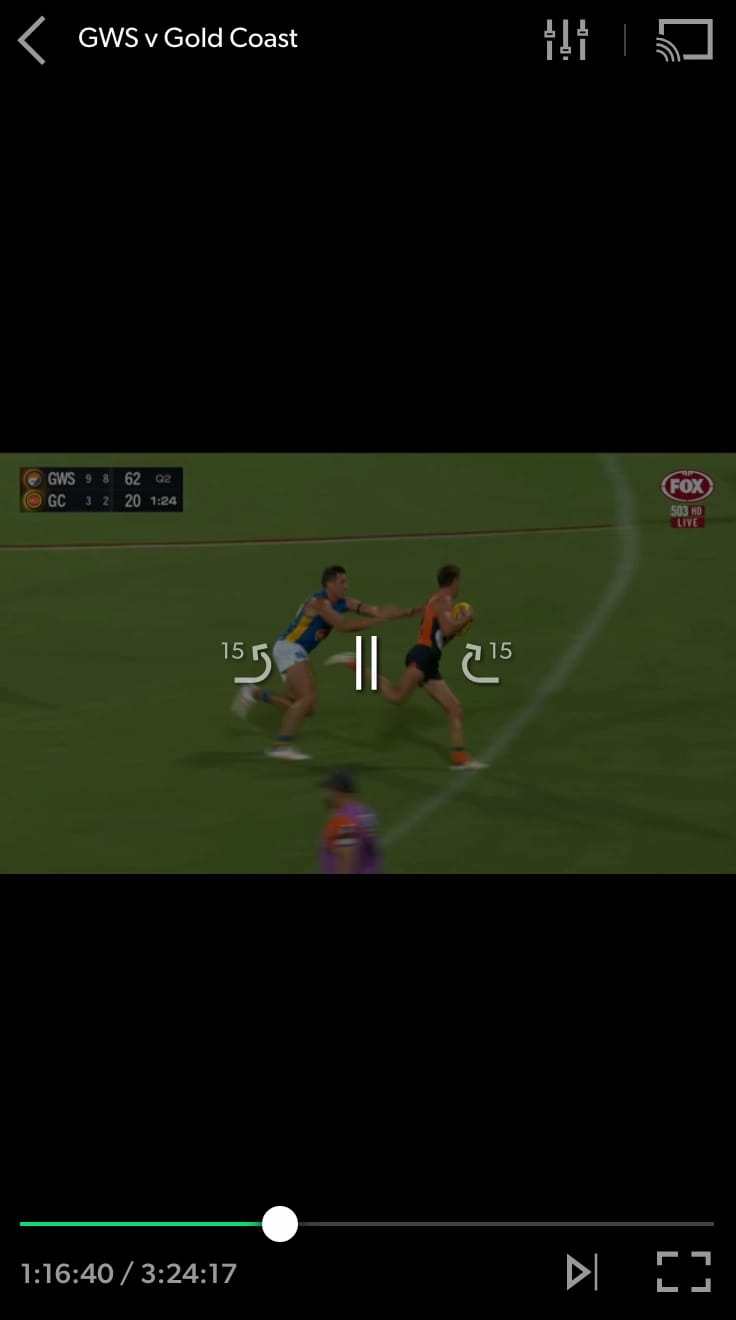
Kayo Sports is accessible abroad using your mobile web browser.
If, on the other hand, you have the Kayo Sports Android app, then follow the steps below to stream directly from the mobile app:
Instructions: How to Use a VPN with Kayo’s Android App
Install the Surfshark app from the Play Store: Surfshark has a built-in GPS spoofer and offers a 7-day free trial.
Launch the Surfshark app and go to ‘Settings’.
Tap ‘VPN Settings’.
Tap ‘Advanced Settings’.
Toggle on ‘Override GPS location’.
Tap the ‘Let’s Go’ pop-up button.
Enable ‘Developer Options’ in your device’s settings. You find detailed instructions on Surfshark’s website.
In ‘Developer Options’, tap ‘Select mock location app’.
Select the Surfshark app and close the setup screen.
Open the Surfshark app and select an Australian VPN location.
Open your Maps app and verify that your location matches your VPN server location.
Open the Kayo Sports app and start streaming.
Fire TV & Android TV
Just like with the mobile app, the Kayo Sports app on Fire TV and Android TV is region-locked to Australia.
To avoid having to change your country store to Australia (or buying a second device), you can access Kayo Sports using a web browser, instead.
Using a web browser on your Firestick or Android TV isn’t the most user-friendly experience, but it saves you the hassle of having to change app store country.
Instructions: How to Use a VPN with Kayo on Fire/Android TV
Sign up to a Kayo-compatible VPN with apps for Fire TV and Android TV: ExpressVPN has the most user-friendly apps for both devices.
Go to your device’s app store and download the VPN app.
Log into the VPN app using your account details.
Connect to a VPN server location in Australia.
Open a web browser on your device: On Firestick, use the built-in Silk Browser. Android TV doesn’t have a built-in browser, but the BrowseHere app from Google Play is safe and optimized for video playback.
Go to the Kayo Sports website and select the content you want to watch.
Apple TV
Once again, the Kayo Sports app is only available in Australian tvOS store, but we discovered that you can bypass this restriction using AirPlay.
Crucially, both your iPhone/iPad and your Apple TV need to be connected to the same Australian VPN server location.
Instructions: How to Use a VPN with Kayo on Apple TV
Sign up to NordVPN from the official website: You won’t be able to sign up directly from Apple TV.
Download the VPN app onto your Apple TV and log in using your account details.
Install the VPN app onto your iPhone or iPad.
Connect to the same Australian VPN location on both your Apple TV and your iPhone/iPad..
On your iPhone/iPad, visit the Kayo Sports website in Safari and log in.
Select the video you want to watch and tap ‘From Start,’ then fast forward to the live position: If you select ‘From Live’ the video won’t load.
Once the stream has loaded, tap the AirPlay icon at the top of the screen: if you can’t see any icons, tap the screen to display them.
Select your Apple TV from the list of options.
You should now see the stream live on your Apple TV.
The Best VPNs for Kayo Sports
The table below compares our three chosen VPNs side by side. We’ve included their individual ratings for each of the main test categories, free trial options, and cheapest monthly price available.
Extremely fast speeds into Australia from overseas
Works with other Australian services like 7plus & 9Now
Dedicated apps for Fire TV, Android TV & Apple TV
3-day free trial via Google Play Store
Smart DNS proxy doesn’t work with Kayo Sports
No router app & no Android GPS spoofer
Renews at a much higher price
Pricing Plans
$12.99/mo
$4.99/mo over 12 months
$2.99/mo over 27 months
Money-Back Guarantee
30 Days
Australia Servers
190
Australia Server Locations
Adelaide, Brisbane, Melbourne, Perth, Sydney
Simultaneous Connections
10
Support
24/7 Live Chat
Compatible with
Windows
Mac
iOS
Android
Linux
Amazon Fire TV
Android TV
Apple TV
Router
Chrome
For several years NordVPN’s Australian VPN servers have performed extremely well for speed and for streaming access.
All 190 servers in the country unblocked Kayo Sports at every attempt on computers, smartphones and streaming devices.
Thanks to NordVPN’s quick and stable Internet speeds, we were able to watch live streams at the highest resolution available without any sudden interruptions or blurriness.
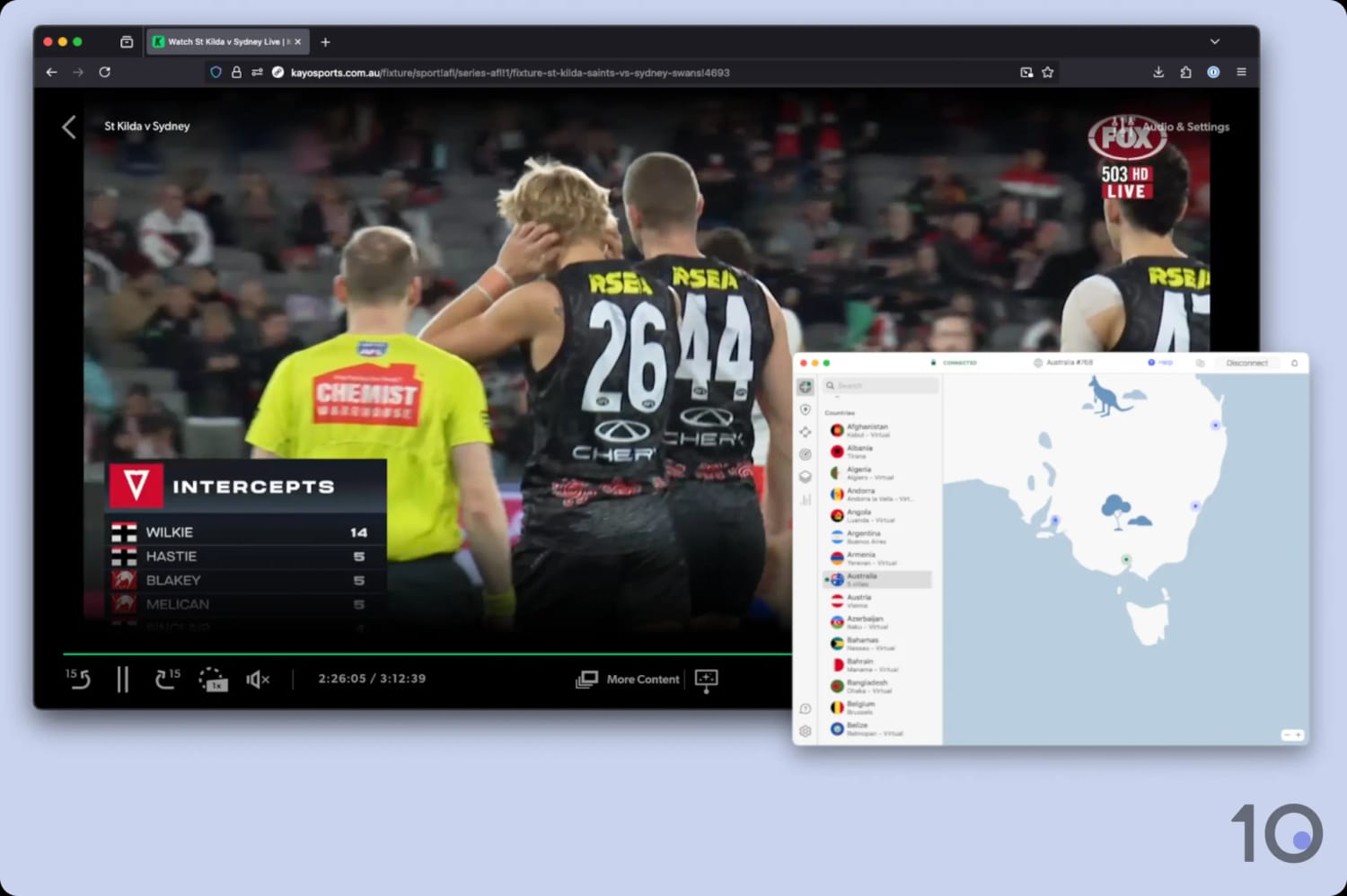
NordVPN unblocked Kayo Sports at every attempt.
Great Speeds on All Australian Servers
NordVPN’s Australian servers are the most effective at unblocking streaming services like Kayo Sports, 7plus, 9Now and SBS On Demand.
The 190 endpoints spread across 5 cities and worked flawlessly on each occasion.
All of NordVPN’s Australian servers unblock Kayo Sports.
This consistency is what sets NordVPN apart from rivals like Surfshark and ExpressVPN, which haven’t been as dependable at accessing Kayo Sports from outside Australia.
NordVPN has clearly invested resources to deliver these phenomenal performances. It’s no surprise that it’s the VPN with the fastest speeds connecting into the country from overseas.
Our Internet speed slowed down by just 16%, even from distant regions like Europe, and we were able to stream live games at the highest resolution available (1080p or 4K).
User-friendly Apps for Popular Devices
NordVPN offers a comprehensive suite of intuitive apps for every major platform, including Windows, macOS, iOS, Android, Fire TV, and Apple TV.
You can also use the service’s VPN browser extensions for Chrome and Firefox to change your IP address directly from your web browser.
While the mobile and streaming device apps are straightforward and easy to use, the desktop interface is rather cluttered and takes up a lot of screen space. It can’t be resized, either.
The introduction of a ‘Pause’ function is also perplexing, as it complicates what should be a simple process to turn off the VPN.
Despite these minor desktop issues, the overall app experience remains user-friendly and accessible to VPN beginners.
While NordVPN often requires more configuration, ExpressVPN is arguably the most plug-and-play VPN available.
Its compact, intuitive app design is engineered for quick IP changes. The home screen features a large connect button, and supporting shortcuts to the full server list, most recent connection, and fastest server location.
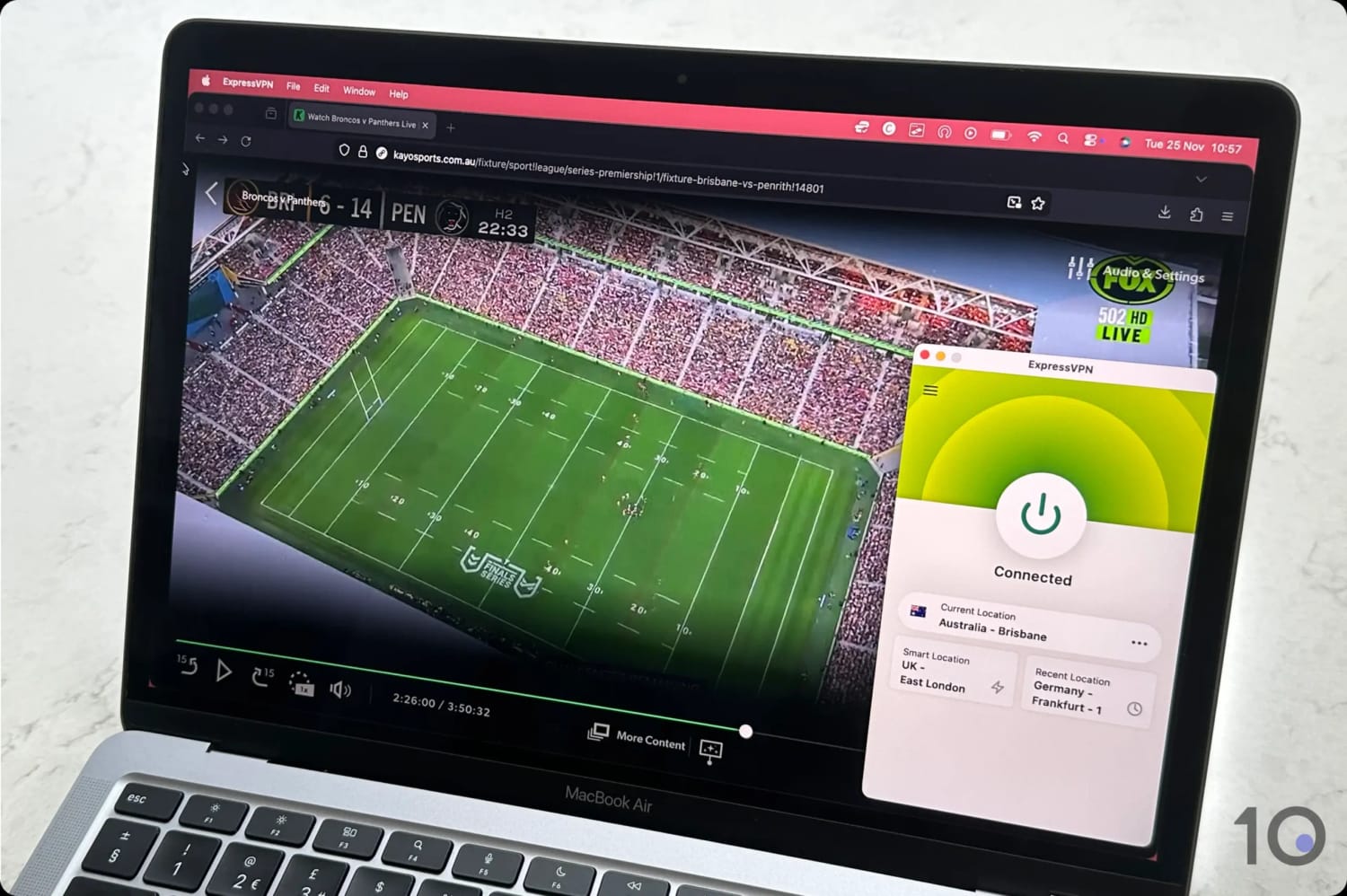
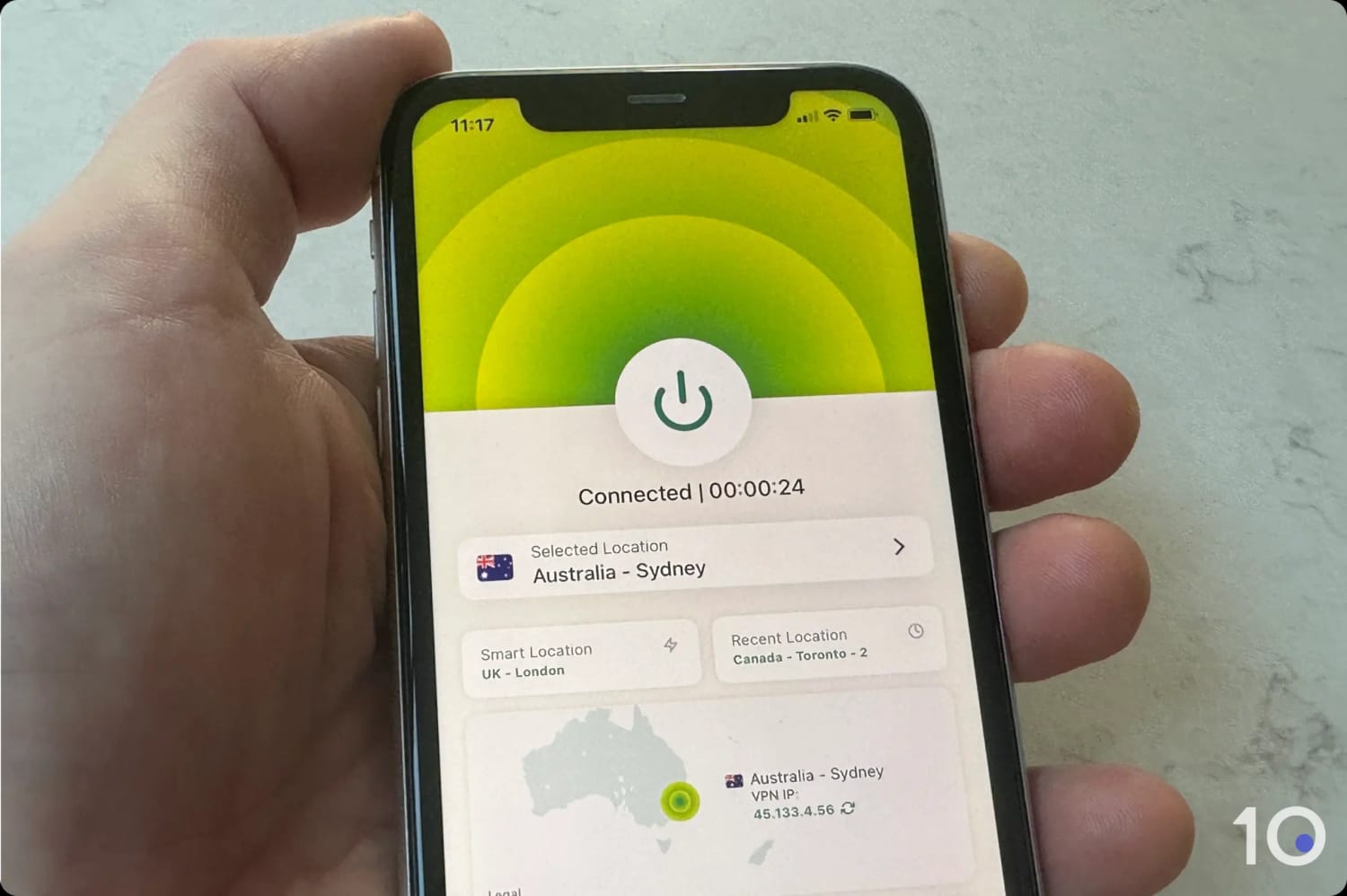
ExpressVPN’s apps are extremely well designed.
This simple yet modern interface is consistently maintained across all apps, making device switching seamless.
Crucial security settings are enabled by default, such as automatic VPN protocol selection and the kill switch, to prevent unexpected IP address leaks.
Not to mention that, for Australians living overseas, ExpressVPN’s router app could be a game-changer. You’ll be able to connect every device on your home network to the VPN, and even assign a different IP location to each one.
There are two reasons why you may want to use Surfshark ahead of NordVPN or ExpressVPN: its 2-year plan is really cheap and it has a 7-day free trial on desktop and mobile.
The VPN works relatively well, with most Australian servers compatible with Kayo Sports. However, speeds are slower and the apps aren’t as nice to use.
But if you’re happy with making a handful of compromises, then Surfshark is a good alternative to stream Aussie sports for less.
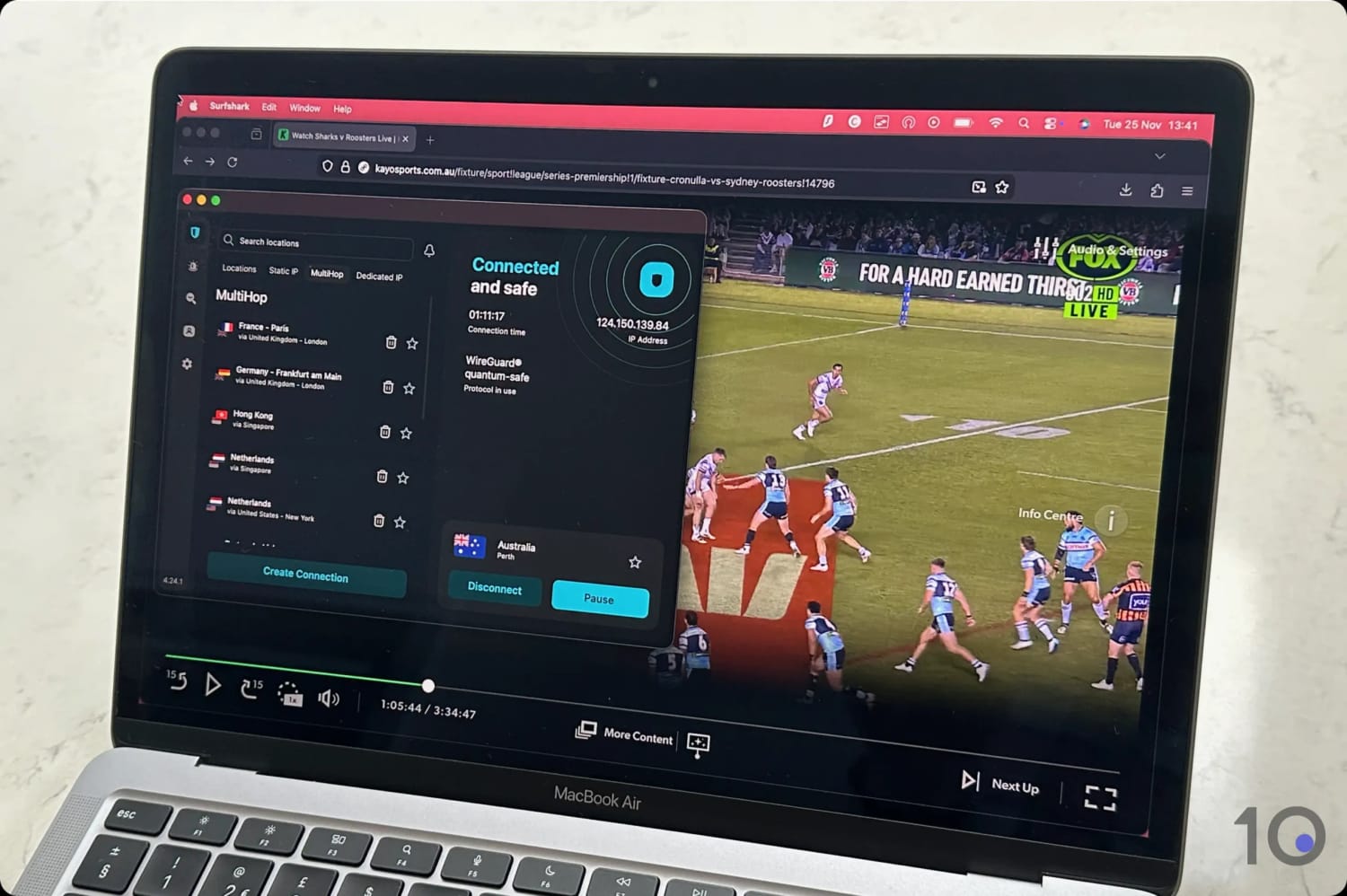
We used Surfshark to stream Kayo Sports from overseas.
Very Affordable with a 7-day Free Trial
One of Surfshark’s biggest advantages is its affordability: for just $1.99/mo over 27 months, you get one of the most effective VPNs for watching Kayo Sports.
This represents a significant saving compared to NordVPN and ExpressVPN, although there are some trade-offs.
Firstly, international speeds are considerably slower, particularly when connecting to Australia. Our latest tests measured a 21% slowdown, which occasionally caused blurriness during live streams.
Secondly, the apps can take a number of seconds to establish a connection. While this delay may be acceptable to some, almost instant IP address changes are a hallmark of a VPN premium experience.
It’s therefore much simpler to test Surfshark on PC or Mac compared to its rivals: ExpressVPN’s free trial is only available through mobile, while NordVPN’s via Android only.
GPS Spoofer Unblocks Kayo on Android
If you plan to use the Kayo Sports Android app from overseas, Surfshark is your best VPN option.
That’s because it’s one of the rare VPNs with a built-in GPS spoofer, which is essential to bypass Kayo’s GPS location restrictions on Android.
Unlike other VPNs where you must download and configure a separate mock location app, Surfshark keeps the entire solution self-contained in its own app.
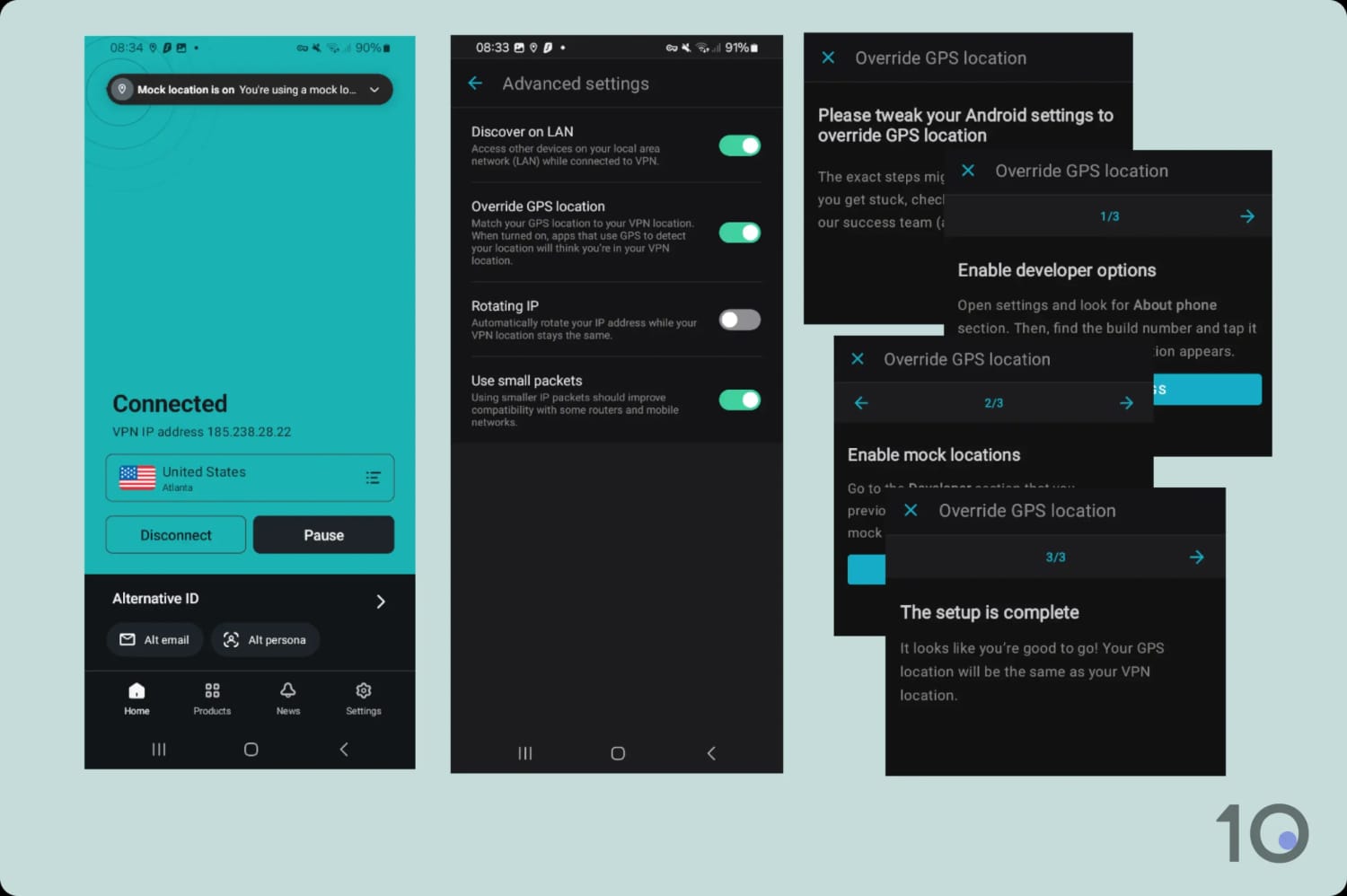
Setting up Surfshark’s Override GPS Location.
There are a number of steps involved to align your IP and GPS location on your phone, but once it’s set up correctly you’ll be able to stream your favorite events directly from Kayo’s mobile app.
Of the 61 VPNs we tested, the vast majority struggled to bypass Kayo Sports’ geo-restrictions reliably.
Many failed completely, while others suffered from inconsistent access or subpar streaming quality caused by unstable speeds.
We’ve listed below some of the more well-known VPN services that sadly didn’t meet our selection criteria:
VPN Service
Reason for Exclusion
CyberGhost
Couldn’t access Kayo Sports on any of its Australian servers
IPVanish
Doesn’t work with Kayo Sports consistently enough
Private Internet Access
Couldn’t unblock Kayo Sports via its Australian servers
PrivadoVPN (Free Version)
Doesn’t have any Australian servers
Proton VPN
Works with Kayo Sports but is more expensive than our recommendations.
TunnelBear (Free Version)
Couldn’t access Kayo Sports on any of its Australian servers
Windscribe Pro
We experienced some blurriness and buffering while streaming from far away countries.
Windscribe (Free Version)
Doesn’t have any Australian servers
How to Fix Kayo Sports VPN Error Messages
Kayo Sports enforces some of the strictest geo-restrictions we’ve seen, with many VPNs failing to bypass them.
There are two error messages you’ll see if Kayo Sports detects the use of a VPN or a proxy:
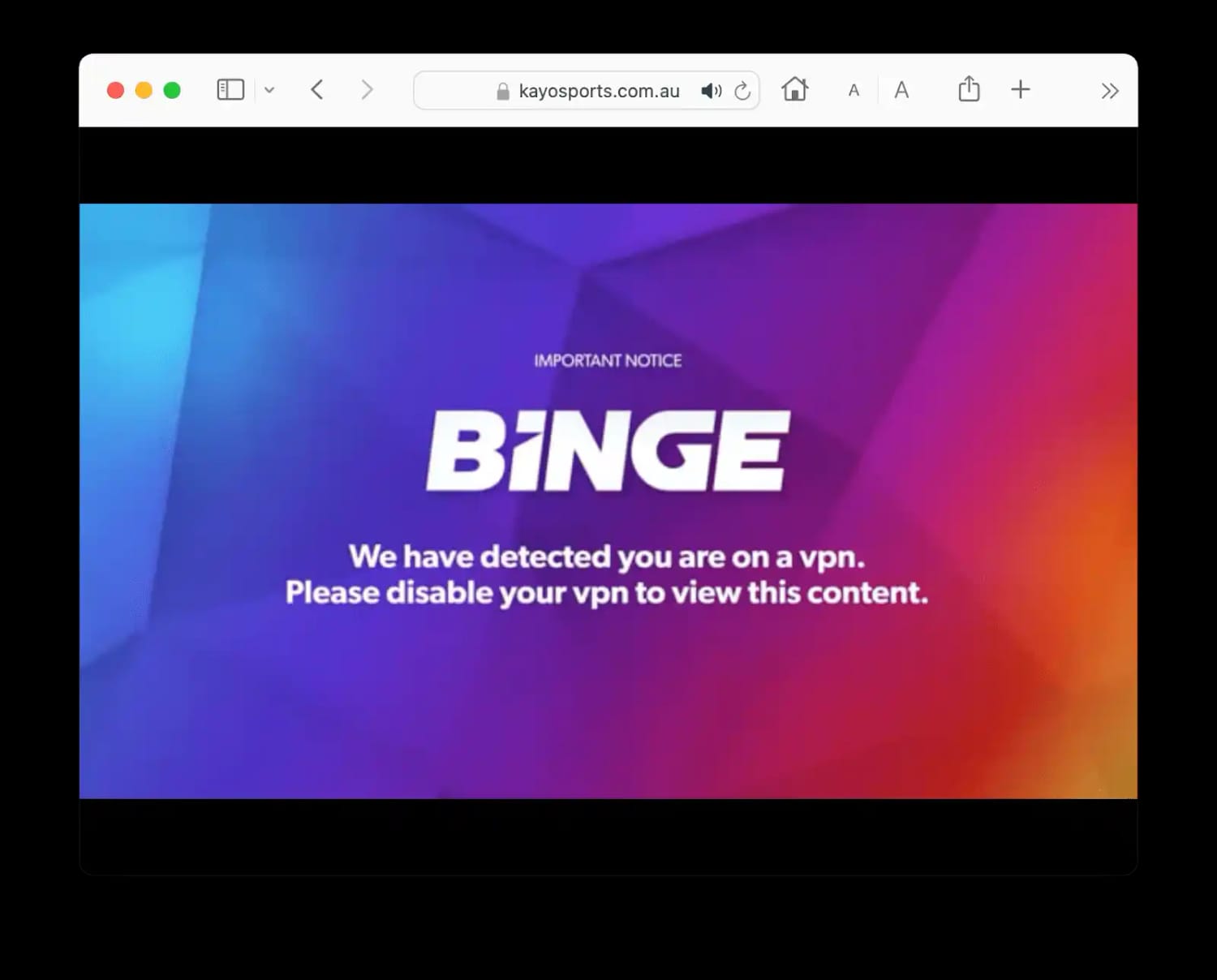
“We have detected you are on a VPN”
You’ll see the error message above whenever Kayo Sports detects a VPN connection. Kayo uses the following methods to identify and block VPNs:
Identifying Shared IPs: Spotting high volumes of users using the streaming service with the same VPN IP address.
Flagging Datacenter IPs: Recognizing IP addresses that belong to datacenters rather than residential Internet Service Providers (ISPs).
Cross-Referencing Blacklists: Looking up specific IPs in databases of known VPN and proxy addresses.
The most reliable way to avoid this error is to use a high-quality VPN that we’ve verified to consistently bypass Kayo’s detection systems, such as the services recommended in this guide.
If you encounter the error using one of our VPN picks, it means Kayo has recently blocked that specific server’s IP address. In this event, switch to a different Australian VPN server.
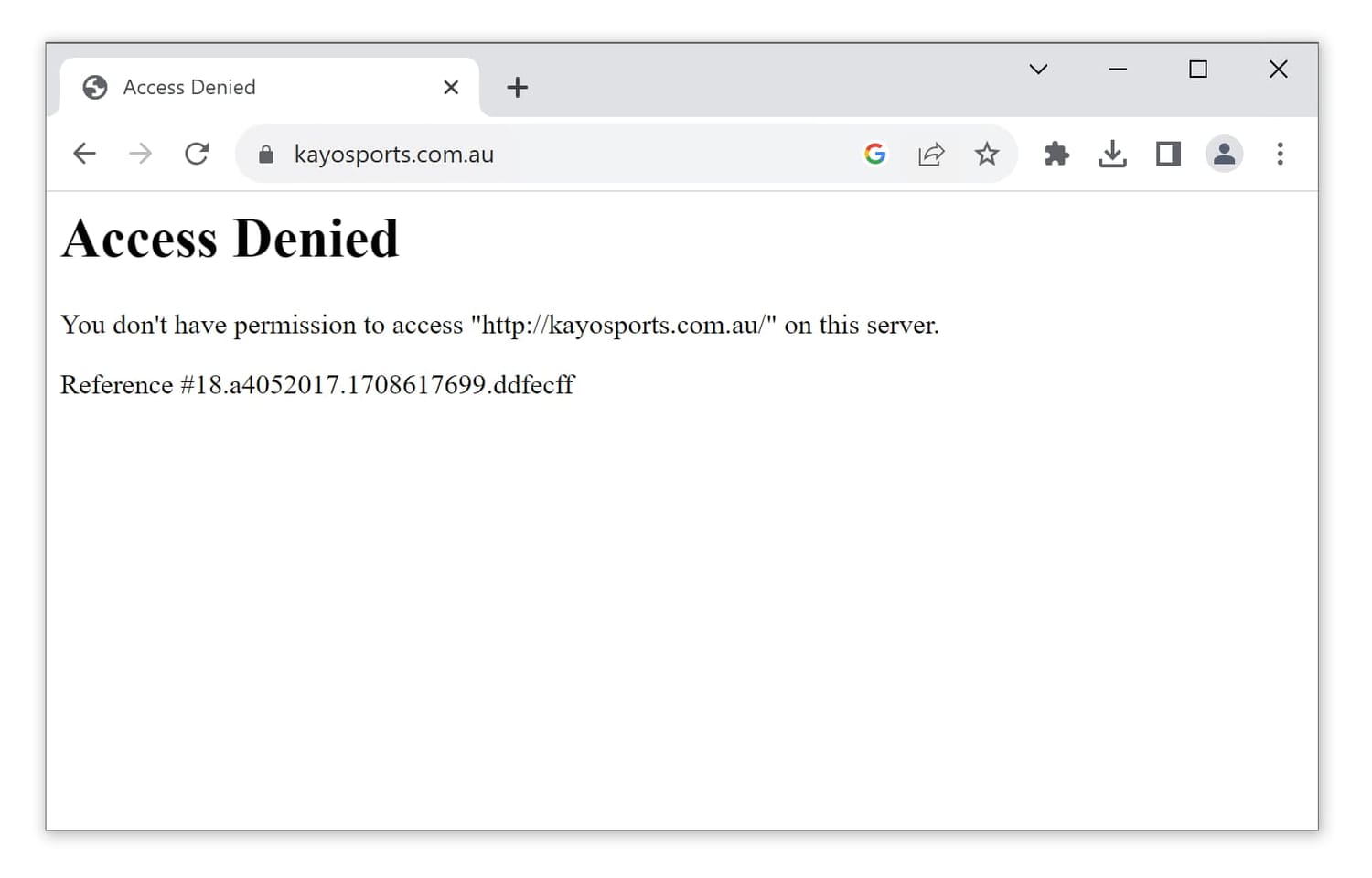
The ‘Access Denied’ error screen appears when an IP address is flagged as suspicious. We’ve seen this error message mostly while using free VPNs, which can have tens of thousands of users with the same VPN IP address.
Once again, the solution is to use a VPN that still works with Kayo Sports. Sadly, there isn’t a single free VPN that can do this at the moment.
How We Test VPNs for Kayo Sports
Our VPN recommendations are the result of years of regular testing, following our own tailored methodology, to identify which services are truly the best for streaming Kayo Sports outside Australia.
Through our own personal use, we know exactly how frustrating it can be not being able to unblock Kayo Sports because a VPN isn’t good enough to bypass its tough geo-restrictions.
There are four key test areas that help us select the right VPNs: access to Kayo Sports, streaming speed, choice of Australian servers, and device compatibility.
Below you’ll find more details on each test category, including its weighting towards the VPN’s overall rating for Kayo Sports.
1. Unblocks Kayo Sports (50%)
Test Conducted: We connected to a VPN’s Australian servers, attempted to log into Kayo Sports and stream live and on-demand videos. We repeated this process using all of a VPN’s available server locations in Australia.
Why It’s Important: If a VPN can’t access Kayo Sports from overseas then it will be useless for that purpose.
Optimal Result: Consistent access to Kayo Sports on all/most Australian servers and on a wide variety of devices.
2. Speed (25%)
Test Conducted: We recorded the download speed loss while connected to each VPN’s Australian servers. To reduce variables as much as possible, we used the VPN’s preferred/default protocol and capped our Internet line at 100Mbps. We carry out these tests regularly throughout the year and update the average speed loss accordingly.
Why It’s Important: Fast and stable Internet speeds ensure videos load quickly and stream at the highest resolution available, without interruptions or picture degradation.
Optimal Result: A download speed loss of less than 10% connecting from nearby locations, and less than 20% from far-away countries.
3. Australian Servers (15%)
Test Conducted: We tested each VPN’s Australian server on every app available, verifying the number of locations, and estimating how many Australian IP addresses the service offers.
Why It’s Important: A high number of Australian servers and IP addresses reduces the risks of speed slowdowns and access being blocked by Kayo Sports.
Optimal Result: Hundreds of reliable servers and IP addresses in Australia.
4. Device Compatibility (10%)
Test Conducted: We used every app made available by a VPN service, to assess each one’s usability and access to Kayo Sports. We also looked for the presence of additional streaming tools like a Smart DNS proxy and a router app.
Why It’s Important: The Kayo Sports app is available on a wide range of devices and therefore it’s important that a VPN can easily access the service on as many of them as possible.
Optimal Result: User-friendly apps for desktop, mobile, and streaming devices like Fire Stick and Apple TV. Extra points are given for the presence of a dedicated router app, built-in GPS spoofing, and a Smart DNS proxy with Australian IPs.
FAQs
Can I Watch Kayo Sports Overseas without a VPN?
The only other way to way to access Kayo Sports from overseas is to use a Smart DNS proxy.
A Smart DNS proxy allows you to change your device’s DNS settings and make you appear in a different location online.
However, a proxy won’t encrypt your connection and therefore is less secure than a VPN.
Since Smart DNS services cost similarly to VPN services, the latter offer many more benefits and represent much better value.
Is There a Free VPN That Works with Kayo Sports?
We have yet to find a secure free VPN that unblocks Kayo Sports.
Many trustworthy free services don’t offer free Australian IP addresses, and the rare one or two that do can’t bypass Kayo’s geo-blocks (e.g. TunnelBear).
There may be a couple of shady free VPNs that work, but we strongly advise not to use them. These VPNs are often insecure, are likely to steal your data, and may even contain malware.
You’re much better off taking advantage of the 7-day free trial options from ExpressVPN and Surfshark, or NordVPN’s 3-day free trial.