






Top10VPN is editorially independent. Buying a VPN through our links supports our work.
The Best VPNs for Australia
Follow us:
Simon Migliano
Simon Migliano is a recognized world expert in VPNs. He's tested hundreds of apps and his research has been featured on the BBC, The New York Times, and more. Read full bio
The best VPN for Australia is ExpressVPN whose secure apps unblocked geo-restricted content almost instantly. NordVPN is close behind thanks to sensational speeds around the world, and Proton VPN will protect your connections completely free.
Out of the 59 VPNs I tested specifically for Australia, these are the five I recommend:
After more than a decade testing VPNs, one thing is clear to me: whether you’re in Australia or trying to get an Australian IP address from abroad, most VPNs (especially free ones) aren’t up to the job.
A handful are too risky to install in the first place, and the vast majority can’t get past content geo-restrictions.
That leaves a small group of VPNs that actually deliver the privacy, security, and unrestricted access you’re seeking.
The five I recommend do just that. Each of them will keep your browsing activity out of your ISP’s logs and get you around court-ordered website blocks. They’ll also stream Australian and international TV from anywhere in the world.
My top picks are secure, affordable, and unblock platforms like Kayo Sports, 9Now, 7plus, Netflix, Disney+, and HBO Max.
ExpressVPN impressed me most, comfortably streaming the AFL and the NRL from outside Australia without a single dropped frame.
If you travel regularly, my overall best VPNs cover an even wider set of needs.
🔄 Recent Updates
I’ve updated the guide with the latest testing data and pricing changes, including NordVPN’s improved 7-day free trial.
Why Trust Us?
We’re fully independent and have been reviewing VPNs since 2016. Our ratings are based on our own testing results and are unaffected by financial incentives. Learn who we are and how we test VPNs.
VPNs Tested
59
Total Hours of Testing
30,000+
Combined Years of Experience
50+
VPN Comparison Table
The table below compares my VPN picks based on my ratings for their Australian servers, speed, streaming, security, and privacy.
Exceptional internet speeds & server connection times
Unblocks every Australian content platform from overseas
Well-designed apps for Android TV, Apple TV & Firestick
Lightway protocol provides AES-256 or ChaCha20 encryption
Smart DNS proxy to unblock US & UK apps on game consoles
More expensive than Surfshark
No Android GPS spoofing feature
Lacks multi-hop server options
Pricing Plans
$14.99/mo
$4.99/mo over 15 months
$2.99/mo over 28 months
Countries with Servers
113
Servers
13,360
Australia Servers
600
Australia Server Locations
Adelaide, Brisbane, Melbourne, Perth, Sydney
Logging Policy
No Identifiable Data
Simultaneous Connections
10
Support
24/7 Live Chat
Compatible with
Windows
Mac
iOS
Android
Linux
Amazon Fire TV
Android TV
Apple TV
Router
Chrome
ExpressVPN’s expansion to 600 Australian servers, along with the steady stream of upgrades to the underlying service, has really paid off.
In my latest performance assessments for Australia, ExpressVPN overtook NordVPN for the first time in years.
It was always the easier of the two to use, and it has always posted excellent speed and security results. What changed is Kayo Sports: the one platform it used to struggle with now works without hiccups.
The margins between the two VPN providers remain razor thin, though, so which one suits you best will come down to preferences only you can judge.
ExpressVPN’s apps are extremely well designed.
Server Network
ExpressVPN gives you IP addresses from 113 countries and five cities in Australia: Adelaide, Brisbane, Melbourne, Perth, and Sydney.
These are exactly the same cities NordVPN covers, but ExpressVPN lets you pick between different Sydney locations by hand, including one in the Woolloomooloo district.
It’s a small thing, though it gave me a second option to fall back on whenever a Sydney IP got flagged by a streaming platform.
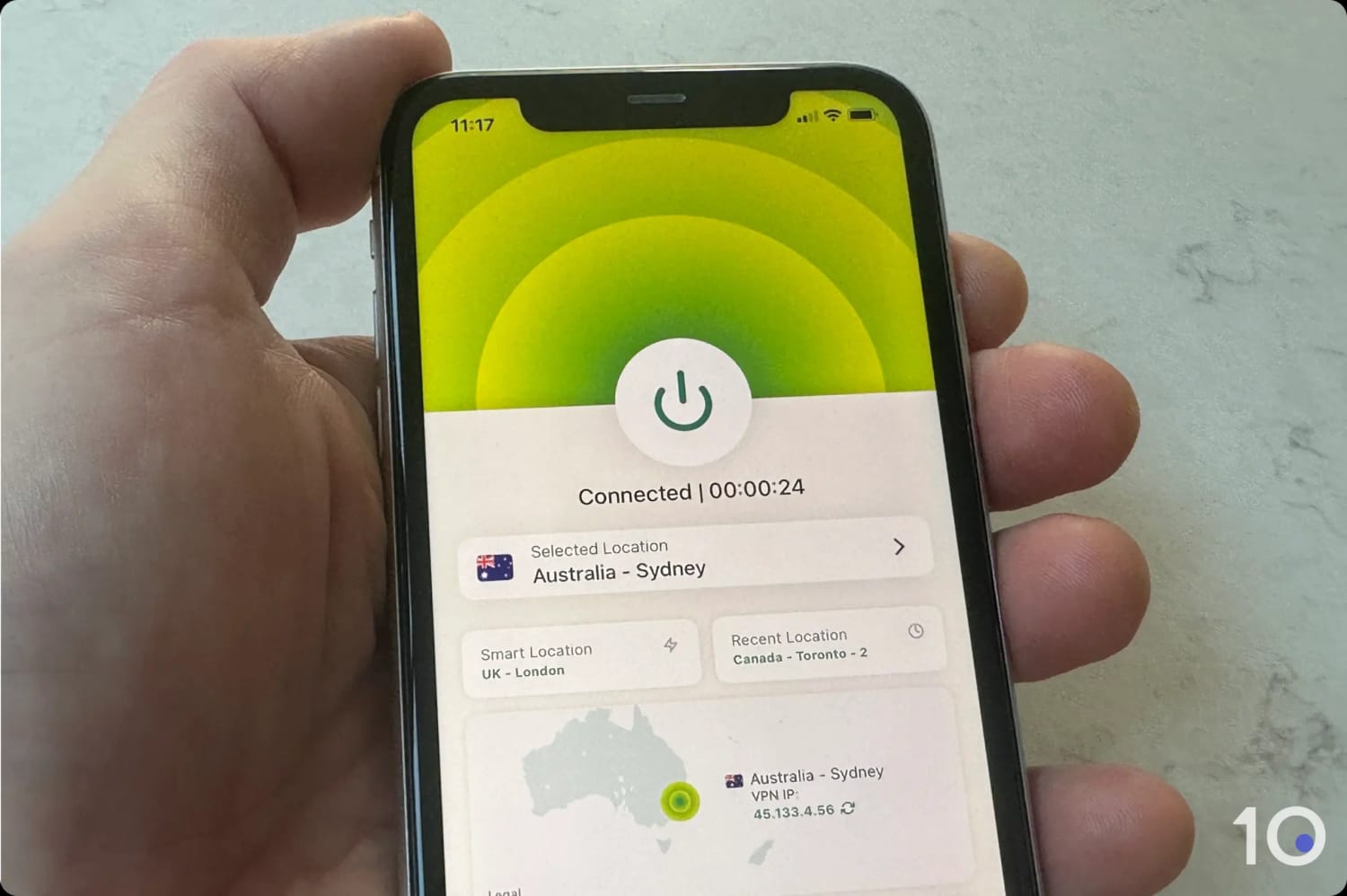
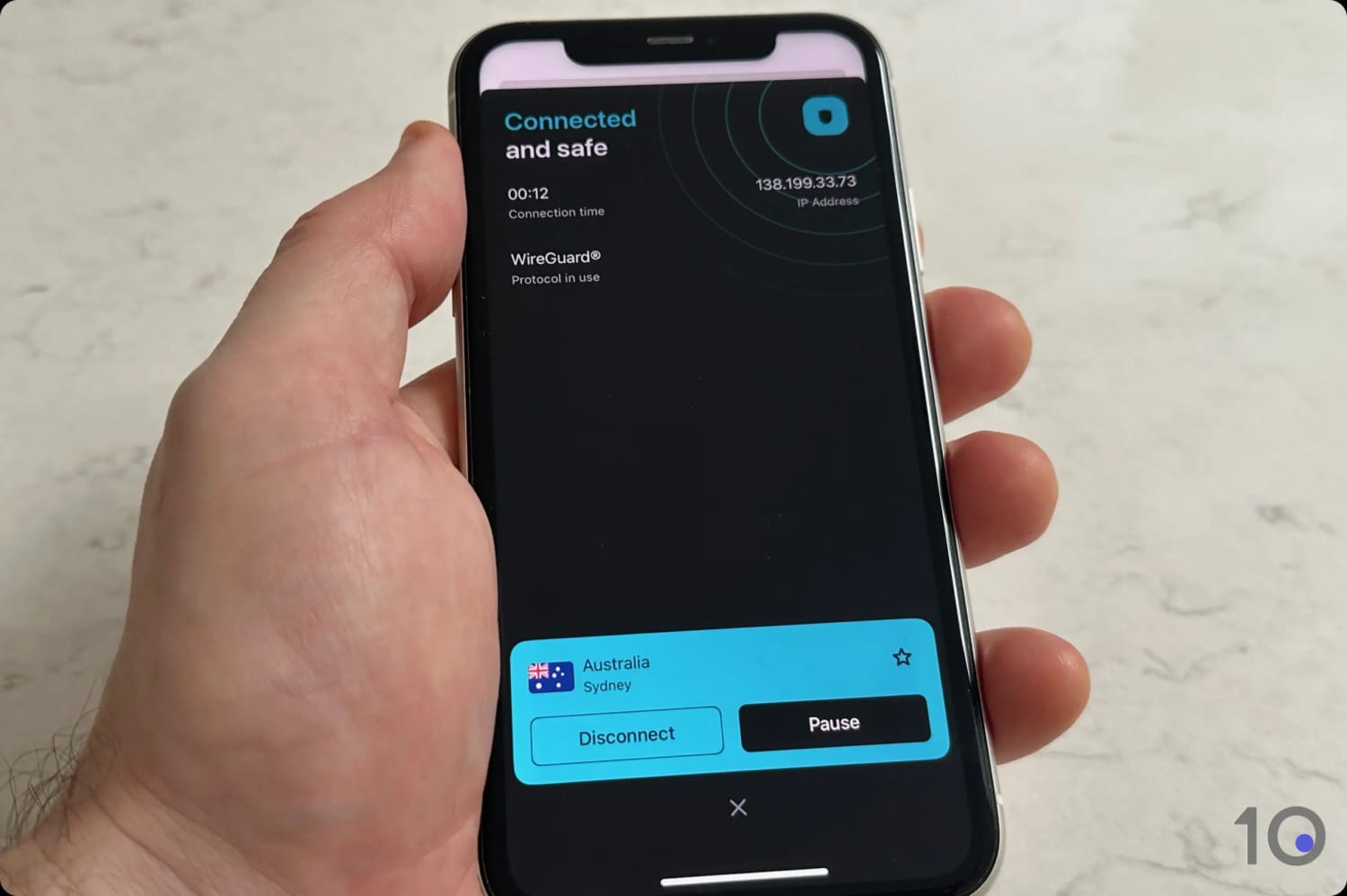
What really caught my attention was connection time. Compared with every other service in this round of testing, ExpressVPN’s apps connected faster, and the gap was most obvious on my phone.
In just under three seconds it swapped my IP address for an anonymous Australian one, and my distance from the server made no difference to how long I waited.
On the security side, the entire network runs in RAM, so nothing is ever written permanently to disk.
This is especially important in Australia. Its two-year retention rules force ISPs to log activity data, but a diskless provider has nothing meaningful to surrender if it’s ever compelled to cooperate.
ExpressVPN’s ShuffleIP technology, which runs in the background, adds further protections by regularly rotating IP addresses without modifying your online location.
Streaming Performance
ExpressVPN has never let me down on streaming, and that reliability holds up in Australia just as well as it does everywhere else.
I tested it against every major Australian platform and the results speak for themselves:
Table showing ExpressVPN’s access to Australian streaming services.
Streaming Service
Unblocked?
7plus
Yes
9Now
Yes
ABC iView
Yes
Binge
Yes
Kayo Sports
Yes
Netflix Australia
Yes
SBS On Demand
Yes
Stan
Yes
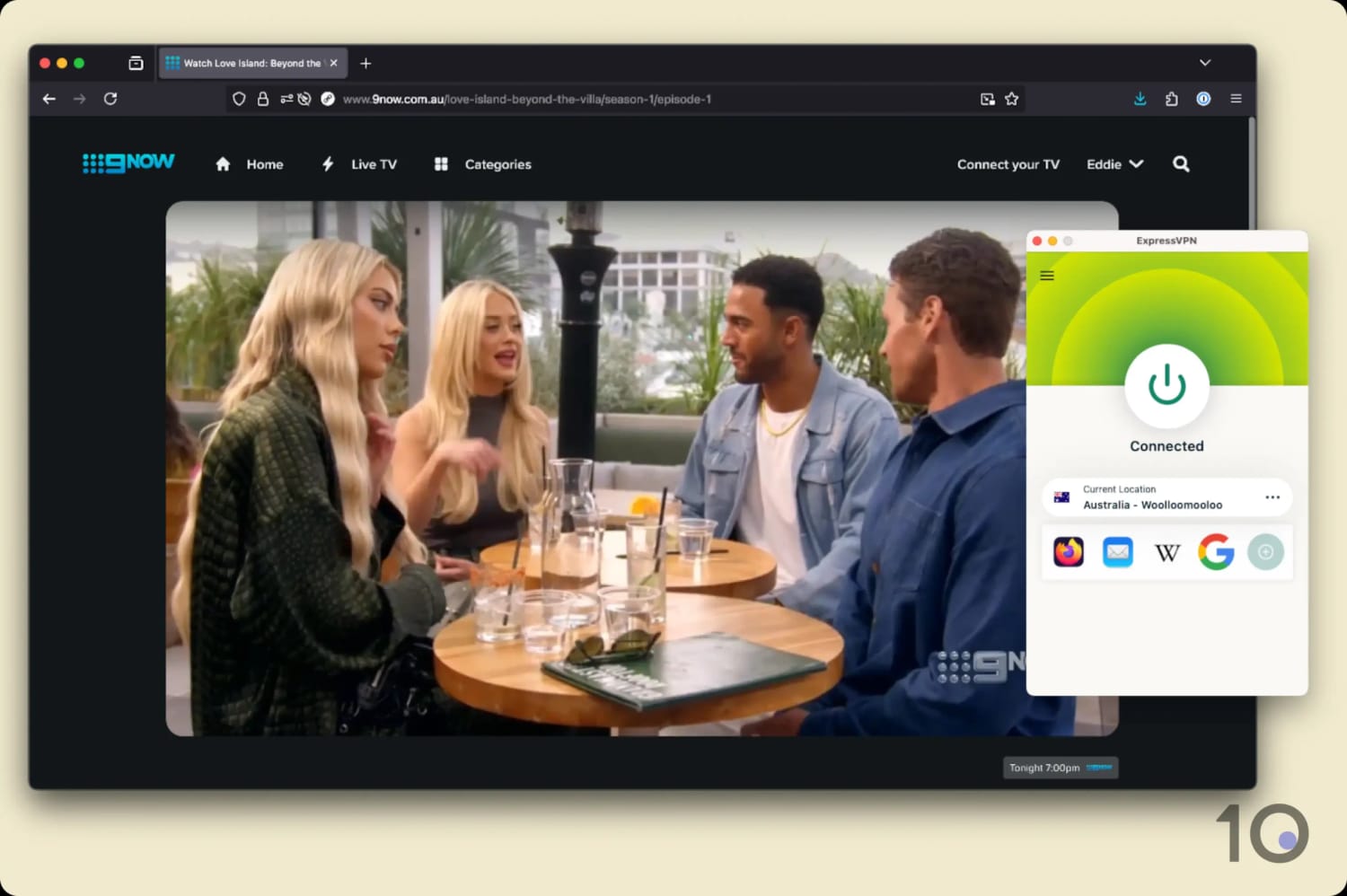
ExpressVPN bypassed every Australian geo-block I put in front of it, and each stream held maximum picture quality with no buffering.
We easily accessed 9Now from overseas using ExpressVPN.
The great news is that the VPN has unblocked Kayo Sports consistently for months on end, putting its old problems with the platform firmly behind it.
It was the same story watching the NRL, the Australian Open, international cricket, and many other sports from abroad.
That reliability runs in the other direction too. If you’re based in Australia and want international content, ExpressVPN is just as strong.
I connected out from Sydney to its US, UK, and Canadian VPN servers and unblocked US Netflix, BBC iPlayer, Sky Go, Disney+, and HBO Max without a single hiccup.
All of which makes ExpressVPN a true two-way VPN for Australia: it gets you into Australian platforms from overseas, and it opens up international content from your living room in Melbourne.
Speed
Long-distance speeds to and from Australia have always been the hardest thing for a VPN to get right. ExpressVPN is one of the few that manages it.
All of the VPN’s Australian locations recorded just 17% loss connecting from abroad, the US and UK included.
Going the other way, connecting out of Australia, the slowdown improved to 15% across servers in Canada, South Africa, the UK, and the US.
Those numbers are impressive in isolation, but they’re even more impressive when you consider some of those connections covered more than 10,000 miles.
NordVPN is still marginally quicker on paper, but across weeks of everyday use I honestly couldn’t feel the difference.
User Experience & Device Compatibility
Getting an Australian IP address with ExpressVPN is about as simple as it gets, thanks to apps that put the connect button where you expect it and keep everything else out of the way.
It’s also the most widely compatible service I’ve reviewed, with VPN apps for macOS, Windows, iOS, and Android.
There are also dedicated apps for Apple TV, Fire TV Stick, and Android TV, so you can stream movies, shows, and sports on your TV.
The apps follow a very similar design and user experience across all platforms. This is ideal for switching seamlessly from one to the other.
ExpressVPN’s browser extensions are also unique. They’re actively linked to the desktop software and therefore fully encrypt your browser activity, which no other VPN extension does at the moment.
Pricing & Free Trials
ExpressVPN’s cheapest plan works out at $2.99/mo over 28 months.
That undercuts NordVPN, which comes in at $3.49/mo over 27 months, but it doesn’t match Surfshark’s $2.49/mo over 27 months.
In my opinion, ExpressVPN’s premium over Surfshark is justified by its performance.
You can also try ExpressVPN for free with its 3-day mobile free trial, then sign in with those same account details on every other app.
Three days is the shortest trial of my three paid picks, and it’s the only one that requires the mobile app store workaround. That said, having a trial at all still puts ExpressVPN ahead of most of the market.
Stack the 30-day money-back guarantee on top and you can test the service properly for up to 33 days at no cost.
Excellent long-distance internet speeds into Australia
190 Australian servers across five cities
Unblocks every Australian streaming service from overseas
Many extra settings like Threat Protection & multi-hop servers
Dedicated IPs in 28 countries (the most out of all VPNs)
7-day free trial
Price jumps on renewal
No Android GPS spoofer
Desktop apps could be slicker
Pricing Plans
$14.99/mo
$5.49/mo over 12 months
$3.49/mo over 27 months
Countries with Servers
137
Servers
9,000
Australia Servers
190
Australia Server Locations
Adelaide, Brisbane, Melbourne, Perth, Sydney
Logging Policy
No Identifiable Data
Simultaneous Connections
10
Support
24/7 Live Chat
Compatible with
Windows
Mac
iOS
Android
Linux
Amazon Fire TV
Android TV
Apple TV
Router
Chrome
After holding it for years, NordVPN has lost top spot in my Australia rankings, and only by a whisker.
Both ExpressVPN and NordVPN provide a fast, stable and secure experience. NordVPN edges ahead on raw speed and adds extras that ExpressVPN doesn’t offer, including multi-hop servers and dedicated IP addresses from more locations.
Having said that, NordVPN isn’t as smooth to use day to day, and its recently added Pause function has caused me more headaches than it has solved.
So if adjustable security settings are what you’re after, Surfshark or NordVPN will probably suit you better than ExpressVPN.
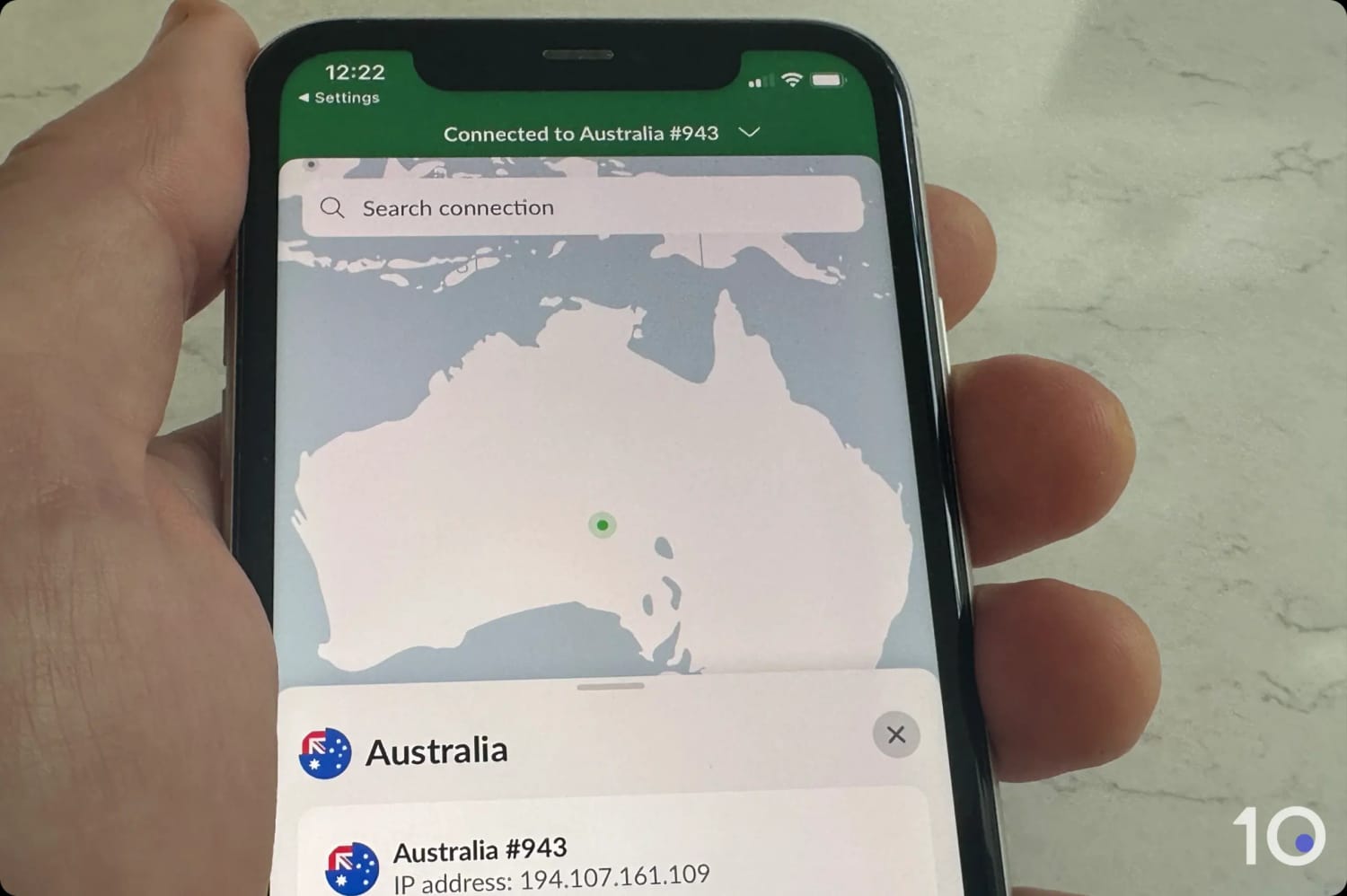
Connecting to a NordVPN Australian server on mobile.
Server Network
NordVPN runs one of the largest Australian server networks, with 190 servers across the same 5 Australian cities ExpressVPN covers.
Its Australian fleet is smaller than ExpressVPN’s, but it makes up ground globally with IPs from 137 countries against ExpressVPN’s 113.
Connecting to each location took a handful of seconds every time I tried, with no sudden slowdowns, failed handshakes, or the endless CAPTCHAs that plague cheaper services.
If you want a VPN IP address that never changes, NordVPN offers dedicated VPN IPs from more locations than any other service, Sydney and Melbourne included. ExpressVPN’s token-based IPs are more private by design, but they cover fewer cities.
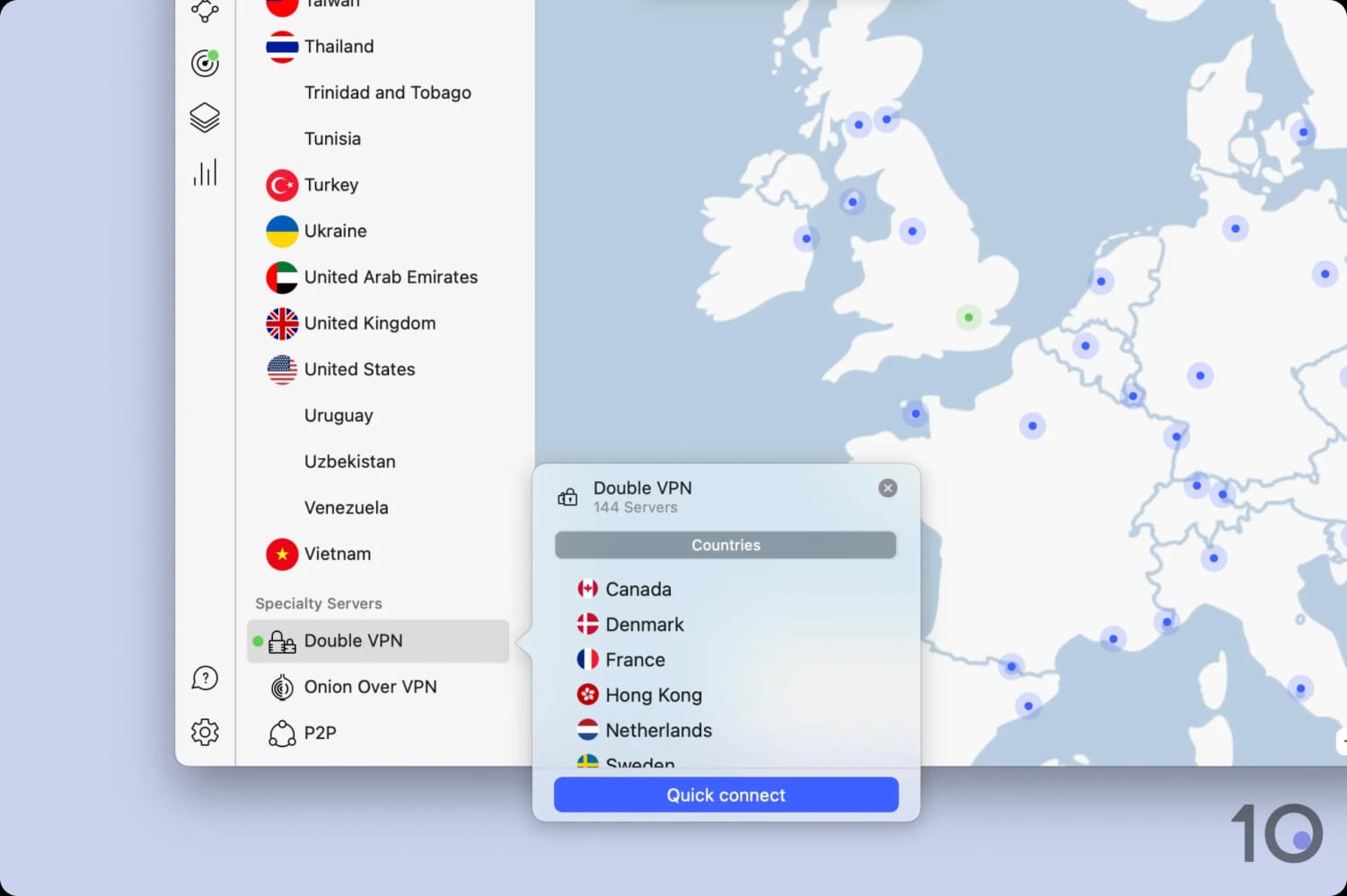
NordVPN’s servers are diskless too, and it adds one thing its main rival doesn’t: Double VPN.
NordVPN’s Double VPN servers worked smoothly for me.
Double VPN routes your traffic through two countries for an extra layer of separation. Australia isn’t currently available as an entry or exit node, though.
Streaming Performance
NordVPN’s unblocking record in Australia and worldwide is almost as strong as ExpressVPN’s.
Here’s how it performed against Australian platforms:
Table showing NordVPN’s access to Australian streaming services.
Streaming Service
Unblocked?
7plus
Yes
9Now
Yes
ABC iView
Yes
Binge
Yes
Kayo Sports
Yes
Netflix Australia
Yes
SBS On Demand
Yes
Stan
Yes
After years of testing, NordVPN still accesses every Australian streaming platform, from every Australian server, on every attempt.
NordVPN works really well with Kayo Sports.
Streaming out of Australia is where the gap opens up slightly. NordVPN covers fewer international platforms than ExpressVPN: 102 versus 115.
To be fair to it, that’s a harsh way to frame a service that remains a superb choice, particularly for British TV.
NordVPN’s Australian servers performed as well as its other endpoints around the world.
Connecting into Australia from New York, Los Angeles, and London, average speeds dipped by only 16%, a fraction better than ExpressVPN’s 17%.
Connecting outward told the same story, with international speeds dipping by 14% against my baseline and again narrowly beating ExpressVPN.
The margin between the two is small enough that it won’t change your streaming experience, but it’s the reason NordVPN earns the “fastest” label.
User Experience & Device Compatibility
NordVPN has apps for macOS, Windows, iOS, Android, Fire TV Stick, Apple TV, and Android TV, and you can run it on 10 devices at once.
It isn’t a hard app to use by any measure, but I enjoyed using ExpressVPN more, and the reason comes down to a couple of things.
On desktop, the user interface still feels a touch bloated, with Threat Protection Pro and Dark Web Monitor sitting below a visual map and server location controls. These could live elsewhere in the app.
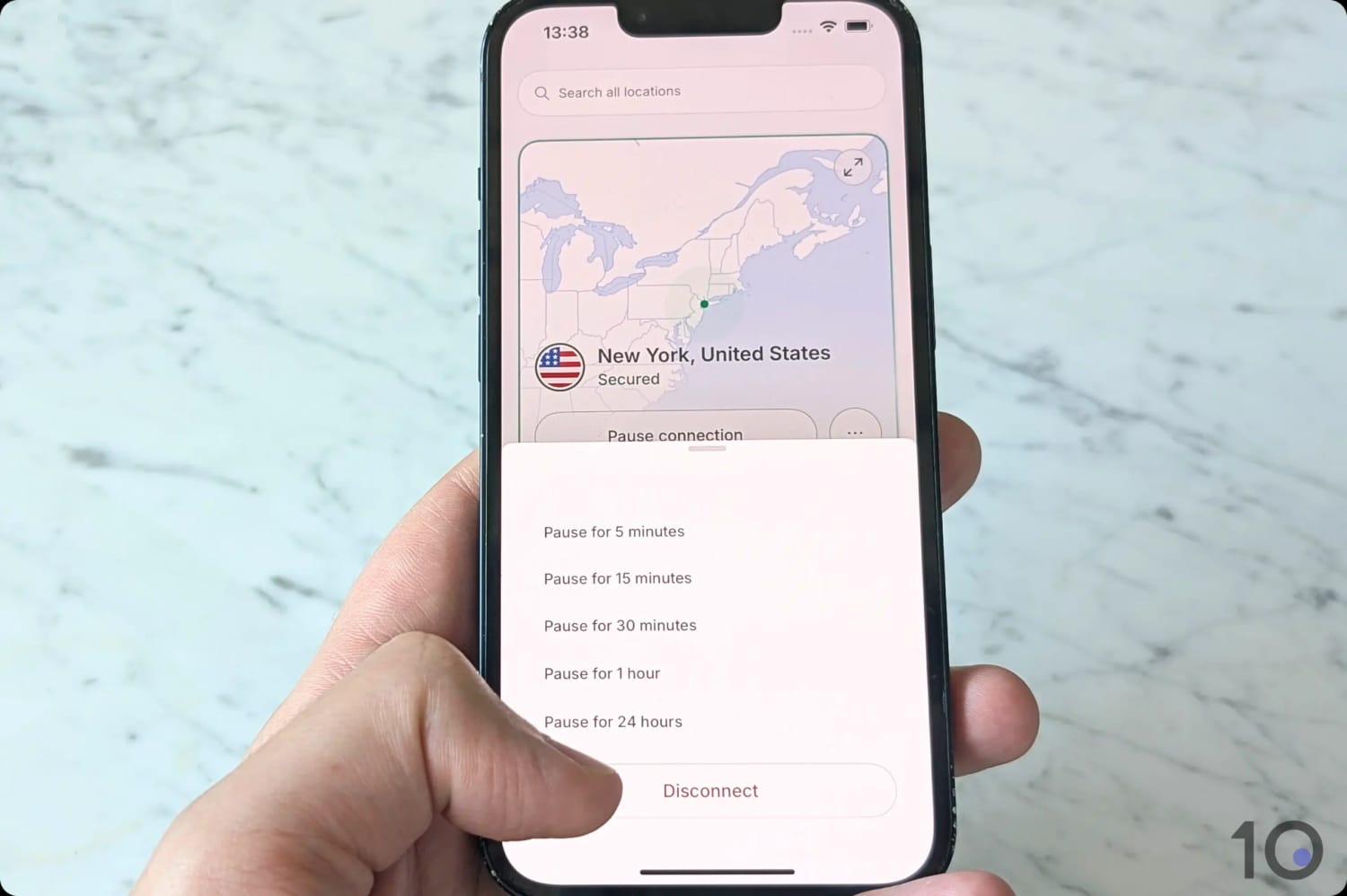
The Pause function compounds my slight grievances, adding an extra step to disconnecting and making you scroll past several timing options just to reach the off switch.
I found NordVPN’s two-step disconnect process annoying.
Pricing & Free Trials
Set against its strong performance results, NordVPN is good value at $3.49/mo over 27 months.
It’s still the most expensive of my three paid picks, though, and the renewal price climbs steeply once the initial term ends.
NordVPN’s free trial now runs to a generous seven days, which should give you enough time to fully test the product. It’s available through the website, so there are no workarounds needed, unlike ExpressVPN.
If ExpressVPN and NordVPN sit above your budget, Surfshark might just be the cheaper VPN you’re looking for.
At just $2.49/mo over 27 months, it’s considerably more affordable for new users than ExpressVPN and NordVPN.
What surprised me is how little you give up for that saving. Surfshark is an enjoyable and largely frustration-free service.
It unblocked almost every Australian streaming service I tested, and it went further than its rivals by bypassing GPS-based restrictions on Android.
If Surfshark builds out its Australian server infrastructure and tightens up its connection times, it will be genuinely neck-and-neck with NordVPN and ExpressVPN.
Testing Surfshark’s Sydney server.
Server Network
Like its higher-ranked competitors, Surfshark offers IP addresses in Adelaide, Brisbane, Melbourne, Perth, and Sydney.
The server count is disappointing, though: just 40 servers in Australia, which is hard to square with the network investment Surfshark has made elsewhere in recent years.
Connecting to them also took longer than I expected. Where ExpressVPN changed my IP almost instantly, Surfshark occasionally needed more than five seconds, especially on mobile.
Surfshark’s mobile connection times versus ExpressVPN and NordVPN.
On a more positive note, Surfshark’s dynamic multi-hop tool is far more flexible than NordVPN’s. You can set any country in the list as your entry or exit node, and unlike NordVPN’s version, Australia is included.
Streaming Performance
Surfshark is a good streaming VPN that misses the mark on a small number of platforms.
Netflix is where it really came up short. Failing to access the Australian, Japanese, and Korean libraries was more than I’d expected to see from a service at this level.
Other than that, Surfshark did rather well to bypass Australian content geo-restrictions:
Table showing Surfshark’s access to Australian streaming services.
Streaming Service
Unblocked?
7plus
Yes
9Now
Yes
ABC iView
Yes
Binge
Yes
Kayo Sports
Yes
Netflix Australia
No
SBS On Demand
Yes
Stan
Yes
Every so often there was a clear drop in picture quality, especially during peak traffic. That comes down to Surfshark’s slower speeds, and to be fair it happened only a handful of times across hundreds of streaming tests.
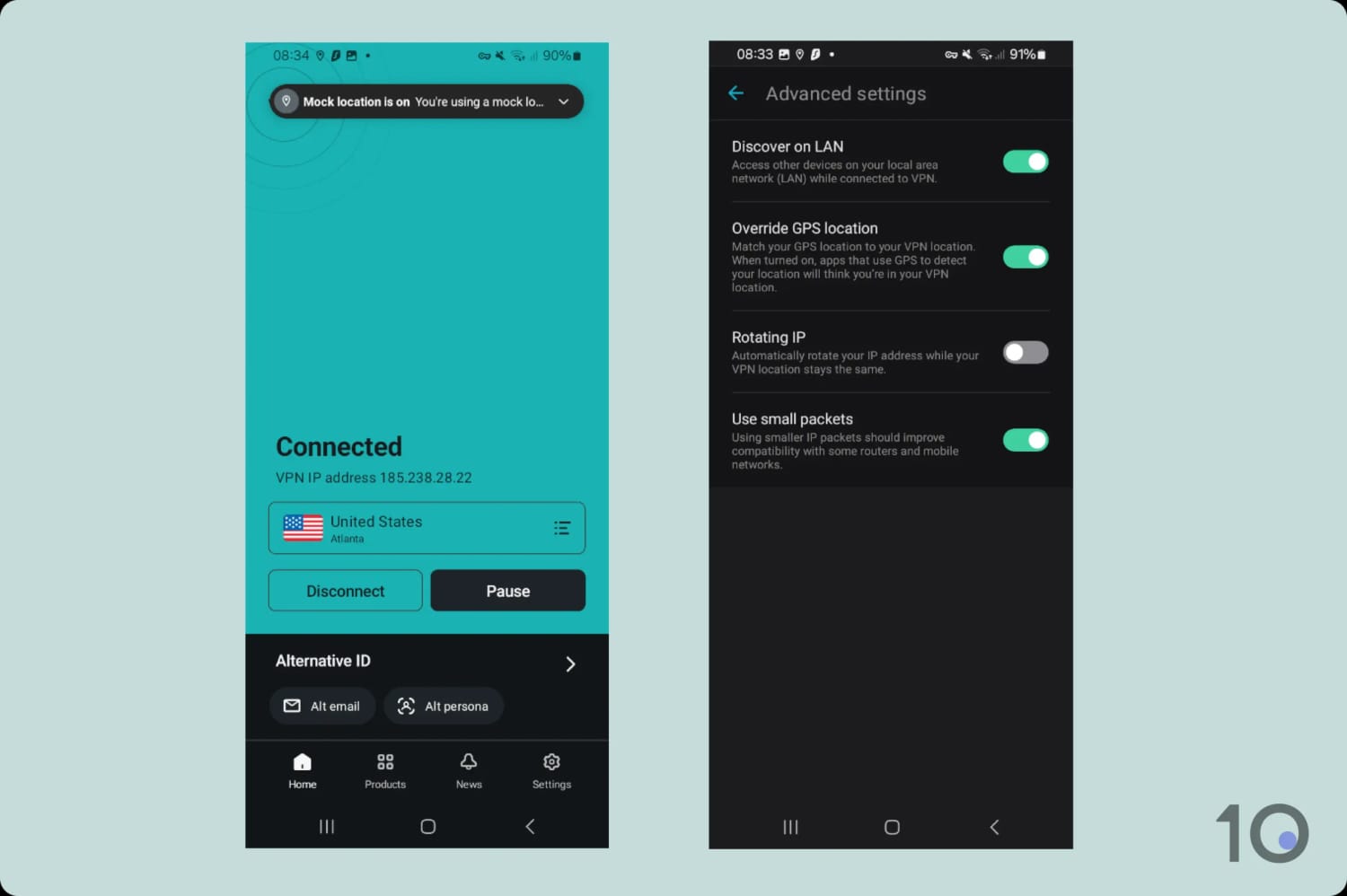
One feature did genuinely excite me, and it’s rare enough to be worth its own paragraph: Override GPS location in the Android app.
It let me spoof my GPS position, which I verified in Google Maps, and get past location-based restrictions in apps like Kayo and ESPN that IP-based unblocking alone can’t beat.
Surfshark’s long-distance speeds need work if it wants to compete with ExpressVPN and NordVPN.
An average drop of 21% connecting into Australia isn’t bad in absolute terms, but it’s clearly behind its higher-ranked competitors.
Connecting out of Sydney and Perth produced the same pattern, with speeds falling 17% against the baseline.
Connections stayed mostly stable, although during peak hours I did notice the occasional wobble, which explains the picture quality dips I mentioned above.
User Experience & Device Compatibility
Surfshark’s apps are easy to navigate, and the mobile versions in particular are a pleasure to use.
If there’s a weak point, it’s the desktop apps. They take up a lot of screen space, they can’t be resized, and they feel slightly cluttered with extra settings crammed onto the home screen.
As with my picks above, you’ll also find apps for Fire Stick and Apple TV, plus browser extensions for quick IP changes without leaving the tab you’re in. These are cleaner and easier to use in my opinion.
Because the apps all behave almost identically, moving between devices takes no relearning at all.
Pricing & Free Trials
Surfshark is the cheapest of my three paid picks at $2.49/mo over 27 months.
It’s my favorite VPN free trial of the three because it’s available through the website as well as desktop and mobile app stores, without any workarounds needed.
Surfshark also honors its 30-day money-back guarantee on every plan. When I requested a refund, it landed in my account within a few days.
Before I get to my two picks, one thing needs saying plainly: there are no legitimate VPNs running free servers in Australia.
The two free services I recommend are for protecting your connection while you’re inside Australia. Neither will give you an Australian IP address from overseas, and no safe free VPN currently will.
Proton VPN is the only free VPN I’d recommend leaving on all day, every day in Australia.
There are no data caps, no ads, and a no-logs policy that the company has backed up with independent third-party audits.
The apps are fully open source, so anyone can inspect the code for vulnerabilities. That level of transparency is the gold standard for free VPN security.
The big limitations are the lack of Australian servers and the blocks placed on torrenting traffic.
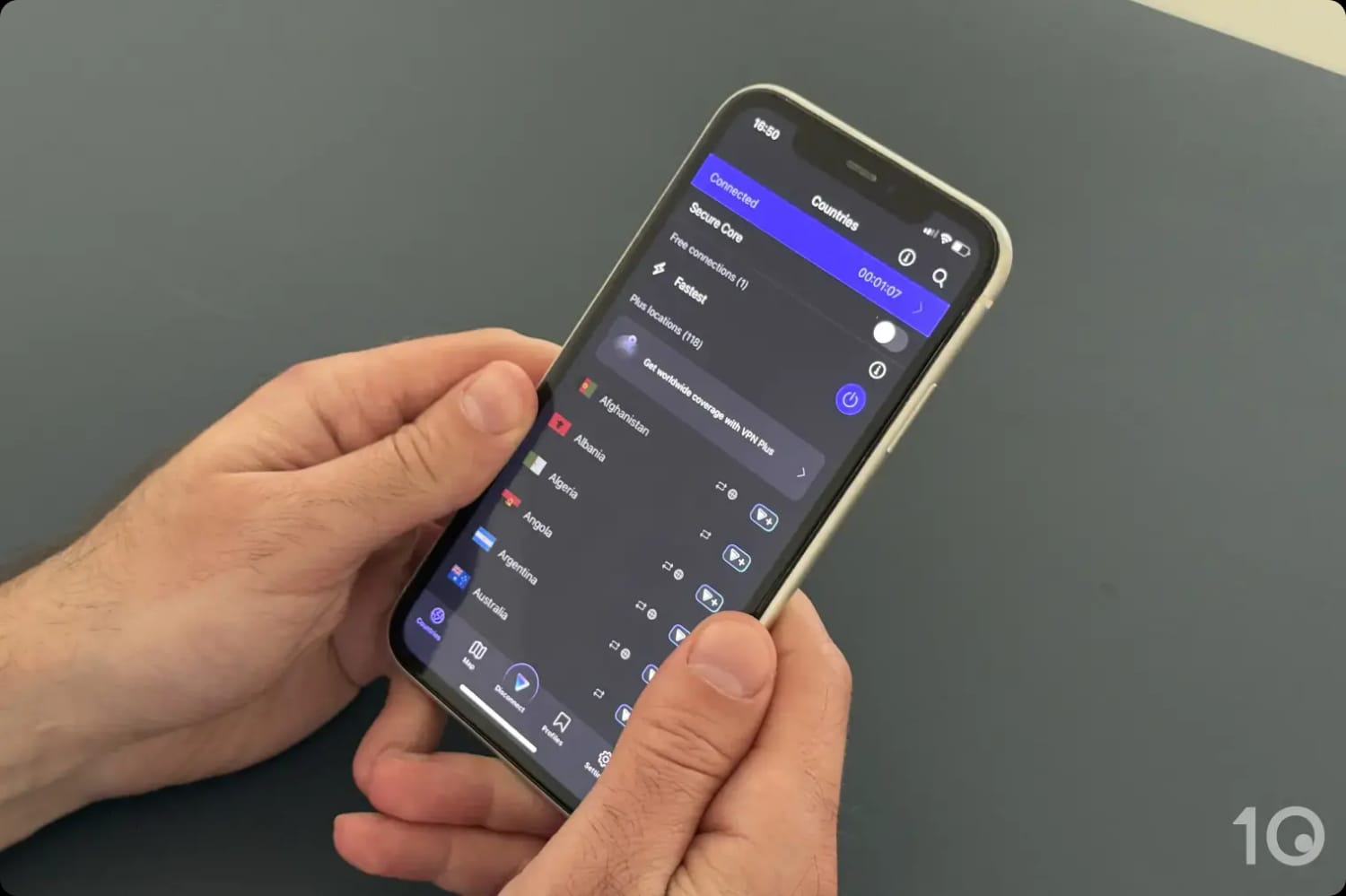
Proton VPN’s free iOS application.
Secure Apps on Every Platform
Proton VPN’s free tier runs on Windows, macOS, iOS, Android, Apple TV, and Fire TV.
The apps are simple to use and don’t require any payment details on registration. They all use AES-256 or ChaCha20 encryption with OpenVPN and WireGuard protocols, and include a kill switch that passed all my leak tests.
On Android and iOS, there’s also an Always-on VPN setting that keeps the connection alive in the background, which is rare in a free service.
Proton VPN doesn’t monitor or collect any activity data that can identify you. Being based in Switzerland helps too, since the country’s privacy laws sit outside the EU’s reach.
Weak Streaming & No Torrenting
All that unlimited data comes with a big caveat: you can’t use it to get past streaming geo-restrictions.
The free tier only connects you to the nearest free location, so you won’t be able to unblock specific content you want to access.
Even when I did land somewhere useful, the free servers aren’t equipped to beat streaming blocks. They failed against Disney+, HBO Max, and Prime Video in my tests.
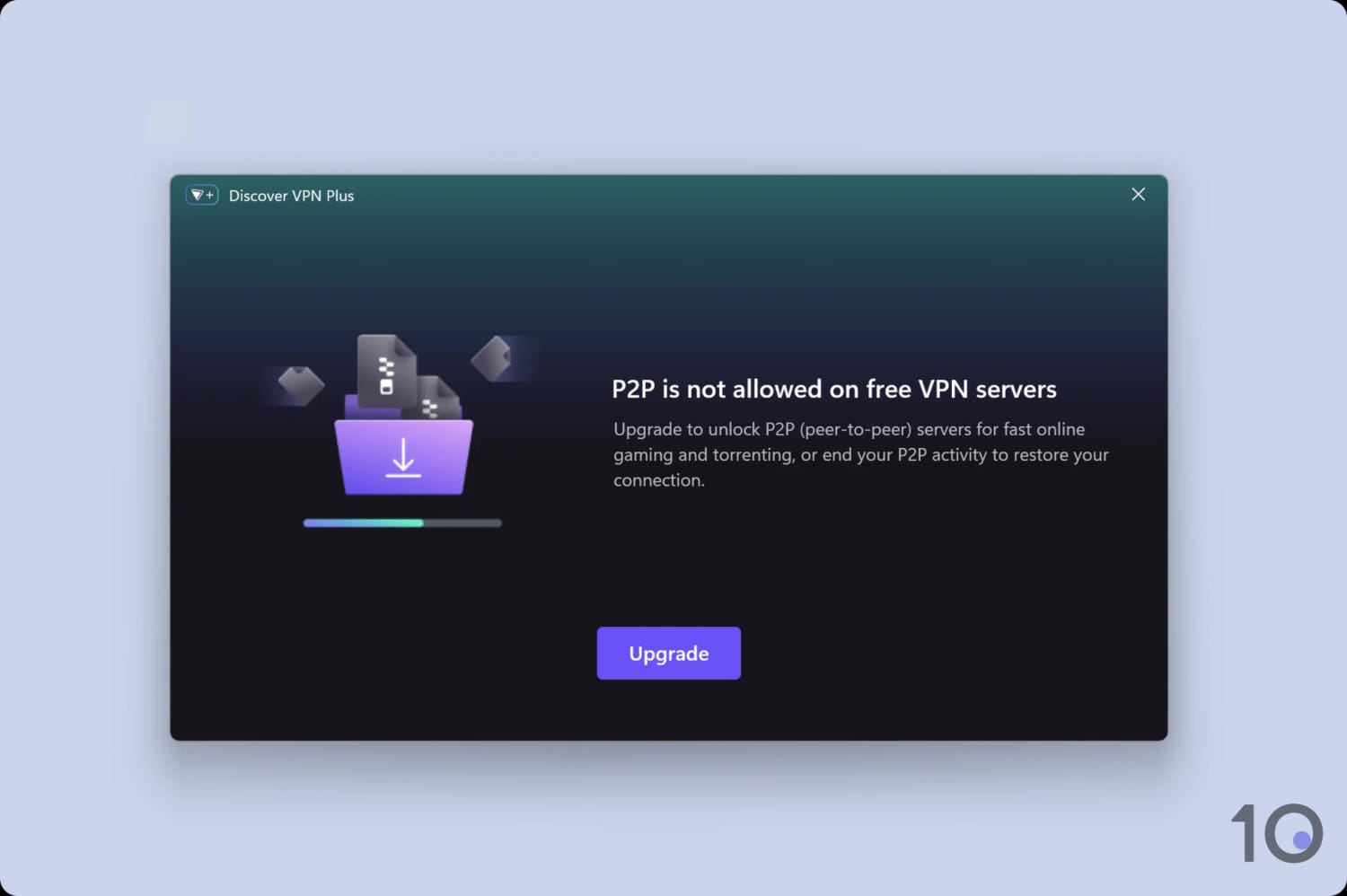
Those servers also actively block P2P connections, so torrenting is off limits, too.
Proton VPN’s free servers block all P2P connections.
No Free Australian Servers
The other major limitation is that Proton VPN runs no free servers in Australia.
In practice that means no Australian IP address, and no access to Australian content platforms from overseas. If that’s what you came here for, one of my paid picks is the only route.
The app connects you automatically to the fastest of 10 countries: Canada, Japan, Netherlands, Norway, Mexico, Poland, Romania, Singapore, Switzerland, and the United States.
From inside Australia, that usually means a VPN server in Japan, Singapore, or the United States.
Apps for popular devices including Apple TV & Fire TV
Robust privacy & security standards
Unlimited simultaneous connections
No free Australian servers
Only 10GB of monthly free data
No longer works with US Netflix
No human live chat support
Inconsistent speeds
Blocks P2P activity
Data Cap
10GB per month
Countries with Servers
10
Servers
10
Free Australia Servers
---
Australia Server Locations
---
Logging Policy
No Identifiable Data
Simultaneous Connections
Unlimited
Support
Email & Online Resources Only
Compatible with
Windows
Mac
iOS
Android
Linux
Amazon Fire TV
Android TV
Apple TV
Router
Chrome
If you’re in Australia and want to watch geo-restricted content from other countries, Windscribe is the free option I’d choose.
Its streaming performance has been exceptional in every year I’ve tested it since 2016, and no other safe free VPN comes close to unblocking as many platforms.
Speeds do fluctuate when servers get busy, and the apps aren’t as polished as Proton VPN’s, but for streaming specifically, I’d still take the trade.
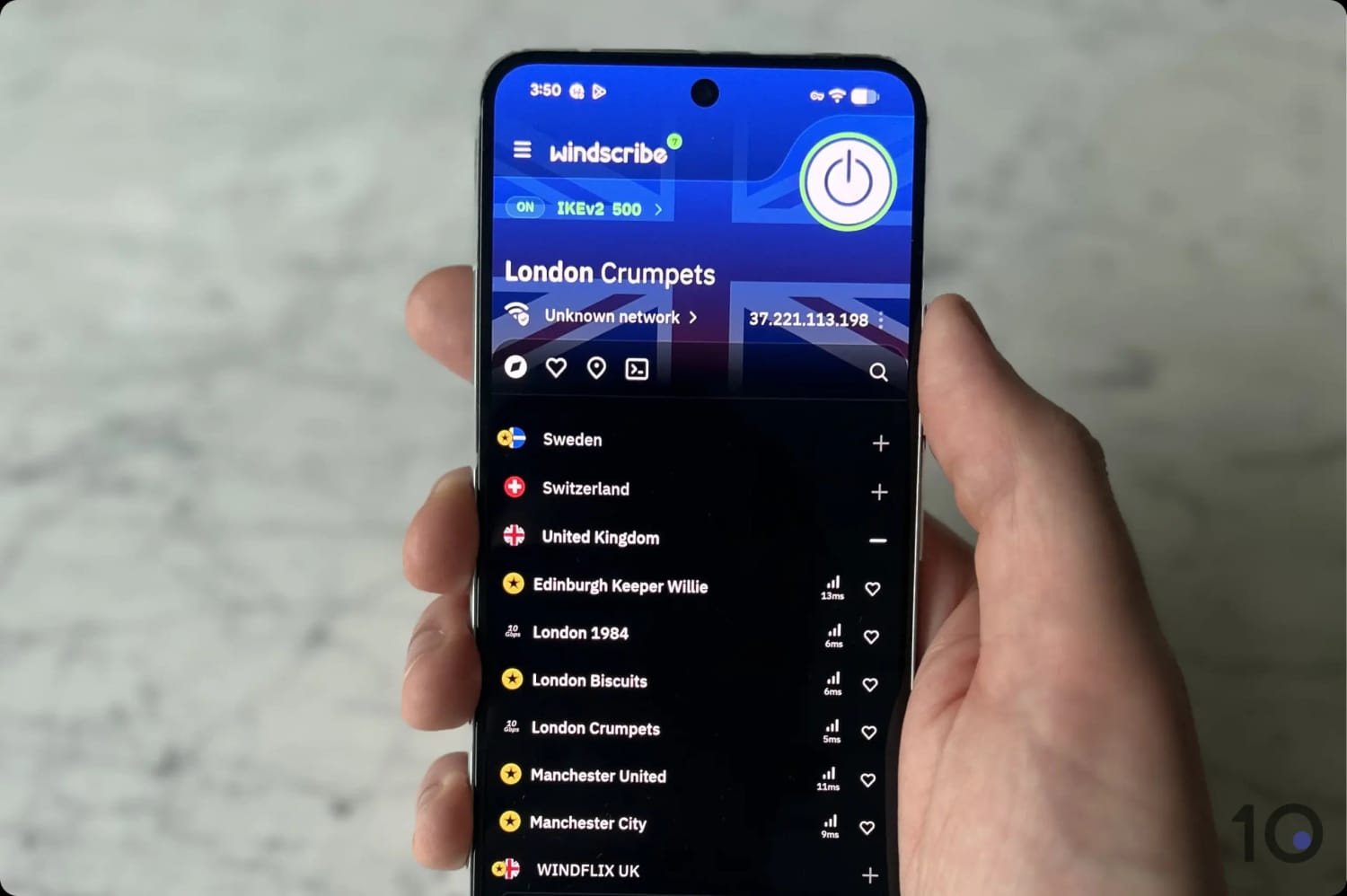
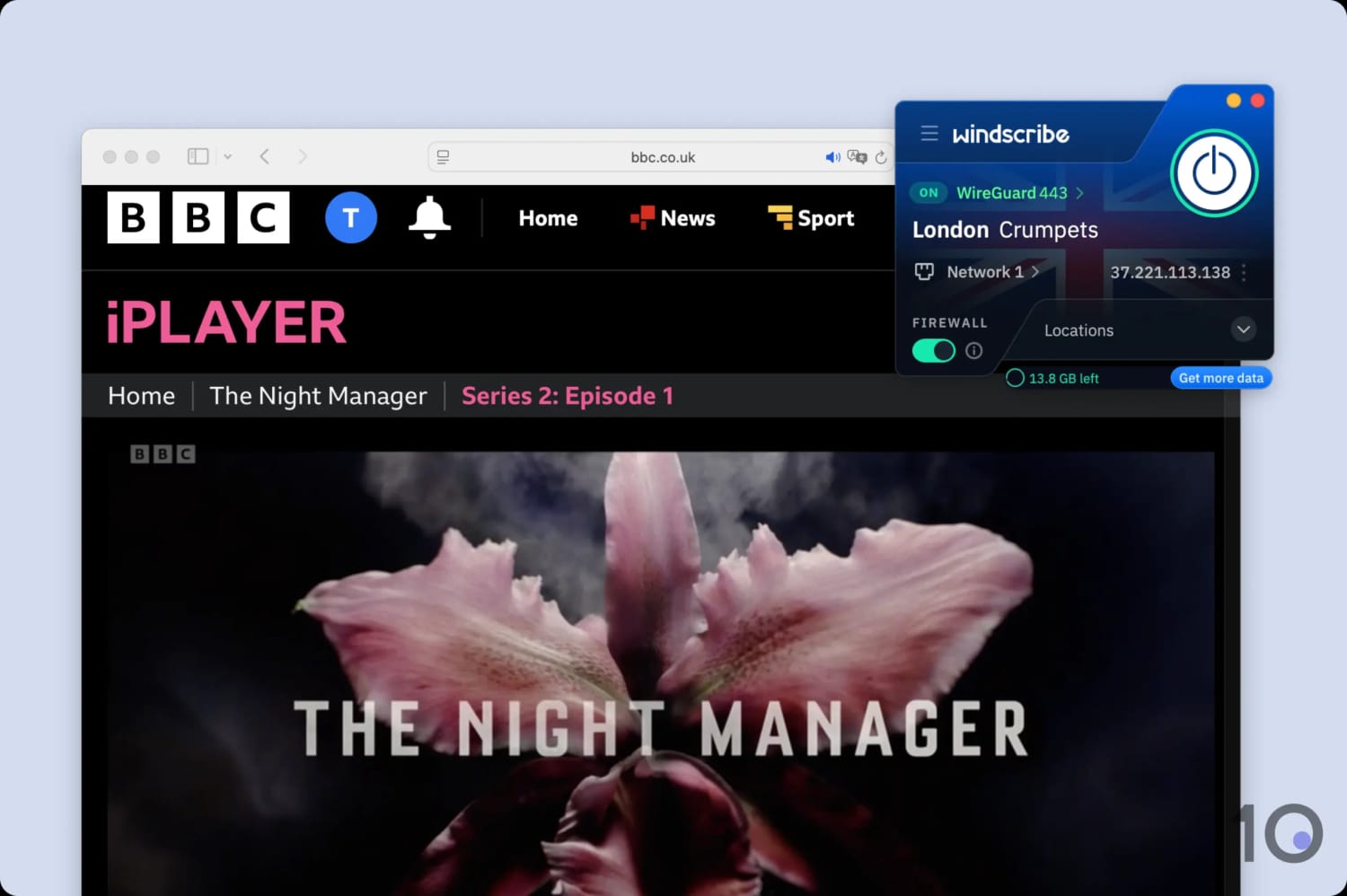
Using one of Windscribe’s free London IP addresses.
Streaming Coverage Across 10 Countries
Windscribe’s free servers span 10 countries: Canada, France, Germany, Hong Kong, the Netherlands, Norway, Romania, Switzerland, the UK, and the US.
It’s one of the broadest free server networks available, and it opened up the doors to BBC iPlayer, HBO Max, Hulu, DAZN, Sky Go, and even 5 international Netflix libraries (the US library is no longer among them, sadly).
All of Windscribe’s free UK servers worked with BBC iPlayer.
The Android app also includes a free built-in GPS spoofer, which changes the location data your phone or tablet reports. Finding it in a free tier is unusual.
There are free Chrome and Firefox extensions too, and they worked just as well for region-locked content in the browser.
Solid Privacy & Security Features
Every Windscribe app uses AES-256 and ChaCha20 encryption, with a choice of OpenVPN, WireGuard, and IKEv2.
Its Firewall kill switch stopped my real IP and DNS data escaping every time I forced a connection drop.
Combine that with a privacy policy that collects very little, and I’m confident Windscribe is safe to use in Australia.
10GB Monthly Data Cap & No P2P
Windscribe’s biggest limitation is the 10GB monthly bandwidth cap. At HD quality, I burned through it in roughly four hours of video.
That allowance works if you use a VPN in short bursts. If you want it running permanently, switch to Proton VPN or upgrade to one of my top-rated VPNs.
Windscribe has also dropped P2P support on its free servers, which I’m disappointed to see. For torrenting with a VPN in Australia, a paid VPN is now the only realistic option.
Despite being a democracy, Australia is one of the more surveillance-heavy countries in the world.
The country is a founding member of the Five Eyes intelligence alliance, it operates mandatory data retention laws, and its courts can order ISPs to block websites.
If you’re in Australia and you care about your online privacy, these are things you need to know about.
Every premium VPN I recommend in this guide runs diskless servers and doesn’t log your internet activity. None of them is headquartered in Australia, so a TOLA notice isn’t a realistic threat in the first place. Plus, a provider with nothing on disk has nothing useful to hand over.
Age Verification and Privacy
Australia’s age verification laws require platforms to implement age assurance mechanisms across social media platforms, adult content websites, app stores, and AI chatbots.
To comply, platforms are forced to gather significantly more personal data than before, including biometric scans, bank-verified identity, and behavioral signals.
That data is supposed to be destroyed after verification, but the infrastructure required to collect it in the first place represents a meaningful expansion of online tracking.
Australia Is a Five Eyes Member
The Five Eyes is an intelligence-sharing alliance between Australia, the US, the UK, Canada, and New Zealand.
The five governments collect signals intelligence on their citizens and share it with each other, which is why the alliance is relevant to anyone choosing a VPN.
In practice, this means a government in one member country can request data held by another.
ISPs Are Required to Store Your Data
Under the Telecommunications (Interception and Access) Amendment (Data Retention) Act 2015, every Australian ISP and telecommunications provider is legally required to retain your metadata for a minimum of two years.
The data collected includes your name and address, your account and billing information, the dates and times of your communications, and the location of the device you used.
Your actual browsing history and the content of communications aren’t covered, but the metadata picture it builds is still significant.
Law enforcement agencies can access this data without a warrant. The one exception is data relating to journalists, which requires a specific warrant.
Websites Can Be Blocked by Court Order
Australia has had court-ordered website blocking in place since 2015, when Section 115A was inserted into the Copyright Act 1968.
It allows rights holders to apply to the Federal Court for an injunction requiring ISPs to block any overseas site whose primary purpose is copyright infringement.
This has resulted in thousands of websites being blocked, especially streaming and torrenting indexes.
The Assistance and Access Act (TOLA)
Passed in 2018, the Telecommunications and Other Legislation Amendment (Assistance and Access) Act gives Australian law enforcement and intelligence agencies the power to compel technology companies to assist with accessing encrypted communications.
For this reason, I’d never recommend a VPN provider headquartered in Australia as it could be served with a notice under TOLA.
VPN Testing Methodology
This guide has two aims: helping you get a reliable Australian IP address from abroad, and helping anyone already in Australia protect their connection at home.
With the help of my team, I tested and compared 59 VPNs based on six testing categories, each weighted to produce an overall rating specific to Australia. Here’s the breakdown:
What I Did: Assessed the size and global spread of each VPN’s server infrastructure, recording total server count and country availability.
Why It Matters: Broad global coverage is what makes reliable unblocking possible, and it keeps connections fast by reducing server distance and congestion.
Optimal Result: Servers in at least 100 countries, evenly distributed across all major continents.
2. Australia Servers (25%)
What I Did: Counted the Australian servers and city locations in each network, then used an IP address checker to confirm each connection resolved to Australia.
Why It Matters: You need an Australian IP address to reach Australian sites, and the more servers a VPN runs, the better it holds up under load.
Optimal Result: Hundreds of Australian servers spread across most major cities.
3. Speed (15%)
What I Did: Ran in-house speed tests measuring download speed into Australia from locations worldwide, and back out again.
Why It Matters: Fast speeds are what separate smooth, high-resolution streaming from constant buffering.
Optimal Result: Under 10% download speed loss to nearby cities, and under 20% over long distances.
4. Streaming (10%)
What I Did: Tested every VPN against all major Australian streaming services and the most popular international platforms.
Why It Matters: Access to Australian and international content from any country is one of the main reasons most readers are here.
Optimal Result: Every platform tested unblocked.
5. Privacy (10%)
What I Did:Read each VPN’s privacy policy in full and assessed its logging practices against our in-house standards.
Why It Matters: Plenty of VPNs store identifying data, which defeats the point of using one.
Optimal Result: A no-logs policy evidenced by a court case or third-party audit.
6. Security (10%)
What I Did: Inspected each security suite for industry-standard encryption, tested the kill switch, and checked for IP and DNS leaks.
Why It Matters: IP leaks will stop you unblocking Australian content abroad, and strong encryption is non-negotiable.
Optimal Result: Zero leaks, a working kill switch, and an up-to-date security suite.
Data Cap Penalty
Most free VPNs have data caps that restrict your VPN’s performance. To account for this limitation, I applied a penalty to a free VPN’s overall rating. This is based on how severe its data cap is:
10GB per month: -20% to the overall rating
500MB per day: -25% to the overall rating
5GB per month: -30% to the overall rating
1GB per month: -35% to the overall rating
200MB per day: -40% to the overall rating
500MB per month: -50% to the overall rating
Getting an Australian IP Address Using a VPN
A secure, trustworthy VPN with servers in Australia is the simplest way to get an Australian IP address.
The video below demonstrates how to easily get an Australian IP address using a VPN:
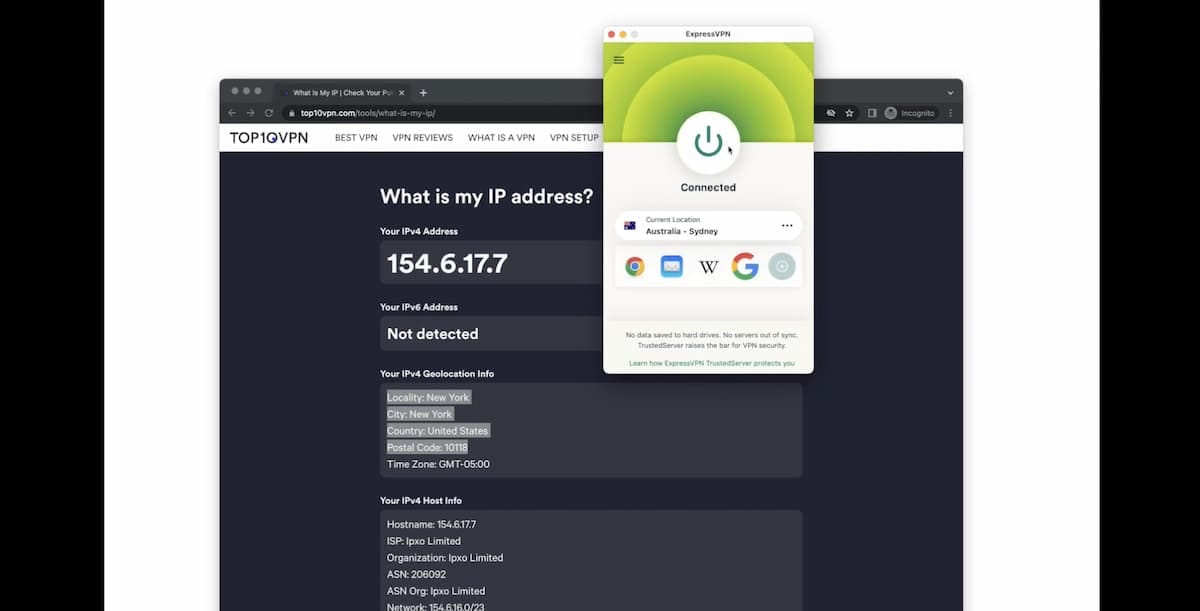
It takes 30 seconds to get an Australian IP address using a VPN.
If you’d rather read than watch, here are the steps:
How to Get an Australian IP Address
Subscribe to a VPN with Australian servers. I recommend ExpressVPN, which runs 600 of them across five cities.
Download and install the VPN on your device.
Open the app and sign in.
Turn on the kill switch, if it isn’t already. This stops your real IP address becoming visible if the connection drops.
Connect to an Australian server location. With ExpressVPN this takes under three seconds regardless of where you are.
Use the Internet as if you were in Australia. Websites and apps will now see the Australian IP address, not your real one.
That’s the whole process, and for banking, shopping, and general browsing it’s all you need.
Streaming is the exception. An Australian IP address gets you past the front door on most platforms, but a few check more than your IP, which is what the chapter below covers.
How to Watch Australian TV Overseas
One of the main reasons for getting a VPN with Australian servers is to access the country’s streaming services from overseas.
Every content platform in the country restricts viewing to Australian IP addresses, and that applies to the free ones as much as the paid. 7plus, 9Now, ABC iView, and SBS On Demand block you just as firmly as Kayo Sports, Binge, and Stan do.
Follow the five steps in the chapter above to get your Australian IP address, then open the streaming site or app and press play. On most platforms, that genuinely is all there is to it.
Watching SBS On Demand with Surfshark.
When an Australian IP Address Isn’t Enough
Most of the time, changing your IP address is all you need to do.
The exception is mobile. Some streaming apps read your phone’s location data alongside your IP address and block you when the two don’t match. Kayo is one of these apps.
The fix is to make your GPS location match your VPN server. You can install a separate GPS spoofing app, but I’d rather use Surfshark’s built-in GPS location changer. It sets both in one place, so there’s nothing to keep in sync manually, and when I tested it to unblock Kayo, Google Maps confirmed the spoofed location.
Bear in mind this only works on Android. Apple blocks location spoofing at the system level, and no VPN offers the feature on iOS.
On an iPhone or iPad, stream in the browser instead of the app (if the platform allows it), and make sure you deny the browser access to your location. Sites that can’t read your GPS fall back to your IP address, which is exactly what you want.
Free vs Paid VPN: Which Is Better for Australia?
Trying to get an Australian IP address with a free VPN usually isn’t worth the effort, particularly if streaming is your reason for wanting one.
The free VPNs that are genuinely safe will still let you down eventually, whether through restrictive data limits, sluggish speeds, or a server list too short to be useful.
The bigger problem is unblocking. Even the best free VPNs strike out against Stan, Foxtel Go, 9Now, and ABC iView. The overwhelming majority simply don’t work.
There’s a safety dimension too. Since 2016 I’ve examined 150 free VPNs, and my privacy and security tests reveal that:
88% leak IP and DNS data.
10% suffer encryption failures that expose your activity.
53% suffer from unstable connections.
Paid VPNs operate on a different level altogether, offering a smoother streaming experience alongside stronger privacy and security.
Here’s what a good paid VPN gets you:
Unlimited data
Significantly faster speeds
Far better at circumventing geo-blocks
Many more servers worldwide
Extra privacy and security settings
Compatible with more devices
If you’re still on the fence about paying, try one first. Most offer free trials as well as money-back guarantees, so testing one costs you nothing.
VPNs That Missed Out on Selection
Most of the VPNs I tested for Australia didn’t make this page, and it was often because of too few Australian server locations, slow connections into and out of the country, or an inability to unblock the platforms people actually want.
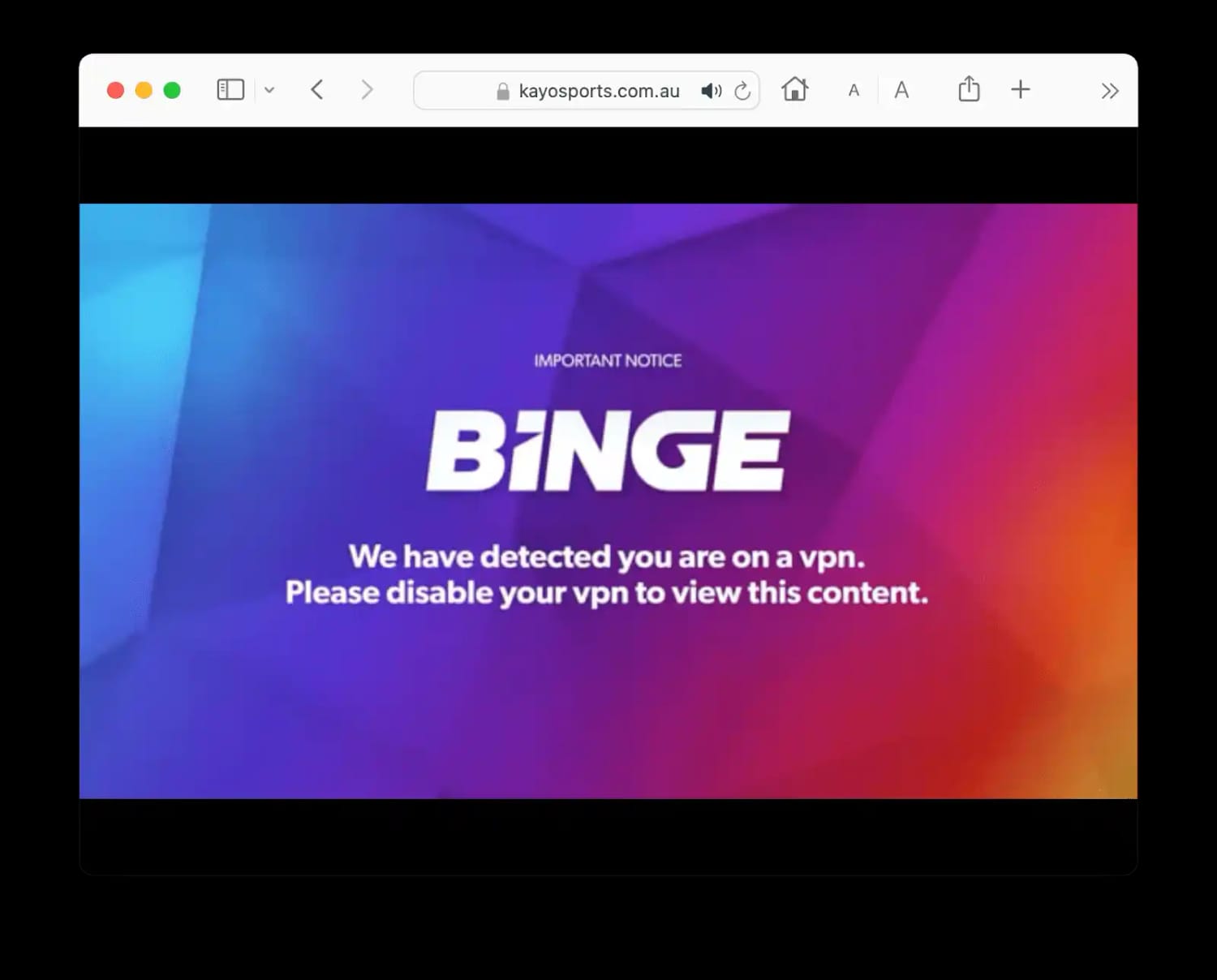
Kayo Sports ‘we have detected you are on a VPN’ error message.
Here are the most popular services that didn’t meet my selection criteria:
CyberGhost
CyberGhost came close. It runs 213 Australian servers and most of them bypass geo-blocks. Its connection speeds into Australia simply weren’t fast enough.
IPVanish
IPVanish also came close. It unblocks some Australian streaming services, but it doesn’t work reliably with Kayo Sports, and it offers fewer Australian servers than its main rivals.
Private Internet Access
Private Internet Access (PIA) was another near miss, and its torrenting performance is excellent.
It fell short in my streaming tests, though, failing against Disney+ and several key Netflix regions.
Urban VPN
This free peer-to-peer VPN is too risky to use. It logs personally identifiable data including your real IP address, and other users on its network can route traffic through your connection.
Urban VPN has also been caught selling private user information harvested through its browser extension.
VPN Australia: Unlimited Proxy
This app explicitly refuses to let you delete your data and permanently retains your device’s unique identifiers.
Worse, the developer runs a “farm” of near-identical free VPN clones that exist to harvest your data and monetize it through ad networks.
FAQs
Is It Legal to Use a VPN in Australia?
Yes. VPNs are completely legal in Australia and no law restricts their use.
Are There Safe Free VPNs with Australian IP Addresses?
No. I haven’t found a single safe free VPN offering Australian IP addresses, and neither of the free services I recommend above runs Australian servers.
Will a VPN Stop My ISP from Collecting My Web Data?
Partly. A VPN encrypts your traffic, so your ISP can’t see which sites and apps you use.
It will still log that you connected, when, for how long, and from where, because the 2015 retention law requires it to. What a VPN removes is the browsing picture, not the account record.
Why Is My VPN Not Working with Kayo Sports?
Kayo Sports blocks VPNs in two ways: by detecting VPN IP addresses, and by reading your device’s real location from GPS data on mobile.
If your IP is the problem, switch to a different Australian server or move to a better VPN.
If GPS is the problem, Surfshark’s Override GPS location feature will spoof your GPS position alongside your IP, which is the only fix that works on mobile.
Do I Need a VPN If I'm in Australia?
I’d say yes, for two reasons.
The first is retention. Australian ISPs must keep your metadata for two years, and law enforcement can access it without a warrant.
The second is access. A growing number of sites are either blocked outright or require you to hand over personal information before they’ll let you in.
A VPN encrypts your traffic so your ISP can’t see what you’re using, and a foreign IP address lets you get around Australian internet restrictions.