




Top10VPN is editorially independent. Buying a VPN through our links supports our work.
The Best VPNs for the UK
Follow us:
Simon Migliano
Simon Migliano is a recognized world expert in VPNs. He's tested hundreds of apps and his research has been featured on the BBC, The New York Times, and more. Read full bio
Let me guess: you’re abroad and you’ve been hit with a “you’re outside the UK” error message on a streaming site.
Maybe you’re about to travel and want your favorite apps and websites to keep working like normal from the hotel (rightly so).
Or, the recent age-verification ID checks got you worried about how much of your web browsing your UK ISP can actually see.
Whichever it is, you want a VPN that just works, and the truth is most don’t.
Loads of free VPNs harvest and sell your data. Many paid ones can’t hold a steady connection during peak hours, or stick you on IP addresses that iPlayer or Netflix instantly block.
My team and I put 59 VPNs through their paces and narrowed the field down to five that unblocked popular content platforms and kept our speeds high while thoroughly encrypting our traffic.
🔄 July Updates
Added Proton VPN to our picks because of its excellent privacy credentials, and added more useful information on using a VPN while traveling abroad.
Why Trust Us?
We’re fully independent and have been reviewing VPNs since 2016. Our ratings are based on our own testing results and are unaffected by financial incentives. Learn who we are and how we test VPNs.
VPNs Tested
59
Total Hours of Testing
30,000+
Combined Years of Experience
50+
The Best UK VPNs Compared & Reviewed
The table below compares my five picks based on speed, servers, streaming, and price.
Works with BBC iPlayer, UK Netflix, Sky Go, Channel 4 & ITVX
Most effective Smart DNS tool for UK streaming
Extremely easy to install & use
Excellent Fire TV Stick & Apple TV apps
3-day free trial on iOS & Android
More expensive than Surfshark
No Meshnet-type remote access feature
Narrower choice of UK cities
No multi-hop or Android GPS spoofer
Pricing Plans
$15.99/mo
$4.99/mo over 15 months
$2.49/mo over 28 months
Money-Back Guarantee
30 Days (Paused)
Countries with Servers
113
Servers
13,360
Simultaneous Connections
10
Logging Policy
No Identifiable Data
Jurisdiction
British Virgin Islands (Privacy Haven)
Support
24/7 Live Chat
Compatible with
Windows
Mac
iOS
Android
Linux
Amazon Fire TV
Android TV
Apple TV
Router
Chrome
If you’re in the UK, or you want to get a UK IP from abroad, ExpressVPN is the VPN I recommend to most people, most of the time.
It’s the jack-of-all-trades: very fast, highly secure, and equipped with privacy and security protections that run in the background. If you can’t decide what to get, this is the safe choice.
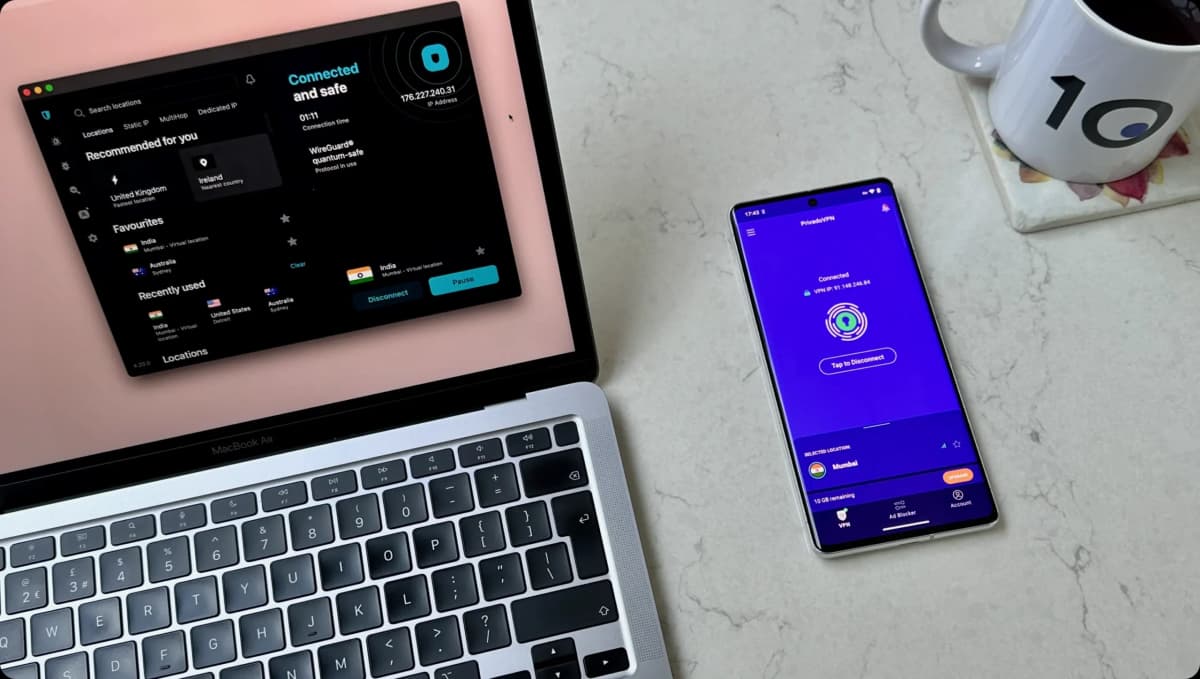
ExpressVPN’s apps are the best I’ve ever used, no question about it, and its speeds into the UK from far afield are exceptional.
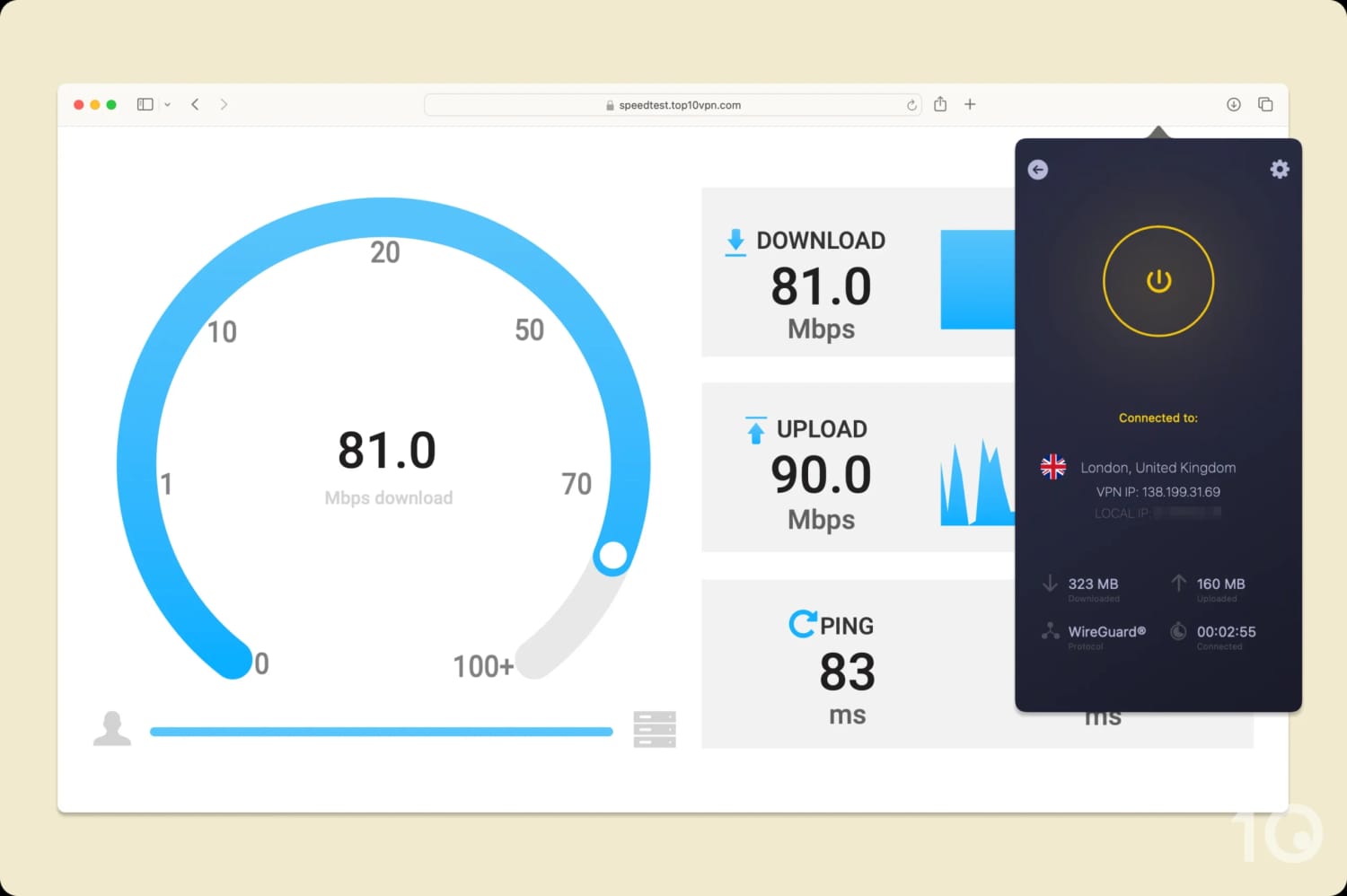
Connecting from as far away as Australia and New Zealand, our speed slowed by only 7%. For long-distance connections, you can’t ask for more. It’s the fastest VPN into the UK that we’ve tested.
All of ExpressVPN’s servers in the UK connect instantly.
Extremely Secure, Privately Run Servers
First things first, ExpressVPN’s servers don’t monitor or log any of your internet activity. This has been confirmed through server seizures and independent audits.
These servers are all zero-knowledge, meaning when you connect to a website ExpressVPN will handle and encrypt your DNS request itself and stop a third-party from doing it.
And its TrustedServer technology stops your data from ever being written onto hard drives, along with regular wipes of information stored on its RAM-only servers.
Our testers have never experienced unexpected DNS or IP leaks using ExpressVPN, and its kill switch (called Network Lock) will prevent your real IP address from displaying in the event of a connection failure.
Large & Fast Global Network
ExpressVPN runs a vast global network of 13,360 servers, of which 1,750 are located in the UK.
Thanks to that headroom, we rarely saw the tell-tale signs of overloaded servers: no annoying CAPTCHAs, no slow page loads, no dropped connections.
ExpressVPN’s investment in its UK infrastructure has led to phenomenal speeds. The VPN is currently the fastest for connecting into the UK from abroad, with an average speed loss of only 7%.
That matters most during live sports, like streaming the World Cup, where a flood of traffic would buckle a weaker network.
ExpressVPN doesn’t cover as many countries as NordVPN or Proton VPN, but all major locations are present, including Australia, Canada, Japan, India, South Korea, and even 56 US cities.
Streams Content on the Most Devices
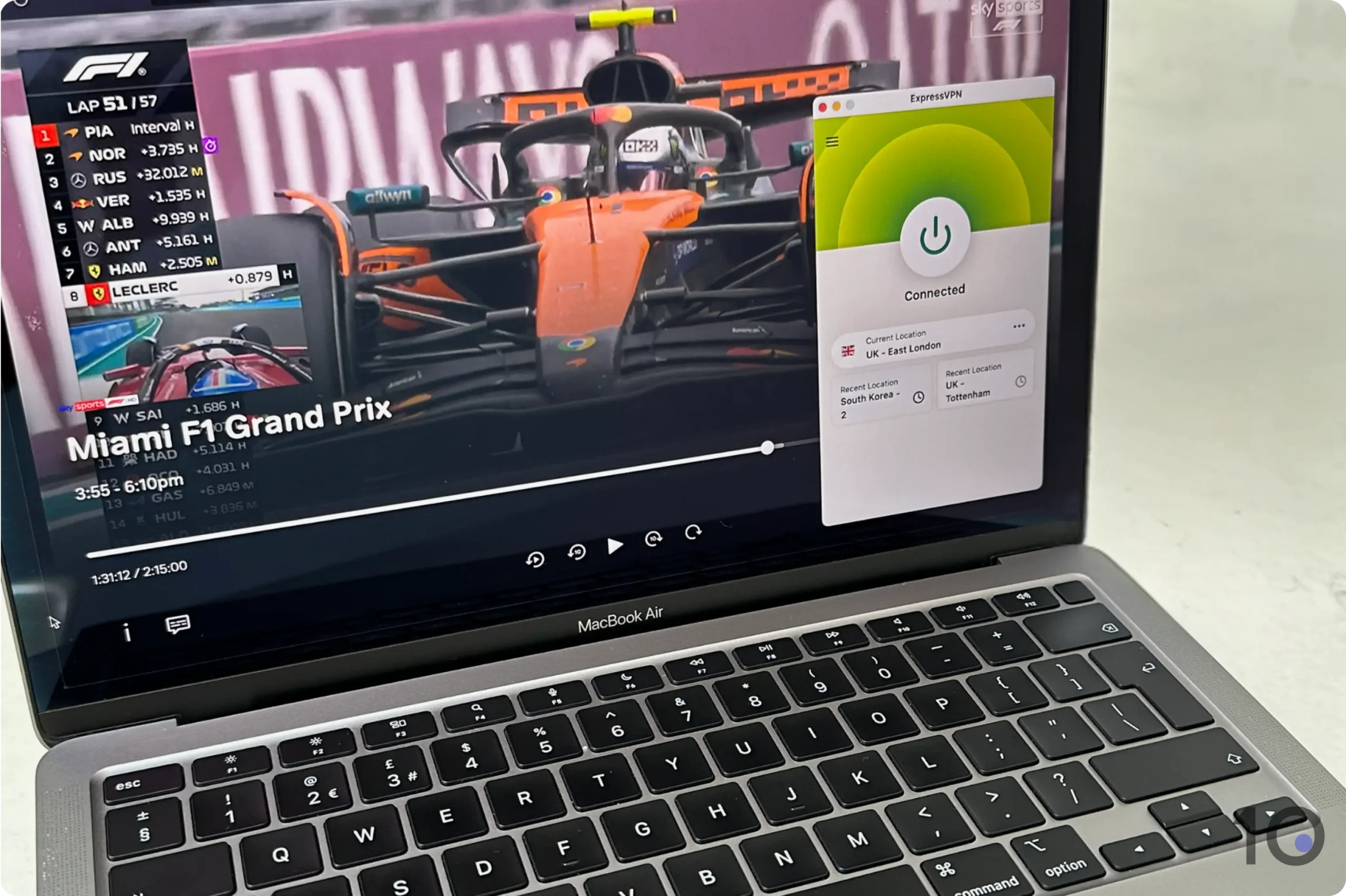
ExpressVPN hasn’t always unblocked BBC iPlayer, but it’s been rock-solid for the last few years. It also handles Sky Go, ITVX, Channel 4, and UK Netflix without issue.
Watching Sky Sports F1 with ExpressVPN.
ExpressVPN’s international servers lead the industry for streaming access, unblocking over 95% of the 120 content platforms we threw at it. This includes 18 Netflix regions, and Paramount+ USA to watch the Champions League on the cheap.
What really sets ExpressVPN apart is just how effortless it is to use. Whatever device you’re on, the app looks and behaves the same way: one big button to connect, and a clean list to choose your country.
This consistency extends to its Fire TV, Android TV, and Apple TV apps, which are incredibly polished and get you streaming on the big screen in a couple of taps. It’s the VPN I’d hand to someone who’s never used one before.
ExpressVPN’s MediaStreamer Smart DNS is the other ace up its sleeve, letting you trick BBC iPlayer and ITVX into thinking you’re in the UK on devices that don’t support VPNs.
SmartPlay (DNS) isn't reliable with UK streaming apps
Less consistent with Sky Go & NOW
Much more expensive on renewal
Pricing Plans
$14.99/mo
$5.49/mo over 12 months
$3.49/mo over 27 months
Money-Back Guarantee
30 Days
Countries with Servers
137
Servers
9,000
Simultaneous Connections
10
Logging Policy
No Identifiable Data
Jurisdiction
Panama (Privacy Haven)
Support
24/7 Live Chat
Compatible with
Windows
Mac
iOS
Android
Linux
Amazon Fire TV
Android TV
Apple TV
Router
Chrome
NordVPN comes a hair’s breadth behind ExpressVPN overall, but if your main goal is streaming free-to-air UK TV from abroad, it’s the one I’d go for.
I particularly recommend it to UK expats who want to regain access to everything on BBC iPlayer, ITVX, and Channel 4, alongside UK-only content on Netflix and HBO Max.
NordVPN’s UK network covers London, Manchester, Edinburgh, and Glasgow, which is useful if you want to watch regional programming or simply connect to the city closest to you for the best speeds.
NordVPN is packed with features that suit beginners and tinkerers alike. These include solid security settings, like multi-hop servers, that’ll reassure those most concerned by the UK’s Online Safety Act.
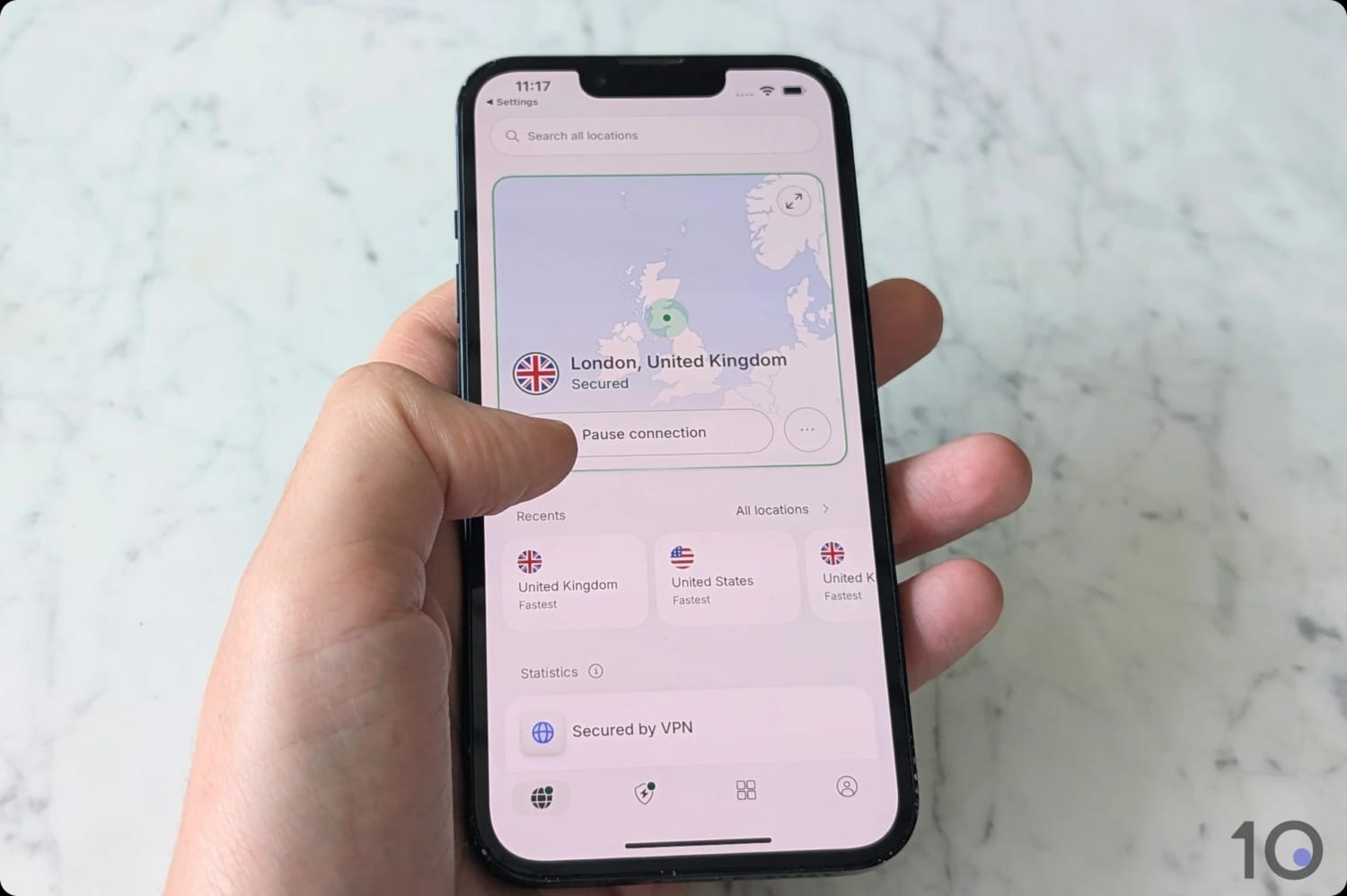
NordVPN’s UK VPN servers are quick to connect.
Great Choice for Streaming
Year after year, NordVPN keeps beating most geo-blocks on British content platforms. The VPN continues unblocking BBC iPlayer, UK Netflix, Channel 4, ITVX, and Disney+ UK.
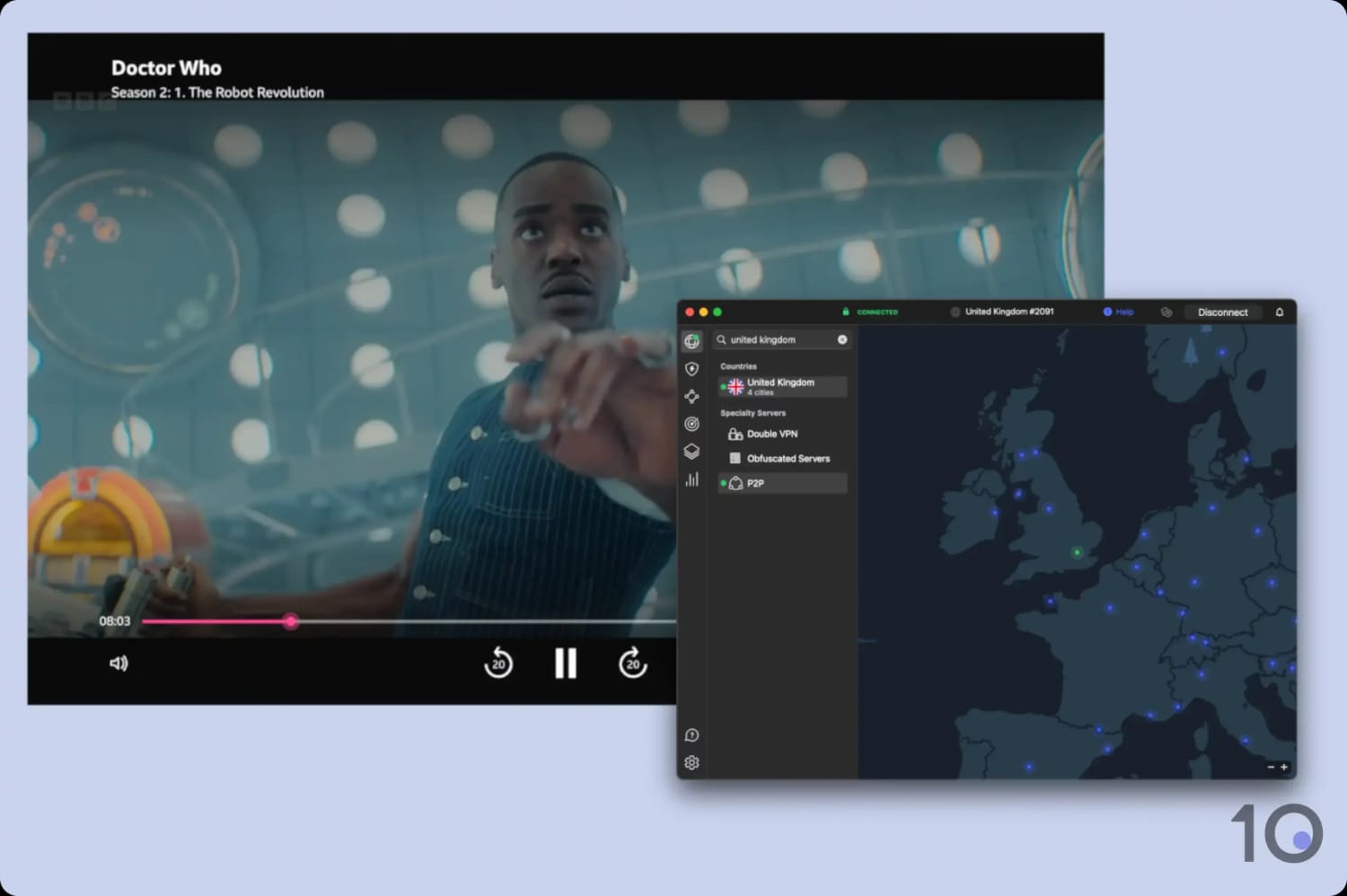
NordVPN worked flawlessly with BBC iPlayer.
And it’s not just on the desktop and mobile apps, either. NordVPN’s VPN apps for Apple TV and Fire TV worked beautifully for streaming UK content straight from our TV.
We hit some hurdles accessing Sky Go and NOW, though, with a handful of IP addresses getting blocked.
NordVPN is just as handy for connecting out of the UK. It runs 3,400 VPN servers across the US, which unblock popular content on Netflix, Hulu, HBO Max, and Prime Video.
NordVPN’s Australian VPN locations get you similar success with the likes of Kayo Sports and 9Now to stream cricket or rugby.
The service’s global reach also extends to its dedicated (static) VPN IPs, with over 30 countries (and 11 US cities) available.
Fast & Stable Speeds in & out of the UK
One of NordVPN’s biggest strengths is its speed, particularly over long distances.
When we connected to a UK server from abroad, our internet speed dropped by just 10% on average: a marginal decrease you simply won’t notice.
That’s a touch behind ExpressVPN, but I’m not going to penalize NordVPN for it. It remains one of the fastest VPNs into the UK, and you won’t deal with buffering or long loading times using it.
Connecting to VPN locations outside the UK, we measured only a 14% impact on our internet speed.
The NordLynx protocol does the heavy lifting here, and the app automatically routes you to a less-congested server.
Remote Access from Abroad with Meshnet
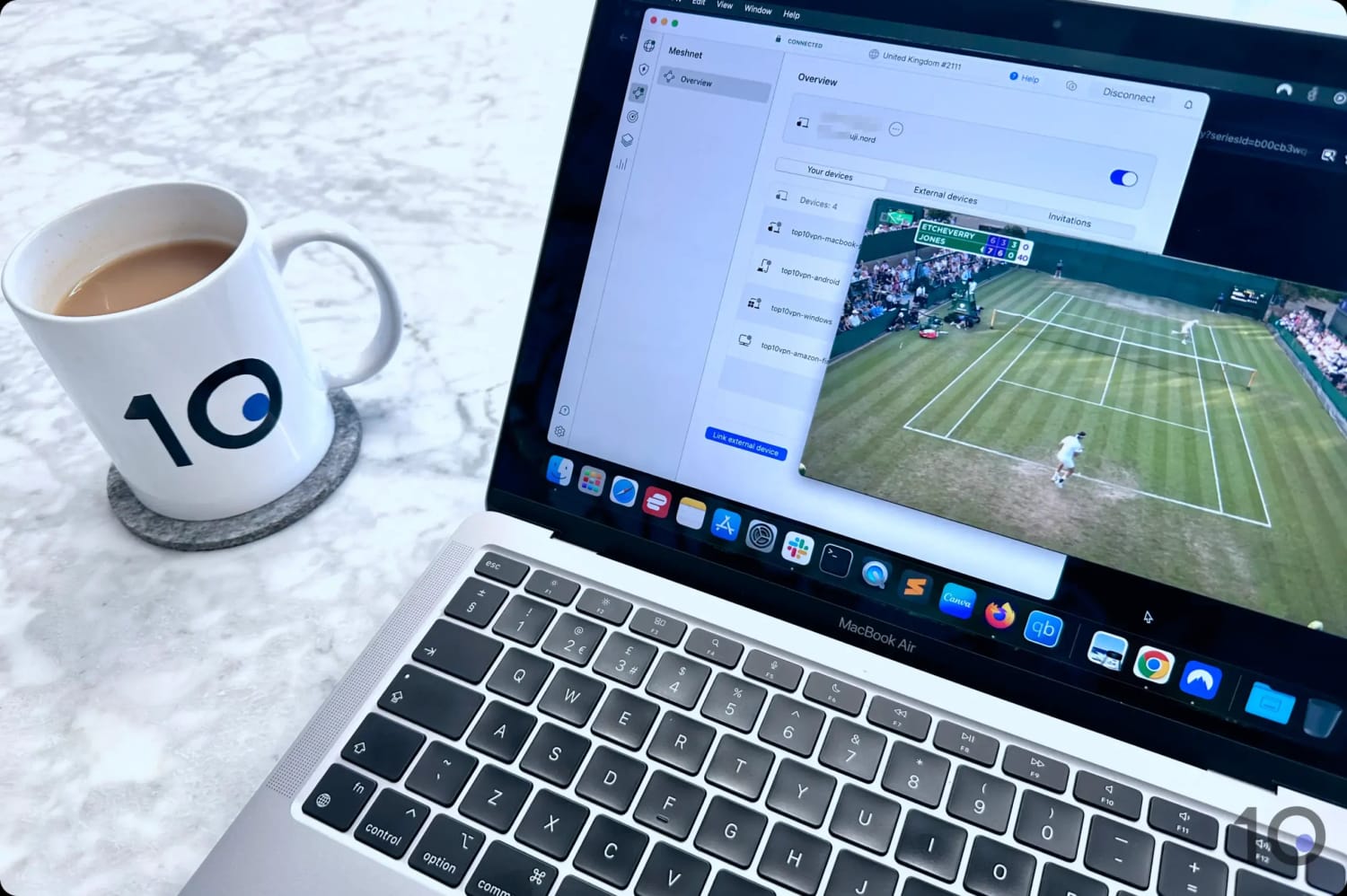
One feature I’ve come to rely on, and that none of my other picks match, is Meshnet.
It links your own devices into a private, encrypted network, so you can reach them from anywhere in the world as if they were sitting right next to you.
I used NordVPN’s Meshnet to stream BBC iPlayer for free.
Meshnet uses the same NordLynx (WireGuard) encryption as the main VPN and sets up in a couple of clicks, with none of the security risk of opening ports on your router.
By tunneling your traffic through a device back home in the UK, you take on that device’s IP address. That’s very handy to access files and services on your home network, and to stream UK TV as if you were in your living room.
Best of all, Meshnet is completely free, even without a NordVPN subscription, and connects up to 60 devices (10 of your own, plus 50 you share with people you trust).
If NordVPN and ExpressVPN are out of your budget, Surfshark is the cheapest VPN I know I can rely on for the UK.
For as little as $2.49 per month, you get a UK IP address that sails past British geo-blocks, including GPS-based restrictions on Android thanks to its built-in location spoofer.
It’s also the smart pick for families and frequent travelers, because it allows unlimited simultaneous connections. One subscription can cover every phone, laptop, and tablet across your extended family.
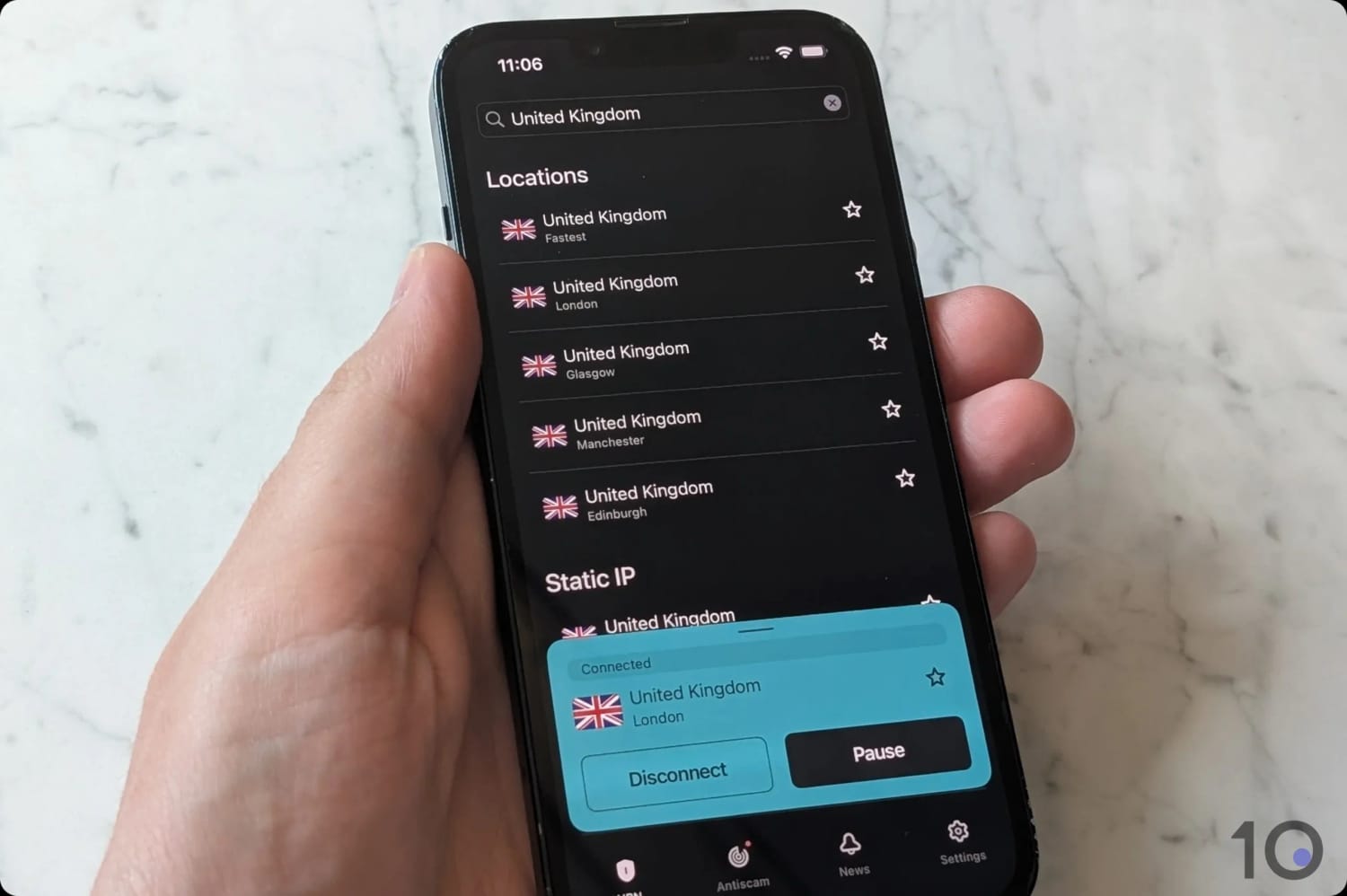
We tested connecting to all 4 UK server locations.
One of the Cheapest VPNs for the UK
Surfshark helped kick off the VPN price wars back in 2018, and it’s still one of the cheapest VPNs worth your money.
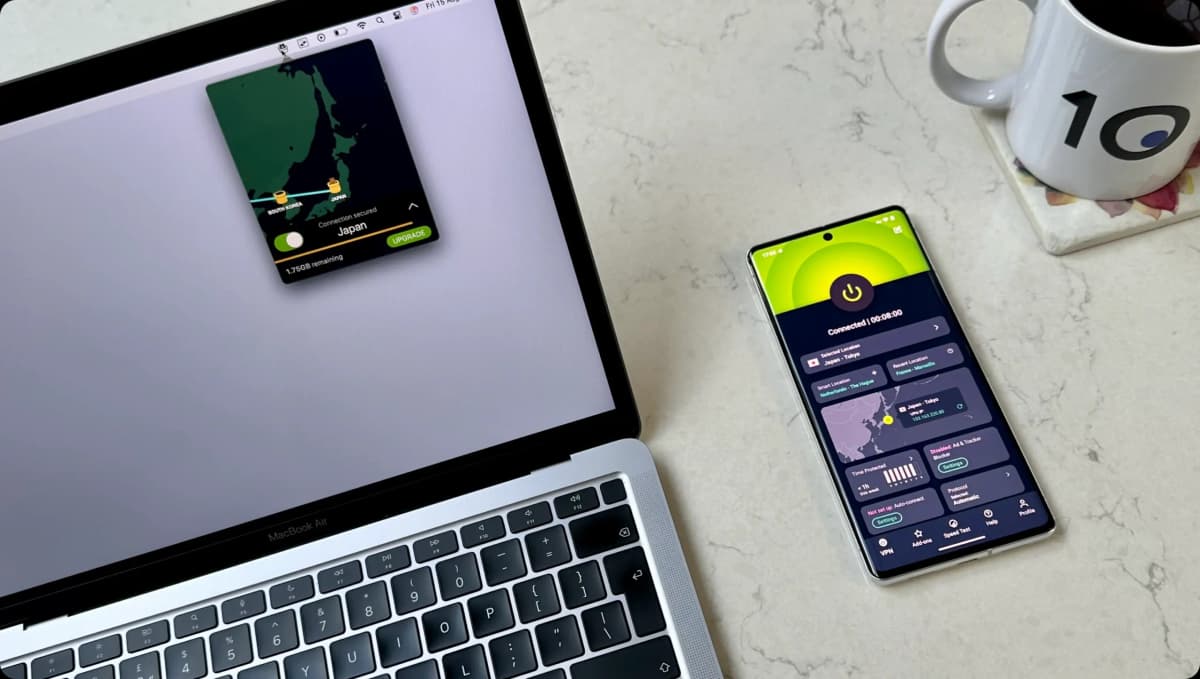
Moreover, Surfshark’s free trial gives you seven days through the website and mobile app without upfront payment.
And if you upgrade to a paid plan, that adds a 30-day money-back guarantee on top.
In total, that’s 37 days of risk-free use for you to enjoy.
GPS Spoofing on Mobile
Despite the low price, Surfshark pretty much matches its pricier rivals at beating British geo-restrictions.
In our tests it unblocked ITVX, BBC iPlayer, Channel 4, and Sky Go. It’s also my single best choice for streaming Disney+ UK.
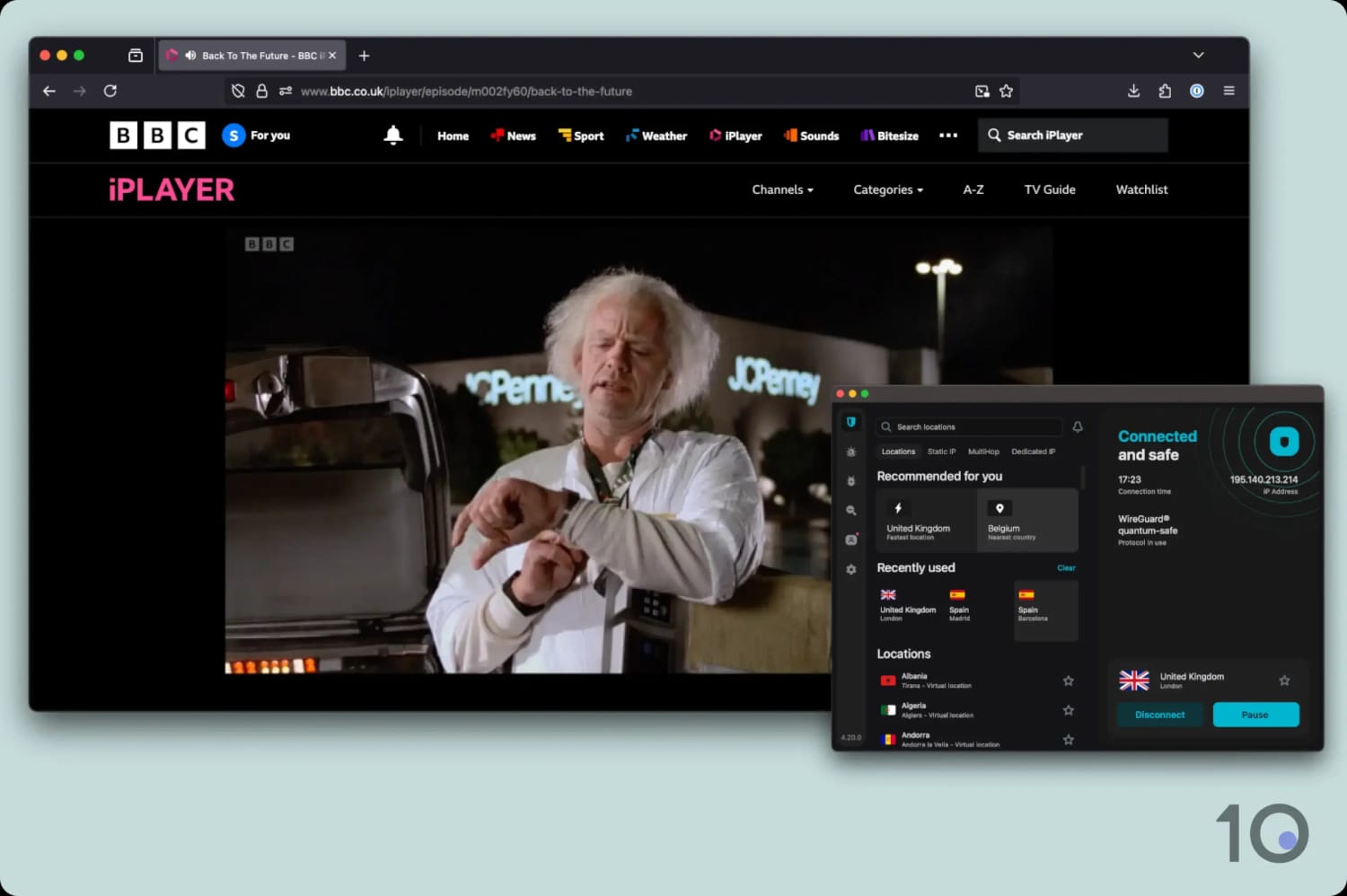
We streamed BBC iPlayer from overseas using Surfshark.
Its Android app also includes an Override GPS location tool, which is very rare and genuinely useful for bypassing GPS-based blocks in certain UK mobile apps.
The GPS spoofing made mobile gaming with the VPN a walk in the park, with access to exclusive location-based features on many games.
If you’re an Android user, the GPS tool alone might tip the balance in Surfshark’s favor.
Slower Speeds Are the Trade-Off
There are two downsides worth flagging: slower long-distance speeds and the occasional sluggish connection.
On average, Surfshark slowed our internet by 12% connecting into the UK. That’s behind NordVPN and ExpressVPN, but still more than fast enough to stream at maximum resolution.
Internationally, we observed a 17% slowdown, with connections wobbling here and there.
You might notice slightly slower page loads, and the app can take a few seconds longer than ExpressVPN to connect. On Android, the difference is more noticeable, as you can see below:
Comparison of the mobile VPN connection times of top-tier VPNs.
It’s a pretty minor irritation overall, certainly not a dealbreaker, but worth knowing if you think you’ll switch IP addresses often.
Secure Core (double-hop) servers for increased privacy
A truly safe free plan with unlimited data
Open-source apps and public audits
Doesn't unblock ITVX
Free plan doesn't offer UK IP addresses
Free plan limits you to one device
No Smart DNS proxy
Pricing Plans
$9.99/mo
$3.99/mo over 12 months
$2.99/mo over 24 months
Money-Back Guarantee
30 Days
Countries with Servers
148
Servers
20,000
Simultaneous Connections
10
Logging Policy
No Logs
Jurisdiction
Switzerland (Privacy Haven)
Support
Live Chat
Compatible with
Windows
Mac
iOS
Android
Linux
Amazon Fire TV
Android TV
Apple TV
Router
Chrome
Proton VPN is the pick for anyone in the UK who takes their online privacy seriously.
Between the Investigatory Powers Act and the Online Safety Act, there’s never been more reason to think hard about who can see what you do online. No VPN we’ve reviewed is better built to answer that than Proton.
Proton VPN was founded by former CERN scientists, and privacy is the whole reason it exists: a court-proven no-logs policy, fully open-source apps, and regular independent audits.
Proton VPN is also my top free pick because you get a real slice of this protection for nothing. It’s the only free VPN I trust with unlimited bandwidth, so you can encrypt your traffic without worrying about data running out.
Step up to a paid plan and you unlock the full network of 20,000 servers in 148 countries, Secure Core (multi-hop) servers, plus streaming and torrenting support.
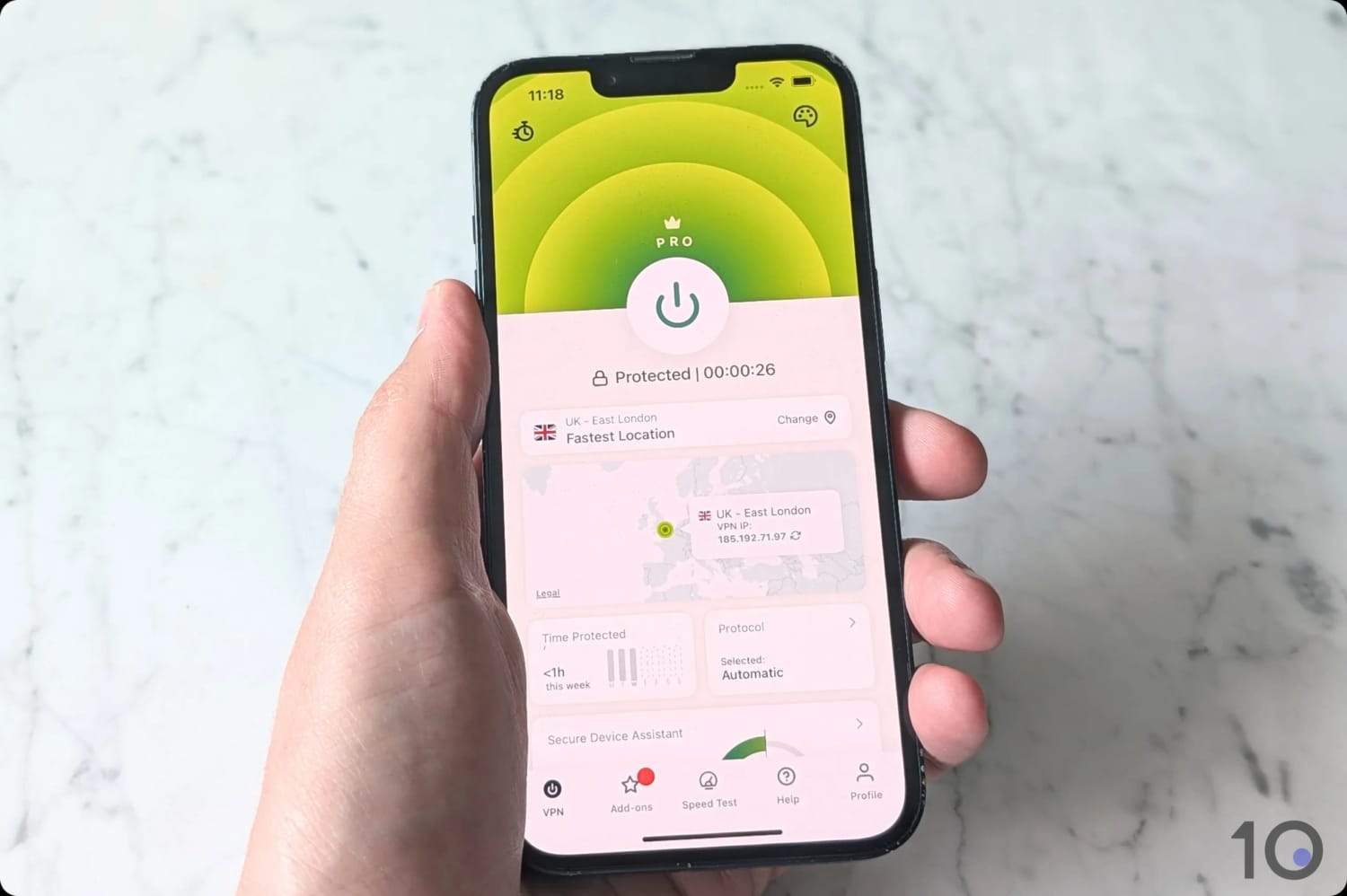
You can use Proton VPN’s iOS app to get a free US IP address.
Proven Privacy Credentials
Plenty of VPNs claim a no-logs policy. Proton VPN is one of a tiny handful to have had that claim tested in the real world: in 2019, a Swiss court ordered it to hand over user data and it had nothing to give.
Proton VPN also runs annual third-party audits, publishes transparency reports, sits in privacy-friendly Switzerland, and lets you subscribe with an alias email and anonymous payment.
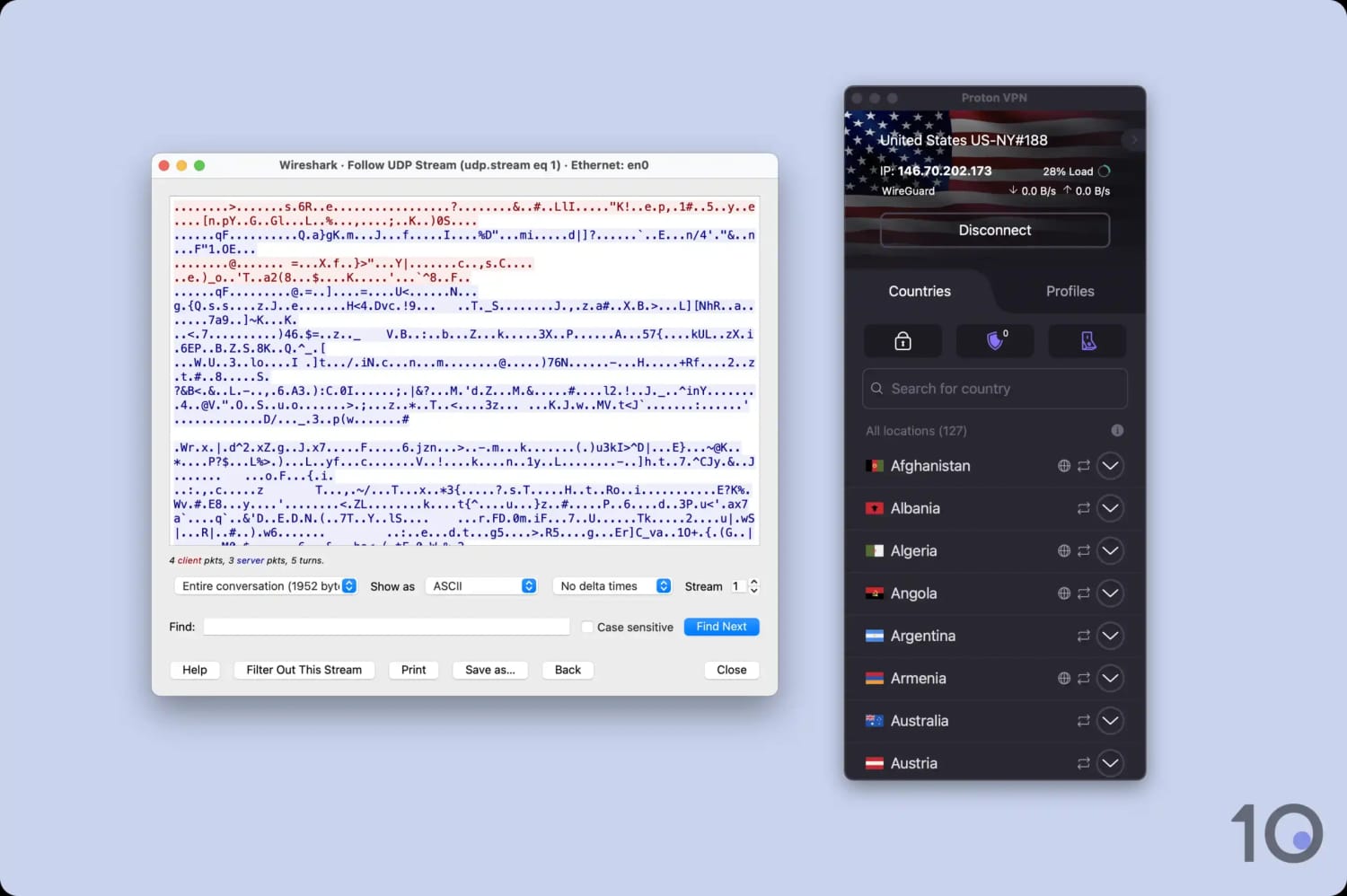
On security, it tops our entire chart. It uses OpenVPN with AES-256 and WireGuard with ChaCha20, it’s added post-quantum protection, and its apps are fully open-source so anyone can inspect the code.
As you can see, Proton VPN encrypted our test data transfers in our Wireshark checks.
Proton VPN encrypted our test data transfers.
Its Secure Core feature routes your traffic through two servers it owns outright, which is about as private as a consumer VPN connection gets.
The Free Plan: Privacy for Nothing
Proton VPN’s free plan is the one I’d point you to if you want protection without a subscription. There’s no limit on the data you can use, which almost no safe free VPN offers.
Plus, you get the same audited, no-logs apps as paying customers, just pared back.
The trade-offs are real, though: you can’t choose a server location (with no free UK IP addresses available), it doesn’t work with streaming services, and the app actively blocks P2P traffic.
None of that matters if your goal is simply to stay private at home, but if you specifically want access to free UK telly from abroad, Windscribe is the better fit.
The Paid Plan: Secure Core, Streaming & 10 Devices
Upgrading unlocks Proton’s full server network with city-level UK locations, cover for 10 devices at once, the NetShield ad and tracker blocker, port forwarding for torrenting, and those Secure Core multi-hop servers.
Paid also turns Proton into a capable streaming VPN, although it trails both NordVPN and ExpressVPN.
In our tests the VPN service unblocked BBC iPlayer, UK Netflix, Sky Go, and Disney+ UK, though the one stubborn gap is ITVX, which it couldn’t beat on any server we tried.
Free servers unblock BBC iPlayer, ITVX, Sky Go & UK Netflix
Works with US HBO Max, Hulu & Prime Video
Good long-distance speeds
Integrated Android GPS spoofing tool
Unlimited simultaneous connections
10GB monthly data limit on the free plan
No human live chat
Occasional blurriness during popular live streams
Dated-looking apps in need of a revamp
Money-Back Guarantee
7 days (10GB limit)
Countries with Servers
10
Servers
10
Simultaneous Connections
Unlimited
Logging Policy
No Identifiable Data
Jurisdiction
Canada (Five Eyes Member)
Support
Email & Online Resources Only
Compatible with
Windows
Mac
iOS
Android
Linux
Amazon Fire TV
Android TV
Apple TV
Router
Chrome
If the reason you want a free VPN is streaming, especially UK TV, Windscribe is the one to get.
It’s the rare free VPN app that unblocks British TV and a clutch of overseas libraries alike, all without asking for payment details.
Windscribe is also ad-free, comes from a respected independent privacy company, and we’ve put it through our full security and privacy tests to confirm it’s safe.
The catch is a 10GB monthly data limit. That’s restrictive compared to the premium VPNs ranked above, but it’s also one of the most generous caps among genuinely safe free VPNs.
Windscribe’s free London servers unblocked Prime Video UK.
Free Access to UK & Overseas TV
Windscribe’s free UK servers unblock the British Netflix catalog, as well as BBC iPlayer, ITVX, Channel 4, and Sky Go.
I’m still amazed it manages this given how aggressively these broadcasters crack down on VPNs.
Windscribe’s free tier works with UK Netflix.
This lets expats and fans abroad watch the likes of Traitors and Strictly without security risks or intrusive pop-up ads.
The free plan’s international access is equally good, unblocking a total of 5 Netflix regions plus popular services like HBO Max, Hulu, Prime Video, and even DAZN Canada.
Good Speeds with a Few Compromises
Windscribe’s two free UK servers, charmingly named Crumpets and Custard, both slowed our speed by a respectable 13%.
Connections were a little less stable than my premium picks, which is to be expected when lots of people share a free server.
And don’t be surprised if you hit the odd CAPTCHA or see periodic blurriness during a popular live stream. Windscribe’s browser extension is particularly bad for this.
Its WireGuard support has improved speeds a lot recently, and its privacy is reassuringly solid: a Dutch police server seizure in February 2026 turned up no user data, thanks to its diskless, RAM-only network.
The 10GB Data Cap Is the Real Limit
The free plan gives you 2GB a month by default, rising to 10GB once you register an email address.
By our reckoning, 10GB is roughly four hours of HD streaming, which doesn’t go far.
There’s also a free browser extension for Chrome, Firefox, Opera, and Edge, with one free UK server and a 2GB cap, no sign-up needed.
To find the best VPNs for the UK, my team and I tested 59 services across six key categories, scoring each one out of 10. We then weight and combine those scores into an overall UK rating.
The table below summarizes how our recommended VPNs are rated in each category, as well as their overall rating for the UK:
Below is a breakdown of what we assess in each category, and how much it contributes to the overall rating.
1. Global Servers (20%)
Test Conducted: We counted each VPN’s total number of servers and the number of countries it covers, then assessed how evenly that network is spread around the world. We connected to locations across multiple continents and used an IP checker tool to confirm they were live and accurate.
Why It’s Important: A large, well-distributed network means a fast, uncongested server is always within reach, and it lets you unblock websites and streaming libraries far beyond the UK, from US Netflix to Australian sport. More locations also give you fallback options if one stops working.
Optimal Result: Several thousand servers spread across at least 90 countries, with healthy coverage outside North America and Western Europe.
2. UK Servers (20%)
Test Conducted: We analyzed each VPN’s server network and noted the distribution of its UK server locations along with its number of UK IP addresses. We used an IP checker tool to verify they worked properly.
Why It’s Important: You need a UK IP address to access British websites and streaming services. A high number of IPs reduces the risk of congested speeds, and multiple server locations mean you can avoid regional restrictions.
Optimal Result: Over 200 UK servers, with at least one server location in London, one in the Midlands or the North of England, and one in Scotland.
3. Privacy (20%)
Test Conducted: We reviewed each VPN’s privacy policy and evaluated its data collection practices. We also checked for privacy features like diskless servers and anonymous payment methods.
Why It’s Important: Excessive metadata logging, like storing your physical location, makes it possible to link your online activity to your real identity. This undermines the purpose of a virtual private network.
Optimal Result: A VPN that doesn’t store any logs, with proof from a court case or server seizure. In addition, the use of diskless servers to make extracting activity data much harder.
4. Speed (15%)
Test Conducted: We test each VPN’s speed by connecting to its server locations from various locations around the world, including North America, Europe, and Asia. We then calculate the average speed loss compared to our baseline internet speed without a VPN.
Why It’s Important: A VPN that adds minimal overhead ensures you can stream buffer-free, load pages quickly, and video-call without disruption.
Optimal Result: An average speed loss below 10% on nearby connections, and less than 20% on international connections.
5. Streaming (15%)
Test Conducted: We regularly test each VPN’s ability to unblock British and international streaming services from abroad. We test during peak periods to ensure each VPN can handle the increased traffic.
Why It’s Important: A VPN needs to successfully bypass geo-restrictions, so you can stream popular content in regions where it isn’t available.
Optimal Result: Consistent access to popular content platforms like BBC iPlayer, Netflix, ITVX, Sky Go, HBO Max, Disney+, and Prime Video. We also expect to stream in maximum video quality and with no buffering.
6. Security (10%)
Test Conducted: We used a third-party data packet analyzer to inspect the encryption used by each VPN. We also used proprietary testing tools to check each VPN’s kill switch and leak protection.
Why It’s Important: If you don’t use a VPN with the highest degree of encryption, your online activity is at risk of being monitored and logged by third-party services or, worse, intercepted and misused by bad actors.
Optimal Result: A trustworthy VPN that uses ChaCha20 encryption and WireGuard, or AES-256 and OpenVPN. Plus, an effective kill switch, first-party DNS servers, and built-in leak protection.
Data Cap Penalty
Although every shortlisted free VPN performed well in our tests, data caps can limit their functionality.
If you use up your data cap, you won’t be able to connect to the UK VPN server anymore. Consequently, you will no longer be able to obtain a UK IP address or watch geo-restricted UK streaming services.
We apply a penalty to the VPN’s overall UK rating based on its data cap:
Unlimited bandwidth: No deduction to the overall rating
10GB per month: -20% to the overall rating
500MB per day: -25% to the overall rating
5GB per month: -30% to the overall rating
1GB per month: -35% to the overall rating
200MB per day: -40% to the overall rating
500MB per month: -50% to the overall rating
Do I Really Need a VPN in the UK?
Yes, is the short answer. A lot of people assume VPNs are only for getting around geo-blocks.
But over the last couple of years, the case for using one at home in Britain has grown considerably, driven largely by new laws.
Here’s my honest take on what’s changed and what a VPN can (and can’t) do about it.
The Online Safety Act & Age Verification
The Online Safety Act 2023 introduced mandatory age verification for sites hosting adult content, and the rules took effect on July 25, 2025.
To prove you’re over 18, sites now ask for things like a facial age scan, a photo of your government ID, a credit card check, or bank-based verification.
The legitimate privacy worry is simple: handing your passport photo or a face scan to a third-party verification firm creates a honeypot of sensitive data that could be breached or misused.
I want to be clear about two things here. First, a VPN is not a way to dodge the law, and it shouldn’t be used by under-18s to reach age-restricted content.
Second, using a VPN in the UK is entirely legal: Ofcom itself has acknowledged that VPNs can’t be blocked under the Act.
There’s an active political debate about age-restricting VPNs for children, which my team and I are watching closely, but for now they remain a legal, mainstream privacy tool.
The Investigatory Powers Act
The Investigatory Powers Act 2016, nicknamed the Snoopers’ Charter, requires UK internet service providers (ISPs) and mobile network operators (MNOs) to keep records of the websites, apps, and services you connect to for up to 12 months.
A long list of public bodies can then request access to that data from BT, Virgin Media, Sky, and all other UK providers.
A VPN doesn’t put you above the law, and it won’t hide anything from a service you log into. What it does do is encrypt your traffic and stop your ISP from logging which sites you visit. All it will see is an encrypted connection to a VPN server.
For that reason, I’d lean toward a VPN with a proven no-logs policy and a privacy-friendly home country, which is exactly why Proton VPN earns its place in this guide.
Everyday Privacy & Security Reasons
Beyond the headlines, the day-to-day reasons to use a VPN in the UK haven’t changed:
Stopping your ISP profiling you. Without a VPN, your provider can see and log every domain you visit. A VPN encrypts that away.
Securing public WiFi. Cafés, hotels, and airports are easy hunting grounds for snoopers. A VPN encrypts your connection on any network.
Avoiding price discrimination. Some retailers and booking sites adjust prices based on your location and browsing history.
Blocking ads and trackers. All my VPN picks in this guide bundle in effective ad and malware blockers.
Unlocking more streaming. A VPN lets you swap your British IP for a US or Australian one to reach bigger Netflix libraries and services we don’t get here, like Hulu and Max. More on that just below.
Watching Overseas TV from the UK
Of course plenty of people in Britain still use a VPN to access video content available in other countries, either exclusively or for cheaper (if not free).
By connecting to a server in another country you can take on an IP address from that country, which opens up its geo-restricted content.
Here are a few of the big draws:
More Netflix Titles: Netflix shows a different library in every country. The US catalog is the largest, and switching to it (or to Canada, Japan, and others) surfaces thousands of titles that never reach the UK library.
US-Only Services: Connect to a US server and you can stream Hulu, Peacock, and ESPN+, none of which are available in the UK.
Australian Sport and TV: An Australian IP address unlocks Stan, Kayo Sports, 9Now, and 7plus, which are all handy for streaming Aussie cricket, the AFL, or the NRL.
This is exactly why I weight global server coverage highly in my VPN rating: the more countries a VPN covers, the more content you can open up.
For US Netflix and the American streaming services, ExpressVPN and NordVPN were the most reliable in our testing. Both handle Australian platforms well, too.
On the free side, Windscribe gets you into quite a few apps in the US, UK, and Canada.
How to Get a UK IP & Watch UK TV Abroad
Watching UK TV abroad is one of the most popular reasons for getting a VPN with UK servers. That’s because British content platforms restrict streaming access to UK IP addresses only.
That’s why when you try and access BBC iPlayer from outside the UK, you’ll see the error message below:
BBC iPlayer is only available in the UK.
A VPN bypasses this geo-block by masking your true IP location. It allows you to use the internet as if you’re in the UK and unblock Channel 4, BBC iPlayer, ITVX, and the UK content libraries of Netflix and Disney+.
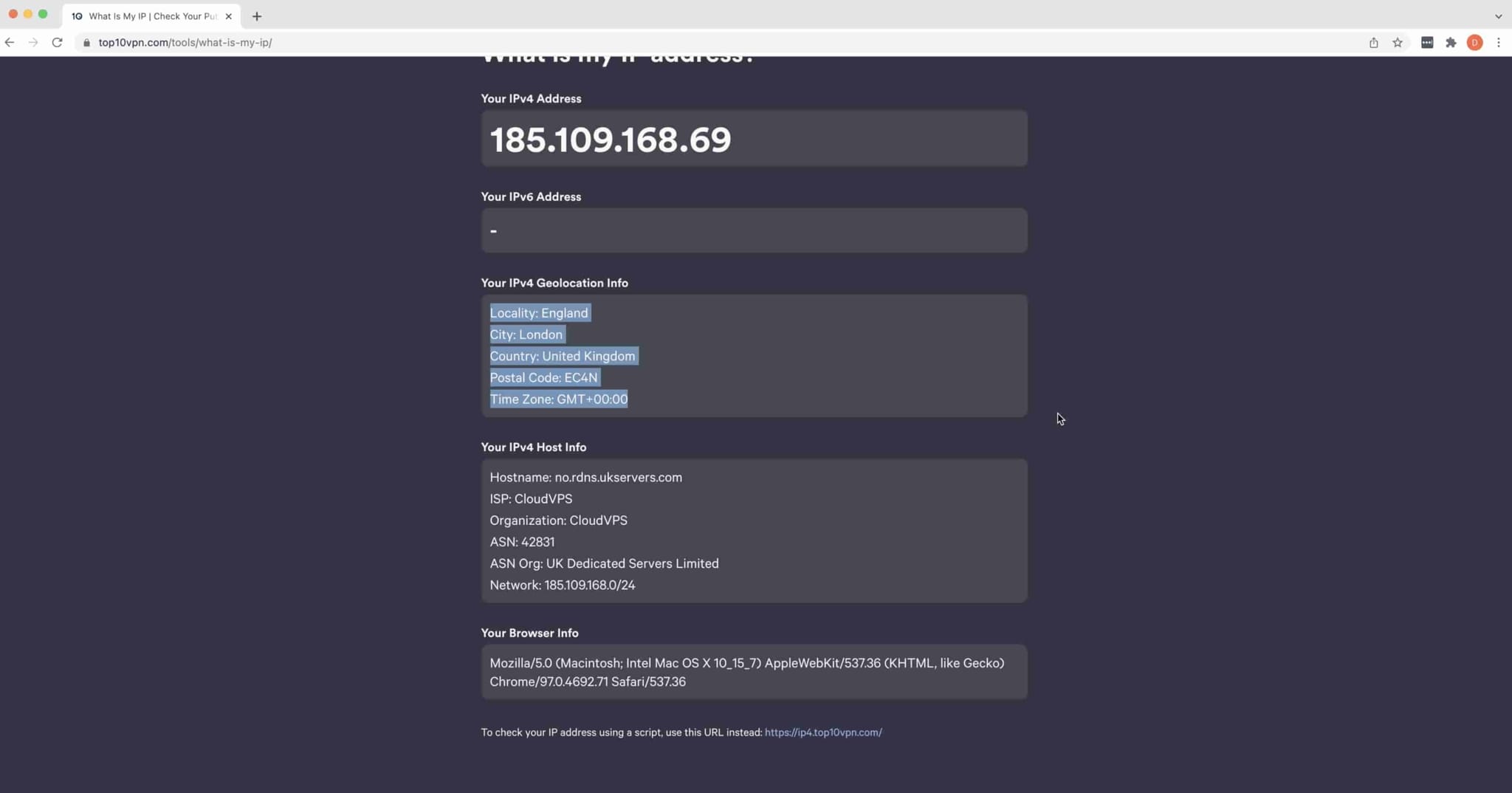
Getting a UK IP address is very simple, especially if you decide to use one of the VPNs we recommend.
Watch the video below or follow the instructions beneath it to see how easy it is to get a UK IP address from abroad.
How to Stream UK TV from Abroad
Download a VPN that works with UK streaming platforms. I’d use either NordVPN (paid) or Windscribe (free).
Launch the VPN app and log in using your account details.
Connect to a UK server location. If there are any optimized servers for UK TV, select those.
Once you’re connected, your device will be using the VPN server’s UK IP address.
Go to the streaming service’s website or app, and log in.
Start streaming your chosen content.
Using a VPN While You Travel Abroad
The moment you leave the UK, a VPN can solve a whole load of other travel headaches. Here are a few extra reasons why a VPN is always part of my travel-kit.
Lock Down Hotel & Airport WiFi
Public networks are the easiest place for someone to snoop on your connection, and you hop between them constantly when you travel. A VPN encrypts everything you do, so a stranger on the café or hotel WiFi sees nothing useful. This is the single biggest reason to keep it switched on abroad.
Keep Your UK-Only Apps Working
Some banking, payment, and government ID apps get twitchy, or lock you out entirely, when they see a foreign IP address. Connecting back to a UK server makes you look like you’re still at home, so they behave. Check your bank’s terms first, though, as a few prefer you notify them of travel instead.
Get Online Where the Internet Is Blocked
If you’re traveling somewhere with a heavily censored internet, a VPN with strong obfuscation (Proton VPN and Windscribe are both excellent here) keeps your usual apps and sites reachable.
One tip before you fly: install and test your VPN before you leave. Some regional app stores restrict VPN downloads, so it’s far easier to have everything set up and working while you’re still on home soil.
Are Free UK VPNs Safe?
People download free VPNs thinking they’re safe to use, but many are designed to collect, store, and sell your data. Some even contain malware.
It’s sad to say, but there are many free VPN apps that don’t pass our privacy and security tests. That being said, there are a handful of good free VPNs that are safe to use.
Windscribe is one of them. It’s certifiably safe, has been developed by a respected privacy company, and we’ve performed in-depth tests to confirm its security and privacy practices.
There are other safe free VPNs that we also considered, like Hotspot Shield and TunnelBear; however we can’t recommend them due to excessive data restrictions, poor unblocking results, or lack of free UK servers.
Popular VPNs That Didn't Make the Cut
After reviewing 59 VPNs, specifically for connecting into the UK, we’ve discovered a number of very popular ones that aren’t quite good enough, sadly.
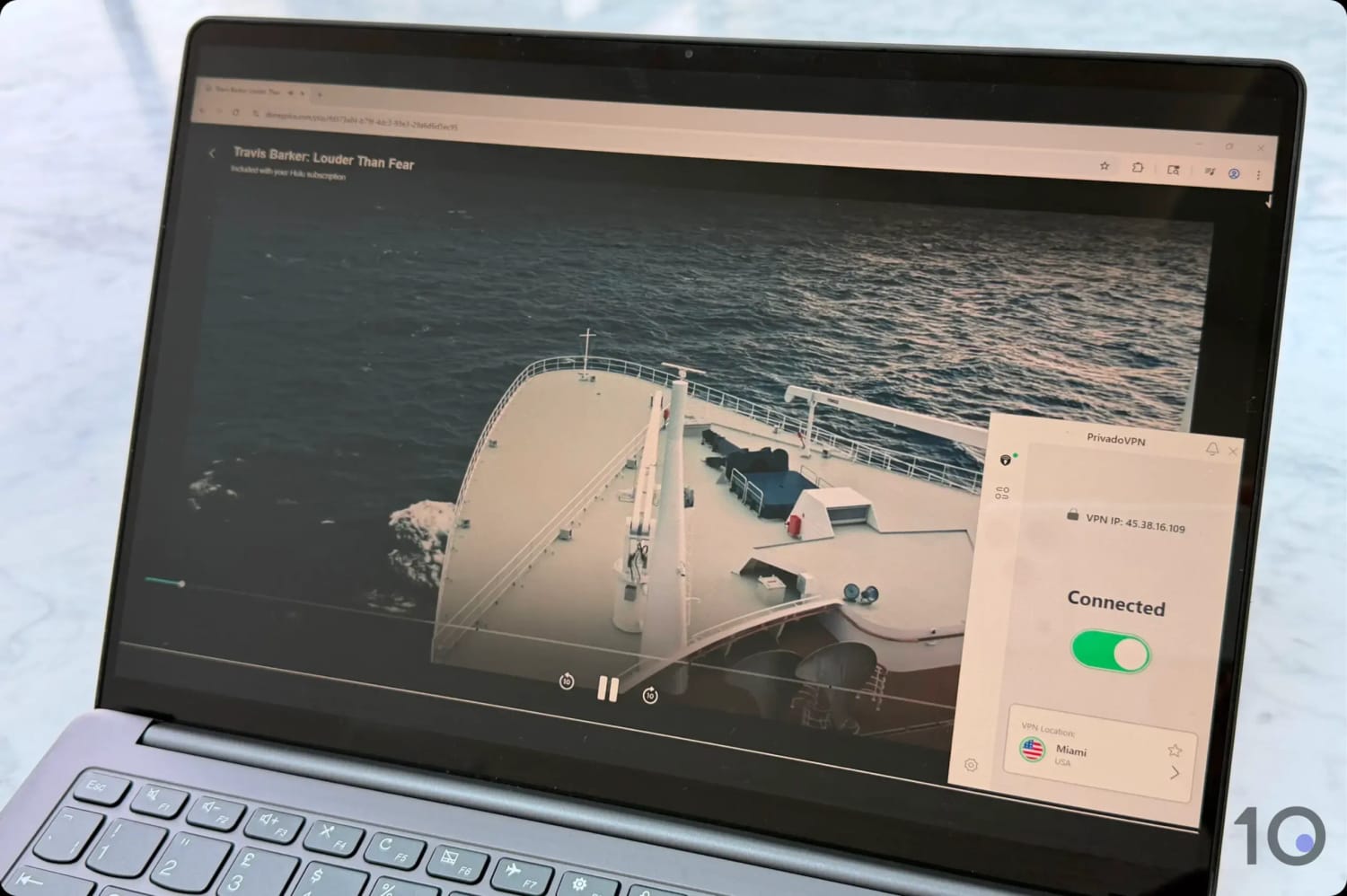
BBC iPlayer blocked PrivadoVPN’s free London server.
Below are four well-known VPN providers that currently don’t meet our selection criteria:
Mullvad
Mullvad is a highly secure VPN that comes with protections like advanced traffic obfuscation, multi-hop servers, and post-quantum encryption.
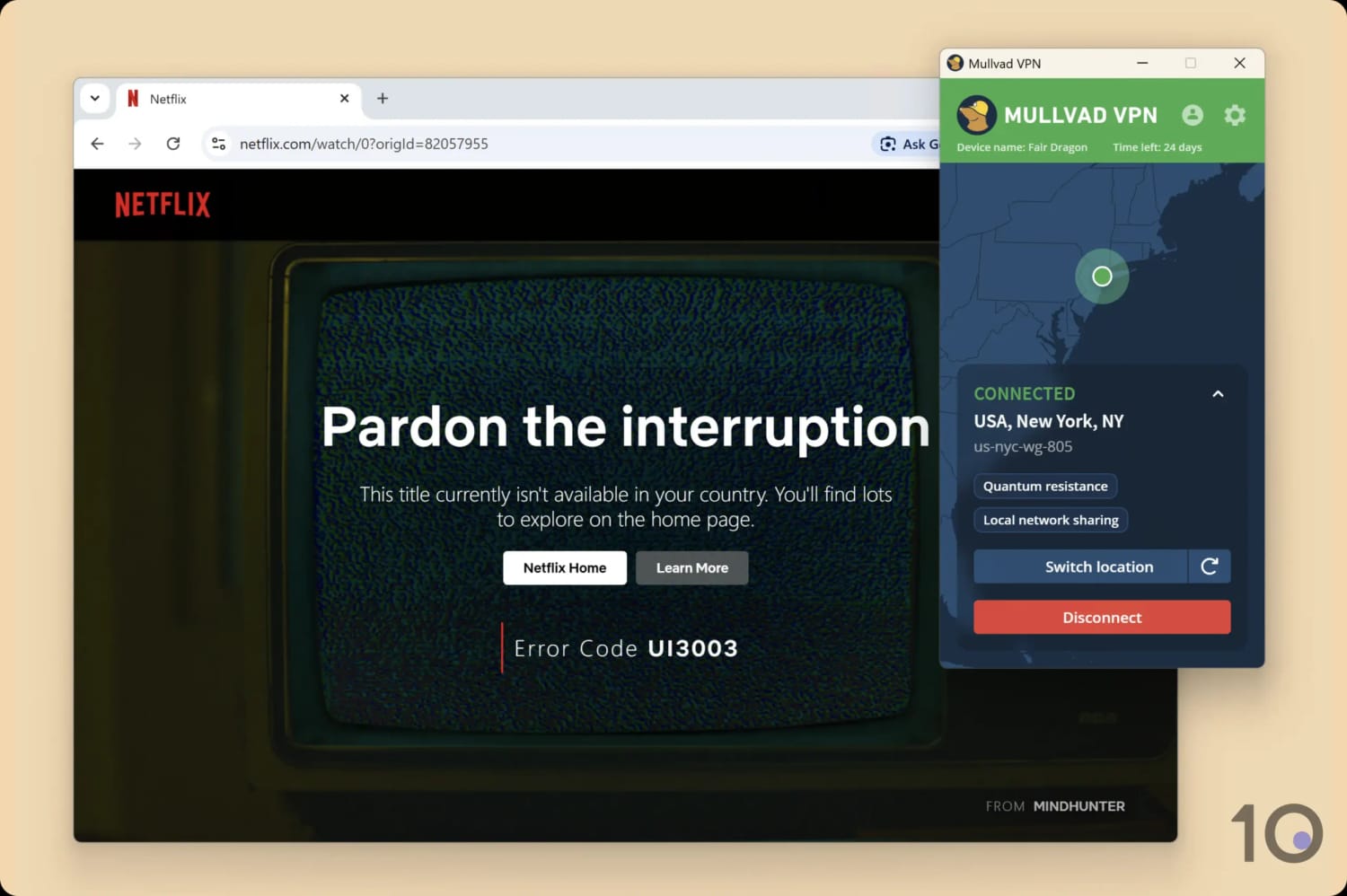
The big challenge using Mullvad is that it’s not built for streaming, and it largely fails at unblocking content. That being said, the VPN does still stream Sky Go, which keeps surprising us.
Mullvad’s device compatibility is also limited compared to our picks, since it doesn’t offer apps for Fire TV and Apple TV, or even browser extensions.
Mullvad failed to unblock US Netflix on multiple attempts.
IPVanish
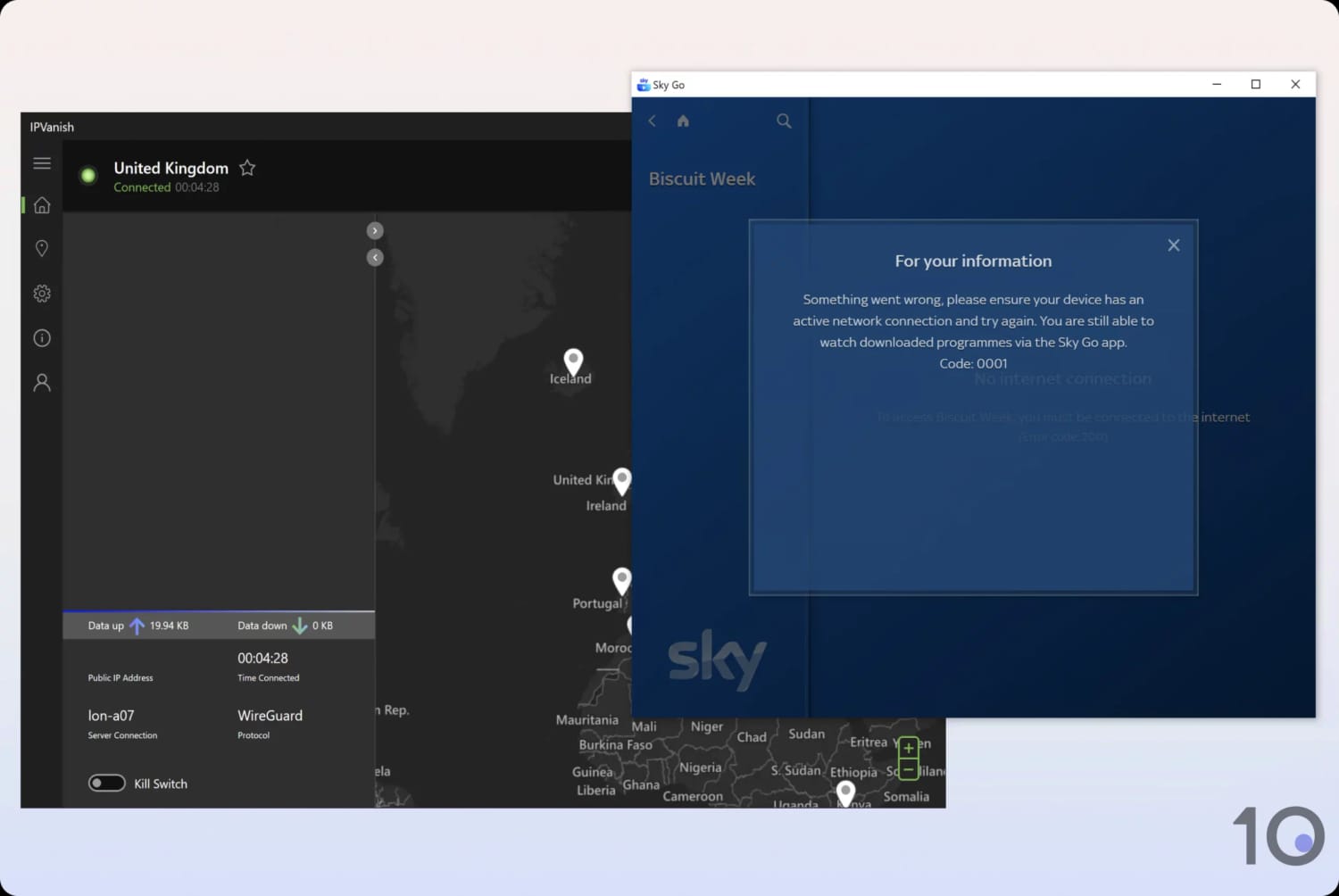
IPVanish is another very good VPN that came very close to making our rankings. Its only major shortcoming was not being able to unblock Sky Go UK from overseas.
IPVanish also lacks two features that are popular with our readers: browser extensions and a Smart DNS proxy.
We couldn’t access Sky Go from abroad using IPVanish.
CyberGhost
CyberGhost’s main problem revolves around its speeds, which are significantly slower than NordVPN’s and ExpressVPN’s.
For example, connecting to nearby servers, our speed dropped by 5% compared to ExpressVPN’s 2% and NordVPN’s 4%.
CyberGhost is significantly slower connecting to the UK than our top VPNs.
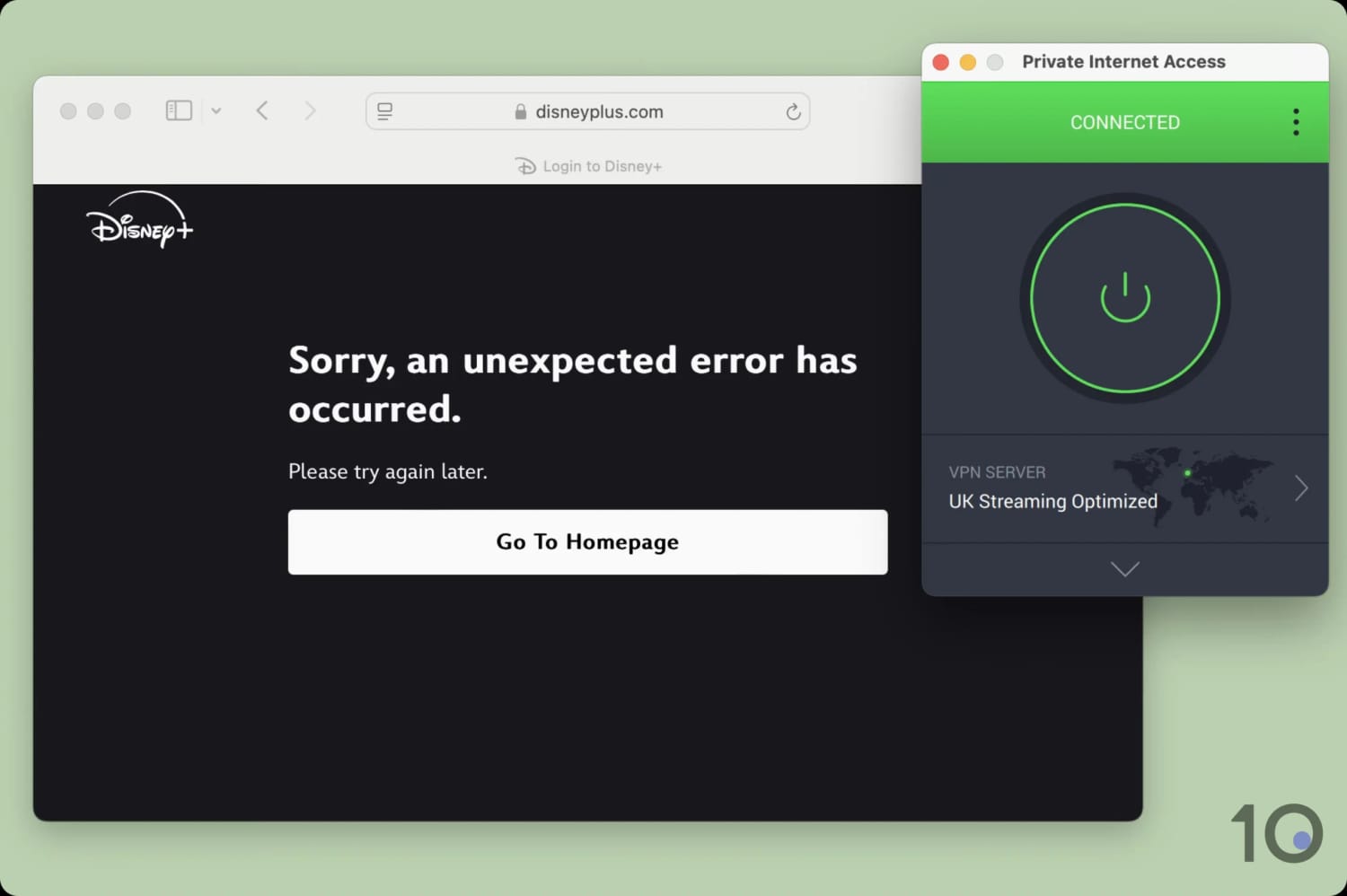
The issue I have with recommending PIA for the UK is its worsening streaming performance. In my latest tests, I just couldn’t get it to work with Sky Go or Disney+ UK.
We don’t recommend PIA for UK streaming.
FAQs
Is It Legal to Use a VPN in the UK?
Yes. Using a VPN in the UK is completely legal, and Ofcom has confirmed VPNs can’t be blocked under the Online Safety Act.
A VPN doesn’t exempt you from the law, though, and shouldn’t be used to access content you’re not legally allowed to.
Does a VPN Stop the Snoopers' Charter from Logging My Activity?
A VPN encrypts your traffic so your internet provider can’t log which websites you visit, which is the data retained under the Investigatory Powers Act.
It won’t hide activity from any service you actually log into, and it isn’t a shield against lawful investigation, so treat it as a privacy tool, not a cloak of invisibility.
Can I Use a Free VPN to Get a UK IP Address?
Yes, but choose carefully. Windscribe’s free plan gives you a UK (London) IP address and unblocks British TV, capped at 10GB a month. Avoid unknown free VPNs, as many log and sell your data.
Why Does My UK ISP Block Certain Websites?
UK internet providers like BT and Virgin Media block sites for a few different reasons.
Some blocks are court-ordered, usually aimed at sites that infringe copyright, like piracy and illegal streaming services. Others come from the Internet Watch Foundation’s list of illegal material, which providers are expected to block.
On top of that, most big ISPs offer network-level “parental control” filters that restrict adult content and categories like gambling or dating, and these are often switched on by default unless you opt out.
Since the Online Safety Act, you’ll also run into age-verification checks on many adult sites, though those are enforced by the sites themselves rather than your ISP.
Can a VPN Access Websites My ISP Has Blocked?
Often, yes. Because a VPN encrypts your traffic and handles your DNS requests through its own servers, your ISP can’t see which sites you’re visiting, so its filters don’t apply.
That’s genuinely useful when an overly broad parental filter blocks a legitimate site, or a service you rely on gets swept up in a wider block.