


Top10VPN is editorially independent. Buying a VPN through our links supports our work.
The Best Cheap VPNs
Follow us:
Simon Migliano
Simon Migliano is a recognized world expert in VPNs. He's tested hundreds of apps and his research has been featured on the BBC, The New York Times, and more. Read full bio
PIA is the best cheap VPN I’ve tested, at $2.19 a month. CyberGhost matches that price and adds the best free trials I’ve come across. Mullvad is my go-to for month-to-month plans.
Based on my hands-on experience, and data from the 59 VPNs we reviewed, here’s my top 5 cheap VPNs:
Everyone has a different view on what’s cheap and what’s not. That’s why choosing the most affordable VPNs is subjective.
One thing isn’t subjective though: even a cheap VPN must deliver exceptional performance. Otherwise you may as well use a free (safe) VPN rather than waste money on a poor service.
On longer-term plans, I’ve only recommended top-rated VPNs that cost as little as $2.19 and no more than $2.50 per month.
The longer the subscription, the cheaper the monthly cost. Check the renewal terms carefully, though, because some plans jump to a much higher price after the first term. Switching off automatic renewals is the first thing I do after buying any VPN.
There are also a couple of affordable month-to-month plans worth considering for shorter periods of use, and Mullvad’s is the reason it earns a place on this list despite costing more.
🔄 Recent Updates
Private Internet Access and CyberGhost are both running summer promotions that bring their best plans down to $2.19 per month. I’ve also added IPVanish to the list on the back of its own recurring discounts.
Why Trust Us?
We’re fully independent and have been reviewing VPNs since 2016. Our ratings are based on our own testing results and are unaffected by financial incentives. Learn who we are and how we test VPNs.
VPNs Tested
59
Total Hours of Testing
30,000+
Combined Years of Experience
50+
The Best Cheap VPNs Compared & Reviewed
The table below compares my favorite low-cost VPNs for speed, Netflix access, rolling month-to-month cost, cheapest price available, and free trial length.
Settings ideal for anonymous torrenting & P2P traffic
Effective ad & tracker blocker (MACE) included
7-day free trial via iOS & Android
Mac app has minor usability issues
No post-quantum encryption
Smart DNS doesn't work well
Doesn't work with Disney+ or DAZN
Pricing Plans
$11.99/mo
$7.50/mo over 6 months
$2.19/mo over 26 months
Servers
18,651
Countries with Servers
91
Logging Policy
No Logs
Jurisdiction
US (Five Eyes Member)
Simultaneous Connections
Unlimited
Support
24/7 Live Chat
Compatible with
Windows
Mac
iOS
Android
Linux
Amazon Fire TV
Android TV
Apple TV
Router
Chrome
When it comes to great yet very affordable VPNs, in my opinion none are better than Private Internet Access (PIA).
The latest deal brings the cost down to just $2.19/mo over 26 months, which undercuts Surfshark’s current best price and sits 43% below the average cost of a VPN.
Despite that price, PIA far outshines my other cheap recommendations when it comes to privacy, security, torrenting, and bypassing strict internet firewalls.
Fast speeds, a proven no-logs policy, and a deep set of security settings mean it never feels like a budget VPN in day-to-day use, which, at $2.19 a month, still surprises me.
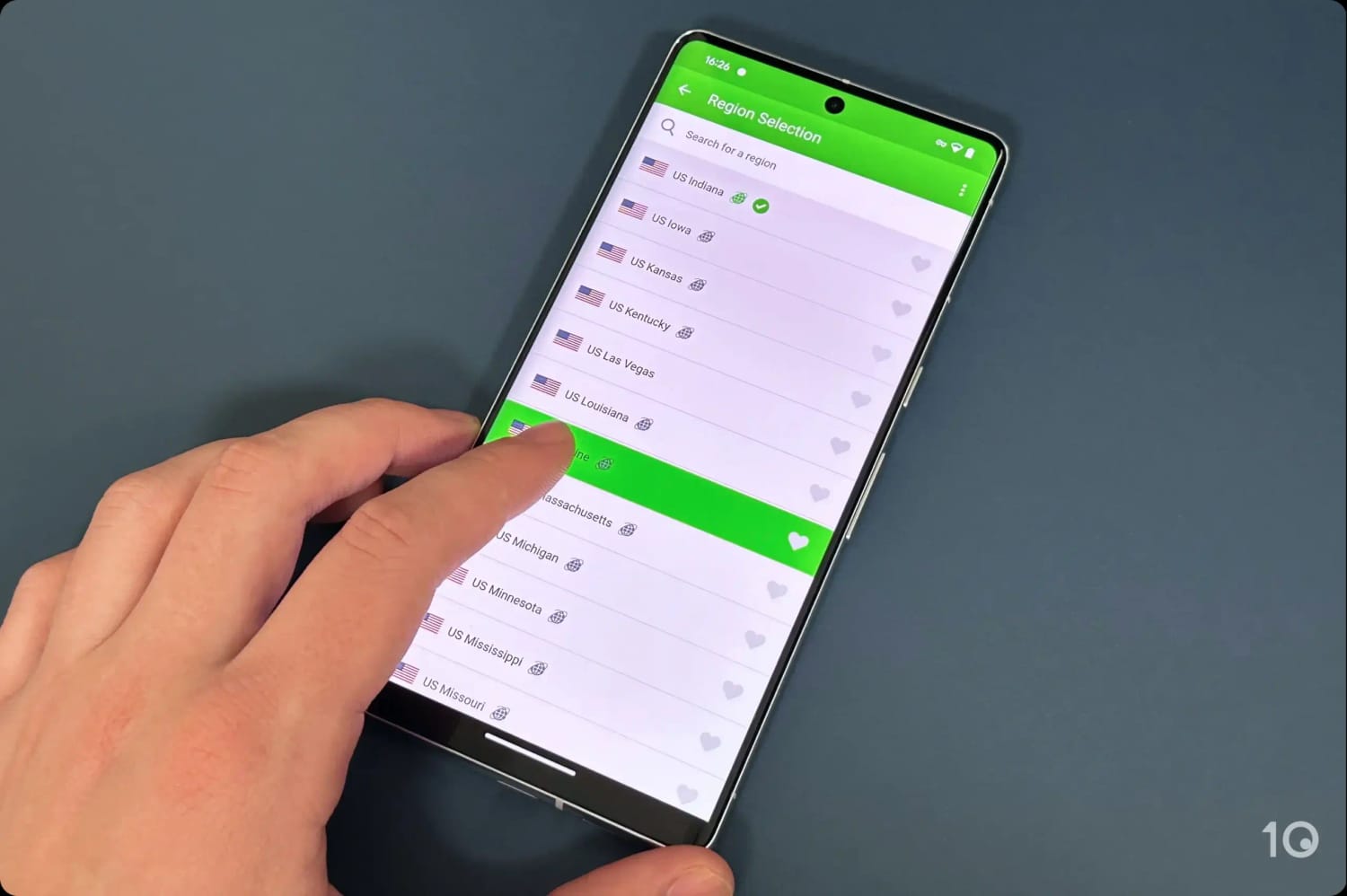
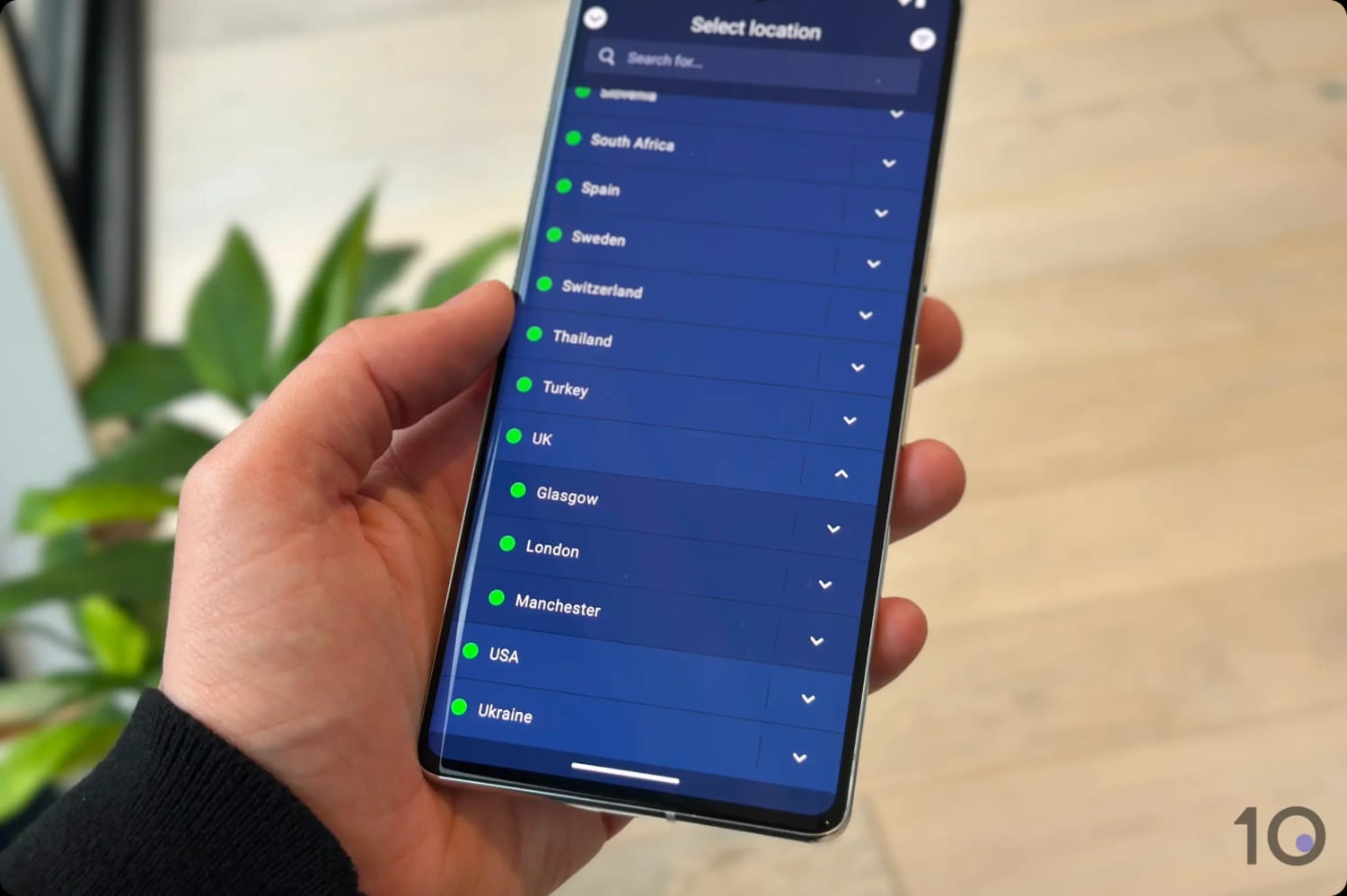
PIA VPN’s US servers in the Android app.
Secure No-Logs VPN for Torrenting
Even at a bargain price, PIA doesn’t cut corners on security or privacy, which matters most if you’re using a VPN for torrenting.
PIA also comes with high-end security features including OpenVPN and WireGuard protocols, AES-256 and ChaCha20 encryption, a VPN kill switch, a SOCKS5 encrypted proxy, and effective IP leak blocking.
That level of security, combined with very fast torrenting bitrates, is at the heart of PIA’s exceptional torrenting and P2P file-sharing performance.
You also get the most user-friendly VPN port forwarding feature I’ve come across. I had it running without needing to look anything up, and it’s supported on every one of PIA’s non-US servers.
If you want to go a step further, you can hide your identity from PIA itself by signing up with a throwaway email address and paying in cryptocurrency. That’s how I set up my own account.
Dependable for Streaming Netflix, HBO Max & More
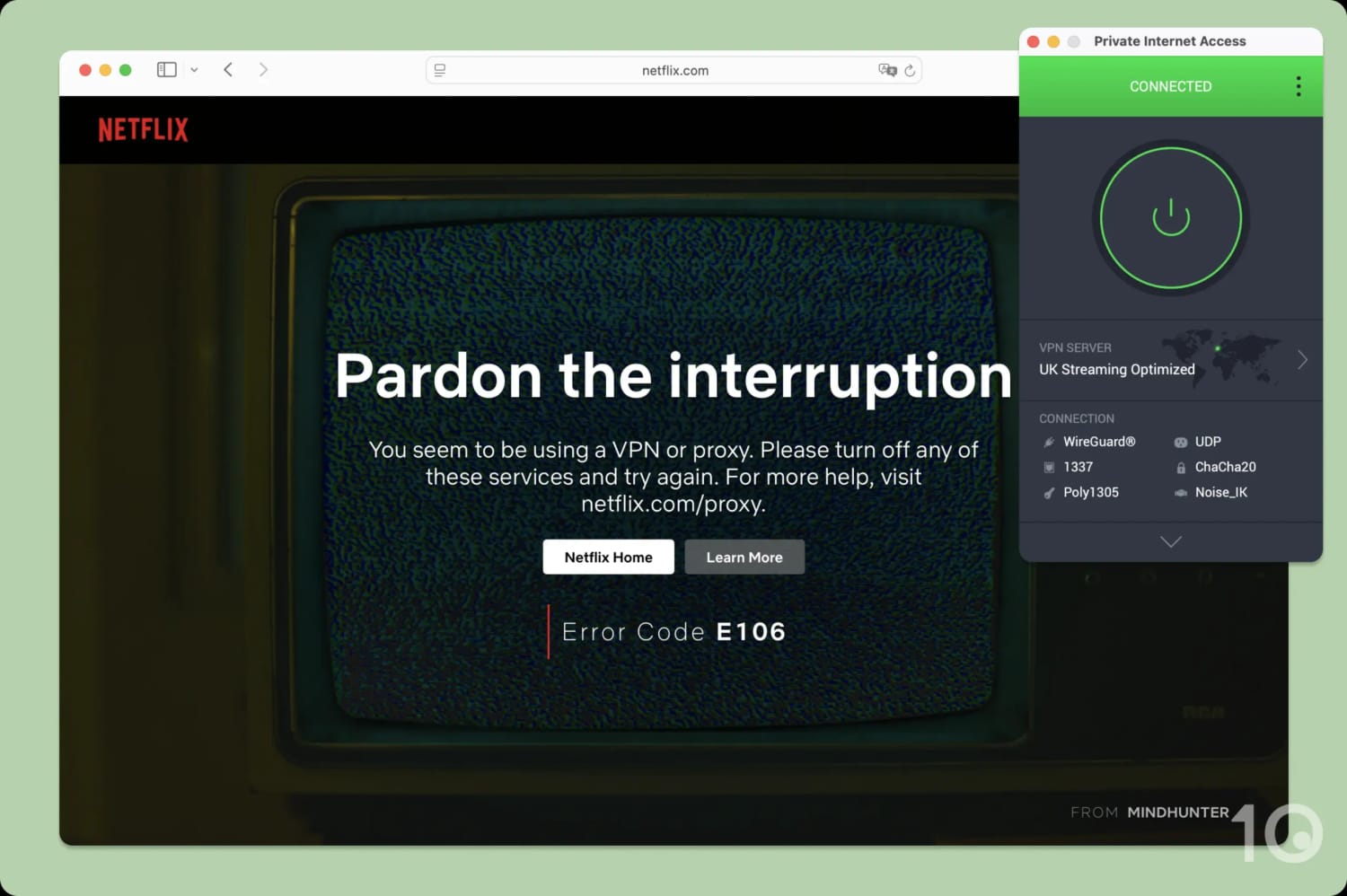
PIA is a solid choice for unblocking geo-restricted content, particularly titles available on US and UK content platforms.
PIA also unblocks plenty of other popular geo-restricted streaming services, including Amazon Prime Video, BBC iPlayer, HBO Max, Hulu, and ITVX.
And thanks to the VPN’s fast, stable international speeds, I didn’t hit any buffering even when streaming from the other side of the world.
Huge Server Network with Excellent US Coverage
Private Internet Access runs one of the largest VPN server networks I’ve used, with 18,651 servers spread around the world.
That’s especially impressive because VPNs with extensive server networks almost always cost more. PIA breaks that trend.
The size of the network shows in the VPN’s exceptional international connection speeds, with none of the peak-time slowdowns I’d normally expect from congested servers.
Connecting to servers close by, we recorded a download speed drop of only 4%, rising to 14% on international connections.
One of PIA’s other strong attributes is offering VPN IP addresses from any US state. That’s genuinely handy if you’re in the US and want to bypass sports blackouts, or access content that’s only available in certain states.
It’s cost the same as Private Internet Access on its best plan, but it can’t match PIA’s speeds, server network quality, or arsenal of security settings.
Nonetheless, CyberGhost is a good option for beginners who want a user-friendly service to get started with.
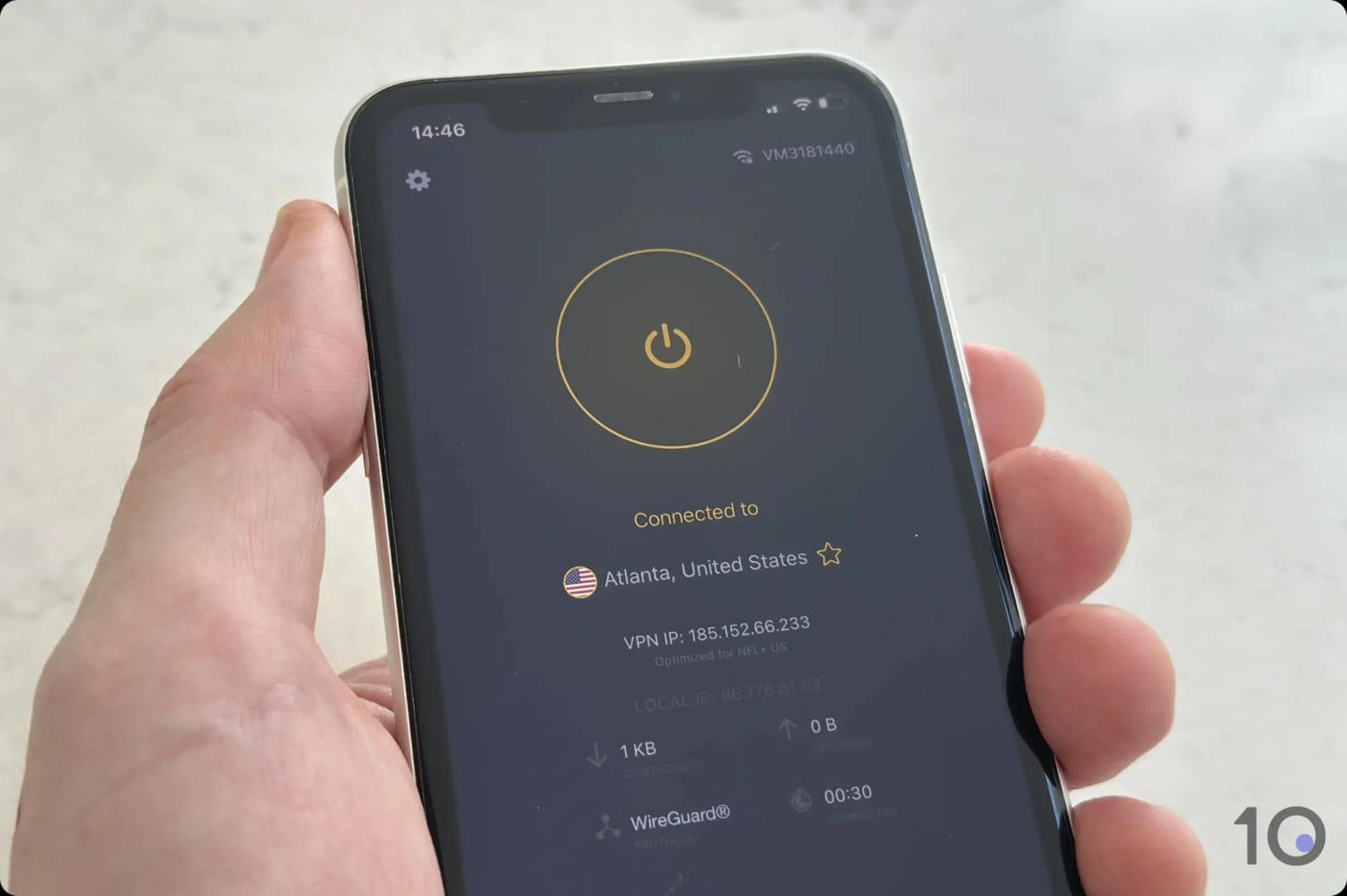
I connected to one of CyberGhost’s US servers on mobile.
Excellent Free Trials & 45-day Refund Guarantee
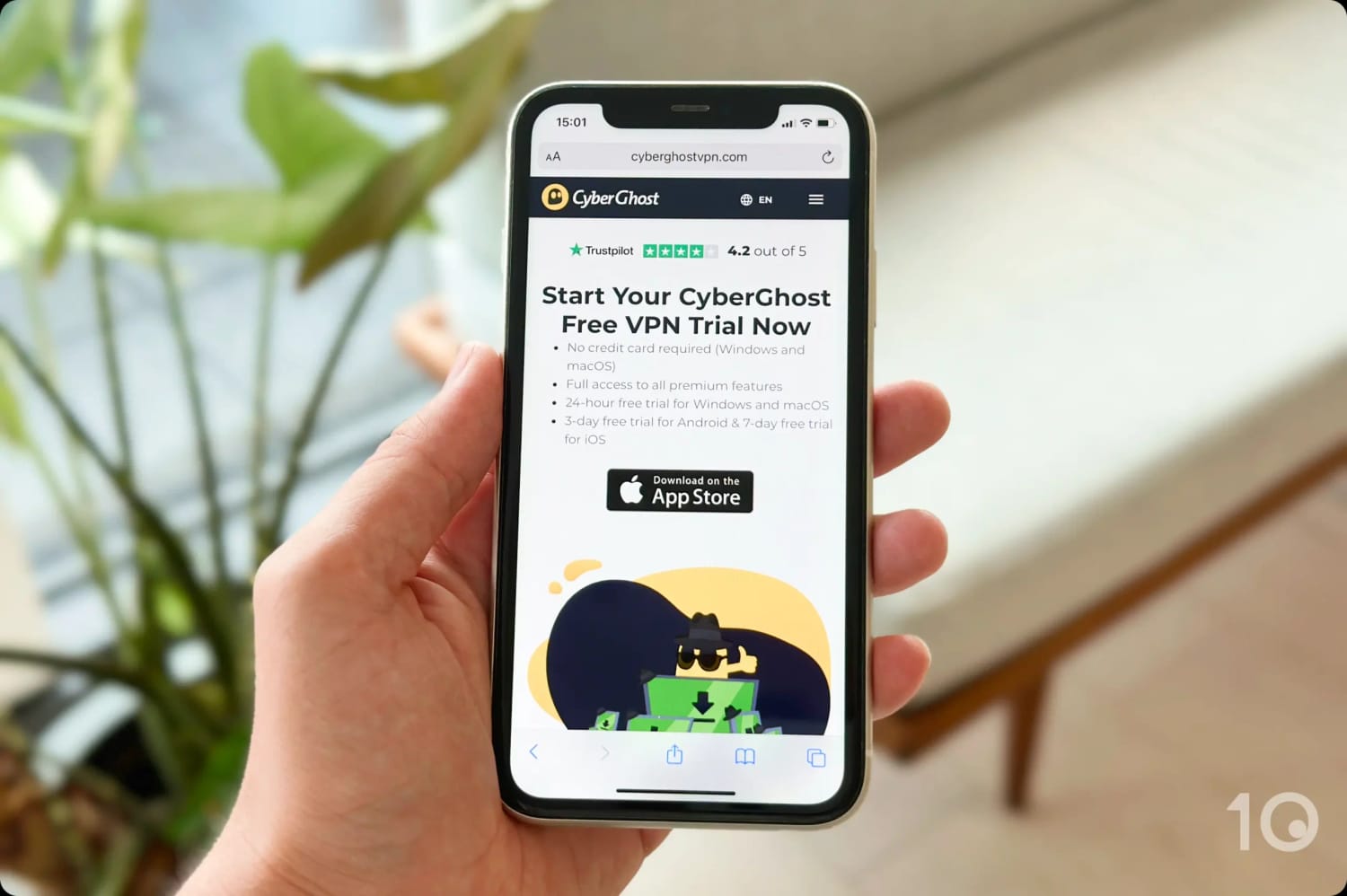
CyberGhost has the best range of free trials out of any VPN I’ve reviewed:
24-Hour macOS & Windows Free Trial: Full paid version with no credit card required.
3-Day Android Free Trial: Full paid version of the app.
7-Day iOS Free Trial: Full paid version of the app.
Free Chrome Extension: Unlimited data, with servers in the US, Netherlands, Germany, and Romania.
The VPN also has an extremely generous money-back guarantee, letting you claim a refund up to 45 days into your subscription, if you decide it’s not for you.
CyberGhost’s free trial options are the best I’ve come across.
User-Friendly Apps & Smart DNS for Streaming
CyberGhost is one of the easiest VPNs to use for streaming, and its Smart DNS proxy makes it ideal for devices that can’t run a VPN app, like smart TVs and game consoles.
The VPN gives you clearly-labeled, optimized streaming servers that successfully unblock major services in Brazil, Canada, Finland, France, Germany, Poland, the US, and the UK.
Those dedicated servers mostly did what they promised. The exceptions were the BBC iPlayer and HBO Max ones, which were unreliable enough that I gave up on them. I actually found the standard UK and US servers much more dependable.
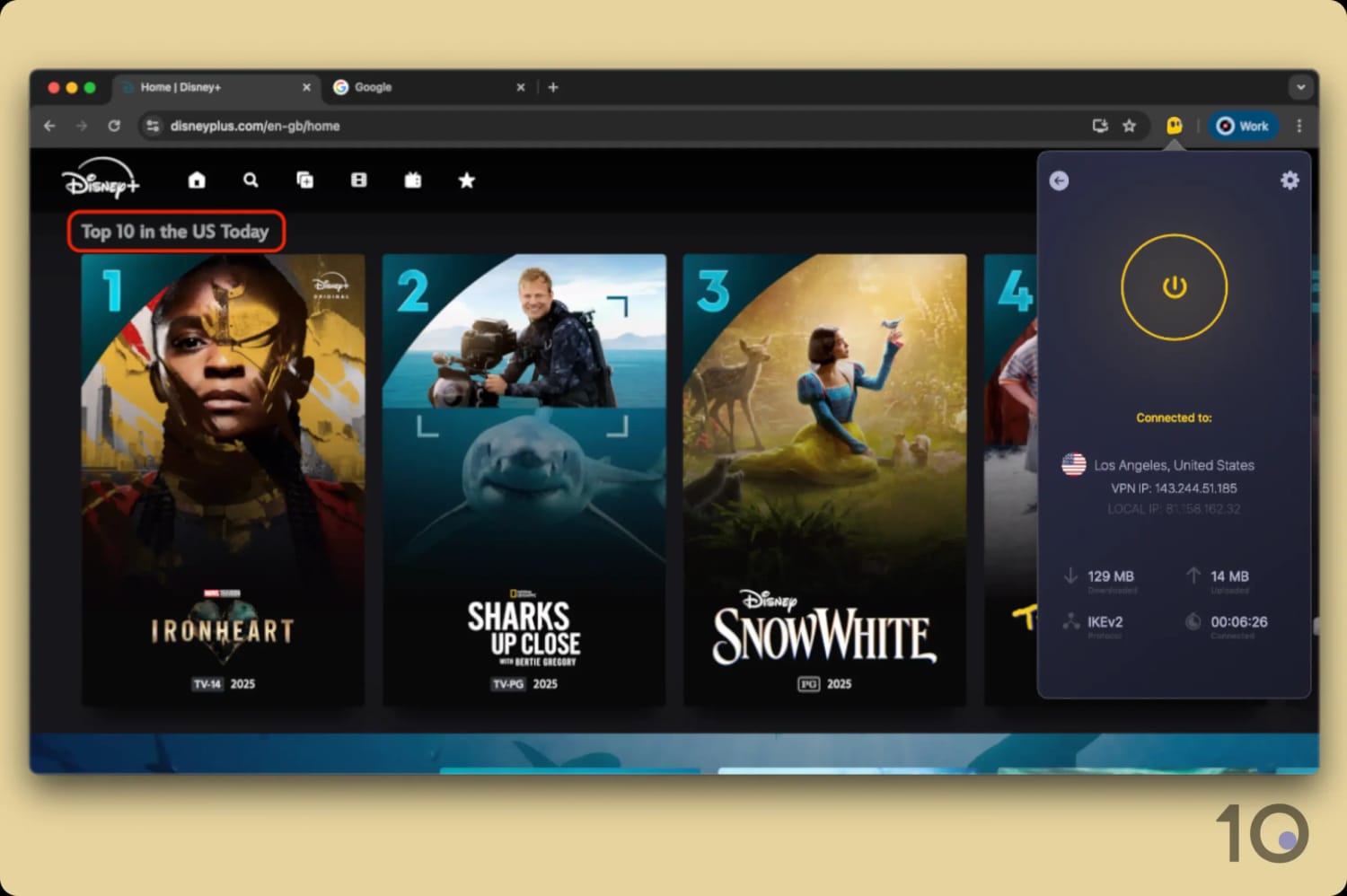
Beyond that, the VPN works well with most other popular content platforms, including Disney+, Prime Video, Hulu, and 10 Netflix regions, among them the US, UK, France, and Germany.
CyberGhost worked well with Disney+.
The one platform CyberGhost still can’t crack is DAZN.
On TV, I was really impressed. The Firestick app is well designed, and the Smart DNS proxy covers five different countries: Germany, Japan, the Netherlands, the UK, and the US.
I used that proxy to get geo-restricted content onto my PS5 and Xbox, and onto my Apple TV too, since CyberGhost has yet to develop a native app for the device.
International Speeds Keep Slowing Down
Good streaming performance aside, CyberGhost’s cross-country speeds have been slowing down at an alarming pace over the years.
I thought I’d never say this about CyberGhost, but I’ve started to see sudden blurriness and buffering at times of peak traffic.
With a lackluster 19% average slowdown, its international speeds pale in comparison to the results posted by PIA and IPVanish (14% and 12% reduction respectively).
As we’ve raised with CyberGhost numerous times, the lack of investment in speeding up its server infrastructure is really holding the service back from ranking higher.
IPVanish is the newest addition to my list, on the back of frequent promotions that bring the monthly price of the service down to a very competitive $2.19.
It’s an underrated VPN that does a genuinely good job of improving your online privacy, particularly on devices like Fire TV and Android TV.
Like PIA, it gives you a wide range of settings aimed at improving your anonymity while streaming or downloading files.
That being said, it lacks the international streaming access and the device compatibility that Surfshark offers.
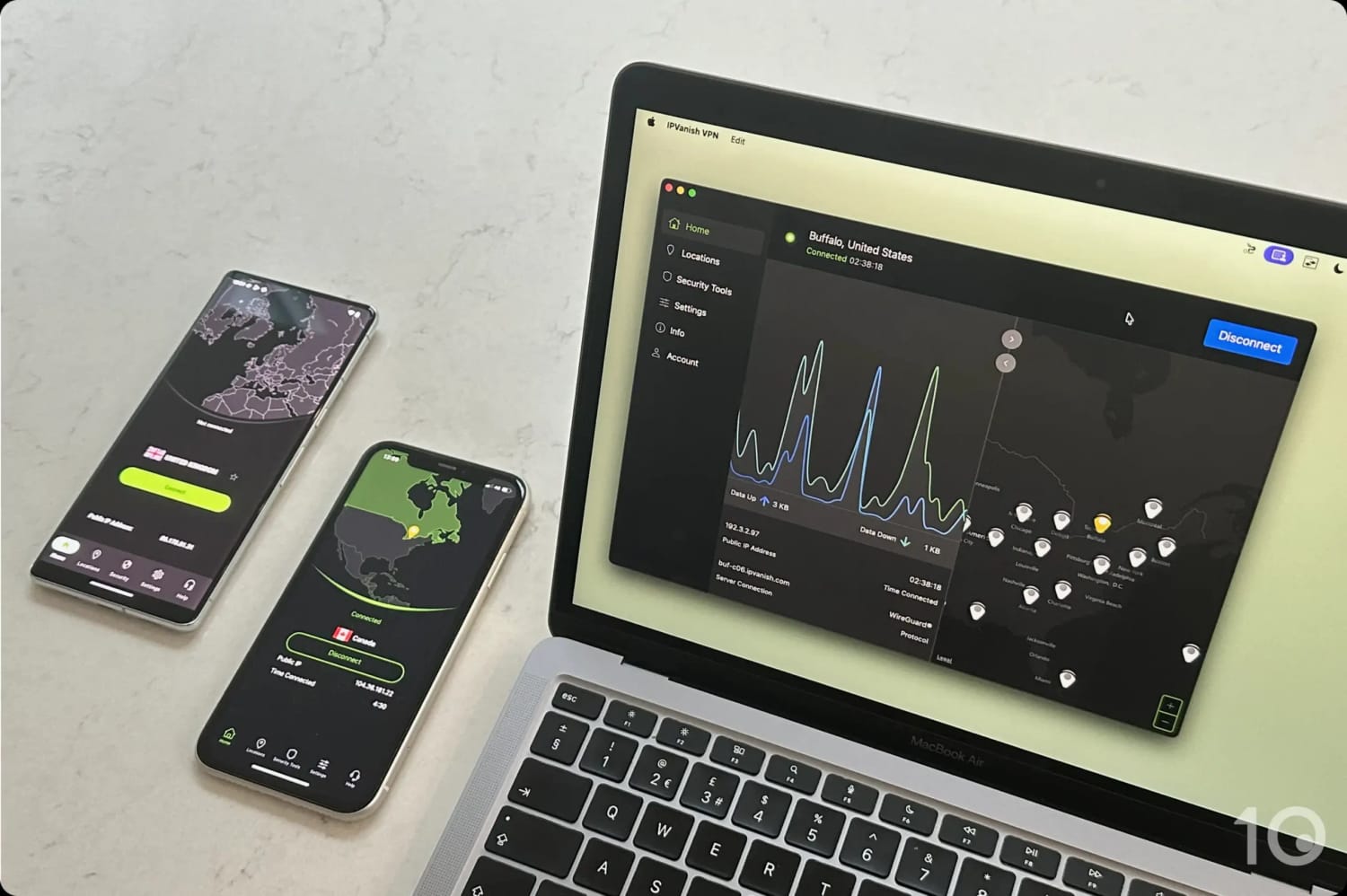
The IPVanish apps on desktop and mobile.
Excellent for Anonymous TV Streaming
One of IPVanish’s key strengths is concealing your IP address and making sure your ISP can’t see what you’re doing online.
That’s especially true when you’re using the VPN to stream Kodi and IPTV apps anonymously.
Not only does IPVanish clock impressive speeds, but all that traffic also flows through 100% no-log servers.
Anonymous streaming on TV is where IPVanish has focused its efforts from the beginning, so it should come as no surprise that it has developed very good VPN apps for Android TV, Fire TV, and Apple TV.
On Fire TV, the company has taken a novel approach to protecting your IP address by creating a separate kill switch application.
It looked odd to me at first, and installing two apps instead of one is a little annoying, but it avoids the risk of your VPN being shut down by Fire TV’s renowned memory issues.
If your Firestick shuts down your VPN app, the kill switch app keeps running and cuts your internet connection before your real IP address can leak.
Great Improvements in Beating Geo-restrictions
What’s really gone unnoticed by many VPN review websites is the massive progress IPVanish has made on unblocking geo-restricted content, especially English-language streaming services.
This used to be a major pain point and something that really held the service back. Now, the situation has completely changed.
IPVanish unblocks the vast majority of US and UK content platforms, including 17 Netflix libraries, HBO Max, Hulu, and Disney+. That’s more Netflix regions than any other pick on this list.
That being said, there’s still room for improvement. IPVanish struggles with some platforms, such as Kayo Sports and DAZN, and with foreign-language streaming services more generally.
Limited Compatibility
Now to the not so good: IPVanish’s device compatibility is underwhelming, and the gaps affect how usable the VPN is on a handful of devices.
The most glaring omissions are the typical VPN browser extensions, which make unblocking geo-blocked content quicker, and a Smart DNS proxy, which is what you need for game consoles.
The PC and Mac interface could also do with some TLC. The waveform chart is very distracting, hiding it was the first thing I did, and the map is not only extremely prominent but also poorly designed.
Using the mobile apps was much more enjoyable, thanks to a more streamlined and simplified approach.
Unblocks 10 Netflix regions, HBO Max & BBC iPlayer
Android GPS spoofer beats most mobile geo-blocks
7-day free trial on desktop & mobile
Very expensive pay-monthly plan
Renews at a considerably higher price
Slower than Private Internet Access
Server connection times could be faster
Kill switch isn't active on first launch
Pricing Plans
$16.45/mo
$3.39/mo over 15 months
$2.49/mo over 27 months
Servers
4,500
Countries with Servers
100
Logging Policy
No Identifiable Data
Jurisdiction
Netherlands (EU Member)
Simultaneous Connections
Unlimited
Support
24/7 Live Chat
Compatible with
Windows
Mac
iOS
Android
Linux
Amazon Fire TV
Android TV
Apple TV
Router
Chrome
Surfshark’s best available price is slightly higher than PIA and CyberGhost’s long-term plans, but only by $0.30 a month.
It’s without a doubt a great VPN, better overall than any of my other picks, but its pay-monthly price is incredibly expensive and it renews well above the introductory $2.49 deal. For those two reasons, Surfshark misses out on a higher spot by a hair.
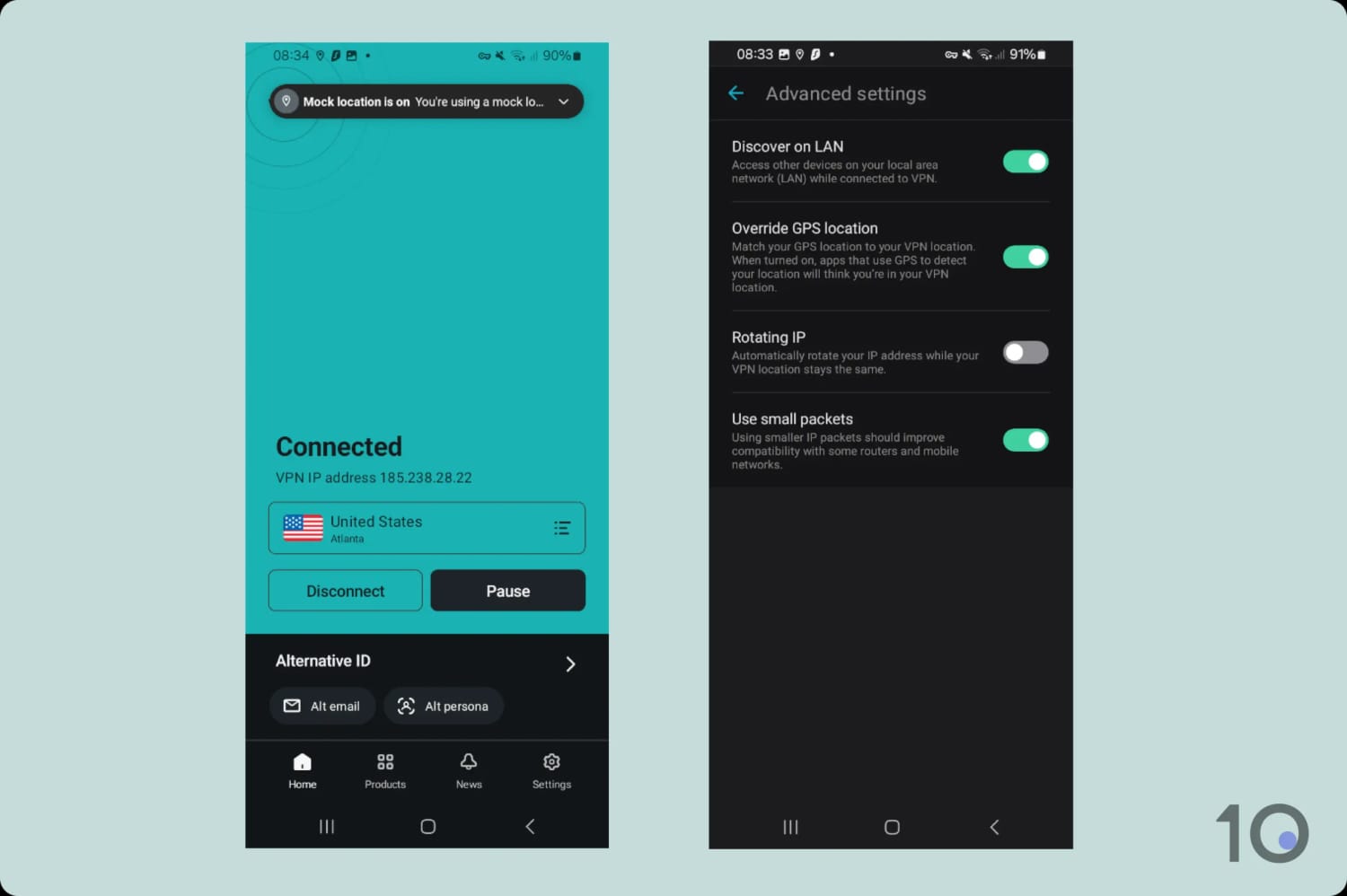
What you do get is a wide range of powerful features, including multi-hop servers, Android GPS spoofing, and regularly rotating IPs.
I’d start with the Surfshark 7-day free trial via the official website or your mobile app store, as it’s the easiest way to test the VPN properly without paying anything upfront.
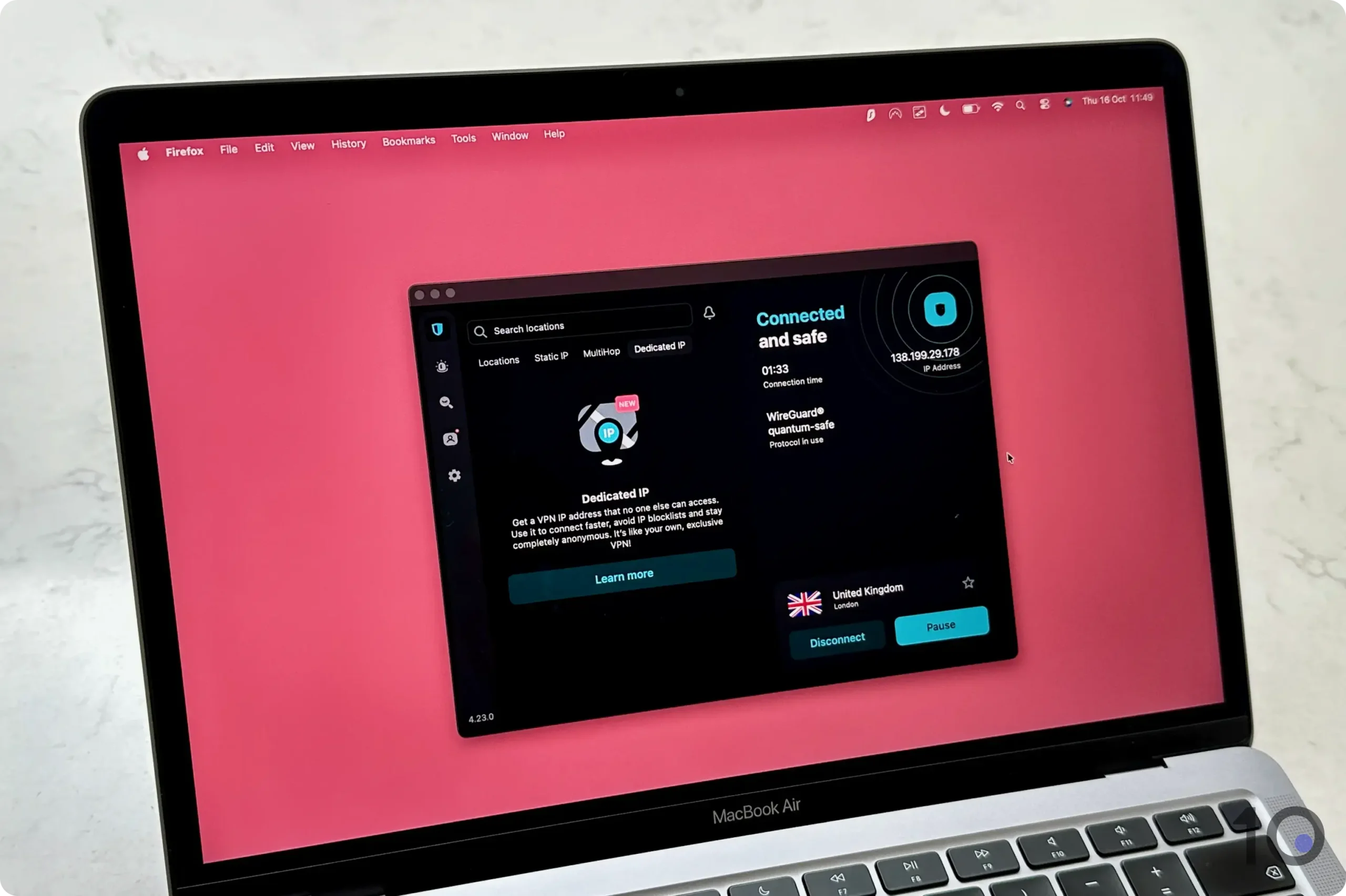
Surfshark’s desktop application.
Many Powerful Free Security Settings
Surfshark provides one of the richest selections of additional settings included in a standard VPN subscription.
On top of basic requirements like AES-256 and ChaCha20 encryption, WireGuard and OpenVPN protocols, and a working kill switch, you also get genuinely useful additions such as dynamic double VPN servers and ‘Rotating IP.’
Rotating IP changes your IP address every five to 10 minutes without moving your apparent location, which strengthens your anonymity online without breaking anything that depends on where you appear to be.
My favorite, though, is the fake GPS location spoofer in the Android app. This rare feature stops Android apps using location services to work out where you really are, and it’s very simple to live with once it’s on.
Using Surfshark’s Override GPS location function.
Once you’ve set up ‘Override GPS location’, your GPS data will match your VPN server location on any Android device. It took a bit of fiddling the first time but I haven’t had to touch it since.
It’s a highly effective workaround for GPS-based geo-blocks, and much less hassle than installing and maintaining a separate GPS spoofer app on your phone or tablet.
Great for Streaming on (Android) Mobile
I put Surfshark’s ‘Override GPS location’ up against the sophisticated GPS geo-fencing on apps like NFL+, ESPN+, and Kayo Sports, and the results were impressive.
Surfshark’s great unblocking qualities aren’t limited to Android, though. The VPN has established itself as a dependable streaming VPN, working with many of the most popular content platforms around the world.
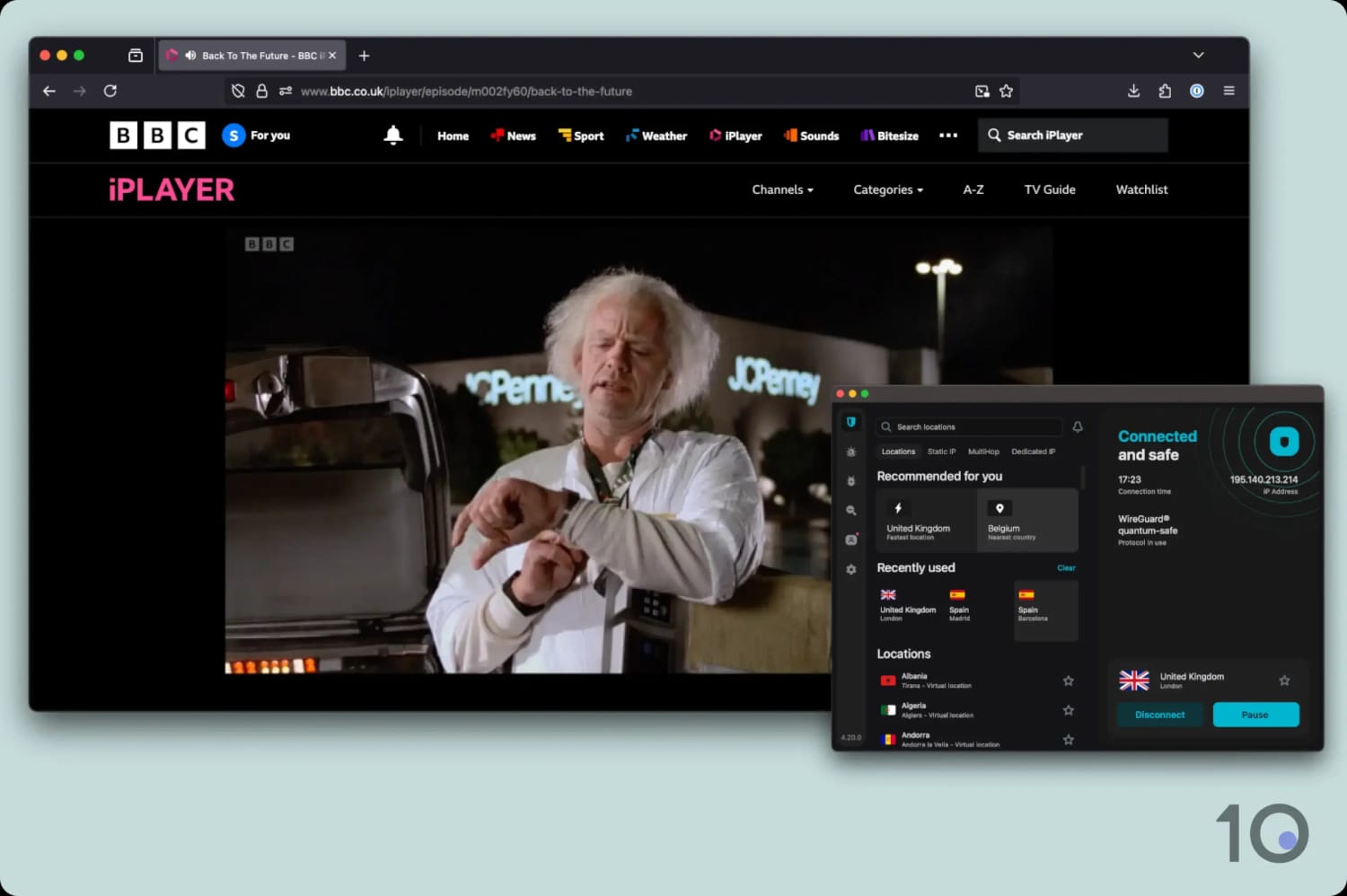
These include Netflix (with access to 10 regions), Disney+, HBO Max, Prime Video, JioHotstar, and BBC iPlayer.
Watching BBC iPlayer abroad with Surfshark.
International Speeds Need a Boost
Speed is where Surfshark loses its footing a bit. Its speeds aren’t far off the fastest VPNs, but they don’t quite measure up to the likes of ExpressVPN, NordVPN, or PIA.
When we connected locally, we recorded a slowdown of 4%, and over long distances that climbed to 17%.
These aren’t bad results by any stretch, but PIA’s performance is simply better: its international speeds dropped by just 14% in our latest speed checks.
Server connection times were also a little disappointing. Out of all the affordable VPNs on my list, Surfshark’s servers consistently took the longest to connect, especially on mobile.
It’s only a few extra seconds of waiting, but that can feel like an eternity when you’re trying to change IP address quickly.
If you don’t want to sign up to a yearly or multi-year plan, Mullvad’s rolling month-to-month plan is the cheapest you can get at just $5.50.
The VPN’s main strength lies in its privacy and security features. Signing up generates a random account number, so there’s no need to hand over your email address, and Mullvad even accepts payment in cash or cryptocurrency.
It’s a pity, then, that Mullvad continues to struggle to bypass geo-blocks, offers no free trial at all, and has a much shorter money-back guarantee than most other top-tier VPNs.
Mullvad’s apps are user-friendly and clutter-free.
Verified No-Logs Policy & Useful Extra Settings
Mullvad is an excellent choice if you prioritize privacy and security over content access. It’s always been that way, and that’s clearly how the company likes it.
The VPN’s open-source apps use the WireGuard protocol only, and therefore ChaCha20 encryption, and its no-logs policy was stress-tested during a server seizure in 2023, with no user data extracted.
Similarly to PIA and Surfshark, the company has also switched its entire infrastructure to diskless (RAM-only) servers as further proof of its commitment to privacy.
You won’t get as many advanced settings as you would elsewhere, but there are still more than enough for most people: multi-hop servers, Bridge Mode (its VPN-through-Shadowsocks solution), and WireGuard MTU, which shrinks data packets to improve connections on unstable networks.
Despite that suite of security settings, Mullvad is still intuitive and comfortable to use whatever your experience level. I wouldn’t hesitate to hand it to someone who has never used one before.
Doesn’t Work with Many Streaming Services
If unblocking streaming services or getting around online restrictions is what you’re after, Mullvad is a poor choice.
The VPN has never claimed otherwise, and in our most recent tests we found it doesn’t work with Netflix, Disney+, Hulu, ITVX, or many other services.
It’s not all doom and gloom, though, as Mullvad is (somehow) still capable of unblocking the UK’s Sky Go and the American HBO Max and Prime Video content libraries.
For unlocking geo-restricted content around the world, though, Surfshark or IPVanish are far better products.
No Free Trial Available
Unlike my other cheap VPN recommendations, Mullvad doesn’t run any free trial option whatsoever.
It’s a surprising move, but with a flat fee of just $5.50 per month, the risk is small compared to a long-term subscription.
There’s also a 14-day money-back guarantee that applies to your first payment, if you decide the service isn’t for you.
Lastly, Mullvad’s top-up system means your subscription won’t automatically renew if your account balance is empty, so you won’t face unexpected renewal fees at the end of a subscription period.
The flipside is that if you forget to top up, your VPN simply stops working. It caught me out once, and I’ve kept a reminder in my phone ever since!
As I’ve made clear throughout this guide, choosing a cheap VPN doesn’t mean compromising on quality.
That’s why I worked with my team to develop a testing methodology specifically for budget-conscious readers. We don’t just consider price. We also assess each VPN’s performance in key areas such as privacy, security, and speed.
Our framework is designed to identify VPNs that deliver excellent performance at a competitive price.
This is how my chosen VPNs performed in our latest assessments:
Below, I explain why each criterion matters and how much it contributes to a VPN’s overall “affordability” rating.
1. VPN Quality (50%)
Tests Conducted: I test each VPN in a number of key categories: privacy and logging policy, speed, security and technical features, streaming, ease of use, torrenting, server locations, bypassing censorship, and customer support.
Why It’s Important: A truly valuable VPN must excel in performance across the board, not just in price.
Optimal Result: A VPN with an overall rating above 8.0, demonstrating a strong set of features.
2. Long-Term Price (20%)
Tests Conducted: I compared the cheapest long-term subscription plan (longer than one year) offered by each VPN service.
Why It’s Important: Long-term plans provide the best opportunity for discounts and low subscription prices.
Optimal Result: A monthly cost of less than $3.00 on a 12-month or longer plan.
3. Pay Monthly Price (15%)
Tests Conducted: I evaluate the cost of month-to-month plans, comparing them across all VPN services we’ve tested.
Why It’s Important: Cheap short-term plans are helpful if you only need a VPN temporarily or can’t afford the upfront cost of a long-term plan.
Optimal Result: A monthly price below $8.00.
4. Renewal Price (10%)
Tests Conducted: I looked at each VPN’s renewal price, to see if the costs stays the same or whether it increases at the end of your initial subscription.
Why It’s Important: Some VPN services may be affordable to begin with but they renew at a much higher subscription price, which could catch you by surprise.
Optimal Result: A subscription plan that renews at the same or at a very similar price.
5. Free Trial (5%)
Tests Conducted: I compared each VPN’s free trial restrictions, length of trial, whether credit card details were required, and ease of cancellation.
Why It’s Important: A generous free trial allows you to use a VPN without paying, allowing you to assess its suitability before committing to a subscription.
Optimal Result: Free trials that offer unrestricted access, require no payment information, and provide easy cancellation options. Trials earning a rating of 7.5 or higher are considered excellent.
The Cheapest Monthly VPNs
If you’re going on vacation, or you simply don’t need to use a VPN for very long, then you’re most likely looking at 1-month VPN subscription plans.
As you’ll have noticed, there’s a big difference in price when you compare month-to-month prices with the monthly costs associated with 12-month or longer plans.
Month-to-month plans vary considerably in price among top-rated services, from Mullvad at the cheapest end to Astrill at the most expensive. Across the 30-plus paid-for VPNs we examined, a month-to-month plan costs $11.15 on average.
I’ve listed below the VPN providers with the cheapest rolling month-to-month plans available right now, priced $8.50 or less.
The two cheapest month-to-month VPNs, Mullvad and IVPN, are both good choices with impressive privacy and security characteristics.
Both VPNs have strict no-logs policies, advanced security settings, and servers in a satisfactory number of countries. That being said, neither is particularly good at bypassing content geo-restrictions.
If getting round streaming geo-blocks matters to you, then Windscribe is a much better option. At $9.00 per month it sits just outside the list above, but its unblocking capabilities are excellent enough to challenge premium VPNs in the $14.99 price range.
The Absolute Cheapest VPNs
While extremely low-priced VPNs are tempting, the trade-offs involved are often not worth the risk.
That’s why my recommendations prioritize a balance between affordability and essential performance requirements.
That being said, I want to be completely transparent with you and show you the full list of the cheapest VPNs available on the market:
While many of these VPNs cost less than $2.00 per month, they significantly underperform compared to my picks, as their overall VPN rating shows.
Services like FastestVPN, PrivadoVPN, and ZoogVPN often suffer from connection instability, an inability to bypass geo-restrictions, and limited features and server locations.
Finally, some providers like FastestVPN even offer dirt-cheap lifetime VPN subscriptions, but these come with their own risks. A lifetime plan is only valid for the company’s lifetime, and service quality can worsen dramatically over time.
The Average Cost of a VPN
After analyzing dozens of VPN services, we’ve calculated that the average cost of a VPN on a multi-year plan is $3.87 per month ($46.44 per year).
Rolling month-to-month plans are significantly more expensive, averaging $11.15 per month ($133.80 per year).
To calculate prices fairly, we’ve taken the published prices on providers’ checkouts and ignored exclusive coupons, re-engagement deals, and other temporary discounts that would otherwise have skewed the data.
The table below lists the “pay-monthly” prices and the best (cheapest) pricing plans offered by over 30 popular VPN companies:
There’s clearly a big difference between the month-to-month price and the cheapest possible price you can get from a VPN provider.
Just like most other subscription services, the shorter the plan period, the more you’ll pay each month.
Most month-to-month prices sit between $9.00 and $15.00 and average out at $11.15. The handful of cheaper plans I listed above are the exception rather than the rule.
Prices then fall significantly when you sign up to a multi-year plan (typically two or three years), dropping as low as $1.11 per month.
On average, these cheaper longer-term plans cost $3.87 per month — a 65% saving compared to the average month-to-month price of $11.15.
How to Save Even More on a VPN
If you still find the prices of these cheap VPNs too high, don’t despair. There are a few tricks that will save you even more on a VPN subscription.
Some of the tips below are curiously “ignored” by VPN review websites, since they involve another website getting the referral fee over them.
I just want you to get the best deal possible, so here are a handful of ways to bring the cost of a VPN subscription down further.
Cashback
You can get a much cheaper VPN subscription by purchasing one through cashback websites like TopCashback.
Cashback websites work by giving you back a large percentage of the commission they earn when you buy a VPN through their links.
Through these websites, you can get heavy discounts on some of the highest-rated VPNs in the industry, including ExpressVPN, NordVPN and Proton VPN.
Keep in mind that you’ll only get the cashback on signup, and not when your subscription renews.
Free Trials & Refund Guarantees
VPN free trials let you experience the full version of a VPN app for a limited period of time without paying upfront.
With most free trials, you’ll get up to seven days of free use before being charged. You’ll often have to provide payment information upfront, so set a reminder to cancel in time. I’ve been caught out before!
If you forget to cancel and your trial upgrades to a paid plan, many services give you at least 30 days to request a refund. Stacked together, that means you can use a VPN for up to 37 days risk-free.
Some trials, like CyberGhost’s 24-hour free trial, don’t even require payment details, allowing you to test the VPN with zero financial risk.
Refer-a-Friend Programs
Many VPN providers add a number of free months of service to your subscription when you refer a friend.
I’ve successfully used this scheme with top-shelf services like ExpressVPN, NordVPN, and Private Internet Access.
To do it, find the Refer a Friend page in your account settings. Then copy the link and either send it directly to someone or share it via social media.
Once your friends sign up, you’ll usually receive at least one additional month of service for free.
How to Choose a Good Cheap VPN
If you want to choose your own cheap VPN, see the quick list below of the key criteria to look for (based on my own review process):
✅ Pricing: Cheapest monthly price of less than $2.50 (via a multi-year plan).
✅ Speed: Fast connection speeds regardless of distance.
✅ Server Locations: Extensive server network covering at least 50 countries.
✅ Unblocking: Ability to regularly access geo-restricted websites & applications.
Popular VPNs I Don't Consider Cheap
Not every popular VPN makes my list. Below are three you’ll often see promoted as cheap elsewhere, but all cost more than my picks.
ExpressVPN
Month-to-month Price: $14.99
Cheapest Long-Term Price: $2.99/mo over 28 months
ExpressVPN is the best VPN I’ve reviewed overall, with very intuitive and secure apps that are excellent at unblocking geo-restricted websites and apps.
While its yearly and multi-year pricing plans have got significantly cheaper in recent times, they’re still more expensive than those of my top picks.
NordVPN
Month-to-month Price: $14.99
Cheapest Long-Term Price: $3.49/mo over 27 months
If you’ve seen NordVPN recommended as cheap elsewhere, here’s why I disagree.
Its performance in our tests was outstanding, thanks to its undeniable strengths in speed, security, and streaming.
At its cheapest, however, NordVPN costs $3.49 per month, which is much higher than PIA’s $2.19.
Proton VPN
Month-to-month Price: $9.99
Cheapest Long-Term Price: $2.99/mo over 24 months
Proton VPN’s pricing has improved massively in recent times and the service is nowadays a lot more affordable than it used to be.
However, there are VPNs of similar and better quality that are priced even more competitively, which is why Proton VPN didn’t make my list.
FAQs
Are Cheap VPNs Safe to Use?
Cheap VPNs are safe as long as you choose carefully. All five of our picks use strong encryption, no-logs policies, and kill switches. The danger is ultra-cheap VPNs (under $1.00/mo) that often cut corners on security.
Is a Cheap VPN Better Than a Free VPN?
Almost always yes. Free VPNs come with data caps, fewer servers, and limited access to streaming services. For as little as $2.49/month you get unlimited data, full server access, and solid security.
What's the Best Cheap VPN for Netflix?
Out of the five cheap VPNs we’ve picked, IPVanish unblocks the most Netflix regions (17).
How Much Does a VPN Cost per Month?
We’ve worked out that the average cost of a VPN on a multi-year subscription is $3.87 per month, and $11.15 on a month-to-month basis.
Should I Buy a Lifetime VPN Subscription?
We advise you not to. Lifetime plans are only valid for the company’s lifetime, service quality degrades over time, and there’s no guarantee of continued updates or server maintenance.