





Top10VPN is editorially independent. Buying a VPN through our links supports our work.
The Best VPNs with Dedicated IPs
Follow us:
Simon Migliano
Simon Migliano is a recognized world expert in VPNs. He's tested hundreds of apps and his research has been featured on the BBC, The New York Times, and more. Read full bio
ExpressVPN is my top pick for getting a dedicated VPN IP: anonymous addresses in 22 countries, excellent speeds, and the easiest-to-use apps I’ve tested.
Based on my hands-on tests, these are my favorite VPNs that offer dedicated IPs:
A dedicated VPN IP address is fixed (static), always remains the same whenever you connect to the VPN server, and is only assigned to you.
Dedicated IPs are extremely useful to connect to company/home networks that are protected by firewalls and allow access to approved IPs only.
They also help reduce CAPTCHAs, bypass IP blocklists, and avoid extra security questions when logging into your web accounts, or make online purchases, from overseas.
Many VPNs don’t offer dedicated IPs, though, and only provide typical dynamic VPN IP addresses, which regularly change.
Only a few services provide a wide range of dedicated IPs across many countries, and even fewer offer your own residential IP.
I’ve reviewed 59 VPNs and only nine services provide dedicated IP addresses, and even fewer met my strict selection criteria.
In this guide, I’ll also explain how to add a dedicated IP address to your VPN and the key differences between dedicated, shared static, and dynamic IP addresses.
🔄 Key Updates
ExpressVPN now offers its range of dedicated IPs directly on Mac and Linux, too.
Why Trust Us?
We’re fully independent and have been reviewing VPNs since 2016. Our advice is based on our own testing results and is unaffected by financial incentives. Learn who we are and how we test VPNs.
VPNs Tested
59
Total Hours of Testing
30,000+
Combined Years of Experience
50+
The Best Dedicated IP VPNs Compared
Compare my recommended VPNs based on key criteria like the number of countries with dedicated IPs, whether they are anonymous or not, international download speed, and price.
Incredibly user-friendly apps for all popular devices
More expensive than PIA VPN
Lacks more advanced settings
Only one active dedicated IP per account
Pricing Plans
$14.99/mo
$4.99/mo over 15 months
$2.99/mo over 28 months
Dedicated IP Cost
$3.99/mo
Servers
13,360
Countries with Servers
113
Logging Policy
No Identifiable Data
Simultaneous Connections
10
Support
24/7 Live Chat
Compatible with
Windows
Mac
iOS
Android
Linux
Amazon Fire TV
Android TV
Apple TV
Router
Chrome
ExpressVPN may have been a latecomer to offering dedicated IPs, but it has rapidly become the best choice for getting a dedicated IP address.
Its token-based technology prevents any association between your dedicated IP and your ExpressVPN account, ensuring your identity and online activity remain completely private.
Thanks to dedicated IPs from 22 countries, exceptionally fast global speeds, and a formidable ability to unblock geo-restricted content worldwide, ExpressVPN will most likely meet your needs.
Connecting to my ExpressVPN dedicated IP in Miami.
Anonymous Dedicated IP Token System
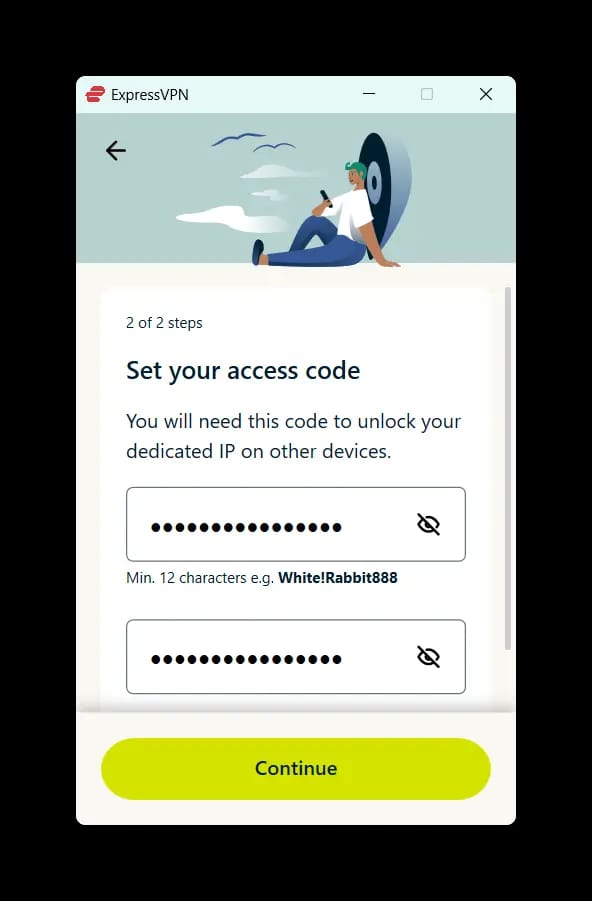
ExpressVPN guarantees online anonymity by making you create a unique token (an access code) when you sign up for a dedicated IP.
This unique key is the only way for you to access your dedicated IP address, with no association with your main ExpressVPN account.
This is by design, so that not even ExpressVPN knows who is using its dedicated IPs. In the event of a law enforcement request, the company won’t be able to confirm whether an IP address belongs to a specific account holder.
Despite the extra token step, setting up my ExpressVPN dedicated IP was straightforward, and I walk you through the exact process later in the guide.
Choosing a US dedicated IP Location using ExpressVPN.
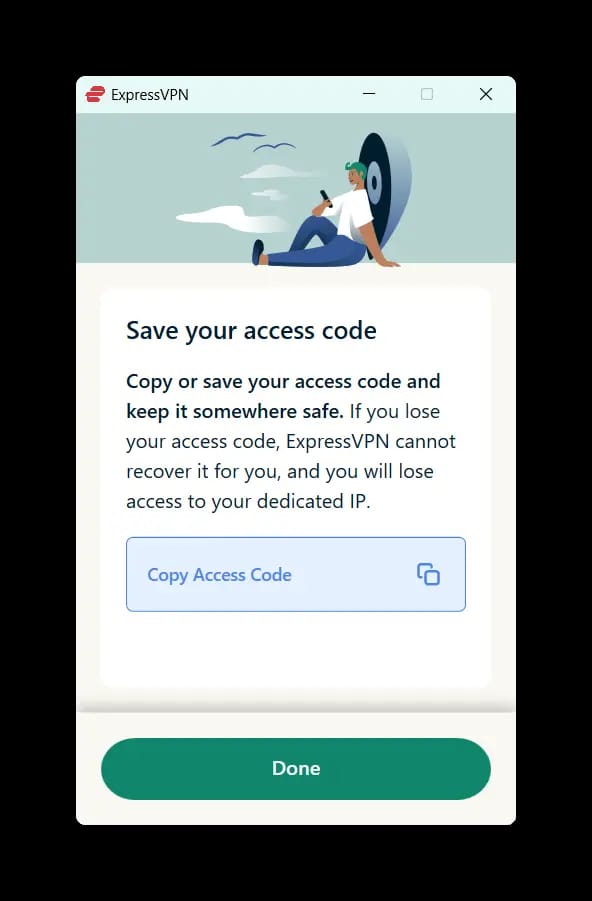
Make sure you create a strong and unique access code, and store it securely, since it’s the only way for you to retrieve your dedicated IP.
Great Usability, Speed & Streaming
What truly sets ExpressVPN apart is its exceptionally well-designed and intuitive apps. Using ExpressVPN is a genuinely more enjoyable experience than other VPNs, including NordVPN, especially on desktop.
The slick UI is consistent across all platforms, with a large Connect button dominating the home screen and I could jump to the full server list, my most recent location, or the nearest (fastest) server without hunting through menus.
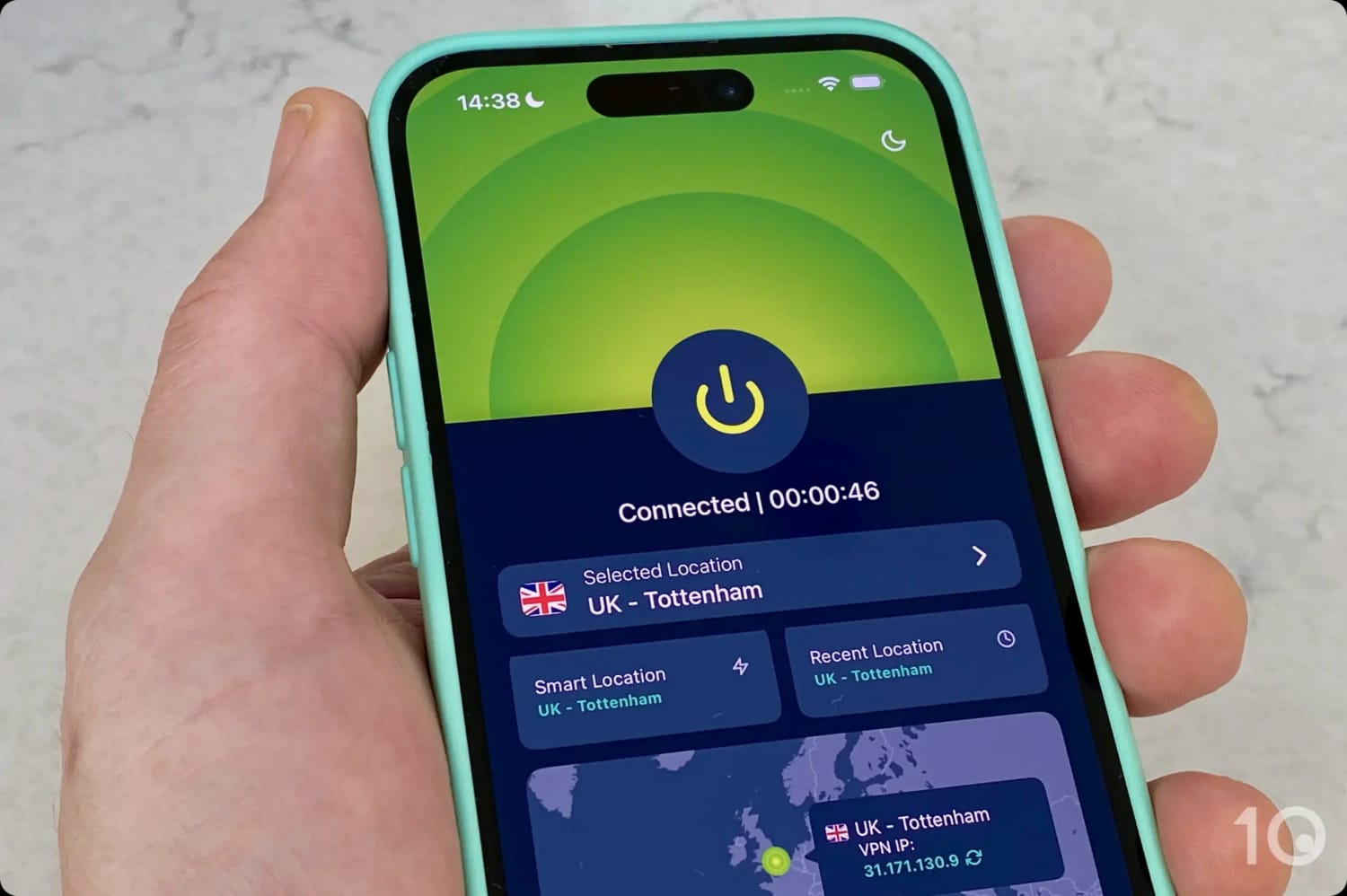
ExpressVPN’s servers in the UK connect instantly.
And if you’re planning on using your dedicated IP address to unblock content geo-restrictions, then there is no better VPN than ExpressVPN.
ExpressVPN has long worked smoothly with popular services like Netflix (supporting 18 regions), Prime Video, DAZN, Disney+, HBO Max, and BBC iPlayer, among many others.
ExpressVPN worked flawlessly with NFL Game Pass on DAZN Canada.
Only NordVPN can just about compete with ExpressVPN streaming-wise, although using ExpressVPN’s apps is a lot more satisfying.
ExpressVPN's Dedicated IP Locations
ExpressVPN offers dedicated IPs in: Australia, Austria, Belgium, Canada, Denmark, France, Germany, Hong Kong, Ireland, Italy, Japan, Netherlands, Norway, Poland, Portugal, Singapore, South Africa, Spain, Sweden, Switzerland, United Kingdom (2 cities), and the United States (7 cities).
NordVPN came extremely close to outranking ExpressVPN. It performed very similarly for speed and geo-unblocking, and it offers dedicated IP addresses in more countries (30).
While I love the fact that dedicated IPs are available in more locations, the VPN’s dedicated IPs aren’t anonymized, which is why I prefer ExpressVPN overall.
Also, NordVPN’s desktop apps aren’t as user-friendly as ExpressVPN’s, primarily because of the cluttered feel caused by its Threat Protection and Dark Web Monitor taking up space on the home screen.
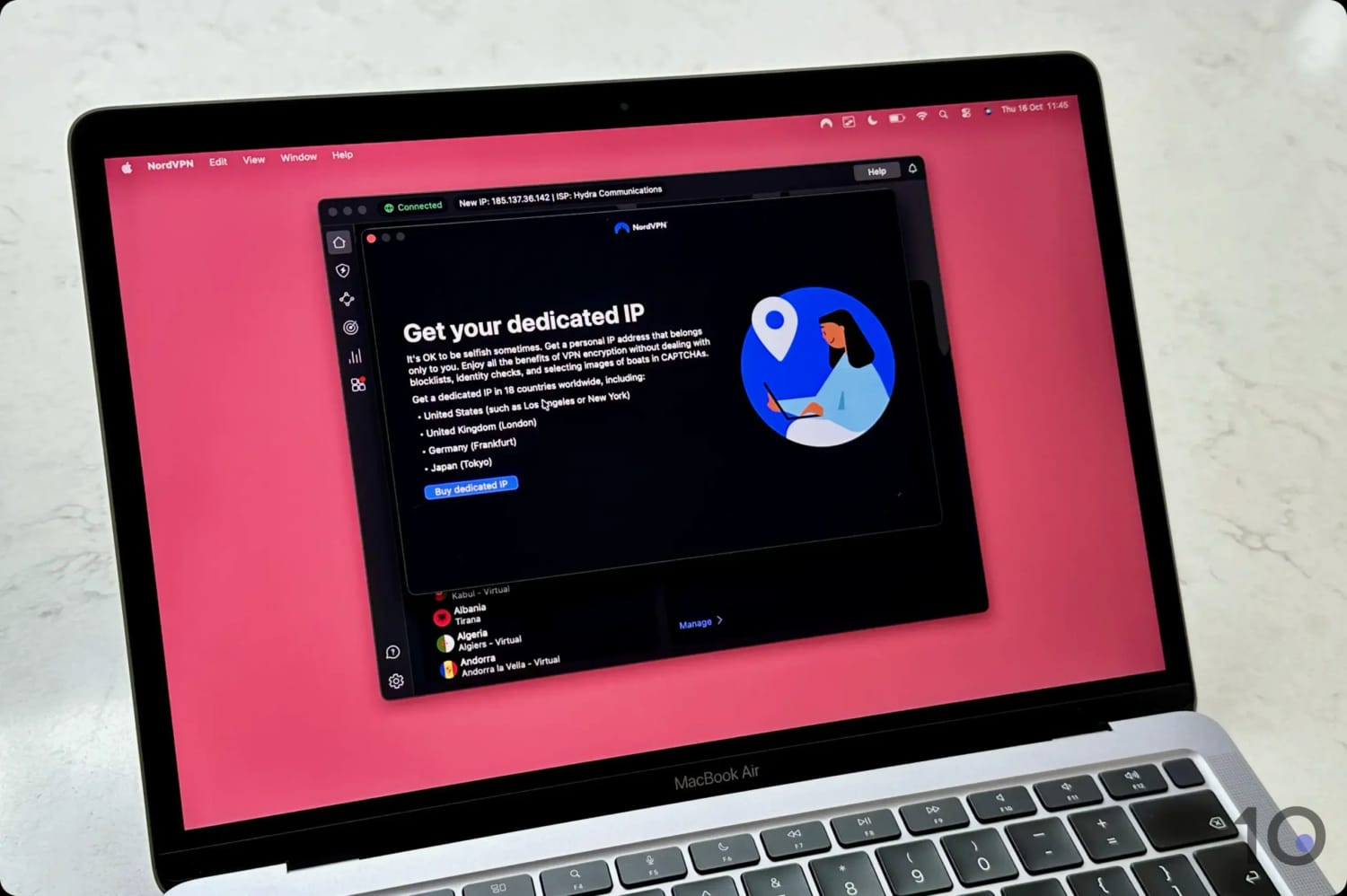
Getting a NordVPN dedicated IP on my MacBook.
More Dedicated IP Locations But Less Private
NordVPN’s range of dedicated IPs is the most extensive in the industry, covering less common locations like Athens, Auckland, Istanbul, and Vienna.
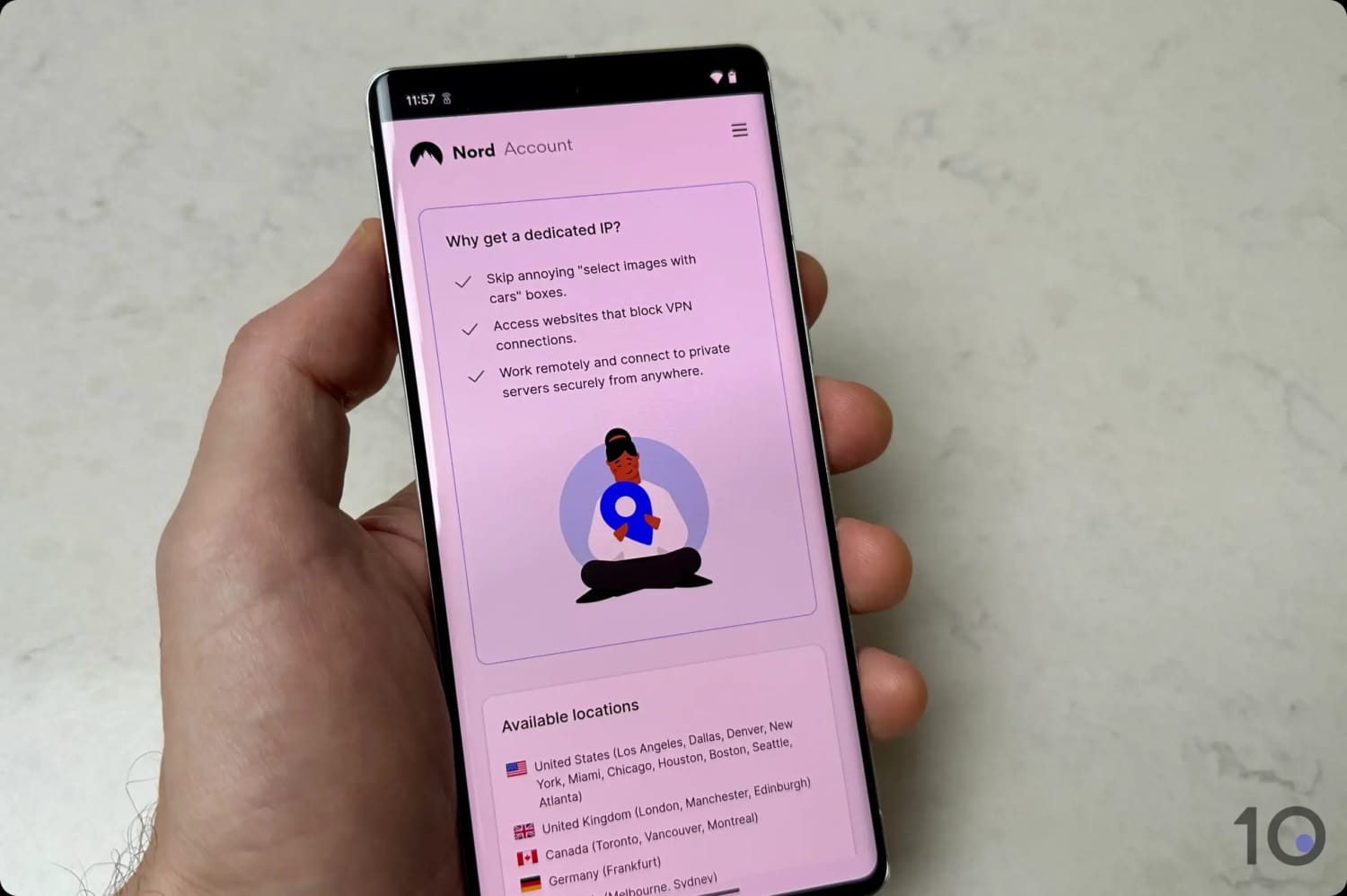
Some of NordVPN’s dedicated IP locations on mobile.
The key issue with NordVPN’s dedicated IP solution is privacy: unlike ExpressVPN’s and PIA’s tokenized system, NordVPN’s dedicated IPs are fully associated with your account.
Unfortunately this association presents a serious privacy risk: in the event of a law enforcement request, NordVPN would comply (as it has previously indicated) and share the account details linked to the IP address.
To be clear, NordVPN wouldn’t be able to provide any web activity logs, but that’s meaningless if law enforcement has already obtained that data from other sources.
On the plus side, it is possible to have more than one dedicated IP linked to your NordVPN account. The process isn’t particularly smooth, but it works.
You’ll have to first contact customer service, then open a separate temporary NordVPN account for each additional dedicated IP you want, and finally ask the support team to transfer the IP(s) to your main account.
Solid All-Around Performance
If you’re comfortable with the non-tokenized privacy risks, NordVPN will deliver excellent results for virtually any activity you wish to perform with your dedicated IP address.
Thanks to its NordLynx protocol, NordVPN’s speed performance is very similar to ExpressVPN’s, with a barely noticeable internet speed loss of just 4% connecting close by, and 14% around the globe.
On top of exceptional speeds, NordVPN’s dedicated IPs are also highly reliable for bypassing regional restrictions, especially in Australia and Canada where the service easily unblocks platforms like Kayo Sports and Fubo.
NordVPN works really well with Kayo Sports.
NordVPN's Dedicated IP Locations
NordVPN offers dedicated IPs in: Australia, Austria, Belgium, Canada (3 cities), Czech Republic, Denmark, France (2 cities), Germany, Greece, Hong Kong, Hungary, Ireland, Italy, Japan, Mexico, Netherlands, New Zealand, Norway, Poland, Portugal, Romania, Singapore, South Africa, South Korea, Spain, Sweden, Switzerland, Turkey, United Kingdom (3 cities), and the United States (11 cities).
Private Internet Access (PIA) is one of the cheapest VPNs I’ve reviewed, and competes with NordVPN and ExpressVPN by offering highly private and affordable dedicated IPs.
Its dedicated IPs provide the same level of anonymity as ExpressVPN’s, since they benefit from the same unique token-based system that completely decouples your dedicated IP from your PIA account and payment details.
That being said, PIA offers dedicated IPs from only 10 countries, which is significantly fewer than the extensive range provided by NordVPN.
However, these dedicated IPs cost meaningfully less than those offered by any other VPN service, making PIA the most budget-friendly choice to obtain a secure, tokenized dedicated IP.
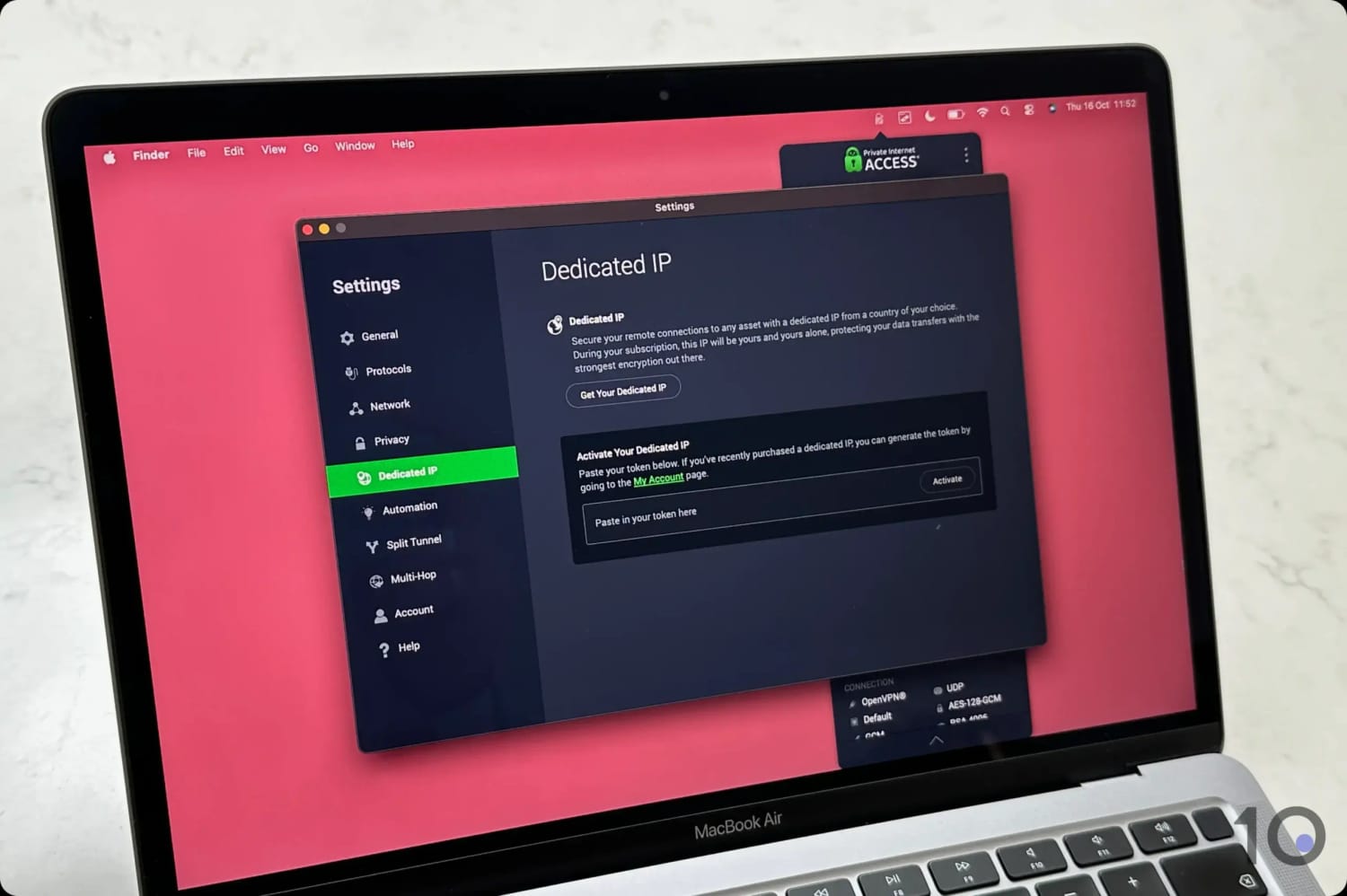
Getting a PIA dedicated IP via the Mac app.
Cheaper Anonymous Tokenized IP Setup
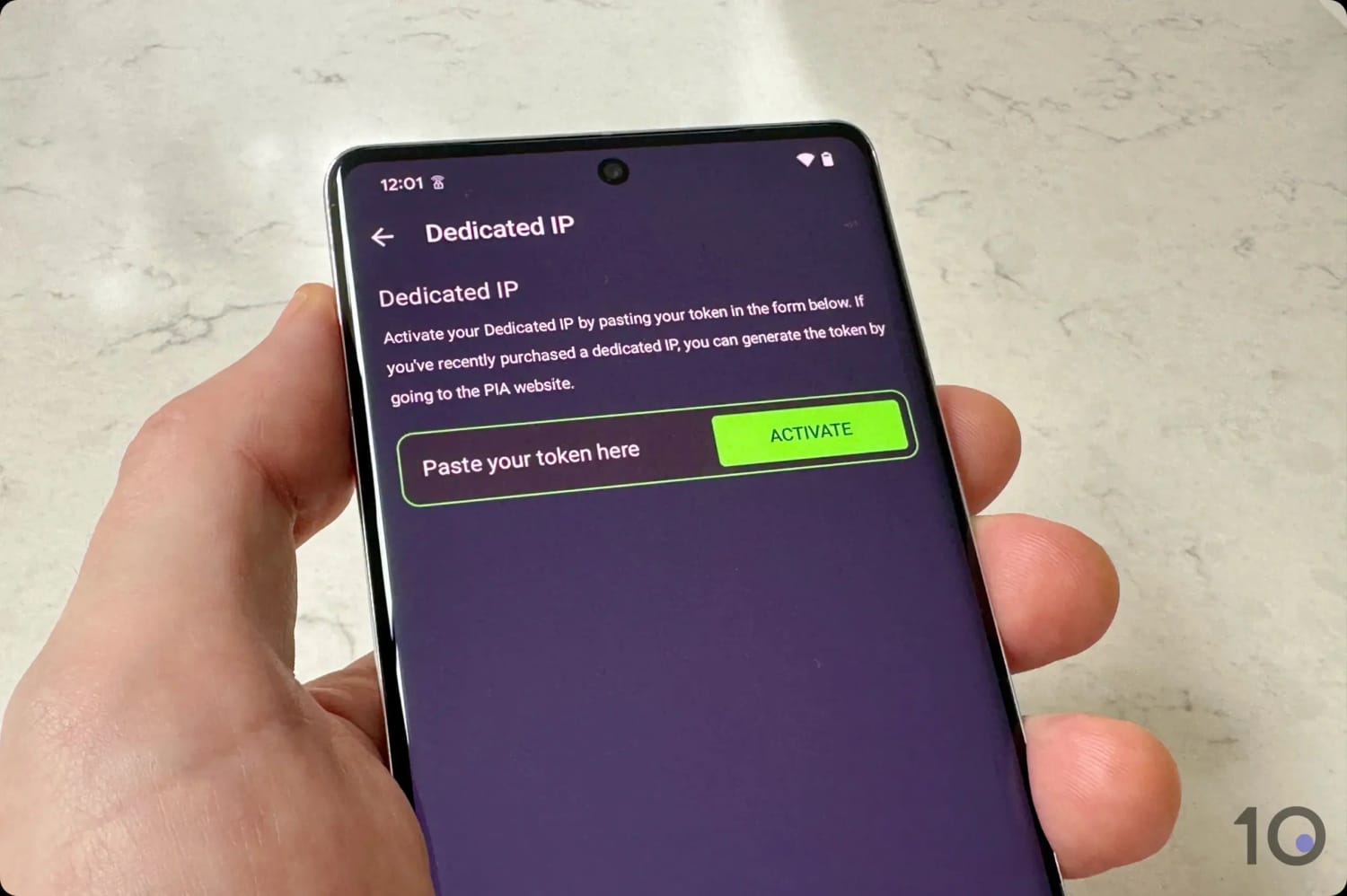
PIA utilizes the same token-based system as ExpressVPN, which generates a unique, anonymous key for its dedicated IP feature that only you can access.
Activating a dedicated IP on PIA’s mobile app.
Through this secure, tokenized allocation, it’s technically impossible for PIA itself to link your purchased dedicated IP with your VPN account.
Moreover, PIA’s strict no-logs policy has successfully passed both independent security audits and real-world court examinations.
And while the cheapest cost for an ExpressVPN dedicated IP is $3.99 per month, and $4.19 with NordVPN, PIA charges as little as $2.50 per month through its multi-year subscription plan.
Fewer Locations & Inferior Streaming Access
While $2.50 per month is a definite bargain for a dedicated IP, the fact that you can only choose one from 10 countries is underwhelming compared to rivals.
Key locations missing include important countries like France, Italy, Spain, and South Korea.
Plus, PIA’s global streaming access is less reliable than ExpressVPN’s or NordVPN’s. While it unblocks many US and UK content platforms, its performance outside these two countries is often less consistent, especially through its dedicated IP addresses.
It’s a completely different story for torrenting files, though, where PIA truly shines across its entire server network. However, I’d always advise against using a dedicated IP address for this type of activity.
PIA's Dedicated IP Server Locations
Private Internet Access offers dedicated IP addresses in: Australia, Belgium, Canada, Germany, Japan, Singapore, Sweden, Switzerland, the United Kingdom, and the United States.
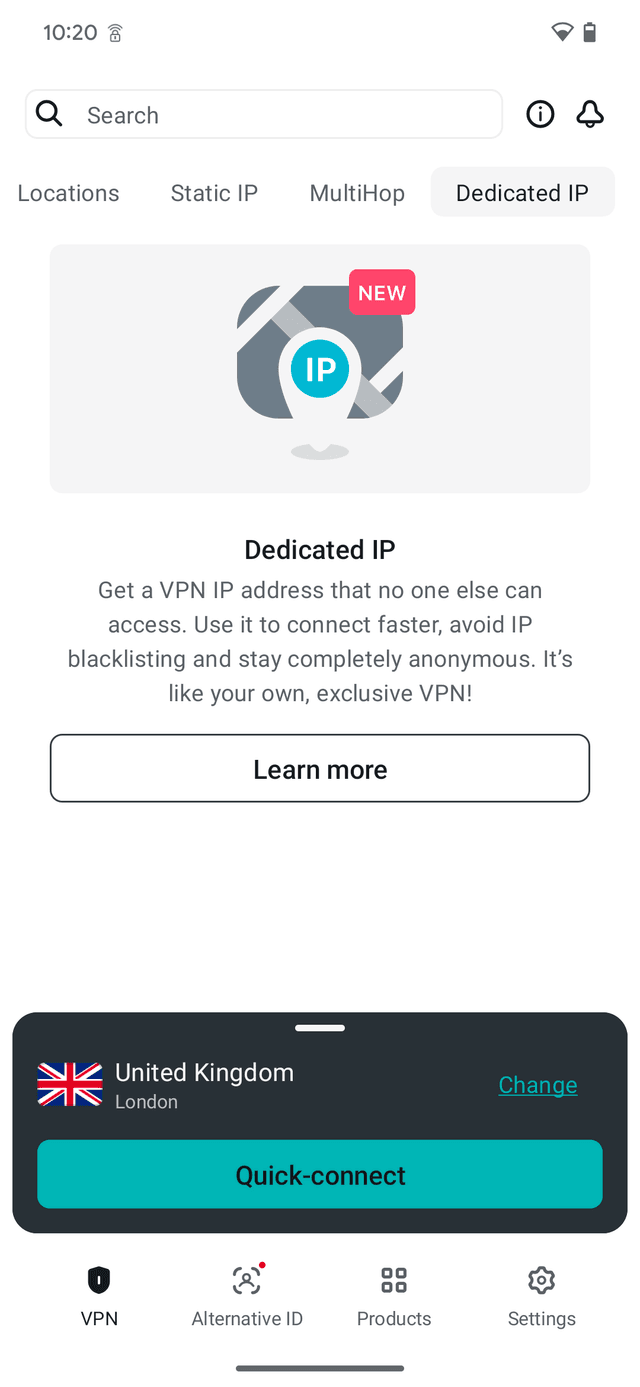
If a VPN offers dedicated or residential IPs, they’ll come either as a paid add-on or as part of a premium/advanced subscription plan. This is the case with VPNs like ExpressVPN, NordVPN, Private Internet Access, CyberGhost, and Windscribe.
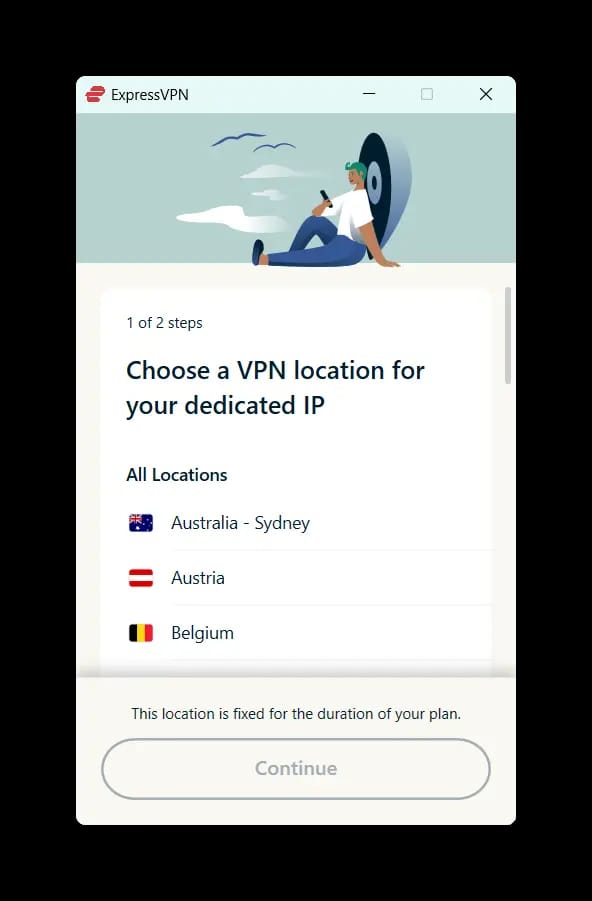
Purchasing a dedicated IP through a VPN service is relatively simple, with most following the same process. I’ve used ExpressVPN as an example below, since it’s my top pick for a dedicated IP.
With ExpressVPN, you’ll have the additional step to set up your unique access code (key), which is the only way for you to access your dedicated IP address.
Instructions: How to Get a Dedicated VPN IP Address
Purchase a dedicated IP address, either as a paid add-on or as part of a premium subscription plan.
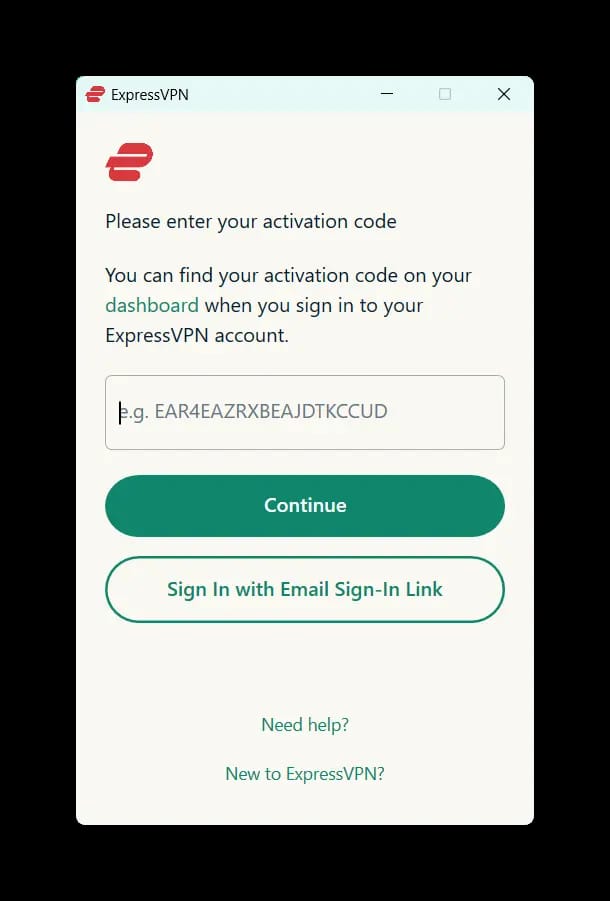
Set up your VPN app. To sign in, you’ll typically have to use the activation code found in your account or inbox.
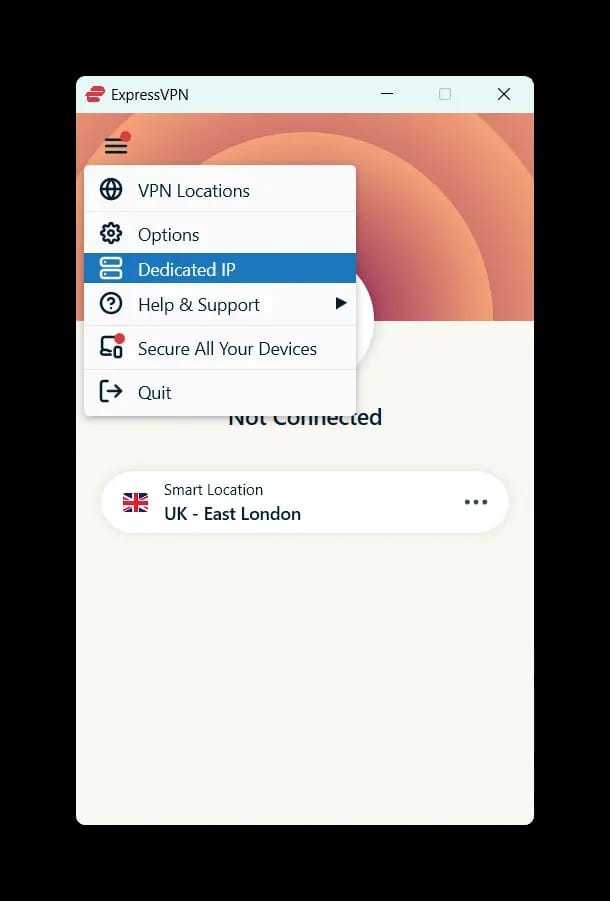
Select ‘Dedicated IP’ from your app’s menu.
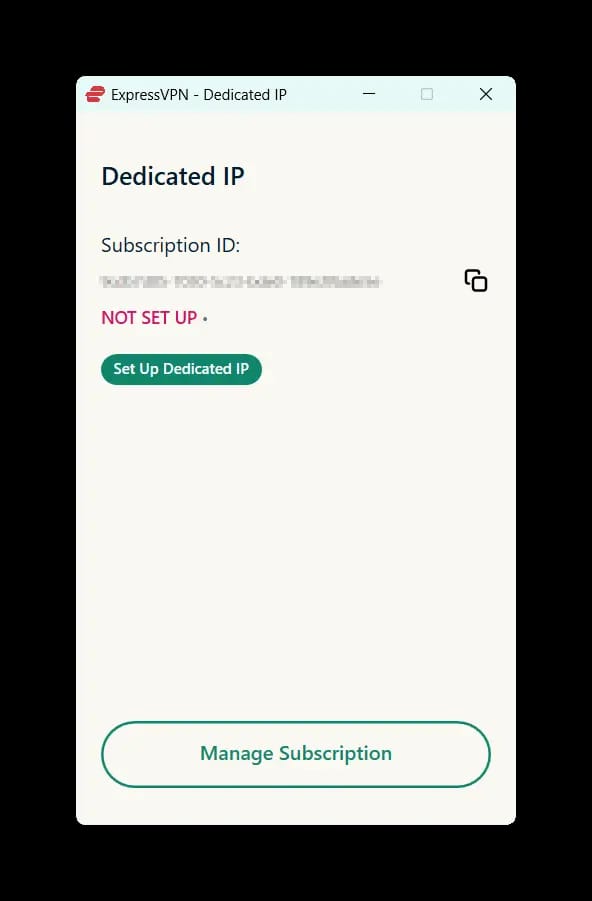
Select ‘Set Up Dedicated IP’.
Choose your desired dedicated IP location.
Set up your unique access code. Only you have access to this key and therefore to your dedicated IP.
Store your access code securely. Keep the code in a safe place as losing it will result in losing access to your dedicated IP. ExpressVPN won’t be able to retrieve it for you.
Confirmation that your dedicated IP is being configured.
Once your dedicated IP is fully set up, it will appear in your app’s server list.
There aren’t any VPN services that offer free dedicated IPs. If you want a free VPN IP address that never changes, Surfshark is the only provider to offer shared static IPs at no extra cost, although they will be shared among a pool of users.
VPN IPs: Dynamic vs Shared Static vs Dedicated
There are two main types of VPN IP addresses:
Dynamic: The default type, it often changes when you reconnect to a VPN server and is shared with potentially thousands of other VPN users.
Static: Offered by some VPNs for an additional fee, this stays the same however many times you reconnect. Unless it’s dedicated, a static IP is shared with a smaller group of other subscribers.
When you connect to a VPN, you’re usually assigned a dynamic IP address, which can change multiple times during your session or each time you reconnect to the same VPN server location.
Dynamic IPs can be assigned from any server your VPN offers, and they allow you to easily switch between different virtual locations.
The main downside of dynamic IPs is that they’re shared among numerous VPN users, increasing the likelihood of them being flagged or even blocked by websites and apps.
As a result, top-tier VPN services have started offering static VPN IP addresses, in the form of shared and dedicated ones. While they’re not suitable for all activity, they do solve some of the issues associated with dynamic IPs.
I’ve outlined the key differences between static and dynamic VPN IPs below:
Static IP Address
Dynamic IP Address
Fixed IP address
Changeable IP address
Rarely offered by VPN services
Widely available
Costs an extra fee
Enabled by default
Accessed by a smaller group of users
Shared among all VPN subscribers
Anonymity dependent on the number of users
Maximum anonymity
Tied to one region
Can be assigned wherever there’s a server
Smoother browsing experience
Prone to CAPTCHAs and frequent verification checks
Secure remote access to private business servers
Incompatible with IP whitelists for remote access
Since there’s still a lot of confusion concerning shared and dedicated static IPs, I’ve explained the key differences between them below:
Shared Static IPs
Some VPNs offer shared static IP addresses as a paid extra. Only Surfshark includes them in the basic VPN subscription.
Unlike a standard dynamic VPN IP, a static one always stays the same regardless of how often you reconnect.
Shared static IPs are typically used by a limited pool of users, if purchased as a paid add-on. This makes it a little harder to link activity directly to you, although the number of users is going to be far smaller than on a dynamic VPN IP.
Surfshark’s shared static IPs are available to all subscribers for free, which further lowers the privacy risk. That being said, my connection slowed to a crawl every time I used them.
If you want a static IP address that isn’t shared with anyone else, then you’ll need to get a dedicated IP address.
Dedicated IPs
Some VPN providers give you the option to buy VPN IP addresses exclusive to you, at an additional monthly cost. These IP addresses are known as ‘dedicated.’
A dedicated IP address can make remote access to private servers or networks even more secure and reliable, as your whitelisted IP address can only be used by you.
It also prevents random IP bans when gaming online, as you won’t ever be assigned a “bad” IP address that may have been previously blacklisted.
The major drawback to a dedicated VPN IP address is that it’s much easier to monitor and de-anonymize your VPN connection, as the dedicated IP address is tied to your account and never changes.
That’s why ExpressVPN’s and PIA’s token-based system is a game-changer for breaking the link between your VPN account and your dedicated IP.
How I Test VPNs with Dedicated IPs
My picks come from hands-on testing, backed by a methodology my VPN testing team built specifically for dedicated IPs.
I’ve signed up for and lived with a dedicated IP from every service that offers one, so I know first-hand where they deliver and where they fall short.
The quality of the dedicated IP itself (how private, reliable, and genuinely unshared it is) carries the most weight, closely matched by the speeds it delivers. Streaming access and privacy come next, with security rounding things out.
I ran all 59 services through the same case-specific tests in an identical environment, so no stray variable skewed the results. The table below summarizes how my top picks performed:
Here’s exactly how I test each category, and how much each one counts toward a VPN’s overall dedicated IP rating:
Dedicated IPs (40%)
Test Conducted: I signed up for and used a range of dedicated IPs offered by relevant VPN services to assess their internet speed, ability to avoid CAPTCHAs and extra security checks, and access to geo-restricted services.
Why It’s Important: The whole point of using a dedicated IP address is to avoid many drawbacks associated with shared VPN IP addresses. Your dedicated IP address should work almost like a typical residential IP.
Optimal Result: Dedicated IPs from dozens of countries that deliver fast internet speeds, access to geo-blocked services, and don’t trigger CAPTCHAs or extra security questions logging into your online accounts.
Speed (20%)
Test Conducted: Using the dedicated IPs I purchased, my testing team recorded download speeds from several countries around the world and averaged the results.
Why It’s Important: Your download speed impacts your page and video loading times, file transfer times, and streaming quality.
Optimal Result: A download speed loss of below 10% regardless of your physical location.
Streaming (15%)
Test Conducted: I tested several dedicated IPs from each VPN to verify they work with popular streaming services in that country or region. For example, with US dedicated IPs I ran streaming tests with streaming Netflix, Prime Video, HBO Max, Hulu, Peacock, and many more.
Why It’s Important: Many dedicated IP users want to also use their unique IP address to access geo-restricted content.
Optimal Result: Dedicated IP addresses that bypass VPN blocks and work smoothly with geo-restricted content platforms.
Dedicated IP Privacy (15%)
Test Conducted: I study each VPN’s privacy policy, particularly its logging policy. I then look at how its dedicated IP system is set up privacy-wise. Finally, I check where the VPN company is incorporated.
Why It’s Important: Since a dedicated IP is assigned on a one-to-one basis, it’s far easier to link web activity carried out on it to a specific user, unless a VPN has taken specific measures against this privacy risk.
Optimal Result: Token-based (anonymous) dedicated IP system, no-log policy verified by independent audits and real-world cases, transparent ownership, and privacy-first jurisdiction.
Security (10%)
Test Conducted: I tested each VPN’s security setup and standards, especially the type of encryption (e.g. AES-256 or ChaCha20) and connection protocols (WireGuard or OpenVPN) used. I used Wireshark to verify the internet data being transferred is fully encrypted.
Why It’s Important: A VPN must encrypt your internet connection with gold-standard measures to minimize the risk of your internet data being intercepted and stolen, especially on insecure WiFi networks.
Optimal Result: WireGuard or OpenVPN protocols in use, AES-256/ChaCha20 encryption, and successful Wireshark test results.
VPNs That Didn't Make My List
There were a number of good and trustworthy VPNs that almost made it onto my shortlist, but ultimately fell short of the mark.
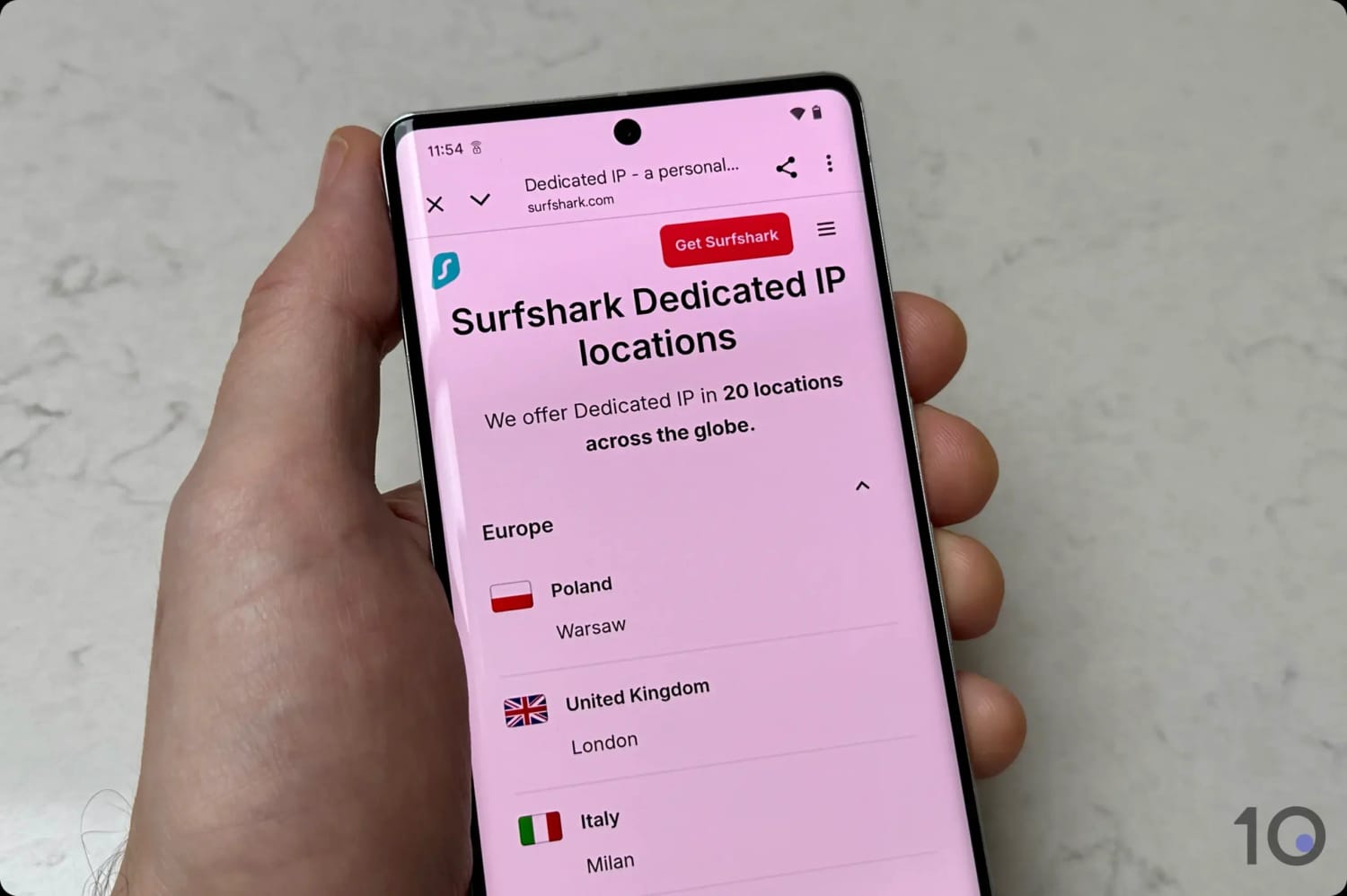
Some of Surfshark’s dedicated IP locations.
Below I’ll explain why some of the more well-known VPNs in this category didn’t meet my selection criteria.
CyberGhost
CyberGhost’s dedicated IP system uses the same tokenized technology as ExpressVPN and PIA.
The issue I have with CyberGhost is that its internet speeds are regularly slower than my top picks, it doesn’t beat as many geo-restrictions, and it only offers dedicated IPs from 12 countries.
Proton VPN
Proton VPN is one of my favorite products and it keeps getting better and better. The main problem with its dedicated IP addresses is that they’re only available for businesses.
Surfshark
Surfshark narrowly missed inclusion because of its slower connection speeds and the fact that its dedicated IPs are only available from 12 countries and only two US cities.
Also, while it does offer shared static IPs for free to all its customers, these are really slow due to server congestion and are virtually unusable.
Surfshark’s shared static and dedicated IPs in the mobile app.
Windscribe
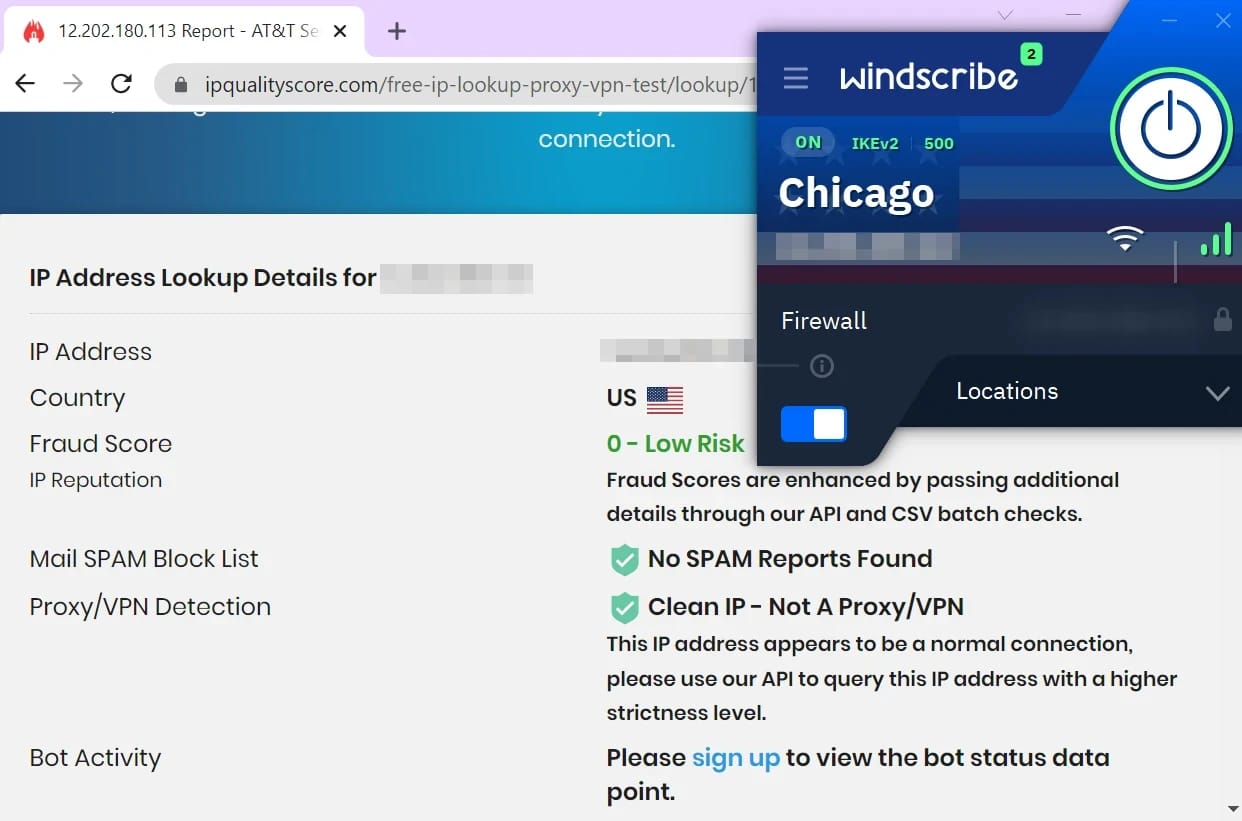
Windscribe is the only VPN service that offers US and Canadian residential IP addresses, provided by AT&T and Beanfield respectively.
Checking the quality of Windscribe’s residential IPs.
Each residential IP is shared among a handful of users, meaning they are shared static rather than dedicated. Windscribe has made the choice to not offer dedicated IPs at all, probably because it hasn’t been able to develop a token-based system like ExpressVPN’s.
I also ran into fluctuating speeds on these residential IPs, plus inconsistent access to content platforms.
FAQs
Do Free VPNs Offer Dedicated IPs?
No free VPN service currently offers a dedicated IP address.
This is due to the sharply rising costs of leasing and buying IPv4 addresses, which began to increase once the finite pool of IPv4 addresses (roughly 4.3 billion) began to run out in 2011.
To conserve this limited resource, ISPs and VPNs typically use dynamic IPs, recycling addresses among users.
Dedicated IPs require manual configuration, increasing labor costs compared to dynamic IPs, which are automatically allocated by DHCP servers. This automation reduces human error, prevents IP conflicts, and lowers administrative overhead.
Which VPNs Offer Dedicated IPs?
Currently, the only VPNs to offer dedicated IP addresses are CyberGhost, ExpressVPN, NordVPN, Private Internet Access (PIA), Proton VPN (Business users only), PureVPN, Surfshark, TorGuard, and Trust.zone.