Here are several other types of proxies, that you’ll probably never use or, in some cases, have used without realizing.
Forward Proxy
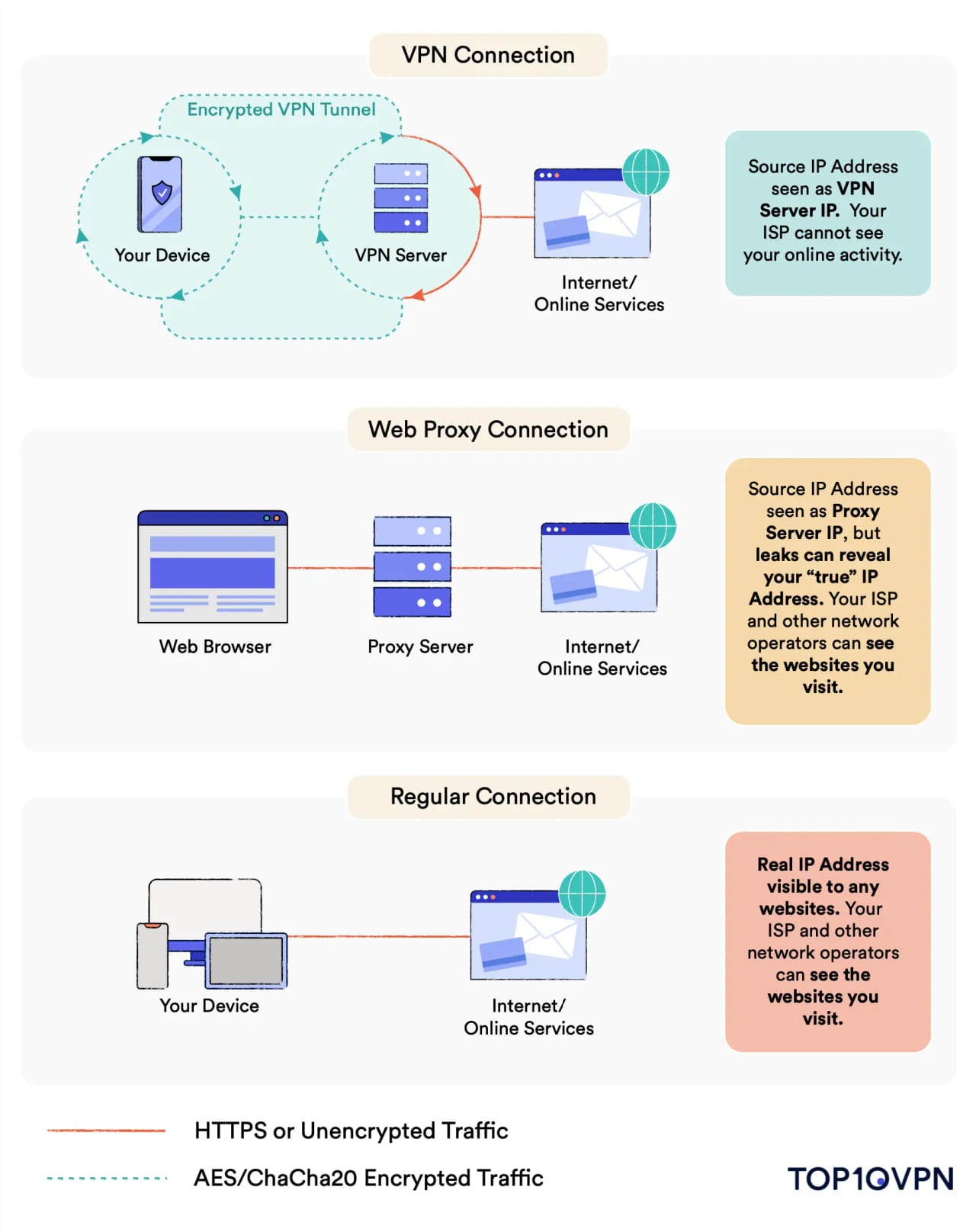
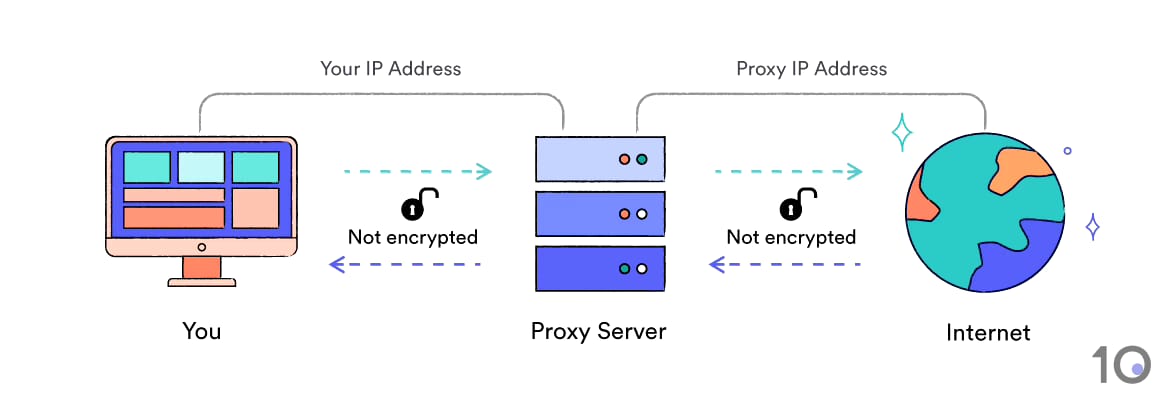
When someone mentions a “proxy” in conversation, they’re almost certainly talking about a forward proxy. It’s an intermediary between your device and the internet, handling all outbound traffic on your behalf.
When you access a web page through one, your request goes to the forward proxy server first — which then retrieves the page and sends it back to you.
Residential proxies, data center proxies, and public proxies are all types of forward proxy, just configured differently for specific use cases.
Reverse Proxy
You probably won’t set one up yourself, but you’ve almost certainly used one without knowing it.
Unlike a forward proxy, a reverse proxy handles inbound traffic destined for backend servers — not outbound traffic from your device. Organizations use them to mitigate security risks, improve load times, and manage large server networks.
Common functions include web content caching, SSL termination, and load balancing — which distributes traffic across multiple servers to prevent a single failure from taking down a public website.
That being said, they’re not without risk. McAfee Labs research found that reverse proxies in AWS cloud-native applications can be prone to serious vulnerabilities if misconfigured.
Public Proxy
Free to use and open to everyone, but best to avoid using one.
The congestion alone makes public proxies frustratingly slow. But the bigger issue is security. Research reported by Wired found that 79% of public proxy servers inserted code into web pages or blocked HTTPS connections entirely.
You’re also sharing an IP address with an unlimited number of strangers, any of whom could be conducting illegal activity. Worse, the proxy owner could be harvesting your credentials and selling them on.
Don’t log into any personal account while using a public proxy. Full stop.
Shared Proxy
A shared proxy is a private proxy used by a defined group of users — either a company’s internal network or a pool of paying subscribers.
Because the user base is smaller, you get better speeds and reliability than a public proxy. They’re generally safer, too — especially in a closed corporate environment.
The catch: any shared server can be exploited by cybercriminals if vulnerabilities go unpatched.
Residential Proxy
Residential proxies use real IP addresses assigned to real people by their ISP, making your traffic appear to originate from a genuine household.
They’re primarily used by businesses to scrape websites that have already blocked other proxy types, and for tasks like:
- Social media analytics
- Market price monitoring
- Testing geo-fenced platforms
- Ad verification
- Penetration testing
The downside: they’re expensive. A VPN subscription gives you the same IP-masking functionality at a fraction of the cost.
Transparent Proxy
A transparent proxy reveals that it’s a proxy and passes your real IP address to the destination site. That makes it useless for privacy or bypassing content restrictions.
You’re unlikely to choose to use one — but you may be forced through one without ever knowing. They’re widely deployed in schools, libraries, and businesses to filter content and monitor browsing.
The good news: a VPN will bypass any content restrictions a transparent proxy enforces.
SSL Proxy
An SSL proxy encrypts traffic between your device and the destination server using the SSL/TLS protocol — the same standard that powers HTTPS.
It’s safer than plain HTTP, but not necessarily as secure as a full VPN, depending on configuration. One important limitation: anyone on your network can still see which domains you’re visiting, just not the specific URLs.
There are two variants:
- Forward SSL proxies — decrypt and inspect outbound traffic
- Reverse SSL proxies — buffer inbound traffic heading to a server
Both are typically deployed by organizations that need enhanced network security.
Data Center Proxy
Data center proxies are hosted by cloud providers like AWS or Google Cloud Platform — they have no ties to real-world ISPs or household addresses.
Because IP addresses in a data center are assigned in sequential blocks, they’re easy to fingerprint. A provider might own an entire /24 block (1.2.3.0–1.2.3.255) or even a /16 block (1.2.0.0–1.2.255.255) — making it straightforward for websites to detect and block them en masse.
Despite this, businesses use them in high volumes for market research scraping, price tracking, CAPTCHA monitoring, and automated purchasing (think sneaker bots and ticket scalping).