Top10VPN is editorially independent. We may earn commissions if you buy a VPN via our links.
How Secure Is Opera’s Free Browser VPN?


The Short Answer
While Opera has addressed past privacy concerns with a successful no-log audit from Deloitte, it fundamentally remains a browser-based TLS proxy that suffers from geolocation leaks and lacks key security settings such as a kill switch. Its poor choice of server locations (or regions, in this case) is also very limiting and will frustrate most people.

Opera, the sixth most popular web browser, is developed by a Norwegian company owned by Chinese firm Kunlun Tech.
The browser offers a free built-in virtual private network (VPN), which claims to offer “enhanced privacy,” but in reality is only a simple TLS proxy.
A trustworthy and secure VPN is a key component for safer web browsing, but an unsafe one can be riskier than no VPN at all.
Our tests continue to show that Opera’s free built-in proxy is a lot less secure and effective than the company wants you to believe.
We’ve recently retested the free browser proxy and re-evaluated its privacy practices, but not much as changed.
Why Trust Us?
We’re fully independent and have been reviewing VPNs since 2016. Our advice is based on our own testing results and is unaffected by financial incentives. Learn who we are and how we test VPNs.
| VPNs Tested | 61 |
| Total Hours of Testing | 30,000+ |
| Combined Years of Experience | 50+ |
What Is Opera's Free VPN Exactly?
Before we dive into whether Opera’s free VPN is secure or not, we need to cover a few things about it.
Firstly, it’s a browser proxy and not a VPN app that you install separately onto your device.
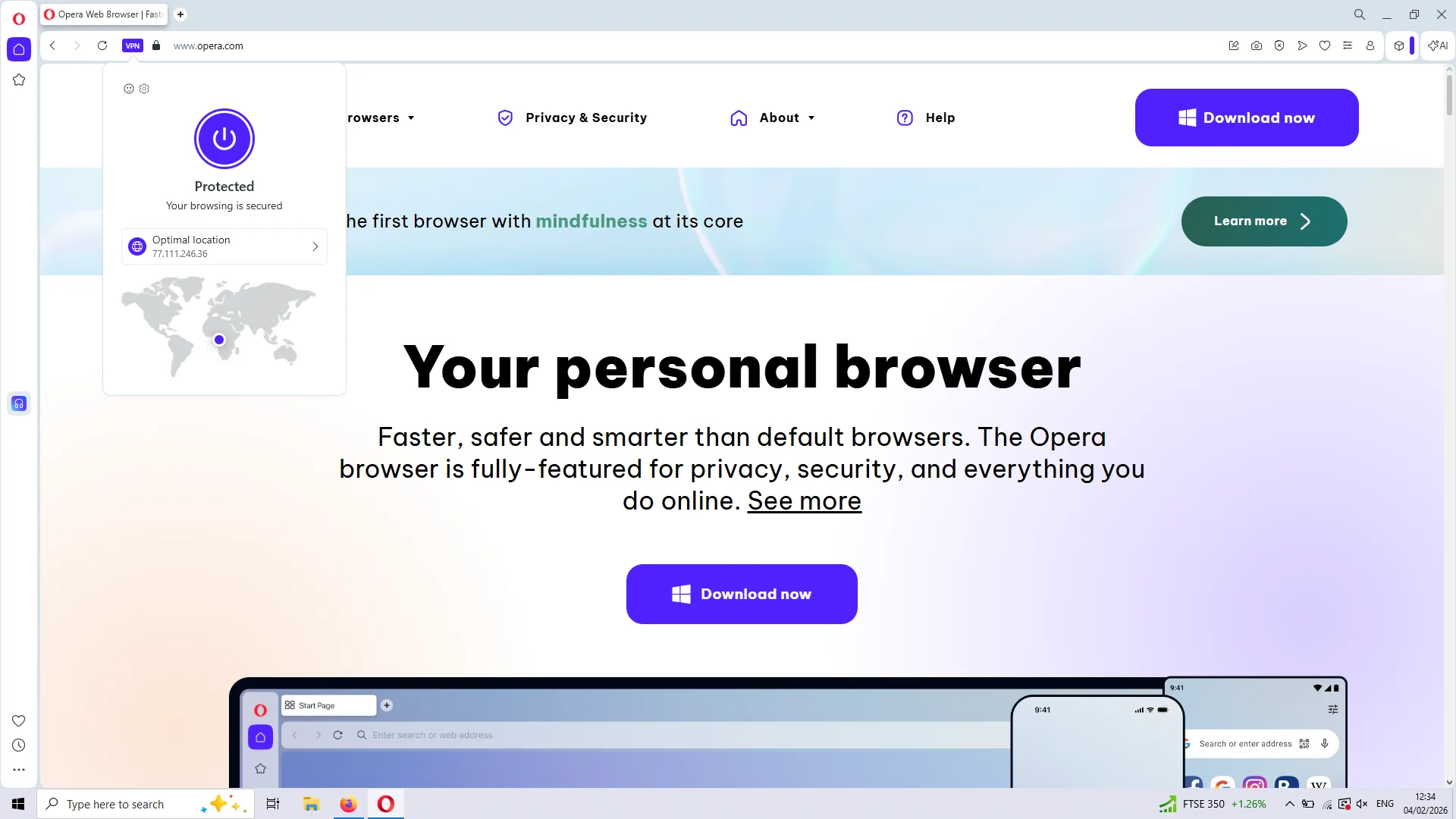
Using Opera’s free proxy ‘Optimal location’ server.
The proxy is fully integrated into the company’s web browsers, such as the flagship Opera and Opera GX, and is intended to hide your browser activity from your Internet Service Provider (ISP) and other snoopers.
Crucially, the browser proxy only routes traffic from within Opera through its VPN servers. Data traveling outside Opera won’t be encrypted, unless you’re running actual VPN software on your device.
It’s worth highlighting that our guide focuses on the free proxy only, and not the paid (Pro) service.
Our Review of Opera's Free VPN
Following changes to its logging policy and server infrastructure, we’ve once again put Opera’s free browser VPN through all relevant stages of our VPN testing methodology.
To be clear, we only tested the free proxy available in the Opera and Opera GX browsers for computers and smartphones. We didn’t examine the far less popular subscription-based solution, Opera VPN Pro.
Opera Free VPN Pros & Cons
Here’s a quick overview of the proxy’s advantages and disadvantages:
| Pros | Cons |
|---|---|
| Completely free with no payment required | Weak logging policy |
| Anonymous sign-up process | Doesn’t allow you to choose a country |
| AES-256 encryption | Only secures Opera browser traffic |
| Easy to use | DNS & geolocation leaks |
| Unlimited bandwidth | No kill switch |
| No advanced security settings |
Below we’ve provided more details on the good, the bad, and the ugly of the browser proxy:
Privacy
Opera has a poor history of privacy issues. In 2016, its synchronization service was hacked and over 1.7 million users had sensitive information, such as passwords and login details, exposed.
In recent years, users have also complained that their real IP addresses were being leaked while using the free browser VPN.
Since our last review, Opera’s free VPN has passed a Deloitte audit confirming it won’t log your IP address and browser history.
That said, we haven’t been able to find the actual report from Deloitte, and the company still lacks a comprehensive privacy policy for its free VPN. As of writing, we only found a brief paragraph within Opera’s Privacy Statement.
In the Privacy Statement, Opera no longer mentions selling user data to third parties, and instead states: “We monetize our products in various ways, mostly by selling advertising within the Applications themselves.”
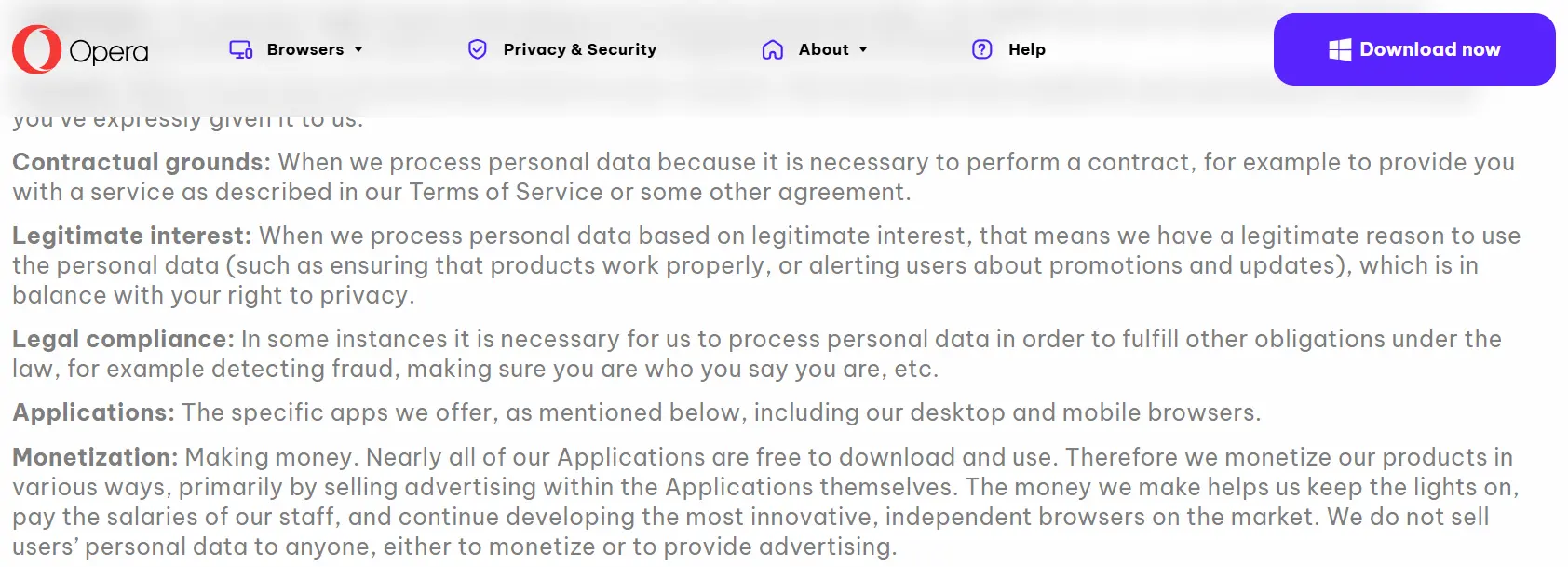
Opera’s monetization terms in its privacy statement.
While this is common for free online services, the most trustworthy free VPNs simply don’t engage in these practices.
Opera is also juridically based in Norway, a member of the Nine Eyes intelligence sharing agreement, and is ultimately owned by a Chinese company.
Given the no-log nature of the free proxy, the service’s jurisdiction isn’t of huge concern, but it’s still not ideal in light of the data the browser itself collects.
The Opera browser explicitly tracks certain data often to improve stability and performance, but also for promotional activity.
The most invasive example of this is the unique device_id assigned to your web client, which the browser uses for ad-targeting purposes.
Through this unique ID, and usage telemetry, the browser will create an interest-based profile of who you are, which third-party trackers (Google, Facebook, and Yandex) can then use to serve you more relevant ads.
You can turn off most of these tracking features in Opera’s configuration settings, although it may not prevent all interest-based profiling.
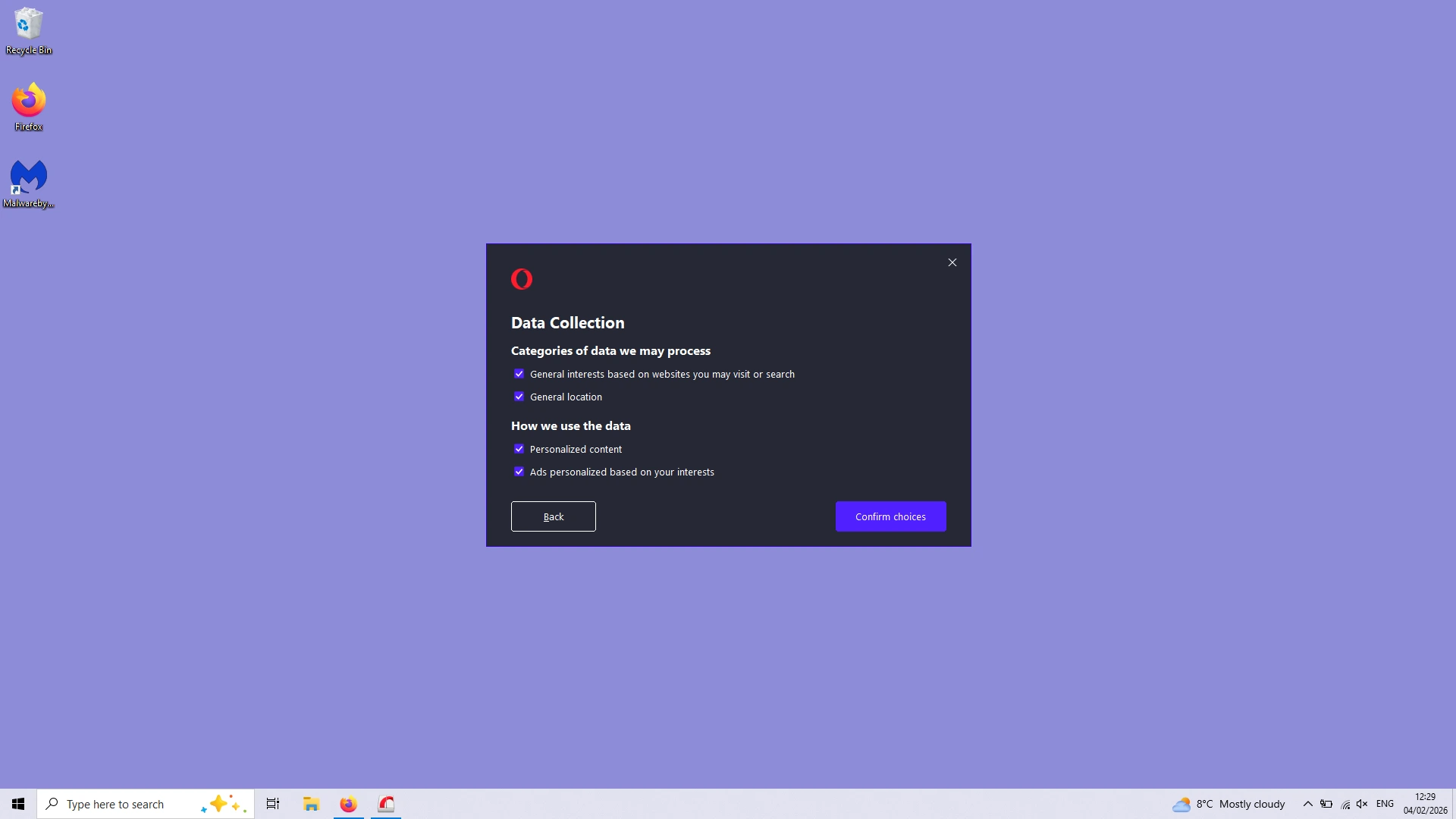
Disabling the interest and location-based tracking settings in the Opera browser.
Watch out for crash reports, too. If the browser suddenly shutdowns, it will send a report to the company’s servers that may include the URL and a screenshot of the last page on your screen.
All in all, we don’t recommend using Opera’s free browser VPN, or the browser itself. There are way more secure free VPNs that you can use in combination with privacy-focused browsers.
Security
With Opera’s free browser proxy you’ll get minimal protection, and that’s about it. There are also critical omissions that may even put your security at risk!
The proxy uses the HTTPS/TLS 1.3 protocol, which is standard for these type of extensions. The good news is that the protocol then encrypts your connection data using the AES-256 algorithm.
Encryption only happens at the browser layer, though, and doesn’t apply to any internet data leaving your device outside of Opera.
This is the extent of the protection you’ll get. There are almost no other settings for you to enhance your browsing security.
Very worryingly, there is no kill switch to prevent your IP address from leaking if the VPN connection cuts out.
The proxy also lacks an integrated blocker to prevent WebRTC (IP) leaks, and built-in protection against malicious domains and URLs.
It shouldn’t come as a surprise then that the proxy doesn’t handle your DNS requests (Google does), and it will leak your HTML5 geolocation, as you can see here:
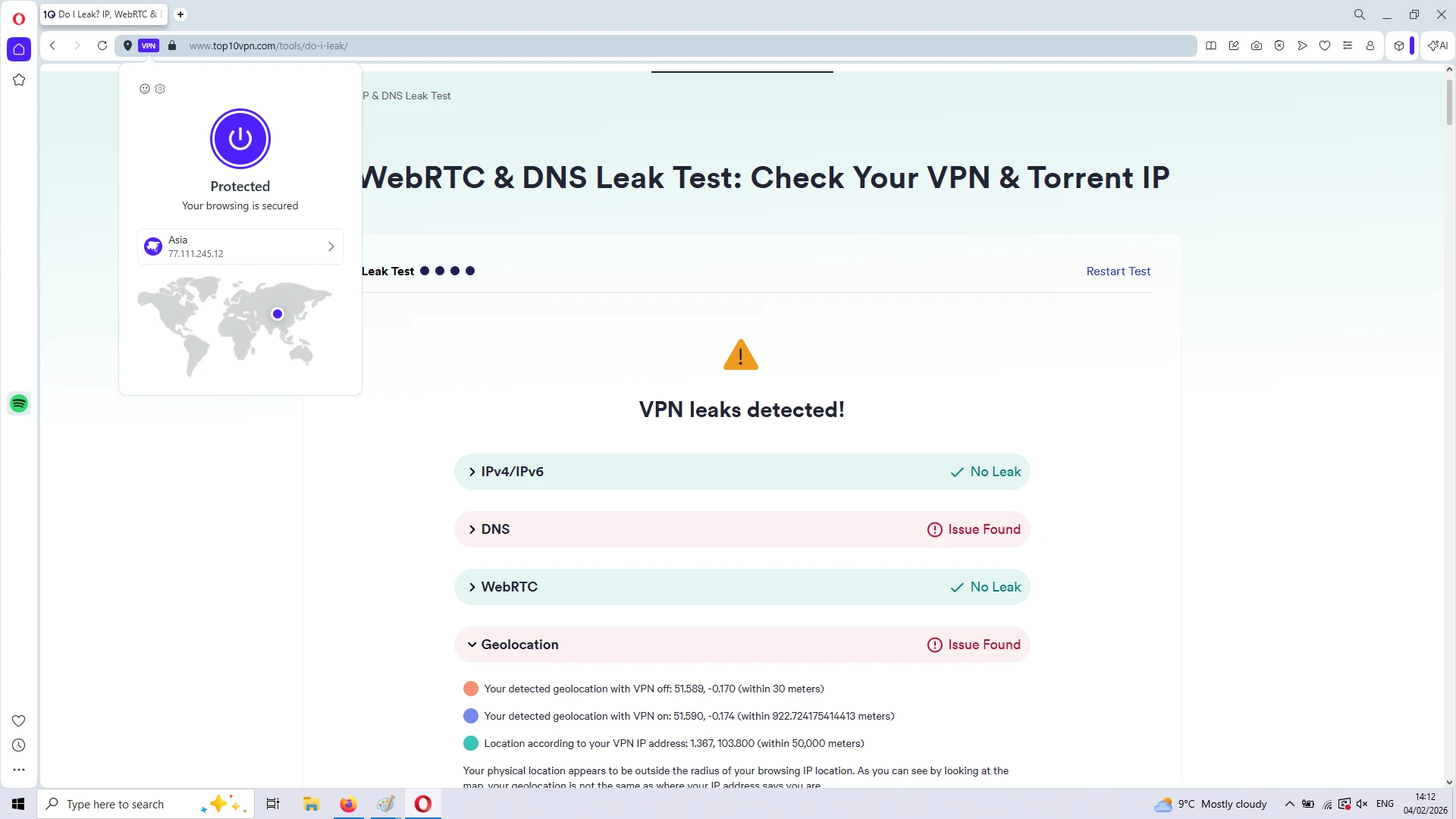
We detected DNS and geolocation leaks using the free proxy.
Server Locations
Choosing a server location is also a very underwhelming experience, even for free VPN standards.
While free extensions from the likes of Windscribe and PrivadoVPN allow you to choose from a range of countries, Opera’s free proxy limits your choice to three regions: Americas, Asia, and Europe.
During our tests, we were given IP addresses from at least seven virtual locations: Argentina, Germany, Norway, Singapore, Sweden, the US, and Vietnam.
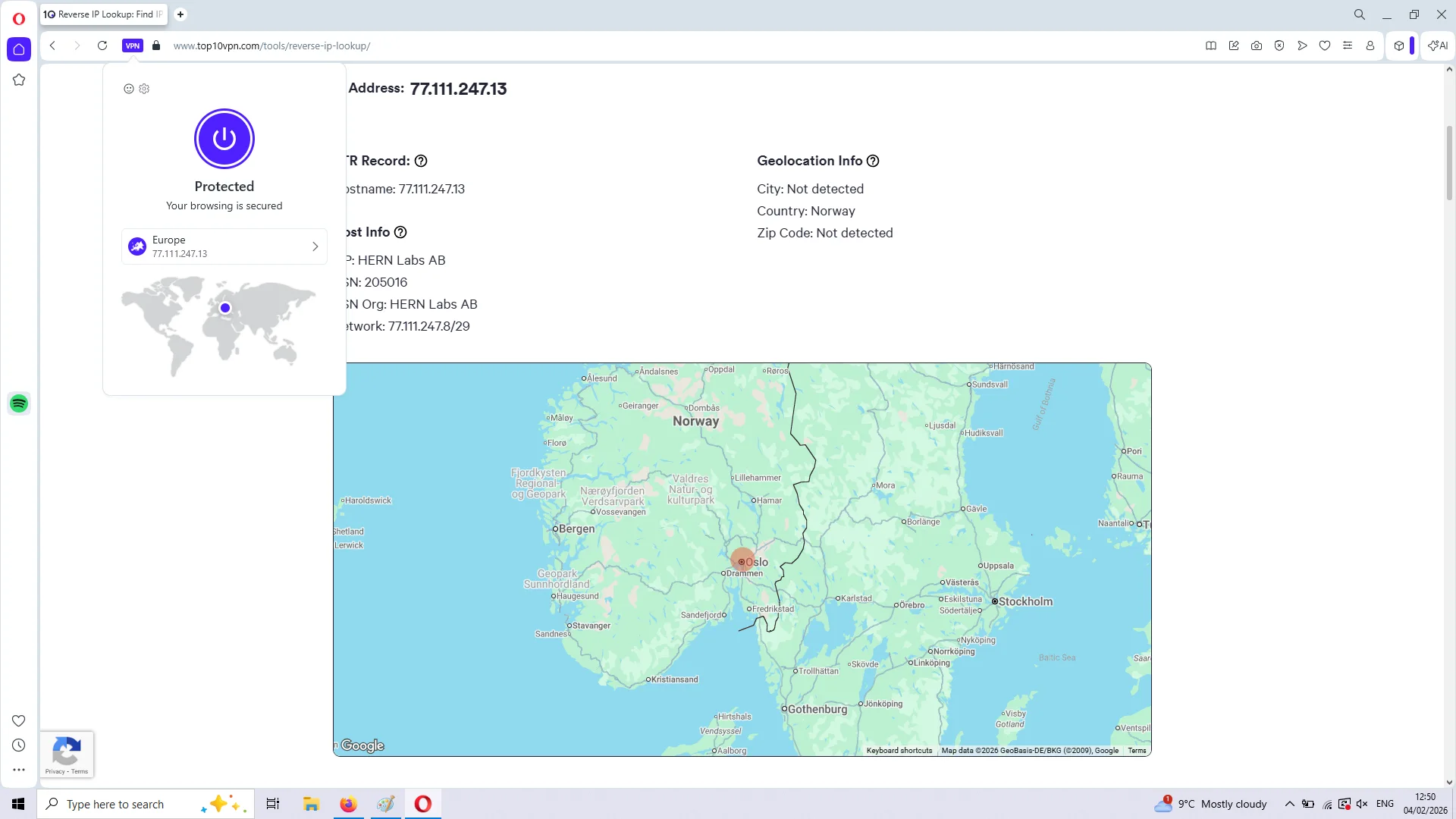
Connected to Opera’s free Europe server location.
There’s also an ‘Optimal location’ option, which most of the time connected us to a server in Norway.
While the choice of server locations is clearly extremely limited, at least servers connected almost instantly.
Connection speeds weren’t too bad, either. They roughly matched the average performance of other free proxy plugins, with an impact on our internet speed of 10% on short distances, and 20% on longer routes.
Streaming
Aside from the huge hurdle of not being able to choose a specific country, let alone city, Opera’s free proxy is mostly useless for bypassing streaming geo-restrictions.
The only “location” that may access some region-locked video content is the ‘Americas’ one, although this will be limited to free content.
Unfortunately, content platforms like HBO Max, Hulu, Prime Video and Netflix all detected and blocked Opera’s free US IP addresses.
Put simply, don’t bother using Opera’s free proxy for streaming geo-blocked content. Windscribe or PrivadoVPN are really what you’re looking for.