



Privacy
Ranked #12 out of 59 VPNs for Privacy
While I have no reason to doubt IPVanish's no-logs claims, I still want to see its privacy policy validated by a court case or server seizure. That said, multiple independent audits and a quarterly transparency report demonstrate that this is a very private VPN service.
| Originating IP Address | No |
|---|---|
| Browsing Activity | No |
| Individual Connection Timestamps | No |
| Date of Last Connection | No |
| VPN Server IP | No |
| Device Information | No |
| Individual Bandwidth Usage | No |
| Account Information | Yes |
You can read IPVanish's full privacy policy on its website.
Here’s all you really need to know: IPVanish doesn’t log anything related to your online activity.
It does collect your email address and payment information, which is standard, but IPVanish automatically deletes both 45 days after account termination.
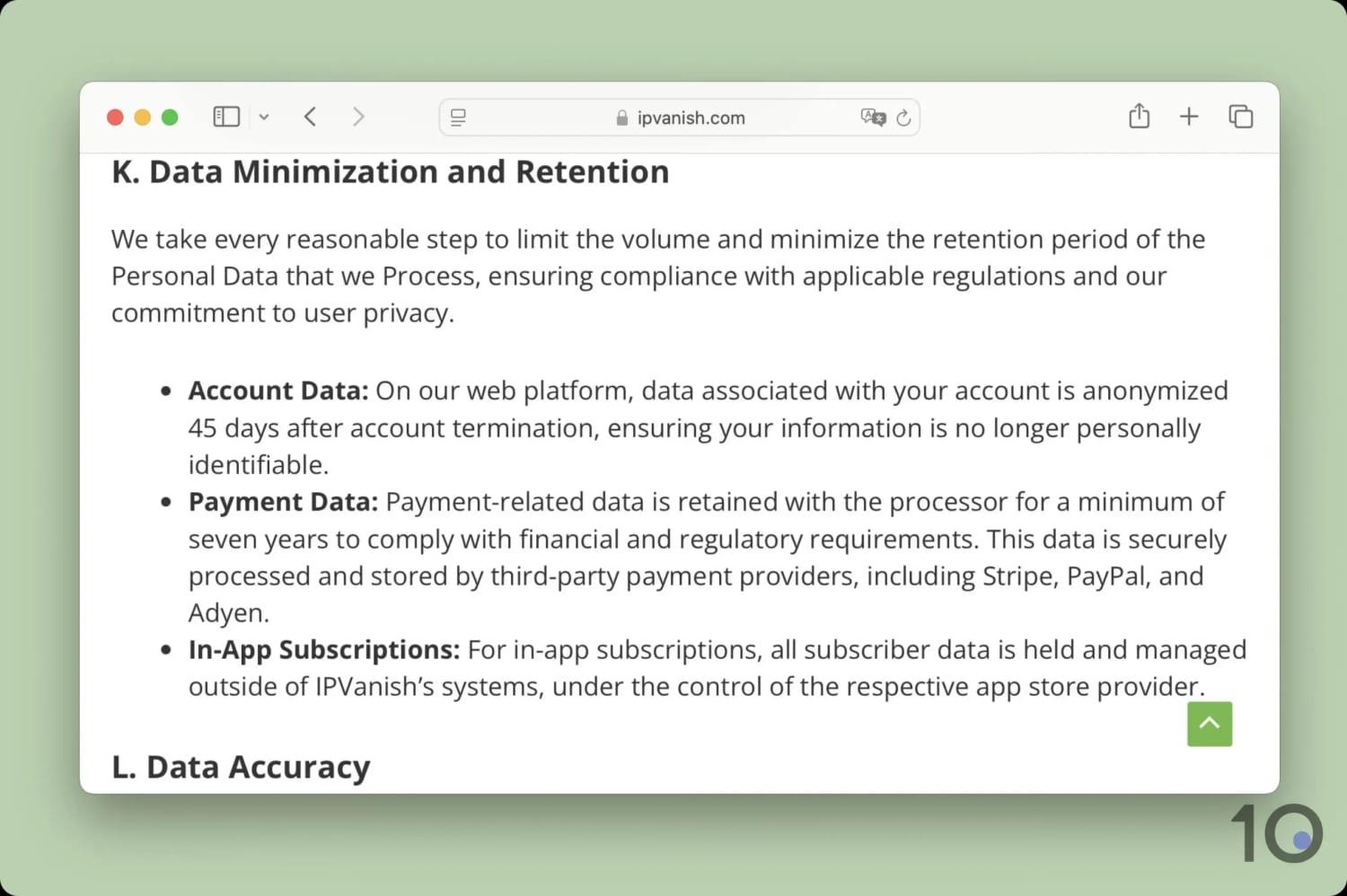
IPVanish goes further than most VPNs to minimize data collected.
Though these claims are backed by an independent audit of its logging policy and regular transparency reports, this isn’t as definitive proof as a court case.
The only instance of this happening actually saw IPVanish hand over user logs to the FBI to aid in a criminal investigation. However, this doesn’t make me trust IPVanish less as it happened almost a decade ago under drastically different ownership.
More recently, the VPN has begun to roll out RAM-only servers, which eliminate any possibility of activity logging by periodically wiping themselves. While this currently only covers 35% of its servers, IPVanish pledges to have a RAM-only network by 2027.
I’d encourage IPVanish to also offer anonymous payment methods (like crypto), which is both good practice and would negate any privacy risk from collecting payment info. However, as things stand, the VPN’s recent track record gives me no reason to doubt its current privacy policy.
Streaming
Ranked #4 out of 59 VPNs for Streaming
After years of inconsistency, IPVanish now unblocks the vast majority of geo-restricted streaming services. I loved using the VPN to stream in 4K quality across a range of devices, including Fire TV, Android TV, and Apple TV. Despite its improvements, it's still not the best for foreign-language streaming services and we'd like to see a Smart DNS proxy added.
| Streaming Service | Works with IPVanish |
|---|---|
| BBC iPlayer (UK) | Yes |
| DAZN (Canada) | Yes |
| Disney+ (UK) | Yes |
| Hulu (US) | Yes |
| ITVX (UK) | Yes |
| HBO Max (US) | Yes |
| Netflix (US) | Yes |
| Netflix (UK) | Yes |
| Prime Video (US) | Yes |
| Sky Go (UK) | Yes |
You can use IPVanish to stream a whole host of geo-restricted content. In fact, I used the VPN to unblock 17 Netflix libraries, including the US, UK, and Japan.
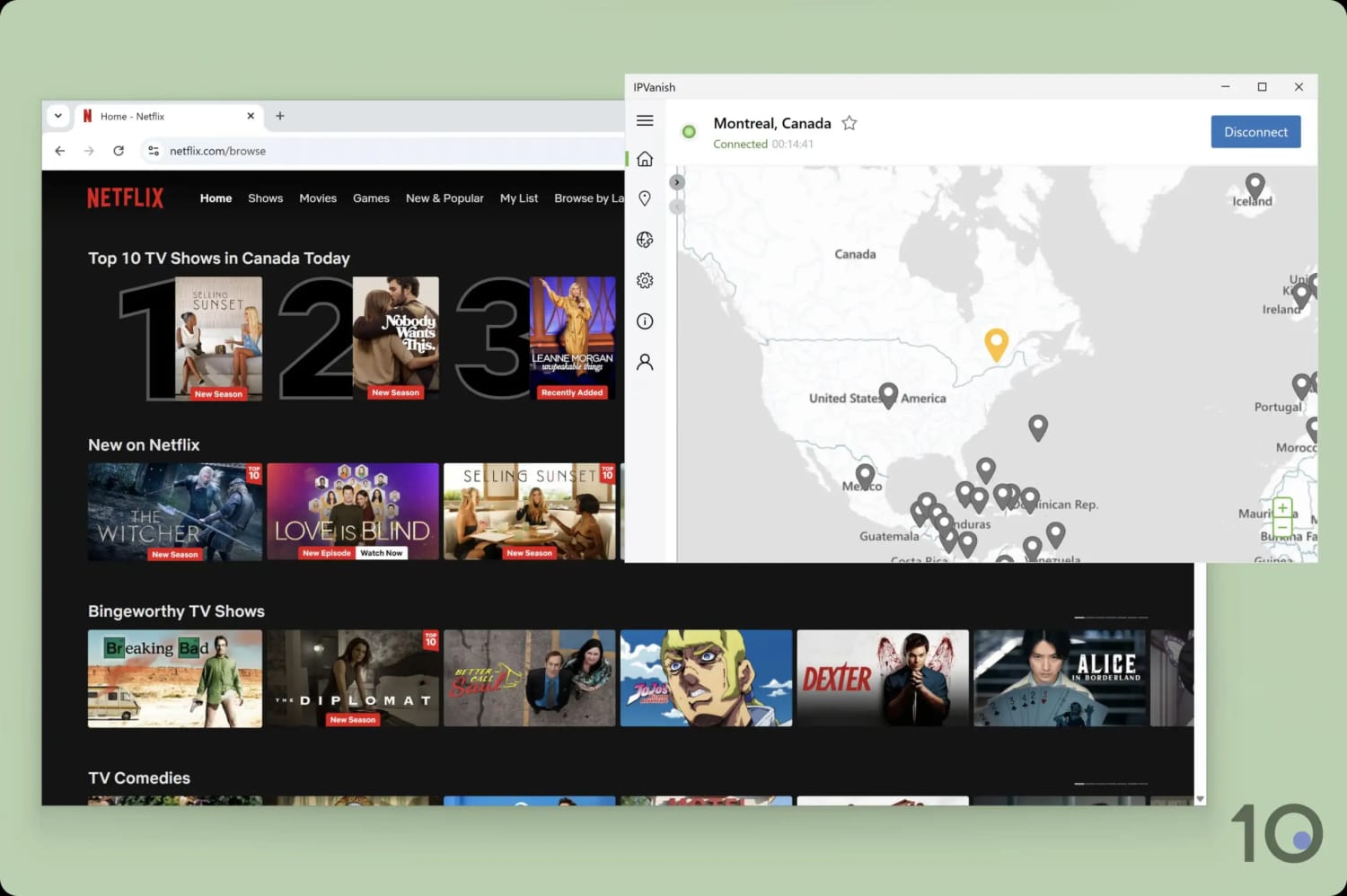
The VPN unblocked popular Netflix libraries, like Canada, with ease.
A real demonstration of the VPN’s consistency came with UK streaming, where it unblocked BBC iPlayer, ITVX, and All 4 with a 100% success rate. Considering IPVanish used to struggle with BBC iPlayer, this is a marked improvement.
The story was similar for streaming locally in the US. All 22 US server locations worked with every streaming service I tested, including harder-to-unblock platforms, like Hulu and Peacock.
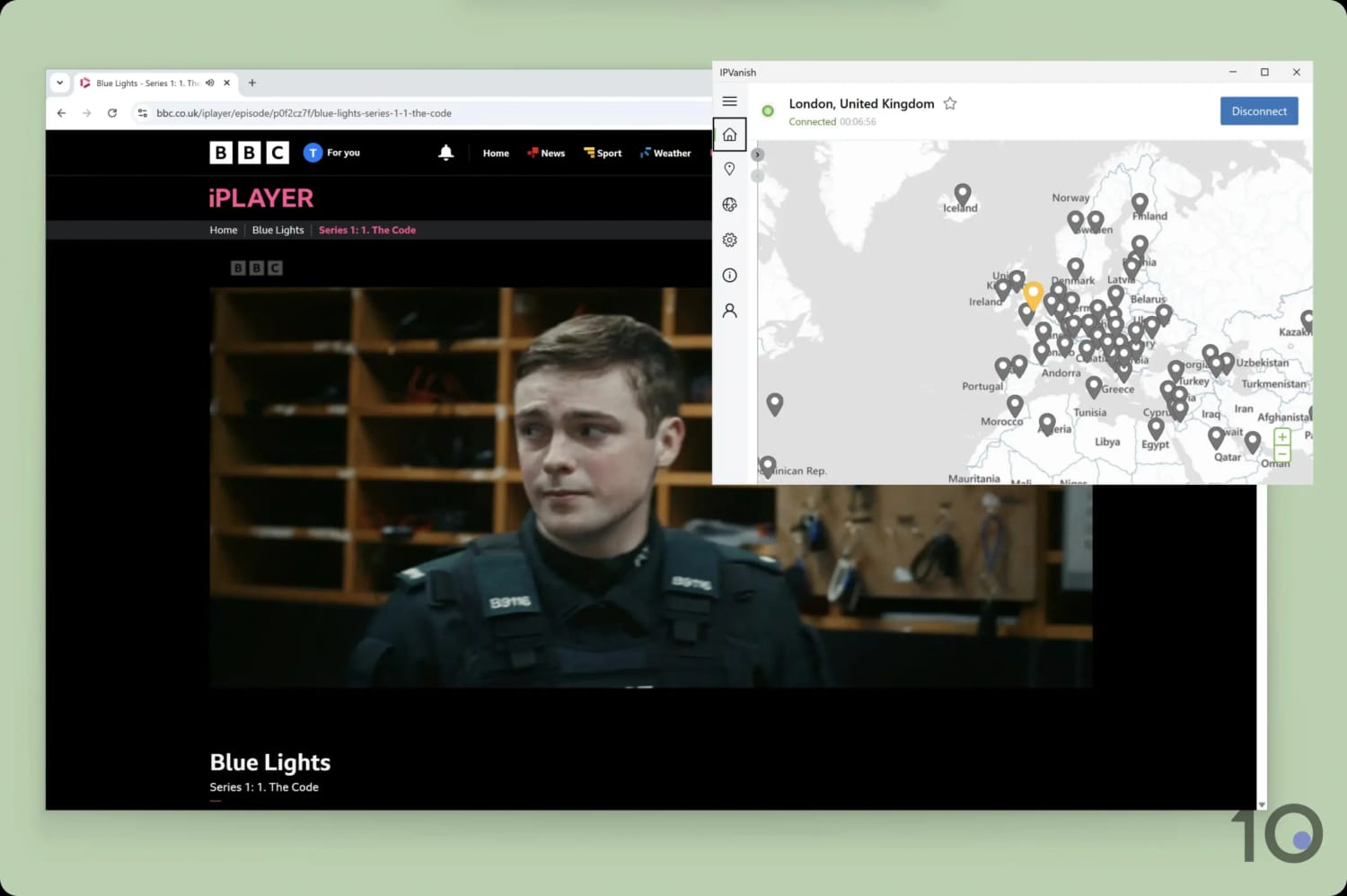
Using IPVanish, I streamed live and on-demand content on BBC iPlayer.
The VPN also continues its reign as my number one pick for streaming on Kodi and IPTV, thanks to its excellent Fire TV app.
There were, of course, some misses elsewhere. Most notably, IPVanish struggled with some foreign-language platforms like Movistar+, Wavve, Videoland, and TV4.
Our user experience was hit-and-miss, too. For instance, I was sometimes blocked from accessing a streaming service due to the VPN defaulting to OpenVPN. To fix this, change the protocol in settings from ‘Automatic’ to ‘WireGuard’.
Speed
Ranked #2 out of 59 VPNs for Speed
Second only to Hotspot Shield, IPVanish is one of the fastest VPNs available due to its WireGuard protocol. Its consistency is unmatched, with an average download speed loss of just 10% across all locations. You can use the VPN for video-calling, online gaming, and streaming from anywhere in the world without issue.
I have no complaints here: IPVanish is the fastest VPN in my top 10.
Not only is it very fast, but it’s stable and reliable, too. I never experienced any sudden drops in download speed or spikes in ping times.
One important caveat is that these speeds are only possible with WireGuard. My internet speed was much slower using OpenVPN, especially when connecting to distant locations like Japan or Australia.
You can use the chart below to see how IPVanish’s international speeds compare to other top VPNs:
As you can see, IPVanish is the best-of-the-best when it comes to consistency across its server network. It is more than fast enough for all your needs.
Low Ping for Online Gaming
While connected to a local IPVanish server, I consistently recorded a ping time of 7ms. This is an excellent result that allows you to play fast-paced online games without any lag.
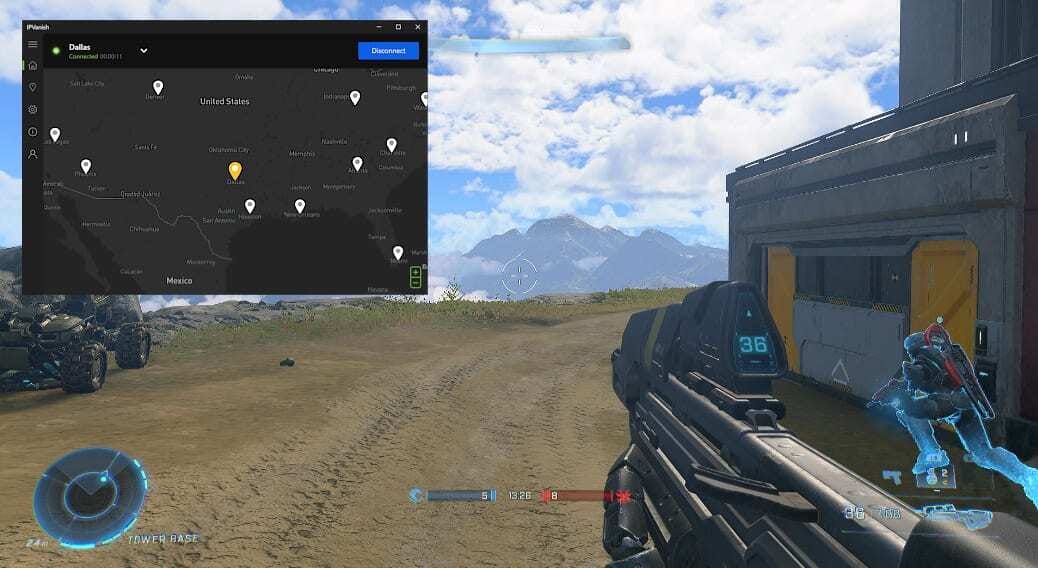
I didn’t experience any lag while connecting to a nearby US server.
On longer-distance connections, I experienced increased ping times and very occasional periods of lag. However, I was still able to play online with minimal disruption and avoid any sudden disconnections.
Security
Ranked #12 out of 59 VPNs for Security
IPVanish does the basics very well: it uses robust encryption, open-source VPN protocols, and prevents DNS leaks. It also includes some nice-to-haves, like IPv6 leak blocking and full server ownership. That said, I want the VPN to go further by auditing its apps, adding post-quantum protection, and making its software open source.
| Independent Audit | No |
|---|---|
| VPN Kill Switch | Yes |
| Leak Protection | Yes |
Depending on your protocol, you can use one of the following encryption ciphers: AES-256 or ChaCha20. I tested both using Wireshark, a packet inspection tool, and confirmed that IPVanish successfully encrypted my network traffic.
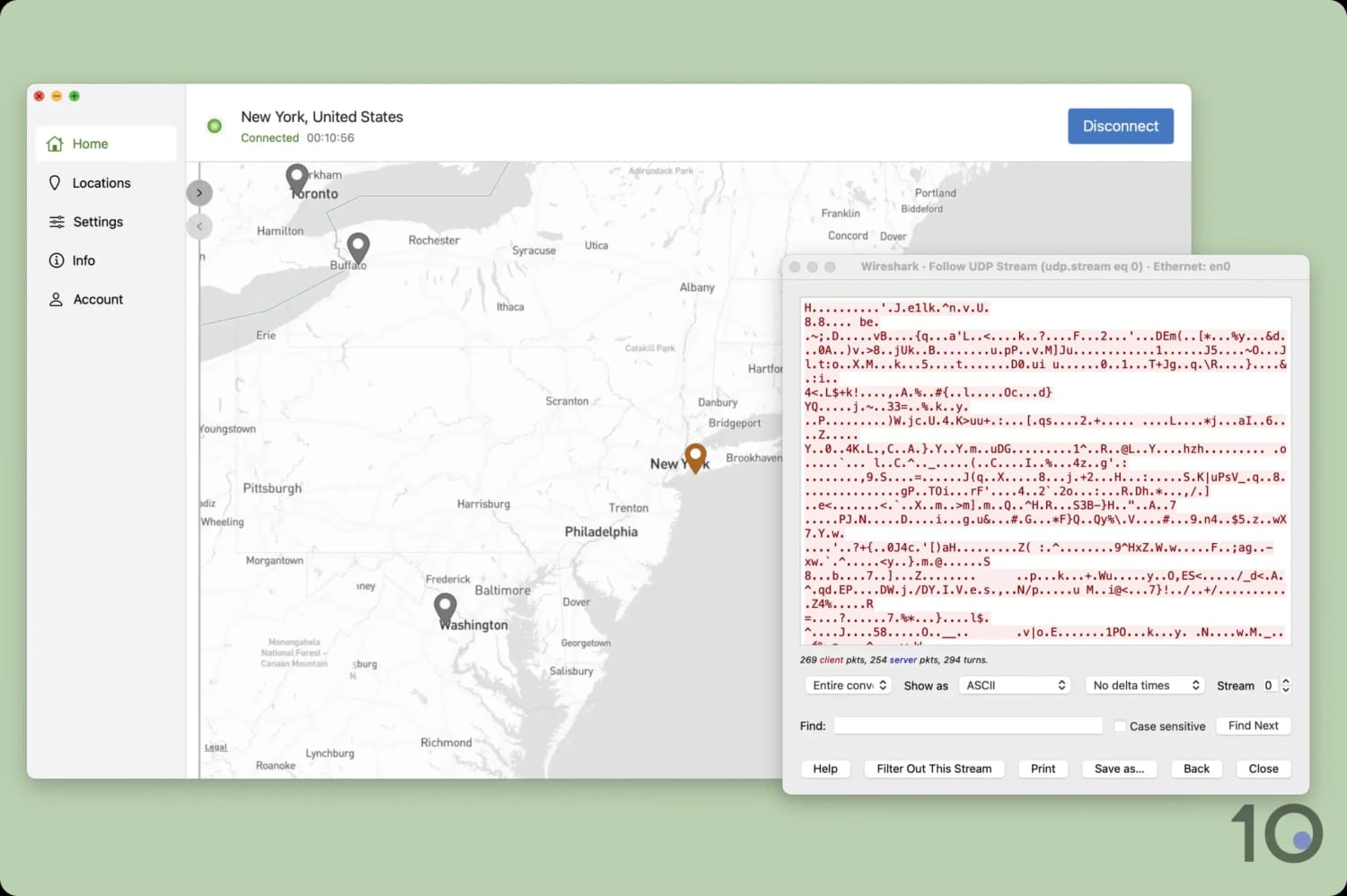
The VPN’s encryption completely concealed my network traffic.
I also tested the VPN’s apps for IP and DNS leaks using our in-house tool. In most cases it worked exactly as intended, but its macOS kill switch failed to prevent my real IP address from leaking during a VPN server change.
I first flagged this over a year ago, so we’re disappointed to see it continuing to affect IPVanish’s apps. While it’s still safe to use the VPN on Mac, I recommend you completely shut down your online activity before switching VPN servers.

I tested IPVanish with our internal leak detection tool.
Beyond its apps, IPVanish’s security infrastructure is up there with the best. It owns and manages its entire server network, including DNS servers, massively reducing the risk of third-party interference.
This is matched by very few VPNs and reassures me that IPVanish keeps personal data sent over the internet safe.
Server Locations
Ranked #7 out of 59 VPNs for Server Locations
IPVanish provides servers in 112 countries, more than most other VPN services. This accommodates every region comfortably, with no noticeable gaps in its server coverage. It has city-level choice in 8 countries, which is more than most, but still less than big-name competitors.
| Continent | Countries with Servers |
|---|---|
| Europe | 44 |
| Asia | 31 |
| North America | 17 |
| South America | 10 |
| Africa | 7 |
| Oceania | 3 |
Compared to its 53 server locations in 2023, IPVanish has effectively doubled its server network in just two years. This ensures you can get an IP address from almost every country in the world.
To put this into context, IPVanish now provides servers in 43 more countries than Windscribe and 62 more than Mullvad.
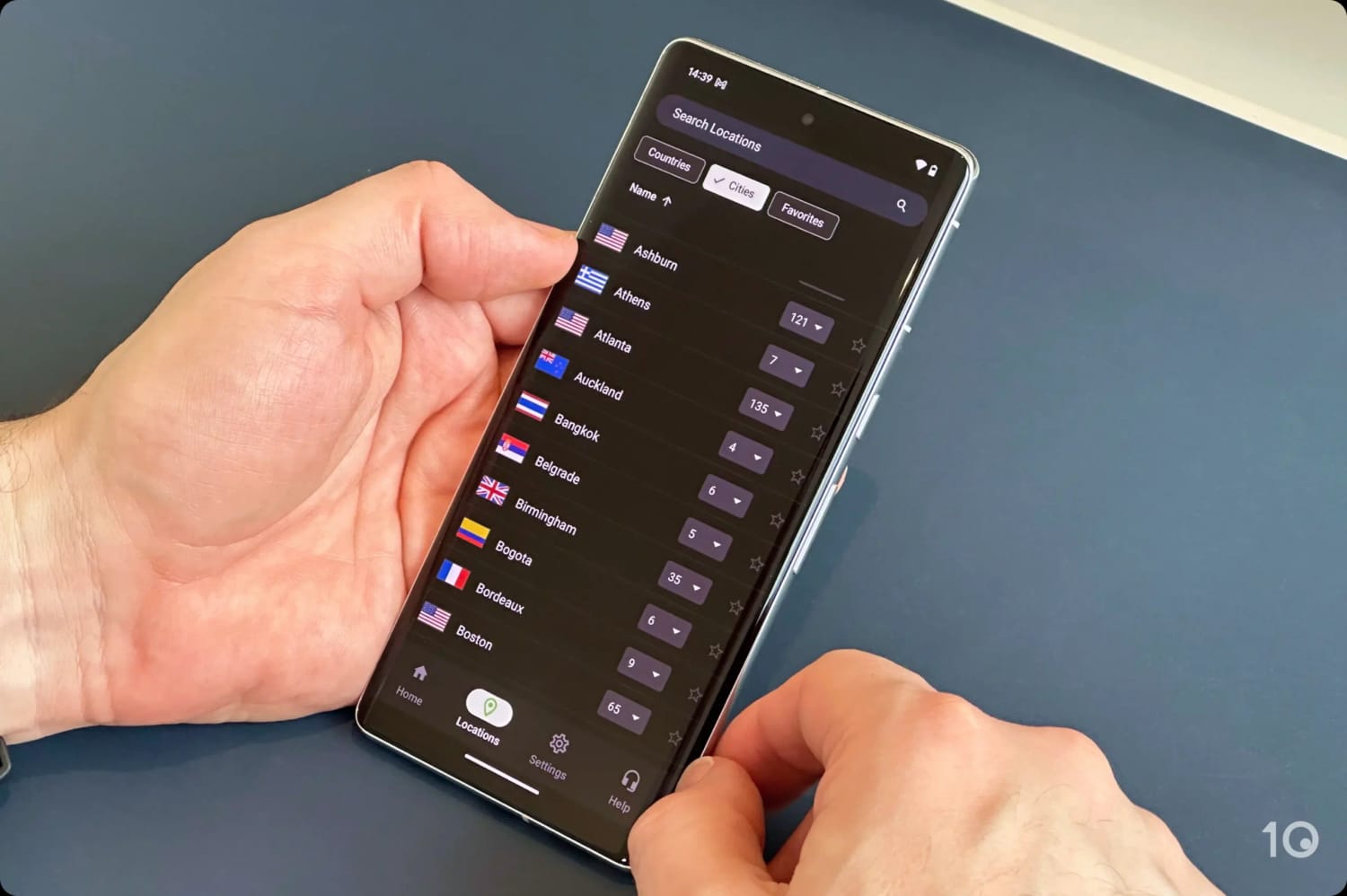
The VPN service offers city-level server choice in 9 countries including the US and the UK. This is useful for accessing geographically restricted content like NBA blackouts, or for connecting to servers close to you for fast speeds.
In the US, IPVanish offers access to endpoints in 19 US states, which is good, but certainly nowhere near as extensive as ExpressVPN’s or PIA’s presence in all 50 US states.
User Experience
Ranked #11 out of 59 VPNs for User Experience
All of IPVanish’s apps are simple to use and include great customization options. That said, I want to see some of the unnecessary clutter on the home screens removed.
Following multiple redesigns, IPVanish’s user experience is better than ever. However, I still have some criticisms of the VPN’s overall look and feel.
I’ve detailed how its apps differ on each major platform below:
Desktop & Laptop (Windows & Mac)

It’s really straightforward to use IPVanish: just click the connect button in the top-right. My only complaint here is how long it takes the VPN to connect to a server, especially compared to its quick download speeds.
Once connected, a status panel appears displaying various metrics and a waveform chart to illustrate bandwidth usage. While this is far less intrusive than IPVanish’s previous user interface, I personally find it really distracting. Thankfully, you can click the arrow in the top-right of the panel to hide it completely.
The other half of the home screen is dominated by an interactive map graphic, which is typical of VPN apps on PC. I prefer the slimmer app interfaces used by VPNs like ExpressVPN, PIA, and Windscribe, which look far better than wider apps, like those from NordVPN and IPVanish.
While this ultimately comes down to personal preference, a more compact UI results in less clutter and displays only the most essential information — leading to a simpler user experience.
Mobile (iPhone & Android)

I was really impressed by the VPN’s mobile apps. In particular, I loved how well-integrated its apps are within their respective operating systems. For instance, IPVanish’s Android kill switch works in-app, whereas most VPNs make you activate it in your phone’s settings.
I also felt the black, white, and green color scheme really suited a mobile screen. I had no issues reading the button labels or using the app in poorly lit areas.
The search function, combined with the option to favorite servers, were also great quality of life features and saved me from endless scrolling.
Streaming Devices (Fire TV, Apple TV & Android TV)

IPVanish’s apps for streaming devices are among the best available, especially on Fire TV.
All of the apps have been designed with the streaming device in mind. To give an example, the app’s pure black background on Android TV makes it perfect for viewing on an OLED screen.
I also found it easy to connect to a server, with the VPN automatically selecting your closest location.
Selecting a specific location was slightly trickier, as its servers are listed alphabetically instead of by continent or popularity. Unless you’ve already favorited the US location, it means you’ll have to scroll towards the end of the alphabet each time.
On Fire TV, the VPN’s kill switch is a separate app. While having to install two apps is annoying, it’s for a good reason. The limited amount of memory available on Fire TV devices means that apps running in the background, such as VPNs, can sometimes be shut down to maintain performance.
Being lightweight, the kill switch app is less likely to be shut down, allowing it to monitor the VPN connection constantly to prevent IP leaks.
You can now also activate the kill switch through the main IPVanish Fire TV app, saving you from having to open both apps.
Torrenting
Ranked #5 out of 59 VPNs for Torrenting
I've torrented with IPVanish for many years, and it has never let me down. A no-logs policy combined with some of the fastest file-sharing speeds on record, make it an exceptional P2P VPN. It doesn't allow port forwarding, though.
| Torrenting Attribute | IPVanish |
|---|---|
| Permits P2P Traffic | Yes |
| Average Download Bitrate | 9.9MiB/s (1% loss) |
| Countries with P2P Servers | 112 |
| Port Forwarding | No |
| Kill Switch | Yes |
| Logging Policy | No Logs |
IPVanish is the joint second fastest VPN for torrenting that I’ve tested, with a less than 1% slowdown. To the human eye, there is no difference in download speed between torrenting with and without the VPN.
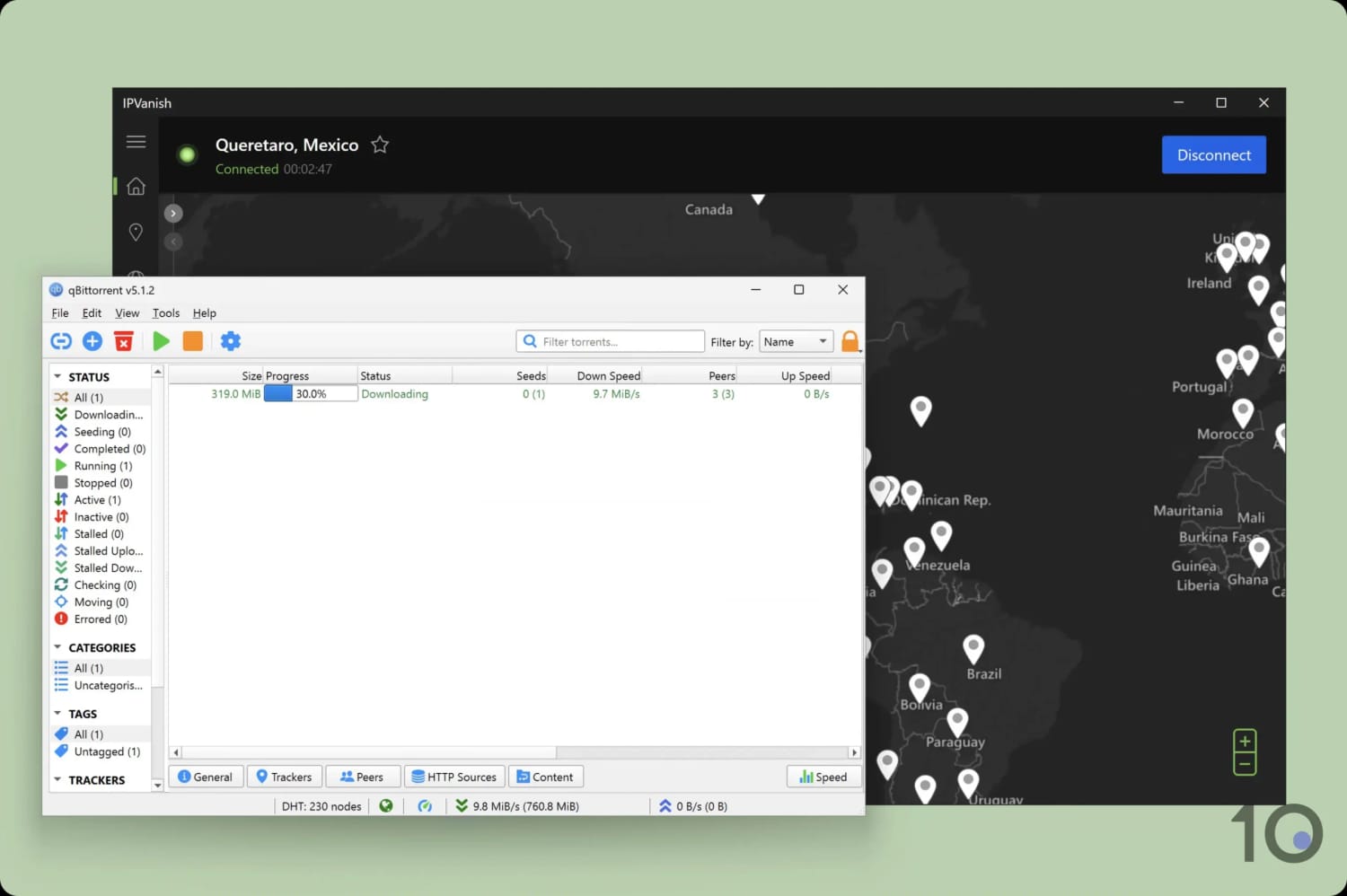
IPVanish is among the fastest P2P VPNs available.
Aside from being very fast, the VPN permits P2P traffic on all of its servers, making setup a breeze. Just connect to any server, and you’re ready to start torrenting.
You can also choose to route your file-sharing traffic through IPVanish’s SOCKS5 proxy. A proxy provides faster speeds at the cost of no encryption, but I don’t recommend this here as IPVanish is already fast enough.
There is one P2P feature missing from IPVanish’s arsenal: a port forwarding tool. Again, this isn’t essential, but it would close the gap on the very best torrenting VPNs.
From an anonymity perspective, I have nothing to criticise. As shown in its transparency reports, the VPN has never forwarded a DMCA request to a user.
Device Compatibility
Ranked #7 out of 59 VPNs for Device Compatibility
IPVanish has custom-made apps for all major platforms and doesn't impose a device limit. It's also developed a unique cloud-based tool for private browsing, called Secure Browser. Having said that, it's missing a router app and Smart DNS proxy.
| Windows | Yes |
|---|---|
| Mac | Yes |
| iOS | Yes |
| Android | Yes |
| Linux | Yes |
| Amazon Fire TV | Yes |
| Android TV | Yes |
| Apple TV | Yes |
| Router | Yes |
| Chrome | No |
Simultaneous Connections: Unlimited
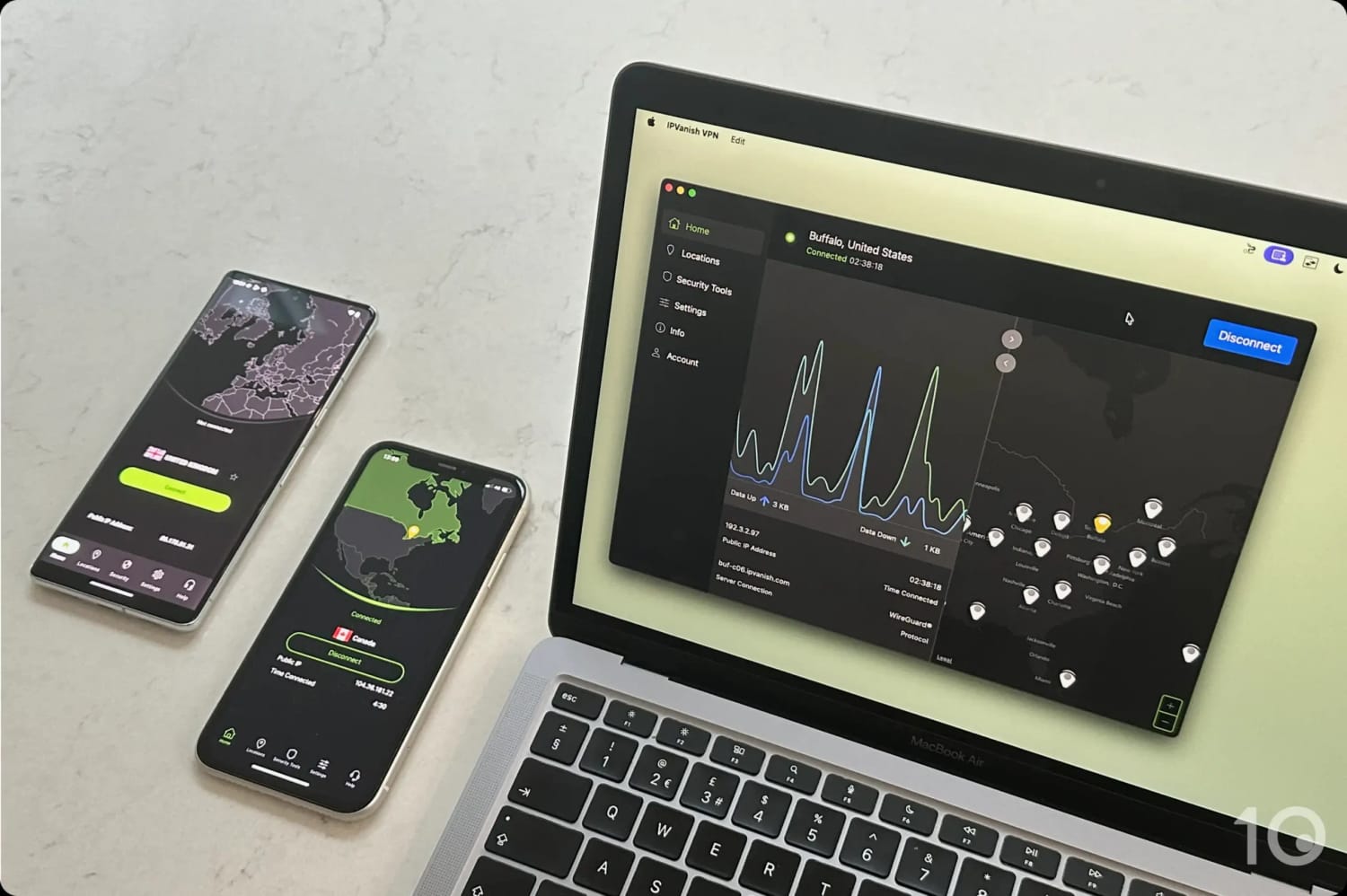
You can use IPVanish on multiple devices at once.
Without a router app or Smart DNS proxy, it’s extremely difficult to use IPVanish on devices that don’t support VPN software (like Smart TV and game consoles).
You’re left with two options: manually install the VPN on your router, or buy a router pre-flashed with an IPVanish server. The former is needlessly difficult, and the latter is very expensive.
IPVanish’s Secure Browser offers a novel alternative to traditional VPN browser extensions.
Instead of running locally, it streams a sandboxed browser from a secure, remote environment. This means your browsing is isolated from your device, protecting you from fingerprinting, malicious links, and session tracking.
It’s best suited for the most privacy-focused users who want extra protection, as Secure Browser can stop malware before it reaches your device, something a regular VPN extension can’t do.
However, it’s only available on the higher subscription tier and limits you to 30 hours per month. During testing, I noticed some lag and occasional grainy video, and it can be a bit annoying having to reactivate it for each new tab.
Overall, it’s an innovative tool, but more of a niche feature rather than a replacement for a standard VPN browser extension.
Additional Features
Ranked #8 out of 59 VPNs for Additional Features
While IPVanish provides slightly fewer features than its competitors, its multi-hop servers are a resounding success. Unlike most VPNs, it also ensures feature consistency across platforms, letting you use its ad blocker, Scramble protocol, and split tunneling tool on all apps.
| Additional Feature | IPVanish |
|---|---|
| Split Tunneling | Yes |
| VPN Obfuscation | Yes |
| Multi-Hop Servers | Yes |
| Dedicated IP | No |
| Ad Blocker | Yes |
Highly-Customizable Multi-Hop Feature
Multi-hop routes your connection through two VPN servers, instead of one, making it harder to monitor your online activity.
I particularly liked that IPVanish lets you choose the entry and exit server locations for your multi-hop connection. This is unlike Surfshark’s or NordVPN’s multi-hop feature which limit you to pre-set server combinations, often close together.
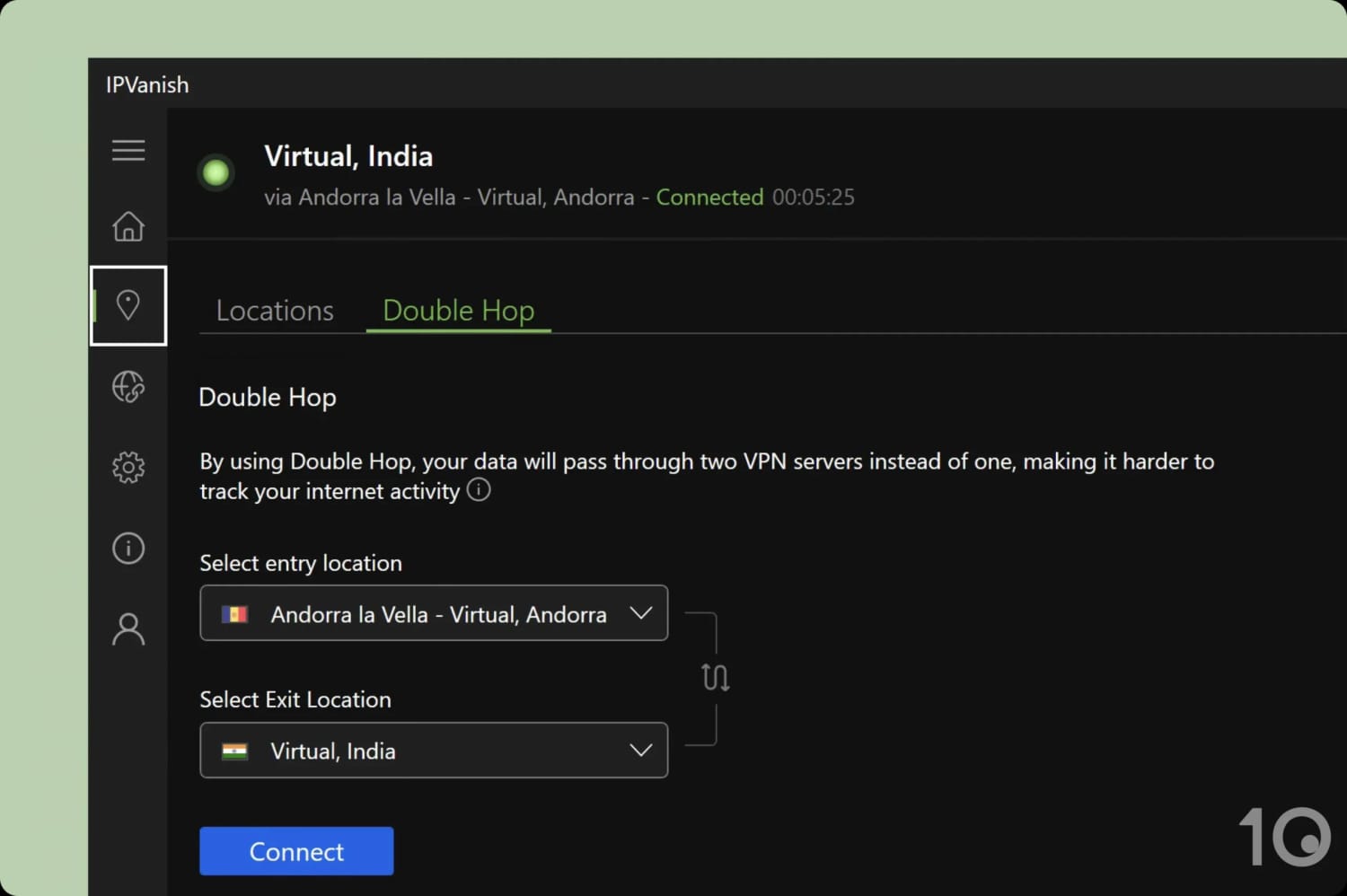
You can combine any of IPVanish’s 112 server locations.
For example, I used IPVanish to route my connection from Andorra to India. This level of customization is unprecedented and really sets the VPN apart.
Threat Protection Works on All Apps
Threat Protection is a feature that blocks ads, trackers, and malicious websites as long as you’re connected to IPVanish. In my experience, it worked well to remove banner and video ads across a variety of webpages.
What impressed me most is its device compatibility: you can use Threat Protection on every IPVanish app. In contrast, many VPNs restrict their ad blockers to Windows and Mac only.
Scramble Protocol Performs Adequately
The VPN provides a dedicated protocol, called Scramble, for bypassing web censorship. It disguises your VPN connection as normal internet traffic to circumvent firewalls and deep packet inspection.
You can use Scramble in several countries where internet access is restricted, but I found that it didn’t work in heavily-censored regions, like China.
Unlike the vast majority of VPNs, IPVanish lets you use its anti-censorship tool on most of its apps. This includes often overlooked platforms like Fire TV, iOS, and Android.
24/7 Customer Support
Through its dedicated live chat, IPVanish offers customer support seven days a week. Unique to the VPN, you can also talk to a support agent over the phone Monday to Friday (9am – 5pm CT).
In general, I found its agents to be helpful and attentive, answering all of my queries and addressing any issues I had with the VPN service.


