



The Bottom Line
Despite recent improvements, Norton VPN remains mid-tier. It spoofs your online location and hides your browsing activity as advertised, but it never feels ‘premium’ because there are too many hidden restrictions and cut corners. For instance, you can only torrent in a handful of locations, its download speeds fluctuate randomly, and it can’t unblock many international streaming services. Put simply, there are better VPNs available.
7.8/10 7.0/10 5.4/10 8.7/10 8.1/10 6.6/10 8.3/10 7.0/10 6.2/10
- Works with US Netflix, HBO Max & more
- WireGuard & post-quantum encryption (PQE)
- Fast speeds over longer distances
- Simple & user-friendly apps
- VPN servers in 103 countries
- 60-day money-back guarantee
- Logs some connection data
- Poor for international streaming services
- No Smart DNS or router support
- Torrenting restricted to five server locations
- Inconsistent speed test results
- Multi-hop uses insecure IPsec protocol
Norton VPN is included with every Norton 360 subscription, which is the company’s all-in-one security software suite. You can use the VPN through this package, or via a dedicated standalone app.
If you have the choice, the standalone app is superior as it includes more server locations, lets you choose your protocol, and supports more VPN features (like multi-hop).
But the honest truth is you shouldn’t install either version. There isn’t anything it does terribly wrong, especially now that it’s stopped logging IPs, but you never feel as though you’re getting your money’s worth.
Compared to household names like ExpressVPN and NordVPN, Norton is frustratingly limited. Only allowing torrenting in five locations feels arbitrary, and its unpredictable download speeds make streaming challenging.
These pain-points became increasingly hard to ignore the more I used Norton day to day, and ultimately convinced me to stop using the service.
Even if you’re already paying for Norton 360, subscribing to an affordable VPN like Surfshark is the sensible choice. Unlike Norton, Surfshark is a top-tier VPN optimized for streaming, torrenting, and gaming, with better value for money at $2.49 a month.
🔄 Key Updates
I’ve overhauled my review to reflect the major improvements made to Norton VPN. This includes updated analysis of its new privacy policy, security features, and expanded server network.
Pricing Plans
$$$$| 12 months | $39.96 ($3.33/mo) |
|---|
Free Trial Options
| Money-Back Guarantee | 60 days |
|---|---|
| Free Trial | 7 days (mobile only) |
| 100% Free Plan | No |
Privacy
We calculated this rating by examining the VPN's logging policy, jurisdiction, ownership, and privacy features. We also evaluated its history of handling user data and responding to legal requests.
Ranked #32 out of 59 VPNs for Privacy
Norton VPN doesn't log enough data to identify you, which is a massive improvement on its old policy. However, its US jurisdiction, lack of real-world proof, and history of IP logging make me reluctant to declare it a privacy-friendly VPN.
| Originating IP Address | No |
|---|---|
| Browsing Activity | No |
| Individual Connection Timestamps | No |
| Date of Last Connection | No |
| VPN Server IP | No |
| Device Information | Yes |
| Individual Bandwidth Usage | Yes |
| Account Information | Yes |
| Jurisdiction | US (Five Eyes Member) |
|---|---|
| Privacy Policy | No Identifiable Data |
| Transparency Reports | Yes |
| Diskless Servers | No |
| Anonymous Payment Options | No |
You can read Norton VPN's full privacy policy on its website.
Norton VPN’s reworked privacy policy is a major improvement.
It now clearly lays out everything the VPN collects, how long it’s retained for, and the reasons for doing so. Crucially, the VPN no longer logs your real IP address, making it much harder to identify you.
That said, it’s still not a ‘no-logs’ policy and some of the logging is questionable. For instance, I’m not a fan of Norton monitoring your connections to the VPN and the server location you’re connecting to.
This data can’t be linked to you because Norton doesn’t record the exact time of your connection. However, when combined with other information a third party may have about you (e.g. your ISP’s record of when you went online), it could be used to build a profile of you.
I also discovered that Norton VPN actively shares your usage data with third parties, like Google Firebase, to “improve user experience”. Thankfully, this can be disabled by turning off the toggle in the privacy settings of your Norton VPN app.
It’s not just the data processing that troubles me, but the lack of third-party proof. Norton’s privacy policy has passed an audit, but this isn’t foolproof given VPN services can limit the scope of an audit.
Until I see real-world proof of Norton’s claims, like a server seizure or court case, I can’t be certain its privacy policy holds up.
Based in the US
Norton VPN is based in the United States, which is among the worst locations for user privacy. The US has very intrusive surveillance laws and is a member of the Five Eyes international intelligence-sharing alliance.
For example, the Stored Communications Act (SCA) requires Norton to hand over all the information it stores on a user if requested by the US government.
Given I’m still not completely convinced by Norton’s privacy policy, it’s safer to choose a VPN with a proven no-logs track record like Private Internet Access.
Streaming
We calculated this rating by identifying which streaming services the VPN could unblock and measuring how consistently it could access them.
Ranked #13 out of 59 VPNs for Streaming
Norton VPN is a serviceable VPN for streaming. It works to unblock major US and UK streaming services like Hulu, BBC iPlayer, and the Netflix libraries of both countries. However, it doesn’t work with many other international Netflix regions or less popular foreign-language streaming platforms.
| Streaming Service | Works with Norton VPN |
|---|---|
| BBC iPlayer (UK) | Yes |
| DAZN (Canada) | No |
| Disney+ (UK) | Yes |
| Hulu (US) | Yes |
| ITVX (UK) | Yes |
| HBO Max (US) | Yes |
| Netflix (US) | Yes |
| Netflix (UK) | Yes |
| Prime Video (US) | Yes |
| Sky Go (UK) | No |
Norton VPN has improved month-on-month in my streaming tests. Norton now unblocks 6 Netflix regions: Australia, Brazil, Canada, Mexico, UK, and US.
In my experience, the VPN unblocks US Netflix with a 50% success rate. While that’s lower than my top-rated VPNs manage, it’s still a decent return.
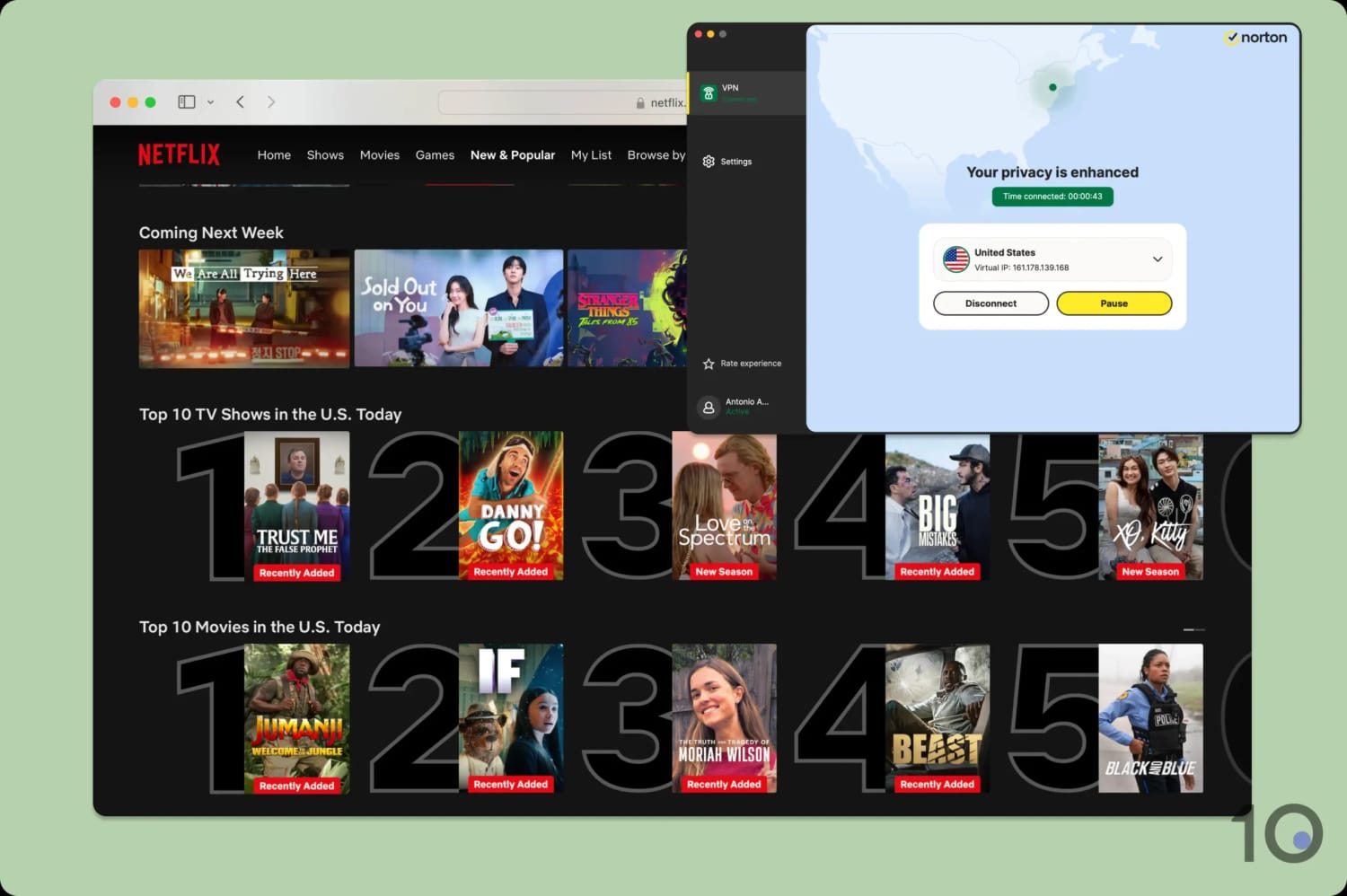
Norton VPN often works with US Netflix on the second attempt.
These results are broadly representative of Norton VPN’s overall streaming performance, with its strongest performance on English-language platforms.
While connected to a US server, I streamed Hulu, Amazon Prime Video, and HBO Max from overseas without any issues. I put this success down to Norton VPN’s large US server network, which covers 19 states.
This lets you cycle through different US IP addresses until one works and enables you to bypass state-level geo-restrictions. For example, I connected to a Norton server in California while physically in New York to stream a California sports broadcast.
I had moderate success with UK streaming services too. The VPN worked with ITVX, Disney+, Channel 4, and, to my surprise, BBC iPlayer.
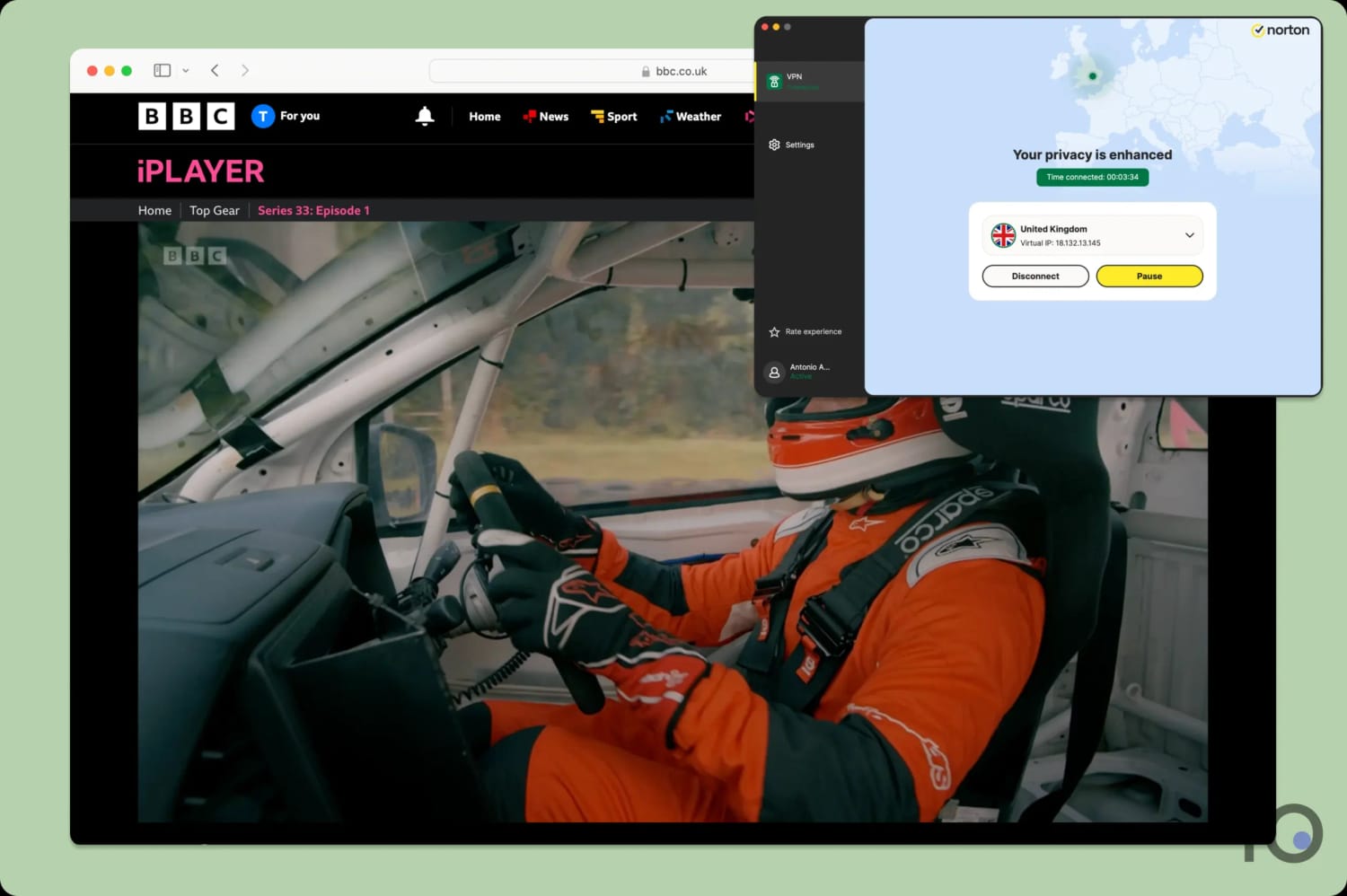
Norton VPN unblocked BBC iPlayer on all five of its UK server locations.
That’s the limit of its UK unblocking ability, as I found myself blocked from Now TV, Sky Go, and the UK version of HBO Max.
If you want to access content catalogs from any other countries, the VPN performs miserably. I received numerous error codes, or was unable to log in, when attempting to stream titles in Australia, Italy, France, Japan, and many others.
Even when I could access platforms in these countries, like Australian Netflix, my stream took ages to load and was often blurry.
For consistent international access, I suggest using Windscribe. It unblocks the most Netflix libraries of any VPN I test, as well as a wide array of foreign-language platforms.
Speed
We calculated this rating using our proprietary tests of download, upload, and ping speeds across servers in 10 countries.
Ranked #39 out of 59 VPNs for Speed
Overall, Norton VPN is a fast VPN, but its performance is inconsistent. It’s especially quick on long-distance connections, even outperforming big names like NordVPN and ExpressVPN, but it doesn’t do as well over shorter distances. This asymmetry is unusual and means your download speed may vary significantly depending on your physical location.
These results can be confusing, but the general trend is a positive one. Norton VPN never decreased my download speed by more than 20%, across every location that I test. That included connections to VPN servers in Australia and South Africa.
On a nearby New York server, my download speed dropped by 10%. In isolation, this is a good result, but it becomes somewhat anomalous when you compare it to a speed loss of just 4% in Brazil and Canada.
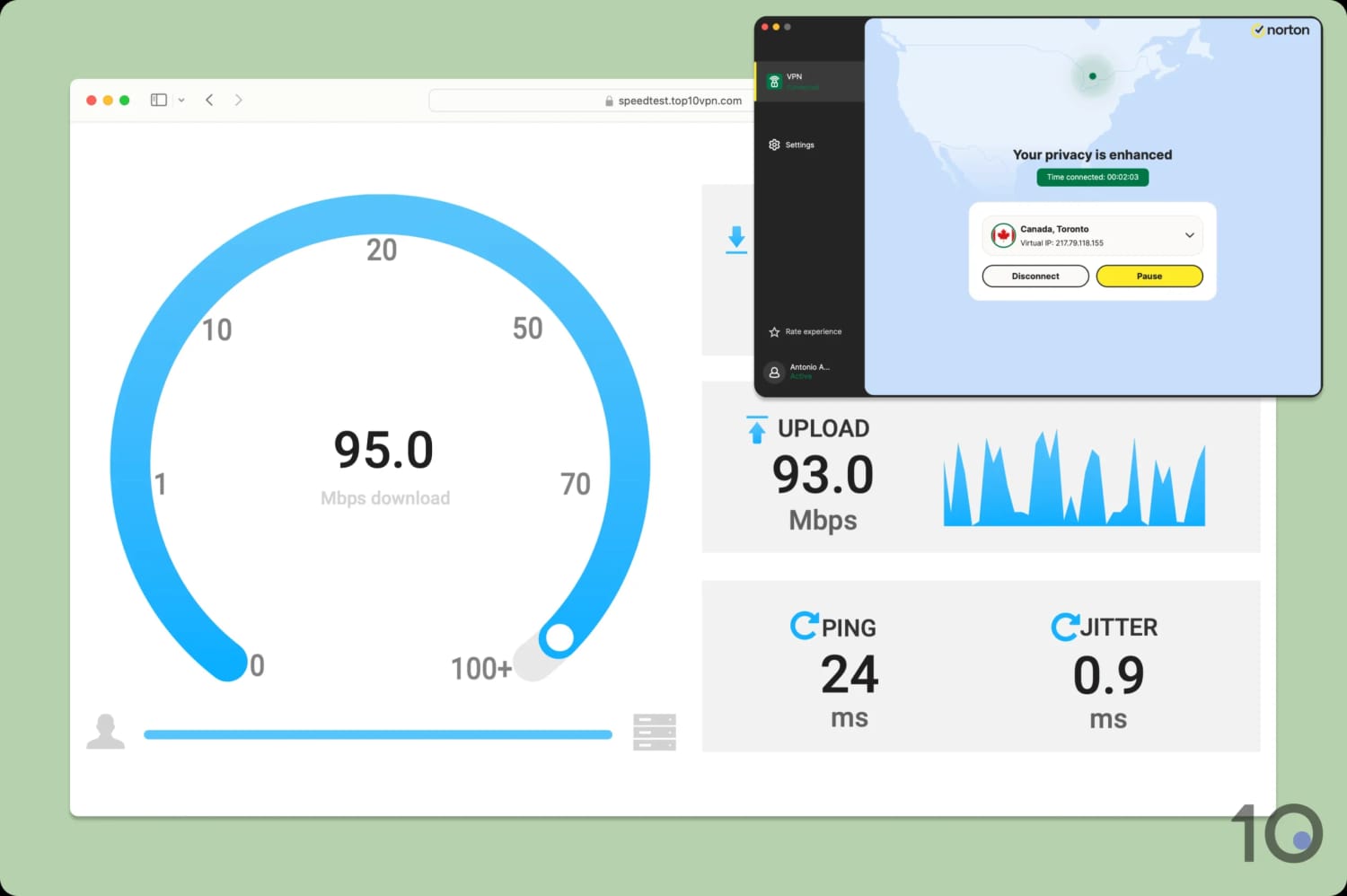
Connecting to a VPN server in Canada delivered faster speeds than a server in nearby New York.
It’s odd that more distant servers were faster than my closest on. This randomness ultimately makes Norton VPN a poor choice if you need a consistent internet connection.
Security
We calculated this rating by testing the VPN's security protocols, encryption, leak protection, and kill switch reliability. We also assessed the provider's track record and any past security incidents.
Ranked #12 out of 59 VPNs for Security
Norton VPN is safe to use from an encryption and security standpoint. In fact, it has made huge technical improvements in recent years. It has overcome past issues with DNS and IP address leaks, and it now includes post-quantum encryption (PQE) in its self-developed Mimic protocol.
| Independent Audit | Yes |
|---|---|
| VPN Kill Switch | Yes |
| Leak Protection | Yes |
| OpenVPN (TCP/UDP) | Yes |
|---|---|
| Proprietary | Yes |
| WireGuard | Yes |
| ChaCha20 | Yes |
| AES-256 | Yes |
| Post-Quantum Cryptography | Yes |
Norton VPN now supports WireGuard in all of its apps. This is a secure and widely used VPN protocol that you can trust with your personal data.
WireGuard tunnels your web traffic and the ChaCha20-Poly1305 cipher encrypts it. I tested this first-hand by running my VPN connection through a data packet analyzer:
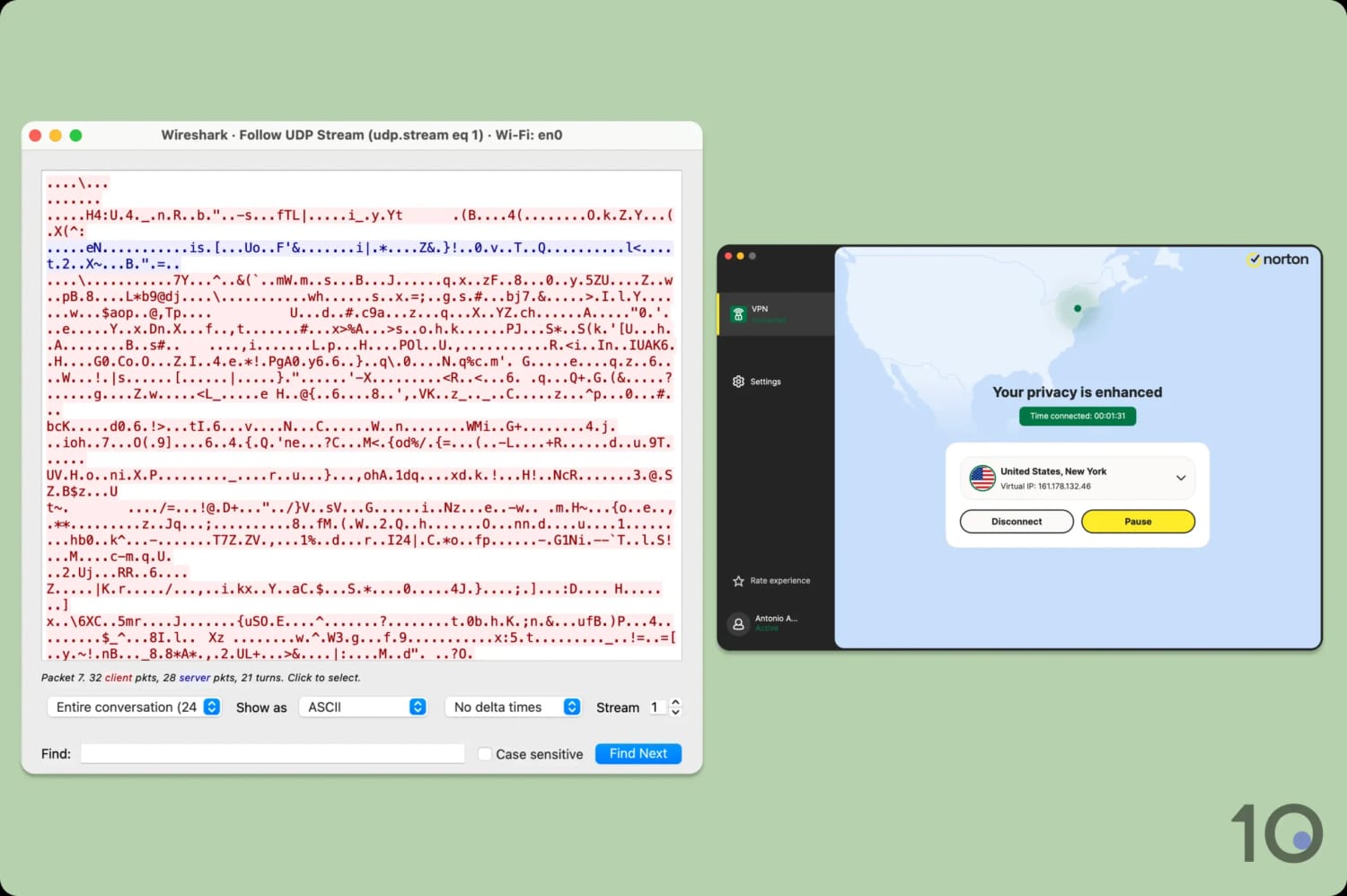
I used Wireshark to inspect my Norton VPN traffic.
As shown in the image above, the VPN encrypted my online activity and Wireshark showed it only as unreadable data.
You can also use Norton’s custom-built Mimic protocol, which bypasses censorship by disguising your VPN traffic as standard web traffic.
It’s closed-source, meaning I can’t verify its security, but the protocol has been thoroughly audited by VerSprite (a reputable cybersecurity company).
Its audit confirmed Mimic is safe to use and that it incorporates post-quantum encryption. This is an excellent addition that very few VPNs offer, and is essential for protecting against ‘Store Now, Decrypt Later’ cyber attacks.
As part of my security analysis, I also tested for IP, DNS, and WebRTC leaks. Norton VPN passed every test, which is great to see given its past DNS and IP leaks.
I checked to see if its VPN kill switch worked properly following an unexpected disconnection. As it has done for some time now, the kill switch activated, cut my internet, and stopped my data from leaking.
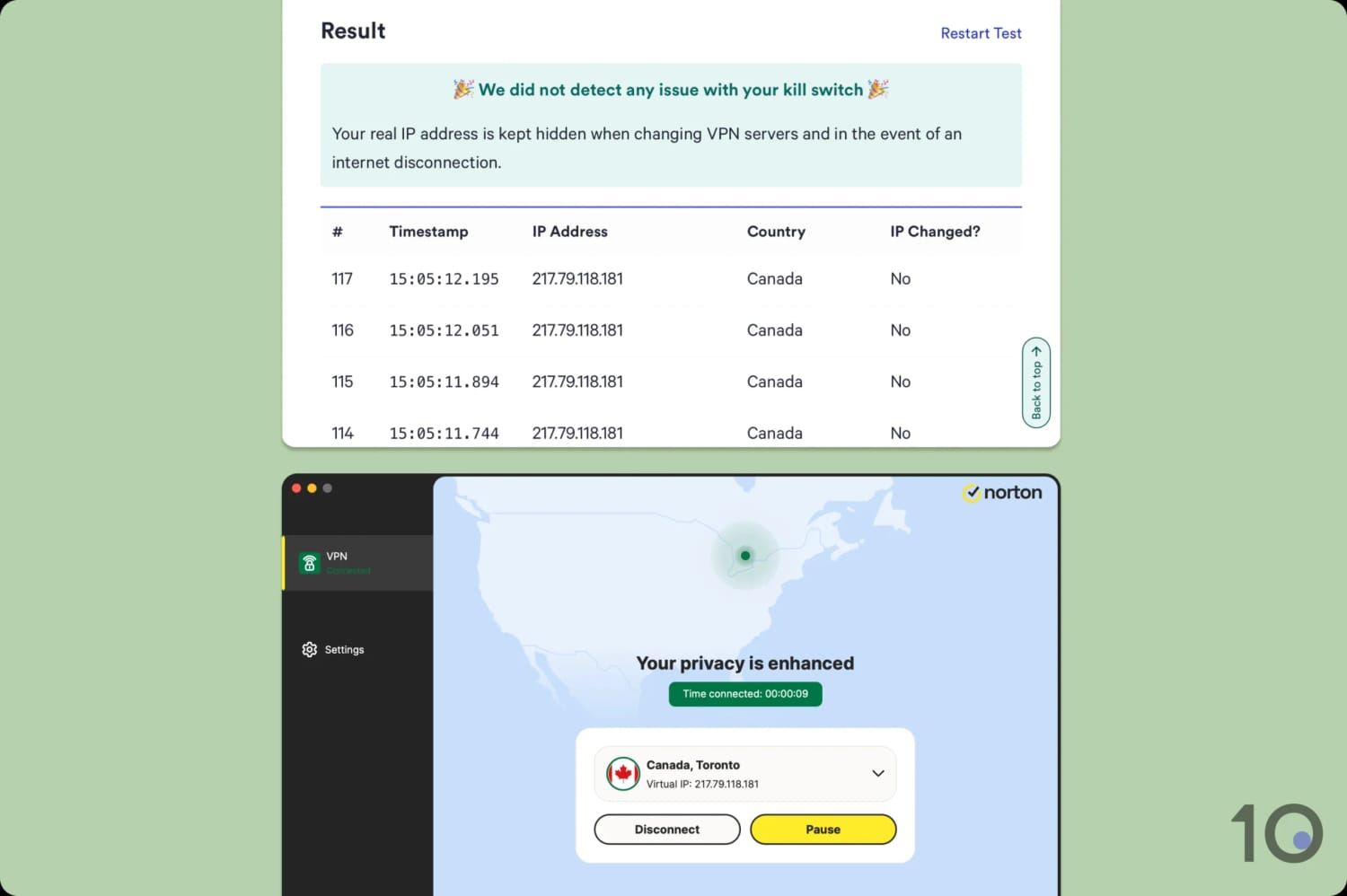
Norton VPN has fixed its earlier kill switch issues.
To build on these improvements, Norton needs to make its VPN apps’ source code public. While it has already undergone multiple audits, making the apps open source would allow the entire cybersecurity community to inspect them.
In turn, this would enable vulnerabilities to be spotted sooner and fixed much faster, improving the VPN’s overall security.
Server Locations
We calculated this rating by assessing the number of countries and cities available, their geographic spread, and availability in popular regions.
Ranked #8 out of 59 VPNs for Server Locations
Following an expansion, Norton VPN now provides servers in 103 countries, with city-level options available in eight of them. This matches the 100+ countries offered by the biggest VPNs and ensures you'll always have a server close by.
| Continent | Countries with Servers |
|---|---|
| Europe | 42 |
| Asia | 30 |
| Africa | 13 |
| North America | 9 |
| South America | 6 |
| Oceania | 3 |
I can’t emphasize enough how much Norton VPN has improved its server coverage. It now has 10 times as many server locations in Asia, ans has added several in Europe, the Americas, and Africa.
This fixes an imbalance in its old network, when 66% of Norton’s servers were concentrated in Europe. I’m pleased to see its servers dispersed over a much wider area now.
I’m splitting hairs here, but I’d like to see servers added to Guatemala, the Dominican Republic, and sub-Saharan Africa generally.
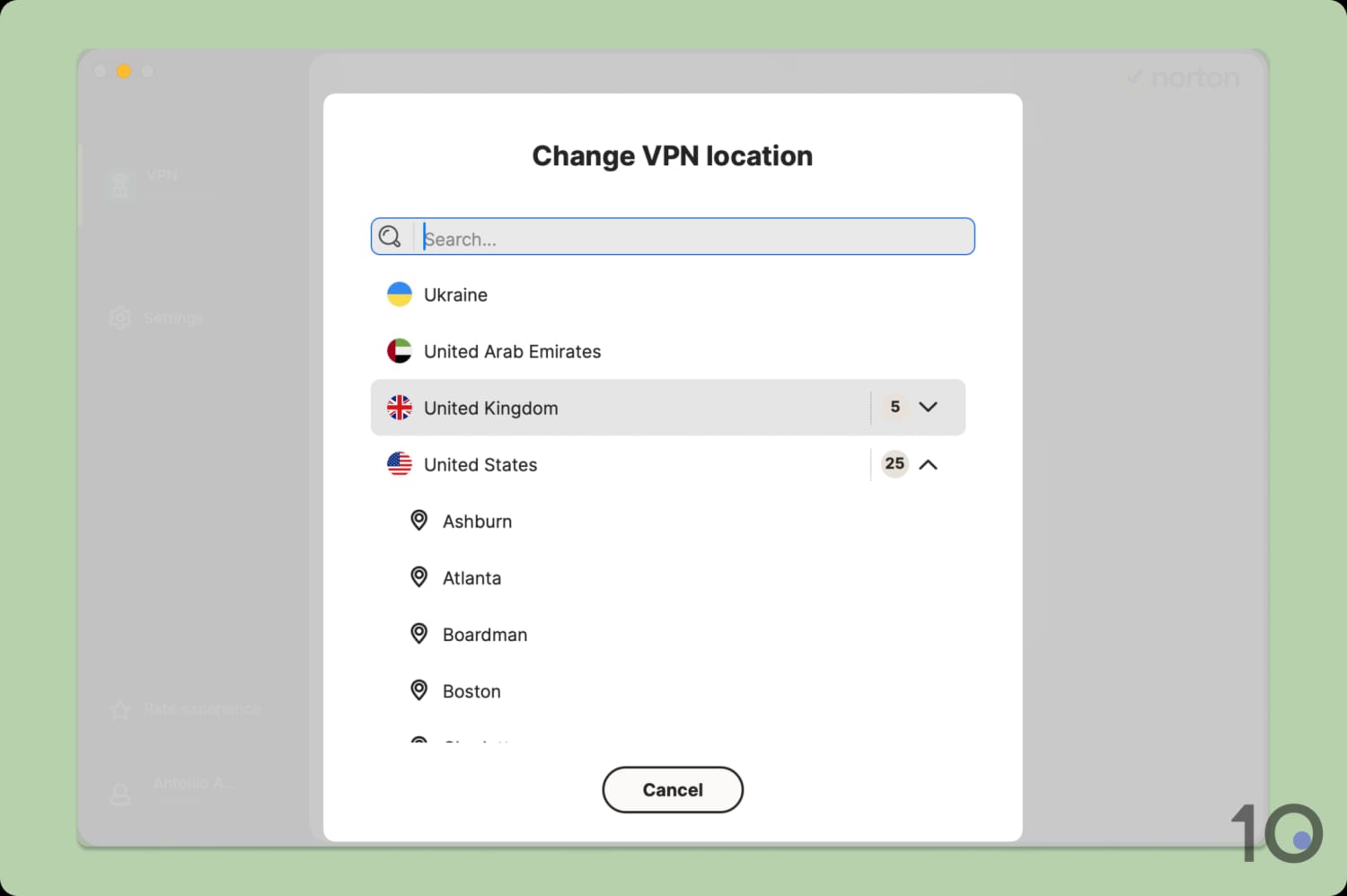
A selection of Norton VPN’s server locations.
The other noteworthy improvement is the addition of city-level choice in eight countries, including Australia, the UK, and the US. This is useful for watching local news and getting around sports blackouts.
Norton VPN has also confirmed that every server is physically located where it says it is. In other words, it doesn’t use virtual servers, which are often hosted elsewhere.
The advantage of Norton’s all-physical server network is faster speeds, since you’re really connecting to the location it claims. The disadvantage is that it can’t provide IP addresses in countries where hosting a VPN server is unwise, like China and Russia.
User Experience
We calculated this rating by assessing the VPN’s ease of use, interface design, and setup process across multiple platforms.
Ranked #9 out of 59 VPNs for User Experience
Norton VPN is easy to use on all platforms: its apps are simple and familiar, making them accessible regardless of your experience level. However, I'd like to see more features added to its iOS app.
Norton’s apps maintain visual parity across platforms, with the signature Norton yellow color for action buttons, a soft map gradient, and crisp white cards in the foreground. All in all, I find the apps modern, pleasant, and easy to follow.
Here’s how I found using the apps across each operating system:
Desktop & Laptop (Windows & Mac)
Norton VPN’s desktop apps are near-identical, featuring a white box containing all the most important elements overlaid on the world map. This approach is streamlined and user-friendly, without any clutter.

Clicking the connect button instantly activates the VPN, with the map automatically updating to your target location. You then have the choice to pause, disconnect, or refresh your connection (the latter assigns a new IP address).
I found this process frictionless.
My main criticism of the design is the huge app window, which you can’t resize and is especially large on Windows. In my opinion, a slimmer window, like ExpressVPN’s, is far less obtrusive.
The rest of my feedback concerns functionality. I didn’t like having to manually select a P2P-optimized server: all servers should work for torrenting by default.
I also didn’t appreciate the pause button taking up far more space than the disconnect button. Often in testing, I accidentally clicked the former, which became increasingly irritating.
Mobile (iPhone & Android)
Norton VPN’s mobile apps have significantly improved. They now mirror the desktop apps, with the same clean, well-designed interface.

Both apps offer a widget, which you can add to your home screen for quicker connections and disconnections.
The Android app deserves particular praise as it achieves near-total feature parity with its desktop counterparts. That includes PQE, a toggleable kill switch, and P2P-optimized servers.
My only issue is that its background map is much larger than on the other apps, which I found quite distracting. Thankfully, it reduces in size once you connect to a server.
The iPhone app is far less stripped-back than it used to be, but it still has the fewest features of all the Norton VPN apps.
There’s no PQE or split tunneling, and the app defaults to IPsec. I recommend switching to WireGuard immediately, which also unlocks the kill switch toggle.
Torrenting
We calculated this rating by assessing the VPN's torrenting features, including P2P servers and port forwarding support. We also evaluated its average bitrate and stance on file-sharing.
Ranked #22 out of 59 VPNs for Torrenting
I don’t recommend Norton VPN for torrenting. Although it's fast enough, the VPN collects too much connection data and only allows torrenting in five server locations.
| Torrenting Attribute | Norton VPN |
|---|---|
| Permits P2P Traffic | Yes |
| Average Download Bitrate | 9.2MiB/s (8% loss) |
| Countries with P2P Servers | 5 |
| Port Forwarding | No |
| Kill Switch | Yes |
| Logging Policy | No Identifiable Data |
Norton VPN originally blocked torrenting activity on all servers except the Netherlands, but has since added four more locations: Australia, Japan, Spain, and the US.
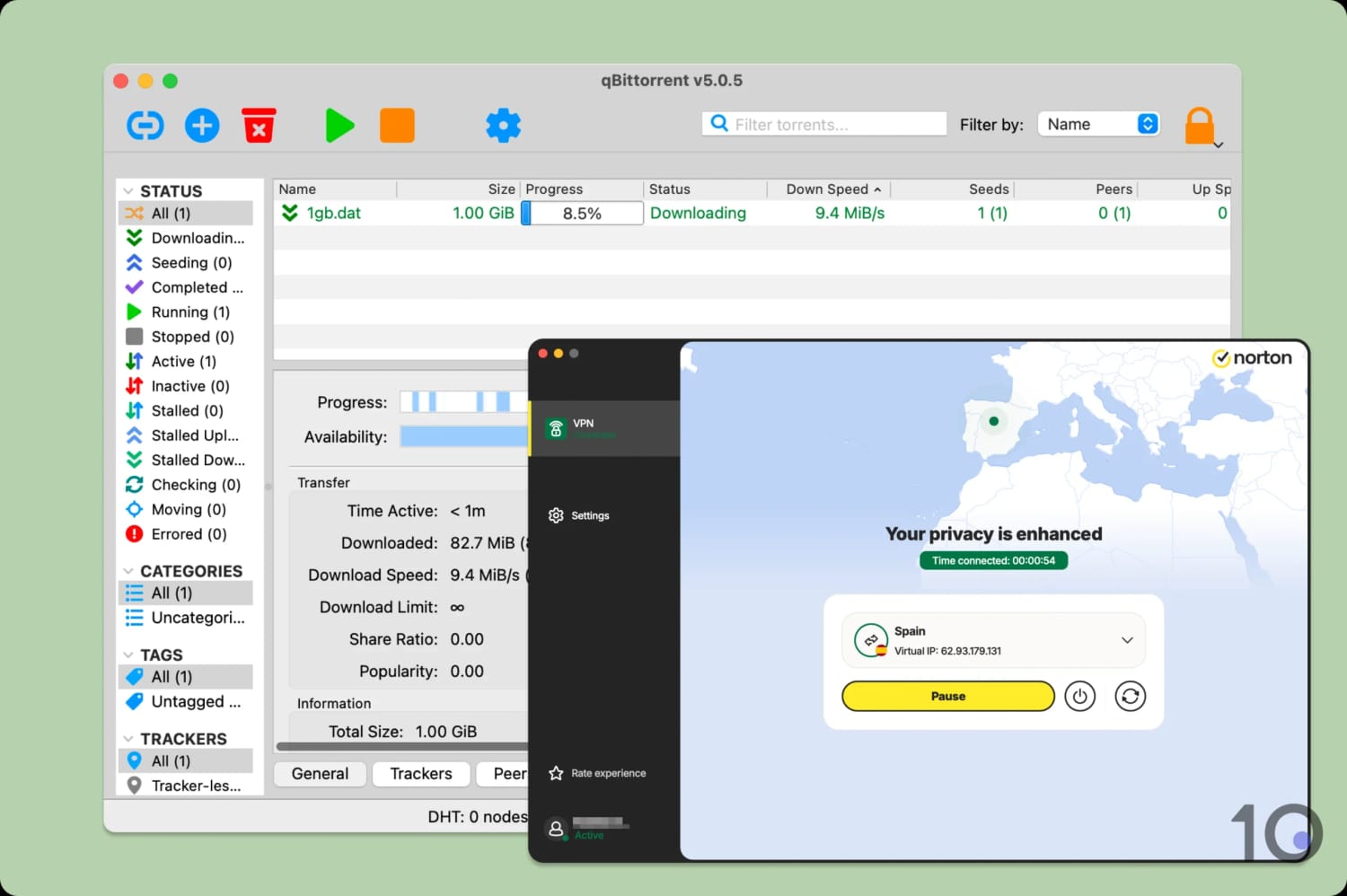
Norton VPN delivers fast file-sharing speeds as long as you’re near a P2P server.
To access these servers, go into your connection settings and find ‘P2P-Optimized Region’. Attempting to torrent while connected to a standard server causes the app to block your download.
This is still highly restrictive, especially compared to VPNs like Surfshark and IPVanish that don’t impose any limits on torrenting.
At the very least, I’d like to see more P2P server locations added to the Southern Hemisphere and more options in Europe.
If you’re lucky enough to be located near one of its P2P servers, then the download speed is very fast. In my experience, the torrent files downloaded almost as quickly as on my regular internet connection.
Device Compatibility
We calculated this rating by evaluating the VPN's support for various devices. We considered dedicated apps, browser extensions, Smart DNS functionality, and router compatibility.
Ranked #16 out of 59 VPNs for Device Compatibility
Norton VPN is compatible with most popular devices and operating systems. It also includes apps for streaming devices, like Fire TV, and lightweight extensions for web browsers. The base subscription only lets you install the VPN on 5 devices, which is unusually low.
| Windows | Yes |
|---|---|
| Mac | Yes |
| iOS | Yes |
| Android | Yes |
| Linux | No |
| Amazon Fire TV | Yes |
| Android TV | Yes |
| Apple TV | Yes |
| Router | No |
| Chrome | Yes |
| Smart DNS | No |
|---|
Simultaneous Connections: 5
The biggest blockers to Norton VPN’s device compatibility are its lack of router support and Smart DNS proxy. Without either, you can’t use the VPN on devices that don’t support native VPN apps, such as game consoles.
Given Norton has completely ignored Linux for its flagship antivirus product, I’m not too hopeful about a Linux app appearing any time soon.
Depending on which pricing plan you choose, Norton allows you to install its VPN on five or 10 devices at once. Most VPNs, like NordVPN and PrivateVPN, let you connect 10 devices on their lowest subscription tier, so Norton’s limit feels strict.
A device will count towards this cap even if it’s not connected to the VPN, which can be frustrating.
Norton has finally released VPN browser extensions; however, you can only install them via its desktop apps. This is unusual, as you can normally download an extension directly from the Chrome Web Store.
Additional Features
We calculated this rating by evaluating the VPN's extra capabilities beyond the basic VPN service. This includes bypassing censorship, additional tools like malware blockers, and customization options like split tunneling.
Ranked #14 out of 59 VPNs for Additional Features
Norton VPN has a decent number of extra features including split tunneling, an ad and tracker blocker, multi-hop, and rotating IP. Its self-developed obfuscation protocol, Mimic, is also capable of bypassing the Great Firewall of China.
| Additional Feature | Norton VPN |
|---|---|
| Split Tunneling | Yes |
| VPN Obfuscation | Yes |
| Multi-Hop Servers | Yes |
| Dedicated IP | No |
| Ad Blocker | Yes (Browser extension only) |
| IP Rotation | Yes |
Mimic Protocol Works in China
Norton VPN continues to work in China. I tested this myself by remotely connecting to a test machine in Shanghai.
I suggest you use the Mimic protocol for the best results, since it’s designed to disguise your VPN traffic and bypass censors.
Most servers worked in my testing, but for minimal latency I suggest using the Hong Kong server location.
Poorly Implemented Multi-Hop Feature
Norton VPN includes a multi-hop (double VPN) feature that routes your internet connection through two servers instead of one.
This makes it much harder to track you as a third party would need to monitor two different VPN servers.
Multi-hop is undeniably useful, but Norton limits you to just 16 possible server combinations. Even worse, the entry and exit locations are all geographically close, e.g. US and Canada, UK and Germany, New Zealand and Australia.
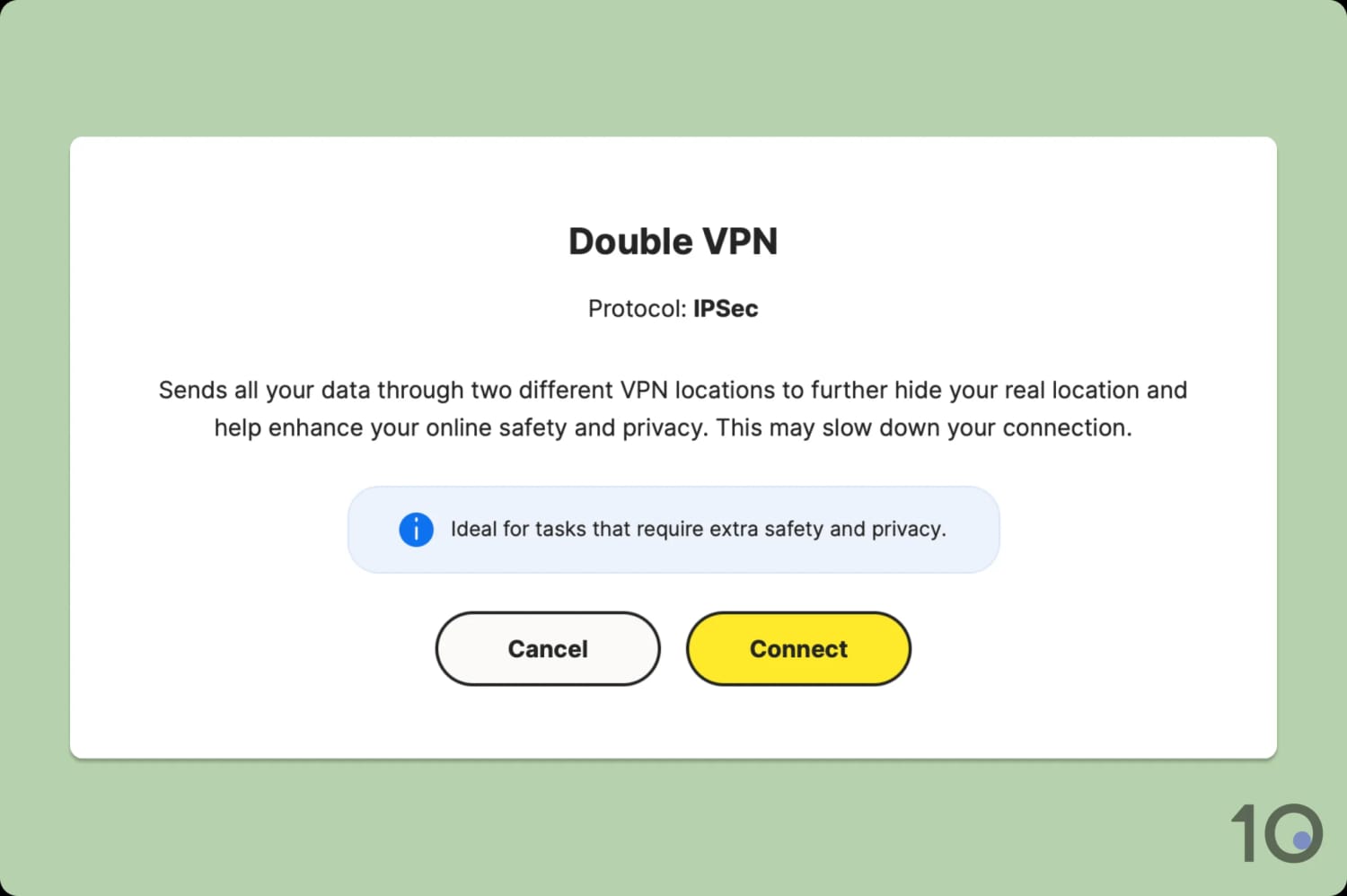
Norton VPN doesn’t let you switch to WireGuard when using double VPN.
I’d much prefer it if Norton copied Surfshark’s approach of letting you choose any of its server locations as the entry and exit nodes. This would allow you to better tailor the multi-hop connection to your requirements.
Just as bad, you can only use this feature with the outdated IPsec protocol. This is an older protocol that’s widely suspected to have been compromised.
Split Tunneling on Desktop & Android
Norton VPN includes split tunneling in its Windows, macOS, and Android apps. This is a feature that lets you exclude specific apps from the VPN tunnel.
For example, you may want to access your banking app as normal, while routing the rest of your device’s traffic to the VPN server.
I found it simple to use, but was disappointed there wasn’t an option to choose which apps go through the VPN tunnel instead. More often than not, there are only one or two apps whose location I want to change, while I’d rather leave the rest unaffected.
Plenty of VPNs offer this: Hide.me and PIA both do.
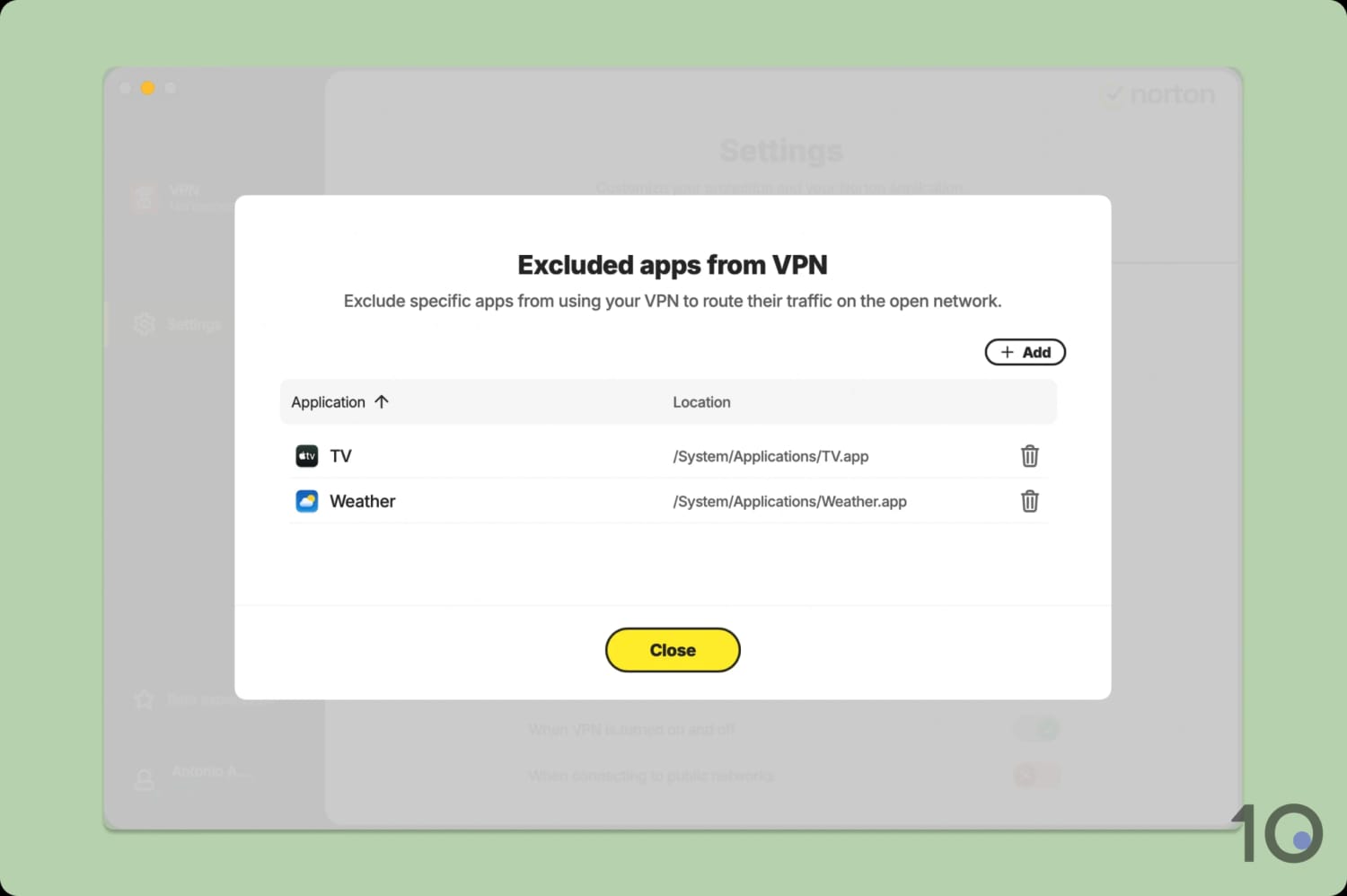
I selected location-dependent apps for split tunneling.
IP Rotation Only Works in Six Countries
Norton VPN includes a rotating IP feature in six locations: Australia, Canada, Germany, Japan, the UK, and the US.
This automatically refreshes your VPN IP address every 30 seconds, without breaking your connection, to make it harder to track you online.
I really liked using this feature: it didn’t disturb my browsing and I noticed fewer targeted ads as a result. However, six locations simply isn’t enough, and users in South America and Africa are left without any nearby rotating-IP servers.
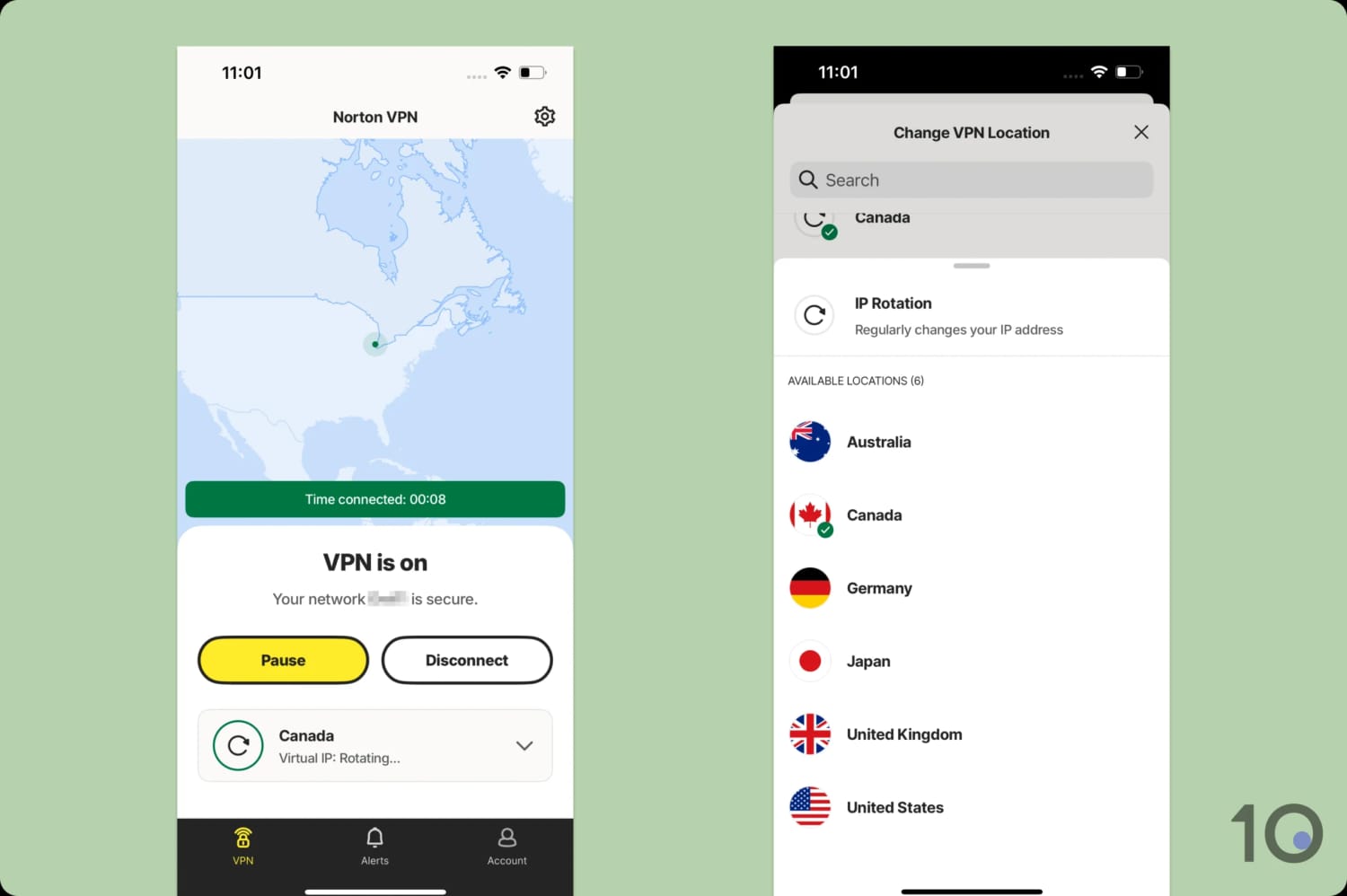
The IP rotation feature works automatically once enabled.
Norton VPN Key Data
| Attribute | Norton VPN | Typical VPN |
|---|---|---|
| Owner | Norton | Independent |
| Launch Date | 2019 | 2015 |
| Local Download Speed | 90Mbps (10% loss) | 89Mbps (11% loss) |
| International Download Speed | 88Mbps (12% loss) | 80Mbps (20% loss) |
| Countries with Servers | 103 | 40 |
| Privacy Policy | No Identifiable Data | Identifiable Data |
| Simultaneous Connections | 5 | 10 |
| Netflix Libraries | 6 | 3 |
| Torrenting | Yes | Yes |
| Works In China? | Yes | No |
| Cheapest Price | $3.33/mo over 12 months | $3.87/mo over 24 months |
| Customer Support | Live Chat | |
| Apps & Extensions |           | |