


Top10VPN is editorially independent. Buying a VPN through our links supports our work.
The Best VPN Apps for Android
Follow us:
Simon Migliano
Simon Migliano is a recognized world expert in VPNs. He's tested hundreds of apps and his research has been featured on the BBC, The New York Times, and more. Read full bio
Of the 59 VPNs I tested on Android, ExpressVPN’s app is the best. It’s fast, highly secure, and features an audited no-logs policy. For a free alternative, Proton VPN is my top choice for Android, offering unlimited data with no account required.
You’ve seen the hundreds of VPN apps on the Google Play Store with millions of downloads and supposed 5-star ratings.
Here’s what they aren’t telling you: almost 90% of free Android VPNs I tested leaked identifying data, and over 70% shared user data with third parties.
It’s not just free VPNs, either. I also discovered over 50% of paid Android VPNs exposed personal information, even if those leaks were less severe.
With so many untrustworthy apps flooding the Play Store, I had to work hard to pinpoint secure VPNs that won’t leak your real IP address, log your internet activity, or ask for unnecessary invasive permissions.
Every VPN I recommend features a dedicated app compatible with Android 17 and older, delivering smooth performance on both WiFi and mobile data.
🔄 Recent Updates
Added hands-on UX insights for ExpressVPN’s redesigned Android app and updated NordVPN with its latest independent security audit.
Why Trust Us?
We’re fully independent and have been reviewing VPNs since 2016. Our ratings are based on our own testing results and are unaffected by financial incentives. Learn who we are and how we test VPNs.
VPNs Tested
59
Total Hours of Testing
30,000+
Combined Years of Experience
50+
VPN Comparison Table
You can quickly see how my recommended VPNs compare to each other for logging policy, speed, kill switch differences, GPS spoofing, free trials, and price.
ExpressVPN is by far the easiest VPN to use on Android, with a simple and intuitive mobile app that connects almost instantly to any server.
It’s a superb VPN with some of the fastest connection speeds I’ve seen, which makes it a sensible choice for lag-free mobile gaming.
I used ExpressVPN to watch geo-restricted content on Netflix, Disney+, Prime Video, HBO Max, and pretty much any streaming app. It’s also effective for bypassing stricter web restrictions in countries like Turkey and India.
You can even try ExpressVPN for free, either via its 3-day free trial on Android or its 30-day money-back guarantee.
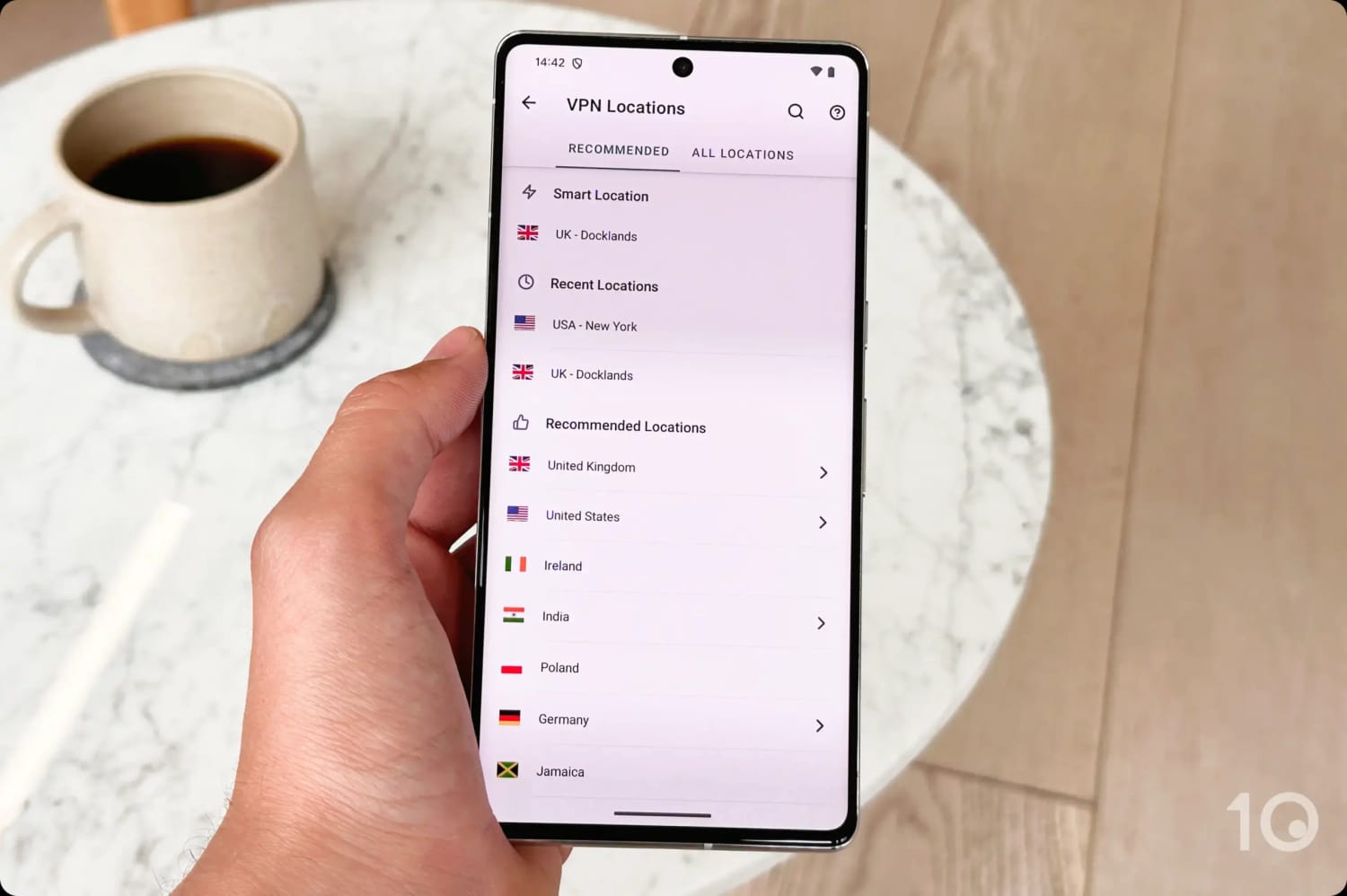
ExpressVPN’s server list on Android.
Very User-friendly & Secure App
From my shortlist, I had the best Android user experience with ExpressVPN . Its app is simpler and more responsive than NordVPN or Surfshark.
Simply tap the power button near the top of the home screen and ExpressVPN handles the rest.
In my experience, the time to connect is near-instantaneous on both WiFi and cellular networks, which is a key reason why ExpressVPN is my pick for frequent travelers.
A widget below the button displays your server location (tap it to open the server list), while bottom tabs navigate cleanly between the VPN, Add-ons, and Settings.
That said, the latest version of the Android app mirrors the desktop app’s panel layout, adding unnecessary clutter. While some of the additions are useful, I found the ‘Secure Device Assistant’ more annoying than helpful, and the ‘Time Protected’ counter utterly pointless.
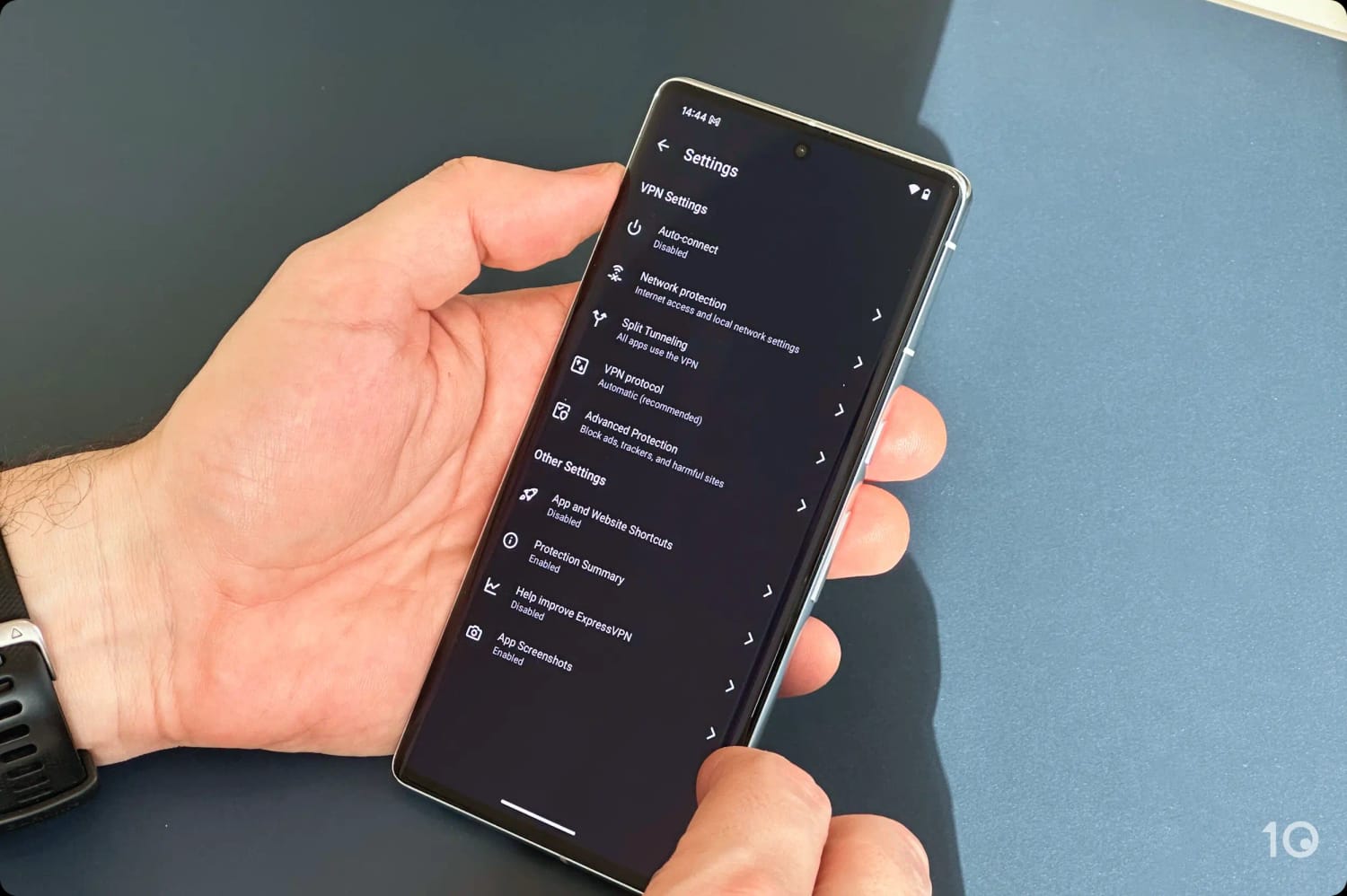
Still, ExpressVPN deserves credit for bringing Android close to desktop feature parity. This includes split tunneling, auto-connect, a kill switch, and ad, malware, and adult content blocking.
ExpressVPN’s security settings on Android.
The app itself is extremely secure, with industry-approved AES-256 and ChaCha20 encryption, and trusted VPN protocols like OpenVPN, along with ExpressVPN’s own Lightway protocol.
Importantly, the built-in kill switch is superior to NordVPN’s, since it works in tandem with the split tunneling feature, and doesn’t interfere with apps not using the VPN connection.
And in case it wasn’t clear by now, ExpressVPN is a trustworthy service that doesn’t log your IP address, browsing activity, or device information. It also doesn’t share your data with third-party advertisers, like so many other Android VPNs do.
Excellent Speeds on Mobile
On all my Android handheld devices, I connected to an ExpressVPN server in under three seconds, and often in just one. This is extraordinary, and something no other Android VPN can match.
Connecting to nearby server locations, my internet speed fell by only 2%, and over long distances by only 15%.
ExpressVPN and NordVPN go neck-and-neck for speed, and depending on which country you want to connect to, one can be slightly faster than the other.
Great for Buffer-free Streaming & Gaming
When it comes to bypassing streaming geo-restrictions, ExpressVPN is the unrivaled champion among VPNs. It unblocked over 95% of the 120 streaming services I tested it with.
Of the most popular content apps, I accessed 18 international Netflix catalogs, all Disney+ regions, many Prime Video countries, JioHotstar, HBO Max, and BBC iPlayer.
Beating content geo-blocks has always been a core strength of ExpressVPN, and its prowess in this area has only improved in recent years. It is extremely rare to come across a server that doesn’t work with a content platform.
The same can be said about gaming with the VPN app on your Android smartphone or tablet. Whether it’s PUBG Mobile, Mobile Legends, or Call of Duty, ExpressVPN’s fast and low-latency server network has never disappointed.
Strong security settings including multi-hop servers
Free ad & tracker blocker
7-day free trial
Retains connection timestamps for 15 minutes
No GPS spoofing tool
No built-in kill switch on Android
Minor server breach in 2018
Renews at a much higher price
Pricing Plans
$14.99/mo
$5.49/mo over 12 months
$3.49/mo over 27 months
Countries with Servers
137
Servers
9,000
Jurisdiction
Panama (Privacy Haven)
Support
24/7 Live Chat
Compatible with
Windows
Mac
iOS
Android
Linux
Amazon Fire TV
Android TV
Apple TV
Router
Chrome
NordVPN is another high-quality VPN that closely matches ExpressVPN’s performance. While it doesn’t unblock as many streaming apps, it does offer a greater breadth of international IP addresses.
The VPN service also provides many additional features, including a multi-hop server solution that gives you an extra layer of security.
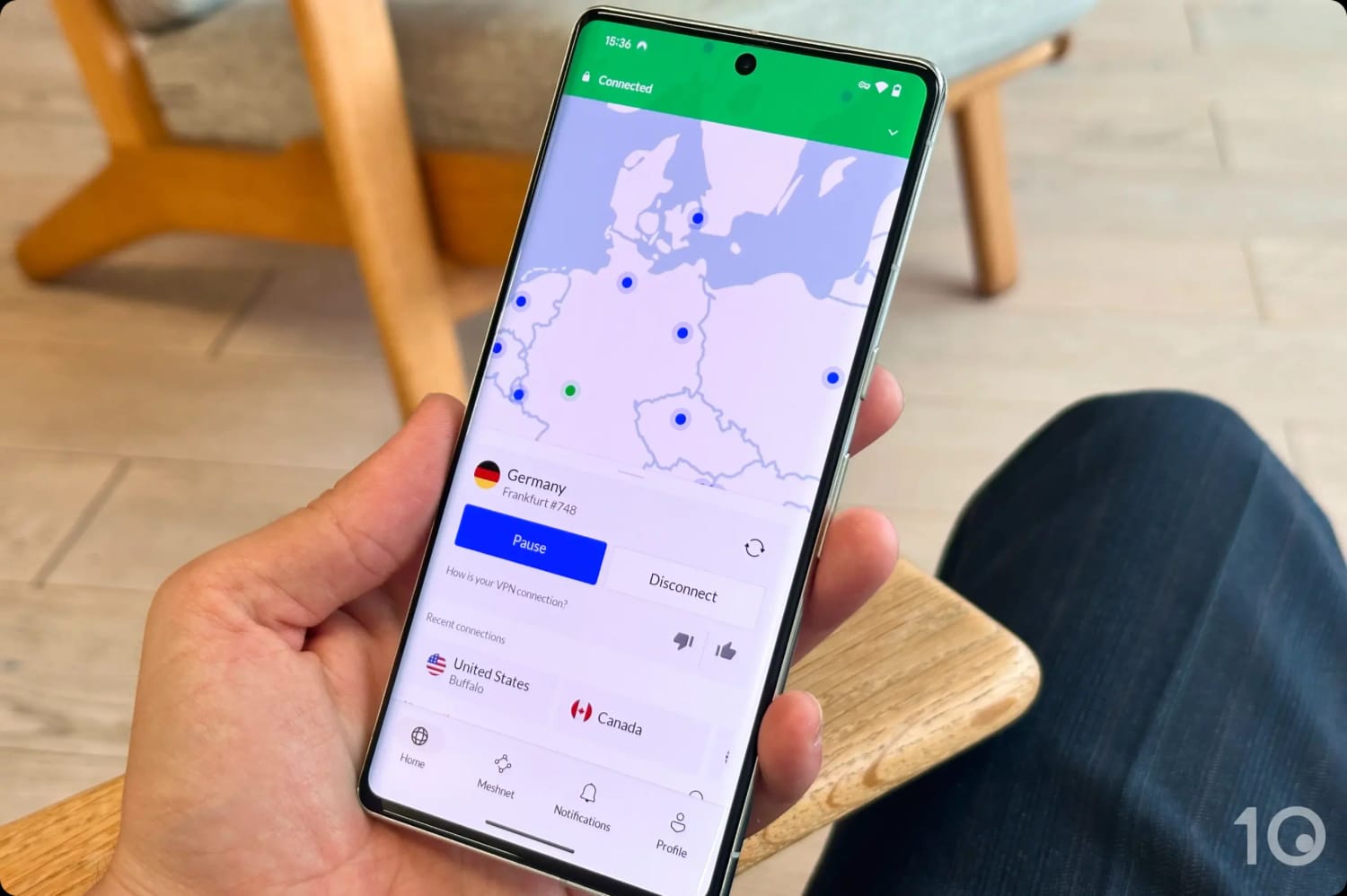
The addition of an unnecessary ‘Pause’ function has made the app slightly more frustrating to use, but this doesn’t take much away from NordVPN’s overall usability.
NordVPN’s Android app is well designed and easy to use.
Fast Servers in 137 Countries
NordVPN’s servers currently cover the most countries out of all VPNs I’ve reviewed: a staggering 137.
Of particular note is the high number of server locations in Africa and Asia, which under-index in most other VPN services, including ExpressVPN and Surfshark.
There are also plenty of city-specific servers to choose from, especially in the United States, although NordVPN counts 2 fewer US VPN locations than ExpressVPN.
The ever-growing server network hasn’t harmed NordVPN’s connection speeds, which continue to remain fast and consistent, regardless of the distance traveled.
On average, my download speed dropped by only 4% connecting to close-by locations, and just 14% on much more distant connections.
These exceptional speeds, combined with reliable unblocking capabilities, really show when trying to beat the geo-restrictions of apps like Netflix, Prime Video, Disney+, BBC iPlayer, and many more streaming services.
It’s worth seeing these results for yourself by taking advantage of NordVPN’s 7-day free trial available via its website. You can sign up for the trial on desktop and then use it on your Android device.
Many Extra Security Settings
Compared to ExpressVPN, NordVPN’s Android app is quite busy-looking: there’s a map, a quick connect button, drop-downs to specialty servers and devices, all on the home screen.
Despite the rather cluttered feel to the app, it’s by no means difficult to use. Even if you’re a pure beginner, you shouldn’t have any issues.
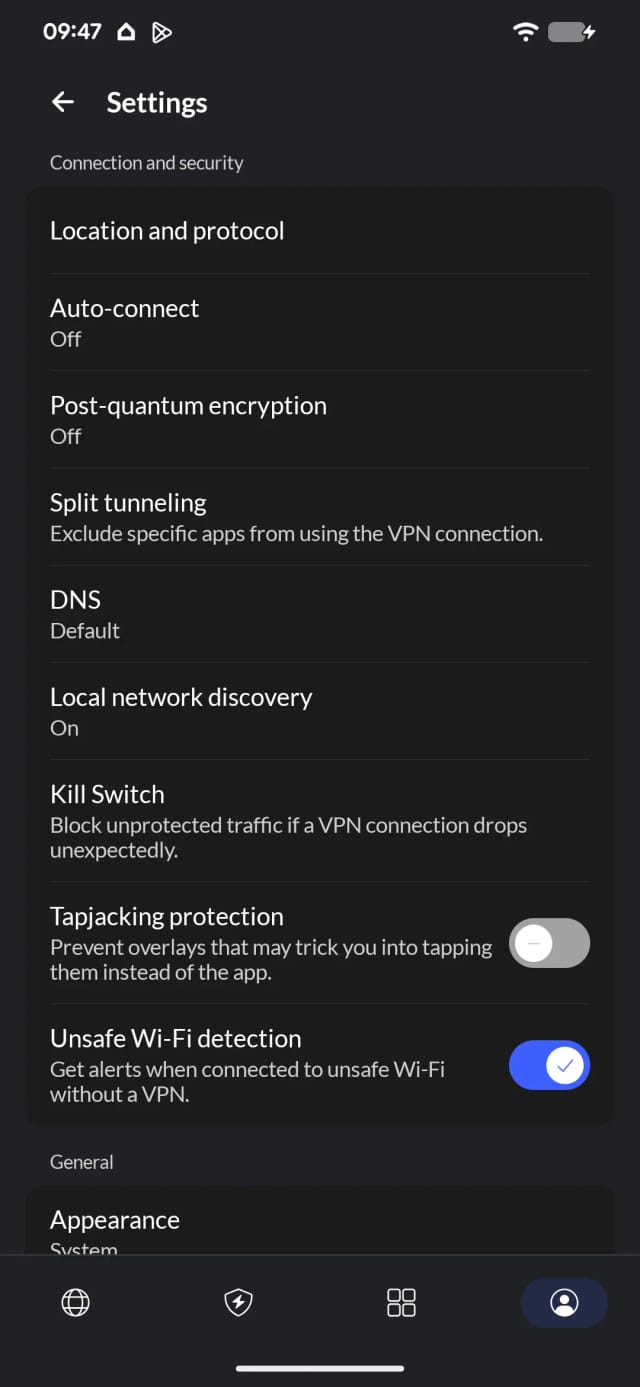
What stands out about NordVPN’s Android app is the wide range of settings on offer, which are tucked away in the Profile tab.
In addition to Threat Protection, the VPN’s ad and tracker blocker, you’ll find unique features that’ll further enhance your internet security.
The Settings menu in the NordVPN Android app.
For example, Tapjacking Protection prevents malicious apps from overlaying NordVPN’s app and tricking you into tapping them.
The option to use multi-hop servers, called DoubleVPN, is also handy. It routes your connection through two servers rather than one, adding further protection between your device and your destination app or website.
Beyond these extra features, the app uses industry-approved protocols Nordlynx (WireGuard) and OpenVPN, with the corresponding ChaCha20 and AES-256 encryption ciphers.
One downside to using NordVPN’s Android app is its kill switch. While ExpressVPN and Surfshark built theirs directly into the application, NordVPN uses the standard Android system setting.
The kill switch toggle in the NordVPN app is a simple shortcut to your device’s kill switch, where you can opt for the standard ‘Always-on’ solution, or add the ‘Block connections without VPN’ feature for maximum security.
The problem with using the system setting is that if the VPN connection fails, the kill switch will cut off internet traffic to all apps, even the ones you instructed the VPN to ignore via the Split Tunneling setting.
This happened frequently with the ‘Always-on’ setting enabled, and every single time with the additional ‘Block connections without VPN’ activated.
If you’re on a tight budget, then Surfshark is the most affordable top-tier VPN you can get for your Android device.
While it doesn’t unblock as many streaming apps, nor is it as fast as its higher-ranked rivals, Surfshark is my preferred choice for online gaming on Android thanks to its built-in GPS spoofing and ‘Use small packets’ features.
Ultimately, Surfshark is the better choice if you need to bypass GPS-based geo-restrictions or if you want to spend very little on a VPN.
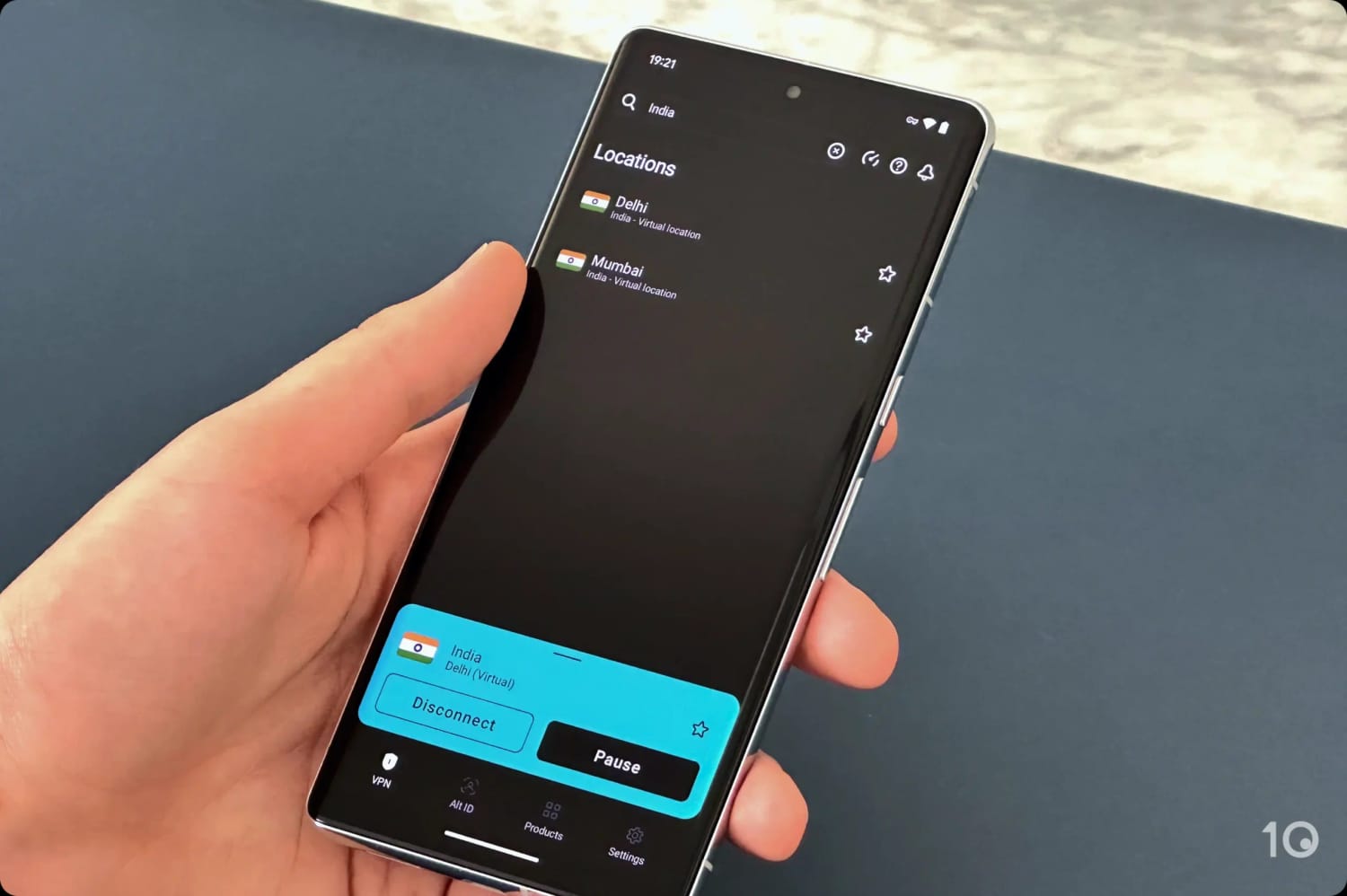
Using Surfshark’s Android application.
Small Packets Mode Improves Connection Stability
Surfshark is one of my favorite VPNs for Android, but the app’s home screen displays a lot of tabs and options which can be slightly overwhelming for beginners.
Interestingly, once you’ve connected to a server location you’ll be prompted to turn off battery optimization as it can slow down your connection, which is a nice touch.
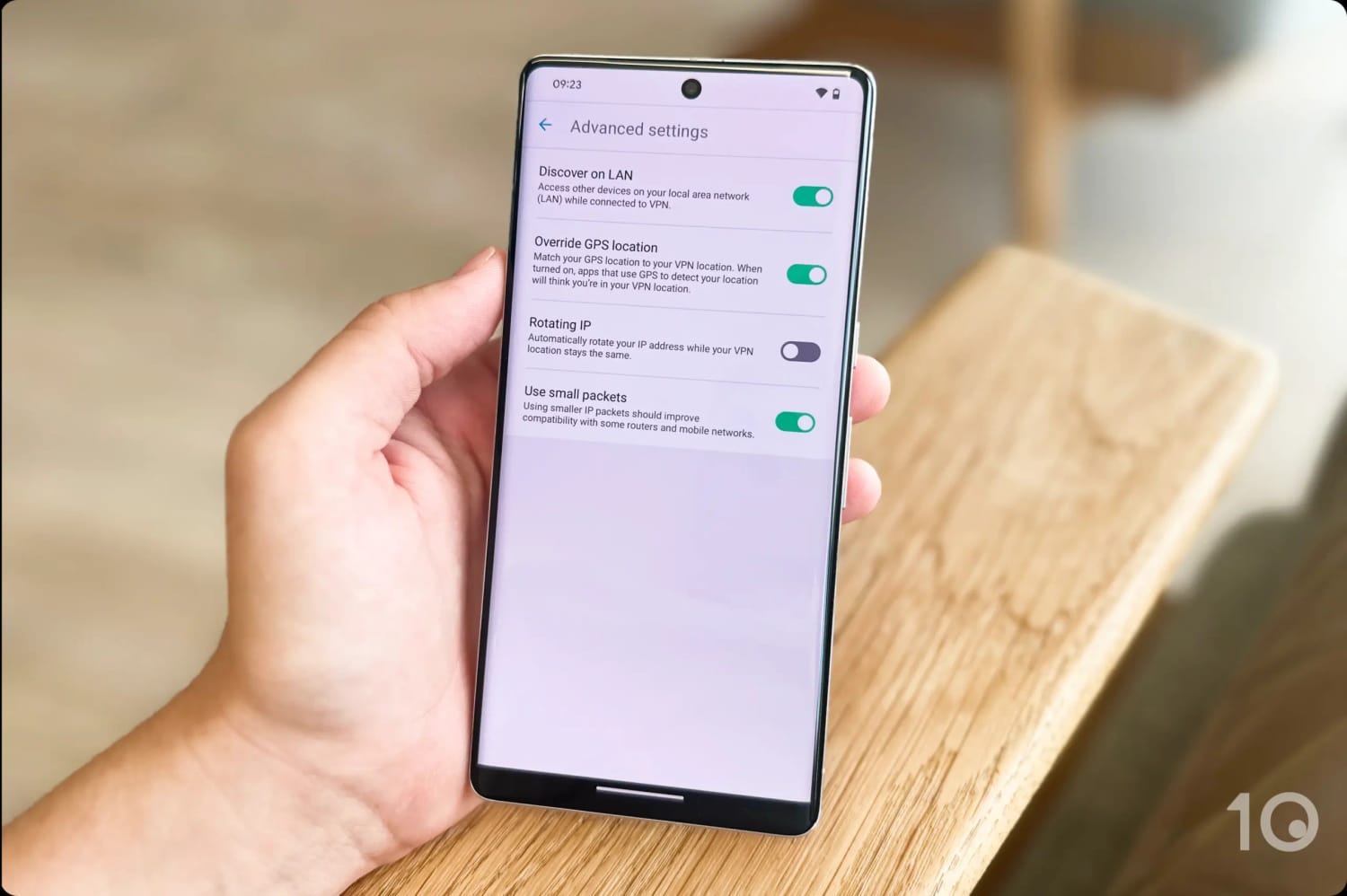
The app gives you an even wider choice of settings than NordVPN, including advanced features like ‘Rotating IP’ and ‘Use small packets’.
The former changes your IP address automatically while keeping your location the same, and the latter improves your connection reliability on unstable or restrictive mobile networks.
Surfshark’s Advanced Settings in the Android app.
The flip side is that ‘Use small packets’ slows down your download speed, because the device has to process many more data “labels.” Make sure you toggle the setting off before streaming video content.
Spoofs GPS Data Directly from the App
Surfshark’s unique selling point is its Override GPS location feature. This spoofs your GPS location, preventing apps from detecting your real location.
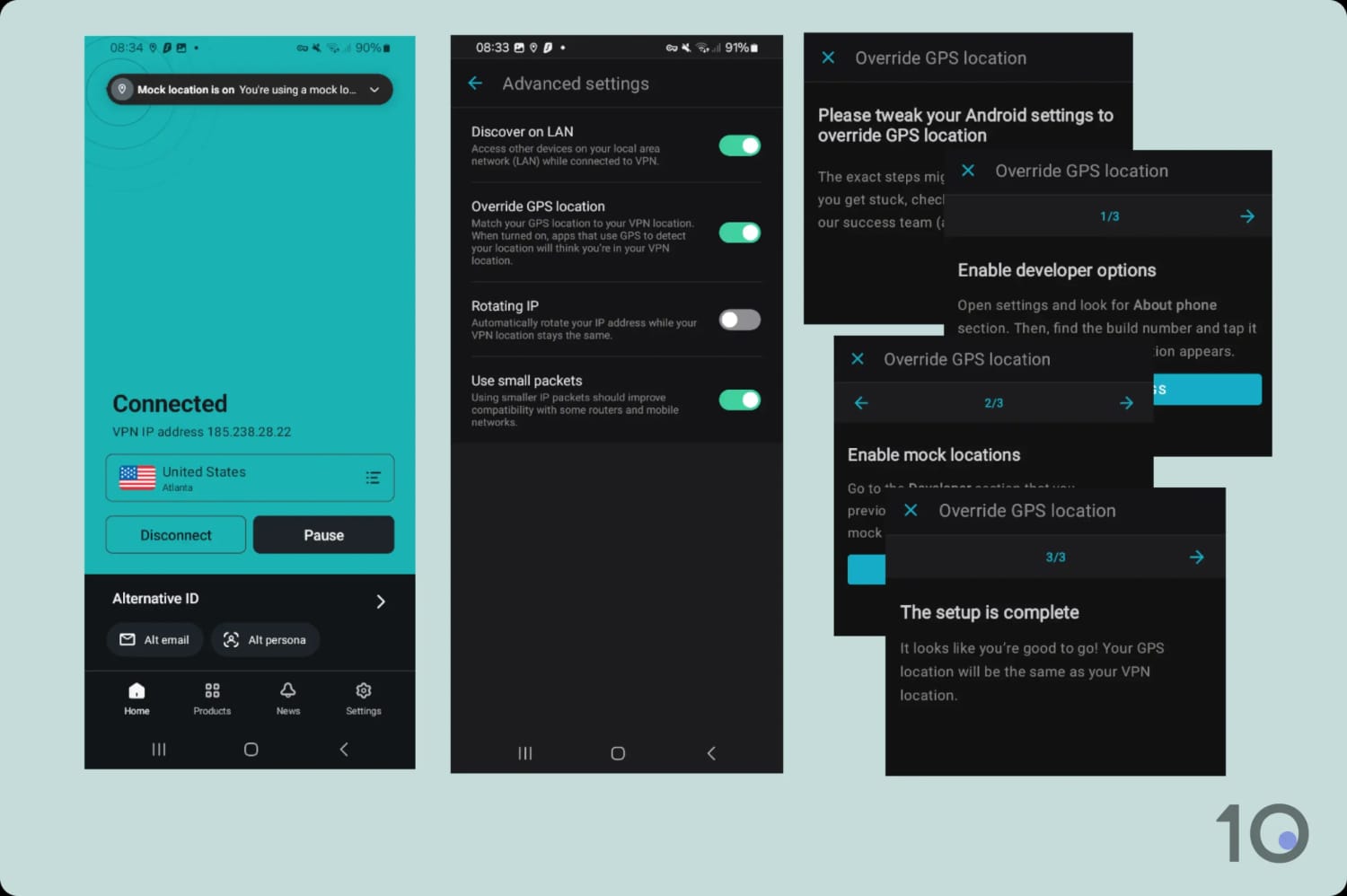
While the set up process involves several steps, once up and running ‘Override GPS location’ works by matching your GPS coordinates with your VPN IP location.
This allows you to unblock apps that force you to use ‘Location Services’ in order to access some, if not all, of their features.
Setting up Surfshark’s Override GPS Location.
I found ‘Override GPS location’ particularly useful with gaming apps that rely on location-based gameplay, like Pokémon GO, Monster Hunter Now, and Jurassic World Alive.
On the streaming front, I successfully used the function to unblock many GPS-restricted apps such as ESPN+, NBA League Pass, and even Australia’s Kayo Sports from overseas.
Quick Tip: For short-term use, I recommend signing up to Surfshark’s 7-day free trial through the Google Play Store.
Slower than Competitors
It’s not all roses, though. Compared to ExpressVPN and NordVPN, Surfshark is noticeably slower especially connecting to more distant server locations.
Connecting internationally, I measured an average 17% speed reduction, and this was with ‘Use small packets’ mode toggled off.
While this speed slowdown won’t affect streaming quality much on fiber optic and 5G connections, you’ll notice more of an impact on slower mobile networks.
The time it actually takes to connect to a server was also surprisingly slow on mobile. This is a flaw I’ve noticed in all of Surfshark’s apps, however it’s been more pronounced on Android.
The truth about free Android VPNs is more alarming than most people realize. Millions use these apps, yet many are fraught with significant risks and vulnerabilities.
While the benefits of a free VPN are alluring, the truth is that many free Android VPNs can’t be trusted with your sensitive data. Here’s why:
Logging Practices: Many free Android VPNs track your IP address, web activity, and internet usage, compromising your privacy.
Data Selling: Some free VPNs monetize by selling your personal information such as your location or internet history to advertisers, and even reporting your activities to government agencies.
Security Flaws: Some free Android VPNs include malware, allowing attackers to remotely access your sensitive data.
I tested 100 free Android VPN apps and found that many of these VPNs send your personal data directly to third parties like Bytedance and Yandex.
The two free VPNs I recommend below have successfully passed our strict selection criteria, both for privacy and security as well as speed and usability.
If paying for a VPN isn’t an option for you right now, then Proton VPN offers the best safe and 100% free VPN app for Android, with no bandwidth restrictions whatsoever.
It doesn’t require registration (through a workaround), delivers surprisingly fast speeds, and protects your privacy through a verified no-logs privacy policy.
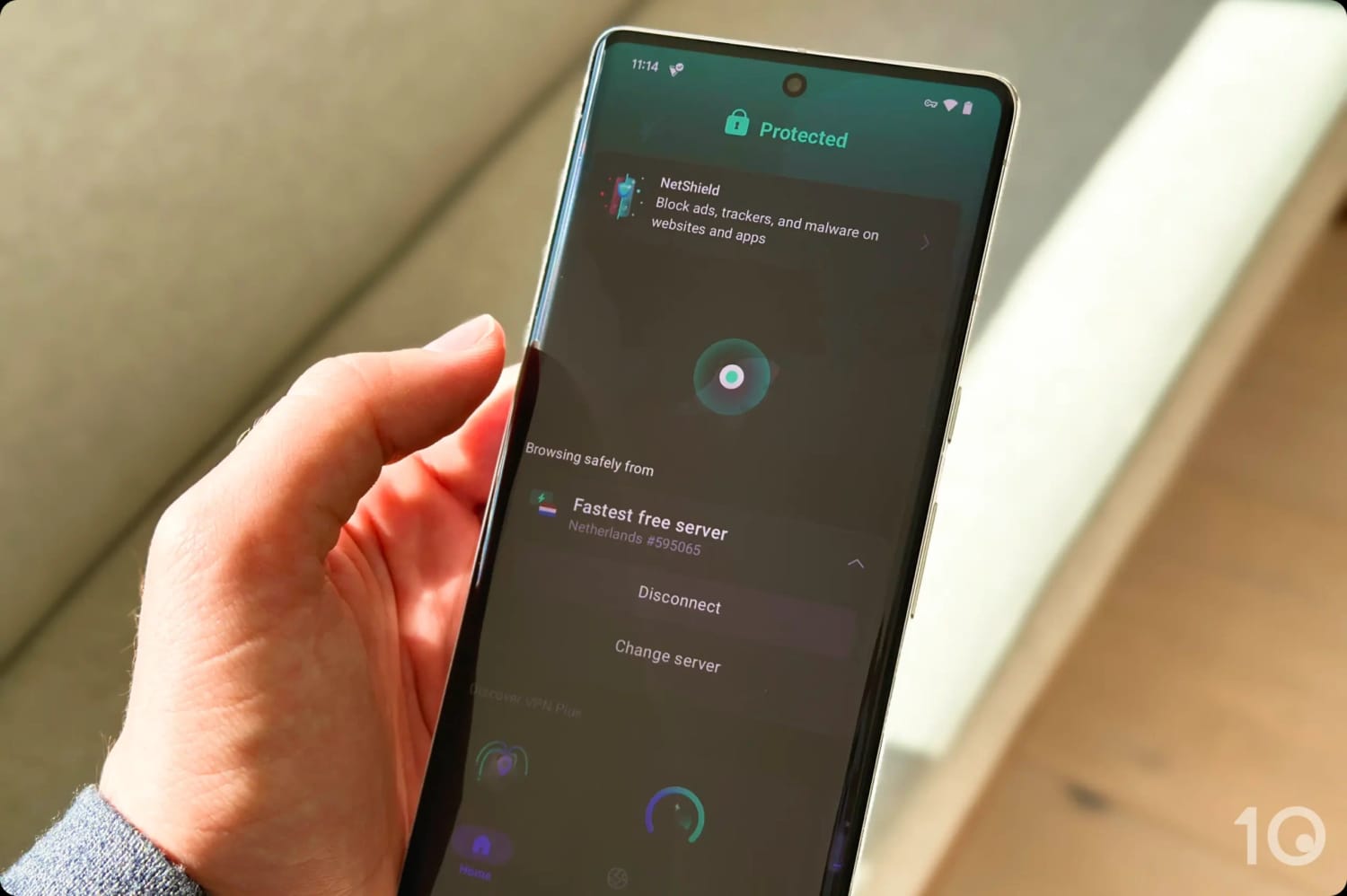
The major downside is that you can’t manually select any of the VPN’s free server locations since the app automatically selects the fastest server (often nearest) available.
Proton VPN’s free app connected to the fastest server.
Verified Security & Privacy Claims
Unlike way too many free Android VPNs in the Google Play Store, Proton VPN takes your internet privacy and security very seriously.
Proton VPN is a proven no-logs VPN that doesn’t collect personally-identifiable activity data, and secures your connections with AES-256 or ChaCha20 encryption via the WireGuard and OpenVPN protocols.
Proton VPN’s kill switch works similarly to NordVPN’s, although the app actively pushes you to a more aggressive system block, which will break any app exclusions set via Split Tunneling.
These privacy and security protections have been rigorously tested and verified by multiple independent audits.
And to add further transparency and legitimacy, Proton VPN was one of the first services to open source its software, including its Android app. Its code is therefore open for scrutiny and bug-reporting.
Completely Free with No Registration
Proton VPN’s free app is quick and easy to use. All you need to do is install the app from the Play Store and tap on “Continue as guest” to use the VPN without registering.
The “Continue as guest” option isn’t available straight away, though. On first launch, you’ll need to close down the app, and then re-open it for the option to appear.
The app is simple and designed for you to connect to a VPN server as quickly as possible. The home screen displays a prominent ‘Connect’ button that connects you to the fastest (nearest) server location.
Limited Settings & No Location Selection
As with all secure free VPNs, Proton VPN imposes restrictions to encourage users to upgrade to its paid service.
The most evident limitation is that you can’t manually connect to any of the free 10 countries on offer. Frustratingly, the app automatically connects you to the “fastest” available free server.
Proton VPN’s free app doesn’t let you choose a server location.
The choice of settings is also very slim, with very few features on offer. Options like split tunneling, NetShield (ad, tracker, and malware blocker), and VPN accelerator are all paywalled.
Plus, the VPN actively blocks any P2P traffic on all its free servers.
All in all, Proton VPN is a fantastic choice for ongoing unlimited protection, but useless for bypassing streaming geo-blocks and P2P downloads.
Not only can you choose which Windscribe free server location to connect to, but each one works surprisingly well with many geo-blocked streaming apps.
I’ve been able to stream several Netflix content libraries, BBC iPlayer, Prime Video, HBO Max, and many more apps.
You also get access to more additional settings than Proton VPN, like ad blocking and GPS spoofing, all available for free to Android users.
The big problem with Windscribe is that it restricts free use to 10GB of data each month.
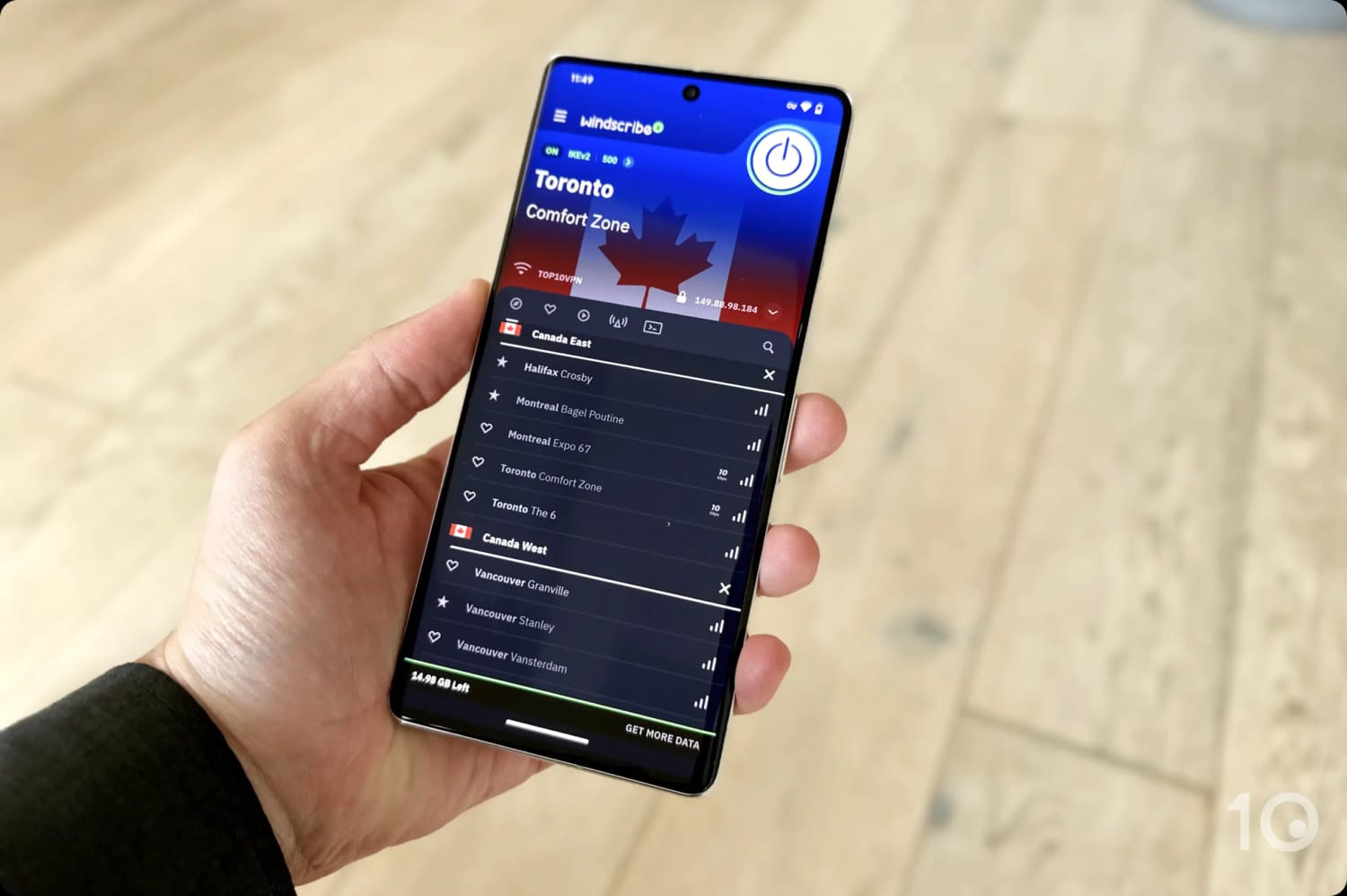
Connecting to one of Windscribe’s free servers in Canada.
Intuitive App with Tons of Extra Features
While rather dated-looking, Windscribe’s Android app is simple and easy to use: tap on the large button to connect to a nearby server, and the flag of your chosen country will display in the background.
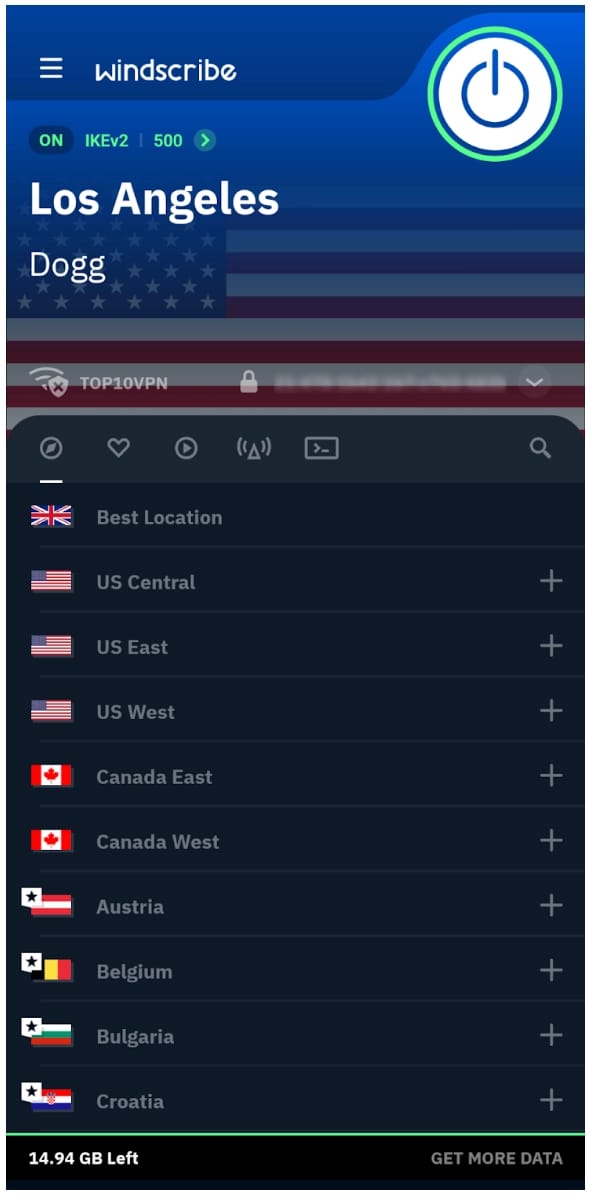
The free VPN servers in Canada and the US are conveniently placed at the top of the list, but the rest are annoyingly buried in the server list. It would be better if they were grouped together.
Windscribe provides free servers in 10 countries.
I found the occasional pop-up prompts to invite friends for an extra 1GB per month quite annoying over time, but it’s also a good way to get additional free data.
Other than that, Windscribe’s Android app has good usability and comes with a rich selection of useful free settings, split into three main categories.
In ‘Appearance’ you can choose between light or dark mode, set custom images to show you’re connected to the VPN, and even adjust haptic feedback.
In ‘Connection Settings’ you can configure split tunneling and auto-connect. For improved mobile gaming and video-calling, you also get an MTU adjustment as well as a GPS spoofing setting, like with Surfshark, but for free!
Finally, there’s also an IP blocker (called R.O.B.E.R.T) that can block websites known for ads and trackers, social networks, adult content, gambling, clickbait, or custom websites you choose.
Great Unblocking Capabilities
Windscribe’s standout feature is its ability to unblock geo-restricted apps, including multiple Netflix regions on its free servers.
This is partly thanks to a healthy free server network covering locations in Canada, France, Germany, Hong Kong, the Netherlands, Norway, Romania, Switzerland, the UK and the US.
The big difference compared to Proton VPN is that you can switch between these free server locations as much as you like.
This ability to beat geo-blocks on apps like Netflix, BBC iPlayer, Disney+, Prime Video or Hulu, is incredibly rare among free VPNs.
While Windscribe’s free service can’t match ExpressVPN’s or NordVPN’s unblocking success, and fails with the likes of JioHotstar and American Netflix, what it can access is nevertheless remarkable.
I’, also amazed how the VPN’s Stealth protocols (included for free) still bypass the strictest of firewalls, such as the Great Firewall of China, 85% of the time.
10GB Data Cap & Occasional Blurriness
Unlike subscription-based VPNs, free VPNs usually enforce a restrictive monthly data cap, and Windscribe is no different, limiting users to 10GB per month.
This amounts roughly to four hours of HD and two of 4K streaming time. If you’re a heavy internet user or streamer, you may run out of data fairly quickly.
The free VPN is also slower than some of its rivals, including Proton VPN. While it’ll also depend on your internet connection, I did experience some buffering and blurriness when streaming live content.
During my research and tests, I came across several Android VPN apps that are simply too risky to use. Some of them failed to encrypt my traffic, and others log sensitive information such as your real IP address and internet activity.
I’ve listed below some of the worst apps I investigated:
VPN App
Reasons to Avoid
Hola VPN
Excessive data logging
Data sharing partnerships
Doesn’t encrypt your connection
Snap VPN
Logs your ISP, bandwidth usage, and VPN server location used
Ties to mainland China
Ridiculous amount of in-app advertising
SuperVPN
Logs your real IP address
Business ties to mainland China
Intrusive unskippable ads
Thunder VPN
Invasive data collection
Shares data with third-parties
Uses insecure SSL protocol
Turbo VPN
Business ties to mainland China
Excessive in-app advertising
Throttles internet connection
Urban VPN
Logs your IP address & browsing data
Caught selling sensitive user data
Other users use your internet connection
Throttles internet speeds
Android VPN Testing Methodology
To make the most accurate recommendations possible, I developed an Android-specific methodology comprised of five testing categories.
Here’s how well my chosen VPNs performed in each of these key areas:
I’ve outlined below what makes up each testing category, including the weighting (in brackets) towards a VPN’s overall rating for Android.
1. Android App (40%)
Test Conducted: I personally tested each VPN’s Android app and recorded my experience with it. I assess the installation process, ease of use, and Android-specific features, such as GPS spoofing and tapjacking features.
Why It’s Important: A well-designed app makes for a seamless VPN experience.
Optimal Results: A well-designed mobile app that offers tailored features for Android.
2. Privacy (15%)
Tests Conducted: I read each VPN’s privacy policy and noted what data they collect and for how long. I also took into account whether VPNs use diskless servers and a VPN’s jurisdiction.
Why It’s Important: Some free Android VPNs are subsidized through advertising and data sharing partnerships. They collect sensitive data, such as your IP address, timestamps, and websites you visit, which can be used to identify a user.
Optimal Result: No-logs policy confirmed by real-world events, transparent ownership, privacy-friendly jurisdiction, and diskless servers.
3. Security (15%)
Tests Conducted: I tested each VPN for security features, noting whether they offer WireGuard or OpenVPN protocols and ChaCha20 or AES-256 encryption on Android. I also tested each VPN’s kill switch, IP leak blocking with a mix of in-house and third-party tools.
Why It’s Important: Many VPNs in the Play Store are actually insecure proxies that don’t provide encryption. Robust security is essential for establishing an encrypted VPN connection and preventing the monitoring of your activity. Subpar security measures could expose you to data breaches and cyberattacks.
Optimal Result: A VPN with WireGuard or OpenVPN protocols, strong data encryption, an effective kill switch, and no known vulnerabilities.
4. Speed (15%)
Test Conducted: Performed in-house speed tests to assess each VPN’s download and upload speeds, as well as ping times.
Why It’s Important: Fast connections allow you to browse, download, and stream content at maximum resolution, no matter whether you’re using WiFi or cellular data.
Optimal Result: Less than 10% download speed loss when connected to a local server.
5. Streaming (15%)
Test Conducted: I tested each VPN with 120 global streaming services like Netflix, BBC iPlayer, JioHotstar and more. I continually conduct these tests to determine a VPN’s reliability with any given streaming platform.
Why It’s Important: My favorite VPNs work with geo-restricted streaming services, providing you access to movies and TV you otherwise wouldn’t be able to watch.
Optimal Results: A VPN that consistently bypasses geo-blocks on more than 10 Netflix libraries, HBO Max, JioHotstar, Hulu, BBC iPlayer, and more.
Data Cap Penalty
Nearly all free VPN services implement a data cap. As with most limitations on free VPNs, this is used to encourage you to upgrade to a paid subscription.
The best free VPNs offer 10GB a month, or 500MB a day for free. This adds up to enough for light streaming throughout the month or a shorter high-intensity period of streaming.
We recommend paid Android VPNs that come with unlimited data. We also look for services that don’t throttle or limit certain types of traffic, such as P2P.
We apply a penalty to the VPN’s overall rating for Android based on its data cap:
Unlimited bandwidth: No deduction to the overall rating
10GB per month: -20% to the overall rating
500MB per day: -25% to the overall rating
5GB per month: -30% to the overall rating
1GB or 2GB per month: -35% to the overall rating
200MB per day: -40% to the overall rating
500MB per month: -50% to the overall rating
FAQs
Which Free Android VPNs Don't Require Registration?
The only secure top-tier free VPNs for Android that don’t require registration are Hide.me and Proton VPN.
Can I Use a Premium VPN App for Free?
Yes, you can use a paid VPN on your Android device for free, and there are a couple of ways to do this.
The first option is to sign up for a 100% free trial. ExpressVPN, NordVPN, and Surfshark all offer free trials to new Android subscribers.
Alternatively, you can take advantage of their 30-day money-back guarantees. While you’ll have to make an upfront payment, all three VPNs have always honored their refund policy in my experience.
What's the Best VPN for Gaming on Android?
I highly recommend using either Surfshark or Windscribe for gaming on your Android smartphone or tablet.
Both VPNs offer the ability to spoof your GPS location, and reduce your packet sizes, directly from their Android app.
These two features are essential for unlocking location-based features in certain mobile games, and to reduce your ping.
How Can I Spoof My GPS Location with a VPN?
To spoof your Android device’s GPS location while using a VPN, you have two choices: either you use a VPN with an incorporated GPS spoofer, like Surfshark and Windscribe, or you install a separate GPS spoofer app to use alongside your VPN.
It’s easier to use Surfshark or Windscribe in my experience, but trustworthy GPS location spoofers include ‘Fake GPS location’ (by Lexa) and ‘GPS Emulator’ (by Digitools UY).