

Top10VPN is editorially independent. We may earn commissions if you buy a VPN via our links.
The Best VPNs for Multiple Devices
Simon Migliano
Simon Migliano is a recognized world expert in VPNs. He's tested hundreds of VPN services and his research has featured on the BBC, The New York Times and more. Read full bio
The best VPN to use on an unlimited number of devices is ExpressVPN. It has a very generous device policy, the most intuitive apps for the widest range of devices, and excellent speeds to stream content from all over the world. Surfshark is a cheaper option with an unlimited device policy and a 7-day free trial via desktop and mobile, while Private Internet Access (PIA) is a true no-logs VPN with zero connection limits.
Not every VPN allows you to use a single account on as many devices as you want. And many don’t even have the full range of apps needed to give you the best user experience.
While many VPNs still limit the number of active simultaneous connections or devices that have the VPN installed, device policies have massively improved over the years.
Top-tier VPNs now offer at least 10 simultaneous connections per account, as well as additional features for easier use on TVs, Roku devices, game consoles and routers.
Summary: The Best Multi-Device VPNs
After testing 61 VPNs, the 3 below are the most appropriate to use on multiple devices at the same time:
We’re fully independent and have been reviewing VPNs since 2016. Our advice is based on our own testing results and is unaffected by financial incentives. Learn who we are and how we test VPNs.
VPNs Tested
61
Total Hours of Testing
30,000+
Combined Years of Experience
50+
Features of VPNs for Multiple Devices
Before looking at the best VPNs to use on multiple devices, here is a checklist of what we expect a good multi-device VPN to have:
✅ Device Policy: Allows at least 10 simultaneous connections, but ideally unlimited.
✅ Device Compatibility: Apps for desktop, mobile, streaming devices, a Smart DNS proxy & router support.
✅ Usability: Easy to use apps with intuitive & consistent interfaces across applications.
✅ Speed: Fast Internet speeds connecting to locations close by & far away.
✅ Privacy: Proven no-logs policy in combination with RAM-only servers.
✅ Security: Secure protocols that encrypt data transfers plus a working kill switch.
✅ Streaming: Access to geo-restricted content around the world.
✅ Server Locations: Servers in at least 50 popular countries.
✅ Value for Money: Reasonably priced in relation to performance & features offered.
If a VPN service ticks all these boxes then it’s very likely it’ll meet all your expectations.
The Best Multi-Device VPNs Compared
Using the table below, compare our favorite multi-device VPNs based on their performance ratings in key areas:
ExpressVPN is a fantastic all-round VPN, with a particular penchant for unblocking geo-restricted content around the world.
The service caps simultaneous connections at 10 devices on its Basic pricing plan, but this limit increases to 14 with the Pro package.
While this isn’t as good as an unlimited device policy, 10 to 14 same-time connections is plenty for most users.
As our top-ranked VPN overall, ExpressVPN has also developed the best-designed and intuitive VPN apps on the market.
What really sets ExpressVPN apart is its unique VPN app for routers, which allows you to use the VPN on any device connected to your WiFi network.
The Highest Level of Device Compatibility
Put simply, no other VPN comes close to ExpressVPN’s broad device compatibility.
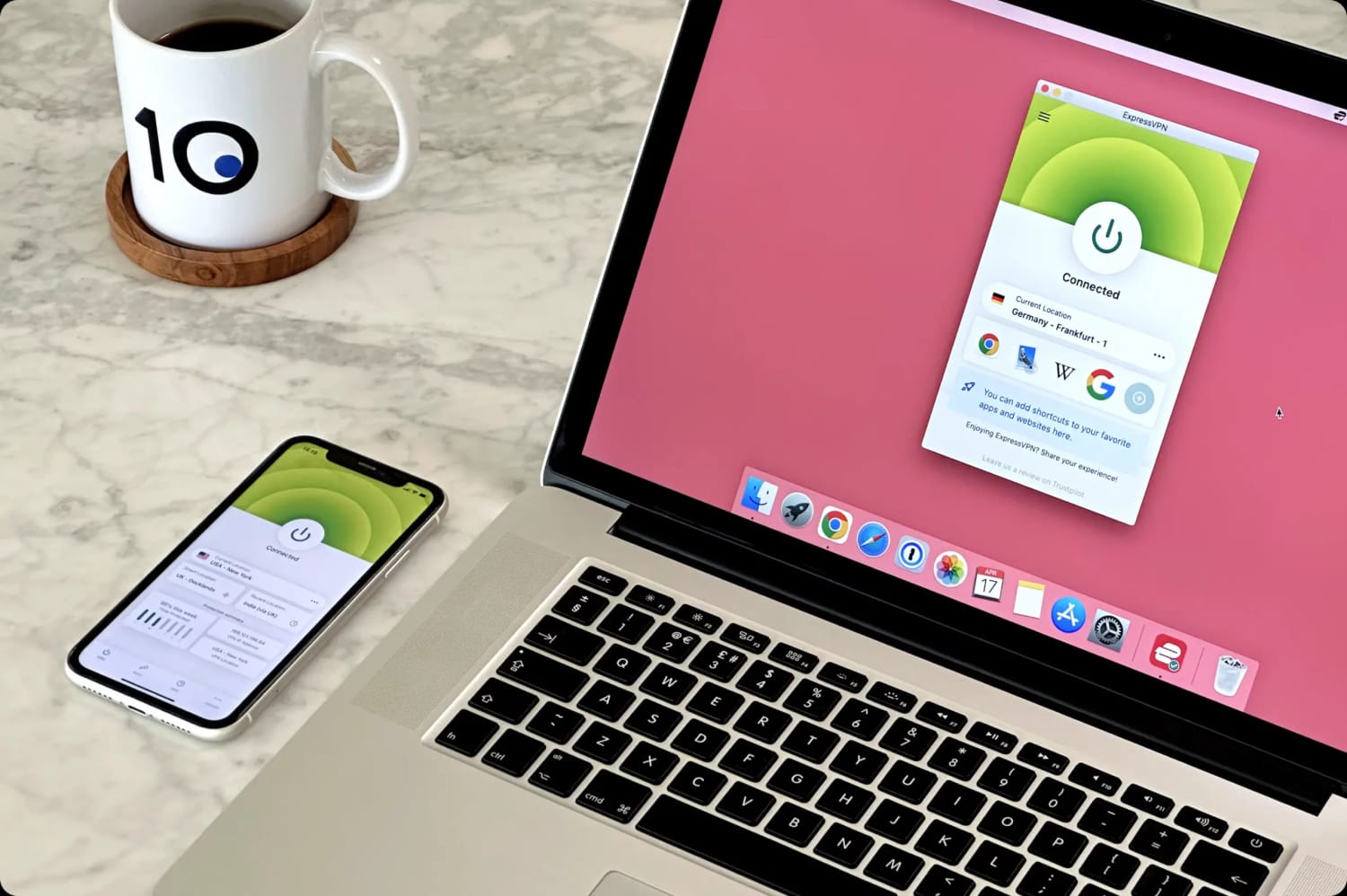
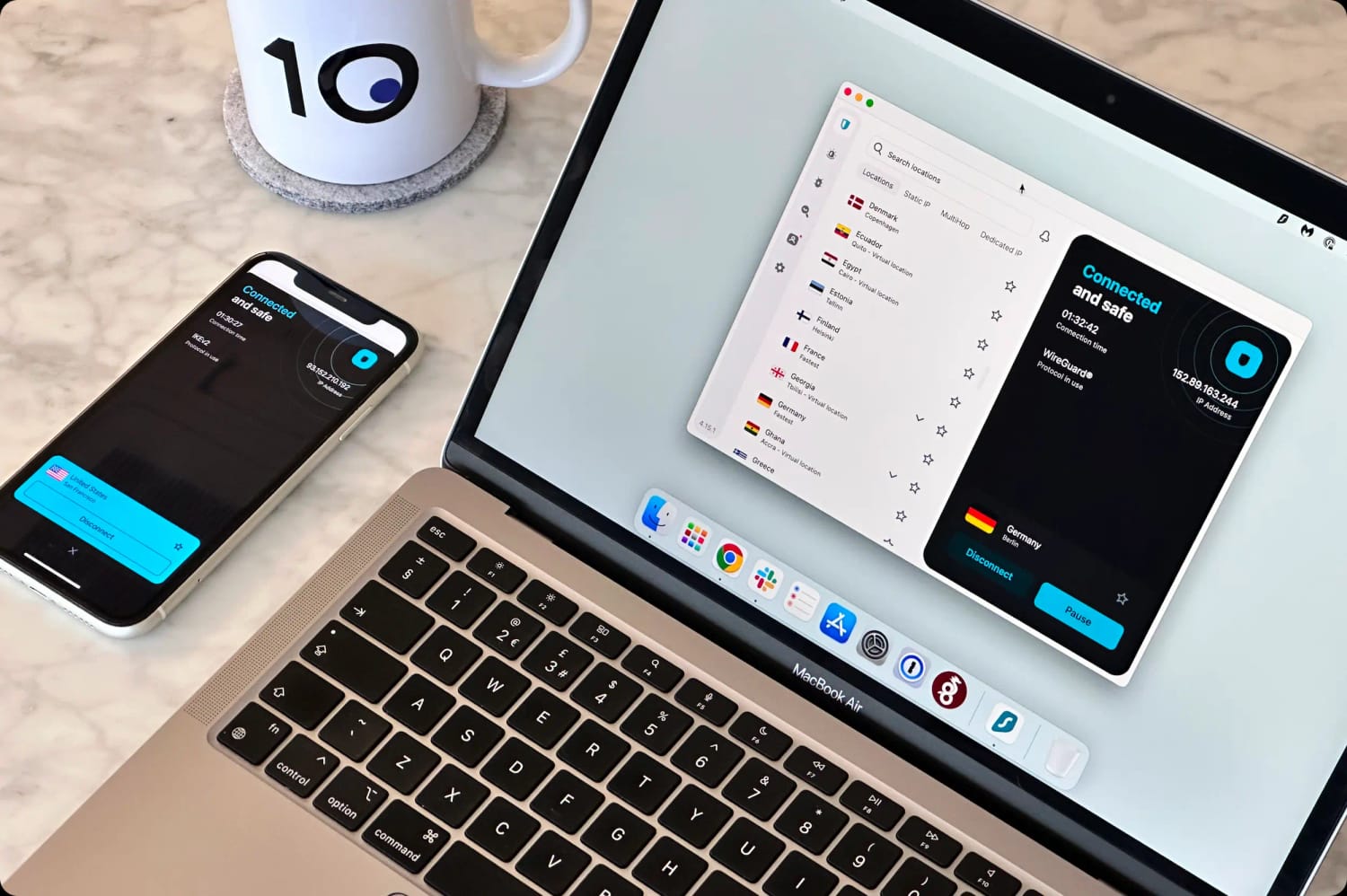
All its apps are extremely well designed and maintain the same level of usability across platforms. We love the compact nature of its desktop and mobile apps, and how quickly the VPN connects to a server.
Its Fire TV and Apple TV apps have also been designed with the user in mind, with thoughtful grouping of server locations to avoid the endless scrolling you experience with other VPN apps.
But the key to ExpressVPN’s superior compatibility is its router app. While a number of VPNs allow manual router configuration, none have a developed an actual app for the device.
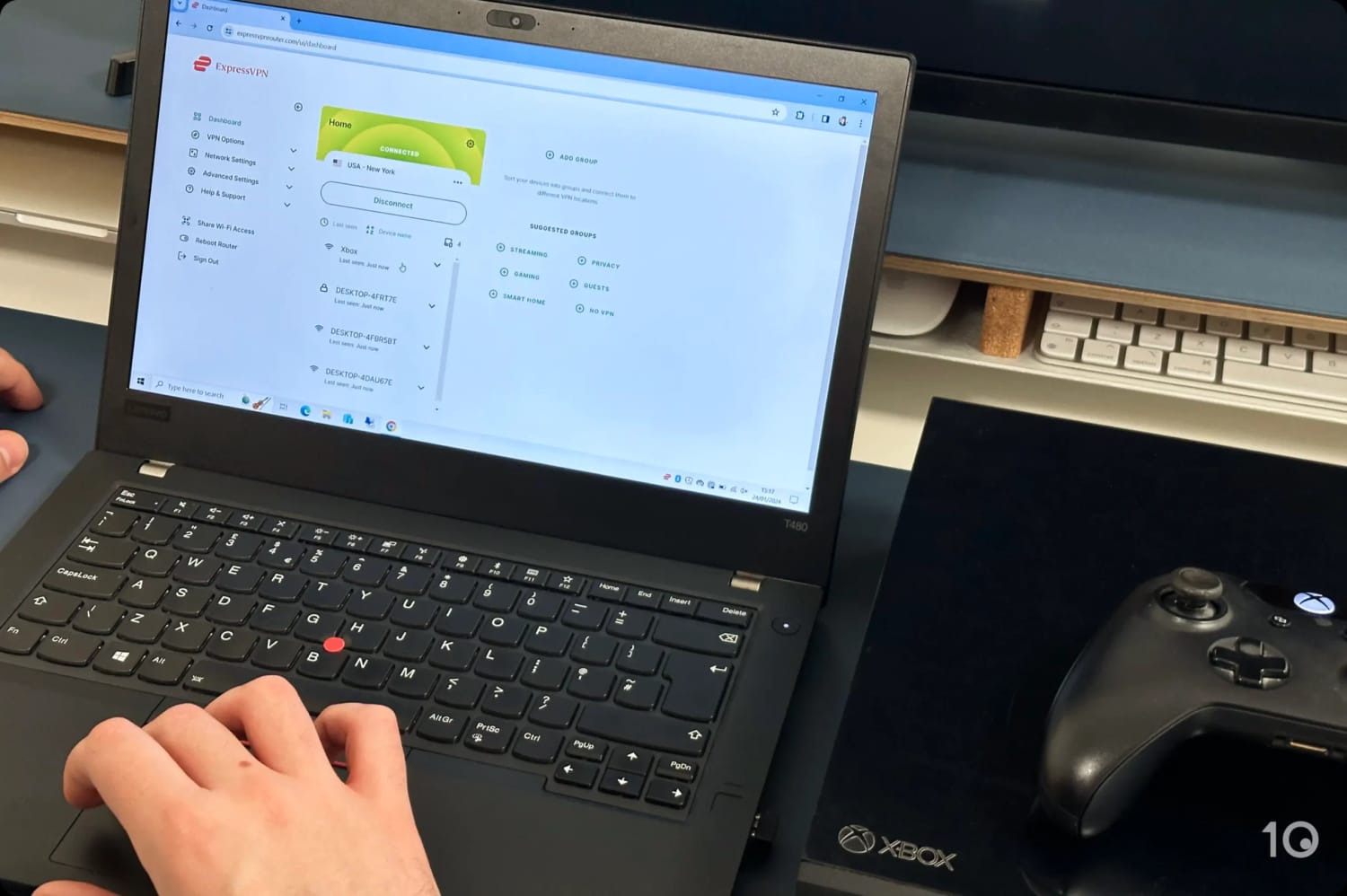
It only took us a few minutes to set up ExpressVPN’s router app and connect our Xbox.
Once you’ve set up the VPN router app, you can control it via your web browser and assign each device on your network a different VPN location.
Not only does the router app allow you to bypass the service’s device policy, but it also lets you easily use the VPN on devices that don’t support VPN software, such as game consoles and Roku.
Outstanding Geo-unblocking Around the Globe
ExpressVPN ticks all the key boxes from a privacy and security standpoint, but its pièce de résistance is its ability to bypass most streaming geo-restrictions around the world.
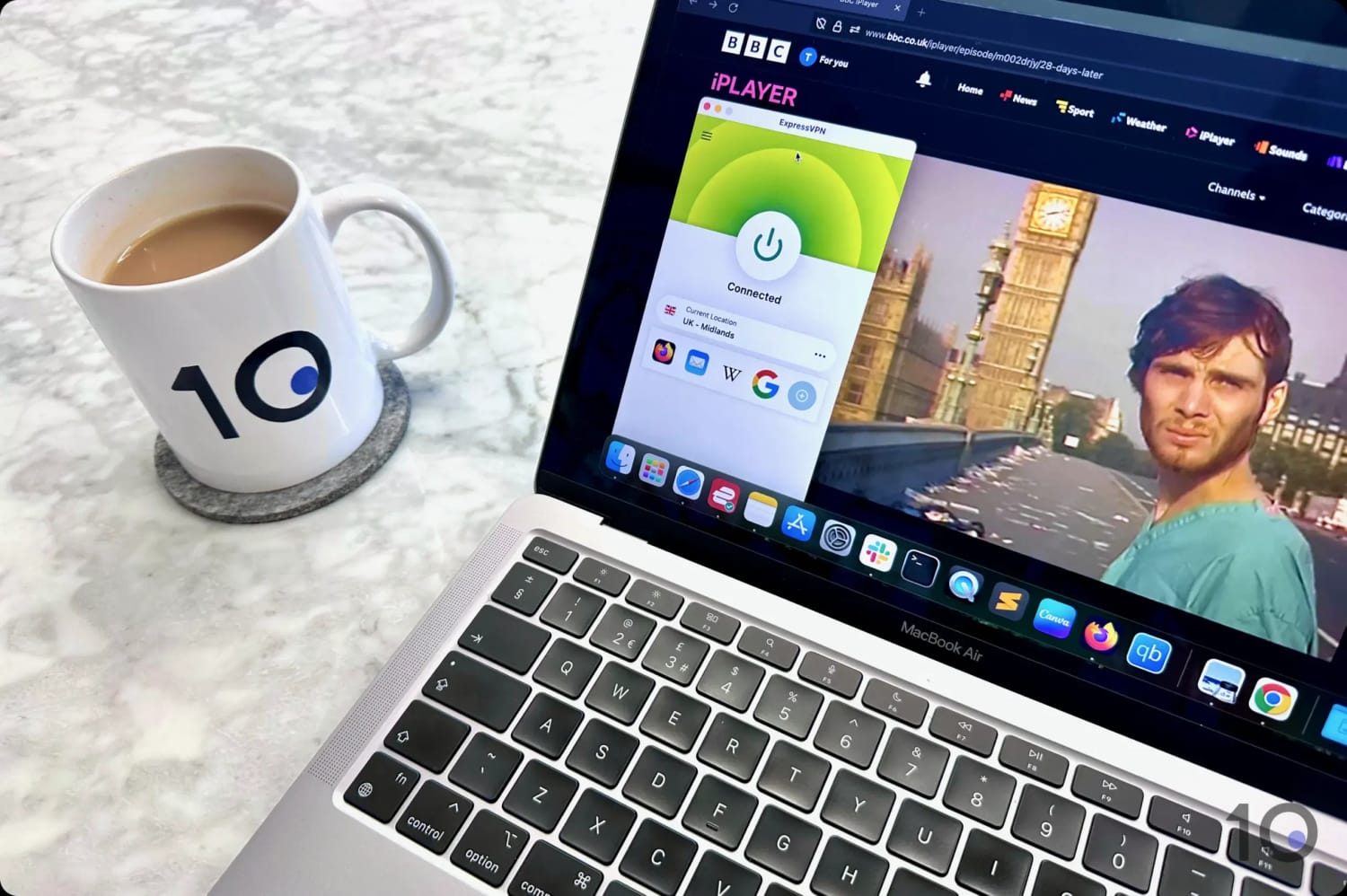
Out of 120 streaming services we regularly test with VPNs, ExpressVPN unblocks 95% of them, including 18, Prime Video, Disney+, HBO Max, Hulu, and BBC iPlayer.
Streaming BBC iPlayer with ExpressVPN from outside the UK.
We had the same flawless experience across all its software, including its VPN apps for Firestick, Apple TV, Android TV and its browser extensions.
Videos loaded instantly, without any buffering or sudden picture degradation that you can get with other (slower) VPNs.
Surfshark is a great budget VPN that will satisfy the needs of most people, especially those with a lighter wallet.
The VPN is secure, delivers good speeds, and works with most content platforms. It also offers an unlimited device policy, and a free trial via desktop or mobile.
Surfshark’s 7-day free trial is in fact a great way for you to test drive one of the best VPNs on the market without spending a dime.
Very Affordable with Many Free Extras
For only $1.99/mo over 27 months, Surfshark represents phenomenal value.
Alongside all the non-negotiable privacy and security features we expect from a VPN service, Surfshark’s standard subscription comes with a wide selection of extra tools for free.
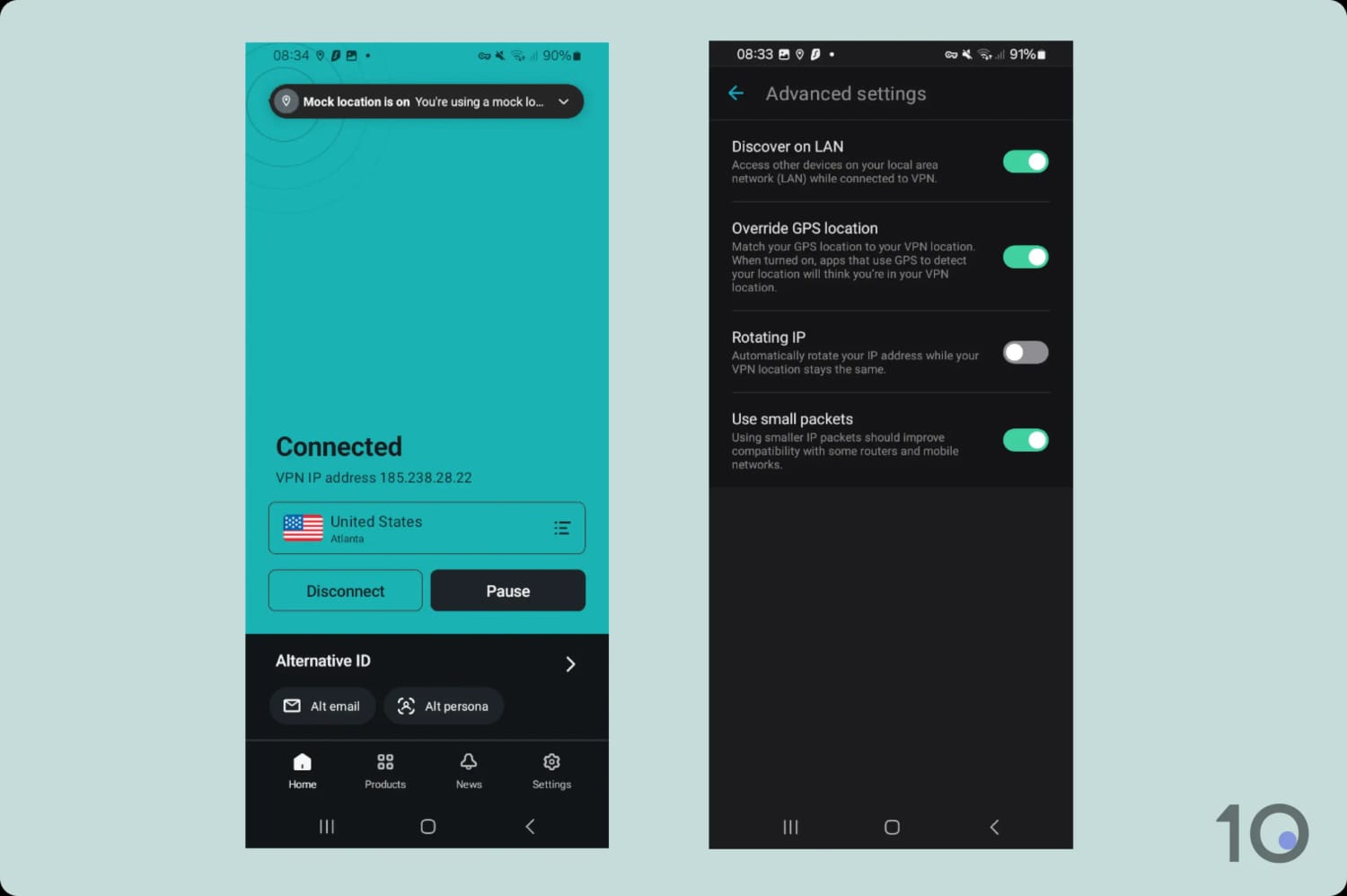
The most noteworthy of these free extras are: multi-hop servers, IP rotator, ad blocker, cookie pop-up blocker, and even a GPS spoofer in its Android app.
Some of Surfshark’s advanced settings.
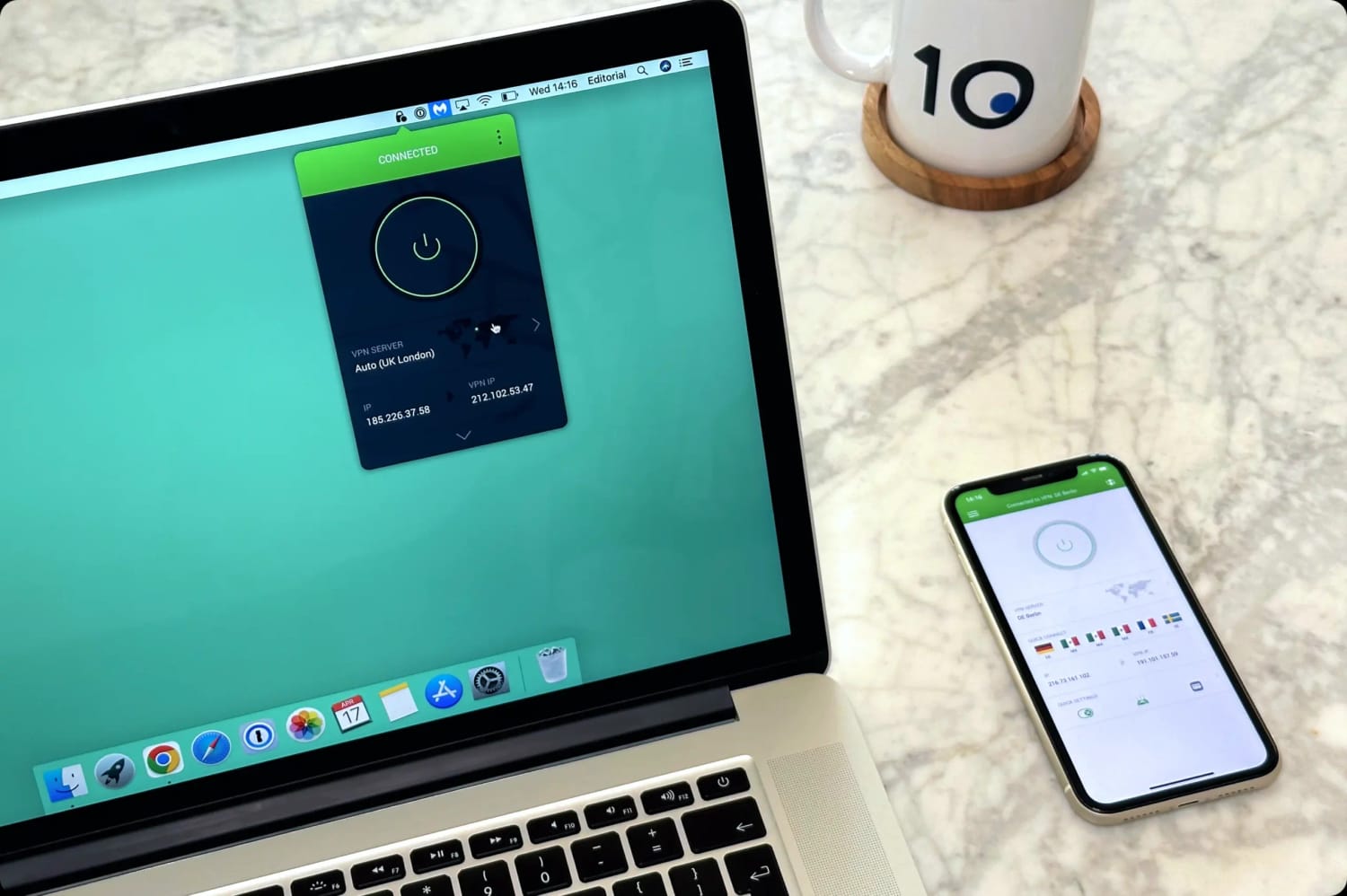
The overall device compatibility of Surfshark is comparable to PIA’s, although the desktop apps take up a lot of screen space and feel cluttered. We actually prefer using Surfshark’s mobile apps, which are more streamlined.
The sluggish server connection times were also frustrating, with some server locations taking over 5 seconds to connect. While it’s not the end of the world, it’s still a lot slower than ExpressVPN.
7-day Free Trial via Mobile & Desktop
One of Surshark’s unique benefits is that you can trial it for free through desktop or mobile. For context, most VPN services only offer free trials via iOS and Android.
Once you’ve signed to the free trial, you can use your free account on any device you want. If you don’t cancel the free trial, it will upgrade your account to a paid subscription, at which point the 30-day refund policy kicks in.
This means that you can use Surfshark on all your devices for up to 37 days for free.
Private Internet Access (PIA) is a great VPN that strikes an excellent balance between performance and price. It also has an unlimited device policy with no restrictions whatsoever.
Thanks to its excellent privacy standards, great speeds, and a bargain price of $2.03/mo over 39 months, PIA is a very affordable way to use one VPN subscription on all your devices.
Despite a large selection of advanced security settings, all the apps are nicely designed with a clutter-free home screen and good navigation.
Advanced Apps Across Many Platforms
The VPN service has one of the best app ranges available, covering Windows, macOS, iOS, Android, Fire TV, Android TV, and Apple TV.
All the apps are easy to use, and we really like the effort that’s been made to keep their appearance and usability consistent across all platforms.
More advanced VPN users will also enjoy the very large set of advanced settings for you to tinker with.
These settings include custom DNS, port forwarding, two types of kill switch, an ad and tracker blocker, dedicated IPs, split tunneling, multi-hop servers, and more.
You can customize your VPN connection down to its minute details.
PIA’s device compatibility could be even better if it fixed its Smart DNS proxy, which doesn’t work with several geo-restricted services.
The absence of a dedicated VPN router app is also a handicap, since it makes it trickier to use PIA on devices that don’t natively support VPN software.
Great Choice for Privacy-minded Users
While PIA is a good VPN for bypassing streaming geo-blocks, it’s even better at hiding your Internet activity, especially the files you share.
Its large P2P-friendly server network of 18,651 endpoints continues to deliver exceptional download speeds, and it’s been proven to never log activity data either.
Even if your VPN allows unlimited simultaneous connections, using it across all your devices can be challenging.
The primary hurdle is that certain devices (Xbox, PlayStation, Roku Stick,…) don’t natively support VPN software. This requires a different approach: running the VPN at the router level.
By setting up your VPN on your home router, every device connected to your Wi-Fi network will automatically use the secure VPN connection, as long as the VPN is running correctly.
However, setting up a VPN on a standard router can be tricky and time-consuming. Typically, you have to manually configure the VPN connection within the router settings, or purchase a pre-configured router from specialized websites like flashrouters.com.
There is a much simpler and superior way to achieve this, that only one VPN can provide: ExpressVPN.
As we covered earlier, ExpressVPN is the only VPN service to have developed its own custom VPN router application. It’s compatible with a wide selection of routers and is designed to feel as familiar and intuitive as any of their other apps.
We used ExpressVPN’s router app to stream Peacock on Roku.
For the smoothest setup possible, you can even buy ExpressVPN’s dedicated router, Aircove.
The key advantage of the ExpressVPN router app is that it allows you to assign a specific VPN location to each device connected to your network.
This level of granular control and outstanding user experience is a fantastic feature that no other VPN service currently provides.
How We Tested VPNs for Multiple Devices
To find the best multi-device VPNs, we tested 61 VPNs across computers, smartphones, streaming devices, TVs, game consoles and routers.
We’ve only recommended VPNs that support the most simultaneous connections and are compatible with the widest range of platforms and devices.
The table below summarizes how our recommended VPNs performed in our tests:
We’ve outlined below the key criteria we evaluated, and how much each test category contributed towards the VPN’s overall rating for multiple devices.
1. Device Policy (20%)
We checked every VPN we’ve reviewed to make sure their claimed connection limits are accurate.
We signed in across as many devices as possible to verify that the VPN services were living up to their word, and that there were no hidden restrictions on supposedly ‘unlimited connections.’
2. Device Compatibility (20%)
As a minimum, we expect a VPN to have native applications for Windows, macOS, iOS, and Android.
The very best VPNs must also offer solutions for other popular platforms, including streaming devices like Fire TV, and Android TV, along with the Linux OS for computers.
Even then, there are some devices that don’t support VPNs (like games consoles, Roku devices, and some Smart TVs). To address this, we look for the inclusion of a Smart DNS proxy and VPN router support.
3. Privacy (15%)
A core function of a VPN is to improve your privacy online. If it doesn’t do this, then it’s not worthy of our recommendation.
We examine each VPN’s privacy policy, especially its logging policy. We take into account any independent audits that the VPN has undertaken as well as real-world proof that it’s truly no-logs, such as server seizures and court cases.
4. Security (15%)
A VPN service must offer the most secure protocols, such as WireGuard, OpenVPN, or an equivalent proprietary alternative (e.g. ExpressVPN’s Lightway).
Using Wireshark, we ensure that any data transferred over the Internet through a VPN connection is fully encrypted and therefore undecipherable if intercepted.
The most secure VPNs will encrypt connections using AES-256 or ChaCha20 encryption standards, depending on the protocol used.
A VPN must also have a working kill switch to prevent your real IP address becoming visible in the event of a VPN connection failure.
5. Speed (15%)
While every VPN will slow down your Internet, the fastest VPNs will barely affect it so that you can carry out your online activities as normal.
High-quality VPNs affect Internet speeds by less than 10% connecting to nearby servers, and by less than 20% to servers in far away locations.
6. Streaming (15%)
Bypassing streaming geo-restrictions is a very popular reason for using a VPN. We regularly test a VPN’s access to 120 popular geo-blocked content platforms around the world.
The most effective VPNs unblock most of these services on all devices, smoothly and at the highest resolutions.
FAQs
Are Unlimited Connections Really Unlimited?
Generally speaking, an unlimited device policy means that you can use the VPN at the same time on as many devices as you want.
That being said, most VPNs have a Fair Use policy which allows them to interrupt connections if they detect abuse.
Some VPNs unofficially cap the number of connections to 20, although we haven’t seen ExpressVPN, Surfshark or PIA do this in our tests.
Is There a Free VPN with an Unlimited Device Policy?
Windscribe is the only (safe) free VPN with an unlimited device policy.
All other secure free services allow only one simultaneous connection. To get around this restriction, you’ll have to create a new VPN account, using a different email address, for each device.
Can I Share My VPN Subscription with Others?
Yes, you can share your VPN subscription with others but keep in mind your VPN provider’s Fair Use policy. If you share it with too many people, the VPN service may block certain devices.
Can I Connect to a Different Server on Each Device?
The VPN software installed on each device works independently, meaning you can change server locations or any other setting on any app, provided your subscription allows for multiple simultaneous connections.