Top10VPN is editorially independent. Buying a VPN through our links supports our work.
How to Watch the IPL for Cheap from Anywhere


The Short Answer
JioHotstar live streams every IPL game for roughly $3.50 a month, but the streaming service is geo-restricted to users in India. To stream games for this cheap from any country, you’ll need to get an Indian IP address using a VPN. ExpressVPN is our top choice, thanks to its user-friendly apps and reliable virtual Indian servers that work flawlessly with JioHotstar. It also comes with a 3-day free trial and a 30-day refund guarantee.

The Indian Premier League (IPL) is one of cricket’s most-followed tournaments, featuring many global cricket stars, however viewers outside India can’t stream it for cheap.
That’s because the IPL has sold the international broadcasting rights to Willow TV, Kayo Sports, Sky, and other expensive subscription services around the world.
The good news is that there’s a simple workaround that has worked for years, and that we’ve successfully tested from countries like the US, the UK, Canada, and Australia.
By using a VPN for India to change your IP location, you’ll be able to unblock India’s JioHotstar and stream all 84 games for roughly $3.50 a month.
Quick Guide: How to Stream the IPL for Cheap
- Choose a VPN that works with JioHotstar. We recommend ExpressVPN, which offers a 3-day free trial and a 30-day refund policy.
- Sign up and install the VPN on your device.
- Find and connect to a server location in India.
- Open JioHotstar. You can either visit its website, or use its app on mobile and streaming devices.
- Create an account. You’ll need an Indian phone number to do this.
- Go to the ‘TATA IPL’ section from the menu, or select a match from the home screen.
Read our device-specific instructions below.
We’re fully independent and have been reviewing VPNs since 2016. Our advice is based on our own testing results and is unaffected by financial incentives. Learn who we are and how we test VPNs.
| VPNs Tested | 59 |
| Total Hours of Testing | 30,000+ |
| Combined Years of Experience | 50+ |
By combining ExpressVPN’s and Surfshark’s free trials and money-back guarantees, you can enjoy watching the tournament at a discounted price.
Consider adding CyberGhost’s free trial to the mix, which also works with Hotstar.
🔄 Recent Updates
JioHotstar no longer streams IPL games for free, but it’s still much cheaper than streaming the tournament via Willow TV, Kayo, or Sky.
Live IPL Streaming Platforms Compared
We’ve compared major international IPL live broadcasters to show you why JioHotstar is a much better option:
Our visitors often ask us how JioHotstar and Willow TV compare. In all honesty, Willow TV is one of the worst streaming services we’ve ever used.
The stream often cuts to ads during post-over commentary, because Willow adds its own commercial breaks on top of Sky’s feed.
It also lacks rewind or fast-forward functionality, and the website is difficult to navigate, promoting news stories and short videos over live IPL games.
In contrast, while JioHotstar contains ads, it only cuts to them during an interval of play and when commentary and analysis has stopped.
Also, its interface is far easier to navigate than Willow’s, with live matches easily accessible from the home page or via the ‘TATA IPL’ tab.
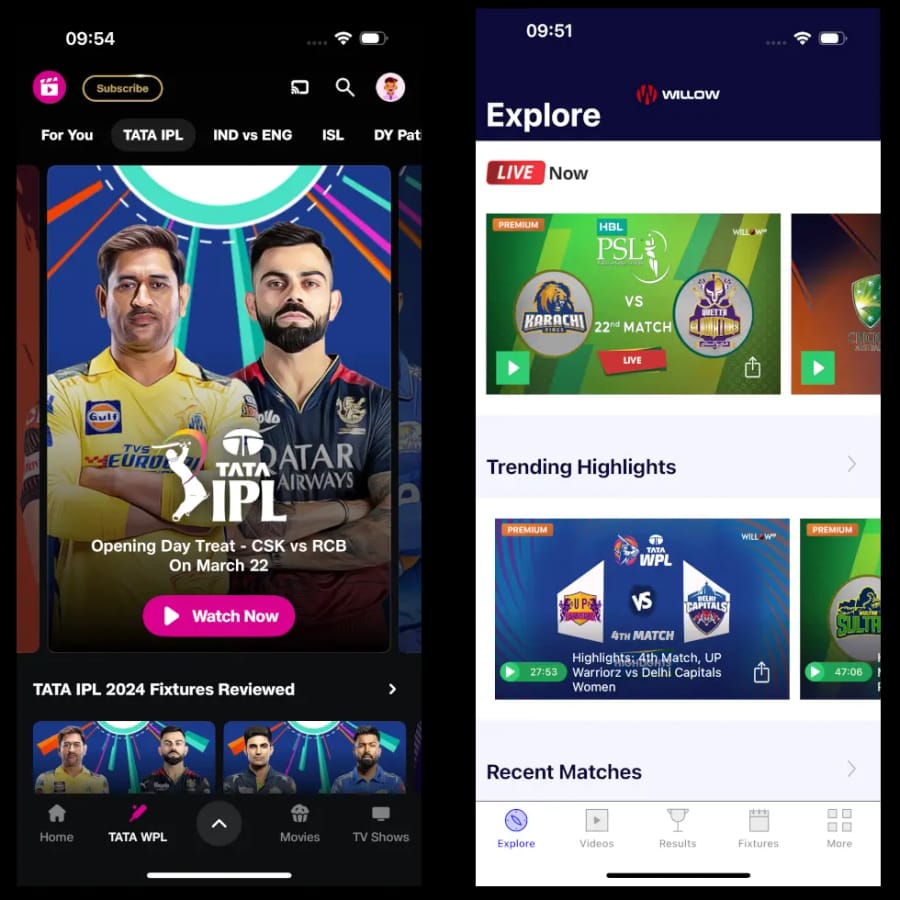
Hotstar (left) is easier to use than Willow TV (right).
Though we were able to get around some of Willow’s interface challenges by accessing it as a Sling TV add-on, the issues with the broadcast remained. Regardless of price, JioHotstar provides a much better overall experience than Willow.
How to Stream the IPL with a VPN
We’ll focus the instructions below on accessing Hotstar from outside India, since it’s our favorite IPL streaming platform.
Hotstar is also the most accessible service on mobile and streaming devices, since its apps aren’t locked down to Indian app stores. This is rare among streaming apps, and we were glad we spotted it.
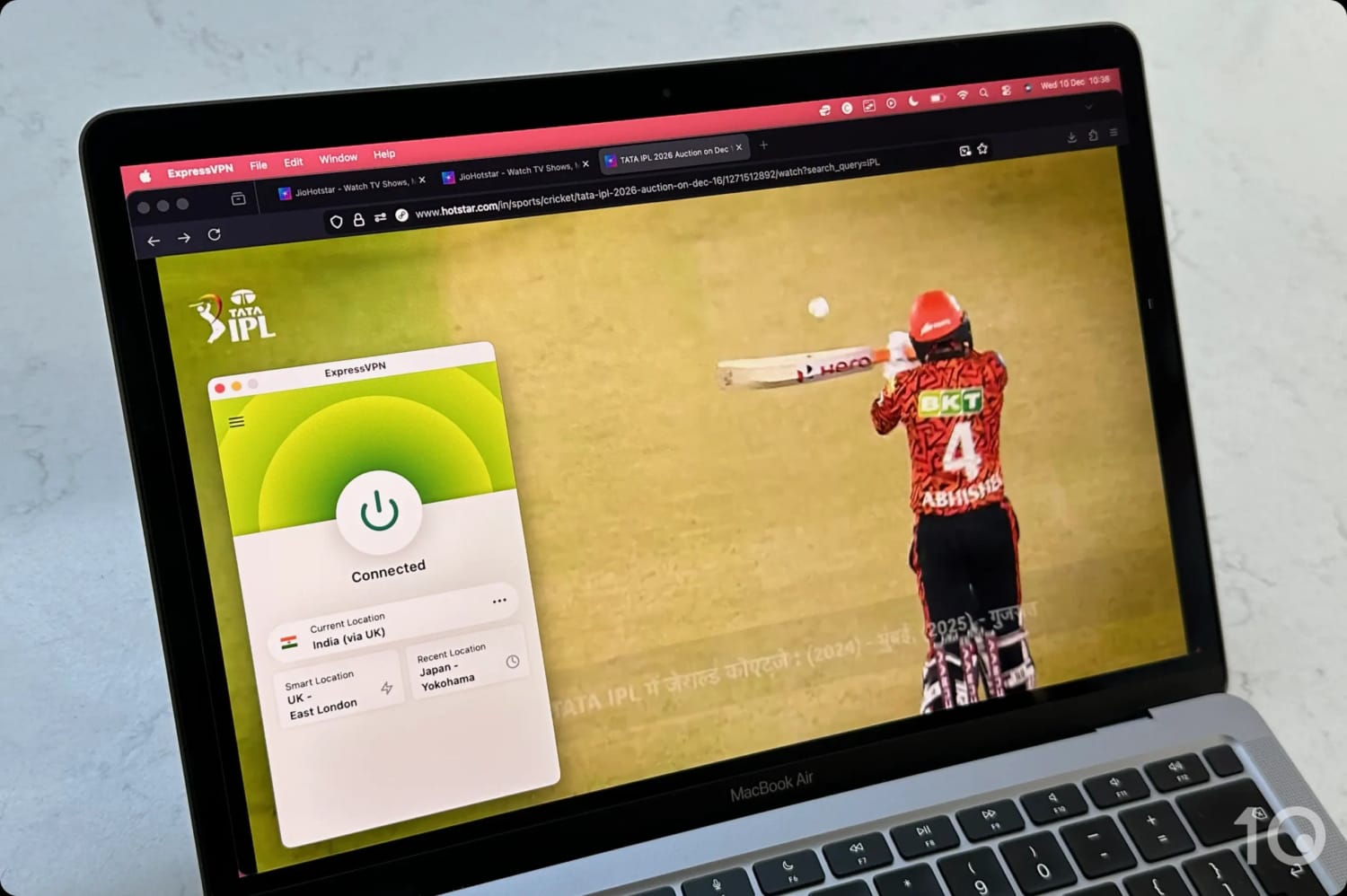
Watching the IPL on JioHotstar’s website using ExpressVPN.
Importantly, live IPL streams are only available to Hotstar subscribers. To create an account, you’ll need to provide an Indian mobile phone number so that you can receive OTP verification codes via SMS.
If you don’t have a relative or friend in India that can share theirs with you, try buying a virtual phone number, but make sure it can receive SMS messages.
PC & Mac
Using a VPN to watch the IPL on your desktop or laptop is straightforward, as long as you have an Indian mobile phone number.
Instructions: How to Stream the IPL on Desktop
- Sign up for a VPN that works with JioHotstar. ExpressVPN is the most reliable with a 30-day refund policy.
- Download and install the VPN’s Windows or macOS client from the official website.
- Launch the VPN application and log in using your credentials.
- Search for ‘India’ in the VPN server list.
- Connect to one of the VPN’s Indian server locations.
- Go to the JioHotstar website.
- Sign up to the relevant plan. You’ll need an Indian phone number that can receive SMS texts.
- Log in and click ‘TATA IPL’ from the top navigation bar.
- Select a game and the video will load. Click the settings icon at the top-right of the screen and choose ‘Full HD.’
- Request a refund from the VPN within 30 days. The quickest way to do this is via live chat, and you’ll receive a full refund within a few days.
The video below shows us streaming a live IPL game using ExpressVPN:
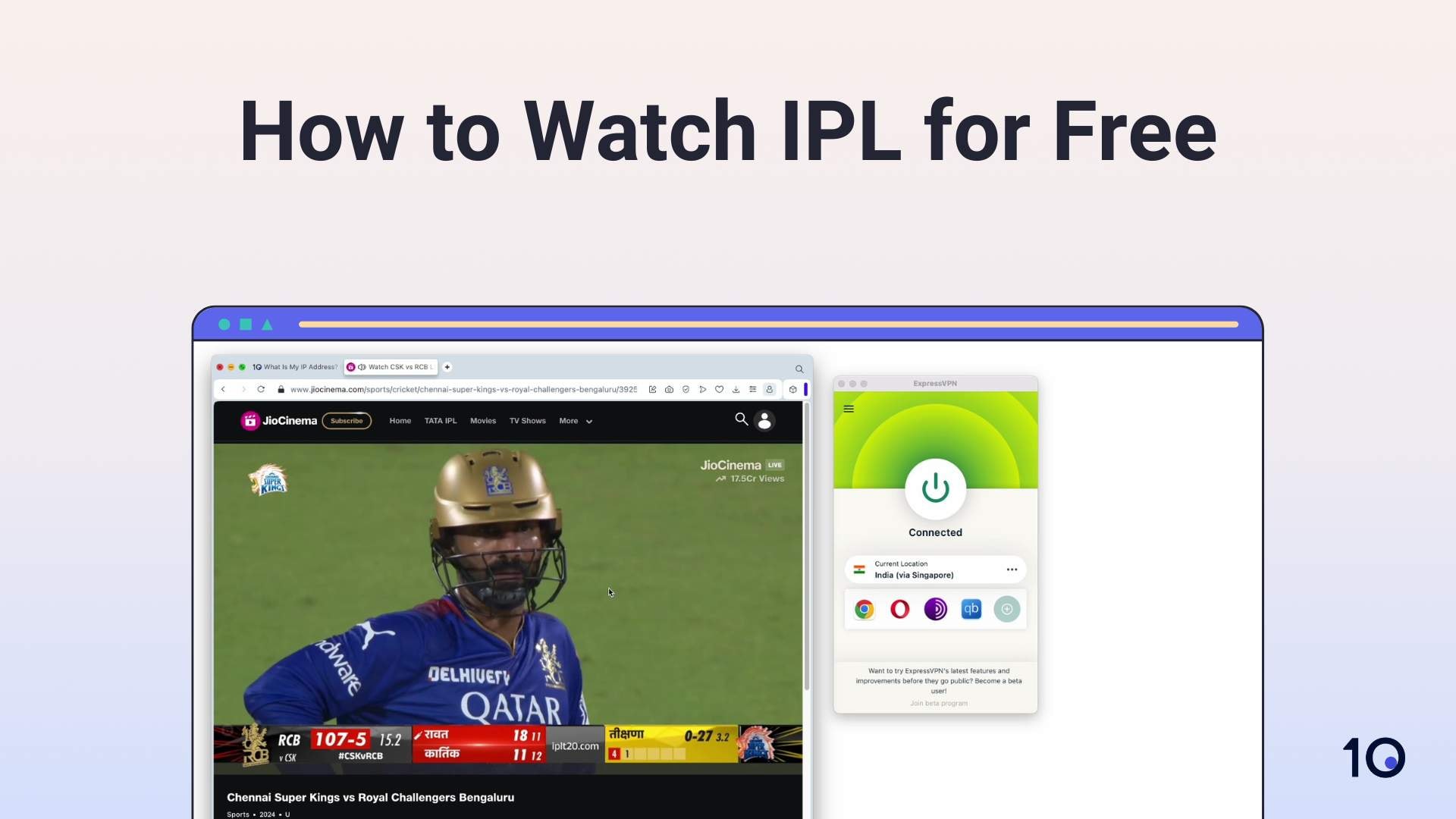
Mobile, Fire TV & Apple TV
Unlike many geo-restricted streaming platforms, the Hotstar app is available in App Stores worldwide.
This worldwide availability makes it infinitely easier to access IPL streams from outside India, as long as you have an Indian mobile phone number.
The below instructions are specific to iPhone, iPad, Android devices, Fire TV Stick, and Apple TV.
Instructions: How to Stream the IPL on Mobile, Fire TV & Apple TV
- Subscribe to a Hotstar-compatible VPN. ExpressVPN offers a 3-day free trial on iOS and Android.
- Download the VPN app, install it, and log in using your account details.
- Open the VPN app and connect to a VPN server in India.
- Search and download the Hotstar app from your device’s app store.
- Log in or create an account.
- On mobile, make sure you deny the Location Services permission request.
- Start streaming your chosen game.
Roku, LG & Samsung Smart TVs
We noticed that the Hotstar app allows the use of AirPlay, and that the destination device doesn’t require a VPN connection.
This greatly simplifies using a VPN on AirPlay-compatible devices that don’t support VPN software, such as Roku, LG, and Samsung Smart TVs. You’ll still need an iOS device, though.
Instructions: How to Stream the IPL via AirPlay
- Get one of our recommended VPNs for Hotstar. Both ExpressVPN and Surfshark have excellent iOS apps.
- Download the Hotstar app onto your iPhone or iPad.
- Download and install the VPN app and connect to an Indian server.
- Open the Hotstar app and select the IPL game you want to watch.
- Once the video starts loading, tap the AirPlay icon (top right of the screen). It looks like a TV screen with a triangle at its base. If the icons aren’t visible, tap the screen to reveal them.
- Select the name of your AirPlay-compatible device from the list of options.
- The live stream will now show on your TV.
Top VPNs for Streaming the IPL
Out of 59 VPNs we reviewed, ExpressVPN and Surfshark topped our rankings for accessing free IPL streams, based on our own use-case specific criteria.
Both VPNs consistently unblocked JioHotstar over a long testing period, with fast speeds connecting to their virtual Indian locations.
Disappointingly, not a single free VPN worked with JioHotstar. Most popular free VPNs, like Windscribe and Proton VPN, don’t even offer free Indian servers.
While PrivadoVPN, Psiphon, VPN Proxy Master, and SkyVPN offer free Indian IP addresses, JioHotstar consistently detected and blocked them.
1. ExpressVPN: #1 VPN for Streaming the IPL
Ranked #1 out of 59 VPNs for the IPL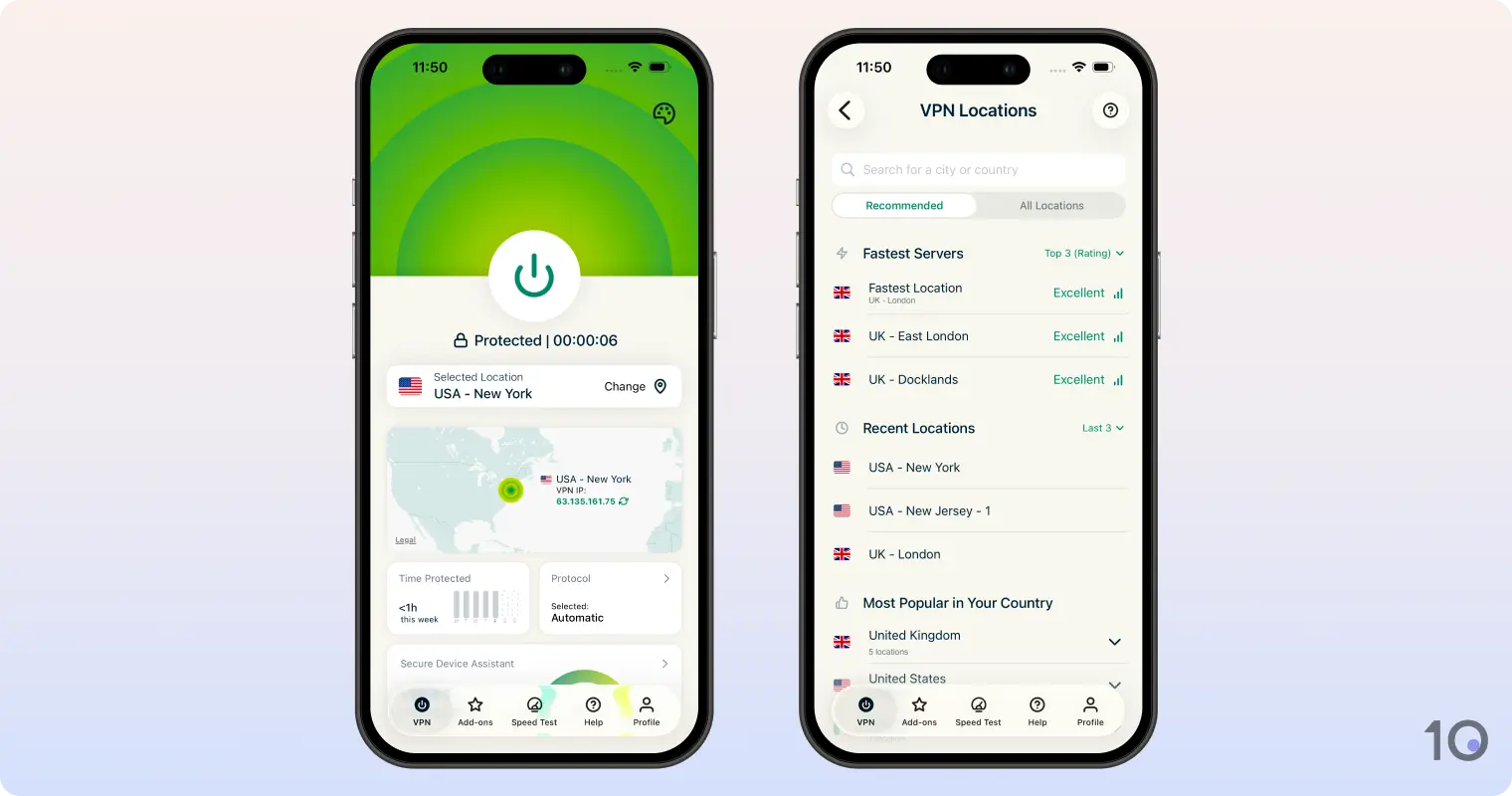
Pricing Plans - $15.99/mo
- $4.99/mo over 15 months
- $2.49/mo over 28 months
Money-Back Guarantee 30 Days (Paused) India Servers 150 India Server Locations Chennai, New Delhi Simultaneous Connections 10 Support 24/7 Live Chat Compatible with  Windows
 Mac
Mac iOS
iOS Android
 Linux
Linux Amazon Fire TV
 Android TV
 Apple TV
 Router
 Chrome
ExpressVPN is still the fastest and most effective VPN for streaming live IPL games from any country, regardless of the distance involved.
The VPN service continues to bypass JioHotstar’s geo-blocks on all its 150 virtual Indian servers. Its apps are the best designed in the industry, changing your IP location almost instantly.
While ExpressVPN’s 3-day free trial is only available via iOS and Android, you can then use your free account on all the service’s other apps.
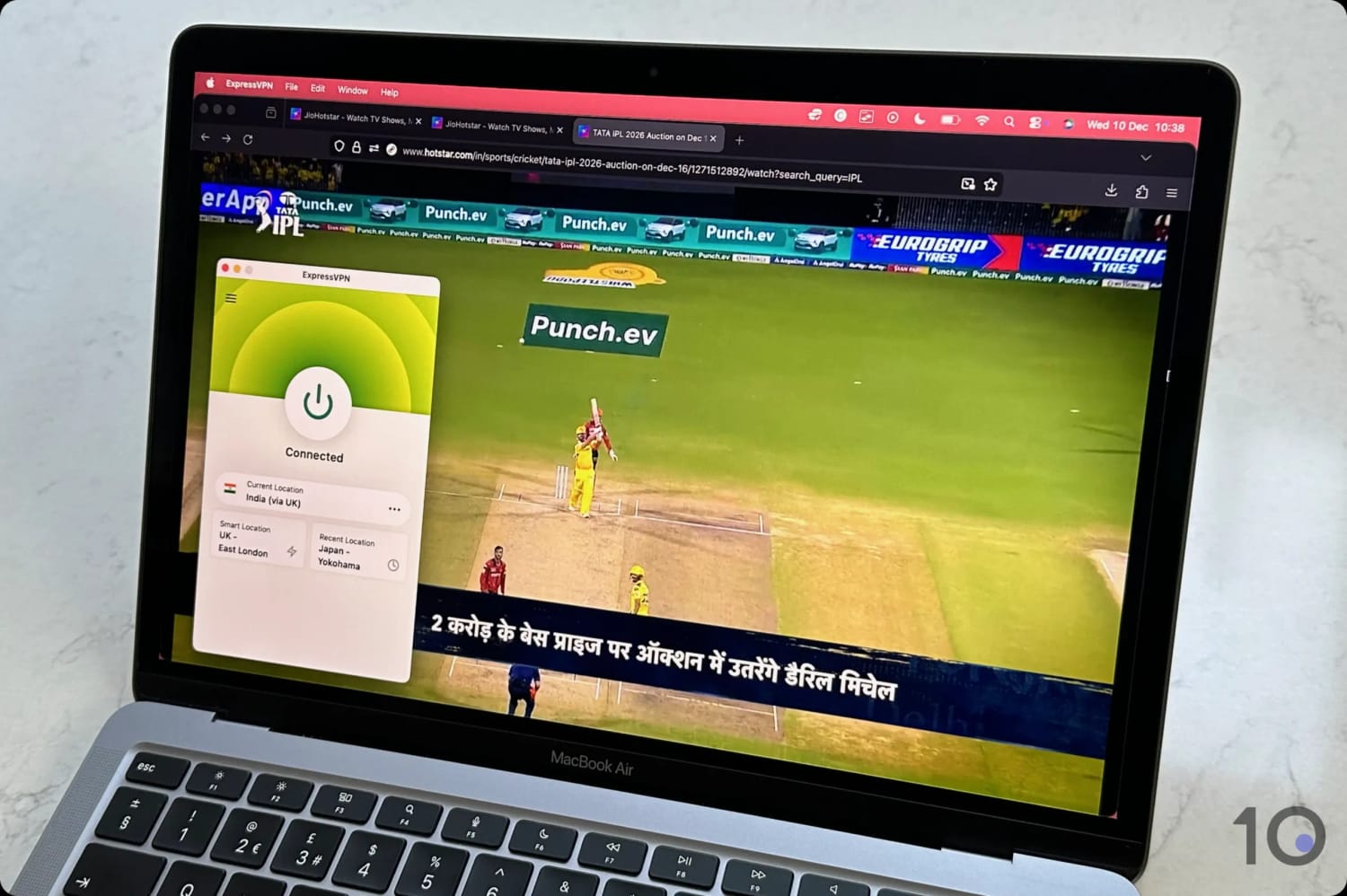
Watching a Live IPL Game on JioHotstar with ExpressVPN.
Accessing IPL Live Streams
Over our entire testing period, ExpressVPN has never failed to unblock JioHotstar: a phenomenal result.
We accessed the content platform regardless of the Indian server we connected to, unlike Surfshark’s Mumbai servers which occasionally were blocked by JioHotstar.
ExpressVPN is also a fantastic option to access other international IPL broadcasters. For instance, we smoothly unblocked Kayo Sports from outside Australia and ITVX from outside the UK.
Indian Server Network
ExpressVPN has seriously invested in its Indian server network, which is now the largest offered by a VPN company.
While its Indian server locations aren’t labeled very well, we figured out that you can get a New Delhi IP address through the India (via UK) server, and a Chennai IP connecting to the India (via Singapore) server.
The servers connected under three seconds on all the apps we tested: an impressive result no other VPN can match.
Streaming Speeds
Our in-house speed tests continue to show how ExpressVPN is one of the fastest VPNs on the market, especially when connecting to servers on the other side of the world.
We recorded an average download speed slowdown of just 15% when connecting to far-away servers, compared to Surfshark’s 17% reduction.
If you have a fast enough internet connection, then you’ll have no issue streaming JioHotstar in its highest resolution of 4K (2160p).
Interface & Device Compatibility
ExpressVPN is the VPN service with the widest device compatibility, with native apps for computers, smartphones, tablets, and even routers.
Its dedicated app for routers is particularly noteworthy, since no other VPN offers it, and it allows you to use the VPN on devices that don’t support VPN installation, such as game consoles and Roku Stick.
You can even buy ExpressVPN’s own router, Aircove, which comes with the router app pre-configured and ready to go.
ExpressVPN’s apps are extremely well crafted across platforms, finding the right balance between simplicity and access to key features and settings. For this reason, ExpressVPN’s usability is unparalleled.
2. Surfshark: Cheaper VPN Alternative
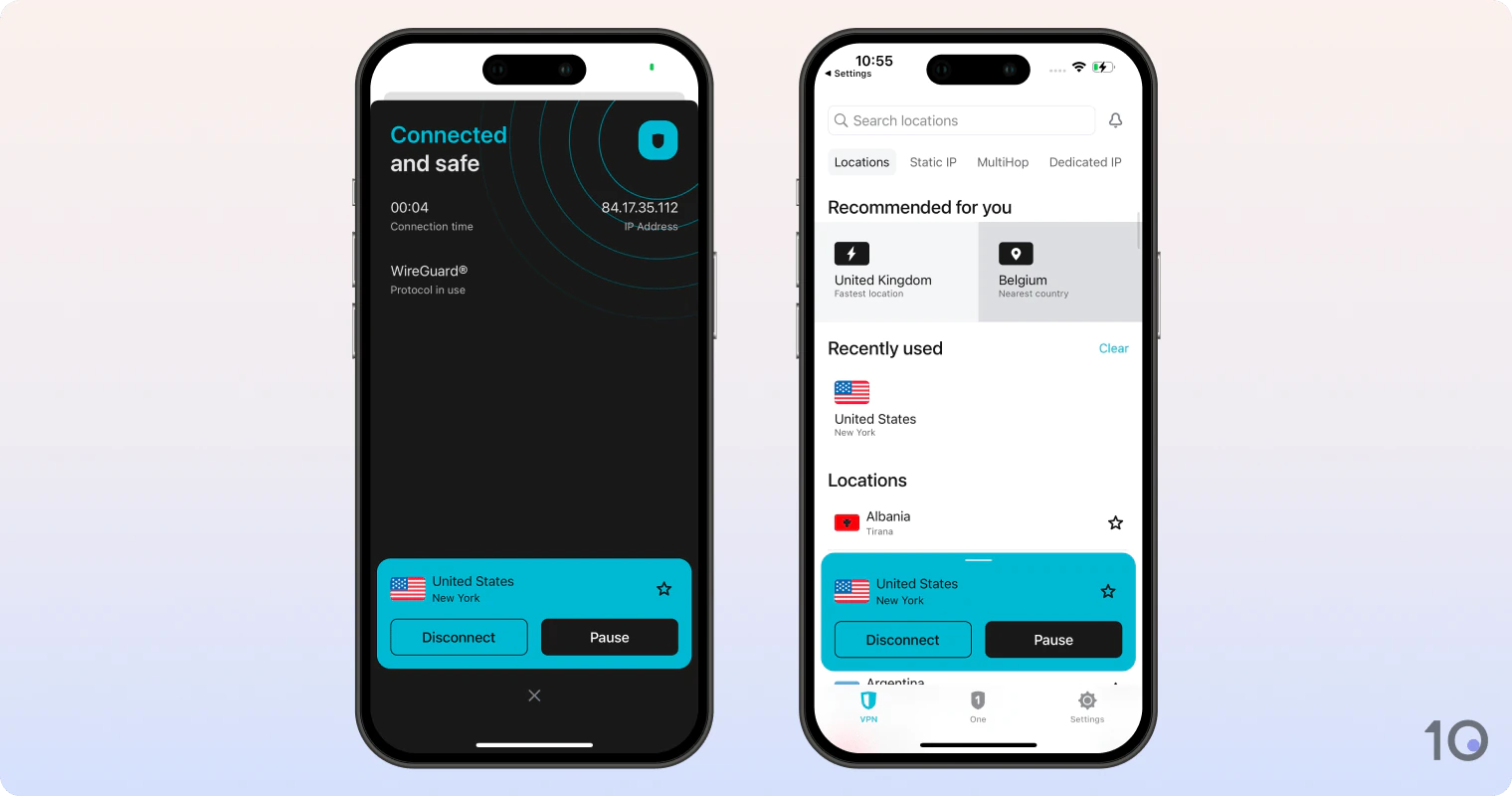
Pricing Plans - $16.45/mo
- $3.39/mo over 15 months
- $2.49/mo over 27 months
Money-Back Guarantee 30 Days India Servers 50 India Server Locations Delhi, Mumbai Simultaneous Connections Unlimited Support 24/7 Live Chat Compatible with - Windows
- Mac
- iOS
- Android
- Linux
- Amazon Fire TV
- Android TV
- Apple TV
- Router
- Chrome
Surfshark is an excellent alternative to ExpressVPN for watching JioHotstar outside India on a budget.
Though it’s slower and compatible with fewer devices than ExpressVPN, Surfshark is $0 cheaper per month on a 2-year plan, and works well with JioHotstar.
Moreover, Surfshark’s 7-day free trial is available on both desktop and mobile, making it even more accessible.
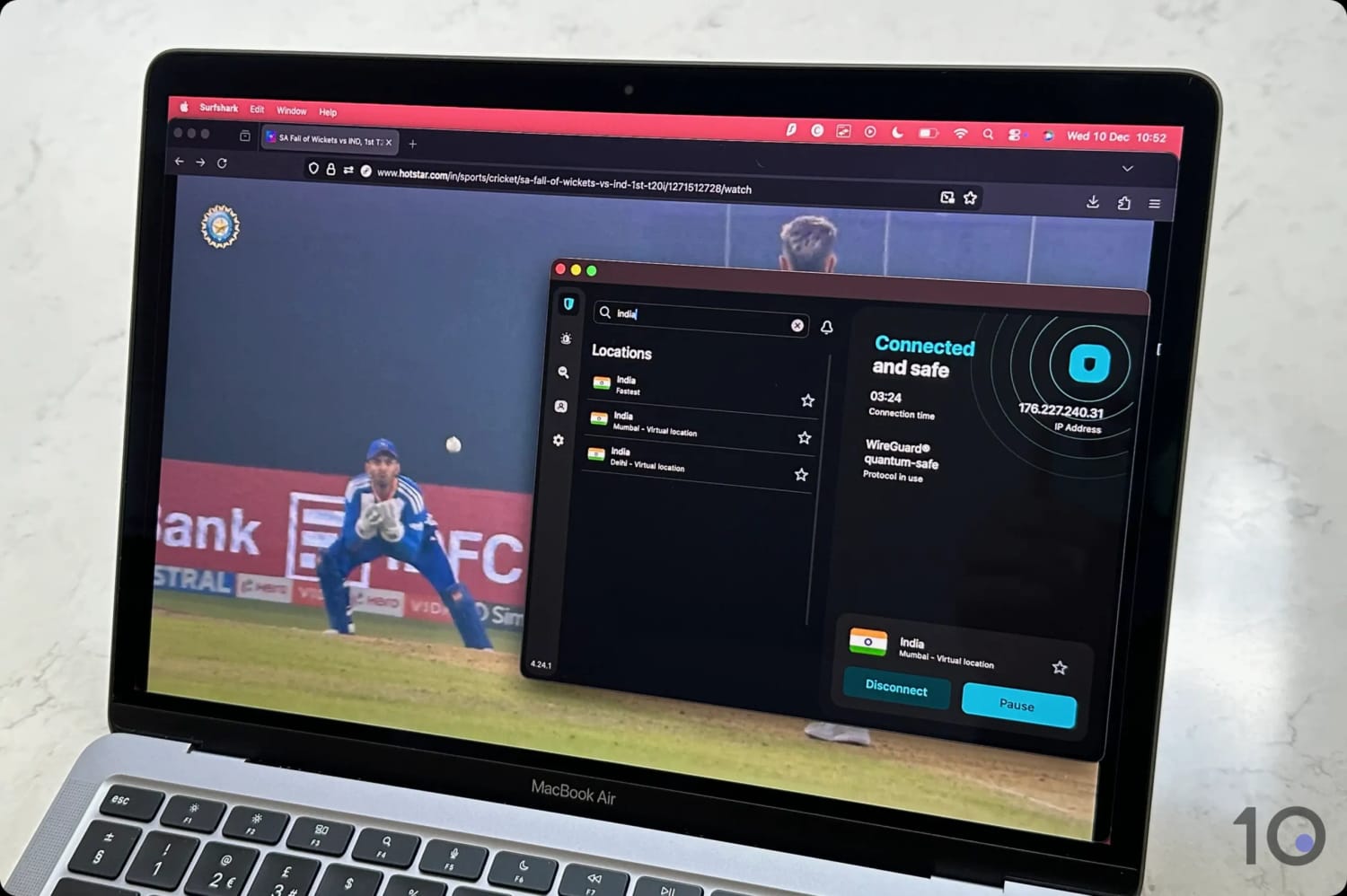
You can easily stream the IPL on JioHotstar.
Accessing IPL Live Streams
During our tests, Surfshark reliably unblocked JioHotstar on its Delhi server, and often on its Mumbai server, although not as consistently.
Also, live streams sometimes took over 10 seconds to load. We didn’t experience these kind of delays with ExpressVPN.
More positively, once loaded, videos streamed at maximum resolution without any buffering or pixelation.
Indian Server Network
Surfshark currently offers 50 VPN servers in India, which is one of the largest offerings among VPN services.
That said, it still only allows you to switch between two virtual server locations: Delhi and Mumbai. This is the same number of locations as ExpressVPN, but with better labeling of the actual IP locations.
Streaming Speeds
Unlike ExpressVPN, Surfshark randomly rotates the locations of its Indian servers between the UK, Netherlands, and Singapore.
As a result, its speed performance can vary greatly depending on where the server is located at any given time.
Generally, though, Surfshark is sufficiently fast for streaming IPL games in the maximum resolution available.
We recorded an average download speed loss of 17% when connecting to international server locations.
This sort of speed loss is acceptable and always meant we could stream matches in high definition and without unexpected connection issues.
Interface & Device Compatibility
Surfshark’s apps are consistent across platforms and are simple to use. It provides apps for most popular devices, including Windows, macOS, Android, iOS, Android TV, Fire TV, and Apple TV.
Unlike ExpressVPN, it doesn’t have a dedicated router application, which comes in very handy to stream on Roku, for example.
The apps are easy to use although we found the desktop apps cluttered with tabs and options that get in the way of simply changing IP address.




Popular VPNs That Disappointed Us
During our first-hand VPN testing, we found that many well-known services couldn’t bypass JioHotstar’s geo-blocks.

PrivadoVPN’s free app doesn’t work with JioHotstar.
Here’s a list of popular VPNs and the specific reasons they didn’t make our selection:
| VPN Service | Reason for Exclusion |
|---|---|
| NordVPN | Inconsistent access to JioHotstar |
| PIA VPN | Failed to unblock JioHotstar on all Indian servers |
| PrivadoVPN (Free) | Failed to unblock JioCinema on all Indian servers |
| Proton VPN (Free) | No Indian servers |
| Windscribe (Pro) | IPL stream quality was excessively blurry |
| Windscribe (Free) | No Indian servers |
| TunnelBear (Free) | No Indian servers |
How We Tested VPNs for the IPL
In order to find the most suitable VPNs for streaming the IPL for free from any country, we measured how well 59 services we reviewed matched the following criteria:
- Unblocks JioHotstar: We tested each VPN to determine if, and how well, it could bypass JioHotstar’s geo-restrictions.
- International Download Speeds: Streaming in a high resolution without buffering requires fast and stable connections into India, so we collected download speed results from multiple countries for each VPN.
- Virtual Indian Servers: Many popular VPNs don’t provide any Indian IP addresses, so we had to verify which secure and trustworthy ones still do. We factored in the number of servers as well as the variety of locations within India.
- Device Compatibility: A VPN must offer user-friendly apps with intuitive interfaces for all popular devices, including streaming devices like Fire TV and Apple TV.
- Free Use: Completely free VPNs are preferable in this instance, but since none worked with JioHotstar, we tested premium VPN’s free trials and money-back-guarantees.
We would never recommend an unsafe or untrustworthy VPN service, therefore we also analyzed each VPN’s privacy (logging) policy, security standards, and track record over the years.
We only recommend VPNs that improve your online privacy and security, and never those that put it at risk.