


Top10VPN is editorially independent. Buying a VPN through our links supports our work.
The Best VPNs to Watch JioHotstar Outside India
Follow us:
Simon Migliano
Simon Migliano is a recognized world expert in VPNs. He's tested hundreds of apps and his research has been featured on the BBC, The New York Times, and more. Read full bio
ExpressVPN is the best VPN for JioHotstar, unblocking it on every Indian server and device I tested. Surfshark is cheaper, but just as reliable. CyberGhost’s free trials let you stream Hotstar free for up to seven days.
JioHotstar (or simply Hotstar) is a major Indian content platform that shows popular sports, like the Indian Premier League (IPL), alongside Bollywood movies and TV shows.
The streaming service is restricted to Indian IP addresses, so when you try to access it from outside India, you’ll see this error message: “Hotstar content not available in your region.”
That’s harder than it sounds. Since India introduced its intrusive VPN data logging laws, trustworthy VPNs have pulled their physical servers out of the country and replaced them with virtual ones, which are typically much easier for Hotstar to detect.
The good news is that all three of my picks unblock JioHotstar’s free and premium libraries alike, including live IPL streams. Premium content still needs an Indian phone number to register an account, which I explain further down.
There are also no completely free VPNs that work with Hotstar, but all three of my picks run genuine free trials lasting up to seven days.
🔄 Recent Updates
I’ve made general improvements and expanded my JioHotstar content guide to help you get more out of the platform.
Why Trust Us?
We’re fully independent and have been reviewing VPNs since 2016. Our ratings are based on our own testing results and are unaffected by financial incentives. Learn who we are and how we test VPNs.
VPNs Tested
59
Total Hours of Testing
30,000+
Combined Years of Experience
50+
The Best Hotstar VPNs Compared & Reviewed
I tested 59 VPNs with JioHotstar but only three cleared the bar I set for reliable, watchable streaming.
Compare them below on their overall Hotstar test rating, speed performance, free trial options, and price.
Read the VPN testing methodology I used to select them and to see each VPN’s performance test ratings.
Let’s get straight to the point: ExpressVPN is the most complete VPN for JioHotstar, no matter where in the world you’re watching from.
I’ve never had a single problem reaching the geo-blocked service with it, and since the recent upgrade to a network of 150 virtual Indian servers, performance has improved further still.
Thanks to its in-house Lightway protocol, I got fantastic streaming quality even connecting in from distant countries like the UK and the US. It’s the VPN I reach for first when I want to catch a match without thinking about it.
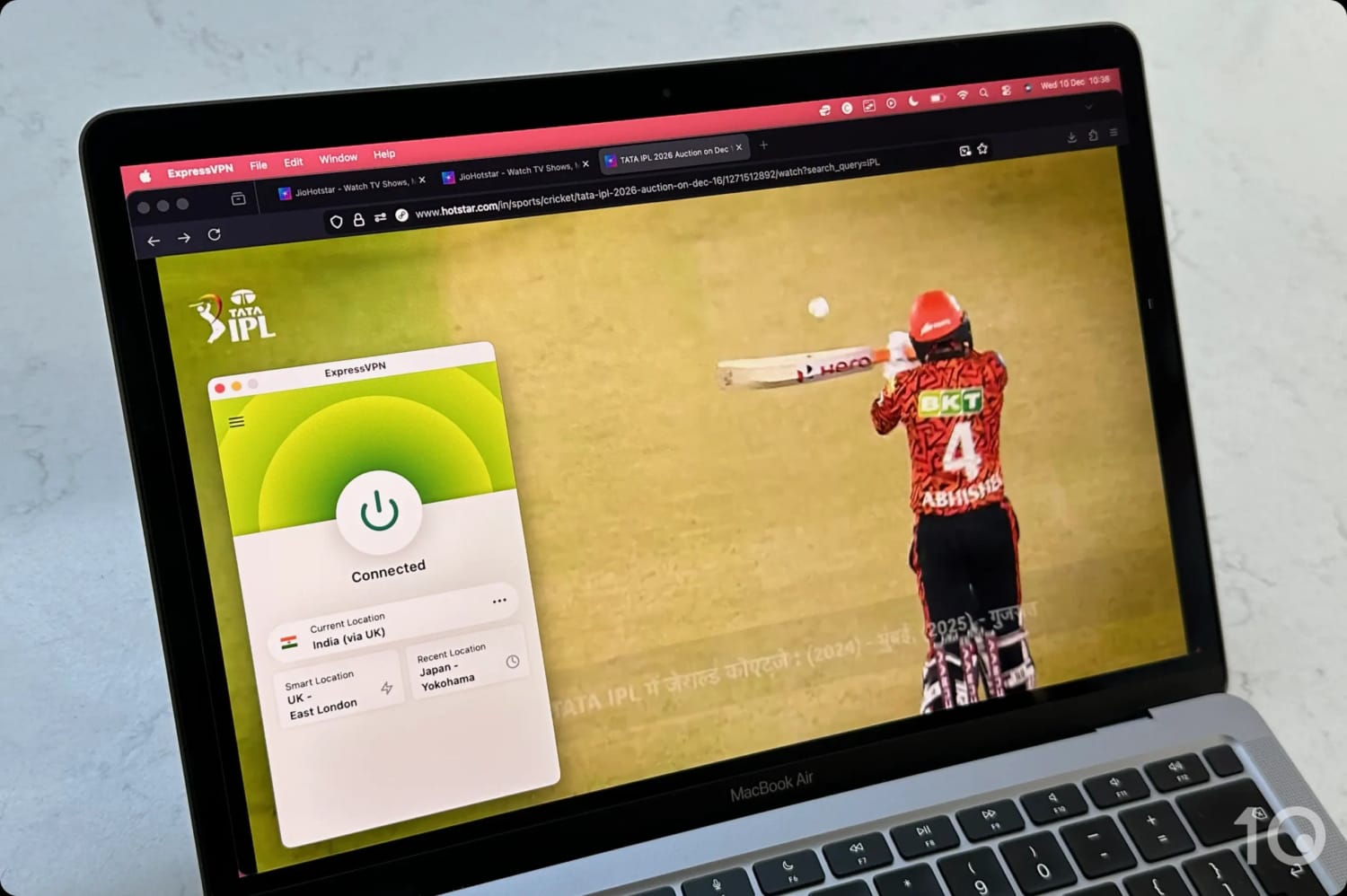
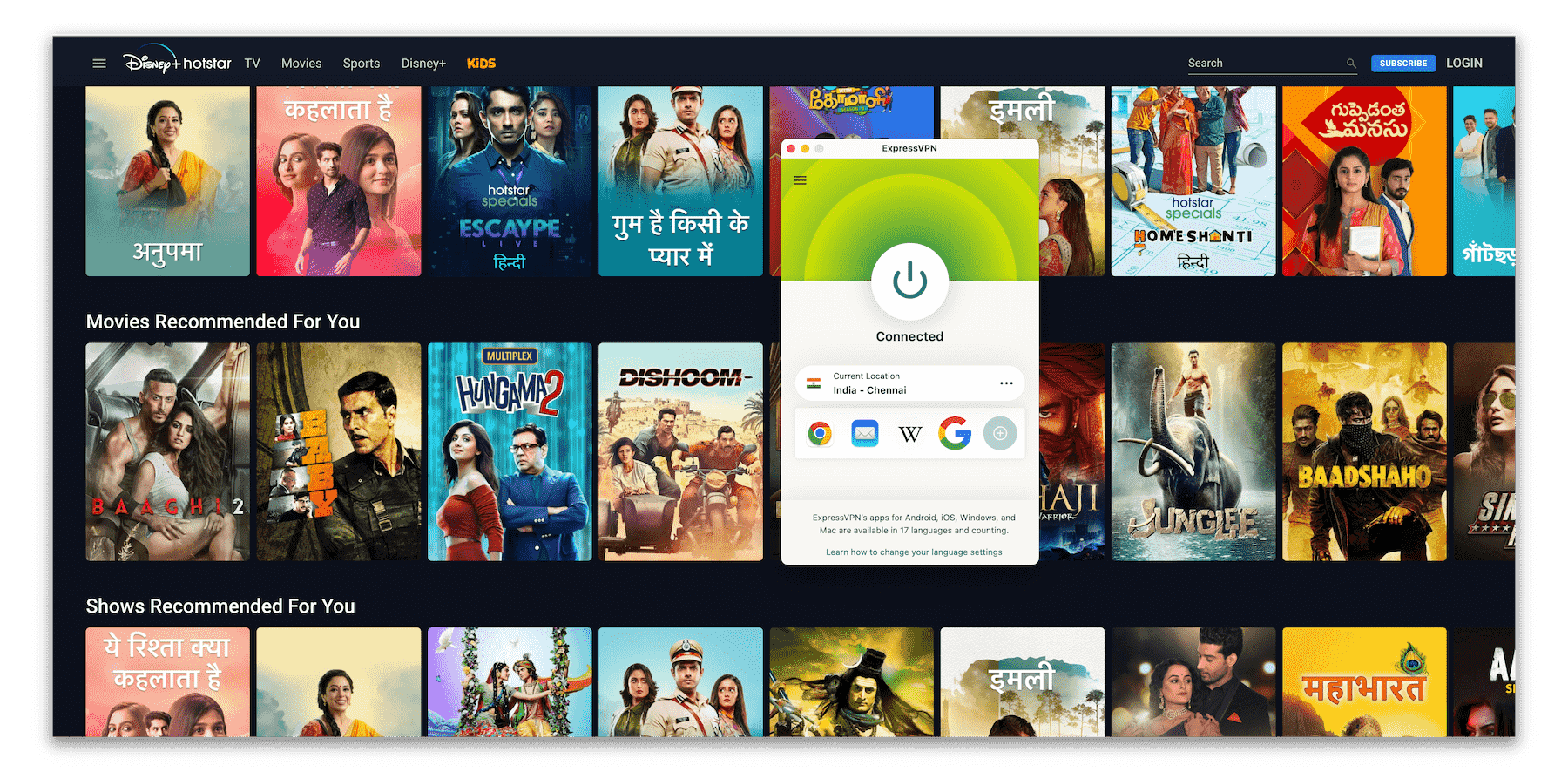
I streamed an IPL match on JioHotstar with ExpressVPN.
Large and Dependable Indian Server Network
Like every secure and trustworthy VPN, ExpressVPN’s Indian servers aren’t physically located in the country. That hasn’t affected the quality or dependability of its Indian IP addresses one bit.
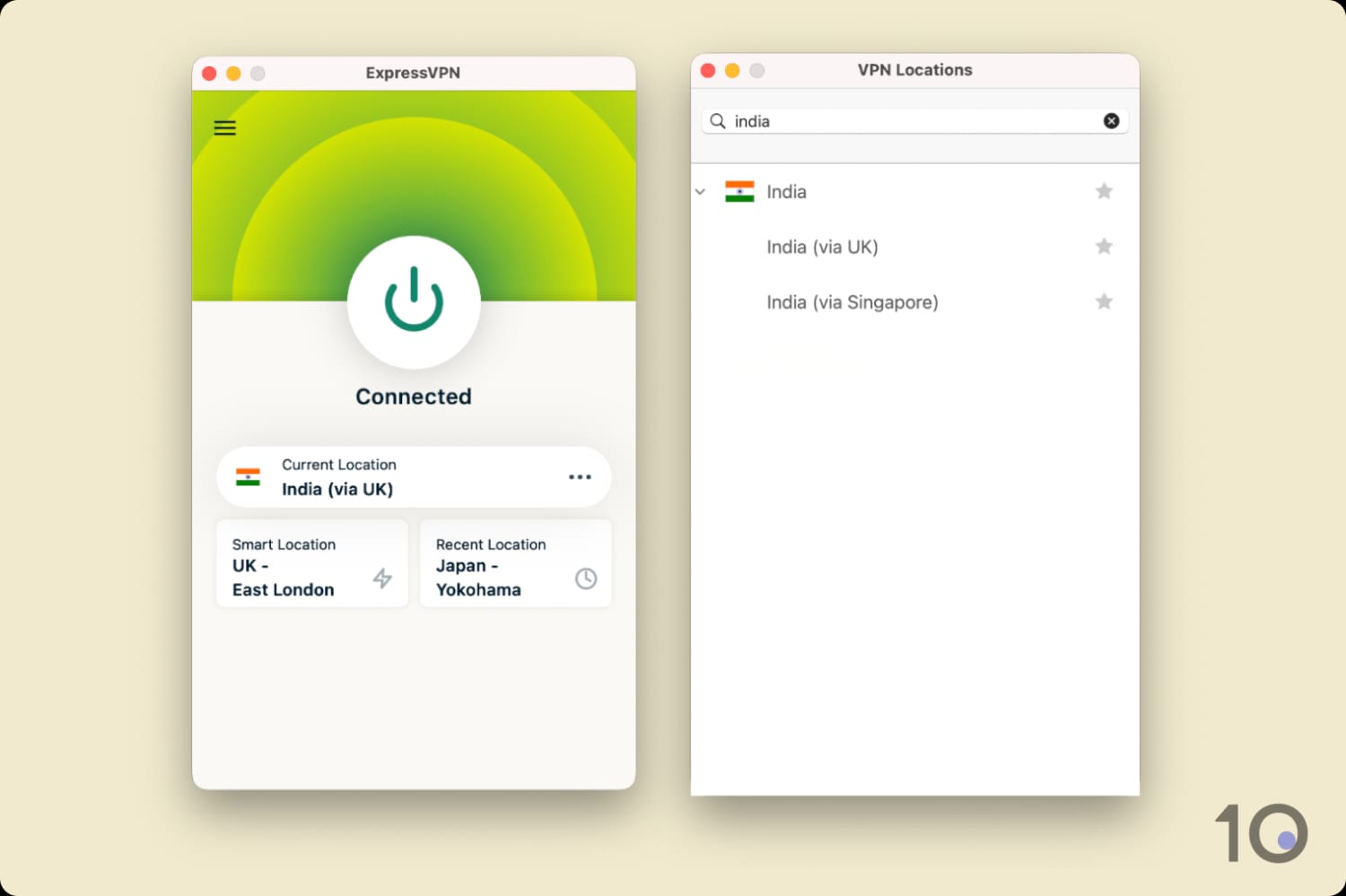
Its 150 servers, labeled India (via Singapore) and India (via UK) in the app, worked flawlessly in my tests, with reassuring stability and excellent video quality throughout.
ExpressVPN’s Indian server list on its desktop app.
Oddly, the servers aren’t marked with city-specific locations, so I ran an IP check on each to see what I was actually getting: India (via UK) assigns a New Delhi IP address, and India (via Singapore) a Chennai one.
ExpressVPN is renowned for its fast long-distance connections, and connecting into India from far-away countries like the United States and Canada is no different.
Connected to its India servers, my speeds dropped by only 15%, against Surfshark’s 17% and CyberGhost’s 19%.
Exceptional Streaming Access on All Devices
This is where ExpressVPN really pulls clear of Surfshark. As my top-rated VPN for streaming, it goes far beyond the desktop and mobile access you’d expect.
ExpressVPN has built the most polished and beginner-friendly apps for every major device and platform: Windows, macOS, Android, iOS, Linux, Apple TV, Android TV, Fire TV, and even routers.
They’re beautifully designed, in my opinion, with vibrant colors, few and clear buttons, and little to get in the way of changing your IP address quickly.
The upshot was instant success streaming Hotstar Specials like Criminal Justice and Aarya on every device I own, my Firestick and Apple TV included.
ExpressVPN’s apps are also the quickest to connect, and by some margin. Where some VPNs left me waiting five seconds or more for a new IP address, ExpressVPN was done in under three.
Not the Cheapest But Worth Trying Risk-Free
It’s true that ExpressVPN’s multi-year plans cost more than Surfshark’s and CyberGhost’s, but they are worth the extra outlay for what you get.
That being said, I completely understand if you find Surfshark’s or CyberGhost’s pricing a lot more appealing.
Keep in mind that if you only need a VPN short-term, ExpressVPN runs a 3-day free trial via mobile, plus a 30-day refund guarantee on any subscription plan.
Put the two together and you get 33 days of risk-free use of the best VPN for Hotstar on the market.
Surfshark is a great way to pick up an Indian IP address from abroad, and it matched ExpressVPN blow for blow when it came to unblocking JioHotstar.
It’s also unbelievably cheap if you sign up for the two-year plan, which sets you back just $2.49 each month.
What Surfshark gives you for that price is, in my opinion, amazing value.
That being said, there are speed and usability issues you’ll have to put up with, and they’re the reason it finishes behind ExpressVPN overall.
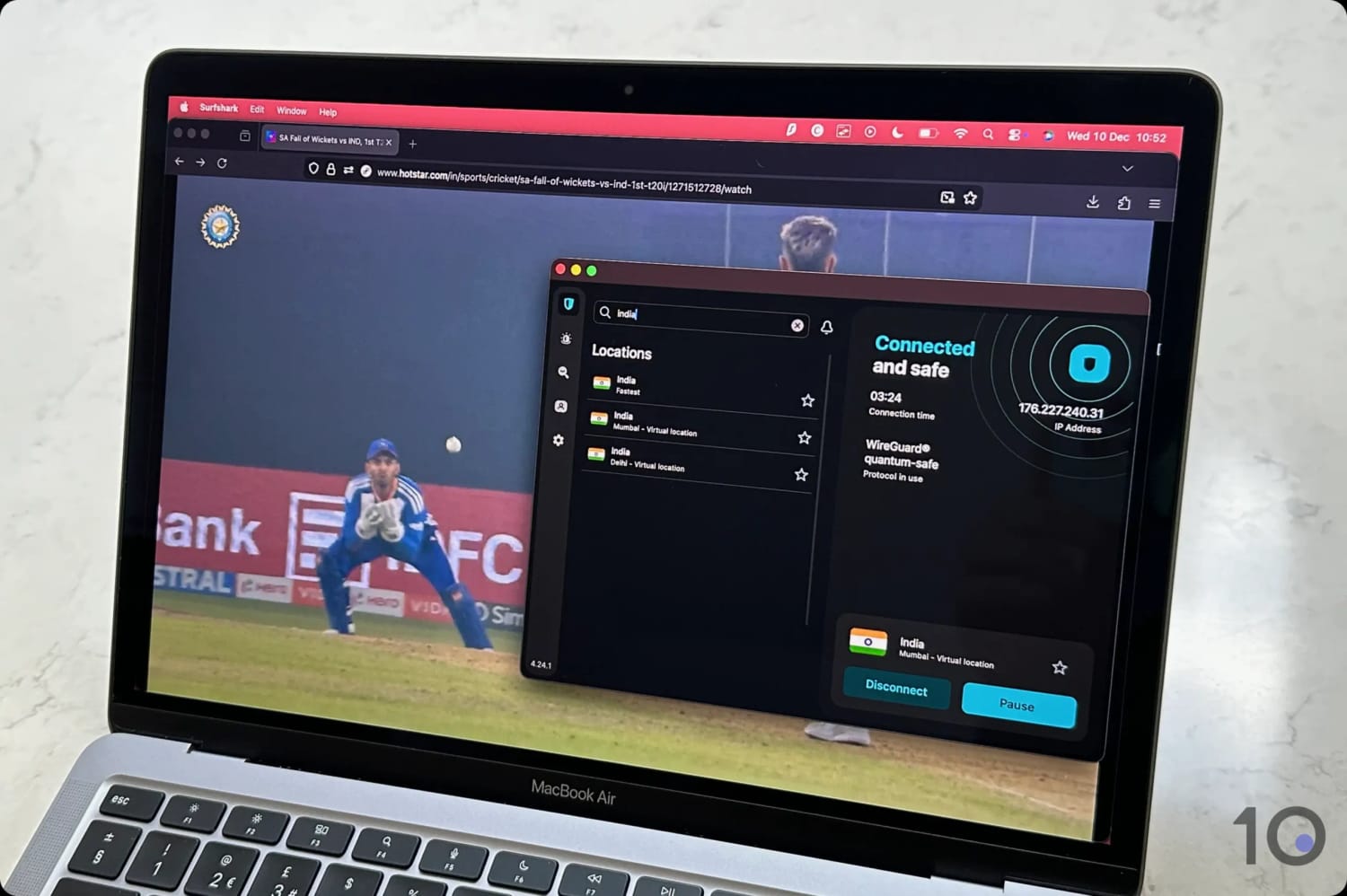
I used Surfshark to watch T20I matches on Hotstar.
Solid Indian Server Network
Surfshark’s Indian server network has been consistently reliable over the years I’ve been testing it. Its IP addresses are very rarely detected by Indian web services.
It runs far fewer virtual servers in the country than ExpressVPN, but that made no difference to the results I recorded.
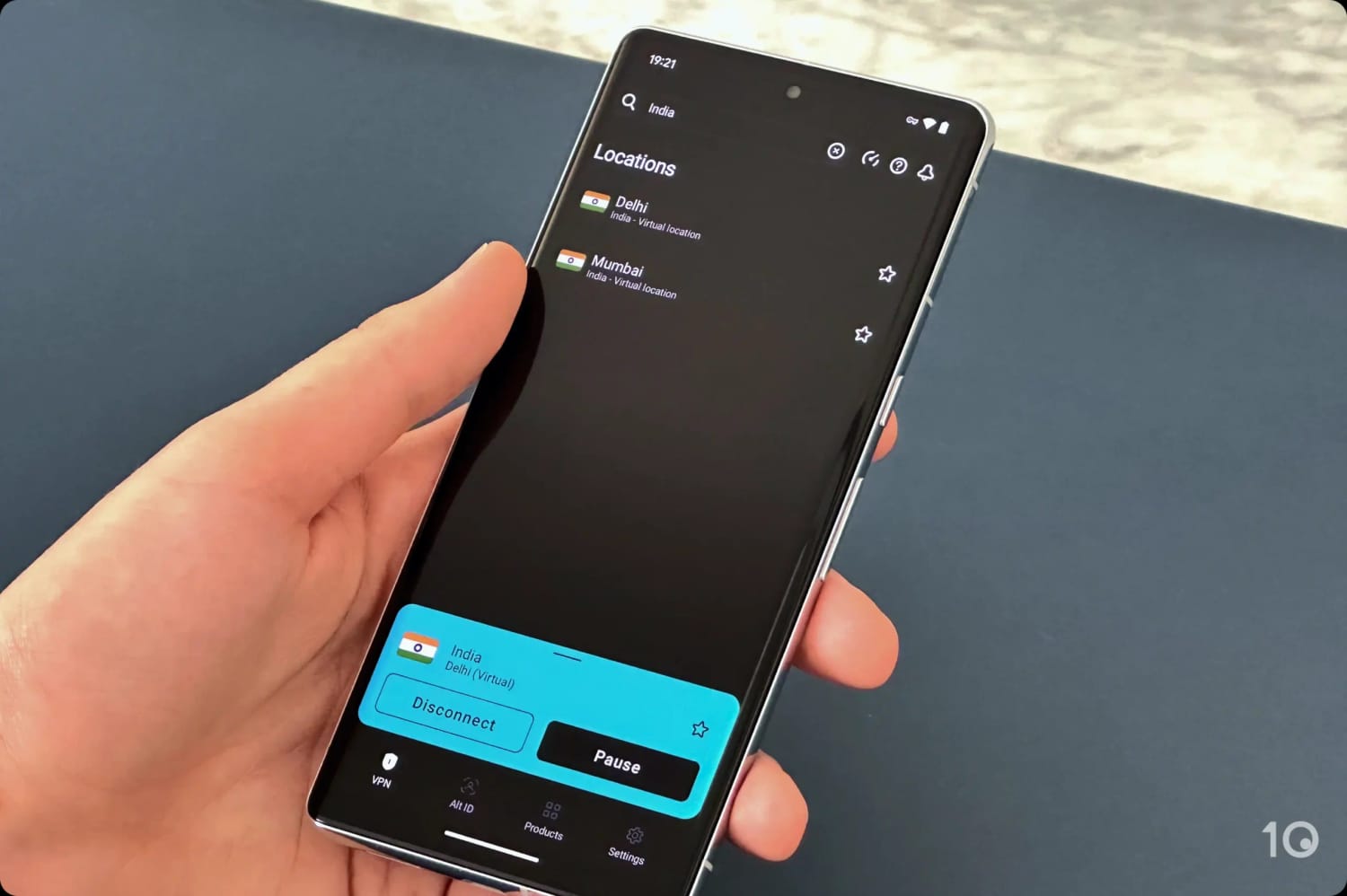
You can also choose which city you appear in, Delhi or Mumbai, which isn’t something ExpressVPN lets you do directly.
I’d stick with Delhi, though. Its servers got me into Hotstar every time, whereas the Mumbai ones occasionally stopped working with the service mid-session.
Slower & Less User-friendly
There are some drawbacks to using Surfshark, which may or may not put you off the service.
As I mentioned above, its international speeds aren’t as fast as ExpressVPN’s.
The VPN is by no means slow, but every now and again I noticed the effect of connecting to more distant countries. On a handful of occasions my speed briefly fluctuated and the streaming quality dipped with it.
Surfshark’s desktop app is also far too cluttered for my liking. The interface feels busy, with too many tabs and settings crowding out the one thing I actually opened it to do: change my IP address.
Its mobile apps, on the other hand, are much more streamlined and enjoyable to use.
Surfshark’s India Servers on its Android app.
Finally, the servers are rather slow to connect compared to ExpressVPN’s. I’m not talking minutes, obviously, but a few extra seconds is frustrating when you want to change online location in a hurry.
24-hour desktop free trial doesn't require payment info
3- & 7-day free trials on mobile
Very affordable multi-year subscriptions
Generous 45-day money-back guarantee
Only offers Mumbai IP addresses
Fewer Indian servers than Surfshark & ExpressVPN
Slower & less stable international speeds
Pricing Plans
$12.99/mo
$6.99/mo over 6 months
$2.19/mo over 26 months
India Servers
29
India Server Locations
Mumbai
Simultaneous Connections
7
Support
24/7 Live Chat
Compatible with
Windows
Mac
iOS
Android
Linux
Amazon Fire TV
Android TV
Apple TV
Router
Chrome
If you want a free VPN for Hotstar, use CyberGhost’s 100% VPN free trials, available on desktop and mobile for up to seven days.
Add the company’s very generous 45-day money-back guarantee and you can effectively use the VPN risk-free for up to 52 days.
CyberGhost’s Mumbai virtual servers unblocked Hotstar smoothly enough, though I sat through slower video loading times and the odd connection freeze.
Those are real irritations, but they’re easier to forgive when you haven’t paid anything.
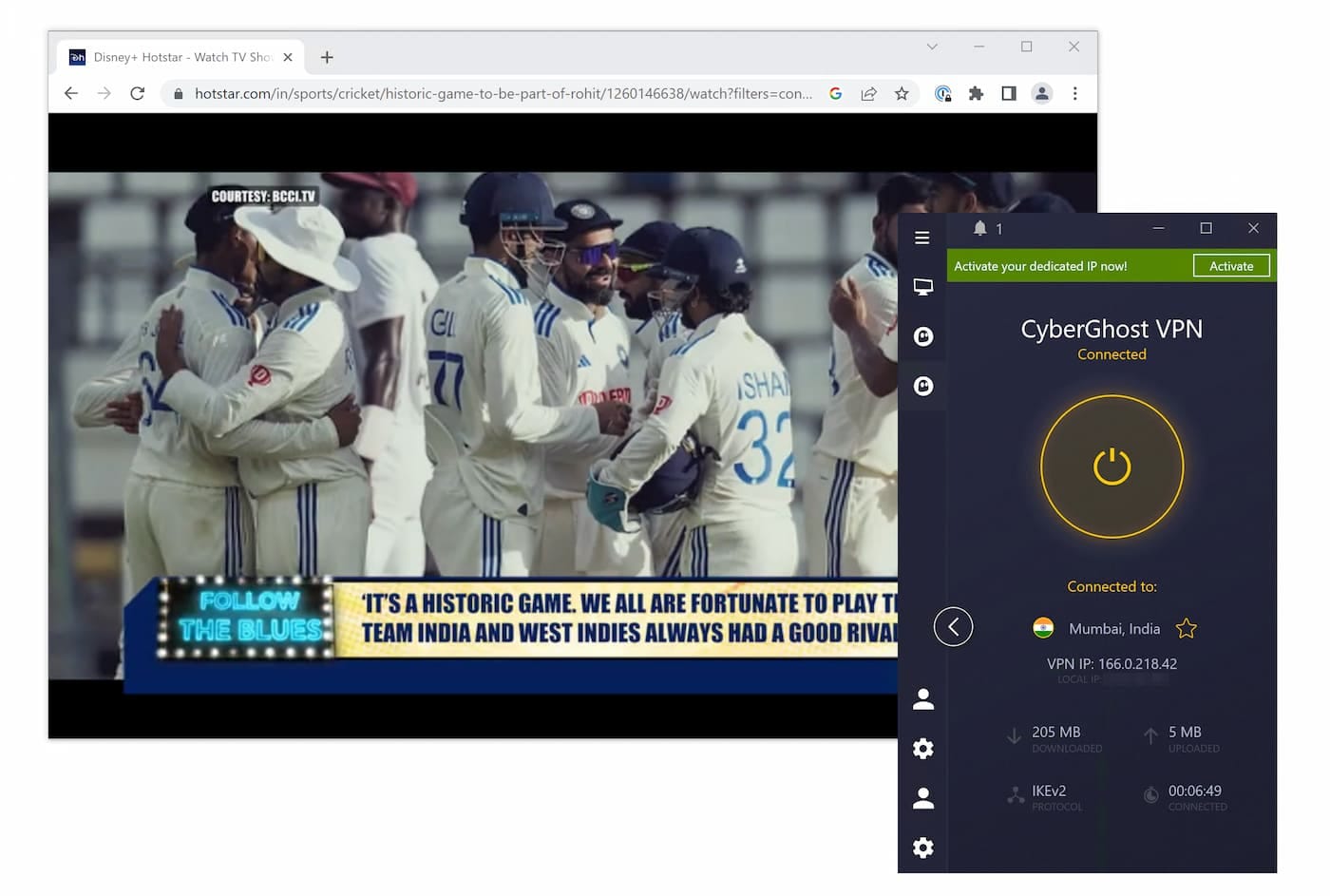
I streamed live cricket on Hotstar using CyberGhost.
24-hour Free Trial with No Payment Info Needed
There are no completely free (and secure) VPNs that get past Hotstar’s geo-restrictions, so CyberGhost’s free trials are the next best thing.
The VPN’s 24-hour free trial on PC and Mac is ideal if all you want is a live cricket match or a movie. You don’t even have to hand over payment information.
On smartphones and tablets, you can test-drive the VPN for three days on Android and seven on iOS.
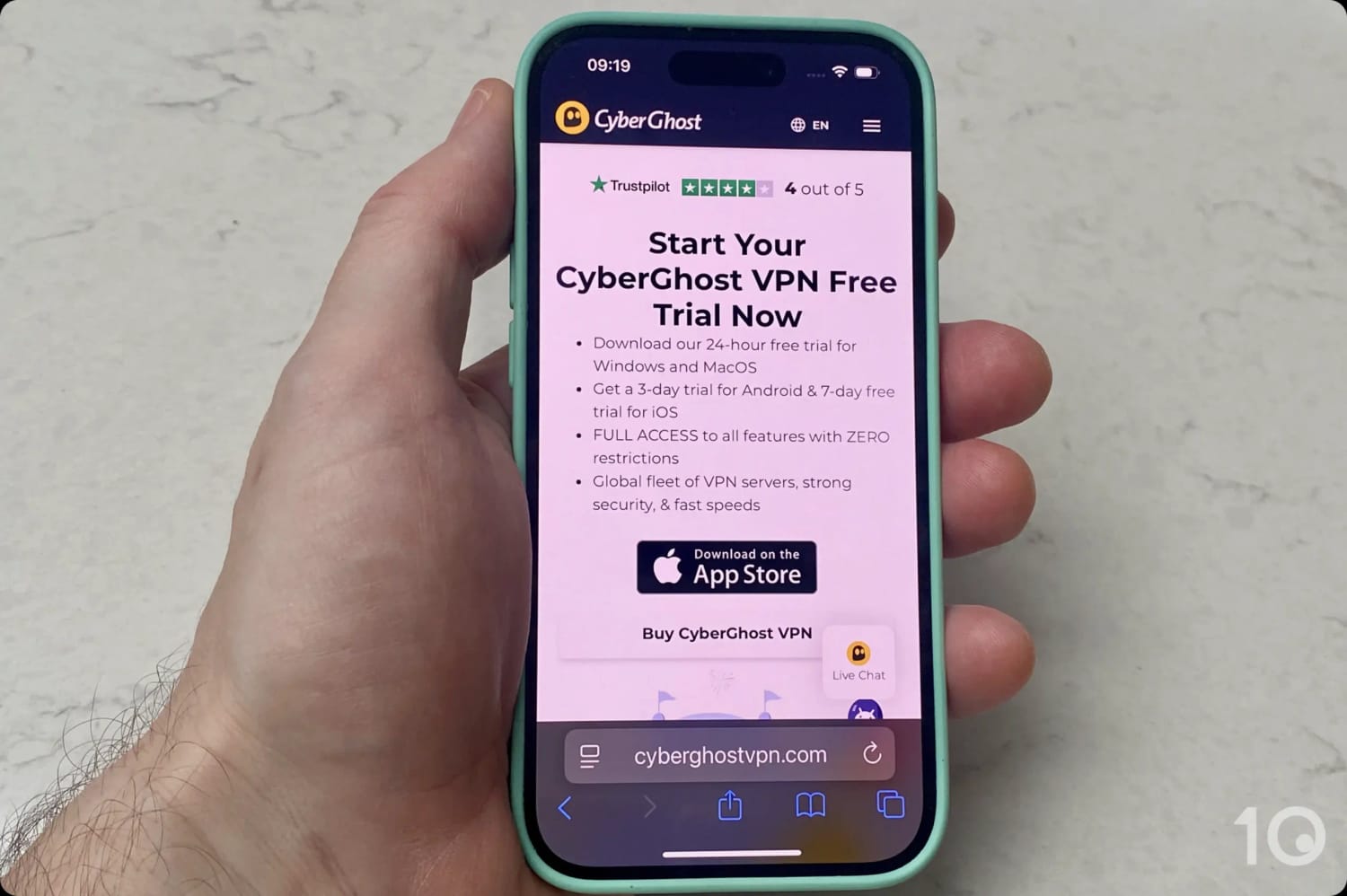
CyberGhost’s free trial options on mobile.
Both mobile trials cancel easily from your app store’s subscription settings, but do it before the trial period ends or you’ll be charged.
Weaker Speed & Server Performance
Two things hold CyberGhost back with Hotstar: disappointing speeds and server instability.
It’s one of the slowest top-tier VPNs connecting cross-country, with an international speed loss of 19%.
That’s still respectable next to a run-of-the-mill VPN, but I expect more from a service with CyberGhost’s reputation.
In practice, those constraints meant videos took noticeably longer to load. Now and then the picture suffered too, with brief blurriness or pixelation creeping into the stream.
The other issue is the Mumbai servers’ occasional instability. My connection would sometimes freeze and take the rest of my device’s connectivity down with it.
It only happened a handful of times, but it’s worth warning you about, particularly as nothing like it happened with ExpressVPN or Surfshark.
I’ve spent years using a VPN to watch JioHotstar from outside India, so my recommendations draw on that experience as well as the scoring framework my testing team built for the platform.
Hotstar shuts out foreign IP addresses more aggressively than almost anything else I stream, which is why unblocking ability alone accounts for half of a VPN’s final score. Get that wrong and the other three categories are academic.
The rest of the weighting goes to what decides whether the stream is actually watchable: how much speed you lose connecting into India, how deep the VPN’s Indian server network runs, and how many of your devices it reaches.
Here’s how my picks performed in each testing category:
Below is what each of those tests involves, and how much it counts toward a VPN’s overall Hotstar rating.
1. Unblocks Hotstar (50%)
Test Conducted: I streamed one live and one on-demand title on every Indian server a VPN offers, then repeated the test across desktop, mobile, and streaming devices to see how broadly its unblocking holds up.
Why It’s Important: If a VPN can’t get past JioHotstar’s geo-blocks, nothing else about it matters.
Optimal Result: Access on every attempt, whichever Indian server is selected.
2. Speed (25%)
Test Conducted: My testing team measures download speed loss connecting into India from multiple locations around the world, on a range of devices, and aggregates the results into an average speed and speed loss figure for each VPN.
Why It’s Important: Fast international speeds are what keep Hotstar streaming at the highest resolution, load videos quickly, and stop the interruptions that ruin a live match.
Optimal Result: Download speed loss low enough to sustain HD streaming from anywhere in the world.
3. India Servers (15%)
Test Conducted: I go through each VPN’s in-app server list, recording how many Indian servers it runs, which cities they cover, and whether I can pick a city directly.
Why It’s Important: A large Indian server network prevents the congestion that comes from user overload, and gives you other IP addresses to fall back on when one stops working with Hotstar.
Optimal Result: Dozens of virtual Indian servers, with IP addresses in more than one Indian city.
4. Device Compatibility (10%)
Test Conducted: I install every app a VPN offers and check it works as advertised on mainstream devices (smartphones, tablets, and laptops) and on popular streaming devices (Android TV, Fire TV, and Apple TV).
Why It’s Important: Hotstar runs on a lot of platforms, and a VPN is only useful if it covers the one you actually watch on.
Optimal Result: Easy-to-install apps for desktop, mobile, and streaming devices, with server locations easy to find and quick to connect. Wider compatibility, like ExpressVPN’s router software, is a bonus.
How to Watch Hotstar Outside India
With a reliable VPN you can get an Indian IP address and reach Hotstar’s geo-restricted content from anywhere.
And because the Hotstar app is listed in app stores worldwide, unblocking the platform’s free content is very straightforward, as long as you’re using one of my recommended VPNs.
The video below shows me connecting to an ExpressVPN Indian server location and streaming Hotstar from abroad:
I used ExpressVPN to watch Hotstar from outside India.
Bear in mind that Hotstar’s free tier carries fewer titles, shows ads, and caps video resolution at 360p.
Getting to the paid content, and to some live events like the IPL, is a little more involved, because it requires you to create an account with an Indian mobile phone number.
That applies even if you already subscribe to Hotstar.com in the UK, Canada, or Singapore and switch your IP location to India.
If you don’t have a relative or friend with an Indian number, you can try buying a virtual phone number, just make sure it can receive OTP verification codes by SMS.
The instructions below cover unblocking JioHotstar on desktop, mobile, and streaming devices like Android TV, Apple TV, and Fire TV.
Desktop
Streaming Hotstar on your PC or Mac is the easiest way to access the streaming platform from outside India.
Instructions: How to Use a VPN with Hotstar on Desktop
Subscribe to a VPN that works with Hotstar India. I recommend ExpressVPN, which offers a 3-day free trial on mobile and 30-day refund policy.
Install the VPN on your device, log in, and go its VPN server list.
Find and connect to a server location in India.
Go to hotstar.com/in and start streaming. Some content requires an account, which in turn requires an Indian phone number.
Mobile & Streaming Devices
Unlike most geo-restricted streaming services, Hotstar’s app is listed in international app stores, which makes it very easy to access from your smartphone and streaming device (Fire TV, Android TV and Apple TV).
Instructions: How to Use a VPN with Hotstar on Mobile & Streaming Devices
Sign up to a Hotstar-compatible VPN via desktop or mobile. ExpressVPN has the best-designed apps for mobile and streaming devices.
Search for the VPN in your app store and install the app.
Log into the VPN, find the server list, and connect to an Indian location to change your IP address.
Search for Hotstar in your device’s app store and install it.
Open the Hotstar app. On mobile, make sure you deny the ‘GPS location permission’ request.
Start streaming free content. For paid content, you’ll need an Indian phone number to create an account.
What Can I Watch on Hotstar?
Following the merger of Disney+ Hotstar (India) and JioCinema, JioHotstar has the largest content library in India. It offers over 300,000 hours of entertainment across more than 17 languages.
The most watched content category is sports, especially cricket (the IPL and ICC tournaments in particular) and the English Premier League.
Beyond sports, JioHotstar carries an enormous range of Indian and international content. This includes HBO, Disney+, Marvel and Star Wars titles alongside Bollywood, regional films, and Indian TV titles like:
12th Fail
Aavesham (Malayalam)
Bigg Boss (Hindi and others)
Criminal Justice (Hindi)
Drishyam (Hindi)
Khatron Ke Khiladi
Premalu (Malayalam)
Salaar: Part 1 (Telugu)
Special Ops (Hindi)
The Legend of Hanuman (Hindi)
Much of this content is free to watch with ads, with no account required, although your maximum resolution will be capped at 360p.
How to Fix Hotstar VPN Errors
When Hotstar detects a VPN connection, an error message appears on screen, like the one below:
Hotstar’s error message when it detects a VPN connection.
You’ll sometimes see error code NM 4031 instead: “This content is currently not available in your region. Please select another content (NM 4031).”
Like other content platforms, Hotstar blocks VPN traffic in two ways:
Monitoring the number of IP addresses using the service concurrently.
Looking up IP addresses against databases of known VPN IP addresses.
There are two main solutions to these error messages:
1. Change Indian VPN Server
If your VPN runs plenty of servers in India, and therefore plenty of Indian IP addresses, connect to a different one.
The assumption is that Hotstar hasn’t blocked all of them, which is exactly why server numbers matter so much here.
2. Get a Better VPN Service
If none of your VPN’s India servers can get past JioHotstar’s detection tools, there’s only one fix left: switch to a VPN I’ve verified to work with the service.
Popular VPNs That Don't Work with Hotstar
Running my Hotstar-specific streaming tests made one thing very clear: the vast majority of VPNs can’t unblock the Indian platform, including some very well-known names.
Here are the most notable ones I’d steer you away from, and why.
Hotspot Shield
Reason for exclusion:
Couldn’t bypass Hotstar’s geo-restrictions on any server
Hotspot Shield can assign you an Indian IP address through a virtual server location. It just couldn’t get me into Hotstar with it.
NordVPN
Reason for exclusion:
Only some Indian servers work with Hotstar
Despite being an impressive VPN in most respects, NordVPN keeps coming up short in my streaming tests. Some servers get through, others don’t, and I never knew which I’d get, which isn’t good enough.
PrivadoVPN (Free)
Reason for exclusion:
Free Indian server is blocked by Hotstar
PrivadoVPN is one of the rare free VPNs to run a free Indian virtual server. Sadly, I’ve never once got past Hotstar’s geo-blocks with its free Indian IP addresses.
PureVPN
Reason for exclusion:
Long-distance speeds too slow for reliable streaming
PureVPN’s Indian virtual server did unblock Hotstar in my tests, which puts it ahead of the rest of this list. Its long-distance speeds are noticeably slower than ExpressVPN’s and Surfshark’s, though, and that showed up as occasional buffering and slow-loading videos.
Urban VPN
Reasons for exclusion:
Serious privacy and security concerns
Doesn’t work with JioHotstar
Urban VPN is a free VPN that’s highly visible in search results, but I strongly recommend against using it on security grounds alone. It doesn’t work with JioHotstar either.
FAQs
Why Does Hotstar Block VPNs?
JioHotstar’s content rights are licensed on a country-by-country basis. Allowing VPN users to bypass geo-restrictions would breach those licensing agreements, particularly for live sports like the IPL.
How Does Hotstar Block VPNs?
Hotstar uses two main methods to block VPN connections.
First, it cross-references the IP addresses using its service against commercial databases of known VPN and datacenter IP ranges.
Second, its systems flag unusually high numbers of simultaneous users sharing a single IP address, which is a telltale sign of a VPN.
Can I Watch JioHotstar without a VPN?
The only other option is a Smart DNS proxy, like Control D.
The catch is that these proxies don’t hide your internet activity, they’re priced much like VPN services, and they need manual configuration on every device.
All in all, VPNs are far easier to use and give you considerably more for your money.
Are There 100% Free VPNs for Hotstar?
No. There are currently no completely free VPNs that work with Hotstar.
Every free VPN I’ve tested either lacks virtual Indian servers altogether, or has them and can’t get past Hotstar’s geo-blocks.
Is Hotstar Available Elsewhere?
Hotstar is also available in the UK, Canada, and Singapore, but the content offering is much slimmer than JioHotstar’s.