



Privacy
Ranked #37 out of 59 VPNs for Privacy
McAfee VPN doesn't log your real IP address, but it does collect "certain telemetry". Without any additional information or real-world proof of its privacy practices, we can't recommend this VPN to you.
| Originating IP Address | No |
|---|---|
| Browsing Activity | No |
| Individual Connection Timestamps | Undisclosed |
| Date of Last Connection | Undisclosed |
| VPN Server IP | Undisclosed |
| Device Information | Yes |
| Individual Bandwidth Usage | Undisclosed |
| Account Information | Yes |
You can read McAfee VPN's full privacy policy on its website.
McAfee Secure VPN doesn’t provide an individual privacy policy, instead relying on McAfee’s general privacy policy for all of its products.
There is, however, a single line in this general policy that states the VPN doesn’t log your real IP address, DNS queries, or browsing activity, but it does collect some telemetry data.
While we can’t be sure, telemetry data usually includes crash reports, connection timestamps, and bandwidth usage. None of this on its own can identify you, but collectively it can be used to start building a profile of your digital identity.
Taken at face value, this isn’t a privacy-friendly policy. If we then take into account the VPN’s past logging of IP addresses and the lack of real-world proof, this becomes a very untrustworthy VPN.
For watertight privacy, consider reading our Mullvad VPN review. It doesn’t log any identifiable data whatsoever and even lets you sign up using cash to avoid a paper trail.
US Ownership Is Problematic
McAfee Secure VPN is owned by McAfee LLC, the cyber security juggernaut. McAfee LLC also owns TunnelBear VPN (see our review), which it acquired in 2018.
Like its parent company, McAfee Secure VPN is based in the US, within Silicon Valley. As such, McAfee’s jurisdiction really couldn’t be much worse. The US is a downright awful location to base a VPN service.
The US is part of the Five-Eyes intelligence alliance, meaning it shares surveillance data with the UK, Canada, Australia, and New Zealand.
On top of this, McAfee is subject to the intrusive legal policies of the US, such as the infamous PRISM surveillance program, which allows the US government to surveil online communications from US-based technology companies.
More worrying, though, is the Stored Communications Act (SCA). This law grants the US government the ability to seize a VPN user’s information if that information has been retained.
This is especially concerning, given we don’t entirely trust McAfee VPN’s privacy policy.
Streaming
Ranked #50 out of 59 VPNs for Streaming
Put simply, McAfee VPN is a terrible choice for streaming. In our tests, and our personal experience of using it, it has never unblocked a single streaming service.
| Streaming Service | Works with McAfee VPN |
|---|---|
| BBC iPlayer (UK) | No |
| DAZN (Canada) | No |
| Disney+ (UK) | No |
| Hulu (US) | No |
| ITVX (UK) | No |
| HBO Max (US) | No |
| Netflix (US) | No |
| Netflix (UK) | No |
| Prime Video (US) | No |
| Sky Go (UK) | No |
McAfee admits its poor streaming ability, explaining that streaming services accessed via the VPN may not work.
More worryingly, however, McAfee’s customer service team were frequently surprised when we asked about their VPN’s streaming capabilities. They even asked why we thought using a VPN would unblock geo-restricted content.
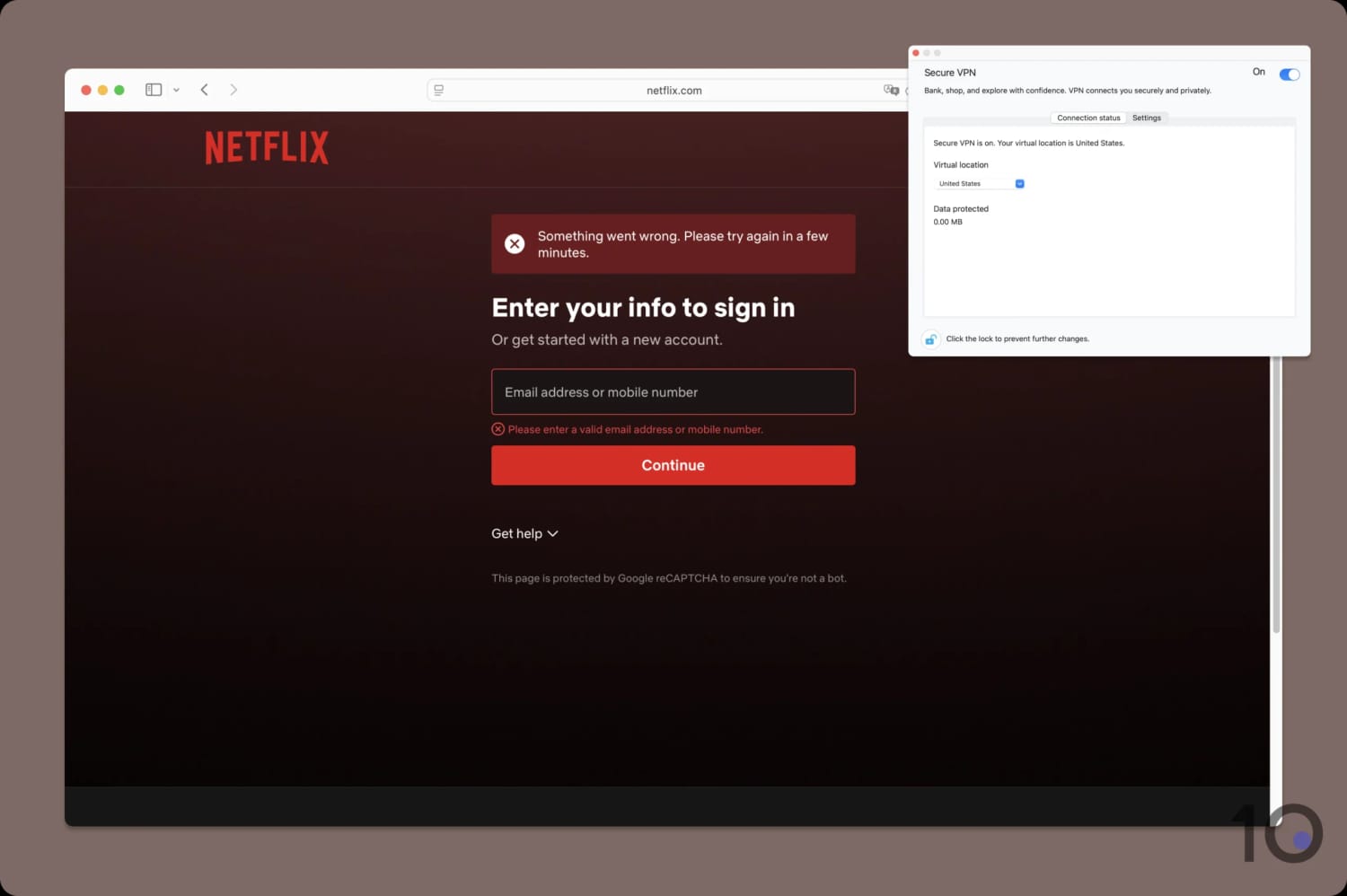
We couldn’t even log into Netflix, while using McAfee VPN.
As the company sees it, which has been reinforced in our testing, McAfee Secure VPN is simply not a VPN that’s designed for streaming.
In short, there are far better VPNs for streaming than McAfee.
Speed
Ranked #8 out of 59 VPNs for Speed
Speed is the only area where McAfee Secure VPN excels. In our tests, we recorded an average speed loss of 2% when connected to a nearby server. International performance was less impressive, but our download speed never dropped by more than 25%.
As shown above, McAfee VPN adds very little overhead to your internet speed. For us, this was almost imperceptible as we were able to browse, game, and video call without any delay or slow loading times.
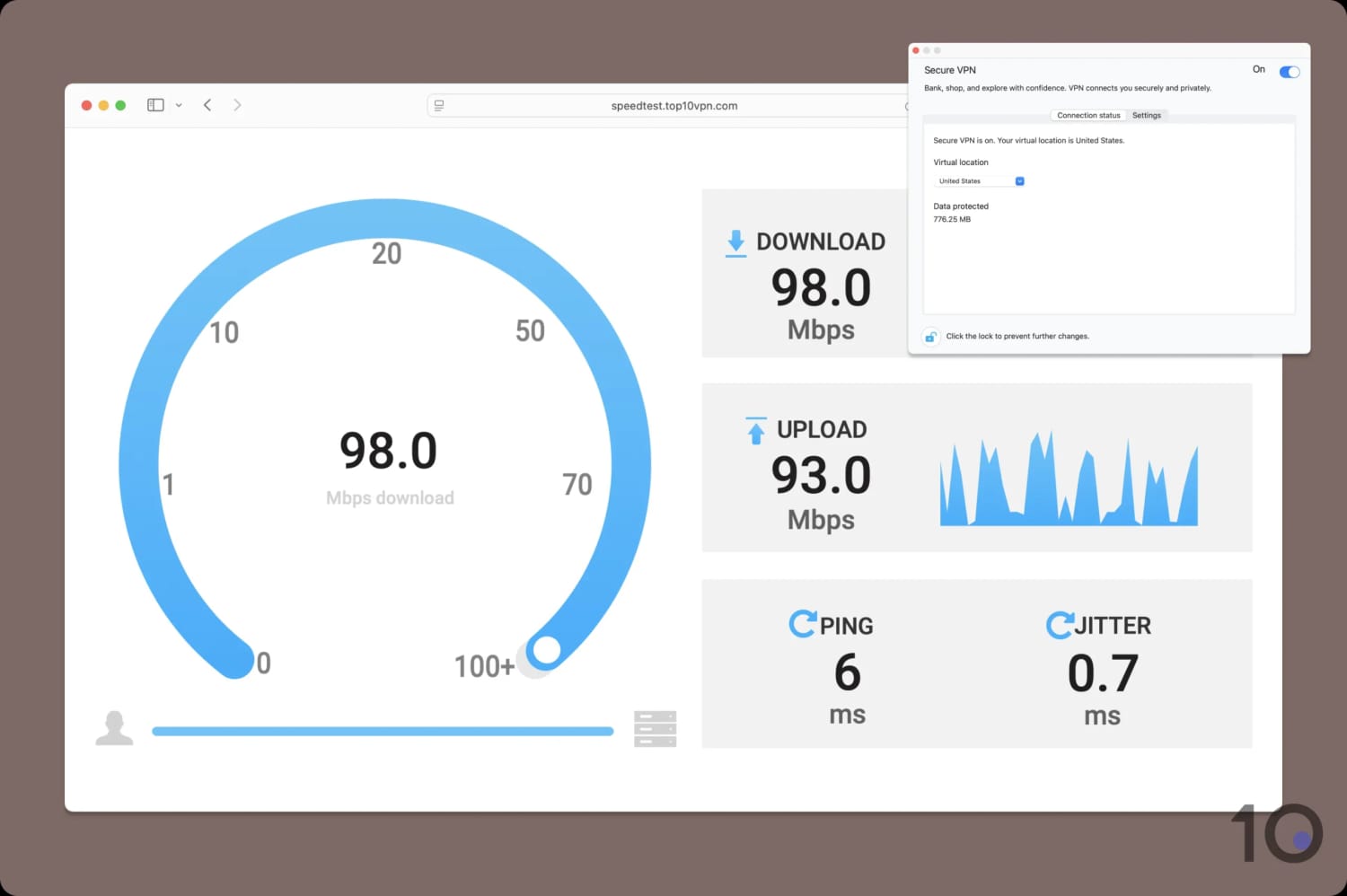
Regardless of distance, McAfee VPN delivers fast speeds.
Not only are the raw figures impressive, but the stability of the VPN connection too. We never noticed any sudden spikes in speed or sudden drop-offs.
Security
Ranked #48 out of 59 VPNs for Security
McAfee VPN provides only basic encryption and security. It didn't leak our IP or DNS address, and it secures traffic using AES-256. However, it only has a kill switch on Windows and Android.
| Independent Audit | No |
|---|---|
| VPN Kill Switch | Yes |
| Leak Protection | Yes |
We’re pleased that McAfee has moved away from using the Hydra protocol, and now includes WireGuard on all platforms. The exception is its macOS app, which uses OpenVPN, but is still an improvement.
WireGuard and OpenVPN are open-sourced protocols that you can trust to protect your data, although we prefer WireGuard due to its faster speeds.
We used a data packet analyzer called Wireshark to test the VPN’s encryption. In each instance, our browsing activity was encrypted and impossible to read:
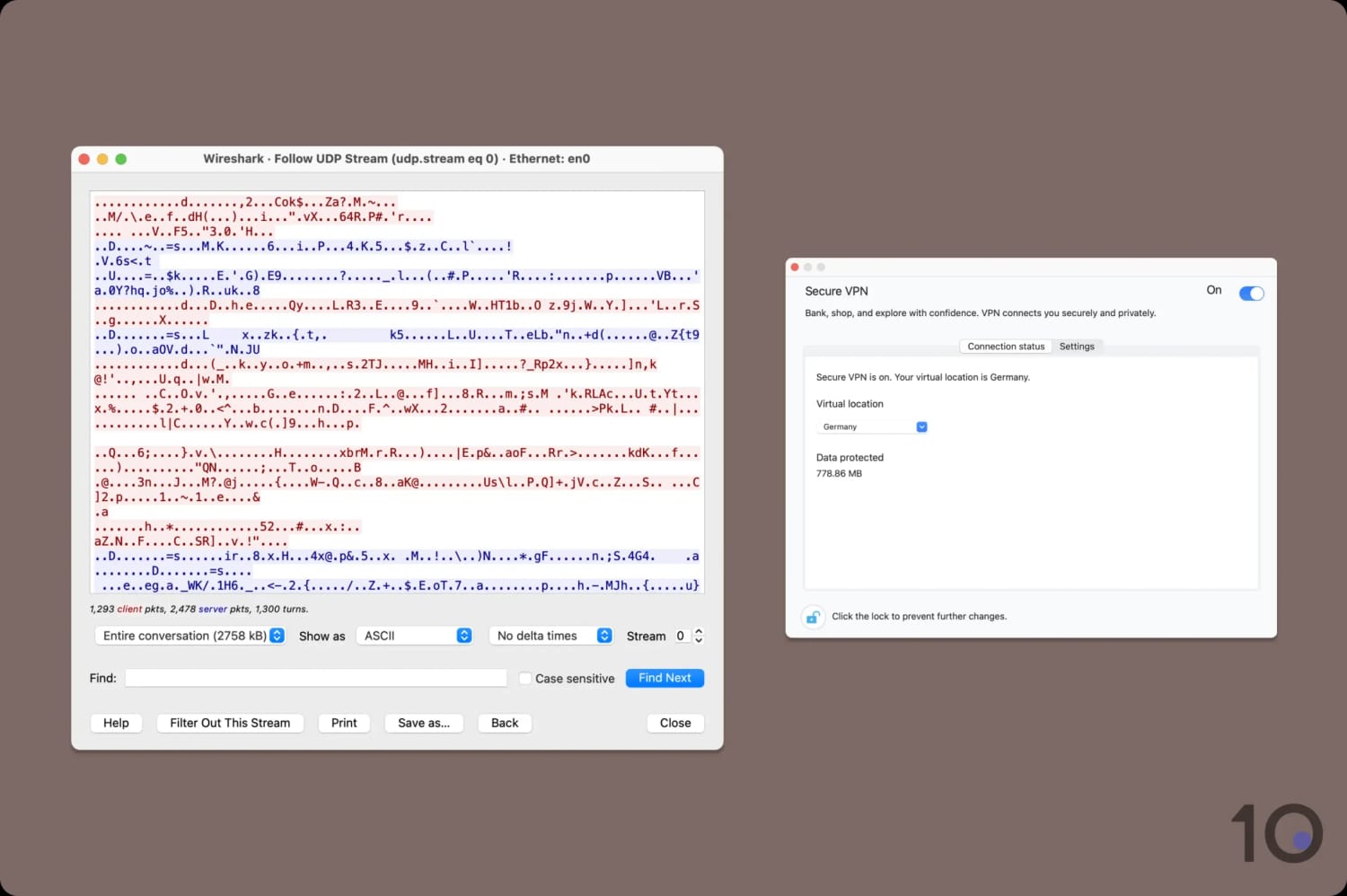
McAfee VPN used AES-256 to encrypt our connection on macOS.
We also tested the VPN for IP, DNS, and WebRTC leaks, which it passed with flying colors.
Part of our IP testing also extends to stress-testing the VPN’s kill switch. This is a security feature designed to block your internet connection, should your VPN unexpectedly crash.
While it activated successfully on Windows and Android, the Apple apps are missing the feature entirely. We tested this ourselves using our in-house tool:
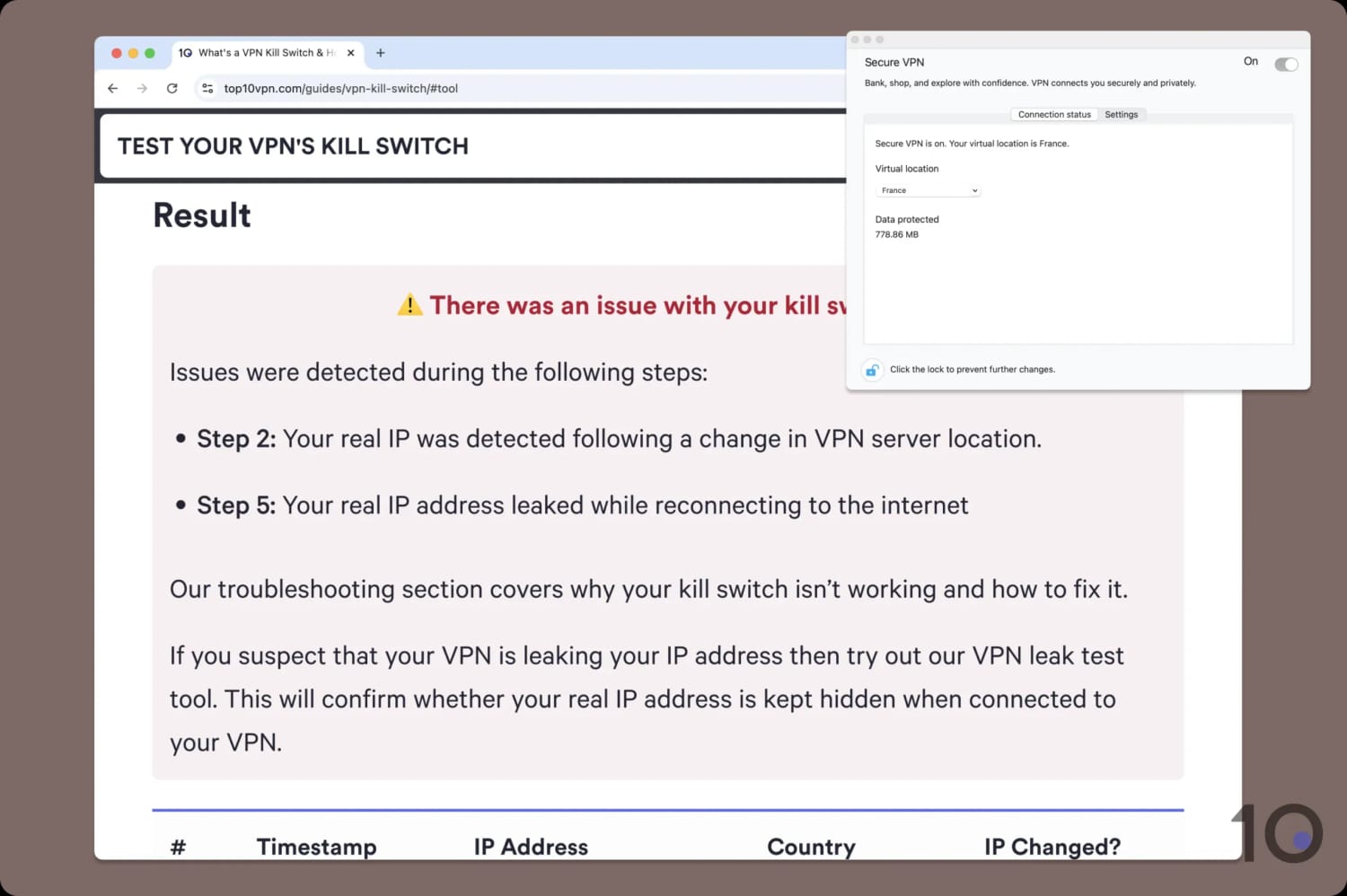
McAfee VPN leaks your IP on Mac, should you suddenly disconnect.
Beyond the basics, McAfee VPN doesn’t do anything ‘extra’ to protect your personal data. For example, it doesn’t support post-quantum cryptography, which is increasingly becoming essential in the face of more advanced attacks.
Similarly, it doesn’t invite external scrutiny through bug bounty programs or open-sourcing its apps. This increased transparency can make it far easier to identify, flag, and fix security vulnerabilities.
Server Locations
Ranked #40 out of 59 VPNs for Server Locations
McAfee VPN provides IP addresses from 48 countries, mostly in Europe. This is below-average compared to the very best VPNs, and the lack of city-level servers is especially disappointing. If you need a server location outside of Europe, look elsewhere.
| Continent | Countries with Servers |
|---|---|
| Europe | 27 |
| Asia | 8 |
| South America | 5 |
| North America | 3 |
| Africa | 3 |
| Oceania | 2 |
While its server network has doubled in size, McAfee VPN still offers fewer server locations than our top 10 VPNs. For instance, IPVanish has servers in 64 more countries.
Coverage is particularly concentrated in Western Europe and North America, with the US, Canada, the UK, France, Spain, and Germany all included.
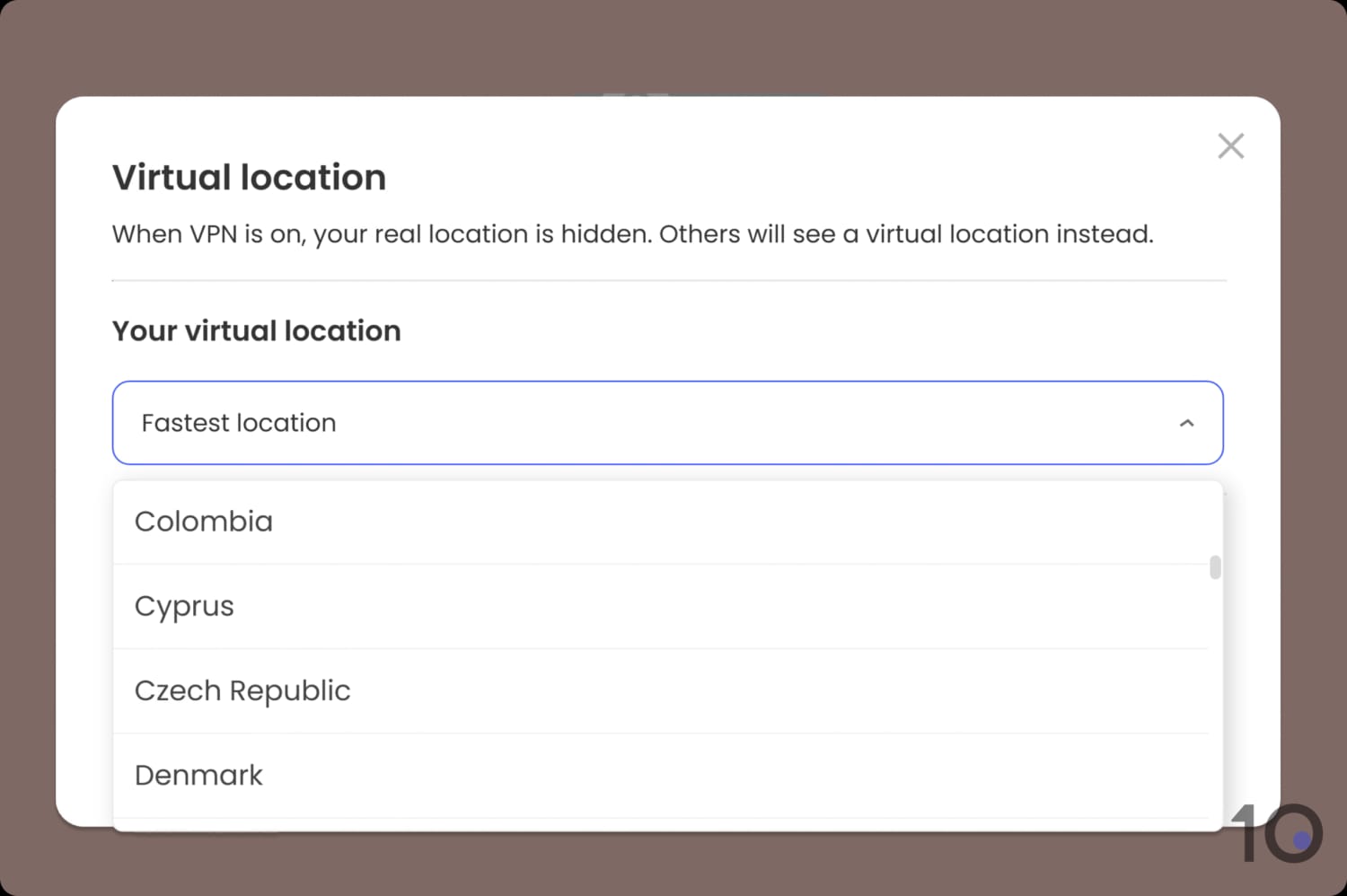
McAfee lists the server locations in alphabetical order.
South America’s options have improved significantly, since before it only included a Brazilian server.
On the other hand: Africa and Oceania are poorly represented, with just 5 server locations between them. There’s also a glaring gap in the VPN’s South Asian coverage, with no servers in India, Pakistan, or Sri Lanka.
Perhaps most limiting is the lack of city-level options across all locations, which makes it harder to bypass regional blocks.
User Experience
Ranked #28 out of 59 VPNs for User Experience
McAfee's VPN apps are simple and accessible for beginners. However, the apps include some bugs and can be irritating to use at times.
All of McAfee’s VPN apps are straightforward to install and start using, with the exception of its macOS app.
You can find a detailed analysis of how each app looks and feels below:
Desktop & Laptop (Windows & Mac)

McAfee VPN’s desktop apps are as basic as you can get: a white box, with a toggle in the corner.
The advantage of this is that they’re very easy to pick up, regardless of your technical knowledge. All you need to do is click the toggle to activate the VPN, and you’re good to go.
We do have some gripes though. Firstly, we don’t like having to ‘unlock’ the app on macOS to make any changes. While this isn’t unusual for other macOS apps, commercial VPNs normally let you connect without this extra step.
We also encountered a bug on macOS, where we were forced to delete random logins from our Keychain, before the VPN could connect.
Once working, the VPN then took a long time to connect and often needed to be force-quit and restarted to register any changes.
The Windows app was comparatively easier to use and felt slightly more advanced. That said, the app didn’t feel responsive at all, and we needed to double-click the toggle to start a connection.
Across both apps we would’ve liked more visual cues to indicate a successful connection (or disconnect). Simply sliding a toggle isn’t obvious, and you could easily disconnect without realising.
Mobile (iPhone & Android)

McAfee VPN was much easier to use on mobile and its stripped-back design better suited the smaller screen display.
The toggle for connecting also felt more prominent than on desktop, and it meant we were less concerned about any unnoticed disconnections.
Our main criticism is the disparity between the Android and iOS apps. The latter lacks any functionality beyond encrypting your connection and changing your IP address.
Torrenting
Ranked #40 out of 59 VPNs for Torrenting
We don't recommend McAfee Secure VPN for torrenting and P2P activity. The VPN has an untrustworthy privacy policy and doesn't include a kill switch on macOS or iOS. As a result, it can't be trusted to hide your torrenting downloads from third parties.
| Torrenting Attribute | McAfee VPN |
|---|---|
| Permits P2P Traffic | Yes |
| Average Download Bitrate | 8.1MiB/s (19% loss) |
| Countries with P2P Servers | 48 |
| Port Forwarding | No |
| Kill Switch | Yes |
| Logging Policy | Identifiable Data |
Without a VPN kill switch, you risk revealing your true IP address if your VPN connection drops for any reason. Alongside this, the amount of information that McAfee might be logging could be used to personally identify you.
This is a shame, as our tests showed torrenting to be allowed on all of the VPN’s servers and its fast speeds translated into a quick average bitrate.
But torrenters should absolutely pick a no-logs VPN provider that also provides a kill switch instead.
To find out which VPN services we do recommend for P2P activity, check out our rundown of the best VPNs for torrenting.
These VPNs combine a no-logs policy with average bitrates that are close to zero speed loss.
Device Compatibility
McAfee VPN is only compatible with desktop and mobile apps, the bare minimum for a paid service. You can't use it on digital media players or any device that doesn't support native VPN apps. There are also no VPN extensions for Chrome, or any browsers full-stop.
| Windows | Yes |
|---|---|
| Mac | No |
| iOS | Yes |
| Android | Yes |
| Linux | No |
| Amazon Fire TV | No |
| Android TV | No |
| Apple TV | No |
| Router | No |
| Chrome | No |
Simultaneous Connections: 5
There’s no Smart DNS proxy and you can’t install McAfee on your router. As a result, there are no workarounds for internet-connected devices that don’t support VPN apps, like game consoles or Smart TVs.
Just as unhelpful, you can only install and use the VPN on a maximum of five devices. This is really restrictive and far below the industry-average of 10.
Frankly, for a paid VPN service to have such minimal platform and device support is really poor.
Additional Features
In terms of extras, McAfee VPN leaves a lot of room for improvement. Its only additional feature is split tunneling, which isn't even implemented correctly. We strongly recommend you choose a different VPN.
| Additional Feature | McAfee VPN |
|---|---|
| Split Tunneling | Yes |
| VPN Obfuscation | No |
| Multi-Hop Servers | No |
| Dedicated IP | No |
| Ad Blocker | No |
Unusual ‘Split Tunneling’ Feature
Most VPNs include split tunneling, which usually functions as a way to customize which apps enter the VPN tunnel. This can be useful to prevent location-dependent software from malfunctioning due to your new VPN location, like weather and banking apps.
McAfee VPN has a feature within its Windows and Android apps labeled split tunneling, but all it does is prevent streaming apps from entering your VPN tunnel.
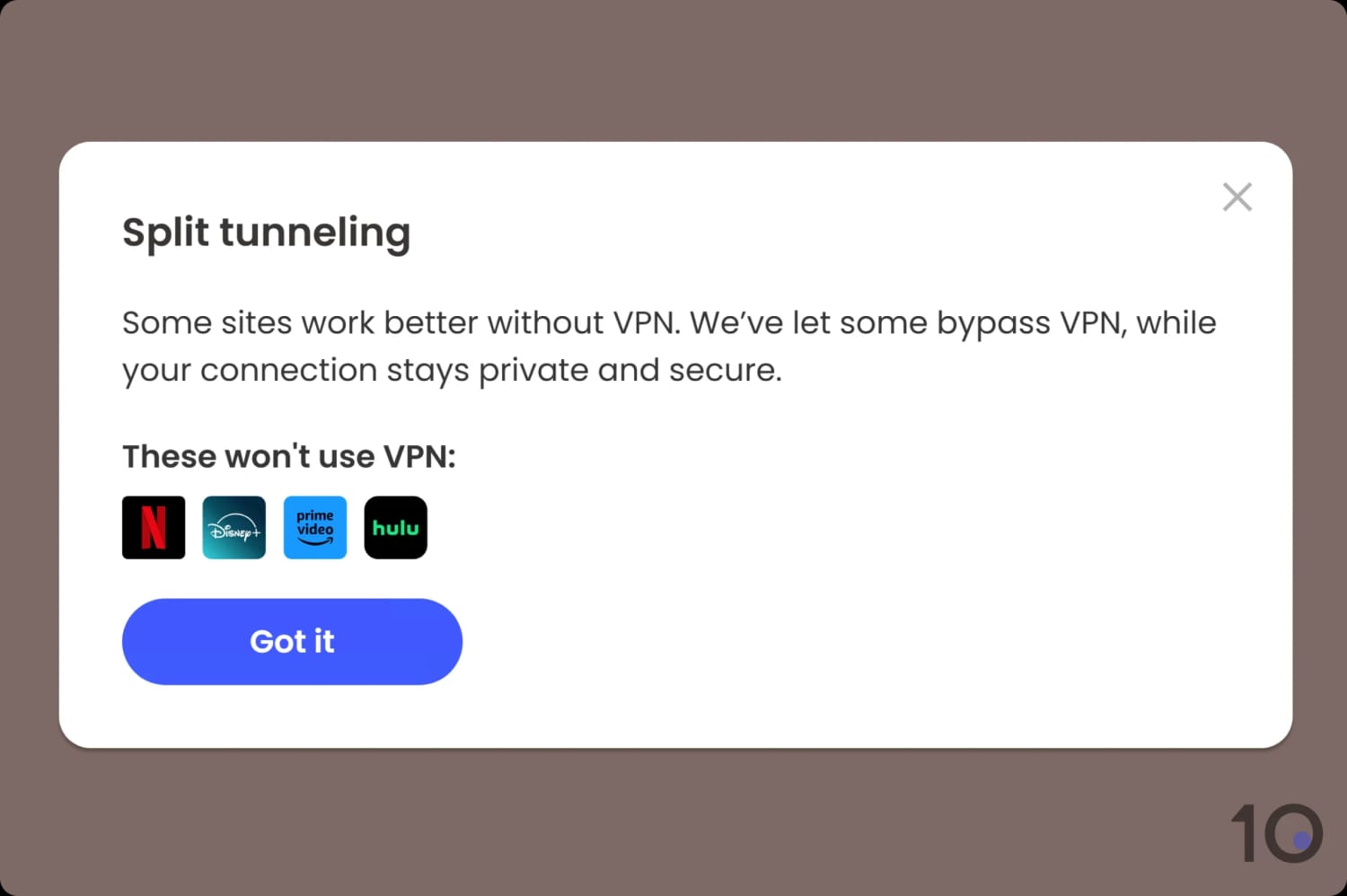
McAfee is the only VPN to discourage you from unblocking streaming services.
This is due to McAfee’s incompatibility with streaming services, so this feature lets you continue to access your local content platforms without stopping your VPN connection.


