



Privacy
Ranked #1 out of 59 VPNs for Privacy
I can't fault PIA's unprecedented commitment to user privacy. As a no-logs VPN, it doesn’t retain any session, connection, or server data. All of this has been proven by real-world tests, like court cases, and is underpinned by a RAM-only server network. You can use the VPN with complete confidence that your IP address and activity aren't being monitored, stored, or linked back to you.
| Originating IP Address | No |
|---|---|
| Browsing Activity | No |
| Individual Connection Timestamps | No |
| Date of Last Connection | No |
| VPN Server IP | No |
| Device Information | No |
| Individual Bandwidth Usage | No |
| Account Information | Yes |
You can read PIA VPN's full privacy policy on its website.
All PIA collects is your email address and payment details at sign-up, which is standard and kept separate from your online activity. If you’re uncomfortable with this, you can use an anonymous payment method, like Bitcoin, and an alias email.
Its no-logs claim has been verified on multiple occasions: the VPN had no data to hand over to the FBI during a 2016 court case and the Russian government was unable to extract any user data after seizing a PIA server in the same year.
If this isn’t enough for you, its logging policy has been audited by Deloitte and its server network is entirely RAM-only, the latter periodically wipes your activity data.
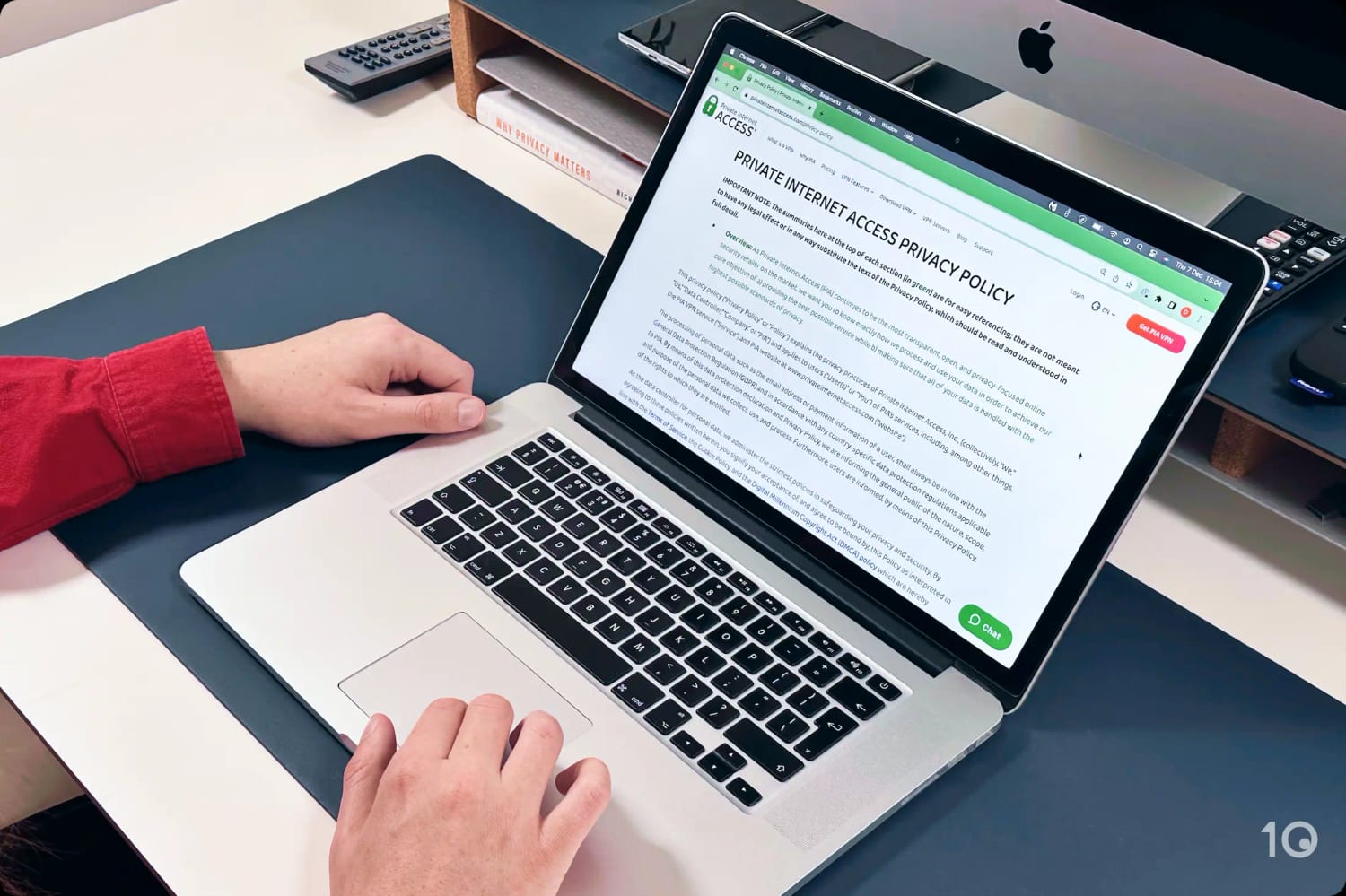
PIA’s Privacy Policy confirms it doesn’t collect your browsing history, IP address, or connection timestamps.
Setting the Record Straight on PIA’s Ownership
PIA was acquired by Kape Technologies in November 2019, a move that garnered some controversy due to Kape’s past association with an ad-injector platform.
Thankfully, the platform was shut down in 2016 and the company rebranded from Crossrider to Kape Technologies, overhauling its management team and adopting a new ethos centered on digital privacy.
Under Kape’s ownership, PIA’s privacy and overall quality has massively improved. It has commissioned multiple independent audits, implemented quarterly transparency reports, and seen increases in download speeds.
Streaming
Ranked #16 out of 59 VPNs for Streaming
PIA struggles with streaming: it no longer unblocks US Netflix, it only streams 4 Netflix libraries, and it fails with every global DAZN region. Even worse, PIA's Smart DNS proxy doesn't work with any content platforms, so you can't use it for Smart TVs or game consoles.
| Streaming Service | Works with Private Internet Access |
|---|---|
| BBC iPlayer (UK) | Yes |
| DAZN (Canada) | No |
| Disney+ (UK) | Yes |
| Hulu (US) | Yes |
| ITVX (UK) | Yes |
| HBO Max (US) | Yes |
| Netflix (US) | No |
| Netflix (UK) | No |
| Prime Video (US) | Yes |
| Sky Go (UK) | No |
Despite providing streaming-optimized servers in 11 countries, PIA isn’t great for streaming. This was most obvious in my Netflix testing, where PIA unblocked 13 fewer libraries than NordVPN and 14 fewer than ExpressVPN.
This includes two new glaring omissions: US and UK Netflix. PIA no longer works with either, so you’re missing out on two of the largest English-language content catalogs.
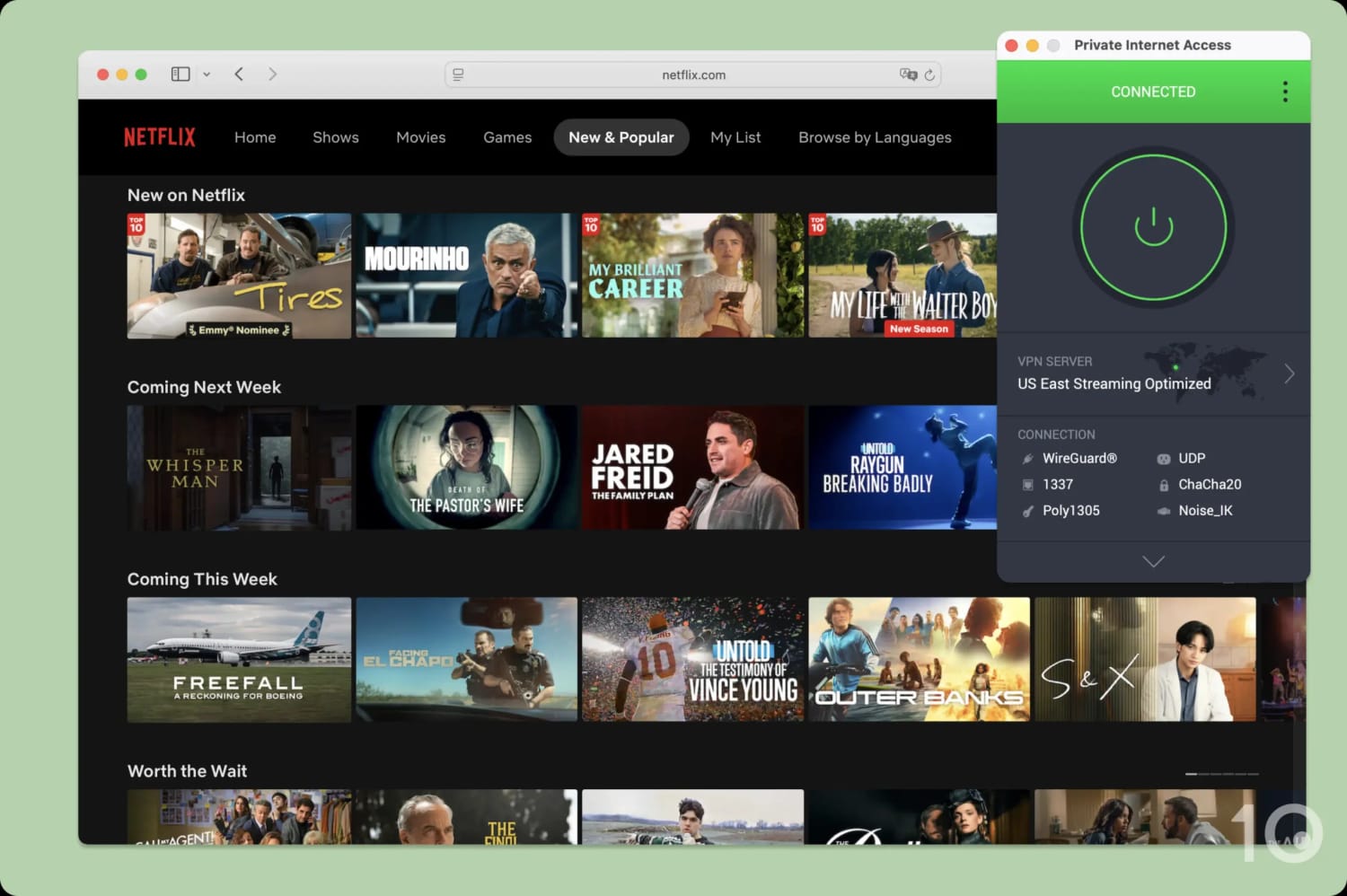
PIA was detected by Netflix, limiting the catalog strictly to globally available Netflix Originals.
Similarly, Private Internet Access failed to stream foreign-language favorites like RaiPlay and international versions of DAZN.
Closer to home, PIA excelled at unblocking US streaming services (aside from Netflix). I discovered that all of its servers worked for US streaming, but its streaming-optimized servers had the highest success rate.
On the rare occasion I was blocked from a site, I cycled between PIA’s servers across all 50 states until one worked — usually on the second attempt.
For UK platforms, I was able to access all of them, except UK Netflix and Sky Go. For the services that worked, I had to use the streaming-optimized server location.
It would be much better if PIA made its entire server network optimized for streaming, like ExpressVPN does, instead of having two separate server lists. It feels completely unnecessary and isn’t at all obvious to new users.
Speed
Ranked #5 out of 59 VPNs for Speed
PIA is among the fastest VPNs I’ve tested, especially if you’re connecting to a nearby server. It can’t quite match rivals like Hotspot Shield or ExpressVPN on long-distance connections, but using the WireGuard protocol, it’s still faster than the vast majority of VPNs.
When connected to a nearby PIA server, my download speed decreased by just 4% on average. This is an incredible result that ensures you can stream, video-call, and game online with smooth, buffer-free performance.
While my internet speed slowed down on longer-distance connections, it was still very fast. For example, connecting to the other side of the world in Sydney caused my download speed to drop by just 18%.
To contextualize this, I’ve compared PIA’s local and international speeds to its closest rivals below:
As shown above, PIA matches and outperforms plenty of household names. My only real criticism stems from years of speed testing: PIA lacks consistency. There can be big swings in performance from month-to-month, which holds it back – but only slightly.
PIA Has Ping Times Low Enough for Smooth Gaming
You can leave PIA connected while gaming and you shouldn’t notice any difference to your gameplay — not just when connected to a nearby server, but also if you’re connected to a server in another country.
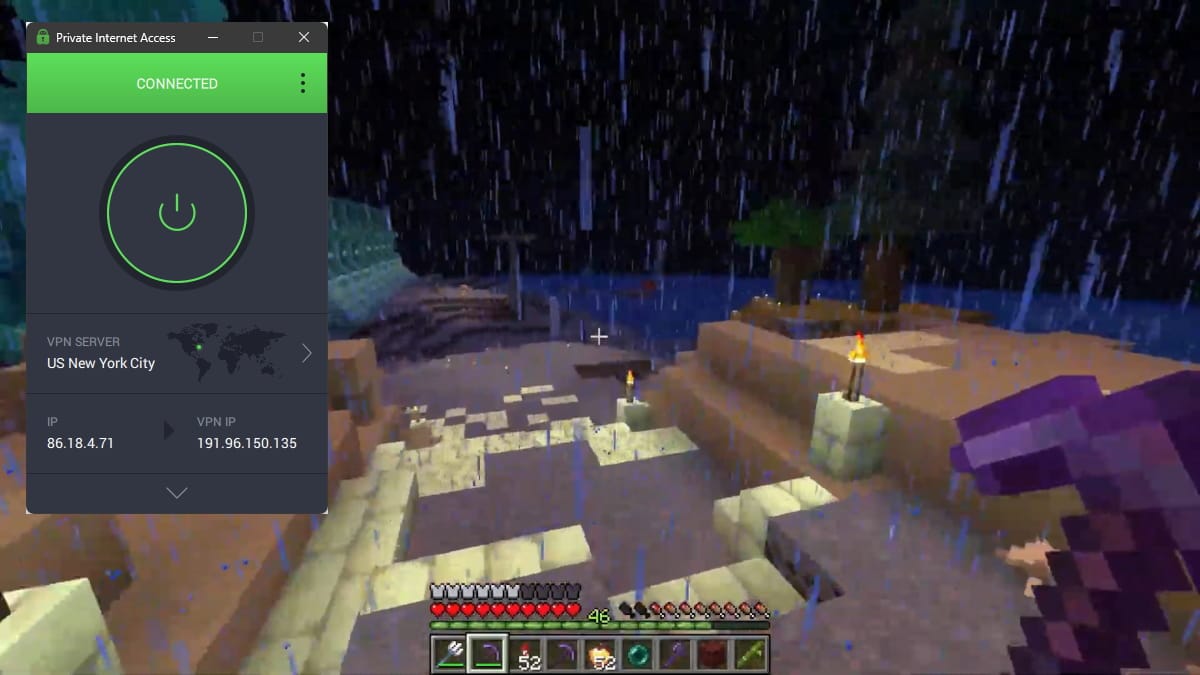
I could play on a shared Minecraft server with PIA running and it didn’t affect my gameplay at all.
The VPN increased my ping from 4ms to 6ms when connected to a server in my physical location. In practice, this was not noticeable at all, and my gameplay felt smooth.
If you like to play games like World of Warcraft or Battlefield 6 on servers in a different region to your own, PIA is still a great choice: it only raised my ping to 6ms when I connected to the UK (3,500 miles away).
Security
Ranked #4 out of 59 VPNs for Security
There are few VPNs as secure as PIA: it uses strong encryption, built-in leak protection, and, in a rare move, open-sourced apps. The VPN also uniquely lets you customize its security suite to match your needs, including manual selection of DNS servers and port numbers.
| Independent Audit | Yes |
|---|---|
| VPN Kill Switch | Yes |
| Leak Protection | Yes |
PIA lets you choose between OpenVPN with AES-256 encryption or WireGuard with ChaCha20. Both are secure and reliable configurations, as I confirmed for myself using a network analyzer.
That said, I noticed that the VPN defaults to the less secure AES-128 cipher, so I suggest you switch to AES-256 in your settings, or just swap to WireGuard.
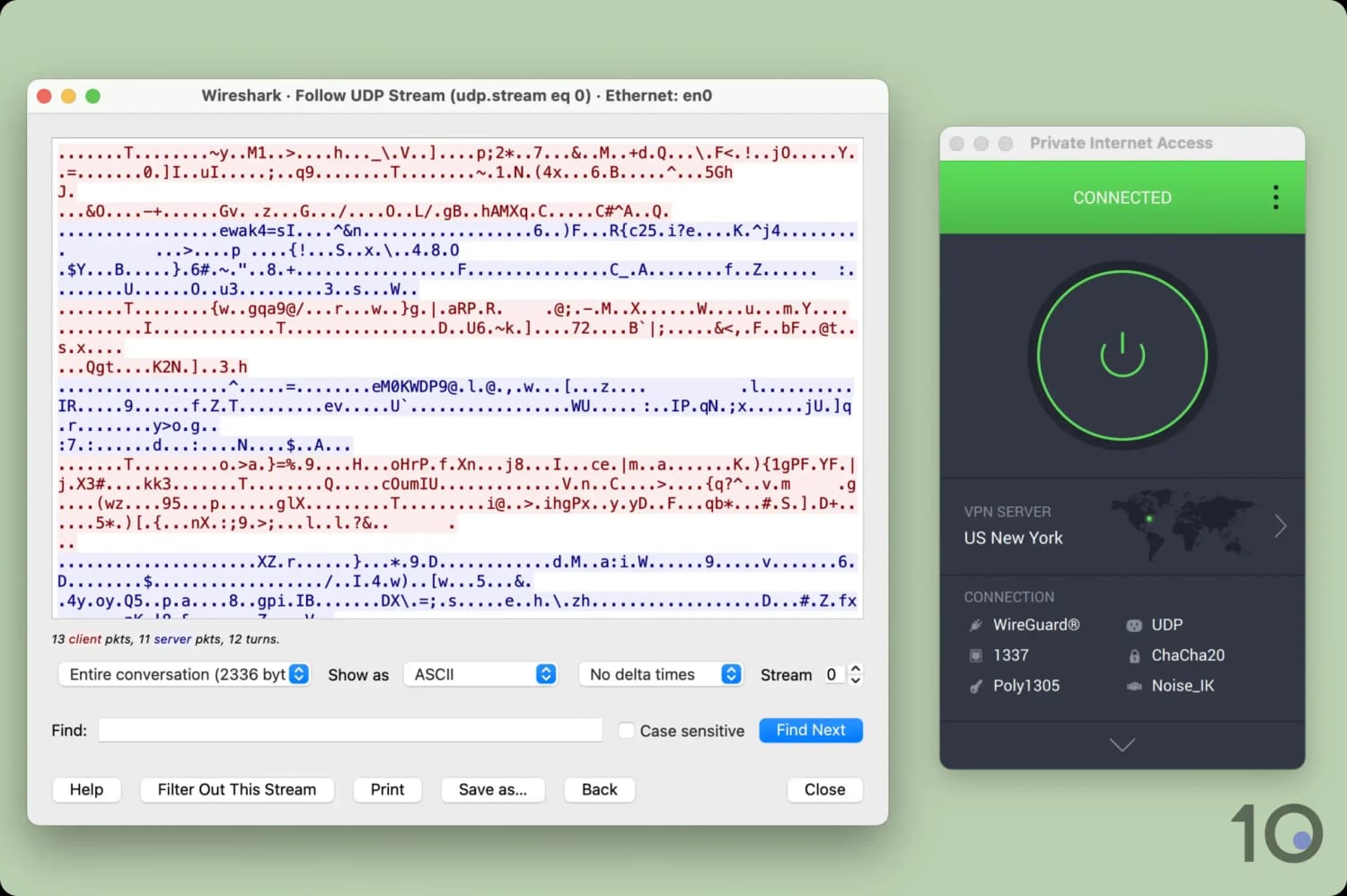
The VPN encrypted my web traffic, only displaying incoherent symbols.
I also tested the VPN for IP, WebRTC, and DNS leaks and detected no vulnerabilities whatsoever. This is in no small part thanks to PIA’s built-in leak protection for IPv4, IPv6, and DNS.
As if that wasn’t enough, the VPN is also one of a handful of services to provide an advanced kill switch. Unlike a standard kill switch, which cuts your internet following a sudden VPN disconnect, an advanced one won’t let your device reconnect even if the VPN app is shut down.
Now I’ve covered the essentials, we can move on to where PIA really stands out: its extra security features. The VPN owns and operates private DNS servers, meaning no third parties get to see which websites you visit — it’s all handled by PIA from start to finish.

You can customize your VPN connection down to its minute details.
Unlike almost every other VPN, PIA lets you customize your encryption. For example, you can edit the port number used. I don’t recommend beginners do this, but power users will get a lot of utility from it.
Two other ‘nice-to-haves’ are its open-sourced apps and bug bounty program for spotting security defects. Again, this demonstrates how above and beyond PIA is willing to go to protect your data.
While I’ve very little to criticize, I’d like to see PIA implement colocated servers across its network. This means the VPN service directly owns its VPN servers and has sole access to them, sharply reducing third-party interference. At the time of writing, PIA only provides colocated servers in 9 countries, which is around 10% of its total coverage.
I’d also like to see the VPN follow ExpressVPN’s and NordVPN’s lead by implementing post-quantum protection. This would safeguard the VPN against quantum decryption which is far more effective at cracking traditional encryption methods.
Server Locations
Ranked #4 out of 59 VPNs for Server Locations
Private Internet Access has one of the largest server networks available. It provides servers in 150+ locations across 91 countries, including all 50 US states. As such, you're unlikely to encounter any congested servers, improving your connection speeds.
| Continent | Countries with Servers |
|---|---|
| Europe | 45 |
| Asia | 22 |
| South America | 9 |
| North America | 8 |
| Africa | 5 |
| Oceania | 2 |
The majority of PIA’s servers are in Europe and North America, though its global spread is impressive.
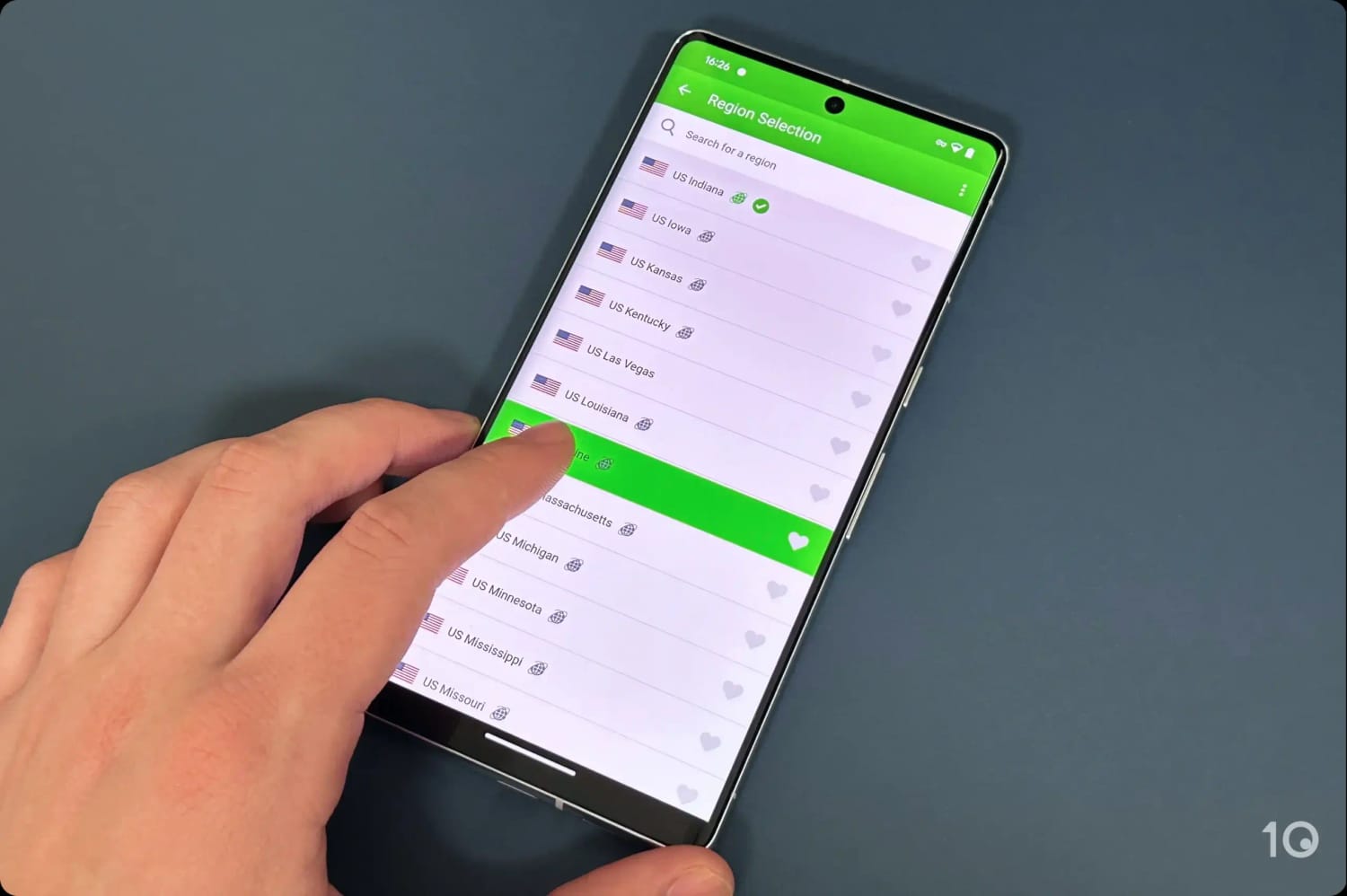
PIA’s US server coverage is matched only by ExpressVPN and NordVPN.
But what really stood out for me is its complete coverage of the US. There is a VPN server located in each US state, which allows you to get an American VPN IP address and bypass geo-restrictions even at a regional level. Only ExpressVPN and NordVPN can offer comparable US coverage.
You can see how Private Internet Access’ server network compares to other VPN services in the table below:
| VPN Service | No. Of Servers | No. Of Countries | Average No. Of Servers Per Country |
|---|---|---|---|
| PIA | 18,651 | 91 | 205 |
| ExpressVPN | 13,360 | 113 | 126 |
| CyberGhost | 12,000 | 100 | 120 |
| NordVPN | 9,000 | 137 | 63 |
| IPVanish | 3,400 | 112 | 22 |
As you can see, PIA has the best distribution of servers across its network of any VPN I review. The end result is a massively reduced risk of server congestion, ensuring you get the fastest possible network speeds.
User Experience
Ranked #11 out of 59 VPNs for User Experience
PIA provides well-designed, modern apps for all platforms. While it can be simple to use, it's hard to ignore its huge number of extra features and how much customization it offers. If you’re comfortable using VPNs then there’s a lot to like, but if you’re brand new to them then it may be a bit intimidating.
All of PIA’s apps are compact and stylish, featuring a simple dark-gray background with white text and green and orange highlights to indicate connection status. I found this very easy to read, and I didn’t notice any eye strain when testing, even when switching to its lighter background.
You can explore how the user experience of each app differs, below:
Desktop (Windows & Mac)
Both apps launch with an initial teething problem: the Windows app defaults to the system try, and the Mac app to menu bar. The option to detach the Windows app is hidden in the ‘General’ section of the app settings, and traditional keyboards don’t work with the macOS app.
Despite this, the apps are easy to start using. Clicking the large power button automatically connects you to your nearest location, clicking again disconnects.

Where the VPN really sets the bar is its level of in-app customization. To tailor the home screen to your needs, click the downward arrow on the UI and add or remove features. This also allows you to match the display to your technical experience.
For example, I added a selection of popular server locations for quicker access and removed my current IP address from the default display. This level of customization also extends to your VPN connection, where you can change DNS servers, switch encryption ciphers, and edit split tunneling rules.
The desktop home screen is a neat, slim design that saves screen space. Selecting Settings from the kebab menu opens a separate, wider window for viewing the VPN’s options in greater detail.
I loved this distinction and thinks it makes a lot of sense. I’d much prefer if VPNs with larger app home screens, like NordVPN or IPVanish, did the same instead of using one large window at all times.
PIA’s abundance of features and customization is also its biggest weakness as it can feel overwhelming. In my personal experience, the learning curve wasn’t too bad and there was plenty of in-app explanations and tooltips that guided us along the way.
Mobile (iPhone & Android)
I found PIA’s mobile apps to be the easiest to pick and start using, especially on iOS.

For example, I loved that you could use Shortcuts to toggle the VPN on and off from your iPhone’s lock screen. This was not only convenient, but it made the VPN’s iOS app feel tailored to the platform instead of just being a ported version of its desktop client.
However, using the apps regularly also exposed some minor pain points. For instance, clicking ‘VPN Kill Switch’ under ‘Quick Settings’ on the Android app doesn’t enable the kill switch, but instead displays a wall of text explaining how to activate it. This is such a waste of time and feels especially unintuitive given its ‘quick’ setting label.
I was also surprised to learn that PIA’s iOS app doesn’t include the MACE ad-blocker. This felt quite disconcerting when switching from the Android or desktop app where MACE is readily available.
Streaming Devices (Fire TV, Apple TV & Android TV)
Unlike many other VPN services, PIA actually optimizes its apps for streaming devices. For example, the buttons on the user interface are sensibly sized and spaced to fit a larger TV screen.
Another really nice touch was the inclusion of a search bar and the ability to ‘favorite’ a city in the server list. This saved me from scrolling through the servers when I only had one location in mind.
It was great to see almost-complete feature parity with its desktop apps, including dedicated IP, port forwarding, and streaming-optimized servers.
Sadly, this didn’t result in performance parity. The streaming device apps unblocked substantially less streamed content than on desktop. This is particularly disappointing, considering the main purpose of these platforms.
Torrenting
Ranked #1 out of 59 VPNs for Torrenting
In my opinion, there isn't a better VPN for torrenting than PIA. Its unlimited bandwidth and minimal speed loss lets you torrent without disruption, and its no-logs policy guarantees anonymous file-sharing. Unlike most VPNs, it comes with a port-forwarding tool, increasing the number of peers you can communicate with.
| Torrenting Attribute | Private Internet Access |
|---|---|
| Permits P2P Traffic | Yes |
| Average Download Bitrate | 9.6MiB/s (4% loss) |
| Countries with P2P Servers | 91 |
| Port Forwarding | Yes |
| Kill Switch | Yes |
| Logging Policy | No Logs |
Out of the 59 VPN services I’ve tested, PIA performs best for file-sharing. Its slowdown in P2P speed was so negligible that I almost forgot I was using a VPN, even for 20GB+ downloads.
For example, it took me 4 minutes and 40 seconds on my WiFi to torrent the complete works of William Shakespeare, which increased to just 5 minutes when connected to a PIA server.

I downloaded multiple test files without any issues.
My user experience was pretty flawless, too. Since torrenting is permitted on all PIA servers and protocols, you can simply connect to your nearest server and start downloading. This is so much easier than having to select a P2P-optimized first, as is the case with NordVPN and Proton VPN.
MACE, the VPN service’s built-in ad blocker, can also help block any trackers or malware you come across in the process.
On top of this, the VPN’s port forwarding feature lets you increase the number of torrenting peers you can communicate with, drastically improving upload speeds.
Although, it’s important to note that the VPN uses dynamic port forwarding, meaning your port number changes each time you connect. As a result, you must manually add your port number to your torrent client in each instance, otherwise your real IP may leak.
Device Compatibility
PIA has apps for all major platforms and a Smart DNS tool for those that aren't compatible with VPN software. While you can use the VPN on your router, it has to be manually installed. There's no device or connection limit, so you can can use PIA on as many devices as you want, all at once.
| Windows | Yes |
|---|---|
| Mac | Yes |
| iOS | Yes |
| Android | Yes |
| Linux | Yes |
| Amazon Fire TV | Yes |
| Android TV | Yes |
| Apple TV | Yes |
| Router | Manual Setup Only |
| Chrome | Yes |
Simultaneous Connections: Unlimited
The VPN service provides browser extensions for Chrome and Firefox that secure your traffic using Squid HTTPS. Many VPNs, like PrivateVPN and IPVanish, overlook browser extensions so we’re glad to see this isn’t the case with PIA.
That said, your options are quite limited if you want to use PIA on a device that doesn’t support VPN software. Its Smart DNS proxy is one option, but its inability to work with any streaming services renders it fairly useless.
Alternatively, you can install the VPN on DD-WRT, Merlin, Pfsense, and OpenWRT/LEDE routers. But it only supports manual installation which is slow, difficult, and limits you to a single server location. I don’t recommend doing this (and neither does PIA itself).
Additional Features
PIA has more additional features than the vast majority of VPNs. I was able to connect to a static or dedicated IP, tunnel my traffic via multi-hop, contact a 24/7 support chat, and more. Plus, its custom ad and tracker blocker, PIA MACE, is the best I’ve tested with 100% of ads blocked.
| Additional Feature | Private Internet Access |
|---|---|
| Split Tunneling | Yes |
| VPN Obfuscation | Yes |
| Multi-Hop Servers | Yes |
| Dedicated IP | Yes (additional fee) |
| Ad Blocker | Yes |
MACE Blocks All Ads
I can’t praise PIA’s ad and tracker blocker enough. MACE is available on all PIA apps (except iOS), and it blocked 100% of ads and 83% of trackers in my testing.
It’s also included in all PIA subscriptions, at no extra cost.

It takes just one click to activate PIA MACE.
PIA’s Shadowsocks Beats Censorship
I regularly test PIA’s ability to bypass online censorship by remotely connecting to my test server in Shaghai. Once connected, I use the VPN to try and unblock websites inside China.
Over the past three months, the VPN has recorded an uptime of 2% in China. That’s not quite reliable enough to rank it among the leading anti-censorship VPNs, but it sits just outside the top five.
To bypass the Great Firewall with PIA, use the OpenVPN protocol and enable the Shadowsocks proxy within the app’s settings.
You can also watch the video below for a walkthrough on how to do this:
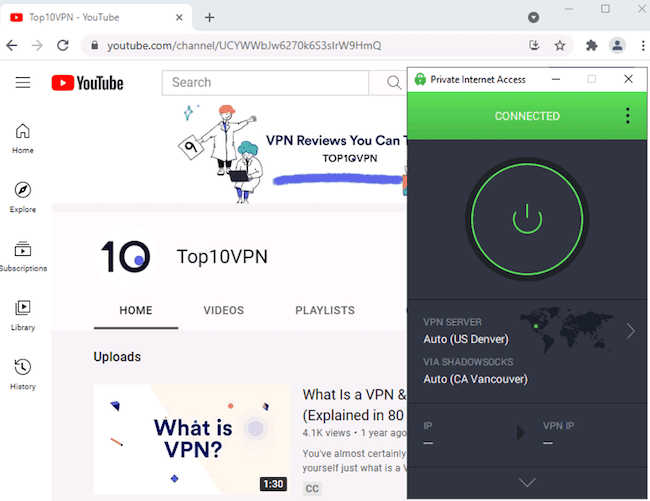
We accessed censored websites in China using PIA 15% of the time.
Customizable Split Tunneling for Power Users
Aside from iOS, all of PIA’s apps include split tunneling. This feature lets you designate specific apps for the VPN tunnel and includes the option of ‘inverse split tunneling’ if you want to select apps for exclusion instead.
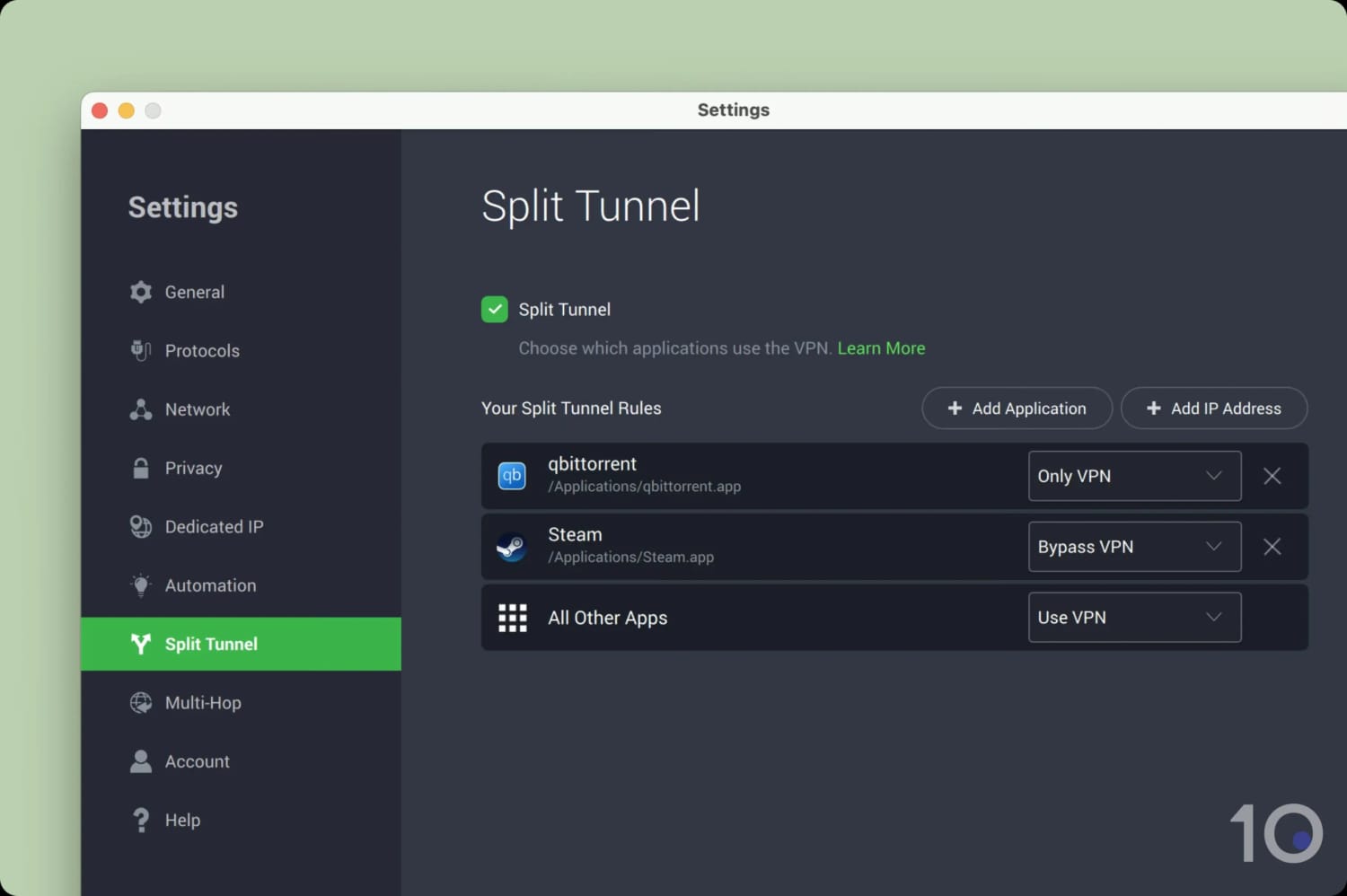
I tailored PIA’s split tunneling to suit my setup.
PIA is also unique in that it allows you to designate traffic for the VPN tunnel not just by app, which is common among VPNs, but also by IP address — similar to what AirVPN does.
This level of customization and user-friendliness is unmatched.
Multi-hop Uses an Encrypted Proxy Server
PIA lets you route your traffic through a VPN server and a proxy to create a multi-hop connection.
While I’d prefer a second VPN server, a proxy IP address has the added benefit of hiding the fact that you’re using a VPN. This can be useful if you need to obfuscate your VPN connection from local or national censorship.
You can choose between a Shadowsocks or SOCKS5 proxy as the additional ‘hop’. Your connection is encrypted throughout, ensuring your personal data remains secure.
For a more conventional double VPN setup, I suggest using IPVanish. It encrypts your connection with two VPN servers and lets you choose both locations.
Dedicated IP Isn’t Great for Streaming
PIA also offers dedicated IP addresses. These IP addresses are unique to you and remain the same every time you connect.
PIA offers dedicated IP addresses in the following locations:
- Australia
- Belgium
- Canada
- Germany
- Sweden
- UK
- US
Disappointingly, they cost an extra $5.00 per month and don’t work with any streaming services.
Instead, PIA’s dedicated IP feature is meant for accessing sites that use an allowlist. For example, to access online banking or a remote server.
With such limited use cases, I recommend you avoid this feature unless you have a specific reason for using it.


