



Privacy
On paper, X-VPN is a privacy-friendly service that logs very little data, but we still have concerns over its historical ties to mainland China. Until we see real-world proof of its logging practices, like a court case, we can't recommend it for privacy-conscious users. The free tier is substantially worse since it shares your data with advertisers.
| Originating IP Address | No |
|---|---|
| Browsing Activity | No |
| Individual Connection Timestamps | No |
| Date of Last Connection | No |
| VPN Server IP | No |
| Device Information | Yes |
| Individual Bandwidth Usage | Yes |
| Account Information | Yes |
You can read X-VPN's full privacy policy on its website.
X-VPN collects aggregated device and bandwidth data, but neither can identify you.
It does log your email address, but you can easily bypass this with an alias email and pay via cryptocurrency to avoid a paper trail.
Better yet, the VPN uses diskless, RAM-only servers that wipe your activity data following every restart. This means nothing is stored on physical hard drives, which was confirmed by a recent independent audit of X-VPN’s logging policy.
Moreover, X-VPN has begun publishing annual transparency reports and maintains an intact warrant canary, claiming to have never handed over user data.
However, the free tier comes with a catch: it uses third-party ad platforms like AdMob and InMobi, which monetize your device’s telemetry data. This isn’t akin to logging your browsing activity, but it’s still poor for a VPN.
While these privacy upgrades are praiseworthy, an audit is limited in scope and only offers a point-in-time snapshot. X-VPN has yet to pass the ultimate test for proof of its logging practices: a server seizure or court case.
Historical Links to China
X-VPN’s ownership has changed to LightningLink Networks and its jurisdiction has moved from Hong Kong to Singapore. However, it’s unclear whether this represents a genuine change of ownership or just a corporate rebrand.
Either way, we don’t consider Singapore a privacy-friendly jurisdiction due to its membership of SIGINT, an international coalition of spy agencies that share data on their citizens.
Worse still, our free VPN ownership investigation revealed that X-VPN does have links to mainland China, a country notorious for state surveillance.
Jin Li, the company’s director, and Chengdu Zhuozhuo Technology Co, the sole shareholder, are both based in China’s Sichuan province.
Streaming
Using X-VPN’s dedicated streaming servers, we were able to unblock US Netflix, HBO Max, Disney+, BBC iPlayer, and more. X-VPN's free tier doesn’t allow you to use these servers and failed with every streaming service we tested.
| Streaming Service | Works with X-VPN (Free) | Works with X-VPN |
|---|---|---|
| BBC iPlayer (UK) | No | Yes |
| DAZN (Canada) | No | No |
| Disney+ (UK) | No | No |
| Hulu (US) | No | Yes |
| ITVX (UK) | No | Yes |
| HBO Max (US) | No | Yes |
| Netflix (US) | No | Yes |
| Netflix (UK) | No | No |
| Prime Video (US) | No | Yes |
| Sky Go (UK) | No | No |
You can find out X-VPN’s optimal dedicated server for each streaming service on its website.
For paid subscriptions, X-VPN includes streaming-optimized servers in 9 countries. We used these to unblock every popular streaming service we test, without fail.
While this is excellent, we’d like X-VPN to bake this into its standard servers instead of needlessly separating them out.
Most notably, we used X-VPN’s US-Video-N server to successfully unblock US Netflix from overseas.
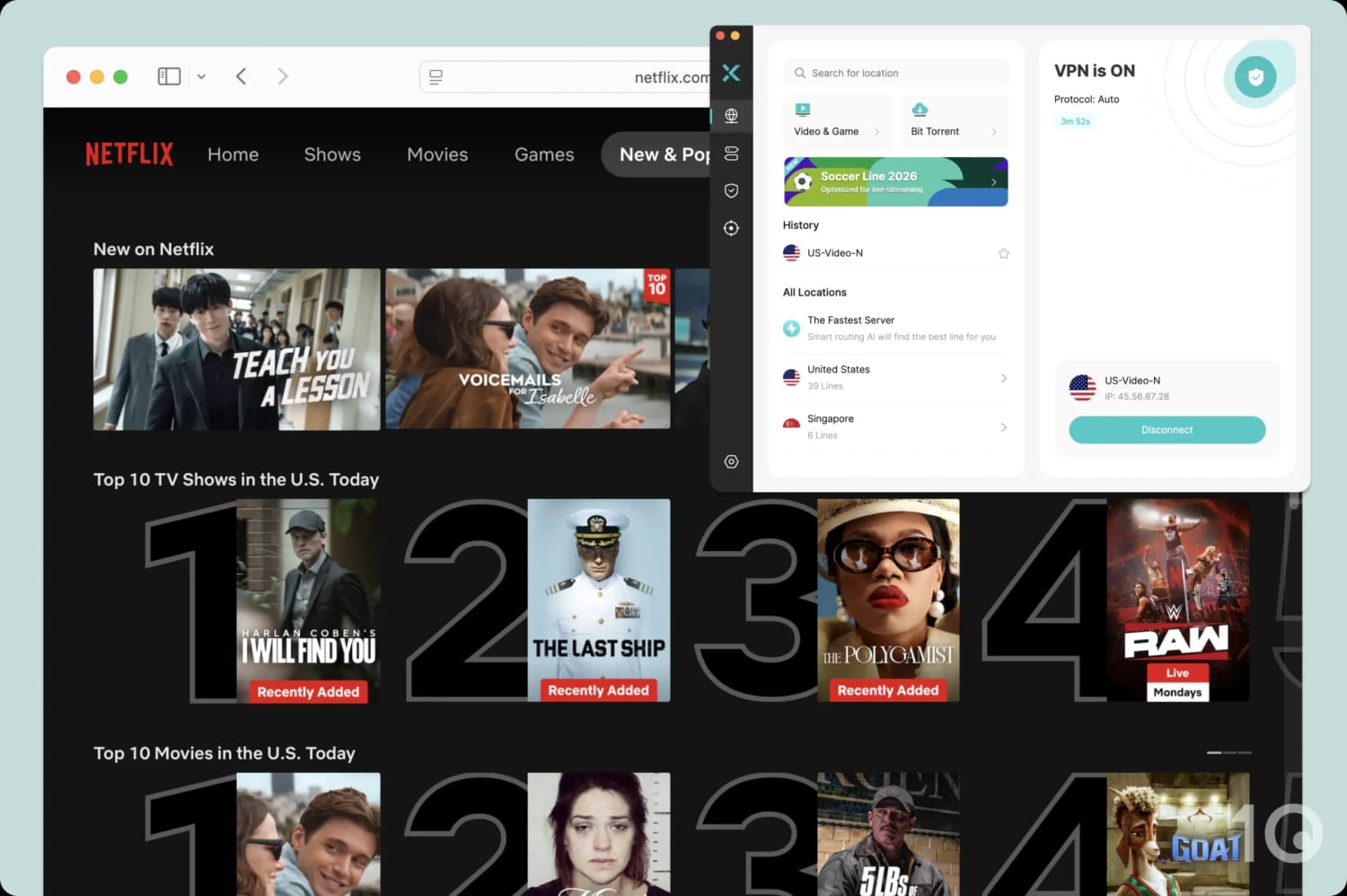
X-VPN’s dedicated US Netflix server always unblocked the streaming service.
The stream loaded almost immediately and we didn’t notice any video buffering or drops in the resolution.
We also tried several of the standard US server locations and were surprised to see that none of them work with Netflix. We’d like X-VPN to fix this disparity as it wastes time having to open a separate menu and locate the dedicated servers.
Better VPNs, like NordVPN, automatically assign you a server within its normal server list that works with the streaming service.
We also found that X-VPN works with Netflix Australia, but its slow international speeds meant that the stream took two minutes to load.
Similarly, the GB-Video-B server always worked with BBC iPlayer in our testing.
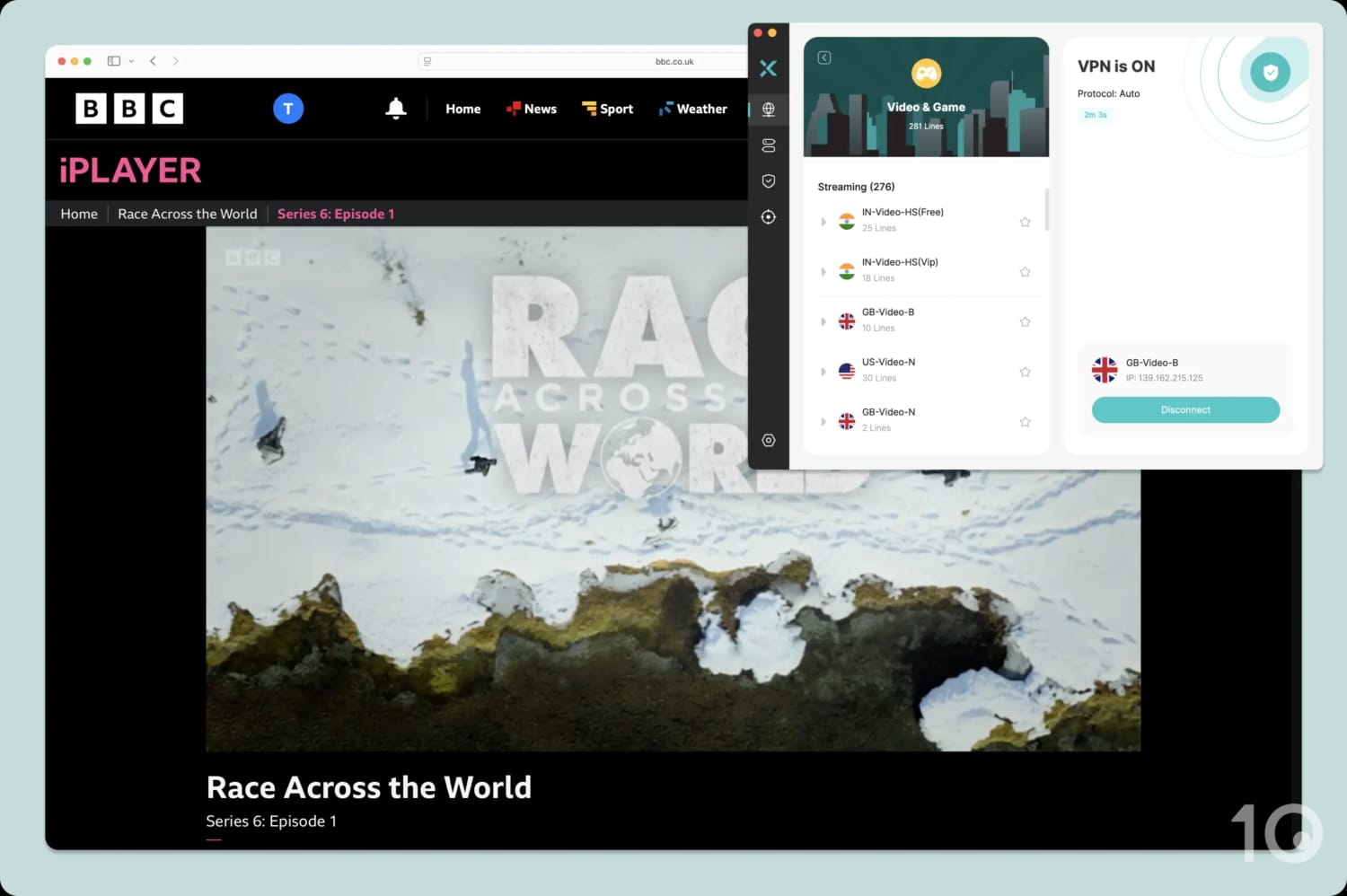
We used X-VPN to stream the latest season of Race Across the World.
This worked to stream both live content and on demand without any issues. However, we found that X-VPN’s standard UK servers weren’t as consistent at unblocking BBC iPlayer and often required a second or third attempt.
Free Tier Disappoints for Streaming
X-VPN’s free tier is a bad choice for streaming as it fails to unblock a single platform. This has been the case since testing began and is unlikely to change.
Since the desktop apps automatically assign you the server closest to your real-life location, it’s impossible to spoof your location and unblock geo-restricted content.
You can choose your server location on the mobile apps, but the end-result is the same.
If you want a free VPN for streaming then we suggest using Windscribe’s free plan. It can stream 5 Netflix libraries, more than either version of X-VPN, as well as HBO Max, Hulu, and Amazon Prime Video.
Speed
Using the Everest Protocol, we recorded poor connection speeds on nearly every X-VPN server we tested. Our speeds decreased by 35% on nearby servers and as sharply as 84% while connected to a South Africa server. We were unable to improve X-VPN's mediocre speeds regardless of which protocol we selected.
These are a poor set of results and mean X-VPN is one of the slowest paid VPNs we’ve reviewed. There are currently over 30 VPNs we review that register faster local download speeds than X-VPN.
Its long-distance speeds are just as disappointing, with an average decrease of 68% across all international locations.
You can expect data-intensive activities such as 4K streaming, torrenting, and online gaming to be especially slow while using X-VPN.
We recommend using one of the leading VPNs for speed, instead.
You can use the chart below to see how poorly X-VPN’s speeds compare to top-rated VPNs over short and long distances:
As shown above, X-VPN’s local speeds are around 33% slower than the leading VPNs on average. Our advice: save your money and look elsewhere.
Free Tier Delivers Slower Speeds
We tested both X-VPN tiers on the same Lenovo laptop for consistency. Since the free desktop app disables manual server selection, our speed tests were restricted to the US.
As expected, the free plan is even slower than its paid counterpart with an average download speed loss of 46%.
Although this isn’t the worst result for a free service, its limited server network and persistent ads mean we can’t recommend using X-VPN.
Security
X-VPN defaults to its proprietary Everest protocol, though you can switch to proven WireGuard (ChaCha20) encryption. Plus, X-VPN includes leak protection, post-quantum encryption, and an effective kill switch, but the latter is faulty on macOS.
| Independent Audit | No |
|---|---|
| VPN Kill Switch | Yes |
| Leak Protection | Yes |
X-VPN uses a self-developed protocol called Everest to encrypt your traffic. As it’s closed-source, we’re limited to the VPN company’s own claims that it uses obfuscation technology with AES-256 encryption.
It’s also compatible with several transmission protocols such as UDP, TCP, HTTP, and TLS — all of which are listed within the app.
We used Wireshark, a packet analyzer, to analyze our network traffic while connected to Everest.
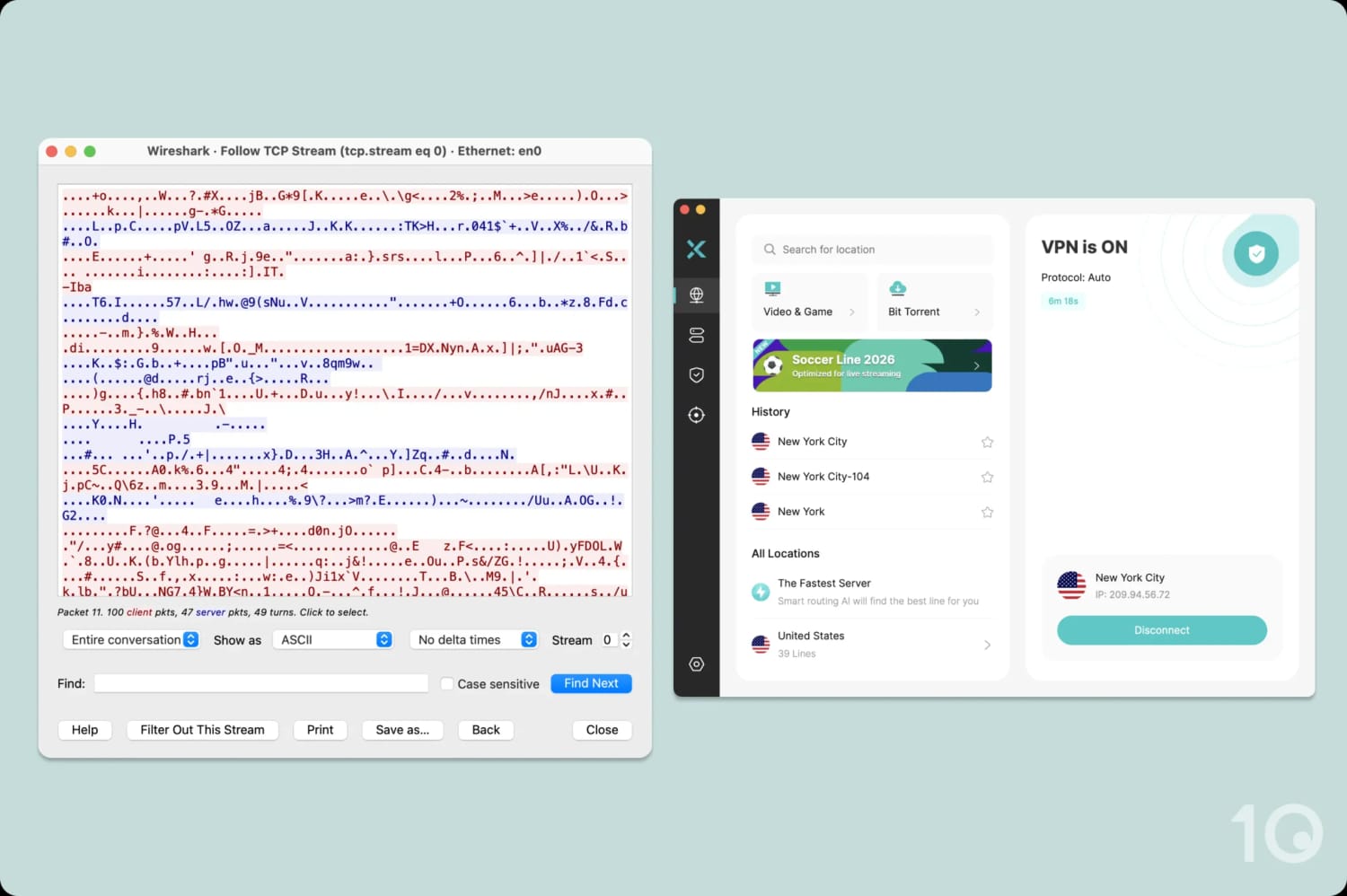
X-VPN’s proprietary protocol successfully encrypted our traffic.
As shown above, X-VPN encrypted our traffic. While we can’t evaluate Everest protocol’s strength or reliability, it will successfully conceal your online activity at the very least.
Thankfully, X-VPN also includes OpenVPN and WireGuard within its apps. We strongly advise you switch to WireGuard, since it’s secure, open-source, and widely used in the industry.
However, if you want to use post-quantum encryption (PQE) to protect against future ‘harvest now, decrypt later’ attacks, you are forced to use the TLS or TLS-2 protocols.
It’s disappointing that you can’t combine WireGuard with PQE, a limitation you won’t find on rival services like Surfshark.
Unreliable Kill Switch on macOS
Both the paid and free tiers of X-VPN include a kill switch, an essential security feature that blocks your internet connection in the event of a VPN disconnect.
We used our custom-built tool to stress-test X-VPN’s kill switch by simulating a variety of connection drops.
While the kill switch fired successfully on Windows and mobile, it leaked our data on macOS.
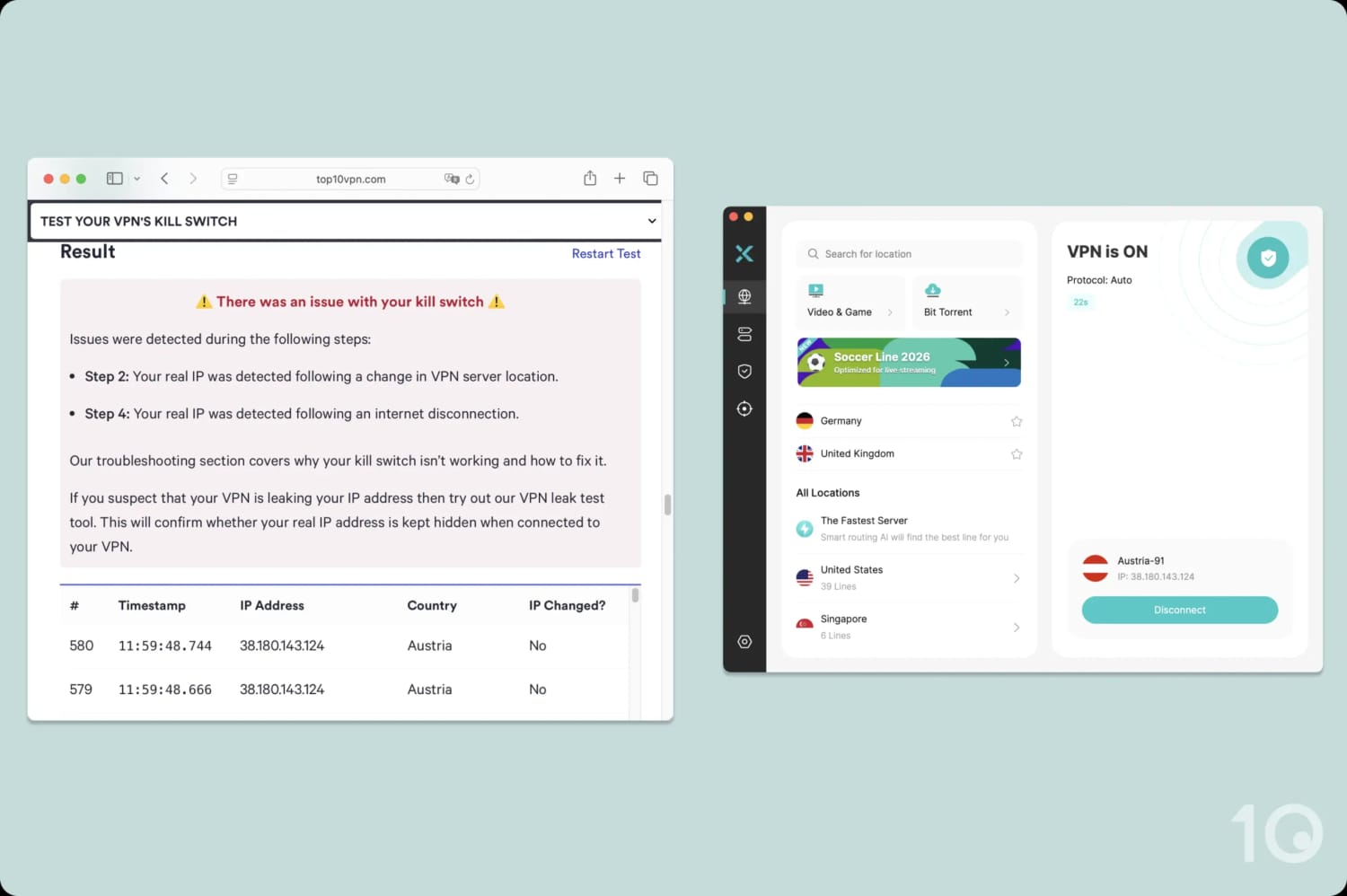
Your data is at risk should your VPN connection fail on Mac.
Server Locations
X-VPN offers IP addresses from an impressive 95 countries, with city-level options in 4 of them. Even more impressive is its 10,000+ server count which is higher than most VPN services we’ve tested. However, its free tier is limited to a more modest 14 countries.
| Continent | X-VPN (Free) Countries with Servers | X-VPN Countries with Servers |
|---|---|---|
| Europe | 10 | 45 |
| North America | 2 | 5 |
| Asia | 1 | 31 |
| Oceania | 1 | 2 |
| South America | 0 | 6 |
| Africa | 0 | 6 |
In the last two years, the number of countries offered by X-VPN has increased by almost 50%.
This impressive expansion puts it within touching distance of the 100+ countries offered by household names like Surfshark and NordVPN.
X-VPN provides coverage in regions typically less served by VPN services, too. There are servers at both ends of Africa (Egypt and South Africa), multiple servers in the Middle East, and options in South America.
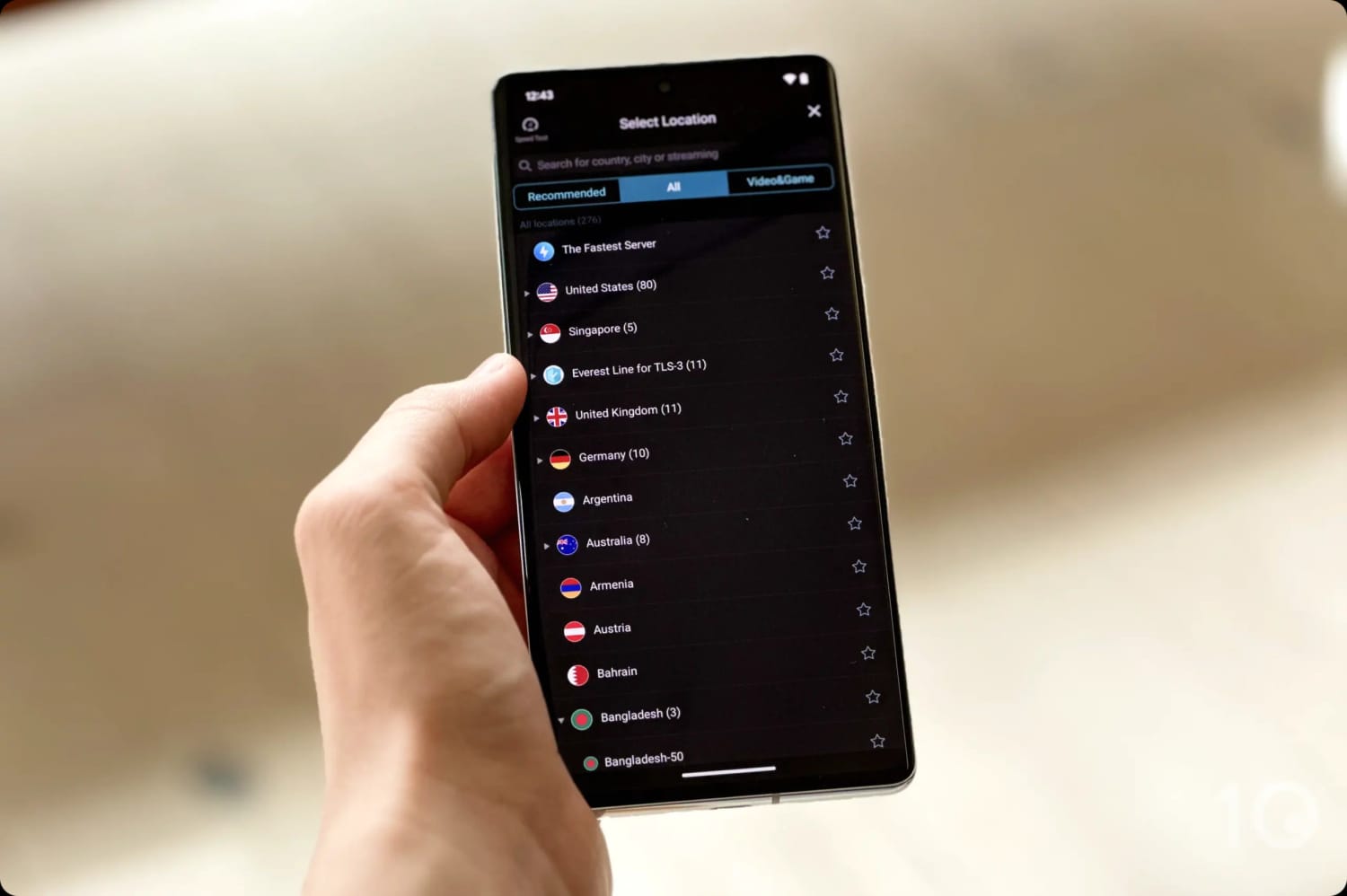
X-VPN’s server network encompasses all six inhabited continents.
The VPN provides city-level choice in four countries: Australia, Canada, France, and the US. While it isn’t quite on par with the best VPNs, we found the coverage of 18 US cities useful for bypassing sports blackouts.
Western-Centric Free Server Network
The free version of X-VPN supports a more modest network of 14 countries.
Most of the servers are located in North America and Europe, with the exception of Australia and Singapore.
This is impressive for a free VPN, although you can only manually select your location on iOS and Android.
User Experience
X-VPN provides simple VPN apps for all platforms that aren’t difficult to activate or use. However, there are some odd design choices, like separate server lists and ads, which can make the overall user experience frustrating.
Interface & Ease of Use
All of X-VPN’s apps follow a clean blue and white color palette, creating a pleasant contrast that looks sharp on any screen.
In general, the apps are easy to pick up and start using, with one major exception: the free plan is hard to find upon initial launch.
Before you are given the option to use the free version, you are forced to swipe through (or click out of) a carousel of images promoting its premium tiers.
Here’s a more detailed overview of our experience using X-VPN across different devices and platforms:
Desktop & Laptop (Windows & Mac)
X-VPN uses a split-pane approach to its desktop apps with the left-hand panel focusing on server location and settings, and the right-panel centering on connecting and disconnecting from the VPN.
Combined with its rounded corners and interactive widgets, its apps feel more modern and aligned with rival VPNs, like Surfshark and ExpressVPN, than before.

As a result, we find X-VPN easy to use and we like that it feels familiar to other desktop apps.
However, we’d like to see the specialty servers for gaming, streaming, and torrenting integrated into the standard server list to make navigation quicker.
We also found the app very unresponsive on macOS. Sometimes we’d click connect and the loading bar would pause at 98% indefinitely, requiring a reset of our Mac.
Moreover, some of the design choices felt confusing. For instance, the ‘Security’ tab redirects you to its ad blocker, instead of displaying protocols, encryption ciphers, or other security features.
The free versions of the apps were terrible to use, since you can’t choose your server location. We’re unsure as to why this is the case, given you can select your location on mobile.
Mobile (iPhone & Android)
Unlike its desktop counterpart, X-VPN remains largely the same on mobile: a central power button on a plain, white background.
The immediate downside to this is that the apps no longer offer a consistent user experience.
For instance, we were initially confused when we realized post-quantum encryption was a toggle in the mobile apps, instead of being tied to a protocol as it is on desktop.

We like that both mobile apps include a dark mode and a ‘follow system settings’ option. Moving forward, we’d like to see more mobile-specific features like iOS shortcuts or GPS spoofing for Android.
Its free mobile apps are significantly better than the desktop ones, as they let you choose your server location.
Interestingly, we received far fewer ads on the free tier than we have done in the past. We’re unsure if this is a permanent change.
Streaming Devices (Fire TV, Apple TV & Android TV)
X-VPN’s apps for Fire TV, Apple TV, and Android TV are functional and follow the same loose design as its desktop and mobile apps.
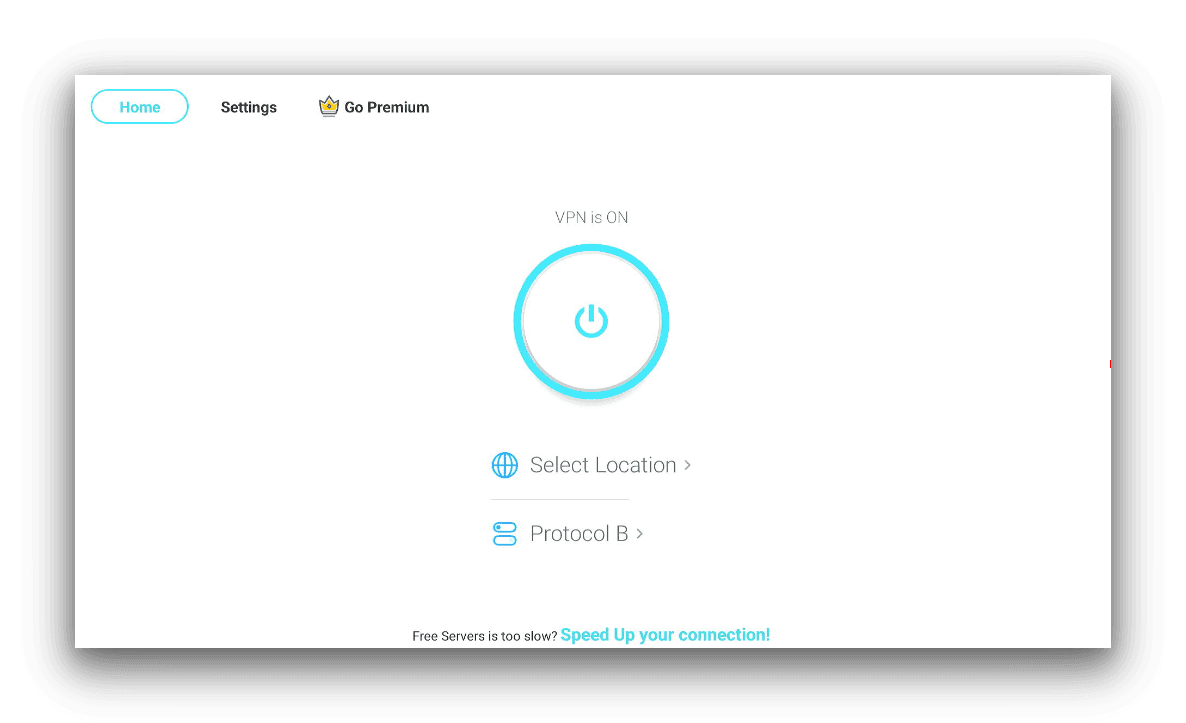
X-VPN’s Amazon Fire TV App doesn’t come with any extra features.
The apps are basic but you do have complete access to the X-VPN server network, including its streaming-optimized servers.
Its Apple TV app is its most developed, with a functioning kill switch and slick design. We also liked that we could log into its tvOS app using our mobile device. This was far quicker than manually typing in our account credentials with the overly sensitive Apple TV remote.
Torrenting
X-VPN is a poor choice for torrenting. Its unproven logging policy and shady ownership undermine your online anonymity while torrenting. We also found its download bitrate too slow for most content types.
| Torrenting Attribute | X-VPN (Free) | X-VPN |
|---|---|---|
| Permits P2P Traffic | Yes | Yes |
| Average Download Bitrate | 2.0MiB/s (80% loss) | 4.1MiB/s (59% loss) |
| Countries with P2P Servers | 14 | 95 |
| Port Forwarding | No | No |
| Kill Switch | Yes | Yes |
| Logging Policy | Identifiable Data | No Identifiable Data |
We tested X-VPN using qBittorrent and a fixed 10MiB/s connection. We downloaded a 1GB test file in under four minutes with X-VPN’s paid servers. It took us twice as long when we tried to download the same file with the free tier.
X-VPN is one of the slowest torrenting VPNs we’ve tested, even on its paid plan. Its average bitrate of 4.1MiB/s compares poorly to top VPNs, like PIA and ExpressVPN, which have a download bitrate of 9.6MiB/s and 9.8MiB/s respectively.
That said, we’re pleased to see that X-VPN has improved its labeling of P2P servers, opting to append ‘BT’ to the end of the server name. Previously, it called them ‘Ultimate Line’ servers and restricted their usage to a specific VPN protocol which was confusing and arbitrary.
X-VPN’s P2P-optimized servers aren’t available on its free version which partly explains its awful 2.0MiB/s bitrate.
Device Compatibility
X-VPN has apps for most major platforms, including desktop, mobile, and streaming devices. However, there's no easy way to install X-VPN on devices that don't support VPN software, like game consoles, as it lacks a Smart DNS proxy. We also find its 5-device connection limit quite ungenerous when compared to the industry average of 10.
| Windows | Yes |
|---|---|
| Mac | Yes |
| iOS | Yes |
| Android | Yes |
| Linux | Yes |
| Amazon Fire TV | Yes |
| Android TV | Yes |
| Apple TV | Yes |
| Router | Manual Setup Only |
| Chrome | Yes |
Simultaneous Connections: 5
To use X-VPN on Smart TVs, game consoles, or other internet-connected devices that lack native VPN support, your only choice is to manually install the VPN on your WiFi router.
We don’t recommend you do this, since it requires some technical knowledge and risks bricking your router. Even if successful, you’re limited to one server location at a time.
If you need to use a VPN on a variety of devices, ExpressVPN has apps for all compatible platforms, a Smart DNS tool, and even its own router model.
Additional Features
X-VPN’s additional features vary by platform and subscription tier. Its paid version provides an above-average selection of features including split tunneling, an ad blocker, an obfuscation protocol, static IP (mobile only), and a unique 'multi tunnel' tool. The free version has none of the above.
| Additional Feature | X-VPN (Free) | X-VPN |
|---|---|---|
| Split Tunneling | No | Yes |
| VPN Obfuscation | No | Yes |
| Multi-Hop Servers | No | No |
| Dedicated IP | No | No |
| Ad Blocker | No | Yes |
Standout Split Tunneling
X-VPN includes split tunneling on all of its apps as long as you sign in with a paid account.
This feature lets you customize which apps and websites bypass or enter the VPN tunnel. For example, you may want your banking app to remain outside the VPN tunnel, to avoid restricting your account.
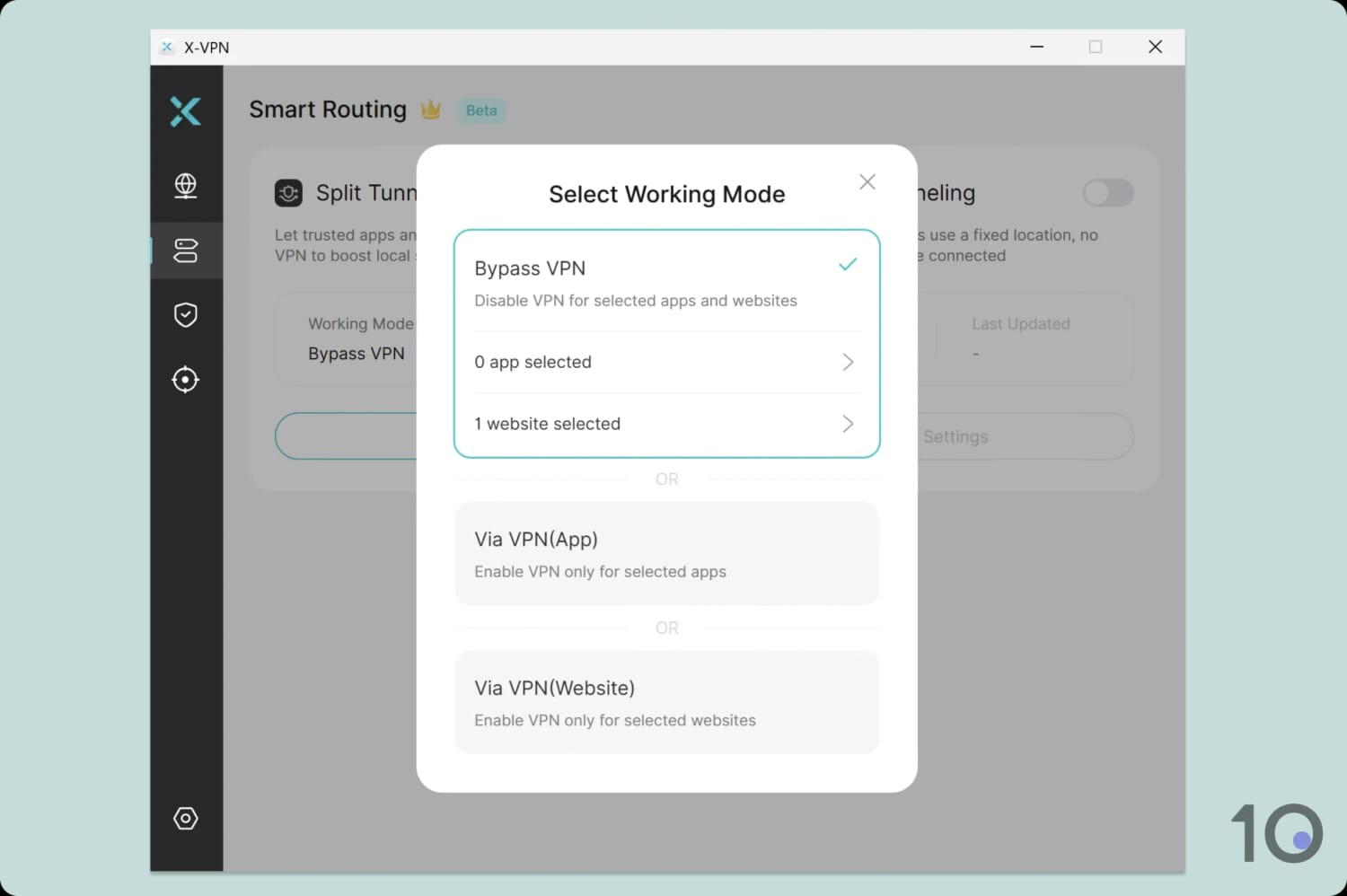
X-VPN gives you granular control over split tunneling.
Not many VPNs let you tailor split tunneling to this extent, so it deserves recognition.
Unique Multi Tunneling Feature
X-VPN lets you connect to multiple server locations simultaneously via a single VPN connection, thanks to its ‘Multi tunnel’ feature.
For example, you can route your Netflix app through a US server, BBC iPlayer through the UK, and DAZN through Canada, all at the same time.
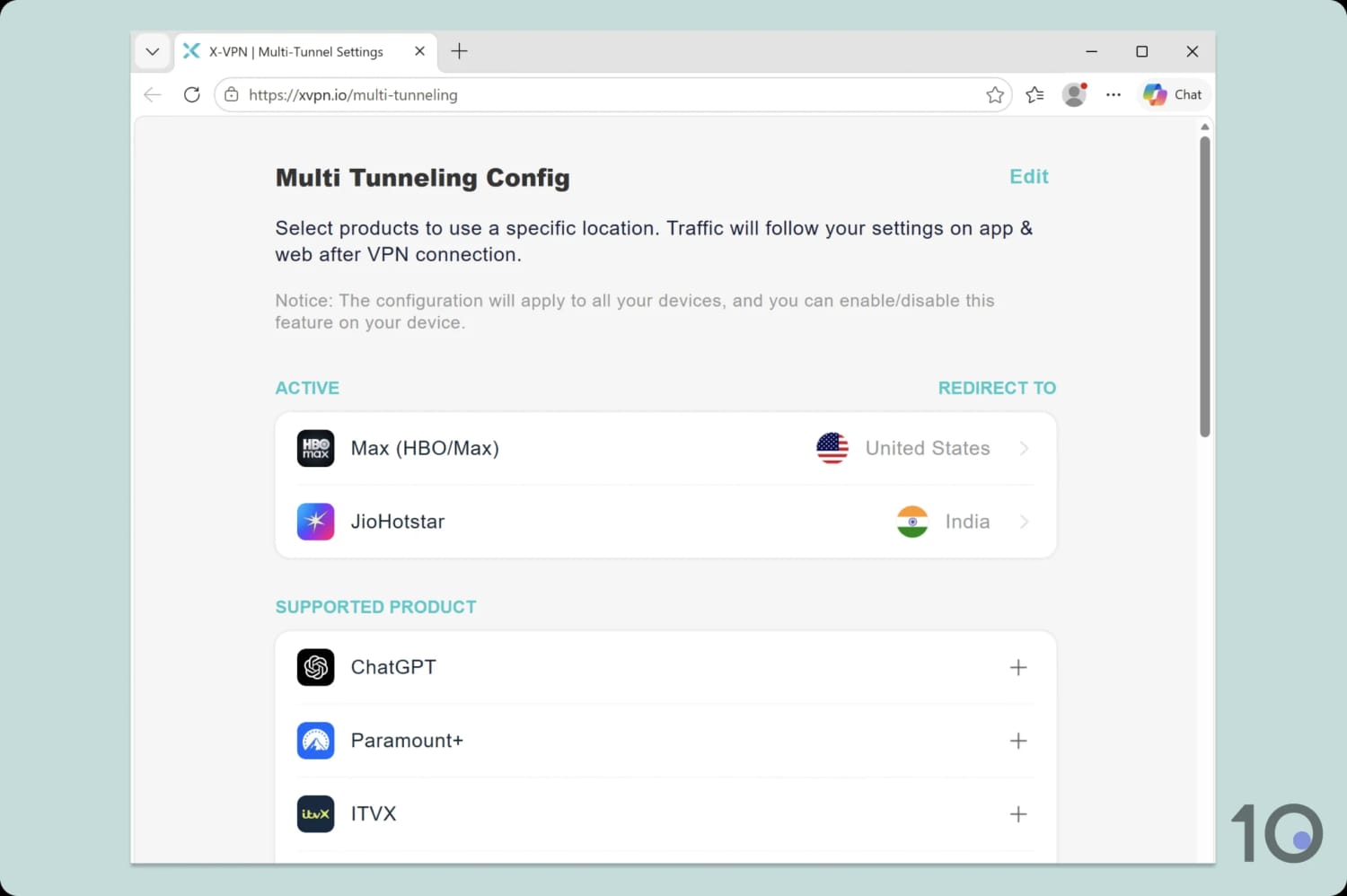
X-VPN redirects you to your account dashboard to configure multi tunnel.
In our testing, this feature worked but it did sometimes cause a lag in web page responsiveness and video loading times.
That said, we’re impressed by this innovative feature and welcome its inclusion across X-VPN’s apps.
Now Includes Modern Obfuscation Tools
X-VPN supports a variety of protocols to hide your VPN traffic and bypass online censorship.
In our experience, choosing Everest > TLS-3 in your app settings, provides the best results.
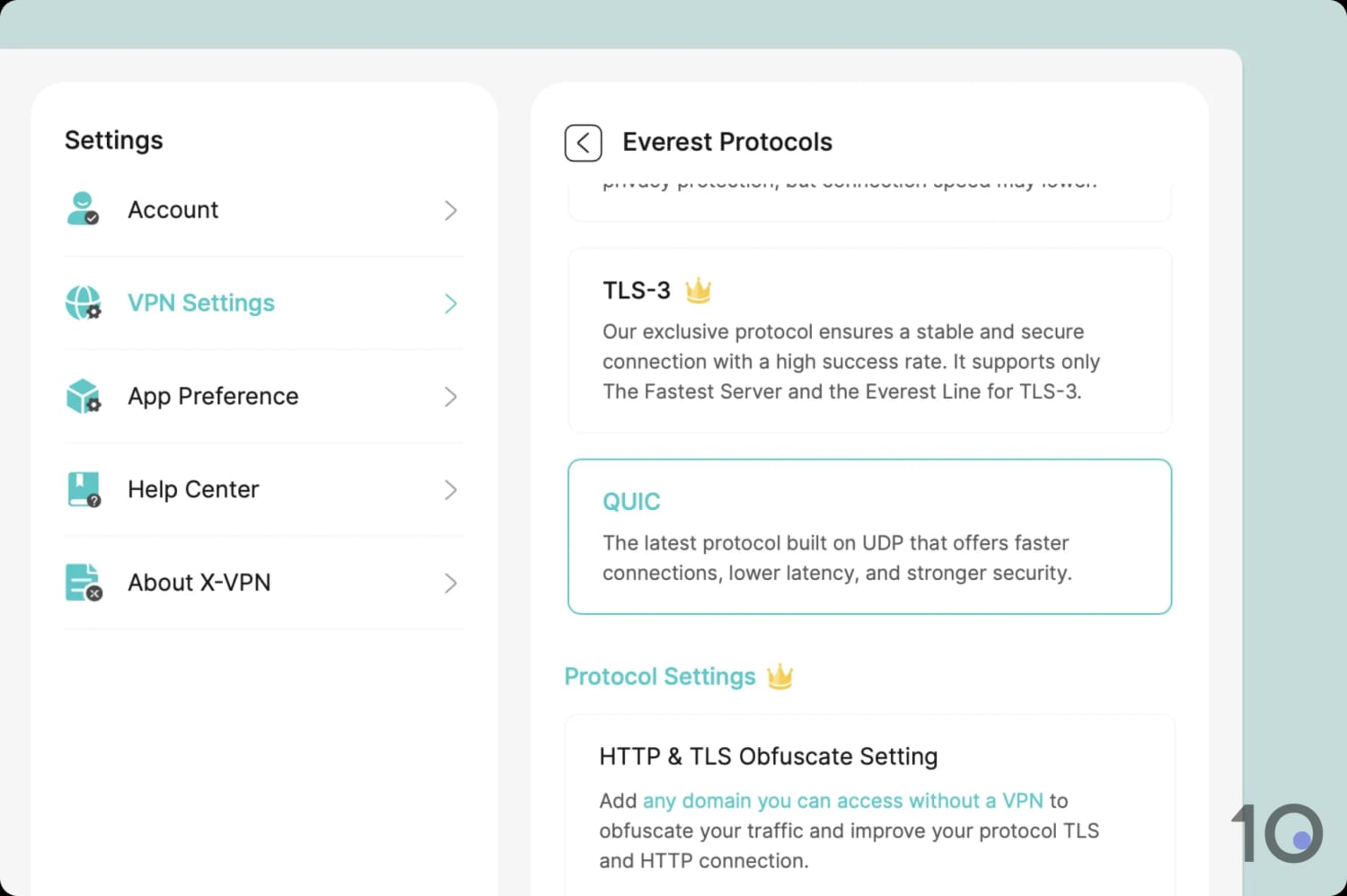
Only the Everest protocol supports obfuscation tools.
While we couldn’t consistently access our remote test server in Shanghai, we suspect X-VPN will perform better in less censored regions.
Static IP Is Limited to Mobile Apps Only
X-VPN provides a static VPN IP feature but only for paid plans on its mobile apps. To access it, go to Advanced Features > Static IP and you’ll be presented with a choice of recent VPN IP addresses you’ve used.
These IP addresses are only stored on your device and aren’t logged by the VPN service.
We’d like to see X-VPN add the option of a dedicated IP address, too. This is an IP address only you can access which lets you set up IP blocklists, secure remote connections, and more.


