

Top10VPN is editorially independent. We may earn commissions if you buy a VPN via our links.
How to Watch the NRL Online from Overseas
Simon Migliano
Simon Migliano is a recognized world expert in VPNs. He's tested hundreds of VPN services and his research has featured on the BBC, The New York Times and more. Read full bio
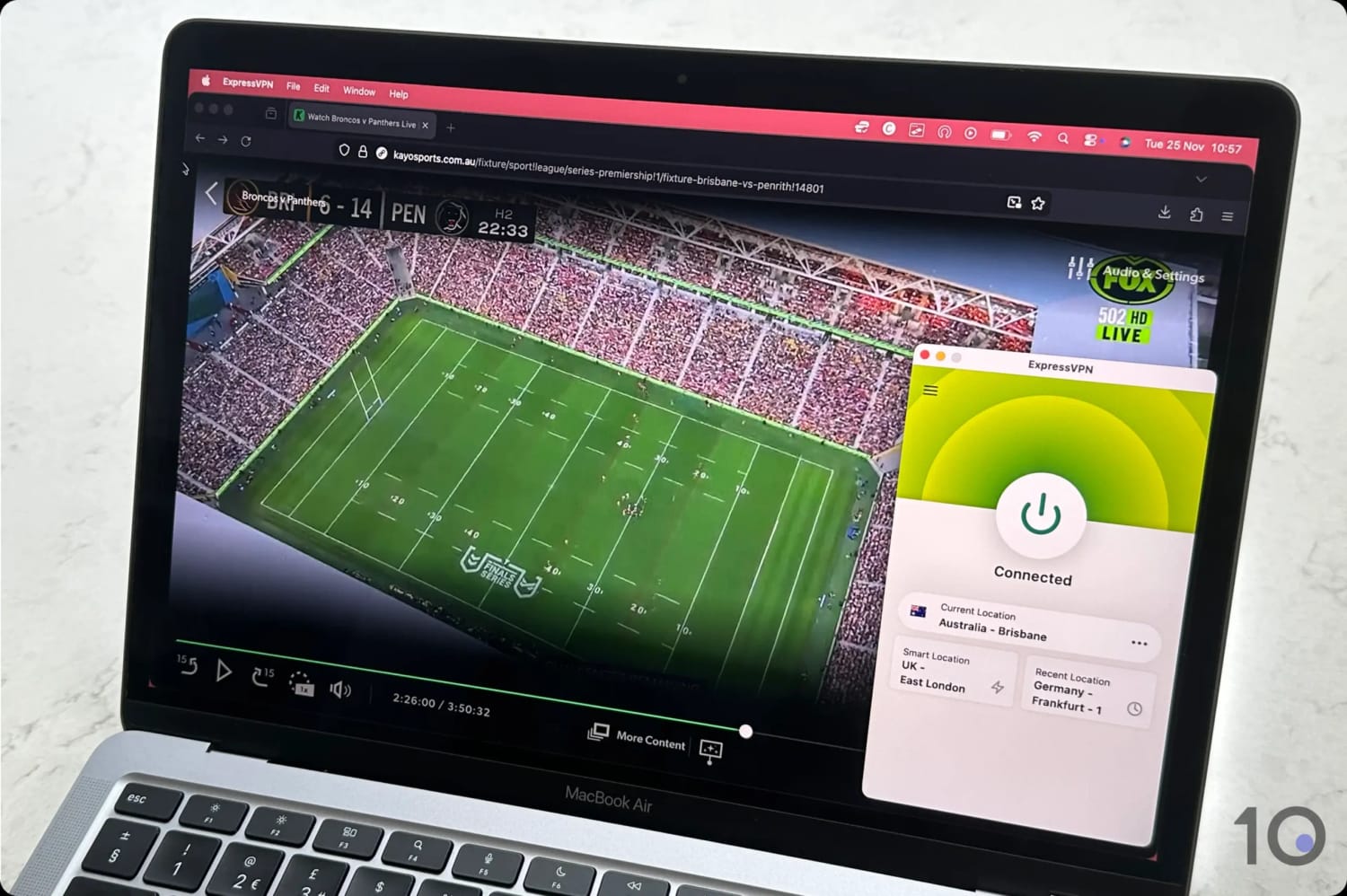
The easiest way to stream live NRL games from outside Australia is using a VPN free trial in combination with Kayo Sports or 9Now. ExpressVPN worked great, with its Australian IP addresses bypassing the platforms’ geo-blocks and streaming games at maximum resolution. By using its 7-day mobile free trial and 30-day refund guarantee, you can even watch games for free on Kayo (through its own free trial) and 9Now.
It’s rather painful trying to watch the NRL outside Australia. Many international broadcasters don’t even show it, and most Australians end up getting an expensive Watch NRL subscription, instead.
A monthly plan on WatchNRL.com costs almost $40.00 compared to Kayo’s $20.00, and video quality is capped at only 720p (HD). That’s not great.
Just like for watching the AFL overseas, using a virtual private network (VPN) will allow you to change your online location to Australia and access Kayo Sports and 9Now.
The cost saving is significant, especially if you consider that Kayo offers a 7-day free trial to new customers, and 9Now is completely free.
Plus, 9Now also live streams the full Finals Series as well as the Grand Final and State of Origin games exclusively.
Quick Guide: How to Stream the NRL Overseas
Pick a VPN that works with Kayo Sports and 9Now. We recommend ExpressVPN, which offers a 7-day free trial and 30-day refund guarantee.
Download the VPN onto your device.
Install the VPN, launch it and connect to an Australian server.
Open Kayo or 9Now. To sign up to Kayo, you’ll need an Australian phone number.
Start streaming.
Why Trust Us?
We’re fully independent and have been reviewing VPNs since 2016. Our advice is based on our own testing results and is unaffected by financial incentives. Learn who we are and how we test VPNs.
There’s no question that Kayo Sports provides a more affordable and enjoyable streaming experience on a wider range of devices.
And although it doesn’t broadcast the Grand Final and State of Origin games, you can easily stream these for free on 9Now using your existing VPN subscription.
If you’re a new subscriber, you even get access to a 7-day Kayo free trial, which Watch NRL doesn’t offer. Combined with ExpressVPN’s 7-day free trial and 30-day refund guarantee, you could potentially watch for free for up to 37 days.
How to Watch the NRL Outside Australia
The ease of streaming Kayo and 9Now abroad depends entirely on your device: some setups are instant, while others require extra legwork.
On a computer, it’s basically a simple three-step process: turn your VPN on, log into the streaming service, and start streaming.
But it gets trickier on smartphones and TV sticks, because you won’t find the Kayo app in app stores outside Australia, and you’ll have to jump through some hoops if you decide to change your store/account region.
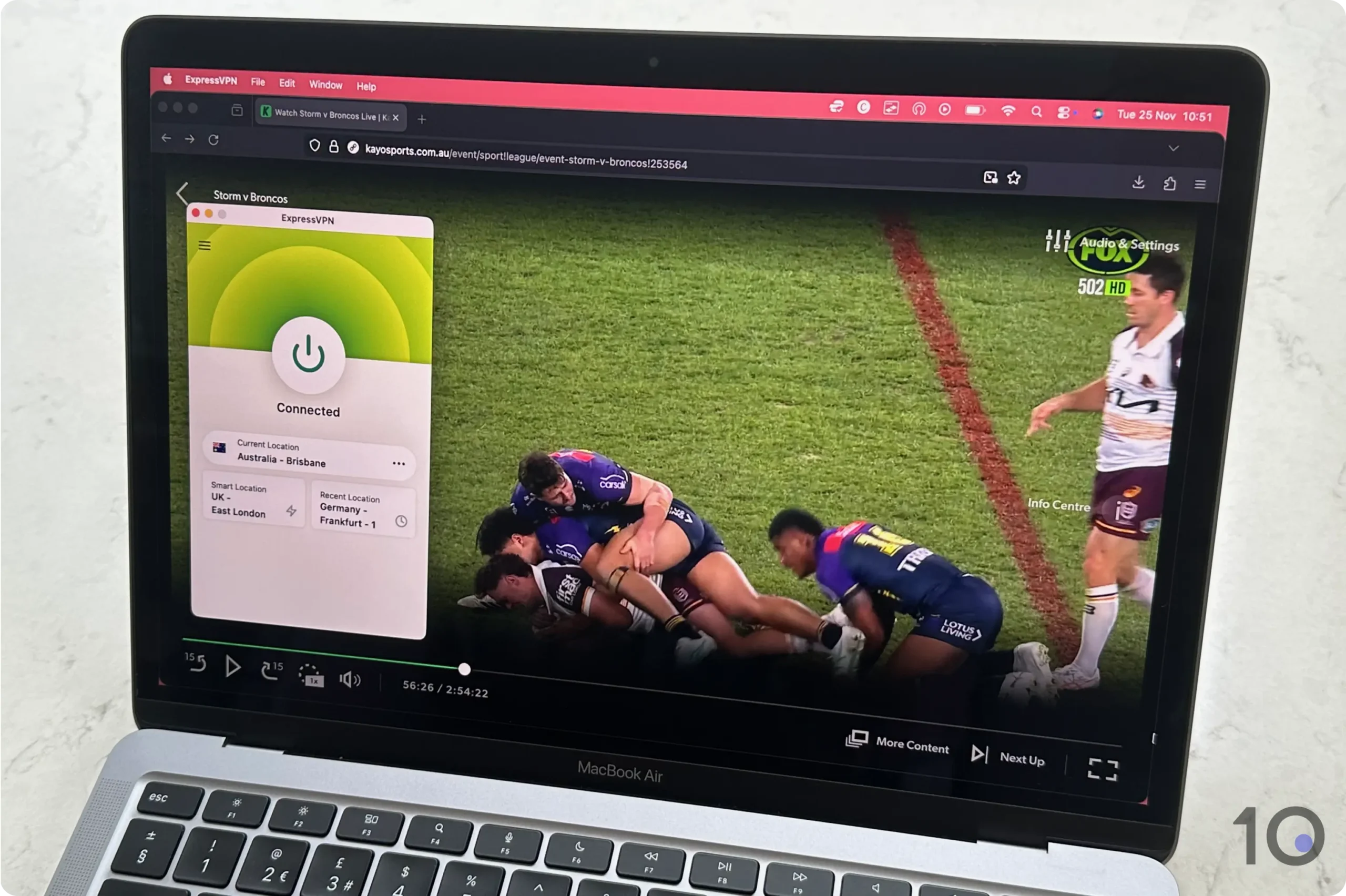
Watching the NRL with ExpressVPN on our Macbook.
Also, keep in mind that Kayo requires an Australian mobile number to complete registration. If you don’t have someone back home to help, getting a virtual number from a service like CallHippo is your best bet to pass verification.
EXPERT ADVICE: For a foolproof TV setup, you should consider the ‘old school’ method of connecting your laptop via HDMI, as it bypasses the need to change your app store or account region.
Desktop (PC & Mac)
Streaming on desktop is our preferred method, primarily because it doesn’t involve app store or account region changes.
Instructions: How to Watch the NRL on PC & Mac
Get a VPN that unblocks Kayo and 9Now: ExpressVPN is our #1 pick.
Install and launch: download the software from the website, run the installer, and sign in.
Get an Australian IP address: find an Australian server location and click/tap connect to change IP location.
Visit the Kayo Sports or the 9Now website: If you don’t have a Kayo account, remember that you’ll need an Australian phone number.
Choose your game and start streaming.
Mobile (iOS & Android)
Kayo’s and 9Now’s mobile apps use aggressive IP and GPS tracking to block access from overseas. They’re also unavailable outside of Australian app stores.
There are two ways to bypass these restrictions on Android devices, and one on iPhone/iPad (method 1) since iOS/iPadOS doesn’t allow GPS spoofing.
Method 1: The Browser Workaround
Install your chosen VPN from the App Store or Play Store.
Launch the VPN, sign in, and find the list of Australian servers.
Connect to an Australian server and change your online location to Australia.
Visit the Kayo Sports or 9Now site on your device’s web browser.
Log in or create a new account.
Choose the game you want to stream: On Kayo, games are under the ‘Live & Upcoming’ heading.
Streaming the game:
On Android, tap ‘From Live’ to access the live stream.
On iOS, tap ‘From Start’ and fast forward to the live position, since selecting ‘From Live’ didn’t do anything for us.
The method below only applies to Android users who want to stream games in-app rather than through a web browser.
Method 2: The Android App Method
Install a VPN with a built-in Android GPS spoofing: we recommend Surfshark which also offers a 7-day free trial.
In ‘Developer Options’, tap ‘Select mock location app’.
Choose Surfshark from the list and close the setup screen.
Go back to the Surfshark app and connect to an Australian server.
Open your Maps app and check that your location matches the VPN server’s location.
Open Kayo’s or 7now’s app and start streaming.
Fire TV & Android TV
Just like on mobile, accessing the Kayo and 9Now apps on Fire TV or Android TV requires switching your account region to Australia.
This will almost certainly delete existing apps and disrupt your current local subscriptions.
To bypass this hurdle, we recommend streaming directly through a web browser on your TV so you don’t have to mess around with your account’s settings.
Instructions: How to Watch the NRL on Fire TV & Android TV
Subscribe to TV-compatible VPN: ExpressVPN has an excellent Fire TV VPN app. You’ll have to create account on mobile or desktop first, though.
Search for the VPN on your device’s app store.
Install the VPN and log in using your account details.
Find and connect to an VPN server in Australia.
Launch a web browser app: the Silk Browser on Fire TV and BrowseHere on Android TV (you’ll have to download it from Google Play).
Go to Kayo’s or 9Now’s website, log in and start streaming.
Apple TV
The Kayo Sports and 9Now tvOS apps are exclusive to the Australian App Store. Luckily, you can bypass this regional restriction by using AirPlay to cast from your iPhone, iPad or Mac onto your TV.
We found that for this method to work best, both your Apple TV and your casting device should be connected to the same Australian VPN server location.
Instructions: How to Watch the NRL on Apple TV
Sign up to ExpressVPN on desktop or mobile.
Install the VPN app on your Apple TV.
Install the VPN app on your iPhone/iPad/Mac.
Connect both VPN apps to the same Australian server location.
Open Safari on your macOS/iOS device.
Log into Kayo or 9Now..
Pick a live game: On Kayo, tap ‘From Start’ and fast forward the stream to the live position. Selecting ‘From Live’ won’t work.
Tap the AirPlay icon at the top of your screen once the stream has loaded: if you can’t see the icon, tap the screen to bring it up.
Select your Apple TV from the list of options.
You’ll now see the live stream on your TV screen.
Our VPN Picks for Streaming the NRL
We’ve quickly compared our two VPN picks side by side to help you make an easier decision:
ExpressVPN has significantly expanded its Australian server network, making it a premier choice for streaming the NRL from anywhere in the world.
The service’s consistent ability to bypass Kayo Sports’ and 9Now’s geo-blocks puts it at the top of our list for reliable sports streaming.
Ultimately, its “plug-and-play” simplicity, superior app design, and its world-leading VPN router app put ExpressVPN one rung higher on our VPN streaming ladder.
You can get the most bang for your buck by stacking ExpressVPN’s 7-day free trial with their 30-day money-back guarantee: a great way to secure up to 37 days of risk-free use.
ExpressVPN easily unblocked Kayo and streamed live NRL games.
High-Speed Access without Restrictions
ExpressVPN has come a long way from pat struggles with Kayo Sports’ geo-restrictions, and is now the VPN to beat.
All the VPN’s 600 servers located in Australia unblocked both Kayo and 9Now without a hiccup. Not just recently, but for many months now.
Using its Lightway protocol, the impact on our download speeds was just 17%, even when connecting from countries on the other side of the world.
We’re not exaggerating when we say that ExpressVPN leaves most of its competitors in the dust. For instance, Surfshark hit our internet speed by 21% on average.
Exceptional User Experience
ExpressVPN has long been celebrated for its extensive device support, centered around a suite of sleek, dedicated apps for every major platform.
The hallmark of the ExpressVPN experience is the intuitive, modern interface of all its software.
Whether you’re using the VPN on desktop, mobile, or on a smart TV, the UI remains consistent. This allows you to seamlessly switch between devices with very little friction.
Finding and connecting to the right server is also effortless, thanks to a streamlined location menu and nearly instantaneous connections.
The company has also gone over and beyond by creating its own VPN app for routers.
The router app is particularly useful in big households, as you can assign a different IP location to each device on your home network.
For a more plug-and-play experience, you could go one step further and buy ExpressVPN’s actual router, Aircove, which has the VPN app pre-installed.
While ExpressVPN leads in performance metrics, like connection speeds and unblocking consistency, Surfshark positions itself as the more budget-friendly option.
At just $1.99/mo over 27 months, Surfshark offers a meaningful price advantage over ExpressVPN. Its 7-day free trial is also more convenient to use, since it’s available through the official website as well as mobile app stores.
What we found extremely helpful was the VPN’s integrated GPS spoofing feature, which allowed us to easily get round Kayo’s GPS restrictions on Android.
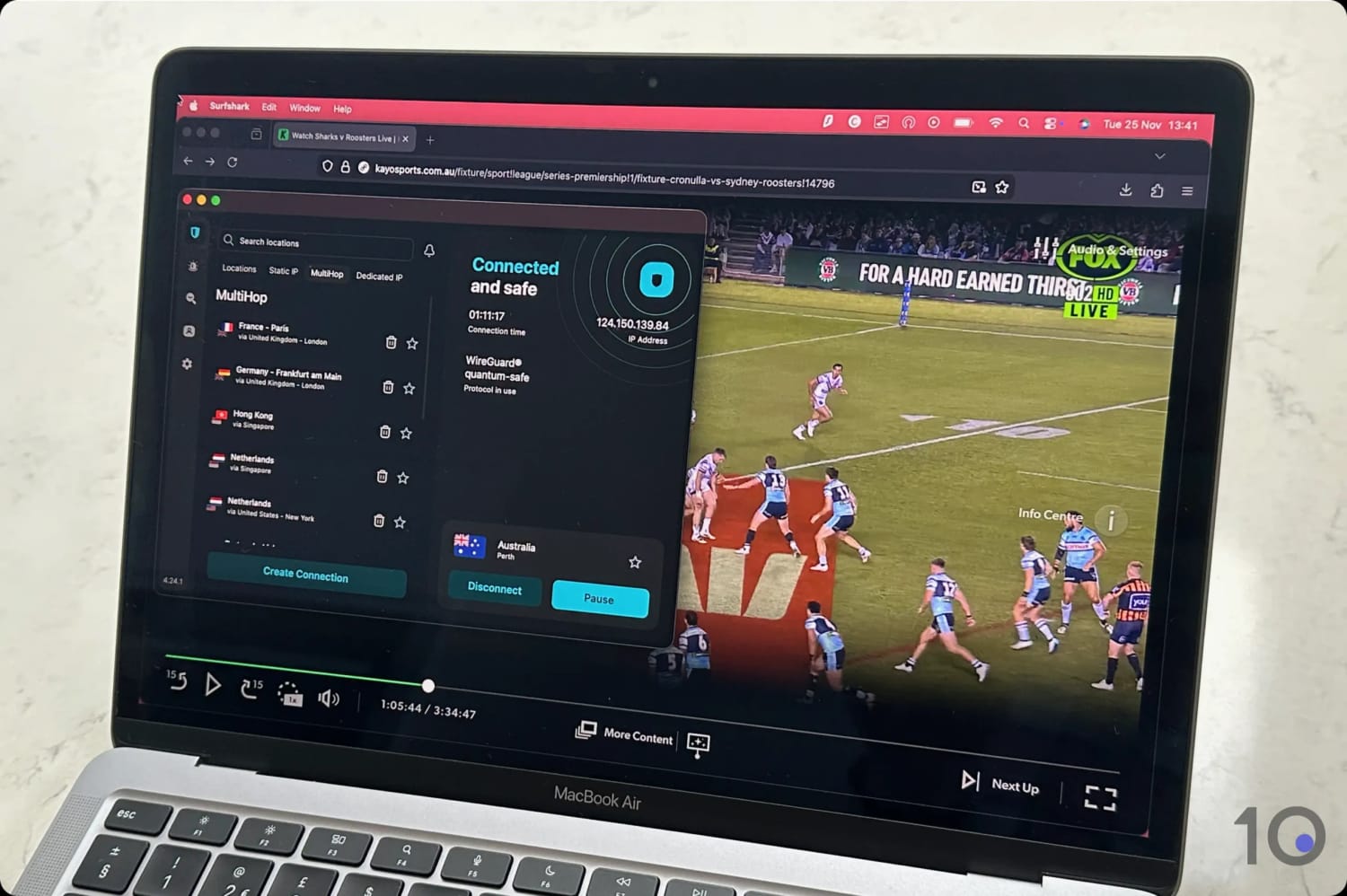
We used Surfshark to stream Kayo Sports from overseas.
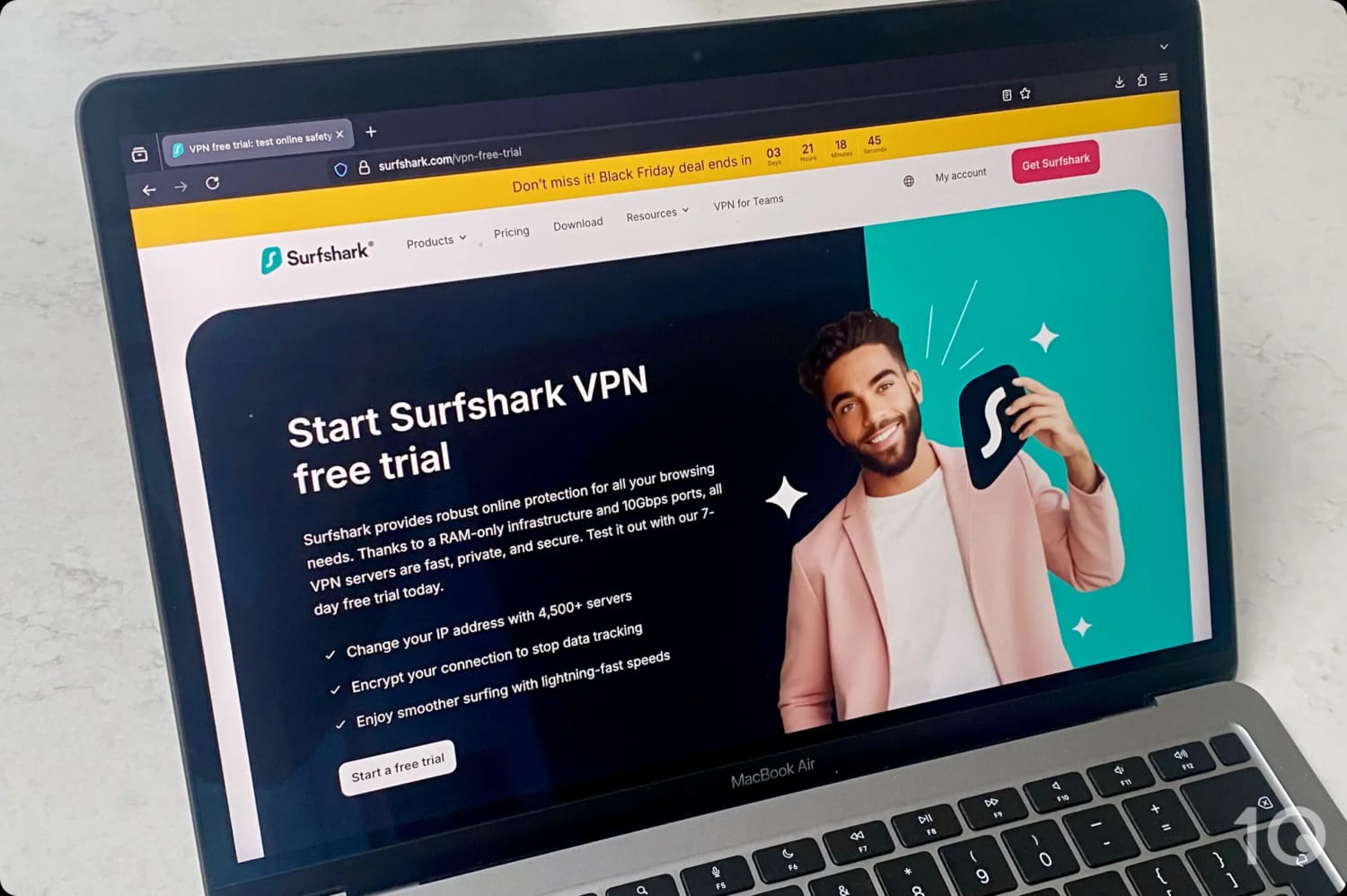
In other words, you don’t have to go through the mobile app store first in order to try the product on your PC or MacBook.
Testing Surfshark’s trial on macOS.
While many competitor services limit trial access to their app store listings, Surfshark’s flexibility is a huge plus.
Sure, the VPN isn’t the fastest, especially connecting from far away locations, with an average speed dip of 21% into Australia.
That being said, it handles HD and 4K streaming with ease, as long as your standard internet line is fast enough.
Access to Kayo's GPS-blocked Android App
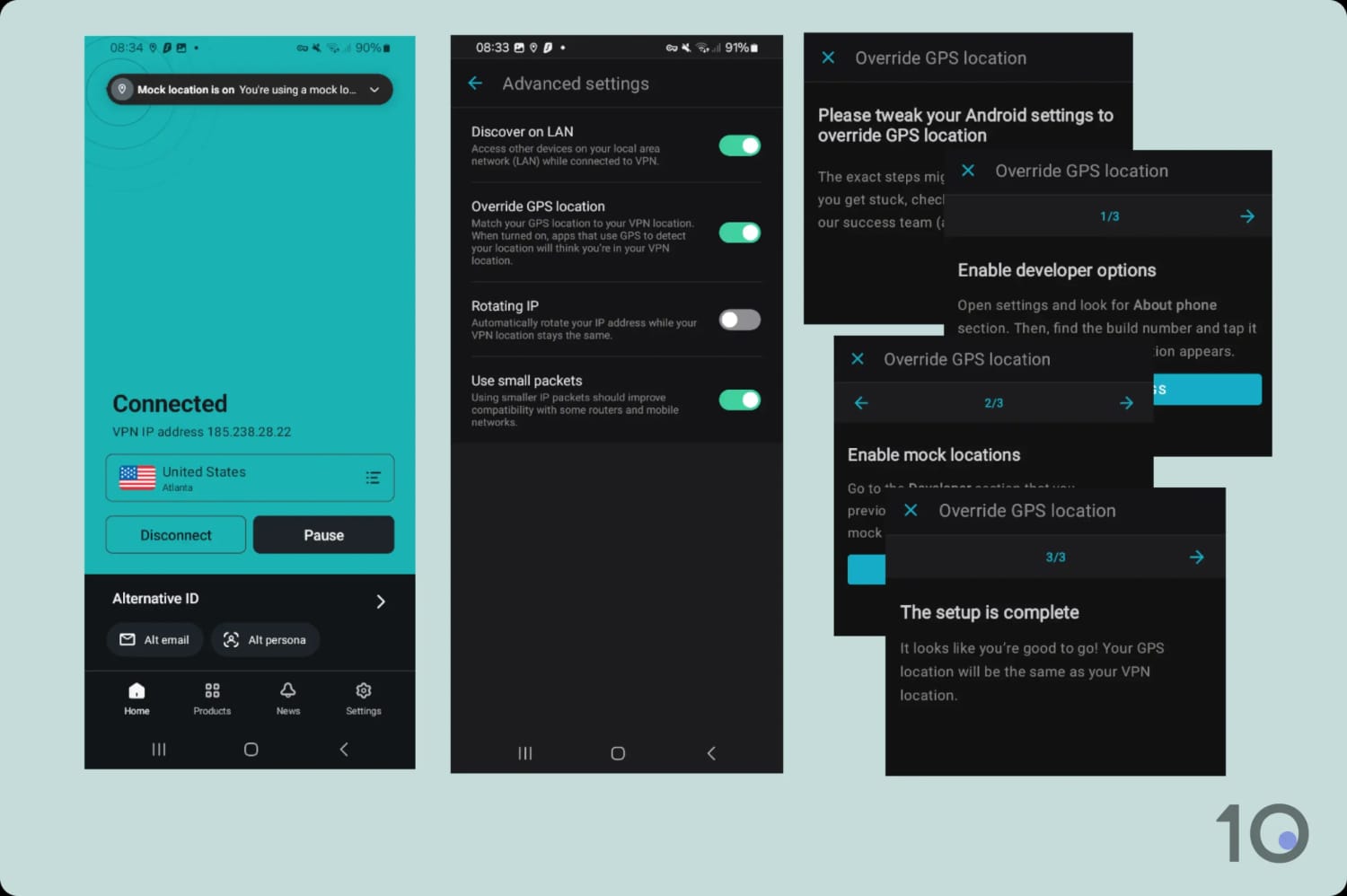
Beyond its free trial, Surfshark offers a standout feature for Android users: an integrated GPS spoofing setting called ‘Override GPS location.’
Since Kayo’s and 9now’s mobile apps use your device’s GPS data to verify your location, you’d typically need to use a third-party “fake GPS” app alongside your VPN.
Surfshark eliminates this hassle by embedding location spoofing directly into its VPN interface. It only works on Android, though, since iOS blocks GPS spoofing.
Setting up Surfshark’s ‘Override GPS location’.
Setting it up requires a number of steps, which we’ve detailed earlier in the guide.
Once you’ve correctly paired your GPS and IP locations, you’ll be able to watch live streams directly within Kayo’s and 9Now’s Android apps.
After testing 61 different VPNs, we found that many well-known services fell short of the mark when it comes to streaming the NRL.
Several VPNs were either blocked entirely by Kayo and 9Now, or they provided a laggy, frustrating experience that didn’t satisfy us.
Below is a selection of popular VPNs that didn’t meet our standards:
VPN Service
Reason for Exclusion
CyberGhost
Can’t access Kayo Sports on any Australian server
Private Internet Access
Can’t bypass Kayo’s geo-restrictions
Proton VPN (Free)
Doesn’t provide any free Australian IP addresses
Proton VPN (Paid)
Unblocks Kayo and 9now but it’s slower and more expensive than our top picks
TunnelBear (Free & Paid)
Doesn’t work with Kayo Sports
Windscribe Pro
Fewer Australian servers with slower and fluctuating speeds into Australia
Windscribe (Free)
Doesn’t offer any free Australian servers
How We Test VPNs for Streaming the NRL
We fully understand that a glitchy VPN is the last thing you need when you’re trying to watch a big game.
That’s why we’ve done the heavy lifting and rigorously tested 61 VPN providers to find the few that truly deliver an exceptional experience.
These are the four main areas that we assess a VPN on:
Access to NRL streaming services
Connection speed
Australian servers
Device compatibility
We’ve explained each factor in more detail below, alongside its weighting towards a VPN’s overall rating for accessing NRL live streams.
1. Unblocks NRL Streaming Services (50%)
Test Conducted: We evaluated each VPN’s Australian server network for reliability in accessing Kayo Sports and 9Now from outside Australia.
Why It’s Important: To qualify, a VPN must consistently bypass both Kayo and 9Now geo-restrictions. Unblocking only one isn’t good enough.
Optimal Result: High-speed, consistent access to both content platforms across the majority of Australian server locations, and on all major streaming devices.
2. Speed (25%)
Test Conducted: We regularly measure speed degradation when connected to VPN servers in Australia. For increased accuracy, and to ensure a like-for-like comparison, we always use a VPN’s default protocol and cap our baseline internet connection at 100Mbps.
Why It’s Important: Fast, stable connections are essential for streaming at maximum resolution. A quality VPN must maintain elevated performance to prevent buffering, lag, or drops in broadcast quality.
Optimal Result: A download speed slowdown below 10% connecting from nearby countries, and below 20% from distant ones.
3. Australian Servers (15%)
Test Conducted: We audited each VPN’s Australian server infrastructure, testing every location and endpoint across its full suite of dedicated apps.
Why It’s Important: A healthy number of Australian servers and IP addresses reduces the likelihood of “IP blacklisting” by streaming platforms. High server capacity also prevents bandwidth congestion and speed fluctuations.
Optimal Result: Hundreds of servers distributed across both East and West Coast hubs, supported by a frequently refreshed pool of unique IP addresses.
4. Device Compatibility (10%)
Test Conducted: We use each VPN across all compatible devices. If a service offers specialized features like router firmware and a Smart DNS proxy, we’ll also test those to understand the full extent of its compatibility.
Why It’s Important: There are many devices you can stream live sports on. A premium VPN must deliver a consistent, high-quality experience on most of them, if not all.
Optimal Result: User-friendly, native apps for Windows, macOS, iOS, Android, Fire TV, and Apple TV. The very best providers also include a dedicated router app, Android GPS spoofing, and/or a Smart DNS service.
FAQs
Are There Free VPNs That Work with Kayo & 9Now?
Currently, there aren’t any trustworthy VPN services with free Australian IP addresses that unblock Kayo Sports and 9Now.
Your safest bet right now is to use the free trials offered by ExpressVPN and Surfshark.
Can I Watch the NRL without a VPN?
Aside from using a VPN, your only other option for getting an Australian IP address from outside the country is a Smart DNS proxy.
However, Smart DNS proxies are an inferior choice because they don’t encrypt your connection data but cost more or less the same as a VPN.
Moreover, VPNs provide a much more user-friendly experience through dedicated apps for many different devices and platforms.