



Privacy
Ranked #47 out of 59 VPNs for Privacy
Snap VPN has improved and clarified its logging policy, but it's still not a private or trustworthy VPN. It logs your ISP, bandwidth usage, and server location. Ties to China, an opaque company history, and no proper web presence also make it difficult to trust. Put simply, it's not worth risking.
| Originating IP Address | No |
|---|---|
| Browsing Activity | No |
| Individual Connection Timestamps | No |
| Date of Last Connection | Yes |
| VPN Server IP | No |
| Device Information | No |
| Individual Bandwidth Usage | Yes |
| Account Information | No |
You can read Snap VPN's full privacy policy on its website.
Snap VPN doesn’t log enough data to identify you, but we still recommend you avoid using it.
Its privacy policy moved to a self-hosted, secure HTTPS website in 2022, a big improvement compared to before. However, we find it odd that it isn’t hosted on Autumn Breeze’s own website.
Company Ownership
Snap VPN was previously owned by a company called Lemon Clove PTE Ltd., but that has since changed to Autumn Breeze. It is unclear if Autumn Breeze is a rebrand or a new company altogether.
The privacy policy states that Snap VPN’s Singapore jurisdiction has “no special data retention laws and no guidance pertaining to e-discovery or disclosure to foreign law enforcement agencies.” However, this is simply not true – Singapore is a member of the SIGINT data sharing alliance and we’d rather a VPN not be based there if possible.
Our research into the Chinese ownership of free VPNs has also revealed that Snap VPN has links to mainland China, a big, obvious drawback for privacy.
Excessive Advertising Permissions
An overabundance of in-app ads is one of our biggest complaints about Snap VPN. These ads interrupt your user experience and get access to your personal data.
Third-party ad services AdMob and Unity Ads have permission to place their own cookies on your device via Snap VPN and may use them to “access information about you which they may collect over time and across different online services.”
In-app ads are common with free VPNs, and are one of the many reasons you should consider using a cheap paid-for VPN instead, but Snap VPN’s permissions are still far more invasive than most.
Streaming
Ranked #39 out of 59 VPNs for Streaming
We tested Snap VPN with 10 different international streaming services. It could only unblock two: BBC iPlayer and ITVX, both from the UK. It didn’t work to unblock any Netflix libraries or any US content platforms like HBO Max or Disney+.
| Streaming Service | Works with Snap VPN (Free) |
|---|---|
| BBC iPlayer (UK) | Yes |
| DAZN (Canada) | No |
| Disney+ (UK) | No |
| Hulu (US) | No |
| ITVX (UK) | Yes |
| HBO Max (US) | No |
| Netflix (US) | No |
| Netflix (UK) | No |
| Prime Video (US) | No |
| Sky Go (UK) | No |
Snap VPN is terrible for streaming. I was blocked from logging into most streaming services and, in some cases, I couldn’t even load the login screen.
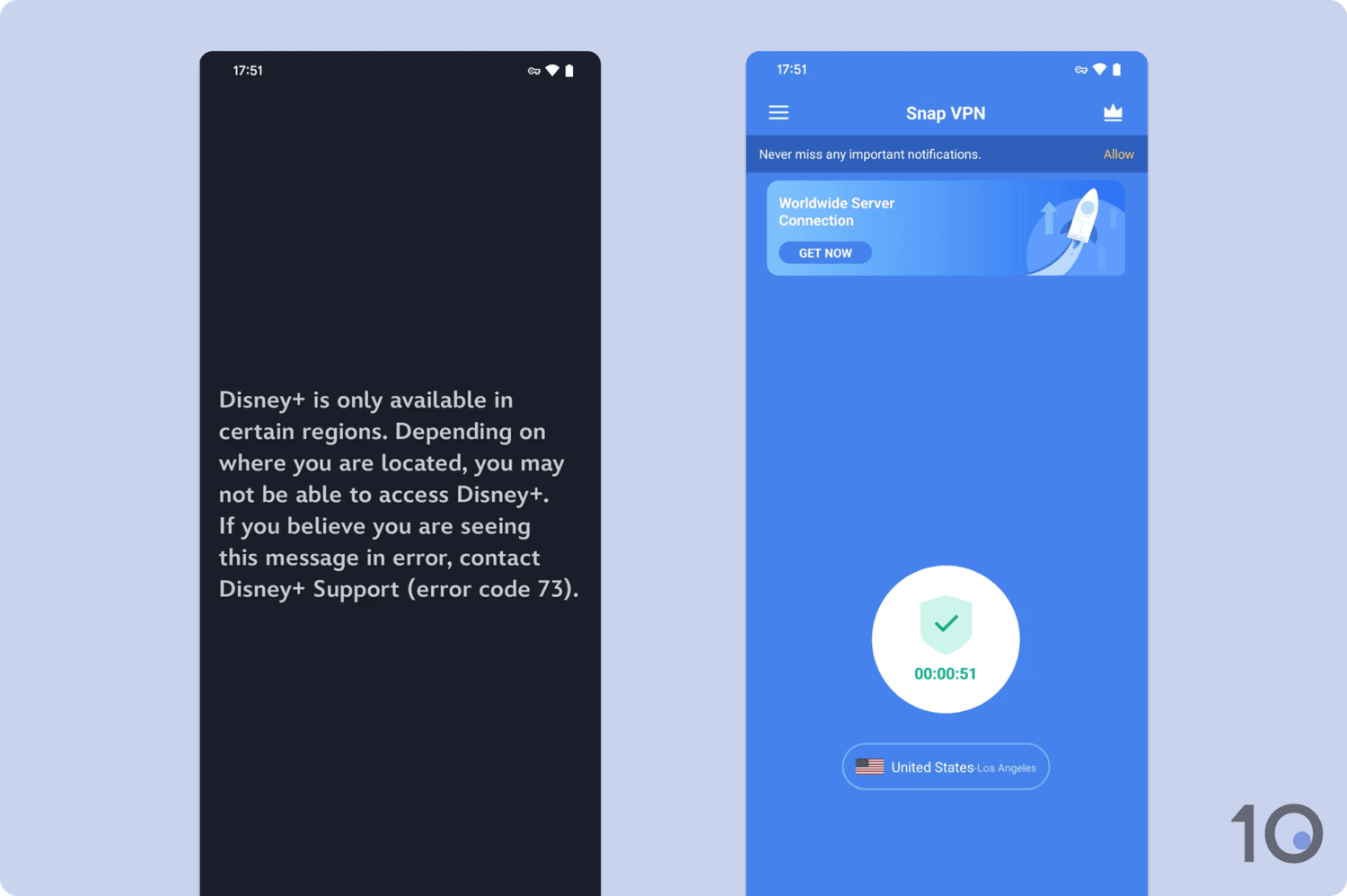
We couldn’t get past the Disney+ login screen with Snap VPN.
While I was able to unblock BBC iPlayer and ITVX, Snap VPN throttled my download speeds. As a result, the stream always took at least two minutes to load and buffered constantly.
Not only did this distract from my viewing experience, but it also became incredibly frustrating over hours of testing. For example, I had to give up streaming an episode of Love Island UK as the constant buffering meant I missed most of the key moments.
To avoid this, we suggest you use a VPN optimized for streaming that won’t throttle your connection or limit you to UK streaming services.
Speed
Ranked #54 out of 59 VPNs for Speed
Snap VPN is one of the slowest VPNs we've tested. We discovered that the VPN throttles speeds to unacceptable levels, with a 97% drop in download speed across all locations. This is too slow for browsing, streaming, gaming, or just about any other web activity.
Snap VPN produced the exact same download speeds in every location we tested. In each instance, it was unable to exceed a 2Mbps average download speed, regardless of where the server was. Coupled with the fact that its upload speeds were substantially faster in comparison, we’re certain that Snap VPN throttles your internet connection.
For context, we consider anything greater than a 50% drop in download speeds when connected to a nearby server to be poor – Snap VPN is over 97% slower. That makes it one of the slowest VPNs we’ve ever tested.
There are significantly better free VPNs available that won’t throttle your connection. For example, Proton VPN is a reputable service and almost 50 times faster than Snap VPN.
Security
Ranked #49 out of 59 VPNs for Security
Snap VPN isn't safe to use at all. It fails to properly disclose its VPN protocol, it doesn't include OpenVPN or WireGuard, and it lacks a kill switch. Though it passed our leak tests, we strongly recommend you use an alternative VPN with proven security.
| Independent Audit | No |
|---|---|
| VPN Kill Switch | No |
| Leak Protection | Yes |
Snap VPN only allows connections via a protocol labeled ‘IPSec’. It’s unclear whether this relies on the secure IKEv2 framework or the unsafe, outdated L2TP/IPSec protocol.
Despite previously offering it for free, Snap VPN now paywalls OpenVPN alongside the Android-exclusive SSR and ISSR protocols. The app doesn’t signal that these options are locked, making their unavailability frustratingly unclear.
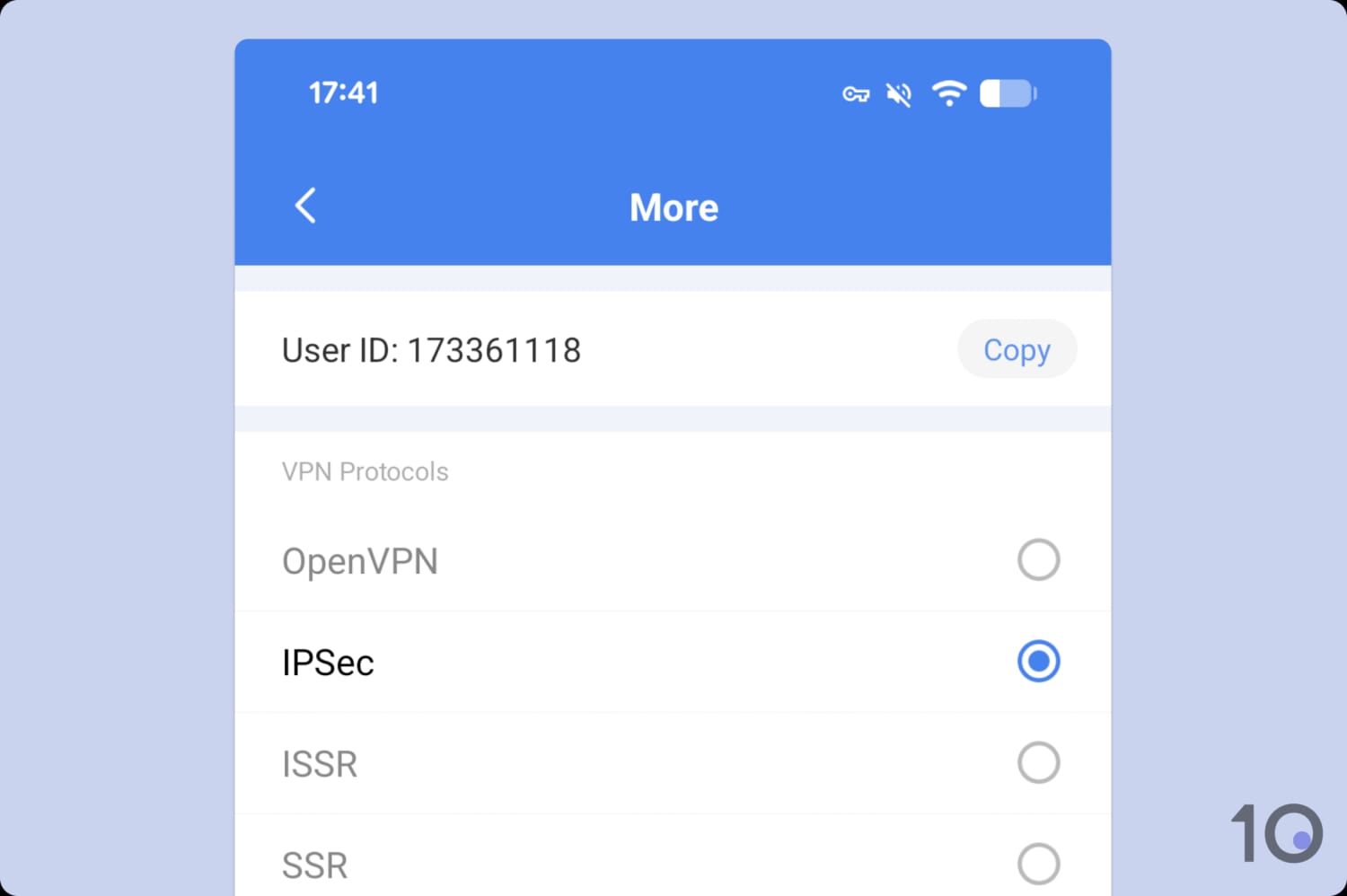
Snap VPN provides no accompanying information for the IPSec protocol.
An even bigger omission is WireGuard, our preferred protocol that balances speed and security. Lacking both OpenVPN and WireGuard is incredibly rare today, further underlining Snap VPN’s unreliability.
The provider also hides its encryption details. While its support team confirmed the use of secure AES-128 and AES-256 encryption, this should be transparently listed on its Google Play Store page.
As part of our testing, we checked Snap VPN for IP, WebRTC, and DNS leaks. It passed, but our leak test tool highlighted the use of Google DNS servers.
While this is still secure in theory, we’d encourage Snap VPN to operate its own private DNS servers, like ExpressVPN and Private Internet Access (PIA), for total anonymity and security.
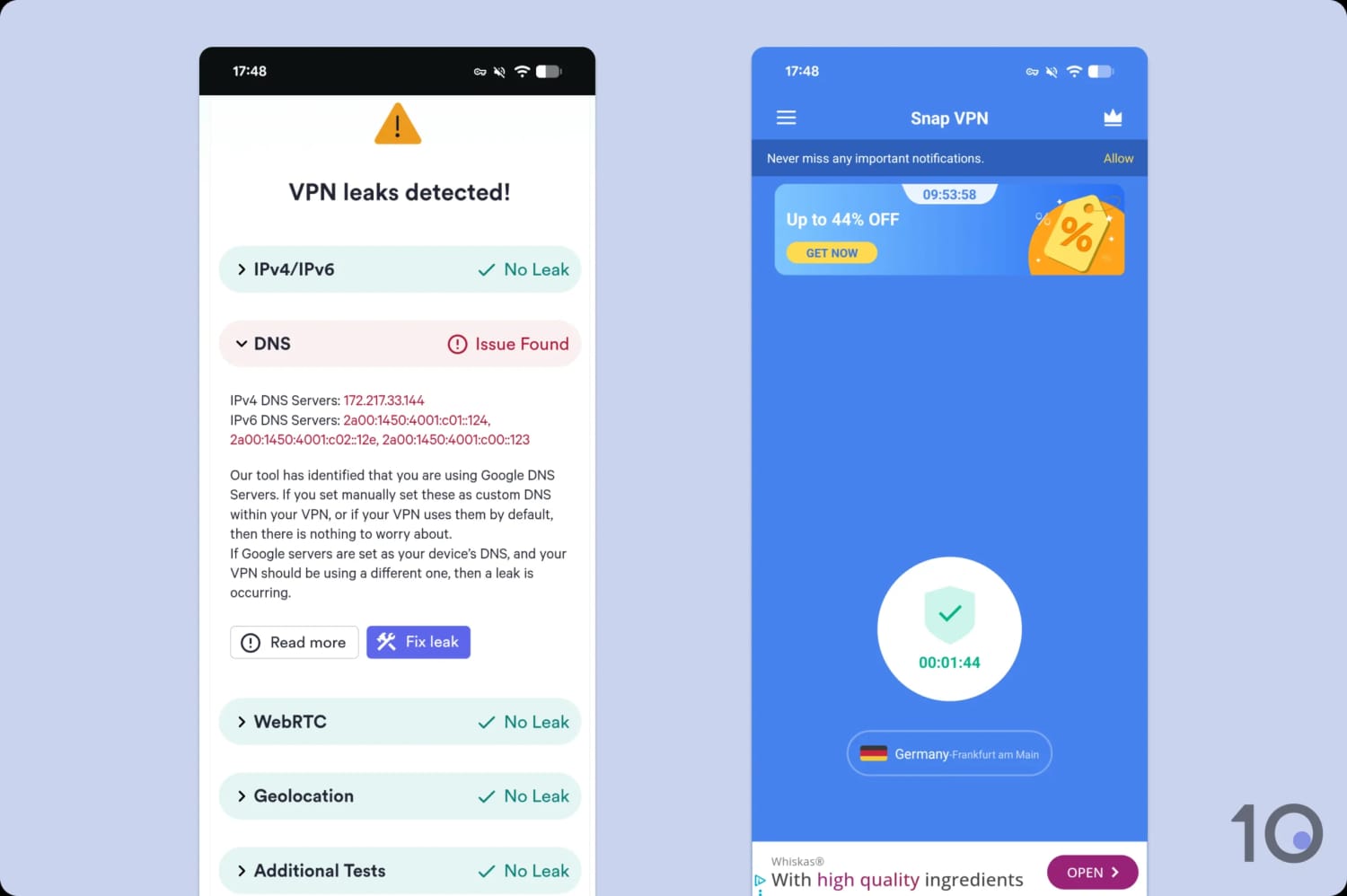
Aside from a DNS issue, Snap VPN passed our leak tests.
We couldn’t test a kill switch because Snap VPN simply doesn’t have one. This omission is inexcusable; if your connection drops, your personal data is instantly exposed.
Aside from getting the basics wrong, Snap VPN also lacks advanced security features, like post-quantum encryption and open-source apps — to name but a few.
If this wasn’t already clear, Snap VPN isn’t secure and should be avoided. Try out Mullvad if you want to use a forward-thinking service that prioritizes your security.
Server Locations
Ranked #47 out of 59 VPNs for Server Locations
You can use Snap VPN to get IP addresses from 6 countries, which is around the average for a free Android VPN. It recently dropped its server location in Canada, which is a disappointing step back.
| Continent | Countries with Servers |
|---|---|
| Europe | 3 |
| Asia | 1 |
| North America | 1 |
| South America | 0 |
| Africa | 0 |
| Oceania | 0 |
You can connect to Snap VPN servers in the following countries:
- Germany (two cities)
- Netherlands
- Singapore
- UK (two cities)
- US (nine cities)
While we’re disappointed by the overall size of the server network, it’s rare to see a free VPN provide city-level options.
Usually this is useful for bypassing local restrictions, but Snap VPN’s poor streaming performance made this near-impossible.
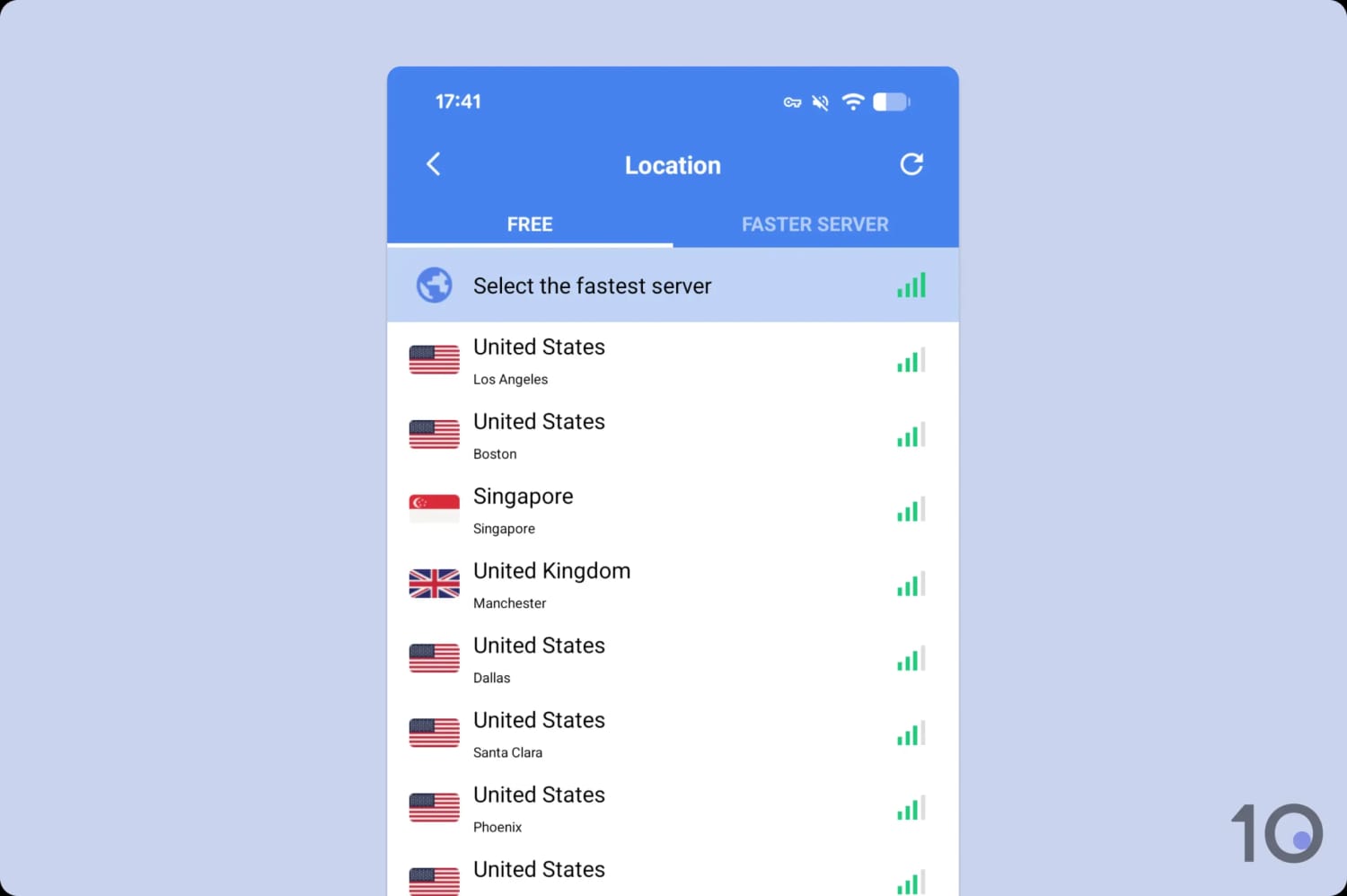
Snap VPN’s server list lacks any logical organization.
There are more locations available to paid subscribers, but it still doesn’t come close to matching top-tier VPNs like ExpressVPN, with servers in 113 countries.
User Experience
Ranked #51 out of 59 VPNs for User Experience
The complete lack of features makes Snap VPN easy enough to understand and start using. However, constant full-screen ads result in an awful user experience, and disconnecting is a two-step process.
It’s easy to get started with Snap VPN on Android. You just need to download the app from the Play Store, agree to prompts, and you’re finished.
Because it’s a free VPN, you’re not required to provide payment details at any point or register an account.
Android
Snap VPN adopts a simple design with easy-to-read white text on a blue background. To start using the VPN, you simply select your preferred VPN server location from the list and tap ‘Go’ on the main screen.

This is where the positives end. You’re made to watch a video ad every time you connect, with no options to limit their frequency. For example, VPN 360, another free service, lets you watch a 30-second ad for 15 minutes of VPN usage.
But the worst part, in my opinion, was trying to disconnect from the VPN. Instead of immediately disconnecting when you tap the power button as you’d expect, you have to wait for a pop-up to appear and then tap the prompt to disconnect.
This two-step process is reminiscent of NordVPN’s pause functionality and adds unnecessary friction to what is normally a smooth process.
Once you’re finally disconnected, the VPN displays a ‘connection report’ with your uptime and bandwidth usage, which you have to tap out of. Again, I don’t see the point of this and it further proves that Snap VPN doesn’t understand what users want.
Aside from its poor UX, we’d like to see Snap VPN offer more advanced features and customization options. For a mobile VPN in particular, we’d appreciate the option to switch between light and dark mode.
Torrenting
Ranked #49 out of 59 VPNs for Torrenting
Our tests revealed that BitTorrent traffic isn't permitted on Snap VPN's servers. Even if P2P file-sharing was allowed, I wouldn't recommend Snap VPN anyway. It logs too much personal information, its encryption isn't secure enough, and it's missing a VPN kill switch.
| Torrenting Attribute | Snap VPN (Free) |
|---|---|
| Permits P2P Traffic | No |
| Average Download Bitrate | N/A |
| Countries with P2P Servers | 0 |
| Port Forwarding | No |
| Kill Switch | No |
| Logging Policy | Identifiable Data |
Previously, Snap VPN made it clear on its Play Store listing that P2P downloads were not permitted. Although this warning has since been removed, you still can’t use Snap VPN for torrenting.
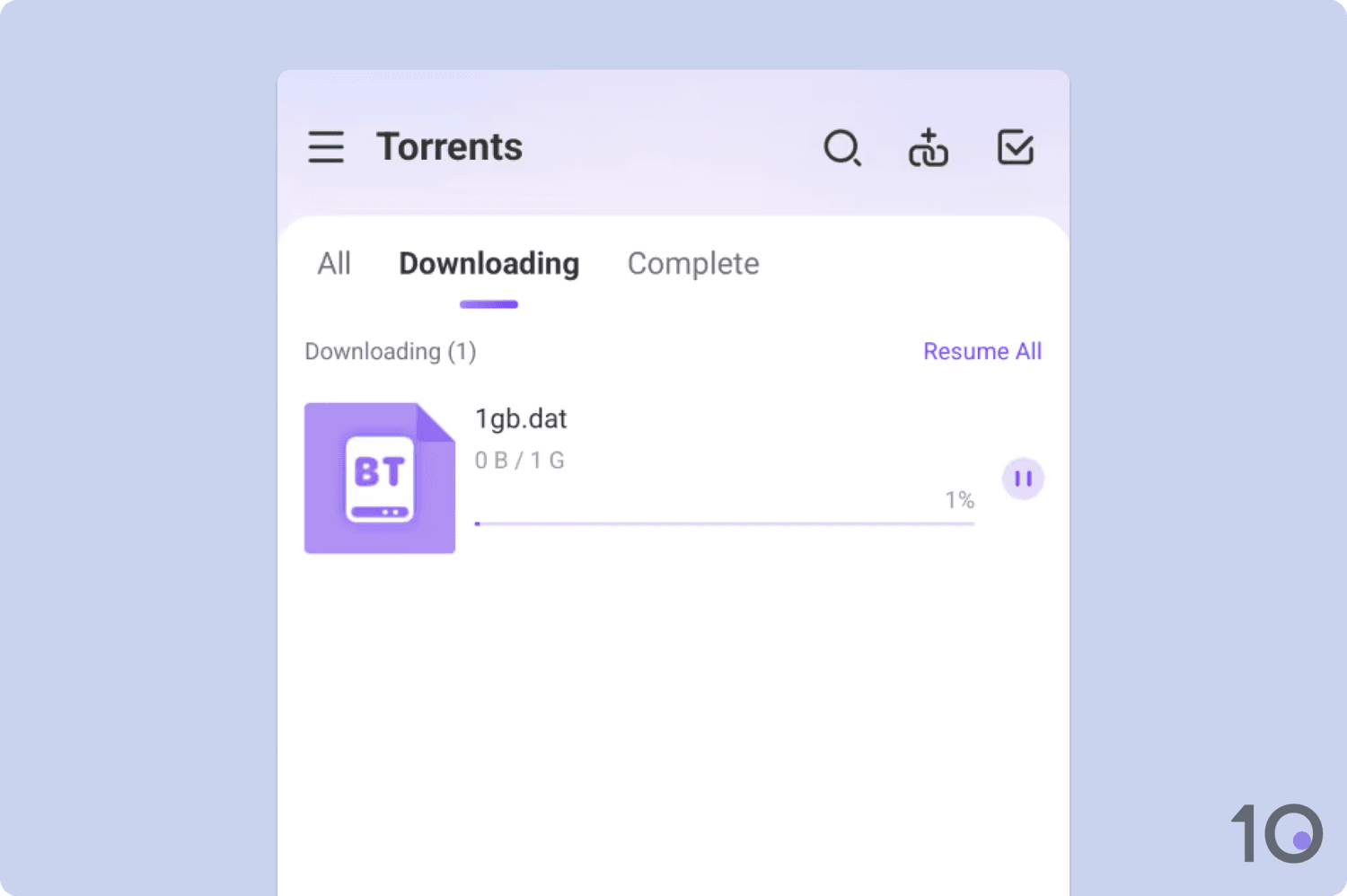
Despite repeated attempts, our torrent test file failed to start downloading.
When I attempted to torrent a test file, it simply sat in the client and failed to download. I tried changing VPN protocols and servers to fix this, but my traffic was blocked each time.
This isn’t unusual for free VPNs with many services banning torrenting to regulate bandwidth usage and encourage users to upgrade to a paid subscription.
Device Compatibility
Ranked #56 out of 59 VPNs for Device Compatibility
Snap VPN is only available for Android phones and tablets. There is a similar-looking app with the same name in the iOS App Store, but it is from a different developer.
| Windows | No |
|---|---|
| Mac | No |
| iOS | No |
| Android | Yes |
| Linux | No |
| Amazon Fire TV | No |
| Android TV | No |
| Apple TV | No |
| Router | No |
| Chrome | No |
Simultaneous Connections: Unlimited
Snap VPN’s device compatibility is limited to Android devices. You can’t install Snap VPN on iOS, Windows, Mac, or Linux.
There are also no browser extensions for Chrome and Firefox, Smart DNS, or apps for streaming devices such as Fire TV and Apple TV.
Its system requirements are very low and it will work with any Android device that is running Android 6.0 Marshmallow or later.
If you need a free VPN for other devices, check out our list of the top free VPNs by category.
Additional Features
Ranked #47 out of 59 VPNs for Additional Features
Snap VPN doesn’t have any additional features beyond split tunneling and a support email. This is the bare minimum and compares poorly to most VPNs we review, including free services.
| Additional Feature | Snap VPN (Free) |
|---|---|
| Split Tunneling | Yes |
| VPN Obfuscation | No |
| Multi-Hop Servers | No |
| Dedicated IP | No |
| Ad Blocker | No |
Functional Split Tunneling Feature
Snap VPN includes split tunneling which allows you to exclude specific Android apps from the VPN tunnel.
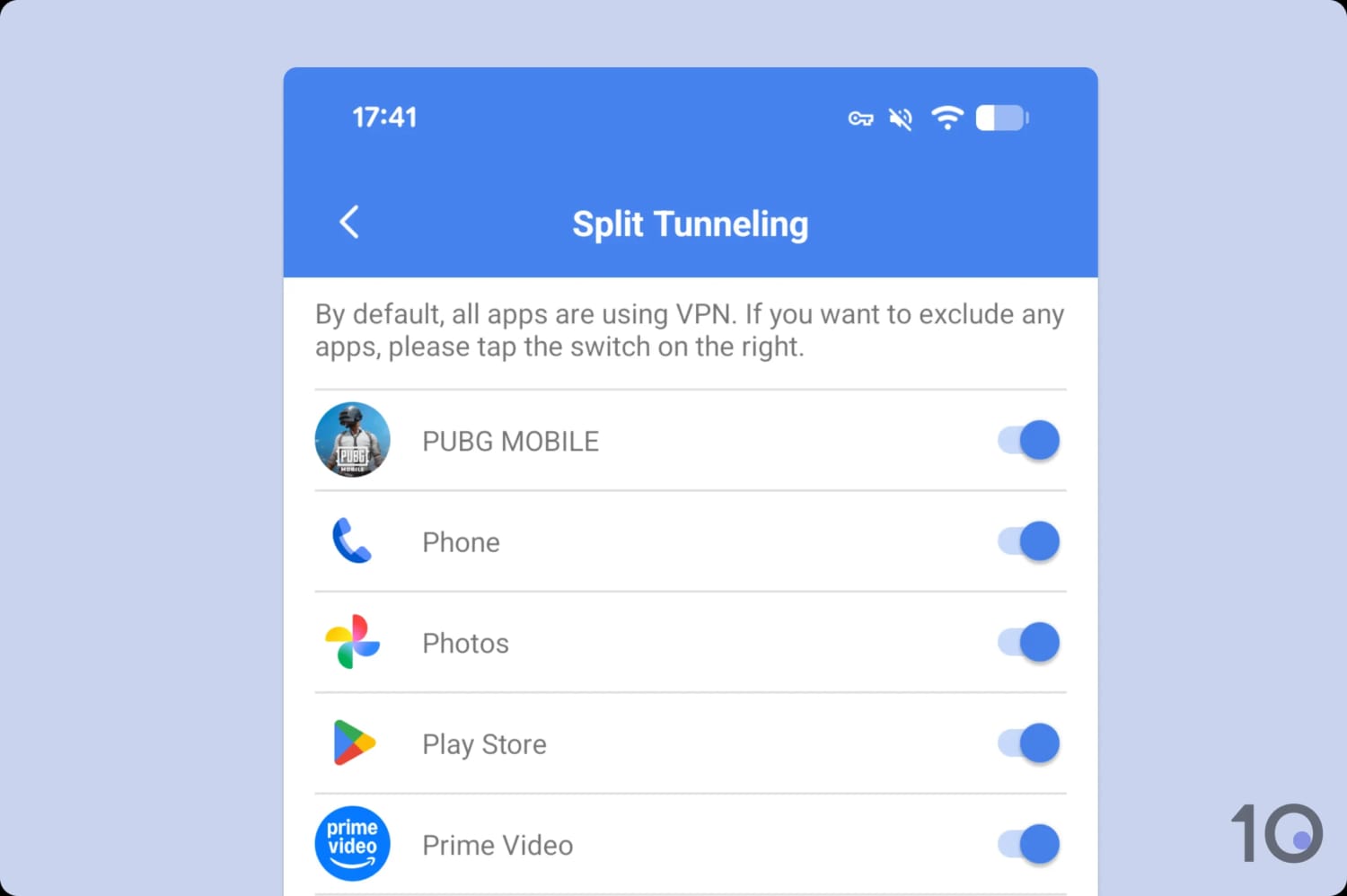
It’s easy to use split tunneling on Snap VPN.
This can be useful for location-based services that you don’t want to disrupt, like a specific streaming service or banking app.
Better VPNs give you the option to ‘invert’ the split tunneling so that only selected apps enter the VPN tunnel (e.g. PIA). It’s unsurprising that Snap VPN can’t match this.
Customer Support Needs an Overhaul
Snap VPN doesn’t have a website. Its only web presence is the website of its developer, Autumn Breeze. All information about the app is contained on its Google Play Store listing.
There is a customer support email but its replies took up to a week and were often unhelpful and incoherent.
However, after several exchanges we were eventually given answers to our questions. We expect more guidance and professionalism from a VPN service, free or not.


