Top10VPN is editorially independent. Buying a VPN through our links supports our work.
The Best VPNs That Bypass Prime Video VPN Errors
Follow us:
Simon Migliano
Simon Migliano is a recognized world expert in VPNs. He's tested hundreds of apps and his research has been featured on the BBC, The New York Times, and more. Read full bio
ExpressVPN is the best VPN for Prime Video, consistently unblocking every major library I tried. IPVanish is my favorite for unblocking Prime Video on Fire TV Stick, while Windscribe is a great 100% free option for occasional streaming.
Amazon Prime Video is available almost all over the world, but each country’s content library is different. What you can watch depends on your geographical location.
Plenty of websites just tell you to get a VPN and leave it there. It isn’t that simple: Prime Video is a harder platform to unlock than any of its rivals.
Unlike Disney+ or Netflix, Prime Video content is tied to your Amazon account country, so a new IP address on its own won’t do it. You’ll also have to either update your existing account or create a new one.
That’s not all. After testing 59 VPNs, I found that over 50% of VPNs can’t bypass Prime Video geo-blocks at all, and only a handful of the rest managed it consistently.
Get a best-in-class VPN, follow my instructions closely, and you’ll open up region-locked content like top Champions League matches, Tennis Grand Slams, and movies that never made it into your country’s catalog.
🔄 Recent Updates
ExpressVPN is once again my top pick for Prime Video now that its Fire TV problems are fixed. I’ve also broken down the differences between the most popular content regions, and refreshed my testing methodology.
Why Trust Us?
We’re fully independent and have been reviewing VPNs since 2016. Our ratings are based on our own testing results and are unaffected by financial incentives. Learn who we are and how we test VPNs.
The Truth About Amazon & VPNs
Let me clarify something important up front: if you want to watch content that’s only in another country’s library, a VPN on its own isn’t enough. You’ll have to either change your account’s country or open a new Amazon account in that country.
Amazon runs one of the most sophisticated VPN detection systems in streaming. Unlike most other platforms, it spots almost every VPN connection you throw at it.
Not even the VPNs I recommend in this guide go unnoticed. That sounds like bad news, but it isn’t. Quite the opposite, in fact.
What my team and I found is that when your account country and VPN location match, Amazon will usually let you stream without interruption, even though it knows full well you’re on a VPN.
The blocks arrive when those two don’t line up, or when too many people pile onto the same IP address at once. Almost everything in the troubleshooting section comes back to one of those two problems.
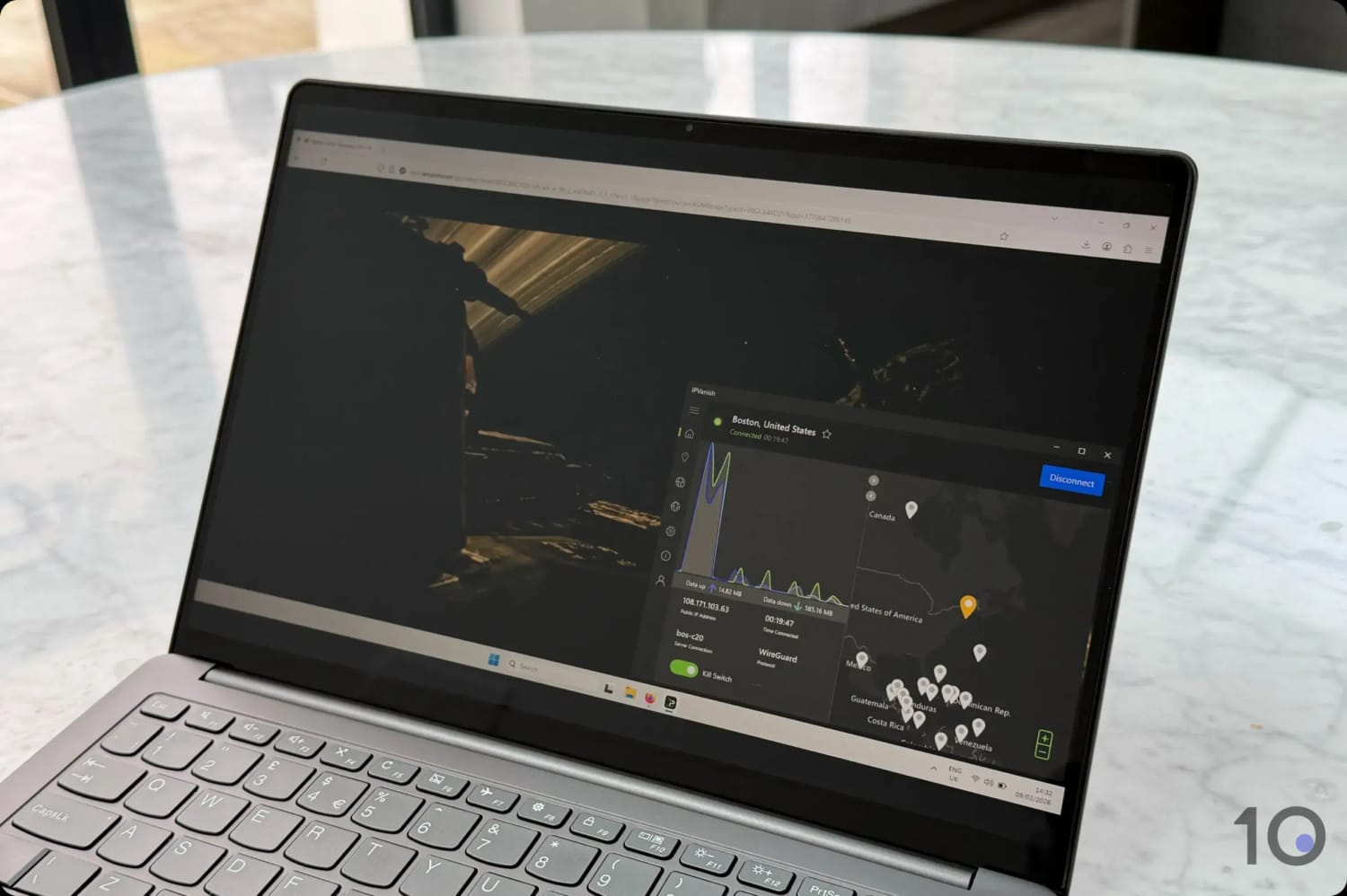
I streamed Alien Romulus which is free only in the US.
The Best Prime Video VPNs Compared
Only three of the 59 VPNs I tested beat Prime Video’s blocks consistently and did so across the devices people actually watch on.
Use the table below to compare them side by side, then read on for my full verdict on each.
With last year’s Fire TV problems now fixed, ExpressVPN is back at the top of my rankings.
ExpressVPN unblocks popular Prime Video libraries around the world across a broader range of devices than anything else I’ve tested, and it does so more consistently than any rival.
Its browser extensions became my default way of watching on a laptop. They got past Prime’s geo-blocks on every single attempt, and switching country never meant leaving the browser tab. The mobile apps were just as effective, and changing my IP location took a couple of taps.
You can also use ExpressVPN for free for three days if you sign up via your smartphone’s app store.
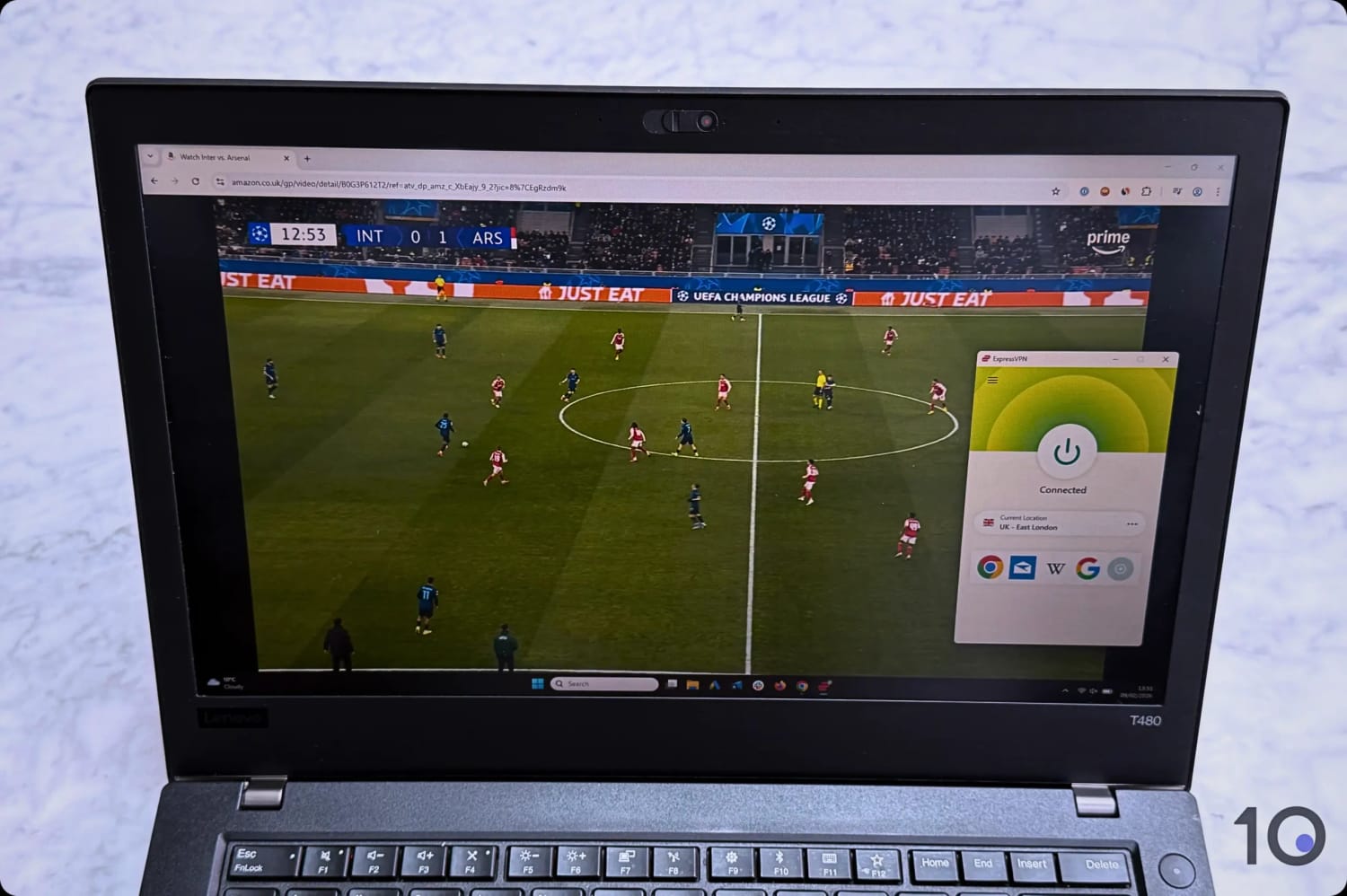
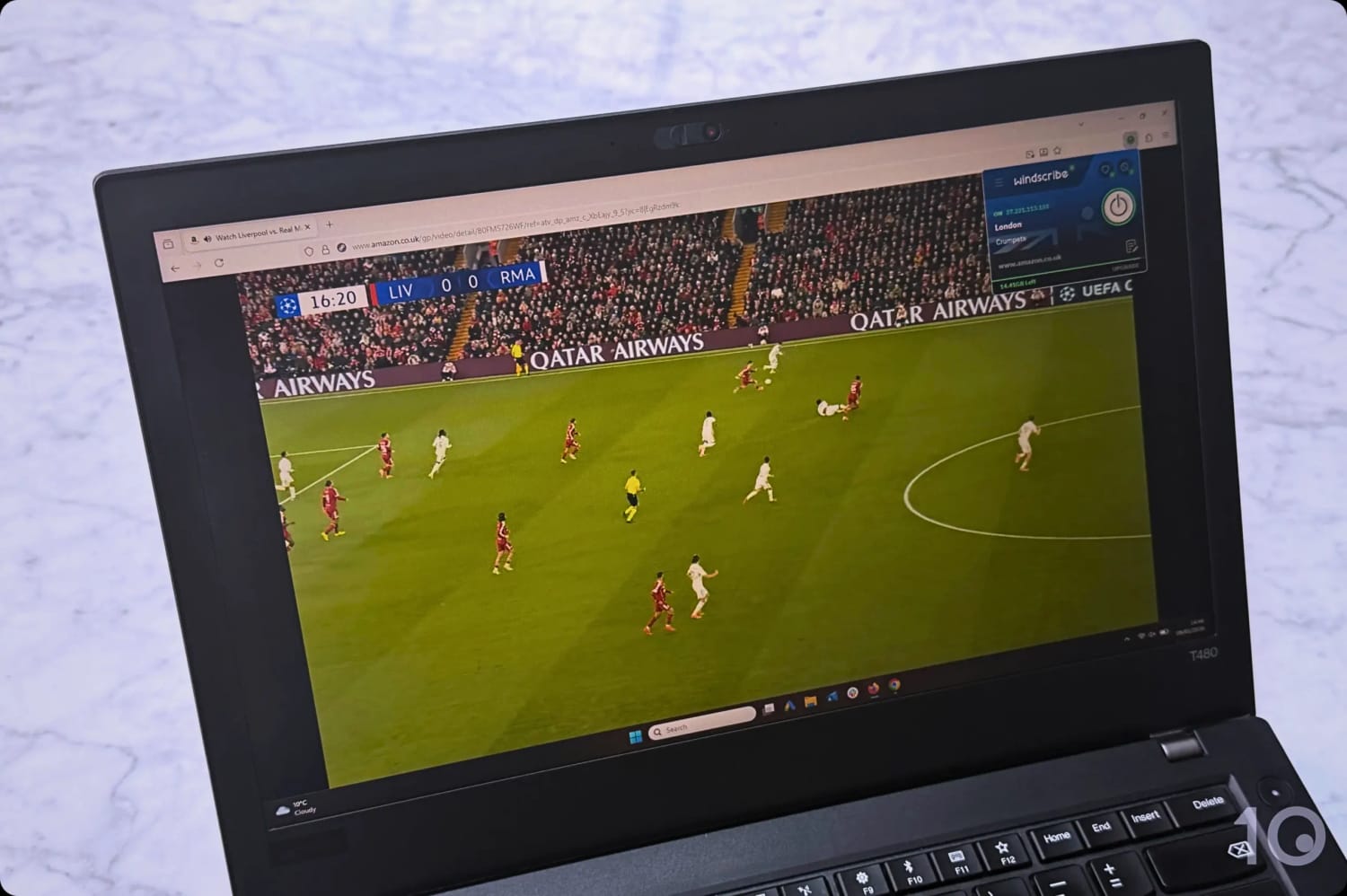
I used ExpressVPN to Stream the UCL on Prime Video UK.
Smooth Access to Content Worldwide
In my latest round of tests, Prime Video never once blocked my ExpressVPN connection, even in the less popular regions.
Alongside the US catalog, which I’d expect any decent VPN to handle, it opened up geo-restricted titles in the UK, Ireland, Canada, and Australia.
It’s become a habit of mine to use ExpressVPN’s UK, Ireland, and Germany servers for Tuesday’s top Champions League match, then switch to its Italian servers for Wednesday’s.
On speed, ExpressVPN and IPVanish are close enough that the difference rarely shows up on screen, though IPVanish holds a slight edge over the longest routes.
My team recorded an average global speed drop of just 15% for ExpressVPN, which is among the fastest measurements we’ve seen in the industry.
So if you’re already subscribed to one of those services, you’ll get considerably more out of ExpressVPN than Prime Video access alone.
Better UI & Device Compatibility
You may think I’m exaggerating, but ExpressVPN really is the most compatible VPN you can get.
On top of the standard apps for computers, smartphones, and popular TV streaming devices, you also get a Smart DNS proxy (for US and UK access) to stream Prime Video on games consoles.
I installed and tested every ExpressVPN app in turn, and each one was exceptionally intuitive.
ExpressVPN’s mobile app is well-designed and very easy to use.
Because every app follows the same design language, moving from my laptop to my phone mid-session never involved relearning anything.
If you want to watch Prime Video on a device with no direct VPN support, like a PlayStation or Xbox, the service’s Smart DNS proxy (MediaStreamer) fills the gap. It only works with the US and UK libraries, though.
And if that’s still not enough, ExpressVPN has developed its own router with a dedicated app that lets every device in the house use a different IP address.
You could have your laptop on an American server, your smartphone on a British one, and your Apple TV on a Canadian one, all at the same time. The router costs extra, though.
Choosing between IPVanish and ExpressVPN comes down to the device you’ll be using, and the region you want to unblock.
If you’re going after region-locked UK and US content on your TV, and especially on a Fire TV Stick, then IPVanish is arguably the better buy.
I ran into very few errors using the app, and its strong long-range speeds meant international content played in Full HD and 4K.
What’s more, IPVanish offers a 7-day free trial, and a 30-day refund guarantee, which you can stack with Prime Video’s own free trial to watch for nothing at all.
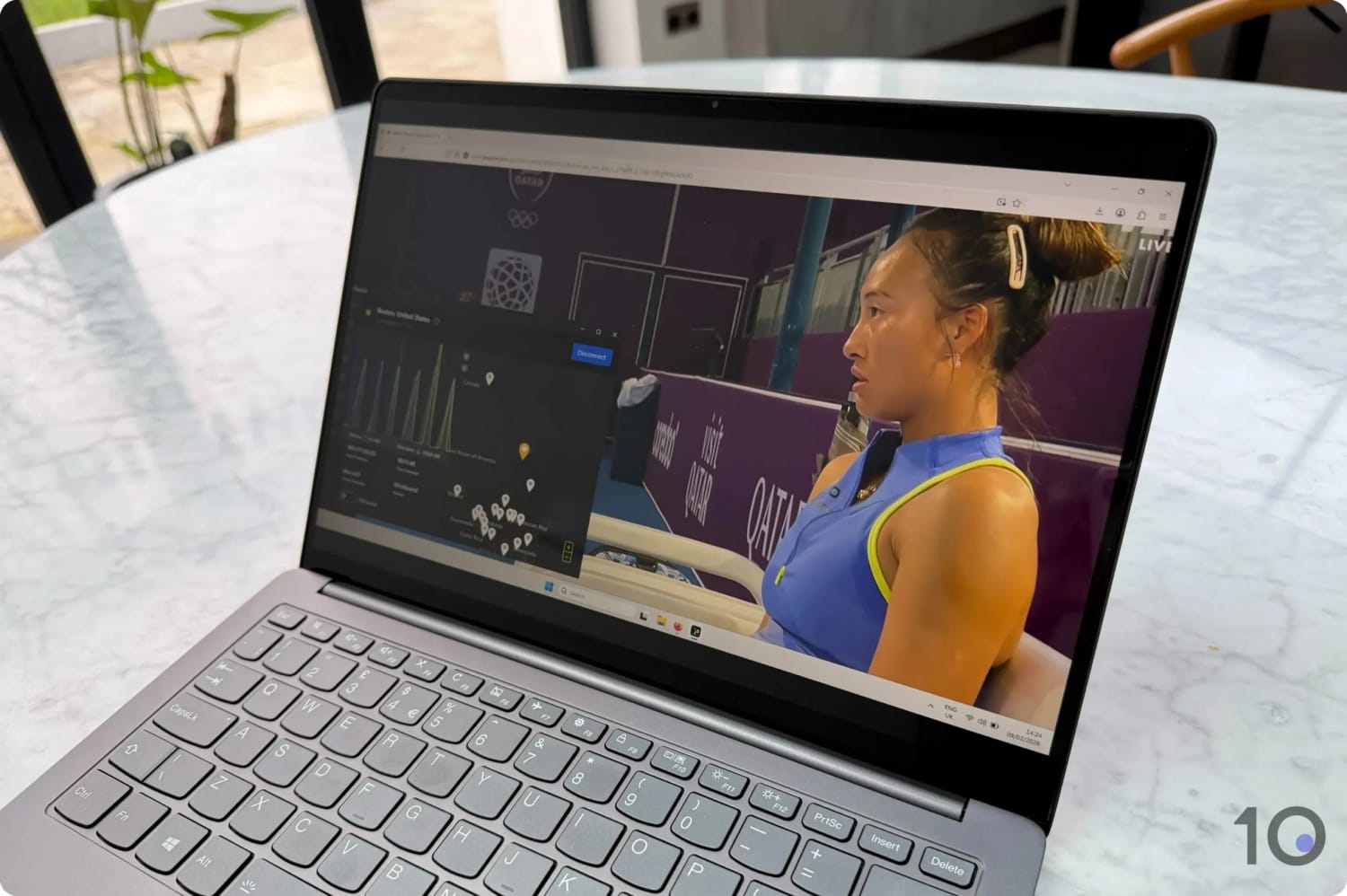
I watched live WTA tennis on Prime Video USA with IPVanish.
Unblocks Many Prime Video Regions
IPVanish bypassed Prime Video’s blocks in most of my tests, giving me regular access to geo-restricted content in some of the most popular regions.
It was particularly effective on region-locked content in Canada, France, Mexico, the UK, and the US.
Those also happen to be the countries where IPVanish’s server coverage is most extensive, which is unlikely to be a coincidence.
I particularly enjoyed using the VPN to watch the NFL on Thursdays on Prime Video USA, and to sidestep rental fees on movies that come included with a standard subscription abroad.
What worked best for me was leaving protocol selection on ‘Automatic’ in the VPN’s settings and connecting to the ‘Boston, United States’ server.
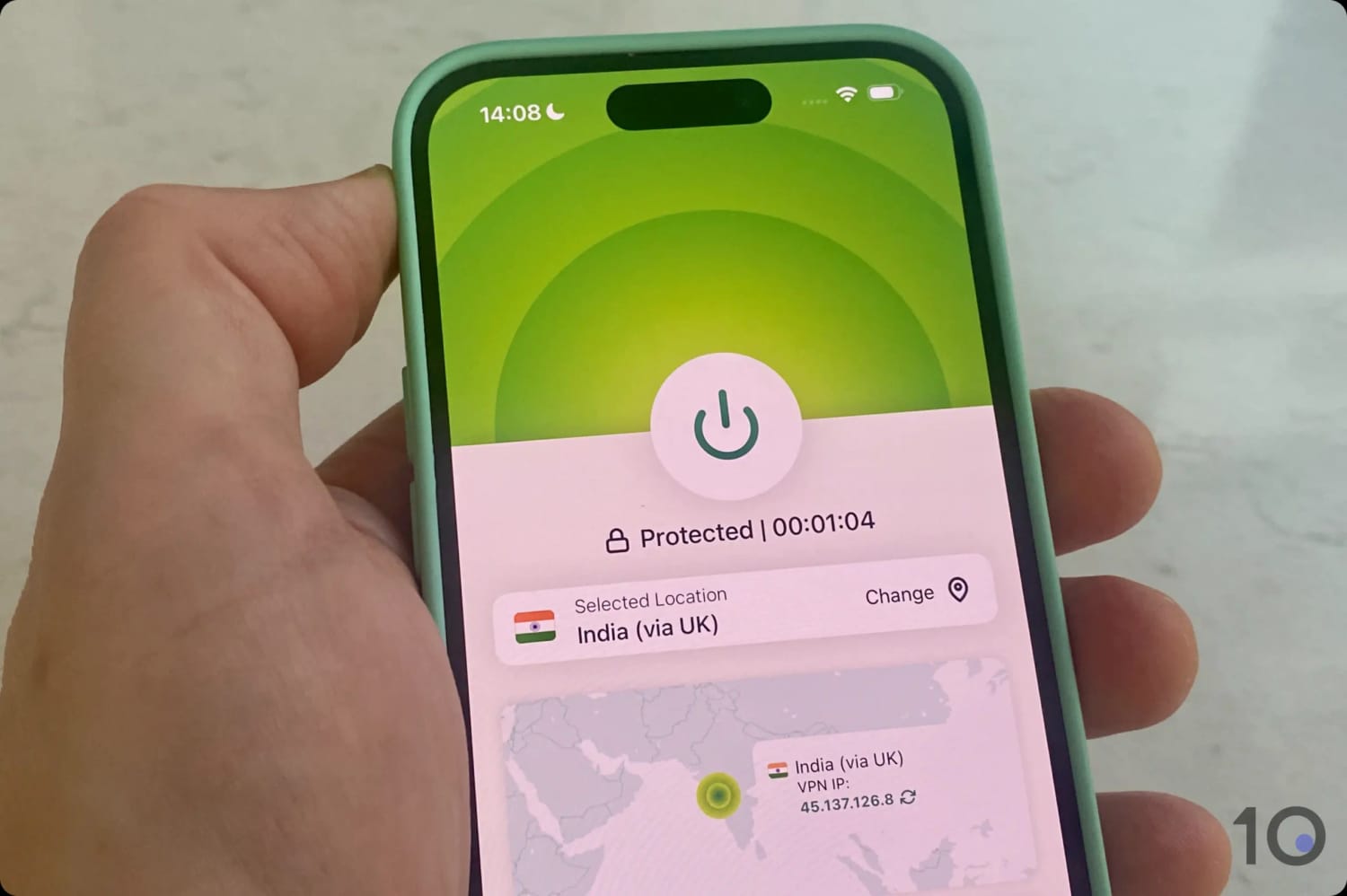
IPVanish also performed extremely well unblocking content in other important countries like Brazil, Germany, Japan, and India.
Not every server worked, though. I hit the “Video Unavailable” message often enough to develop a routine: switch to another server in the same country and try again until one loads.
Great Fire TV App but No Extensions or Smart DNS
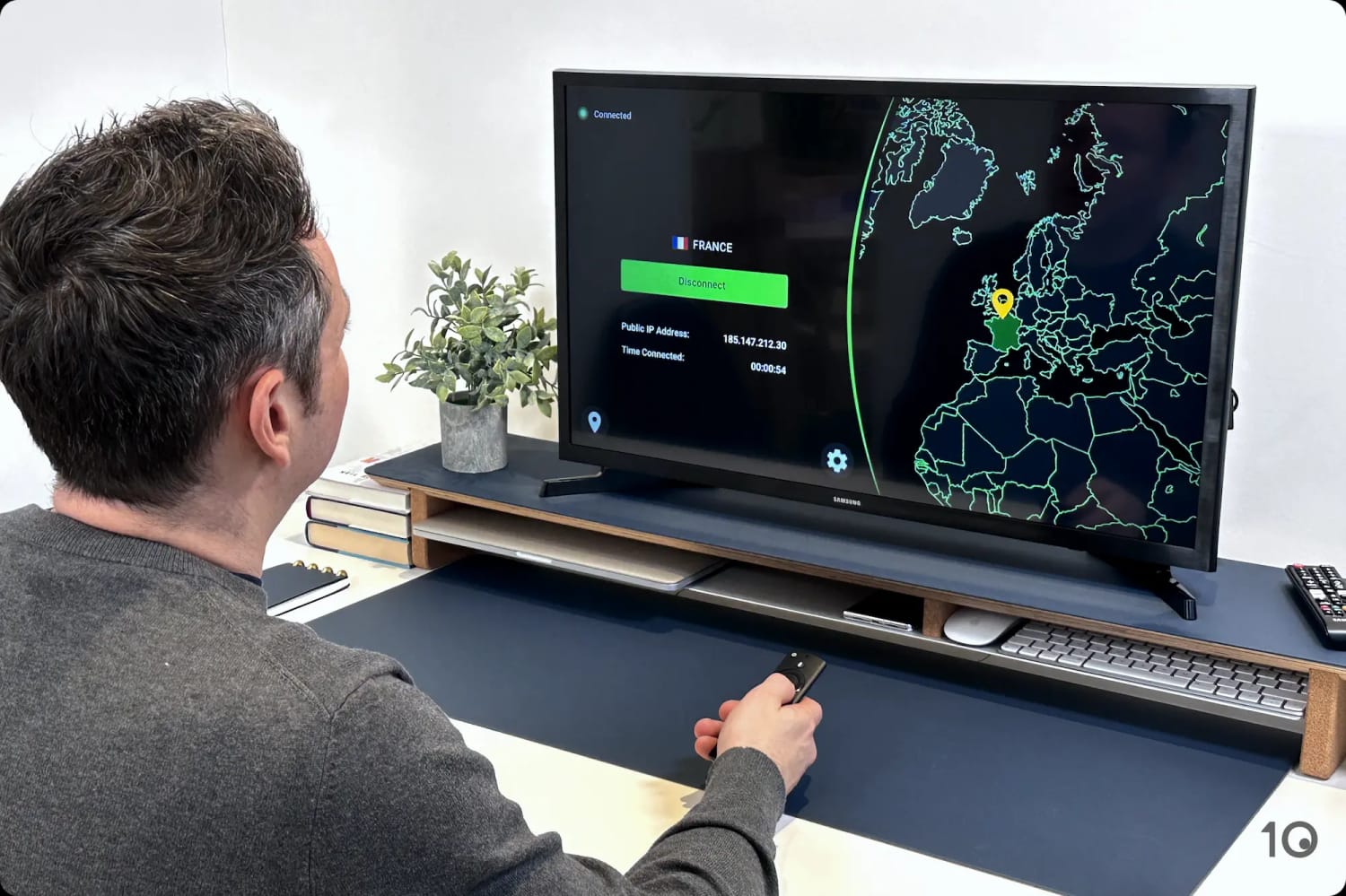
IPVanish’s user-friendly Fire TV Stick app has clearly been designed with Fire TV’s interface in mind.
Finding my closest server took seconds, with no scrolling through an endless list, and connecting to it was one click away.
Changing VPN server location on the IPVanish Fire TV app.
My one small complaint is that the VPN kill switch lives in a separate app, a workaround for Fire TV’s RAM limitations. At least you can still control it from inside the VPN app.
IPVanish also isn’t as compatible as ExpressVPN, particularly when it comes to devices that can’t run VPN software at all.
Currently, IPVanish has apps for Windows, macOS, iOS, Android (including an Android TV VPN app), Apple TV, and Firestick.
That’s a solid list, but ExpressVPN adds browser extensions, a Smart DNS proxy for games consoles, and a VPN router, which is genuinely useful for using a VPN with Roku.
Strong Speed Measurements
Expect fast speeds on an IPVanish server, even one on the other side of the world.
In my team’s recent speed tests, our download speed dipped as little as 4% on short-range connections, and only 12% on longer routes.
That long-range figure is a shade better than ExpressVPN’s, and among the fastest speed recordings in the VPN market right now.
With so little impact on my connection, I streamed at maximum resolution on every device I tried.
Windscribe is one of the rare secure free VPNs that streams international Prime Video without major issues.
Its free plan also has a strong track record with plenty of other popular streaming services, so that didn’t come as much of a surprise.
That being said, the 10GB monthly data restriction doesn’t allow for a lot of streaming time, and quality can falter, especially during popular live events.
Windscribe’s free London servers unblocked Prime Video UK.
Unblock Prime Video Content for Free
I unblocked Prime Video with minimal effort and no connection problems on the free servers I tried, though not quite as dependably as with IPVanish or ExpressVPN.
The obvious limitation is Windscribe’s free server list, which spans just 10 countries. At least popular ones like Canada, France, Germany, the UK, and the US are covered.
The French and German servers worked especially well, and I streamed local favorites such as Braquo and Tatort from abroad.
The major hurdle you’ll face is the monthly data restriction of 10GB. It roughly equates to four hours of HD streaming time: enough for two sports matches, or a couple of movies at most.
Free Apps for Many Devices
Every Windscribe app is genuinely functional, and I streamed Prime Video on my laptop, on my phone, and at home on Apple TV, Android TV, and Fire TV.
Truth be told, they’re nowhere near as slick and intuitive as ExpressVPN’s, but they aren’t hard to use either. Performance-wise, they punch well above their weight.
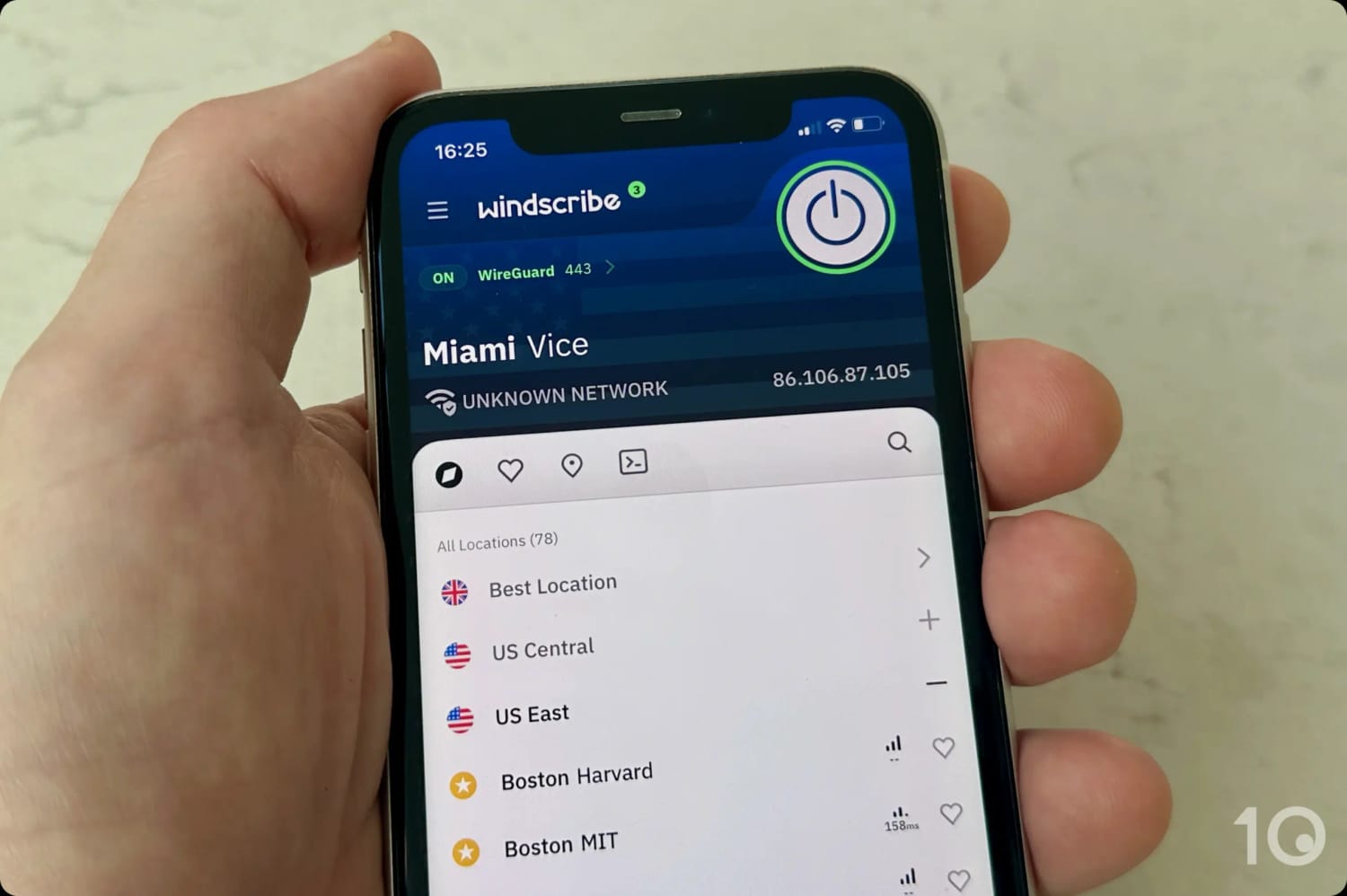
Windscribe’s free US locations on mobile.
And thanks to Windscribe’s unlimited device policy, you can use your free account on all of those devices at once.
There’s no router app and no Smart DNS proxy, though, so look elsewhere if you’ll be streaming through a games console or a Roku stick.
Now that the way VPNs and Amazon interact is clear, here’s exactly how to get at geo-blocked content on Prime Video.
The catch is the account side of it. You’ll either need to switch your existing Amazon account to the country you want, or register a new one there. Neither takes long.
In the video below, I used ExpressVPN to stream a movie on Prime Video UK from the US, and avoided its rental cost in the process.
I used ExpressVPN to stream a UK-only movie on Prime Video from the US.
Below I’ll explain how to create a new Amazon account from any country.
Instructions: How to Create a New Amazon Account
Go to the local Amazon website where the content you want to watch is hosted. For instance, Amazon.com (USA), Amazon.co.uk (UK), Amazon.de (Germany), etc.
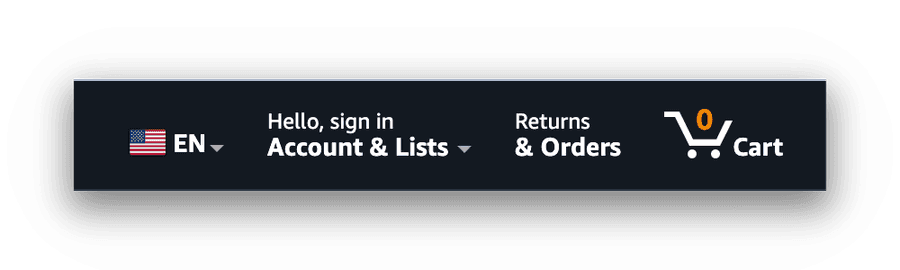
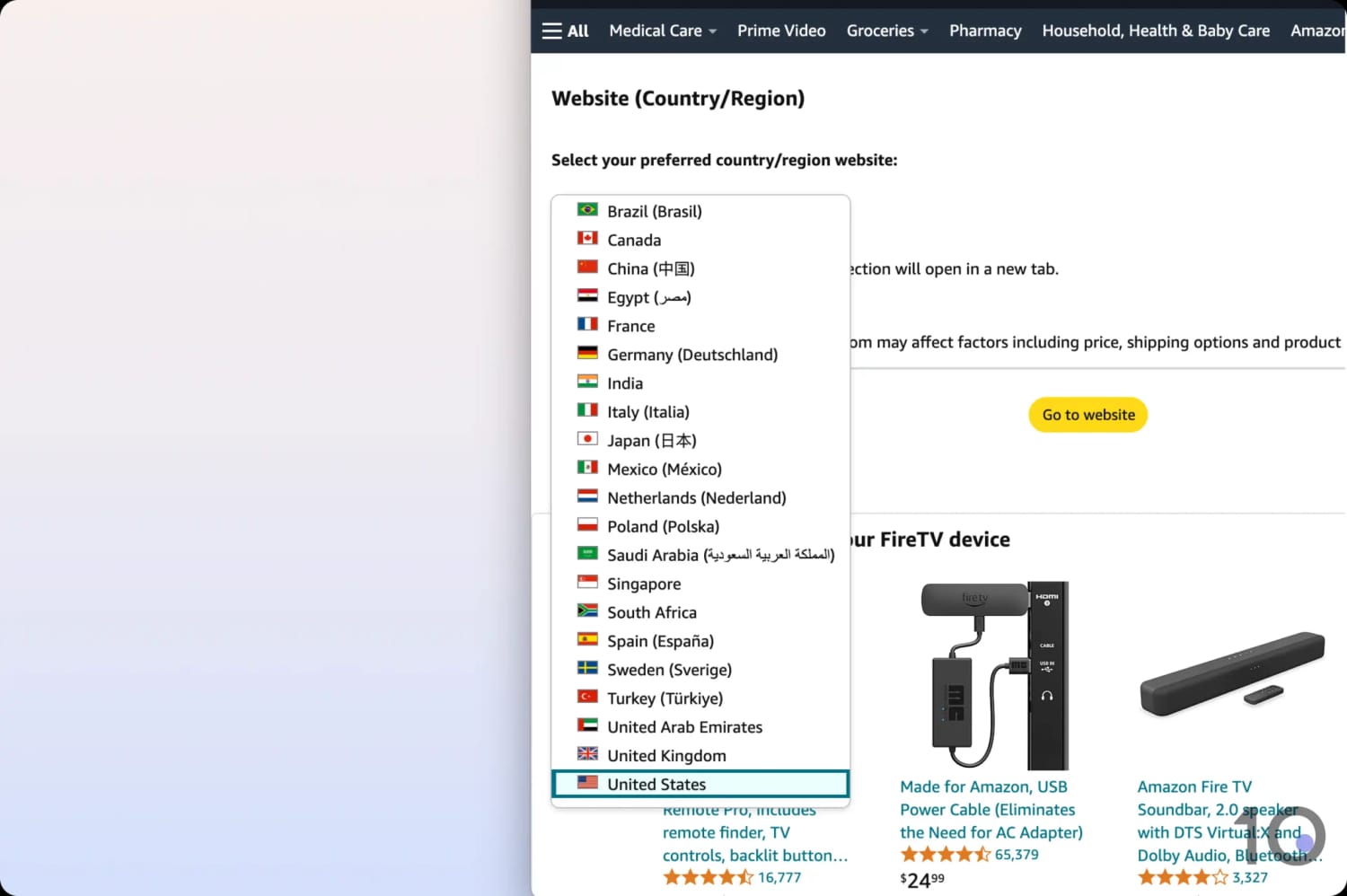
Click or tap the country flag in the top right corner of the website. I always select the local language too, just to make the sign-up look more genuine.
Hover over ‘Hello, sign in’ and beside ‘New customer?’ select ‘Start here.’
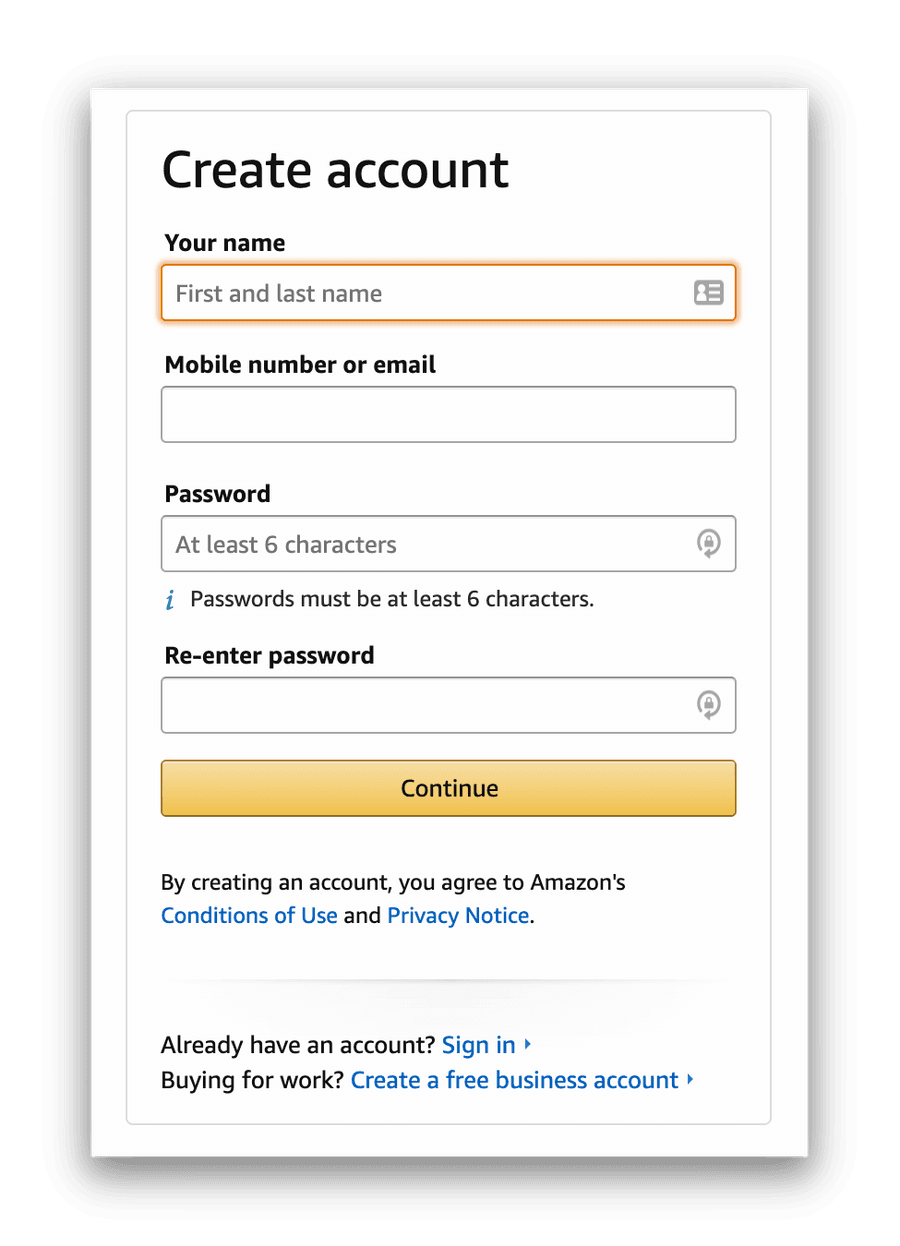
Create your new Amazon account, filling in your details when prompted.
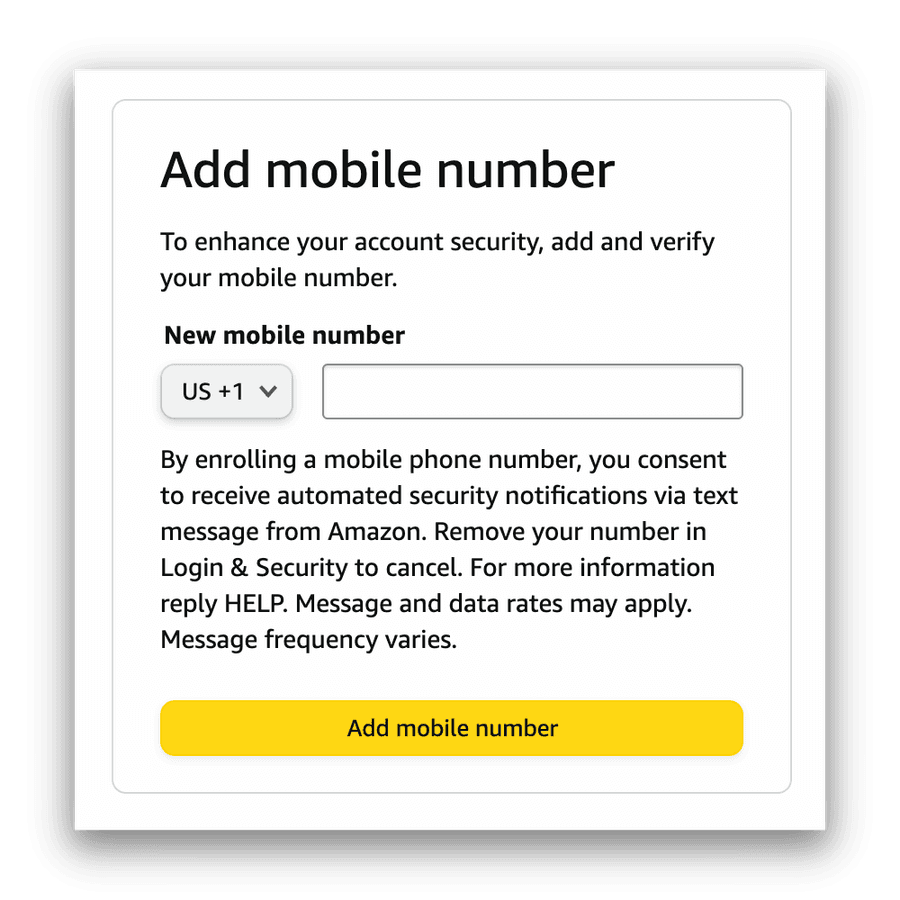
You’ll then be asked to add your phone number for verification. You don’t need a local phone number, but don’t use a number already linked to another account.
Once you’ve passed verification, your account will be created. To access Prime Video, you’ll also have to add payment details. Your normal bank or credit card works fine.
With payment details added and Prime Video subscribed to in your chosen country, the only thing left is to actually stream from that catalog.
Instructions: How to Use a VPN with Prime Video
Sign up to a VPN that beats Prime Video blocks. ExpressVPN and IPVanish are the most reliable.
Download and install the VPN onto your device(s).
Launch the VPN, sign in, and ensure the ‘Kill Switch’ is turned on. This prevents your real IP address leaking if the VPN cuts out.
In the VPN’s server list, search for a location in your new Amazon account country.
Connect to your chosen VPN location.
On your computer, go to your new account’s URL, navigate to ‘Prime Video’ and start streaming. This can also be done by changing your country/region on the Amazon website.
On your smartphone, your existing Prime Video app will do the job, but you’ll have to sign out of your old account and log back in with your new details.
If you’re a Fire TV user, remember that your device is tied to your Amazon account. Change its country and you’ll only have access to the apps stocked by your new account’s regional app store.
The cleaner solution, though it costs more, is to buy a second device and link it to your new account. Keep a VPN installed on both and you can switch between the two regional libraries on your TV whenever you like.
There are several reasons why your VPN may not be working, or may have suddenly stopped working with Prime Video.
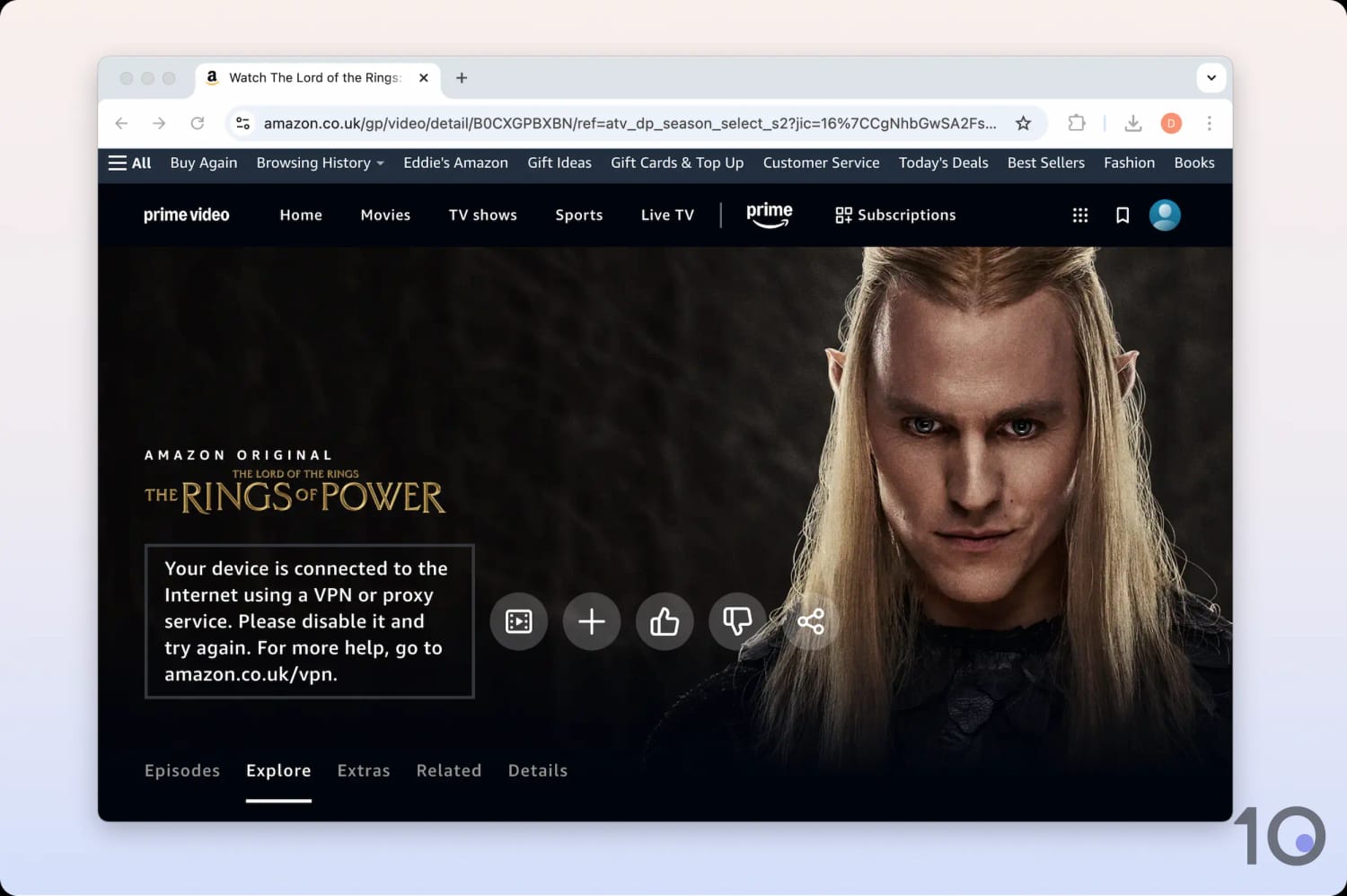
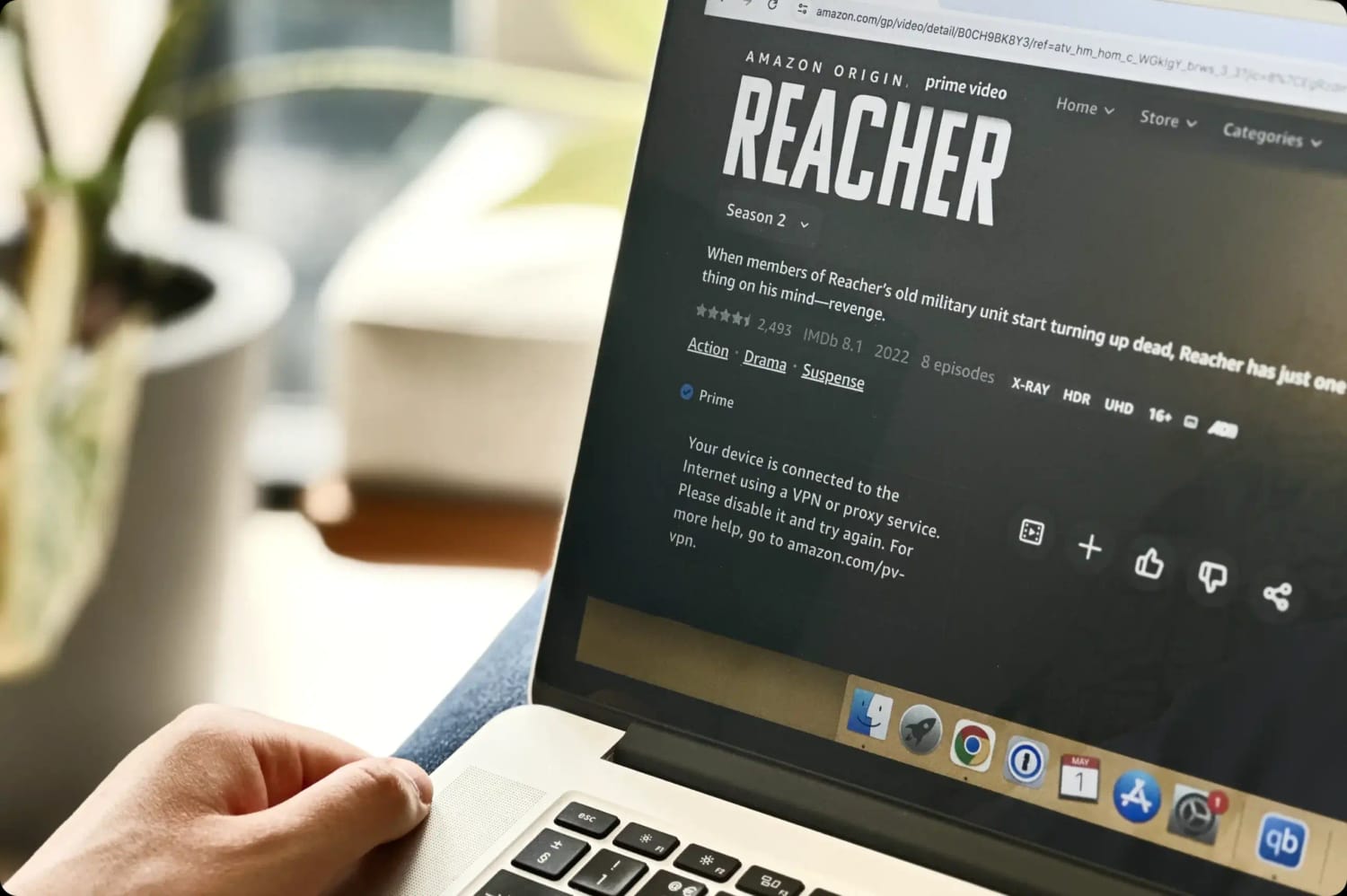
When it happens, you’ll see either “Your device is connected to the internet using a VPN or proxy service. Please disable it and try again.” or the blunter “Video Unavailable.”
More than half the VPNs I tested were blocked by Prime Video.
Below are the fixes I go to most often when this happens, assuming, of course, that the VPN is capable of unblocking Prime Video in the first place.
You can watch our video walkthrough, or read the troubleshooting tips underneath it:
1. Change Your Amazon Account Country
The most common reason why your VPN isn’t working with Prime Video is that you haven’t changed the country of your account.
As I explained earlier, it’s not enough to just change your IP address like it is with Netflix. You also have to change the locale of the Amazon account you’re using.
You can change your Prime country/region by selecting from a list within the website or changing the URL.
2. Change VPN Server
Often, simply switching VPN server resolves the issue. Prime Video constantly monitors the IP addresses accessing its service, and any address being shared by hundreds of users at once is likely to be blocked.
Amazon can’t blacklist every VPN IP address in circulation, though, so there are always some that slip through the net.
If every location in your VPN’s server list is blocked, that’s your answer: you need a different VPN.
3. Clear Your Browser’s Cookies & Cache
Browser cookies and cached files track your internet behavior, and these web identifiers may contain traces of your real geo-location.
Amazon can use that stored browser (or app) information to work out that you’re using a VPN, and block you.
Deleting cookies and cache in your web browser can be an easy fix to unblock Prime Video.
Below are quick step-by-step instructions for clearing cookies and cache in Chrome, Safari, and on Amazon Fire TV devices.
How to Clear Cookies and Cache in Chrome
Launch Chrome and click on the ellipsis (the icon with three vertical dots at the top right of the window).
Click on More Tools, then Clear browsing data, and from the Time Range drop-down menu select All time.
Tick Cookies and other site data and Cached images and files.
Click Clear data.
Close and then reopen your Chrome browser.
Visit the Amazon Prime Video website.
How to Clear Cookies and Cache in Safari
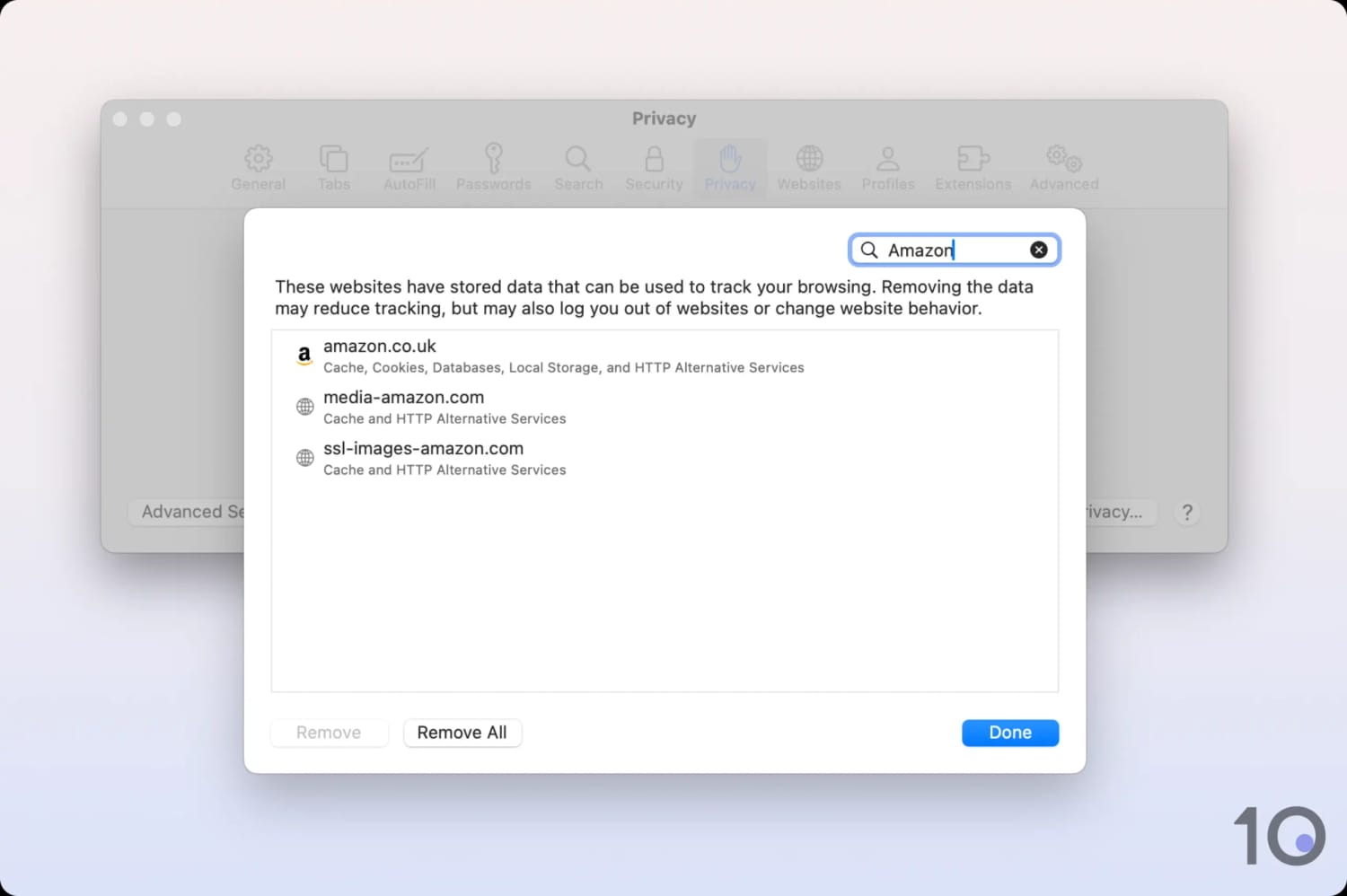
Launch Safari, go to the Safari menu then click Preferences.
Click the Privacy tab > Manage Website Data.
Type Amazon into the search bar, select it, then click Remove.
Close and reopen Safari.
Go to the Amazon Prime Video website.
How to Clear App Cache on Your Fire TV
Open your Fire TV device and navigate to the Settings cog icon.
Select Applications.
In the Applications menu, click on Managed Installed Applications.
Navigate to the Prime Video app and select it.
In the app’s settings, select Clear cache and then Force stop.
Head back to the Home screen and launch the Prime Video app.
4. Disable Your IPv6 Address
If your ISP has assigned you an IPv6 address, Amazon Prime Video can use it to work out your location.
Unfortunately, many VPNs still don’t support IPv6 connections. So if you have an IPv6 address and a VPN that can’t handle it, your true location stays visible to Prime Video no matter what.
You can resolve this by getting a VPN with IPv6 leak protection or full IPv6 support, or by disabling IPv6 on your device. Here’s how to do the latter.
How to Disable IPv6 on Windows
Open Network & Internet settings.
Select Network & Sharing Center > Properties.
Uncheck Internet Protocol Version 6 (TCP/IPv6).
How to Disable IPv6 on Mac
Open System Preferences and click Network.
Click Advanced in the bottom right. Click the TCP/IP tab.
Click the dropdown menu next to Configure IPv6 and choose Off.
Click Ok & Apply.
5. Switch to a VPN That Definitely Works
Most of the time, your VPN isn’t working with Prime Video because it simply isn’t good enough.
Maybe you’re using a free VPN, or you’re subscribed to a poor service that can’t bypass Prime’s VPN blocks.
Many VPNs don’t invest the time or resources into staying ahead of Amazon, which is a constant job rather than a one-off fix. Only the very best VPNs for Prime Video refresh their IP addresses often enough to keep access alive.
Popular Prime Video Regions Compared
Prime Video is available in most countries, each with its own licensing agreements, so content selection varies significantly across libraries.
In the table below, I’ve listed the live sports and popular movies that are only available in specific regional libraries, as part of the basic Prime Video plan:
The British and American catalogs carry the most titles, especially Hollywood classics, but even between those two there are noticeable differences.
There are popular movies included in one country’s basic plan that are rental- or purchase-only in the other.
Champions League fans, meanwhile, get a top match on Tuesdays in Germany, Ireland, and the UK, and another on Wednesdays in Italy. There are no free UCL matches on Prime Video USA at all.
Prime Video VPN Testing Methodology
My recommendations here come from years of watching Prime Video on the road, backed by a testing methodology my team built for this platform specifically and applied identically to all 59 VPNs I tested.
Prime Video is a harder target than any other streaming service I cover, because a VPN has to do more than hand you a new IP address, it has to keep working against a detection system that has already spotted it. That’s why unblocking ability carries half the total score on its own.
The other half is split between how much the VPN slows your connection, the depth of its US and international server networks, and how many of your devices it can actually run on.
Here’s what each of those tests involves, and how much each one counts toward a VPN’s overall Prime Video rating.
1. Unblocks Prime Video (50%)
Test Conducted: I logged in to each of our regional Amazon accounts, connected to a VPN server in the matching country, and tried to play a title from that local library. I repeated this several times per region, across as many different servers as each VPN offered.
Why It’s Important: This is what separates the VPNs Prime Video tolerates from the ones it shuts out, and repeating it is the only way to tell a consistent performer from a lucky one.
Optimal Result: The VPN unblocks the US catalog on most of its US servers, as well as content in popular countries like Brazil, Canada, France, Germany, Japan, India, Mexico, Spain, and the UK.
2. Speed (20%)
Test Conducted: My team runs each VPN through our speed test tool repeatedly, gathering long-term data on international performance rather than relying on a single reading, then averages the results into an overall figure.
Why It’s Important: Prime Video drops your picture quality the moment your connection can’t keep up, so speed decides whether you watch in 4K or watch a loading wheel.
Optimal Result: Download speeds over 90Mbps, equating to a speed loss no greater than 10% when connected to the VPN.
3. US Servers (10%)
Test Conducted: I went through each VPN’s server list and counted its US servers, noting how many cities and states are covered and whether those locations are spread across the country or clustered in a handful of places.
Why It’s Important: The US library is the one most people outside America want, which also makes it the most crowded. A wide spread of US servers means less congestion, and gives you somewhere else to go when one server stops working.
Optimal Result: Hundreds of US servers across many different states, covering both the West and East Coasts.
4. International Servers (10%)
Test Conducted: I examined each VPN’s network for locations in the other popular Prime Video regions, recording how many servers sit in each country.
Why It’s Important: Every regional library needs a local IP address to open it, and the deeper the pool of addresses in that country, the longer it takes Amazon to blacklist them all.
Optimal Result: Hundreds of servers in key countries such as Brazil, Canada, France, Germany, Japan, India, Mexico, Spain, and the UK.
5. Device Compatibility (10%)
Test Conducted: I installed every app a VPN offers and confirmed each one worked as advertised, then checked for the extras that cover devices with no native VPN support, like Smart DNS tools and router apps.
Why It’s Important: Prime Video runs on almost everything, so a VPN that only covers laptops and phones leaves you stranded at the TV — which is where most people actually watch.
Optimal Result: Custom apps for every major desktop and mobile platform, as well as streaming devices like Fire TV, Apple TV, and Android TV.
Data Cap Penalty
Nearly all free VPNs come with a data cap. Like most limitations on free plans, it’s there to push you toward the paid service.
On Prime Video, that limit does more than restrict you, it decides how many episodes you get through before the VPN stops working altogether.
So I apply a penalty to the VPN’s final overall Amazon Prime Video rating based on its data cap:
Unlimited bandwidth: No deduction to the overall rating
10GB per month: -20% to the overall rating
500MB per day: -25% to the overall rating
5GB per month: -30% to the overall rating
1GB per month: -35% to the overall rating
200MB per day: -40% to the overall rating
500MB per month: -50% to the overall rating
VPNs I Don't Recommend
My tests turned up a very high number of VPNs that don’t work properly with Prime Video, if they work at all.
This is especially true about free VPNs. The only free VPN that works with several Prime Video regions is Windscribe. PrivadoVPN works a couple, but can’t match Windscribe’s performance at the moment.
Amazon Prime Video detecting a VPN connection.
Here’s a short list of popular free VPNs that can’t unblock Prime Video:
Avira Phantom
Hide.me
Hotspot Shield Basic
Proton VPN (free plan)
Touch VPN
TunnelBear
X-VPN
ZoogVPN
It isn’t only free services, either. Plenty of subscription VPNs struggle with Prime Video’s blocks, and the table below covers the ones that either underperformed against my top picks or didn’t work at all:
VPN Service
Reason for Exclusion
CyberGhost
Slower than top competitors
Didn’t work with several regions
No router app
NordVPN
No router app
Smart DNS didn’t unblock Prime Video UK
Proton VPN
Slower long-range speeds
No router app & no Smart DNS
PureVPN
Unreliable for Prime Video
Slow connecting into the US
No Smart DNS
Connection errors
Surfshark
Slower international speeds
Not all servers worked
Connection delays on mobile
No router app
FAQs
Why Does Prime Video Block VPNs?
Amazon tries to block VPN access to Prime Video because of licensing agreements with media companies.
Those agreements only allow specific content to be shown in certain countries or regions, which obliges Amazon to shut down attempts to bypass the geo-restrictions.
You’ll know your VPN has been blocked when you see the “Video Unavailable” message, or “Your device is connected to the Internet using a VPN or proxy service. Please disable it and try again.”
How Does Amazon Detect VPN Connections?
To block VPN connections, Prime Video uses five primary detection methods:
Account Country: It checks whether a user’s account country and IP address location match.
VPN IP Blacklists: It blocks addresses listed in databases of known VPN and proxy servers.
Deep Packet Inspection (DPI): It identifies VPN protocols and metadata that differ from standard traffic.
Shared IP Monitoring: It blocks single IP addresses that show a high number of simultaneous user accounts.
DNS Mismatching: It detects leaks where your IP location and DNS server location don’t match.