Top10VPN is editorially independent. We may earn commissions if you buy a VPN via our links.
How to Get a Cheap Netflix Subscription


The Short Answer
You can get a cheaper Netflix subscription by using a VPN free trial to sign up to an account in Ukraine. While Pakistan has the cheapest pricing plans in the world, Ukraine is one of the very few countries where you can get a cheap Netflix account without the need of a local payment method or phone number.

Netflix is much cheaper in some countries compared to others. For instance, a premium Netflix subscription in Switzerland costs over $35.00, whereas one in Pakistan costs under $4.00.
Using the right VPN, you’ll be able to change your online location to a country with much cheaper pricing plans and therefore save money on your Netflix subscription.
What’s more, you’ll be able to do this without the need to create a brand new account, as long as you follow our instructions closely.
Plus, a good VPN for Netflix will let you access geo-restricted content titles from other Netflix regions, giving you even more bang for your buck!
Quick Guide: How to Get Netflix for Cheap
- Sign up to a top-tier VPN free trial: we recommend either ExpressVPN’s or Surfshark’s 7-day free trial.
- Download and install the VPN on your device.
- Connect to a country with a cheap Netflix plan: Ukraine is the easiest country to sign up from.
- Create a new Netflix account, or update your subscription: to do the latter, you’ll have to let your existing plan expire first.
- Enjoy your new, cheaper Netflix subscription.
Why Trust Us?
We’re fully independent and have been reviewing VPNs since 2016. Our ratings are based on our own testing results and are unaffected by financial incentives. Learn who we are and how we test VPNs.
| VPNs Tested | 61 |
| Total Hours of Testing | 30,000+ |
| Combined Years of Experience | 50+ |
In this guide we’ll take you through the step-by-step process of getting a cheaper Netflix subscription, list the 10 countries with the cheapest plans, and recommend the two VPN free trials that worked best for us.
🔄 Recent Updates
We’ve updated the list of countries with cheap Netflix pricing plans and added more helpful information, including better VPN recommendations.
Countries with the Cheapest Netflix Plans
The cost of a Netflix subscription varies greatly depending on what country you’re in. You also have to factor in that some countries have Basic subscriptions, whereas others have Standard with Ads plans instead.
After analyzing every single Netflix pricing plan around the world, the table below lists the 10 countries with the cheapest Netflix subscriptions.
*Countries that still offer Basic plans with no ads.
The absolute cheapest Netflix subscription is available in Pakistan, where it costs the equivalent of $0.90 (250 PKR) per month for a Mobile subscription.
Mobile subscriptions are only available in a few select countries and have severe limitations: only accessible via one phone or tablet, and capped at 480p (SD) resolution.
Pakistan also has the cheapest Basic subscription: 720p (HD) video on one device for $1.60 (450 PKR). In Egypt, it’s just $3.60 (170 EGP).
The issue with most of these countries is that you’ll need a local payment card or cell phone number.
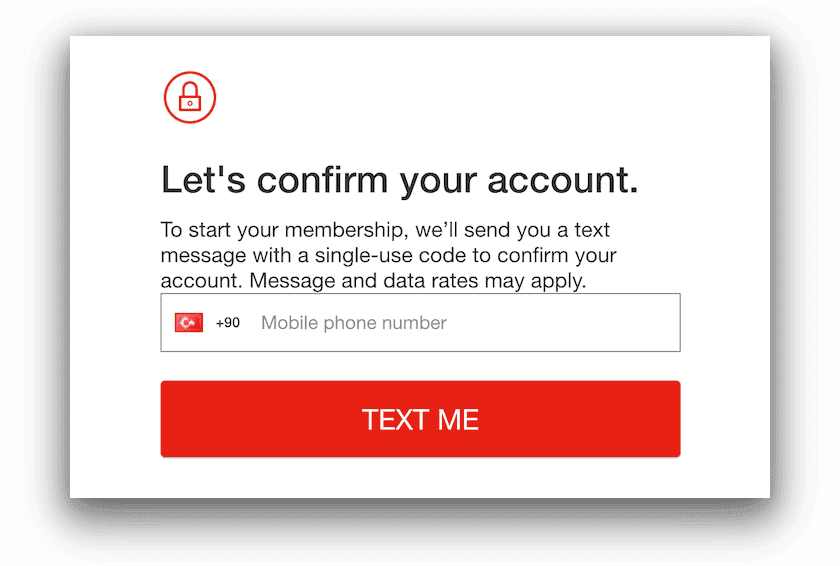
Netflix asking for a Turkish phone number to verify a new account.
We’ve also discovered that some of these Netflix accounts, like Turkey’s, are geo-locked to the country and you can’t access any other country’s library with that account, not even while traveling or using a VPN.
Taking into account all these hurdles, the best country to subscribe from is Ukraine, since you can pay with a foreign debit/credit card and it’s still much cheaper than countries like the US, UK and Canada.
How to Get a Cheaper Netflix Subscription
As we’ve already explained, to get a cheaper Netflix subscription you’ll have to sign up to Netflix while connected to a VPN server in a country with cheaper subscription plans.
The challenge is that you’ll often need a local payment method and phone number, otherwise your payment will not go through.
That’s why our preferred country to get a cheaper Netflix plan is Ukraine: pricing plans are still very affordable; it accepts international bank cards; it doesn’t require a Ukrainian phone number; and the account isn’t geo-locked to the Ukraine content library only.
Some websites still recommend signing up to Netflix via Brazil, but that’s old information that hasn’t been updated.
We found that in Brazil you can no longer use international bank cards, and you’ll need a local phone number to activate your account. You can pay using a gift card, but we suggest avoiding this, as we explain further below.
In the video below, we show you how to easily create a cheap Netflix account using a VPN connected to a Ukrainian VPN server.
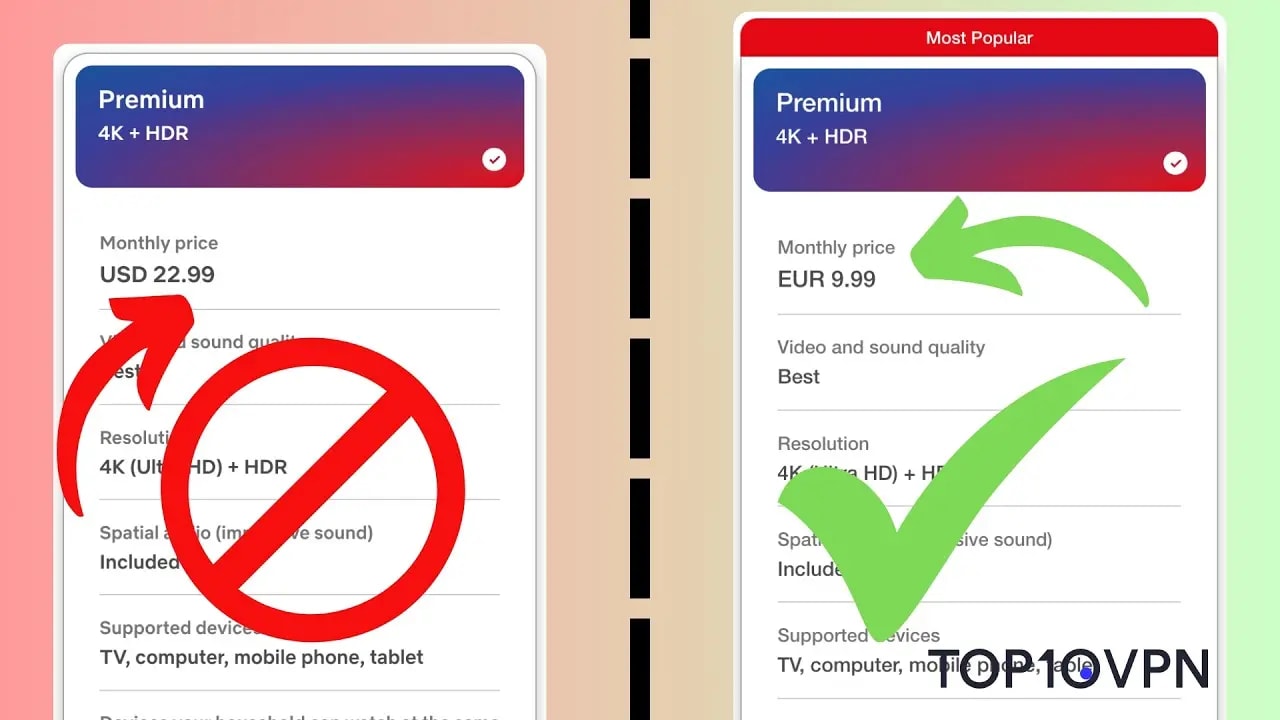
Video tutorial using a VPN to sign up to a Ukrainian Netflix subscription.
Or you can read our step-by-step instructions below:
Instructions: How to Get Netflix for Cheap
- Get a VPN with servers in Ukraine: ExpressVPN’s or Surfshark’s free trials worked great in our tests.
- Install the VPN app onto your device.
- Launch the VPN and connect to a server in Ukraine.
- If you don’t have a Netflix account, go to Netflix and start creating one.
- If you already have a Netflix account, cancel your subscription and wait until the end of your billing period. Once it fully expires, proceed to the next step.
- While connected to the VPN, select your desired pricing plan.
- Proceed to payment: In Ukraine, you can use your bank card or major credit card.
- Enter your phone number (optional): for account recovery purposes, Ukrainian accounts accept phone numbers from anywhere in the world. Just select your country’s dialing code from the drop-down menu.
- That’s it! You’ll be able to access your account as normal, without the need to use a VPN.
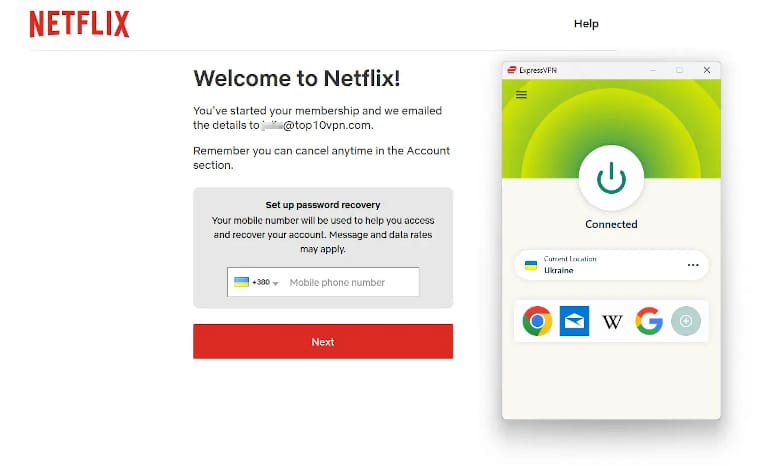
We easily created a Ukraine Netflix account using ExpressVPN.
Will This Method Change My Content Library?
You might be wondering if getting a Netflix subscription from another country will change the content you normally have access to. The answer is: it depends.
Netflix only geo-locks subscriptions purchased in specific countries, like Turkey. It does this to discourage users outside the country from taking advantage of these much cheaper pricing plans.
With Ukrainian Netflix accounts, Netflix uses your current IP address to decide what country’s content to show you. Once you’ve signed up, you can therefore turn off your VPN and watch your home country’s Netflix content as usual.
If you want to maximize your Netflix subscription, we recommend keeping your VPN subscription so that you can access geo-restricted titles from other libraries around the world.
Keep in mind that many VPNs no longer work with Netflix, therefore make sure you use one of the VPNs we recommend below to have a smoother experience.
Which VPN Should You Use?
Not many VPNs offer Ukraine IP addresses that are regularly refreshed and can therefore avoid being blocked by Netflix.
The two VPNs below worked best in our recent tests, and allowed us to get a cheaper Netflix account for free via their 7-day free trial.
Both VPNs comfortably unlocked Netflix titles from other countries, too.
Unfortunately, there aren’t any secure free VPNs that offer free Ukrainian IP addresses.
1. ExpressVPN
Pricing Plans - $12.99/mo
- $4.99/mo over 15 months
- $2.79/mo over 28 months
Money-Back Guarantee 30 Days Countries with Servers 109 Servers 13,360 Simultaneous Connections 10 Support 24/7 Live Chat Compatible with  Windows
 Mac
Mac iOS
iOS Android
 Linux
Linux Amazon Fire TV
 Android TV
 Apple TV
 Router
 Chrome
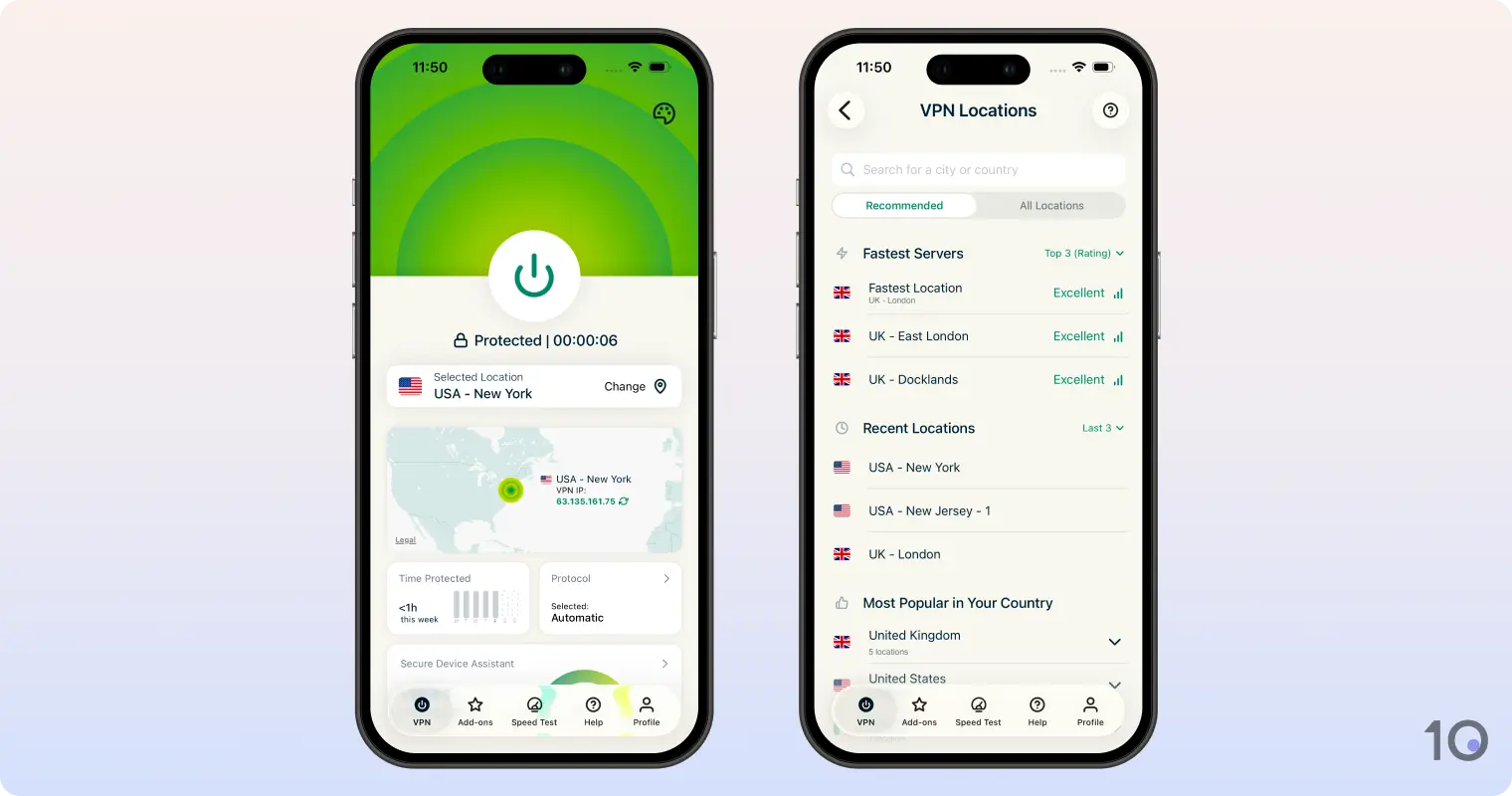
ExpressVPN is the VPN we had most success with in opening a Netflix account from another country, especially from Ukraine.
The VPN service regularly updates its pool of international VPN IP addresses, and is one of the most reliable VPN services to bypass Netflix’s VPN blocks, including during the signup and payment process.
ExpressVPN also unblocks 18 regions, including very popular catalogs like Canada, Japan, India, the UK, and the US. Only Windscribe can access more (32), as of writing.
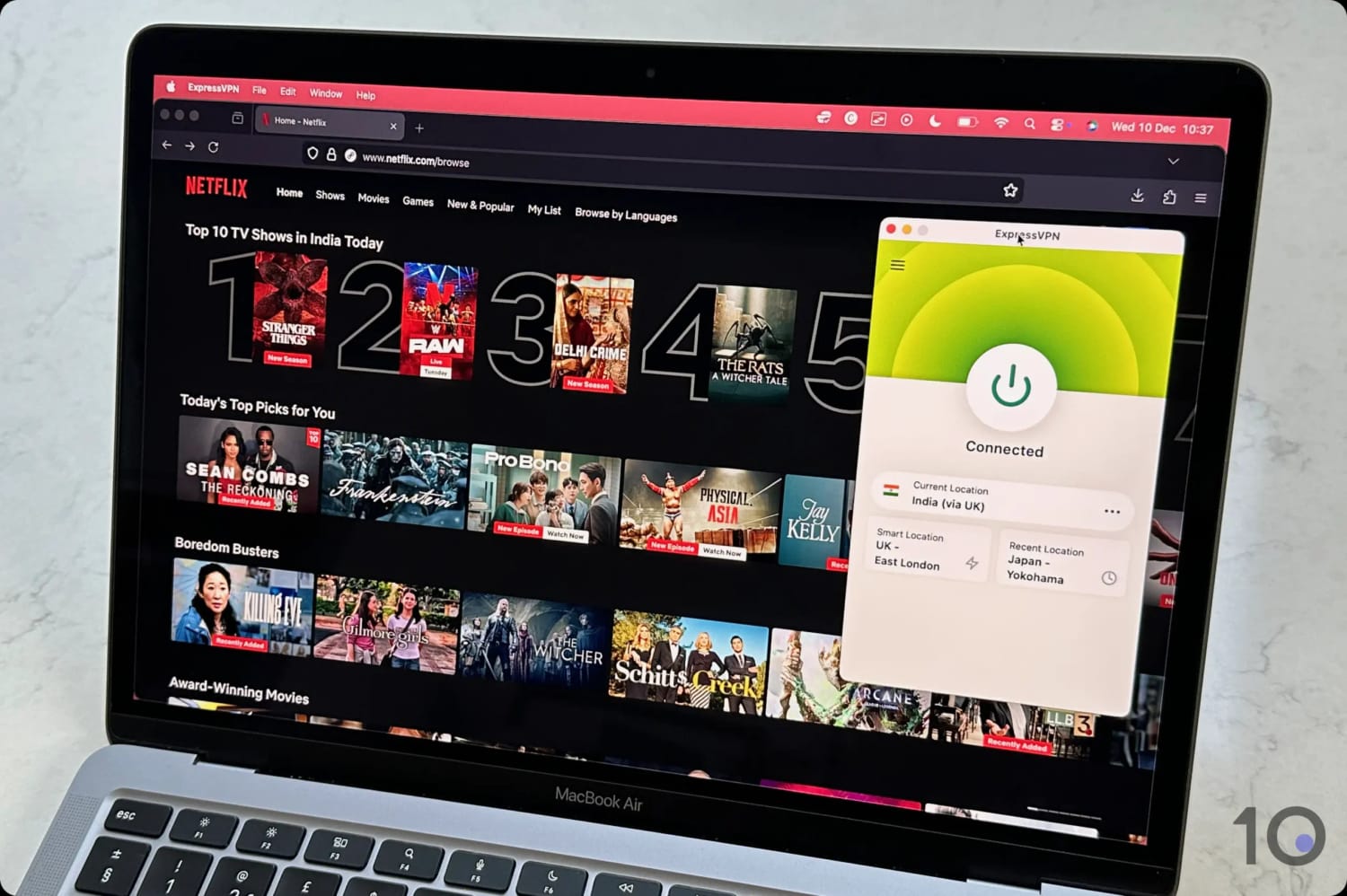
Accessing the Netflix India Library Using ExpressVPN.
All of ExpressVPN’s apps are extremely easy to use and deliver some of the fastest streaming speeds we’ve seen among VPN services.
You can even trial ExpressVPN for free for seven days by signing up via the Apple App Store or Google Play Store. Once you’ve created your free account, you can then use your details with all of the service’s other apps.
2. Surfshark
Pricing Plans - $15.45/mo
- $3.19/mo over 15 months
- $1.99/mo over 27 months
Money-Back Guarantee 30 Days Countries with Servers 100 Servers 4,500 Simultaneous Connections Unlimited Support 24/7 Live Chat Compatible with - Windows
- Mac
- iOS
- Android
- Linux
- Amazon Fire TV
- Android TV
- Apple TV
- Router
- Chrome
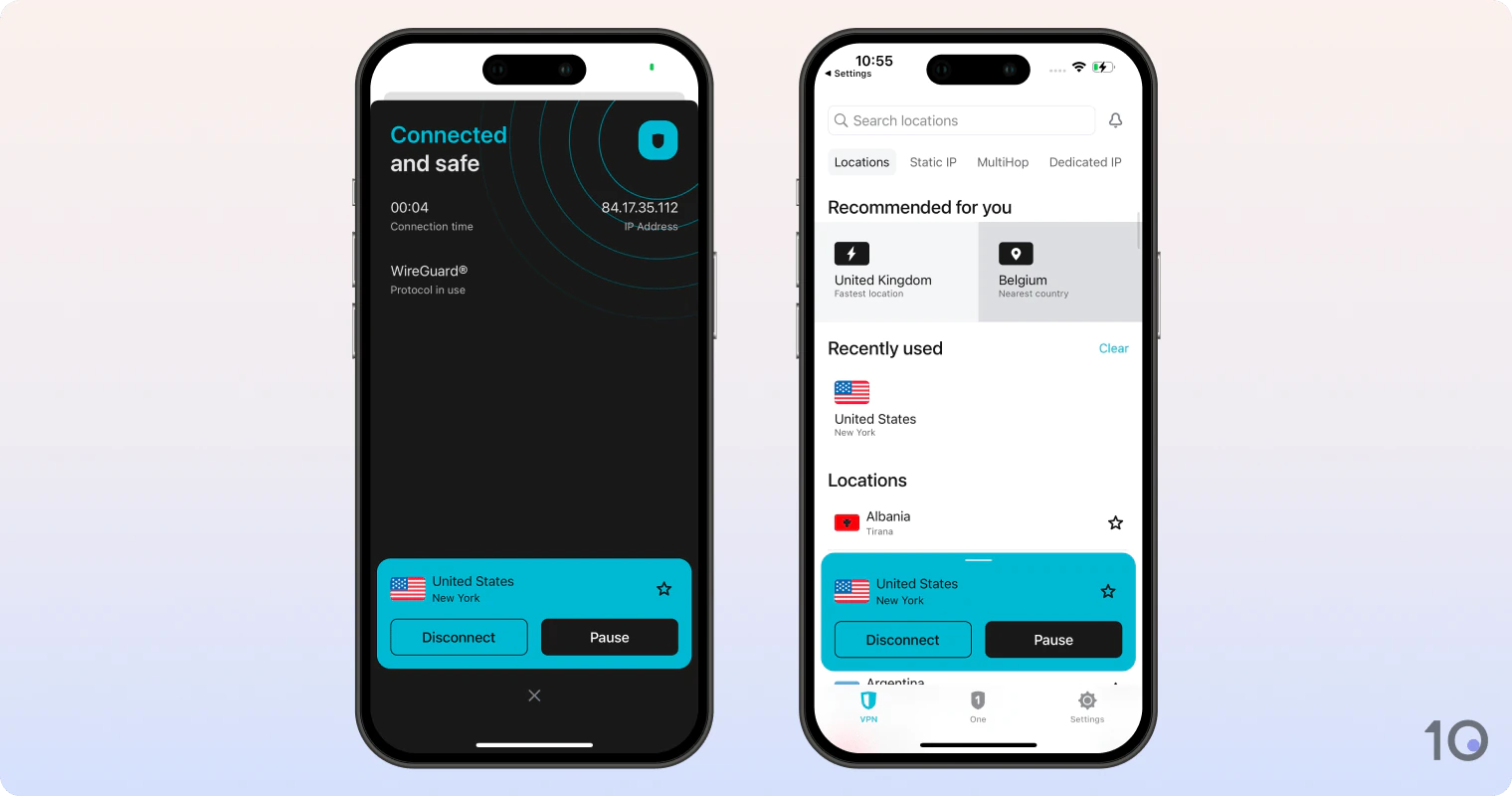
Surfshark is a good alternative to ExpressVPN, especially if you don’t plan to keep your VPN subscription active.
That’s because Surfshark’s 7-day free trial is available through your computer and your smartphone. For laptop users in particular, this is a much easier solution than ExpressVPN’s workaround.

Surfshark is slightly slower than ExpressVPN.
Just like ExpressVPN, no payment is taken upfront but remember to cancel the trial before it ends to avoid being charged. Don’t worry if you forget, though, as the service’s 30-day refund guarantee kicks in at that point.
That being said, if you plan to continue using your VPN with your Netflix account post-signup, then Surfshark offers a slightly less premium experience compared to ExpressVPN.
The VPN works with fewer Netflix regions, it has slower streaming speeds over longer distances, and some servers can take a handful more seconds to connect.



Other Ways to Save Money on Netflix
There are ways to save money on Netflix without using a VPN, but they aren’t as simple or as reliable as our VPN trick. Here’s a more detailed overview of alternative methods you can use to get a cheaper Netflix subscription:
1. Share an Account with Friends or Family
You can still share a Netflix account with a few friends or relatives, and we suggest creating a shared email address with a non-personal password. This way, everyone has equal access without sharing private information.
Starting in 2023, Netflix began enforcing household restrictions, which block TVs outside the account holder’s household.
However, in our experience, there are simple workarounds for household restrictions, such as using an HDMI cable or NordVPN Meshnet.
Another popular solution is to sign up for a Standard or Premium Netflix account and add an extra member to your account.
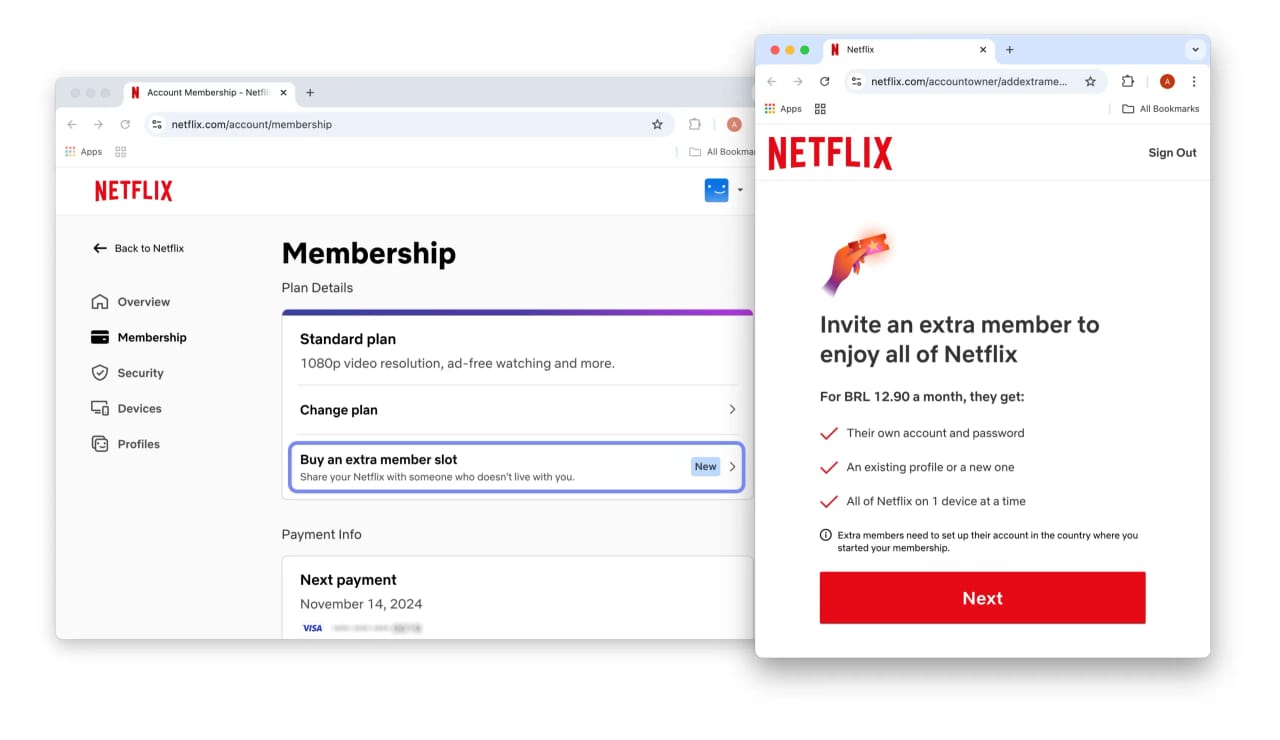
Netflix lets you buy extra member slots on Standard and Premium plans.
On Standard, you can add one extra member who doesn’t live with you, whereas Premium gets you two extra members.
You should note, though, that extra member slots are not available with all Netflix subscriptions. If you have Netflix in a TV or Internet bundle, you might find you can’t buy extra member slots.
For example, we found you can’t add extra members if you have a Sky TV and Broadband bundle. In which case, we recommend signing up for cheap Netflix with an Ukraine VPN server.
2. Switch to a Cheaper Plan
What sets Netflix’s pricing plans apart are a few key factors:
- Whether or not you see adverts
- The streaming quality (or resolution) available
- The number of devices that can stream at the same time
- How many devices can download content for offline viewing
If you don’t have a 4K-ready TV, you probably don’t need the Premium plan – Netflix’s most expensive at $24.99 per month. Here, you can save $7.00 per month by changing your subscription to Standard.
Standard lets you stream in 1080p, allows you to watch on two devices at once, and you can download content on two different devices. Importantly, you can add one extra member who doesn’t live with you.
But if you want the absolute cheapest option, we recommend going with a Basic or Standard with Ads plan. Bear in mind that different countries with feature one or the other.
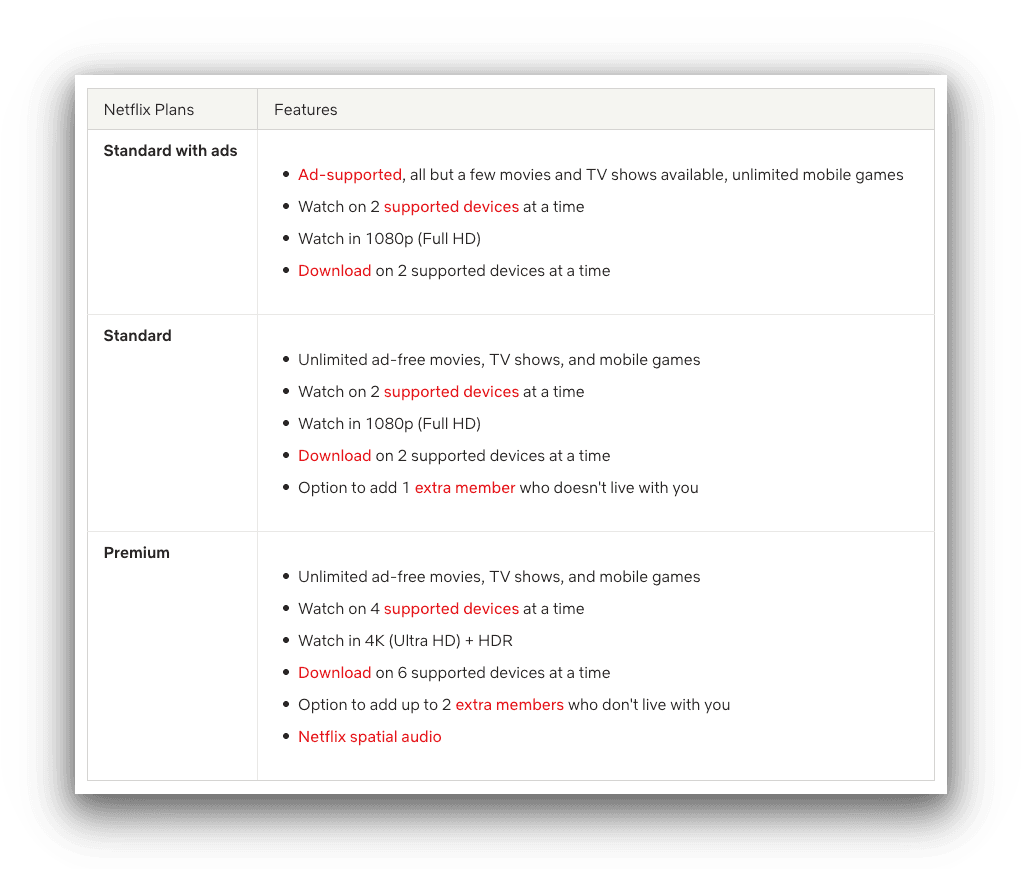
In the US, Standard with Ads is Netflix’s cheapest pricing plan.
For example, in the US and Brazil the cheapest plan is Standard with Ads, whereas in Ukraine the cheapest plan in Basic (without ads).
Standard with Ads gets you the same 1080p streaming resolution and device limits as Standard. But you you have to watch ads, and you can’t add an extra member to your account.
Basic gets you ad-free 720p streaming resolution with a one-device streaming and download limit. You also can’t add an extra member slot.
3. Change the Way You Pay
An easy way to save money on Netflix is to change the way you pay for Netflix:
- Pay with a Cashback Credit Card: Amex Blue Cash Preferred offers 6% cashback on US streaming services like Netflix, Disney+, HBO Max, and NHL.TV. Whereas, Chase offers 1% cashback on everyday purchases.
- Mobile & Streaming Bundles: Some wireless carriers offer streaming bundles with their contracts that can include Netflix and HBO Max. However, these bundles usually come with extra terms and conditions (e.g. ads only plan and not being able to add member slots).
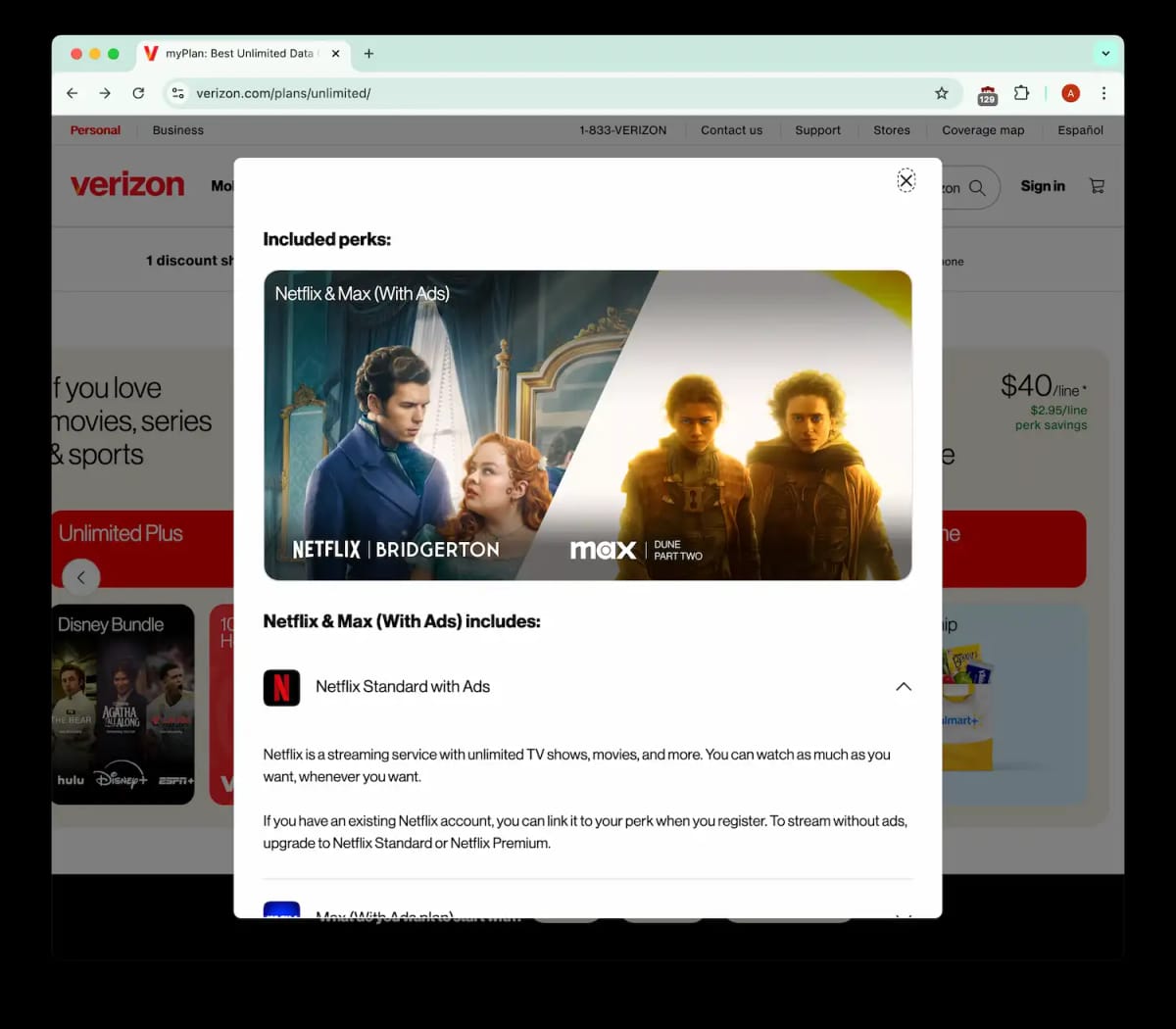
Verizon offers a $10 streaming bundle including Netflix and Max with ads.
How to Bypass Netflix’s Password-Sharing Ban
Netflix’s password-sharing ban discourages users from sharing a single subscription across different households. Netflix enforces this by requiring a connection to the account holder’s home WiFi every 31 days.
If you already share a Netflix account, and you don’t want to purchase a new one, here are two ways to bypass the Netflix household restrictions:
1. Use an HDMI Cable
In our tests, we found the household Netflix ban only affects TVs. We’ve never had any issues accessing a shared Netflix account via computers, laptops, mobiles, and tablets.
So, the easiest way to bypass the Netflix ban is to simply log in to Netflix on a laptop and plug it into your TV via HDMI cable. Yes, it really is that simple.
Now, there are some drawbacks. Depending on the quality of your HDMI cable, you may experience some input lag on your TV. And unfortunately, your picture quality is going to be determined by the resolution limit of the laptop’s HDMI port.
However, it’s quicker than other methods that rely on you changing WiFi settings or setting up private networks.
How to bypass Netflix’s household restrictions with an HDMI cable:
- Log into Netflix on your laptop.
- Load up your chosen show or movie: If you want to access a title in another country’s library, connect to a VPN server in that country and reload Netflix.
- Plug your HDMI cable into your laptop and your TV.
- Play your chosen title: Now you can watch Netflix on your TV with a shared Netflix account.
2. Use NordVPN's Meshnet
Using NordVPN’s Meshnet feature, you can connect to the account holder’s home WiFi network and bypass the password-sharing ban. Meshnet is also completely free and doesn’t require a paid NordVPN subscription.
Contrary to claims from other websites, you only need to connect to the primary WiFi network on TVs, like Fire TV and Android TV.
For Smart TVs that don’t support VPN apps, like LG and Samsung TVs, you can use an Amazon Fire TV Stick which does support VPN apps and 4K streaming.
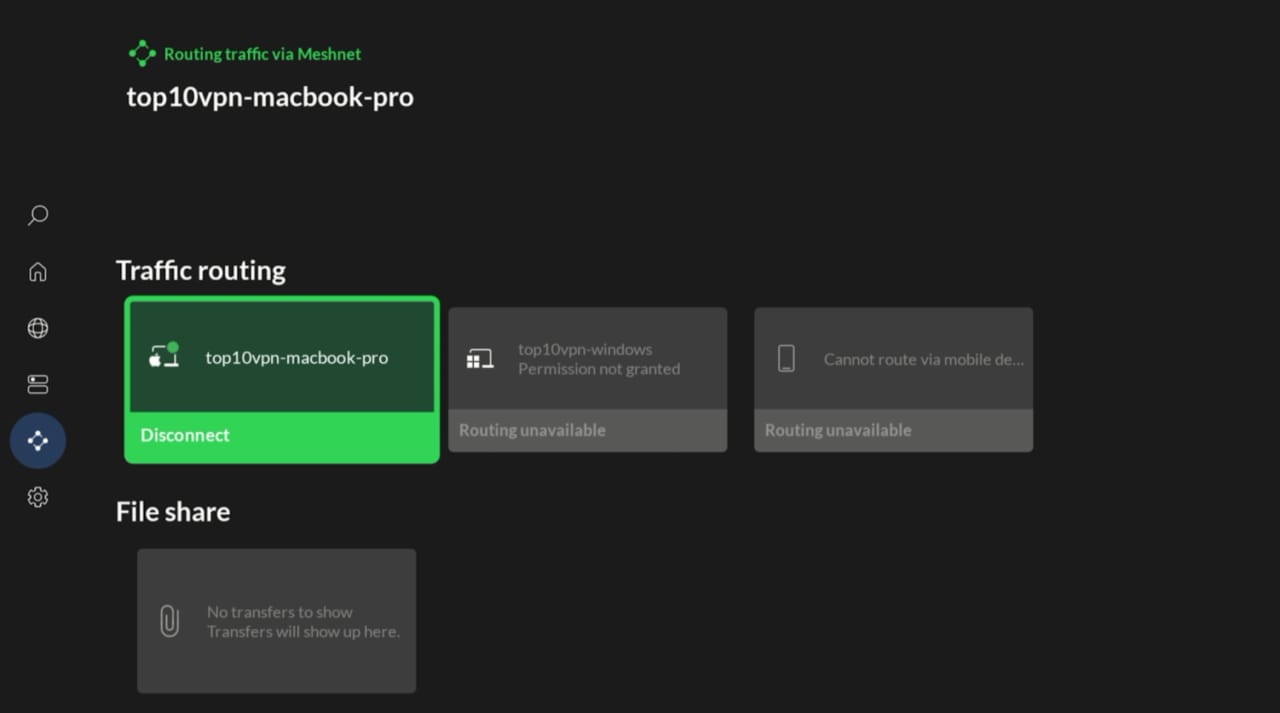
We used NordVPN’s Meshnet feature on Amazon Firestick to bypass Netflix’s household restrictions.
How to get around Netflix’s password-sharing ban using NordVPN Meshnet:
- Open the NordVPN app on a computer in the account holder’s home: This will be the host device. This must be an always-on Windows, Mac, or Linux computer.
- Enable Meshnet on the host device: Click the Meshnet symbol on the left-hand side of the app. It is a symbol of circles interconnected with straight lines. Toggle Meshnet to On and confirm by pressing Turn on Meshnet.
- Activate Meshnet on your streaming device: Open the app on your streaming device and press the down arrow on the remote twice until you reach the Meshnet row. Press Turn on.
- Route traffic through the host device: Scroll down of the Meshnet row and click Route traffic. Select the device from Step 2.
- Launch Netflix on your streaming device: This action confirms your IP address matches the main subscriber’s network. Repeat these steps every 31 days to maintain access.
Netflix states that it imposes its crackdown on password-sharing using a combination of IP addresses, device IDs, and account activity. However, in our experience, merely connecting to the home IP address has consistently bypassed the sharing restrictions.
Methods We Don't Recommend
Below are two popular methods for getting a cheap Netflix account that can be complicated, or simply don’t work anymore:
1. Use a Netflix Gift Card
If you’ve spent any time looking for a way to get cheap Netflix, you’ve probably seen websites either selling or promoting Netflix gift cards.
Netflix accepts gift cards as a way to pay for a subscription in some regions – including very cheap ones, like Turkey. However, you can’t buy these gift cards without a local payment method, which has given rise to a number of gift card reseller sites.
Sites like G2A, Turgame, and Eneba all sell Turkish Netflix gift cards. They are sold at a higher cost than their pure value in Turkish Lira, but at a price that still makes redeeming a Netflix membership with them cheaper than in most countries.
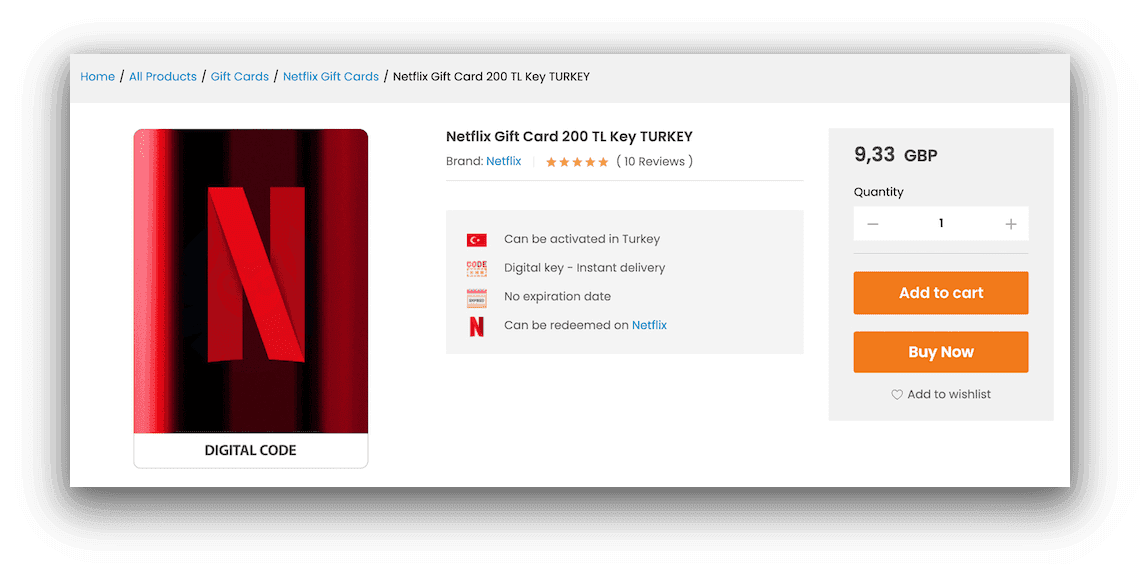
We made our purchase via Turgame as it seemed to have the best deals.
We tried out Turgame for ourselves to see what the process was like. We purchased a ₺100.00 gift card for roughly $6.00 – about a 10% markup.
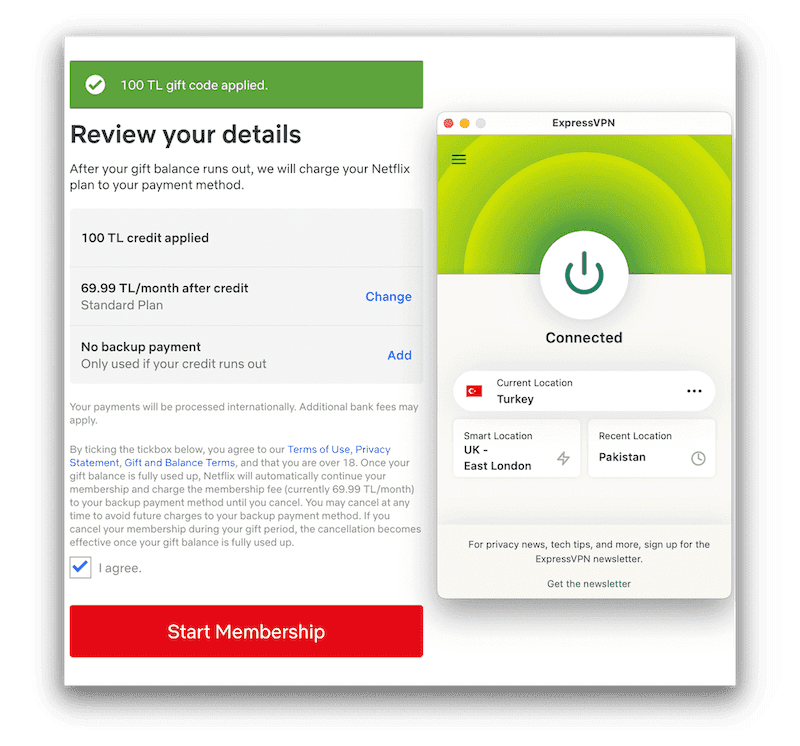
Netflix accepted our Turkish Lira gift card with no issues.
We then connected to a Turkish ExpressVPN server and began the signup process. We entered the code, and it worked without any issues.
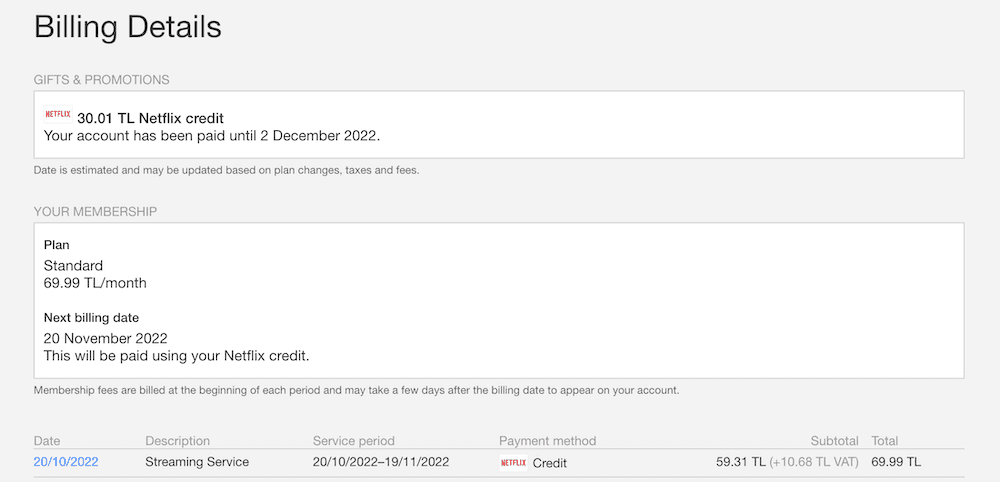
You can see the full breakdown of your voucher in the billing section of your account.
Our Netflix account was now subscribed until the balance of the gift card was used up.
Annoyingly, for the month of our gift card subscription we were only able to access Turkish Netflix and other Netflix Originals. This is not an issue when signing up for Ukraine Netflix.
Even worse, once the gift card period expires, Netflix requires another valid payment method for Turkey. If you used a gift card and don’t have one, Netflix will suspend your subscription.
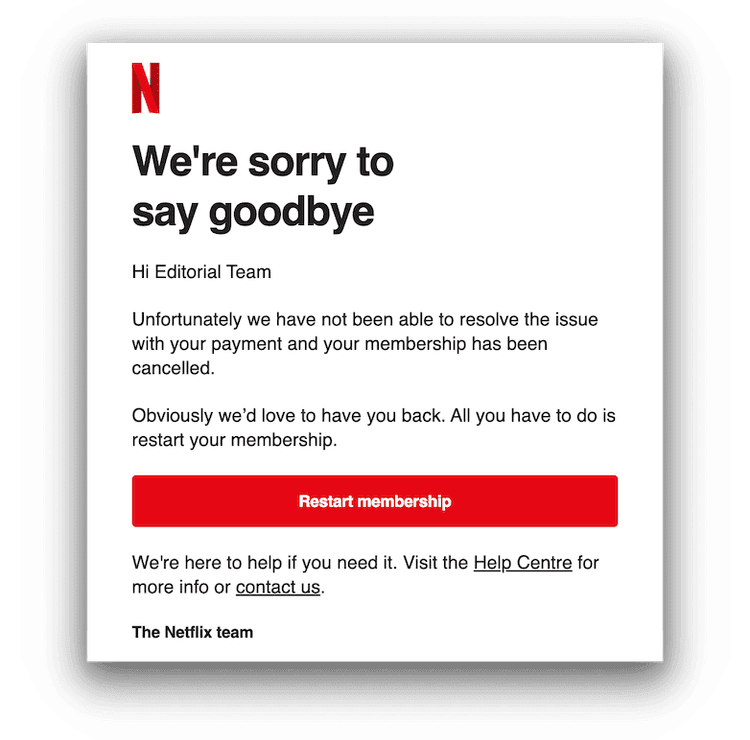
After being unable to add a Turkish payment method and a few warning emails, Netflix eventually sent us this.
We also never felt entirely comfortable throughout the process of purchasing the gift card. Websites like Turgame have very little regulation, and the payment process didn’t fill us with confidence.
Sites like Turgame also bear no real responsibility if your purchase fails. If you don’t receive a code, the code doesn’t work, or you redeem the code incorrectly, you’re left with nothing to show for your money spent. You also have to repeat that purchasing and redemption process every time your subscription expires.
You need to use a VPN either way. We think that changing your VPN region to one which accepts payment methods from your own country is a lot safer and more reliable.
2. Use an Account Sharing Service
We used to recommend account sharing services like GamsGo, which allows you to share accounts for streaming services with complete strangers, charging you less money for your subscription in exchange.
However, these services were badly hit during the password-sharing crackdown.
GamsGo has completely removed its cheap Netflix accounts offering, citing an “Inventory Shortage” and making it completely unavailable to new customers.
Their current users are regularly being locked out of their Netflix accounts.
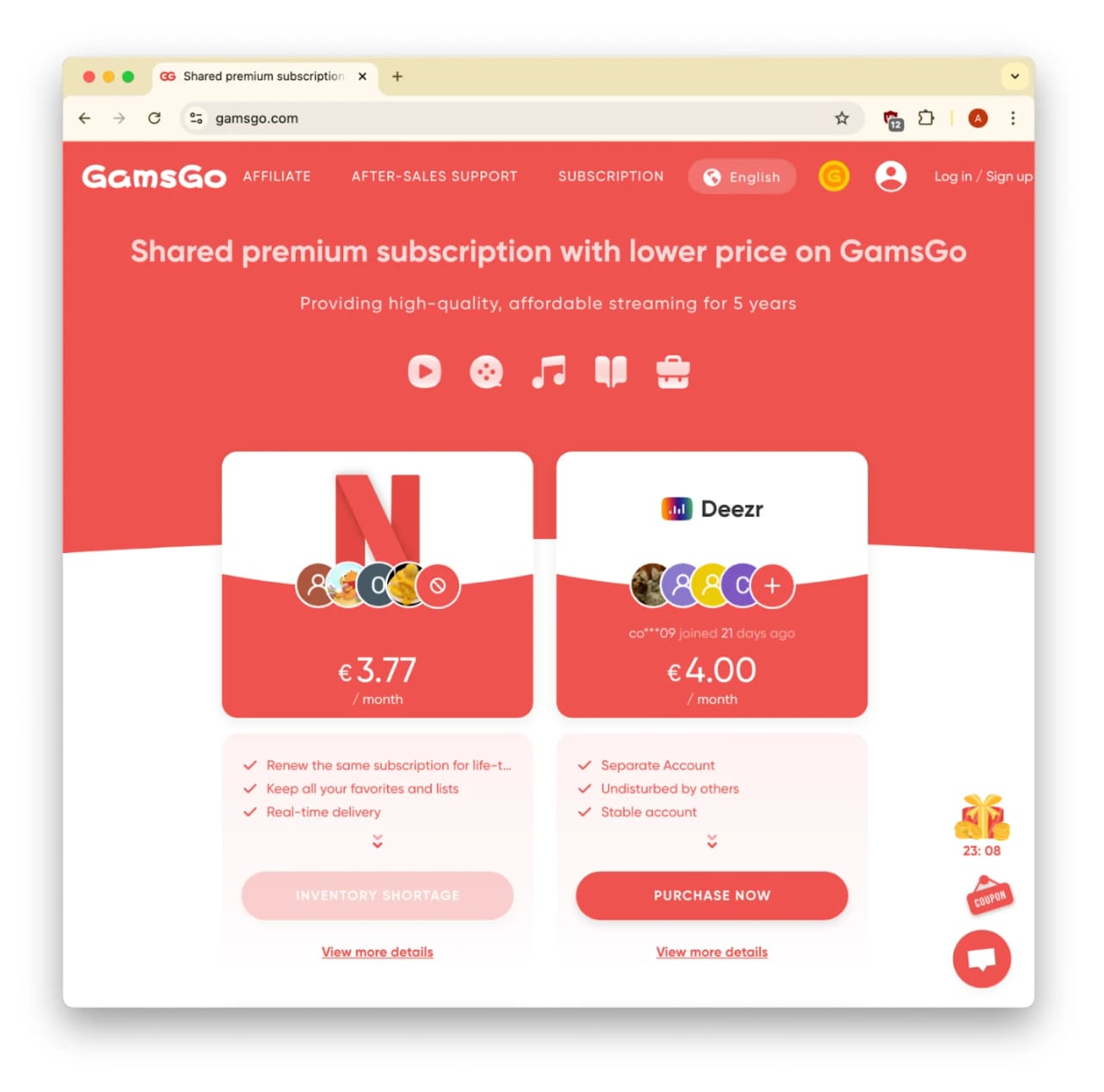
GamsGo made cheap Netflix accounts unavailable for purchase.