


Top10VPN is editorially independent. Buying a VPN through our links supports our work.
How to Watch ITVX from Abroad with a VPN
Simon Migliano
Simon Migliano is a recognized world expert in VPNs. He's tested hundreds of apps and his research has been featured on the BBC, The New York Times, and more. Read full bio
The most effective way to watch ITVX from abroad is to use a VPN with reliable UK IP addresses. The best VPN to use is NordVPN, whose fast and multi-device apps streamed ITVX content from outside the UK. ExpressVPN came close to beating NordVPN, thanks to exceptional speeds on its UK servers, while PrivadoVPN is a good option for watching ITVX for free, although its 10GB free data cap won’t last long.
Like most UK streaming services, ITVX stops non-UK internet traffic from accessing its content. It knows you’re outside the UK by looking up your IP address.
So, when you try and stream ITVX from abroad, you’ll simply get an error message blocking the video from loading.
It’s frustrating, isn’t it. You’re abroad on a quick trip and all you wanted to do was watch the new season of Love Island or the latest World Cup match.
Don’t worry, we got you. To regain access, all you need is a British IP address, which you can quickly get using a UK VPN.
Quick Guide: How to Watch ITVX Outside the UK
Choose a VPN that works with ITVX. NordVPN performed best in our tests.
Download and install the VPN onto your device of choice.
Connect to a VPN server in the UK. Once connected, your device will be using a UK IP address.
We’re fully independent and have been reviewing VPNs since 2016. Our ratings are based on our own testing results and are unaffected by financial incentives. Learn who we are and how we test VPNs.
VPNs Tested
60
Total Hours of Testing
30,000+
Combined Years of Experience
50+
But not all VPNs work the same: many get blocked by ITVX, while others are too slow or, worse, too unsafe to use.
In this guide, we’ll explain exactly how to use ITVX on your device from any country, and recommend the best VPNs to do so.
How to Watch ITVX with a VPN
Streaming ITVX live or on demand from outside the UK is straightforward. You just need an ITVX account and a VPN that can still get past the geo-block.
Setting up an ITVX account is free and only takes an email address, a date of birth, and a UK postcode (any valid one will do).
Steps differ slightly by device, especially on hardware that doesn’t run native VPN apps. The walkthroughs below cover the most common platforms. If you hit a block, our troubleshooting tips later in this guide should help.
These instructions cover both ITVX’s free, ad-supported tier and ITVX Premium, the paid ad-free upgrade.
EXPERT ADVICE: Switch off any ad blockers before you start. ITVX won’t load video if it detects one running.
Desktop (PC & Mac)
A computer is the easiest place to start with ITVX abroad, since you don’t have to fiddle with app store regions.
How to Unblock ITVX on PC & Mac
Sign up for a VPN that beats ITVX’s blocks. Our top recommendation is NordVPN.
Download and install the app for your operating system.
Open the app, log in, and pick a UK server. Any UK location on NordVPN or ExpressVPN should do the trick.
Turn on the Kill Switch. This stops your real, non-UK IP from leaking if the VPN connection drops.
Disable your ad blocker, either the VPN’s or your standalone ad blocker extension.
Visit www.itv.com. Sign in, or create a free account if you don’t already have one.
Mobile (iOS & Android)
The ITVX app is only listed in the UK’s iOS and Android app stores.
To save you the headache of changing app store region — which means losing access to apps and subscriptions tied to your current country — we suggest watching ITVX through your phone’s web browser instead.
ITVX plays video natively in the browser, but at lower resolutions. So, you avoid the pain of switching app stores, but you lose the ability to stream in Full HD.
How to Unblock ITVX on iOS & Android
Install one of our recommended VPNs. As on desktop, NordVPN is our preferred choice.
Launch the VPN, sign in, and connect to a UK server.
Open ITVX. Launch the app if it’s already on your device, or load itv.com in your browser.
Start streaming.
If you’re an iPhone or iPad user, we recommend using Safari as it’s tightly integrated with iOS and it’s more battery-efficient.
On Android phones and tablets, use Chrome: both are owned by Google and therefore work smoothly together.
Fire TV Stick
If your Amazon account is registered outside the UK, the ITVX app won’t appear in the Appstore, regardless of your IP address.
Your options are to switch your existing Amazon account’s region to the UK, or to register a fresh UK account at amazon.co.uk.
Because ITVX plays in-browser, an alternative is to use the Fire TV’s built-in Silk Browser to stream directly from the website. The setup is essentially identical to the PC and Mac walkthrough.
Like on mobile browsers, the picture quality through Silk is unfortunately a step down from the high-resolution playback of the native app.
If the viewing experience of Silk isn’t good enough for you, you have the option to sideload the ITVX app onto your non-UK Fire TV using its APK file.
Sideloading is fully supported by Amazon through developer settings, but the process is more involved.
How to Sideload ITVX onto Your Fire TV
Turn on Developer Options. Go to Settings > My Fire TV > About and tap your device name seven times until “You are now a developer” appears.
Allow apps from unknown sources. Go back to My Fire TV > Developer Options and switch on Install unknown apps. Older Fire TVs label this Apps from Unknown Sources.
Install the Downloader app from the Amazon Appstore (free). You’ll use it to fetch the ITVX APK.
Give Downloader permission to install apps. Back in Install unknown apps, flip the Downloader toggle to ON. Without this, step 7 will fail.
Connect your VPN to a UK server.
Open Downloader and enter the APK URL. In the Browser tab, type the APKMirror URL for the ITVX app and tap Go.
Download and install the APK file. Once the download is complete, select Install, wait for confirmation, then Done. Use Delete to remove the installer file afterwards to free up space.
Find the app and open it. Sideloaded apps don’t appear on the home screen by default. Go to Settings > Applications > Manage Installed Applications, find ITVX, and pick Launch application. To pin it to your home row, install a free launcher like Wolf Launcher or AppStarter.
Sign in and watch. Use your existing ITVX login or create a new account with any UK postcode.
Apple TV
As with Fire TV, the only way to install the ITVX app on Apple TV is to be signed into the App Store with a UK Apple ID.
Unfortunately, AirPlay no longer works as a workaround for ITVX, and tvOS web browser apps can’t decode the DRM technology ITVX uses.
In practice, creating a UK Apple ID is your only realistic route.
How to Unblock ITVX on Apple TV
Sign out of your current Apple ID on the Apple TV: Settings > Users & Accounts.
Create a new UK Apple ID at appleid.apple.com using a UK address. Pick “None” as the payment method.
Sign in to the Apple TV with your new UK Apple ID.
Search the App Store for ITVX and install it.
Install your chosen VPN’s Apple TV app, sign in, and connect to a UK server.
Open the ITVX app, then sign in or create a free account.
A handy piece of information: tvOS lets you use a separate Apple ID for the App Store from your iCloud and Apple TV+ one. That means you can keep using your main ID on everything else, and only use the UK one for app downloads.
Smart TV & Game Consoles
If your hardware doesn’t take VPN apps, the simplest route into ITVX is a Smart DNS proxy.
Smart DNS works by sending your DNS lookups through a proxy server, which is enough to fool ITVX into thinking you’re in the UK.
A Smart DNS proxy isn’t the same thing as a VPN, though. It doesn’t encrypt your traffic, so it’s less private, but it does the job for unblocking content on devices like Xbox and PlayStation.
We tried every Smart DNS proxy offered by major VPN providers, and the two that handled ITVX most reliably were NordVPN’s SmartDNS and ExpressVPN’s MediaStreamer.
Before either will work, you’ll need to register your real IP address through your VPN account on the provider’s website.
Once that’s done, you’ll be given the DNS addresses to plug into your console or smart TV (assuming the TV doesn’t have access to the Google Play Store).
The exact steps vary by provider and device, so follow either NordVPN’s or ExpressVPN’s Smart DNS setup guides.
EXPERT ADVICE: Smart DNS won’t work on Chromecast or Roku devices because their DNS settings are hardcoded.
Roku
Roku devices sold in the UK come with British TV apps already on board, including ITVX, BBC iPlayer, and Channel 4.
On Roku devices bought outside the UK, the only viable method to use a VPN is to install it on your router as Roku doesn’t support VPN software natively.
Smart DNS isn’t an option either, because Roku hardcodes its DNS.
To use a VPN with Roku, we recommend choosing ExpressVPN since it’s the only VPN with its own router and companion app. The router itself costs extra, but it spares you most of the technical pain.
The DIY alternative is to configure your existing router with VPN-compatible firmware. It’s more involved, though, and you risk bricking the hardware if it isn’t compatible to begin with.
VPN Comparison Table
Use the table below to compare each of our recommendations side by side:
Excellent native apps for the most popular devices
Lightweight browser extensions for instant access
Compatible with BBC iPlayer & Channel 4
UK speeds slightly behind ExpressVPN
Free trial is shorter than rivals'
Pricing Plans
$12.99/mo
$4.99/mo over 12 months
$3.09/mo over 27 months
Money-Back Guarantee
30 Days
UK Servers
440
UK Server Locations
Edinburgh, Glasgow, London, Manchester
Simultaneous Connections
10
Support
24/7 Live Chat
Compatible with
Windows
Mac
iOS
Android
Linux
Amazon Fire TV
Android TV
Apple TV
Router
Chrome
We loved using NordVPN to stream ITVX content from outside the UK. Whether you’re in Europe, North America, or Asia, full unrestricted access is only a few clicks away.
Setting the VPN up was painless on both mobile and desktop: apps installed quickly, servers connected instantly, and we easily beat ITVX’s geo-blocks at every attempt.
We can also confirm that the provider’s Smart DNS service — historically a bit of a weak spot — now streams ITVX without complaint on game consoles and older Smart TVs.
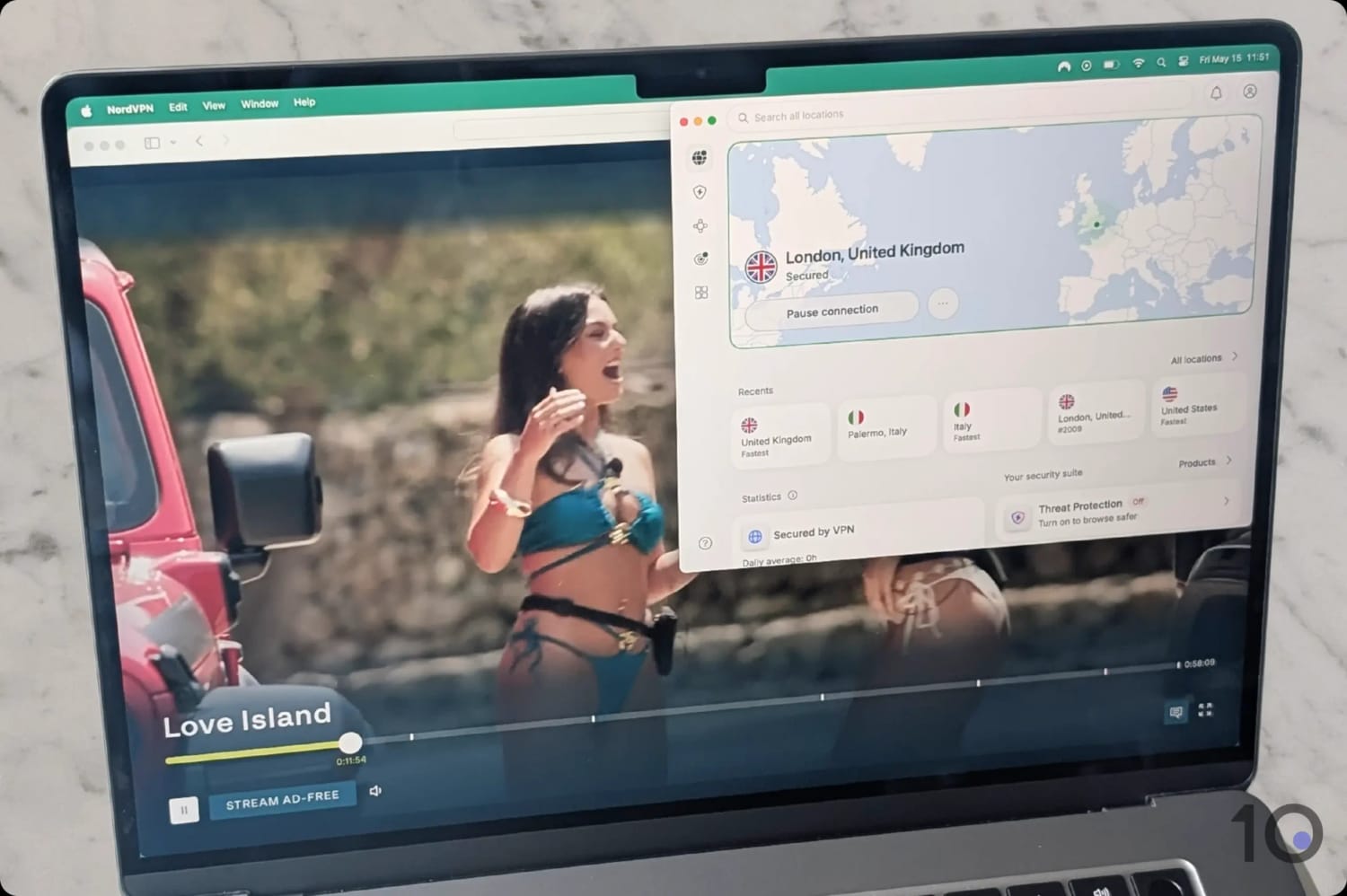
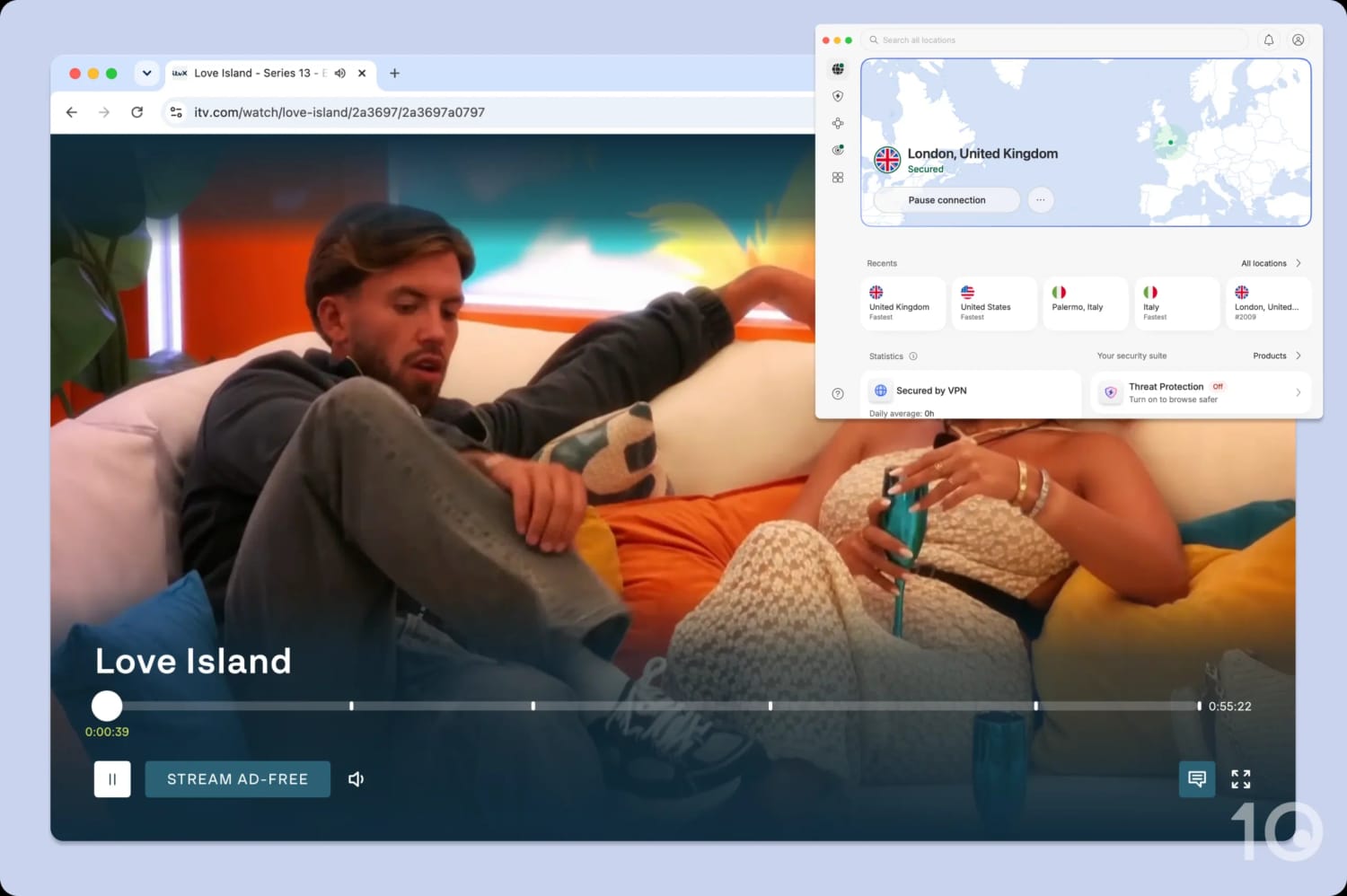
NordVPN let us stream Love Island from outside the UK.
Dependable UK Servers for HD Streaming
NordVPN runs one of the largest and fastest UK networks, with hundreds of VPN servers covering Edinburgh, Glasgow, London, and Manchester.
Each city server we tested produced rock-solid throughput, which translated into smooth, buffer-free streaming of live and on-demand content.
Whether you’re in Canada, Spain, or anywhere else in the world, you can expect Full HD playback as long as your internet connection is fast enough.
Our tests show that our internet connection slowed by just 10% compared to our standard speed, which is a strong result only narrowly behind ExpressVPN’s 7% slowdown.
Moreover, the apps changed our IP address quickly and held the line throughout each session, including in the evening UK time, when ITV’s traffic is busiest.
That consistency meant we could stream live FA Cup games and Saturday-night live game shows in Full HD without missing a beat.
It wasn’t a one-off, either: Channel 4 and UK Netflix worked just as smoothly, and NordVPN outperformed all other VPNs for unblocking BBC iPlayer from abroad.
Meshnet Allows Free Access from Abroad
If you landed here looking to use a free VPN, NordVPN could be a more satisfying option for you, for several reasons.
Via its free Meshnet tool, you can remotely access one of your own devices — or a friend’s or relative’s device — and route traffic through that connection.
In other words, if there’s a computer hooked up to the internet back home, you can connect to it from abroad and have your traffic flow through it for free.
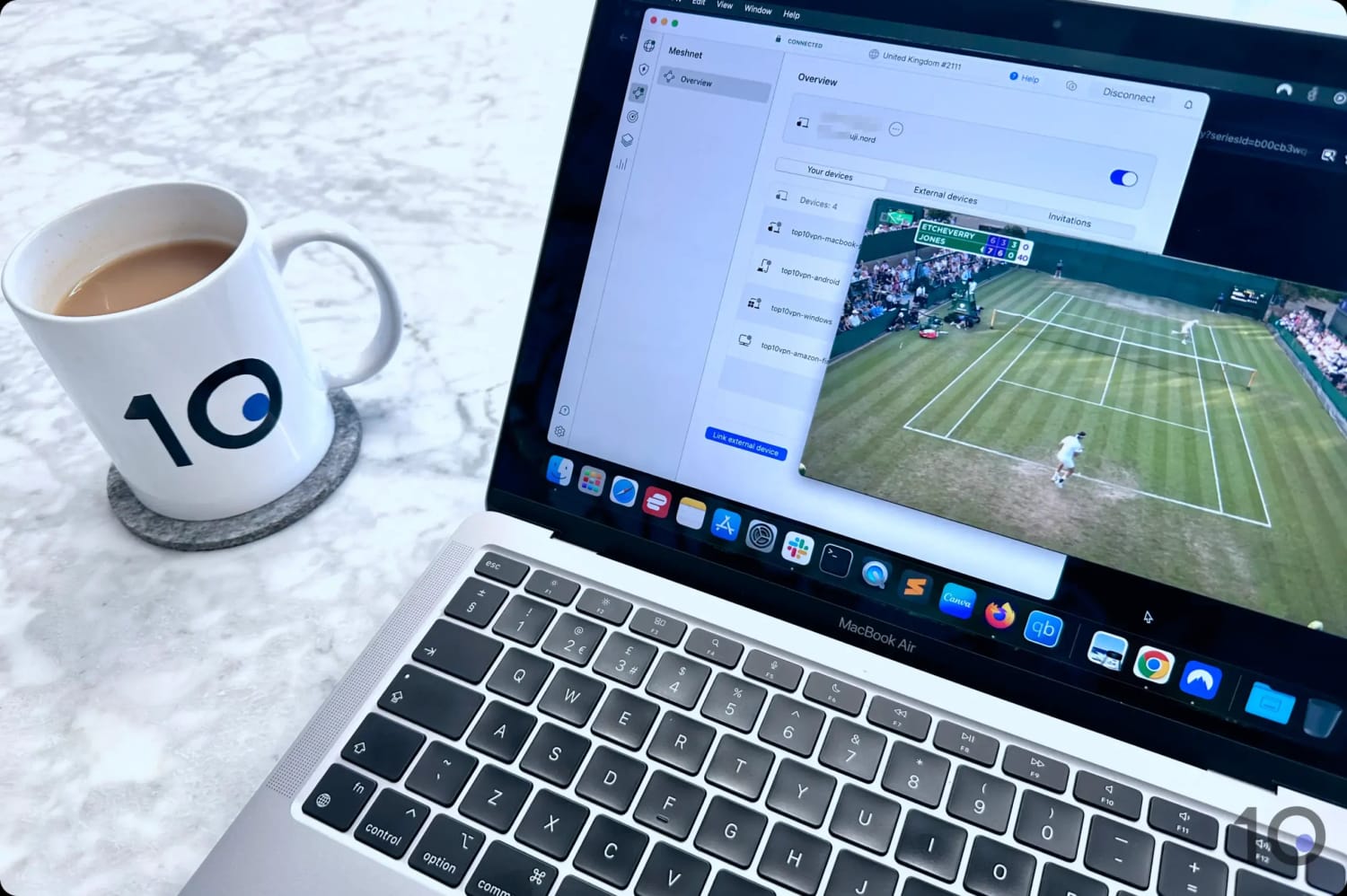
Watching British TV through NordVPN’s Meshnet tool.
If setting up Meshnet isn’t possible, don’t despair: NordVPN runs a 3-day free trial through the Google Play Store (which you can then use on non-Android devices) and a 30-day refund guarantee on all plans.
These are great ways to use a fantastic VPN without being left out of pocket.
ExpressVPN posted some of the quickest UK speeds we’ve seen, particularly from far-flung locations like the United States, Canada, and Australia.
Across hundreds of testing hours we saw a clean, uninterrupted picture every time, with the apps slicing through ITVX’s geo-block on every connection attempt.
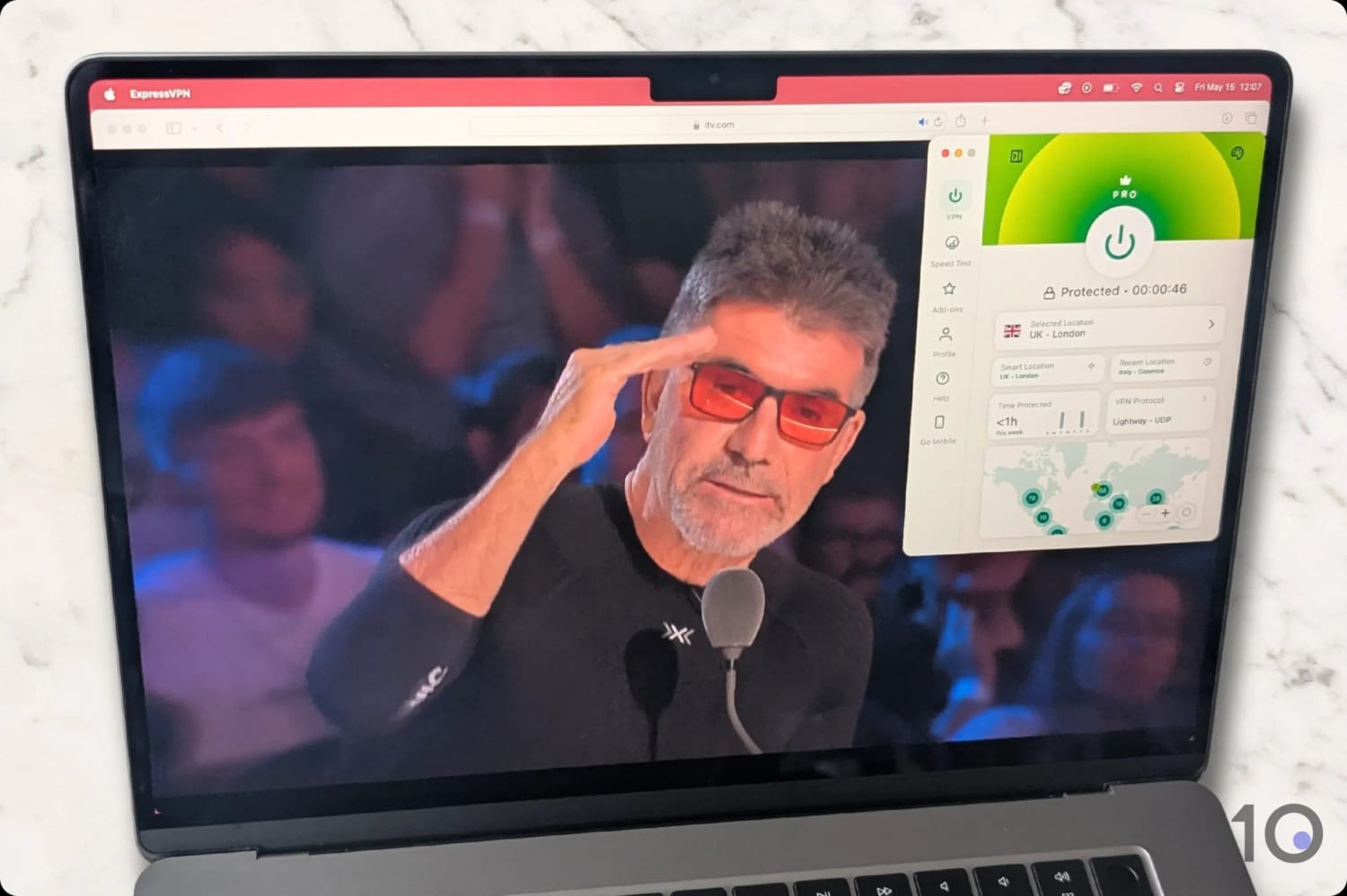
ExpressVPN unblocked ITVX on the first attempt.
Blistering Speeds on UK Servers
ExpressVPN’s UK presence is limited to two cities — Coventry and London — but the sheer number of servers on offer is more than enough to maintain high-resolution playback at all times.
All of ExpressVPN’s servers in the UK connect instantly.
We never ran into a congested server, and stream quality stayed pristine throughout popular live broadcasts, whether we were watching the Six Nations or streaming World Cup matches from abroad.
It’s no shock that ExpressVPN appears very high up in our long-haul UK speed charts. Connecting from across the Atlantic, our line speed dropped by only 7%.
The VPN is also exceptionally good at slipping past other UK streaming blocks on platforms like Channel 4, BBC iPlayer, and even Sky Go.
Polished Apps Across Almost Every Device
ExpressVPN supports a broader range of devices than most other VPN services. This is exactly what you want when you might be streaming ITVX from your laptop one day, and your Fire TV Stick the next.
The VPN’s native apps are the most streamlined and polished on the market. They are the most eye-pleasing, with the smoothest navigation and the shortest click-to-connect times.
All the apps are clutter-free and have one clear objective: get you to connect as quickly and as easily as possible.
You can even run ExpressVPN on Xbox and PlayStation using MediaStreamer, its Smart DNS proxy, and on Roku via Aircove, the company’s own router with a custom app.
The bargain price masks the fact that Surfshark is still a serious player for getting around ITVX’s IP restrictions.
The vast majority of its 440 UK servers got past ITVX’s VPN blocks during testing. A few were blocked, but the hit rate was high.
That said, Surfshark sits a clear notch behind ExpressVPN and NordVPN, mostly because of weaker long-distance speeds and the fact its Smart DNS feature doesn’t currently support ITVX.
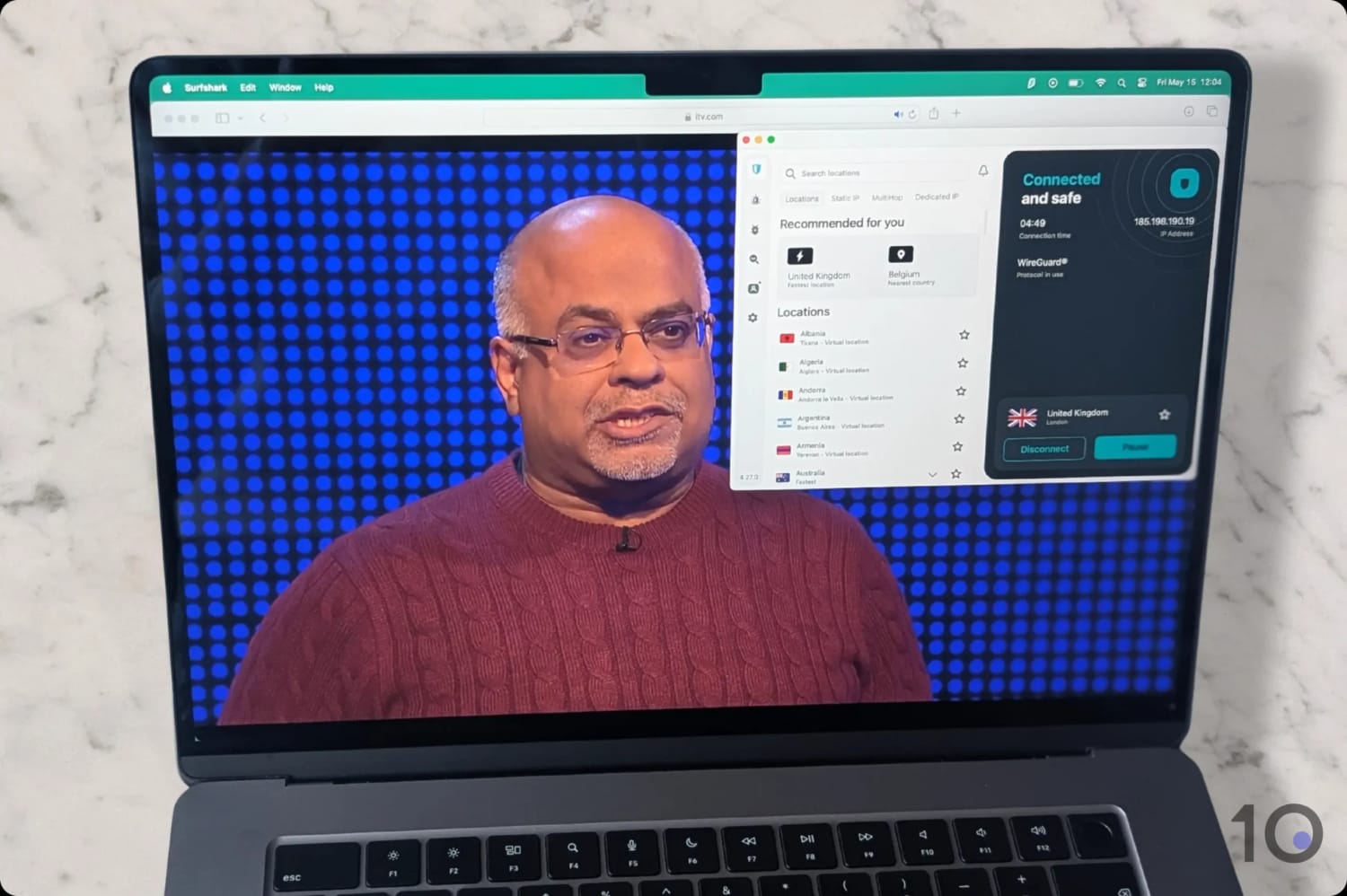
We used Surfshark to stream an episode of The Chase from abroad.
You can start the trial straight from the website or from your mobile app store. ExpressVPN, by contrast, makes you start on mobile before you can use your free account on other devices.
If you’re on a laptop or desktop, Surfshark’s trial is therefore the more convenient route. Just remember it doesn’t cover month-to-month plans, so cancel before the period ends if you don’t want to be charged.
Easy-to-Use Apps but Patchy Compatibility
Surfshark’s apps share a lot of DNA with NordVPN’s (the two services have shared ownership after all). There’s quite a lot going on at first glance, but picking a server and connecting is pretty straightforward.
Some servers didn’t connect immediately, though, particularly on mobile. We sometimes waited more than five seconds to be assigned a UK IP address. ExpressVPN was much faster at changing our IP location.
The bigger issue is device coverage. Because Surfshark’s Smart DNS proxy didn’t work with ITVX, using the service with game consoles and similar devices is going to be tricky.
You essentially have two options: setting the VPN up on your router or buying a router with Surfshark pre-configured on it.
Both are time-consuming solutions, and given how easy ExpressVPN’s MediaStreamer was to use, it’s a tough ask.
UK servers are a rarity among free VPNs, and many of the providers that do offer them are either insecure or unacceptably slow.
We’ve sifted through dozens of legitimate free options to find the ones that consistently get into ITVX from abroad. Only a handful made the cut, and PrivadoVPN’s free tier was clearly the best of them.
Smart DNS & browser extensions are paid features only
Data Cap
10GB per month
Free UK Servers
1
UK Server Locations
London
Simultaneous Connections
1
Support
Live Chat
Compatible with
Windows
Mac
iOS
Android
Linux
Amazon Fire TV
Android TV
Apple TV
Router
Chrome
After our most recent tests, the best totally free VPN for ITVX is undoubtedly PrivadoVPN.
The provider’s free London server currently delivers fast and stable speeds paired with consistent ITVX access. This is a truly rare combination among free VPNs.
However, the free VPN comes with limitations that won’t suit anyone planning to stream regularly. But, for a one-off live event or a couple of TV episodes a month, it does the job well.
We used PrivadoVPN to stream a one-off World Cup match on ITVX.
Surprisingly Fast Streaming
Most free VPN servers tend to crawl because too many users pile onto them all at once.
That wasn’t the experience we had with PrivadoVPN’s UK server. Speeds were on par with several premium VPNs, with an average loss of only 11%. That’s very good for a paid provider, let alone a free one.
There were minor dips here and there, but performance was genuinely impressive across many weeks of testing.
Bear in mind that with only one UK server in the pool, things can change quickly: a free IP that streams ITVX today might be blocked tomorrow.
Around Four HD Streaming Hours per Month
PrivadoVPN’s biggest weakness is the 10GB monthly data cap, which sets a hard ceiling on how much streaming you can do.
In our experience, 10GB gets you roughly four hours of HD playback before you run out.
You’ll also need to manually trigger the data refresh every month as it bizarrely doesn’t roll over automatically. And you can only do this via your PrivadoVPN web account, not in-app.
Moreover, Smart DNS, browser extensions, and router support aren’t part of the free plan. This could be a game-changer depending on your device.
Plenty of VPNs no longer get past ITVX. The clearest sign yours has been blocked is seeing error message 01-01 that says “Sorry, this show isn’t available right now.”
That’s ITVX recognising your IP address is originating from a VPN server and blocking it.
The fix is to switch to a streaming-optimised VPN whose UK IP addresses haven’t been blacklisted, like the ones we recommend in this guide.
That said, if your current VPN still has UK addresses ITVX hasn’t yet detected, a few quick tweaks may be enough to get back in.
Change UK Server
If your current UK server is on ITVX’s blocklist, simply jumping to another one is often enough to get streaming again.
Check for IP or DNS Leaks
ITVX may also be picking up on a DNS or IP leak that reveals your real location. Run a VPN leak test to confirm whether that’s what’s tripping you up.
Clear Your Cookies and Cache
If you’ve used ITVX before, your browser (or the ITVX app) is probably holding onto data from earlier sessions. That data sometimes includes location signals that override the VPN.
Wiping cookies and cache clears those leftovers. While you’re at it, turn off your browser’s geolocation feature too.
Get a Better VPN
If none of those steps work, you’ll need a VPN that can definitively get past ITVX’s geo-restrictions.
Both NordVPN and ExpressVPN cycle through their UK IP addresses regularly to stay one step ahead, and either is a safe bet.
What's Popular on ITVX
ITVX is home to many of the UK’s biggest soaps, dramas, reality formats, and live sports broadcasts, plus a sizeable on-demand back catalogue and exclusive originals.
Some of the most-watched ITVX shows and live events include:
Britain’s Got Talent
Coronation Street
Emmerdale
Endeavour
FA Cup
Good Morning Britain
I’m a Celebrity…Get Me Out of Here!
Loose Women
Love Island
Mr Bates vs The Post Office
Six Nations
The Chase
The Masked Singer UK
The Voice UK
Trigger Point
Vera
How We Test VPNs for ITVX
We ran 60 VPNs through a structured testing process to see which were most effective at unblocking ITVX from anywhere in the world.
Each VPN was scored across four key categories:
1. Unblocks ITVX (50%)
What We Did: Connected repeatedly to each VPN’s UK servers and checked whether ITVX detected and blocked them.
Why It Matters: ITVX runs aggressive geo-checks and routinely blacklists IP addresses tied to popular VPN providers.
Best Result: Every UK server tested produced an instant, buffer-free connection to ITVX.
2. Speed (25%)
What We Did: Measured connection speeds from multiple regions, looking at both nearby and long-haul routes into the UK.
Why It Matters: You need solid throughput for stable Full HD playback on ITVX.
Best Result: A speed reduction of 10% or less from a nearby country, and 20% or less from the other side of the world.
3. UK Servers (15%)
What We Did: Counted each VPN’s UK servers, mapped their cities, and verified the IP assignments using an IP checker.
Why It Matters: A bigger UK network means lower congestion and a better chance of finding a server ITVX hasn’t yet blocked.
Best Result: Hundreds of servers spread across multiple British cities.
4. Device Compatibility (10%)
What We Did: Tested each provider’s native apps and looked at extras like Smart DNS and dedicated router software.
Why It Matters: Wide device support means you can stream ITVX on hardware that won’t run a VPN client directly.
Best Result: Native apps for Fire TV, Android TV, and Apple TV, plus a Smart DNS option and excellent router support.
FAQs
How Does ITVX Block VPN Traffic?
ITVX restricts VPN traffic in order to honour the licensing terms it has with rights holders, and to protect ITV’s content sales in international markets.
To enforce this, the platform monitors which IP addresses are accessing its content. When the same address is used by a large number of viewers at once, that’s a clear VPN signal and the IP gets blacklisted.
It also looks at whether an IP belongs to a residential ISP or to a data centre — VPN providers mostly draw their addresses from data centres, which makes them stand out.
On top of that, ITVX cross-checks incoming IPs against a database of known VPN ranges and automatically blocks anything that matches.
To stay ahead, the VPNs we recommend in this guide refresh their UK IPs constantly and disguise their traffic so it looks like ordinary browsing.
Is It Legal to Watch ITVX with a VPN?
Yes, using a VPN to access ITVX is legal. It does, however, breach ITVX’s terms of service, which prohibit the use of VPNs or proxies to disguise your location.
The realistic worst case is that your account gets terminated. In all our years covering this topic, though, we’ve never seen evidence of accounts being closed for VPN use specifically.
Can I Watch ITVX without a VPN?
If you’re abroad and want to catch up on ITVX, there are two safe alternatives to a VPN: a Smart DNS service or NordVPN’s Meshnet.
Smart DNS services, like Control D (from Windscribe), work by changing your device’s DNS settings so geo-locked content thinks you’re in the UK.
The trade-off with Smart DNS is no encryption — it’s less private than a VPN, despite costing about the same.
NordVPN’s Meshnet takes a different angle. It links your current device to one you trust on a UK connection and pushes your traffic through that machine, so you appear to be browsing from its location.
For example, if you have a desktop sitting at home in the UK, you can connect to it from abroad through Meshnet and pick up its IP.
Meshnet has to be installed and switched on at both ends for the link to work.