



Privacy
Ranked #12 out of 59 VPNs for Privacy
I'm confident that NordVPN keeps your online activity private. As proven in a 2024 legal case, it operates a virtually no-logs privacy policy and uses RAM-only servers to prevent data extraction. The one caveat is that many of the VPN's add-ons use individual privacy policies that collect far more data.
| Originating IP Address | No |
|---|---|
| Browsing Activity | No |
| Individual Connection Timestamps | No |
| Date of Last Connection | Yes |
| VPN Server IP | No |
| Device Information | No |
| Individual Bandwidth Usage | No |
| Account Information | Yes |
You can read NordVPN's full privacy policy on its website.
Despite advertising itself as a “true no-logs VPN,” NordVPN retains a small amount of user data: your username and connection timestamps for 15 minutes after a session ends.
While I prefer a true no-logs policy, this data isn’t enough to link your online activity back to you.
To ensure no user data is permanently logged, the VPN uses a RAM-only server network. All of its servers run on volatile memory that wipes your data following a server reboot. This prevents any third-party from extracting your personal information, including the VPN service itself.
This was proven when NordVPN was ordered to surrender user data, as part of a criminal investigation. Thankfully, it was only able to disclose payment-related data and confirmation that a particular email address was also used by a NordVPN account.
Though this isn’t enough to compromise your privacy, I recommend signing up with an anonymous payment method and an email alias.
Private Jurisdiction, Despite Ownership’s EU Location
NordVPN is legally incorporated in Panama, a privacy-friendly jurisdiction with no affiliation to any international surveillance alliances. Panama has strong data privacy protection, allowing the VPN service to only retain minimal user data.
Cyberspace B.V. (Nord Security), the company behind NordVPN, is registered in the Netherlands. After contacting it, a representative confirmed this doesn’t affect NordVPN’s Panama jurisdiction.
Streaming
Ranked #2 out of 59 VPNs for Streaming
Second only to ExpressVPN, NordVPN is an unbelievably consistent choice for streaming. It unblocked almost every streaming platform I tested it with, working particularly well with UK and Australian services. It also reliably streams video content in HD to 4K quality, with apps to cover most devices.
| Streaming Service | Works with NordVPN |
|---|---|
| BBC iPlayer (UK) | Yes |
| DAZN (Canada) | No |
| Disney+ (UK) | Yes |
| Hulu (US) | Yes |
| ITVX (UK) | Yes |
| HBO Max (US) | Yes |
| Netflix (US) | Yes |
| Netflix (UK) | Yes |
| Prime Video (US) | Yes |
| Sky Go (UK) | Yes |
NordVPN credits its excellent streaming performance to its branded SmartPlay feature, which switches between DNS servers to help you access geo-blocked content.
I’m never swayed by marketing buzz and, while SmartPlay is highly effective, I can tell you that it’s not unique to NordVPN at all: it’s actually used by many other streaming VPNs like Windscribe and PrivateVPN.
NordVPN’s superior performance is most evident with Netflix, where I was able to access 17 international libraries. What impressed me the most is how the VPN automatically connected me to a server that works with US Netflix, a feat I haven’t seen in any other VPN.
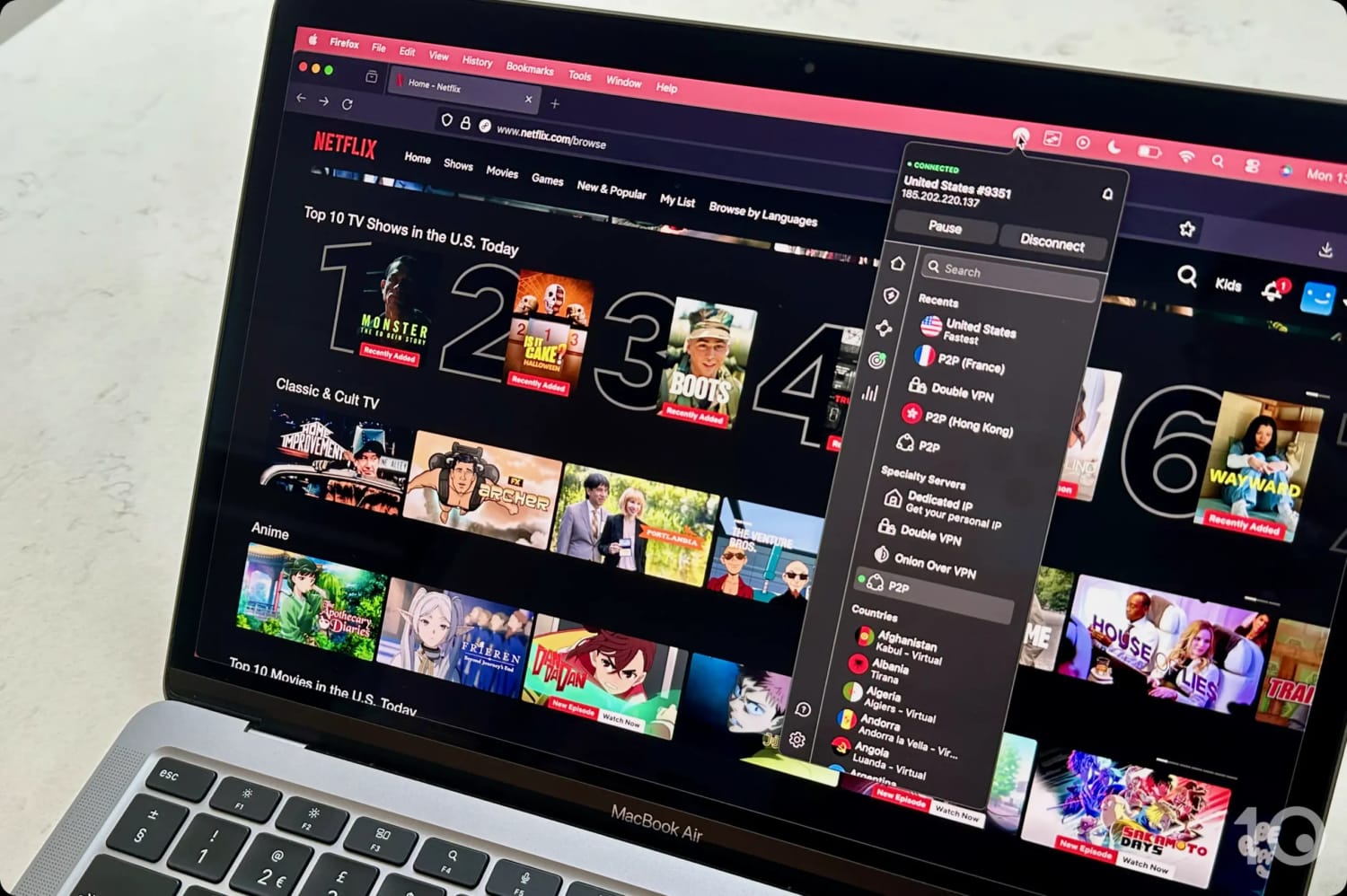
NordVPN works reliably with US Netflix.
I did notice that the VPN can’t stream Netflix’s Indian and Dutch libraries. This needs to improve, especially given that rivals VPNs like Windscribe and ExpressVPN successfully unblock these regions.
India seems to be a problem country for NordVPN. In my tests, the VPN struggled to access the most popular Indian platforms, especially JioHotstar, and I ended up using ExpressVPN instead.
NordVPN has also stopped working with DAZN Canada, which really surprised me, since it had been very consistent at streaming the Canadian catalog in recent years.
Thankfully, NordVPN excels in other international regions, like the UK, and remains my definitive choice for watching BBC iPlayer. Over years of testing, the VPN has consistently bypassed the platform’s geo-blocks, allowing me to stream live and on-demand content in 1080p (Full HD).
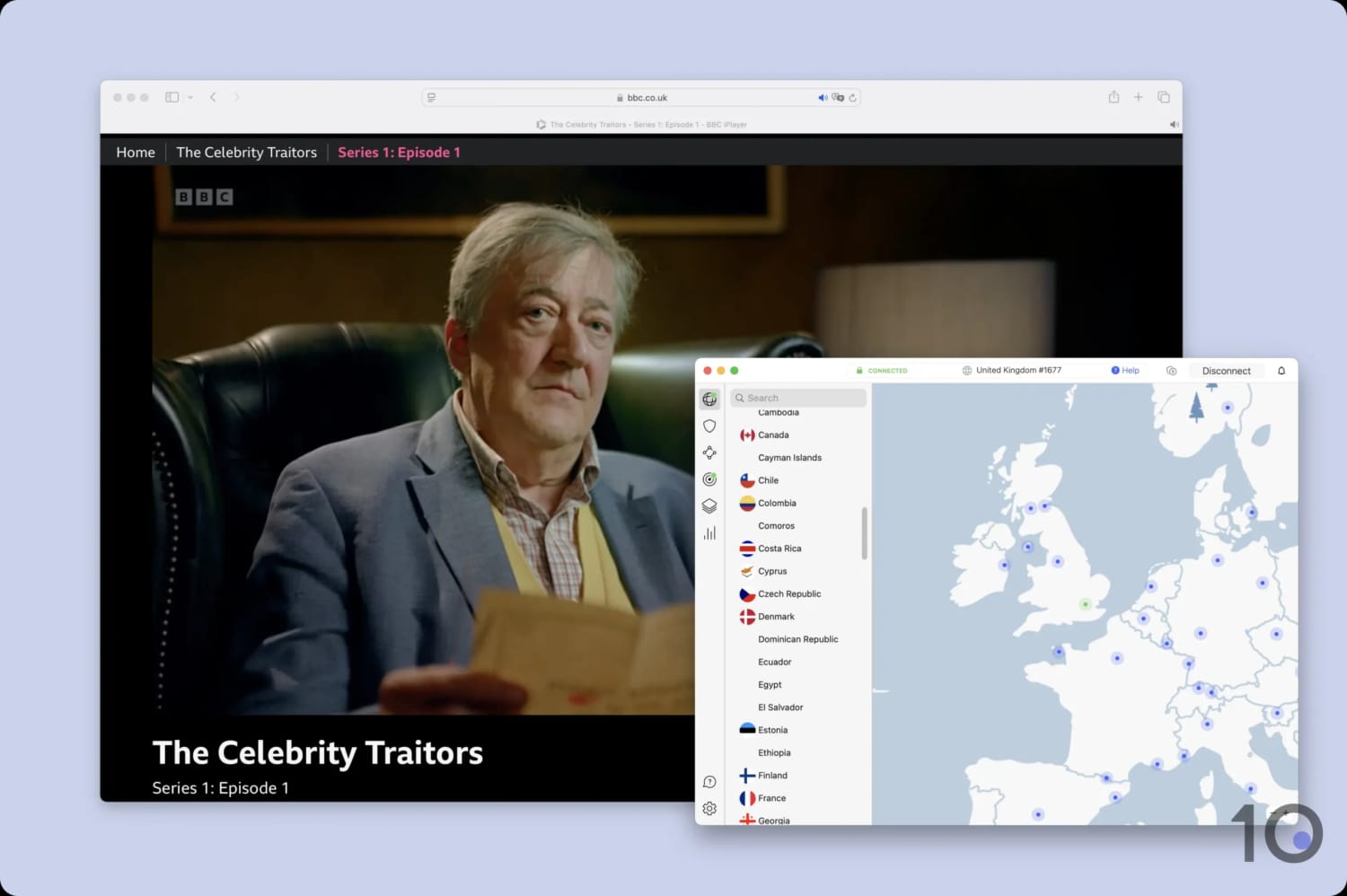
NordVPN is my recommended choice for BBC iPlayer.
It’s an excellent option for US streaming services, too. I usually switch to the New York server to watch YouTube TV, Peacock, and many others, from abroad. It often worked first-time, but there are servers in 54 US cities in case you have any issues.
You can also use its generous spread of US servers to bypass local restrictions on NBA games. It works almost every time, as long as you select a location outside of the blackout zone.
Speed
Ranked #5 out of 59 VPNs for Speed
The NordLynx protocol continues to perform well, with my speed tests recording an average speed loss of 4% on nearby servers. No matter the distance, your connection is fast and stable enough for online gaming, web browsing, and video-calling.
Even in locations as far away as Australia, NordVPN maintained incredibly fast speeds — well above what I typically see from other VPNs.
Out of our top 10 highest rated VPNs, NordVPN went as far as recording the fastest download speeds when connecting to Japan and Canada.
NordVPN can sustain this excellent speed performance as it has one of the largest server networks on the market. It also automatically connects you to a less-congested server, preventing overloaded servers and throttled performance.
If you want an even faster VPN than NordVPN, I suggest using Hotspot Shield. Beware, though, as its close-to-zero speed loss comes with the drawback of an intrusive logging policy and a close-sourced VPN protocol.
The chart below shows how NordVPN’s average download speeds compare to other top-rated VPNs:
Security
Ranked #7 out of 59 VPNs for Security
My tests showed that NordVPN is a highly secure VPN service. It protects web traffic using WireGuard and ChaCha20 encryption, and it prevents unauthorized access to its network using diskless servers. Overall, NordVPN can be trusted to secure your online activity from third-party interference.
| Independent Audit | Yes |
|---|---|
| VPN Kill Switch | Yes |
| Leak Protection | Yes |
All of NordVPN’s apps use NordLynx by default, which is simply WireGuard with the addition of double NAT. Don’t be fooled by this marketing trick: its configuration is no different to any other VPN that uses WireGuard.
The reality is that NordVPN has chosen to brand its protocol to try and differentiate itself.
The VPN uses ChaCha20 to encrypt the traffic in its VPN tunnel and establishes the connection with a 2048-bit DH key.
To verify this worked, I analyzed the data packets passing through our company network using Wireshark. As you can see in the screenshot below, NordVPN’s encryption turned my internet traffic data to random text. This will prevent any third party from monitoring your online activity.
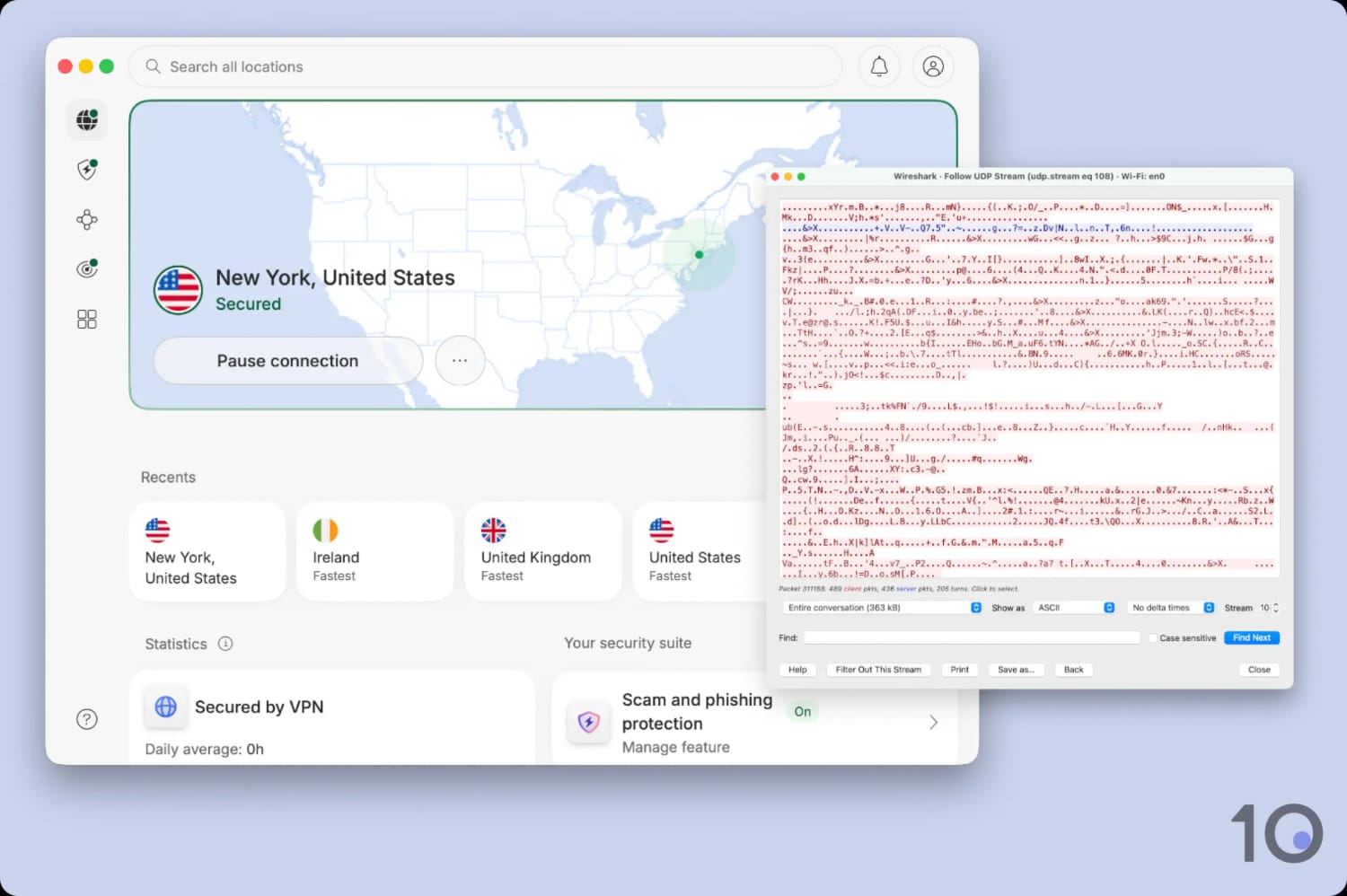
I saw firsthand how NordVPN encrypted my internet connection.
And when I simulated a sudden VPN connection drop, NordVPN’s kill switch also successfully prevented my real IP address from leaking.
NordVPN actually provides two types of kill switch: an internet kill switch and an app kill switch. The former works as normal, cutting your internet if the VPN disconnects, whereas the app kill switch lets you designate specific apps for protection.
I personally like having the system-wide internet kill switch enabled for added security, especially if I’m torrenting files.
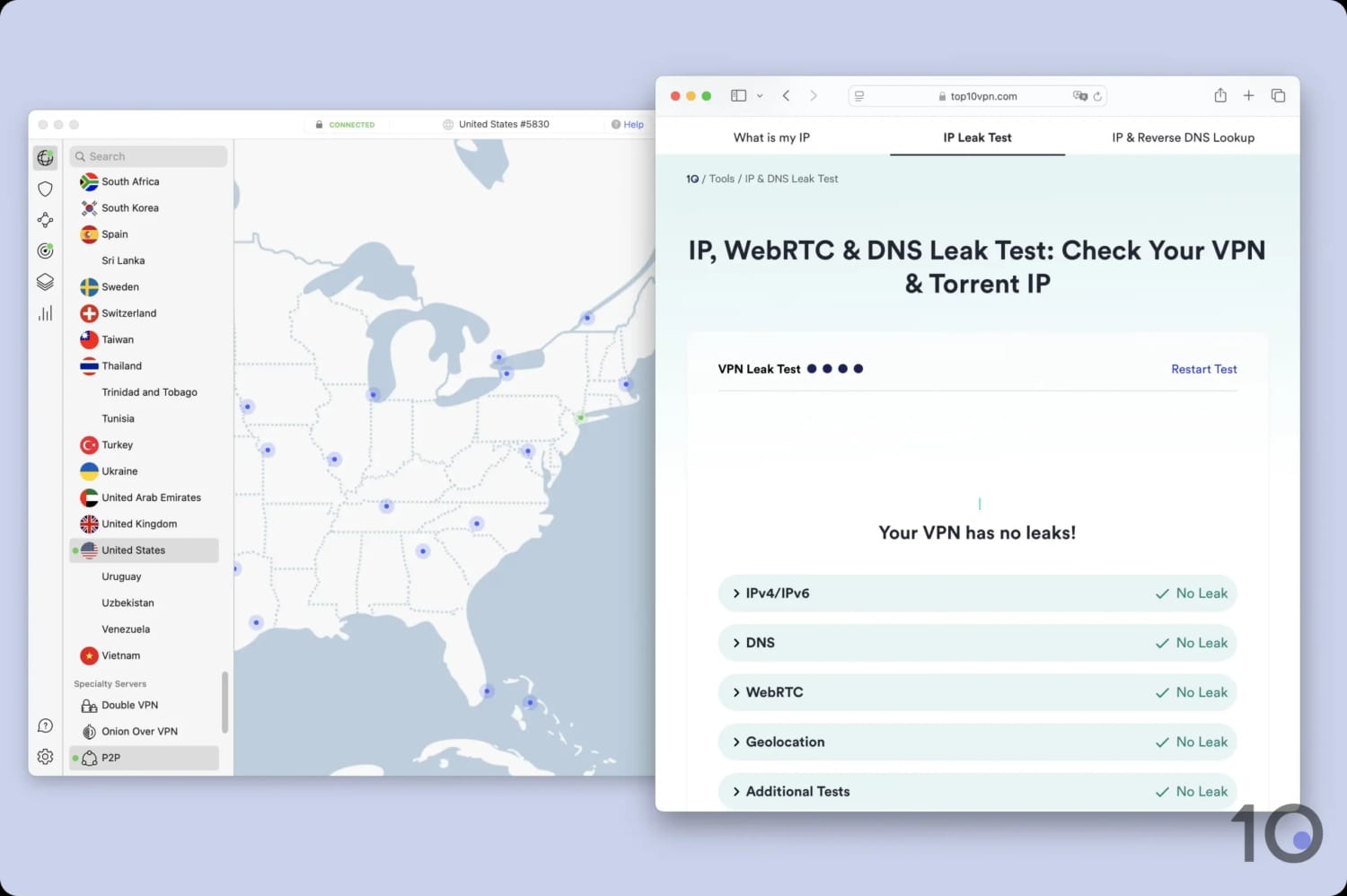
The VPN passed all of my data leak tests.
NordVPN’s security infrastructure has also been proven by multiple audits, including a Cure53 audit which reviewed the source code of all the apps and extensions.
Server Locations
Ranked #1 out of 59 VPNs for Server Locations
Following several network expansions, NordVPN now offers IP addresses from 150 countries. This is more than most other VPNs and ensures you'll always have a server nearby to connect to. NordVPN has also expanded its reach in the US, with servers covering all 50 states.
| Continent | Countries with Servers |
|---|---|
| Europe | 44 |
| Asia | 39 |
| Africa | 30 |
| North America | 20 |
| South America | 12 |
| Oceania | 5 |
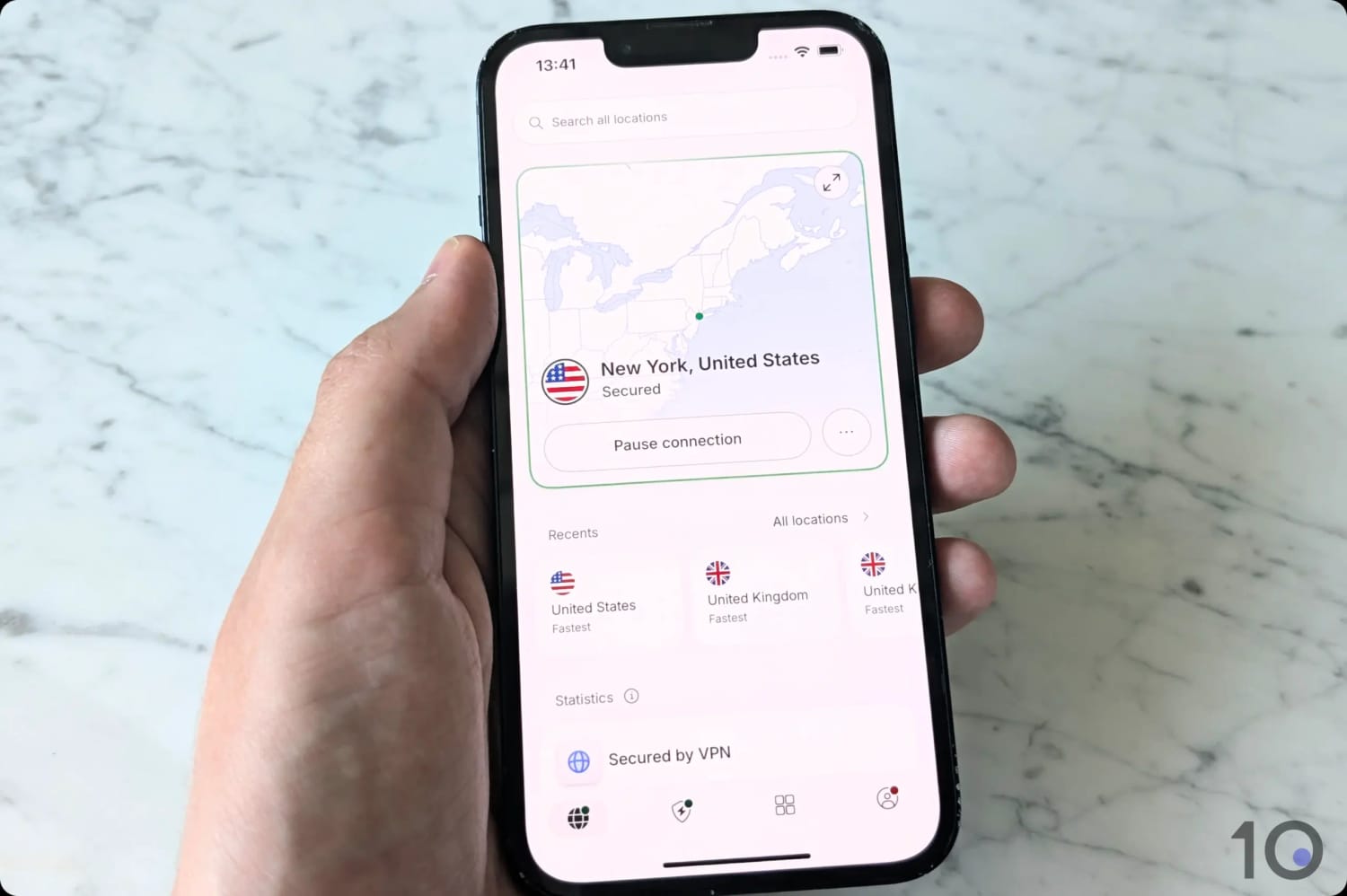
You can connect to NordVPN servers in all 50 US states.
Using NordVPN, you can browse the internet as if you’re located in many popular countries, including the US, UK, Australia, and Canada.
But what really sets the VPN apart is the number of server locations in Africa and Asia, two continents regularly overlooked by most other VPNs (including ExpressVPN).
This represents an expansion of almost 150% compared to 2023, when the VPN had servers in just 60 countries.
A country where NordVPN has really stepped up its presence is the United States. In the past it lagged ExpressVPN and PIA VPN, but now it covers every state with servers in 54 cities.
User Experience
Ranked #2 out of 59 VPNs for User Experience
In my opinion, NordVPN strikes a good balance between user-friendliness and technical complexity. While its apps are well-made and slick, the interface can feel overwhelming with the number of features. I'd personally want to see a more consistent app design across devices.
Interface & Ease of Use
All of NordVPN’s apps use the simple, but effective, blue and white color palette. It makes the apps look crisp, stylish, and easy to read on all screen sizes.
There are some debatable design choices across apps that did affect my user experience at times.
You can find out how each app looks and feels below:
Desktop (Windows & Mac)
The first thing you’ll notice upon start-up is the sheer amount of features on the app home screen.

Threat Protection Pro and Dark Web Monitor no longer take up half the home screen, and instead appear below core VPN functions like recent server locations.
I also approve of the reduced map, which was disproportionately large in previous app versions. It’s no longer interactive, and only serves to contextualize your connected location.
The server list is always visible in alphabetical order, which makes it quick and simple to select a server location.
Connecting to the VPN has improved dramatically. NordVPN addressed my critique of the old setup by adding a disconnect button next to the pause function (previously, you had to pause before disconnecting).
Everything now takes a single click, removing unnecessary friction. That said, it does add a bit more clutter to an already busy UI.
Mobile (iPhone & Android)
I found NordVPN’s mobile apps easier to use than the desktop versions. Scrolling to find a server is much quicker than on desktop.

Just like on desktop, the mobile apps now feature a disconnect button, making NordVPN much easier to use on the go.
That said, there are some odd design choices on mobile, too. For instance, the statistics tab feels obsolete, since there’s no real use in knowing how many days in a row you’ve connected to the VPN.
This strikes me as an attempt to mimic popular social media apps that reward “streaks” to encourage regular usage.
Streaming Devices (Fire TV, Apple TV & Android TV)
I tried out NordVPN on streaming devices like Amazon Fire TV and Android TV, and found it mostly easy to use, but with some changes needed.
The horizontal scrolling interface for selecting servers felt clunky and time-consuming when using a TV remote. I would’ve preferred an alphabetical or continent-based organization to make server selection faster.

The Fire TV is probably the app with the most issues: it crashed more often than I’d like and I couldn’t disconnect once I selected Auto Connect.
Torrenting
Ranked #4 out of 59 VPNs for Torrenting
NordVPN allows torrenting activity on almost all of its 7,130 servers. Even without port forwarding, it provides an impressive average download bitrate of 9.7MiB/s on my 10MiB/s connection. Although torrenting is restricted in just three countries, it's unlikely to impact your experience.
| Torrenting Attribute | NordVPN |
|---|---|
| Permits P2P Traffic | Yes |
| Average Download Bitrate | 9.7MiB/s (3% loss) |
| Countries with P2P Servers | 147 |
| Port Forwarding | No |
| Kill Switch | Yes |
| Logging Policy | No Identifiable Data |
As shown in its transparency reports, NordVPN has never forwarded a DMCA request to a user. This proves that users’ downloads are kept private and untraceable.
With the recent UX refresh of its apps, NordVPN has finally enabled most of its server locations to support P2P traffic. This means the P2P Specialty servers tab no longer exists, significantly simplifying the search for a nearby P2P-friendly server.
Only these three server locations don’t allow P2P traffic: Albania, Moldova, and North Macedonia.
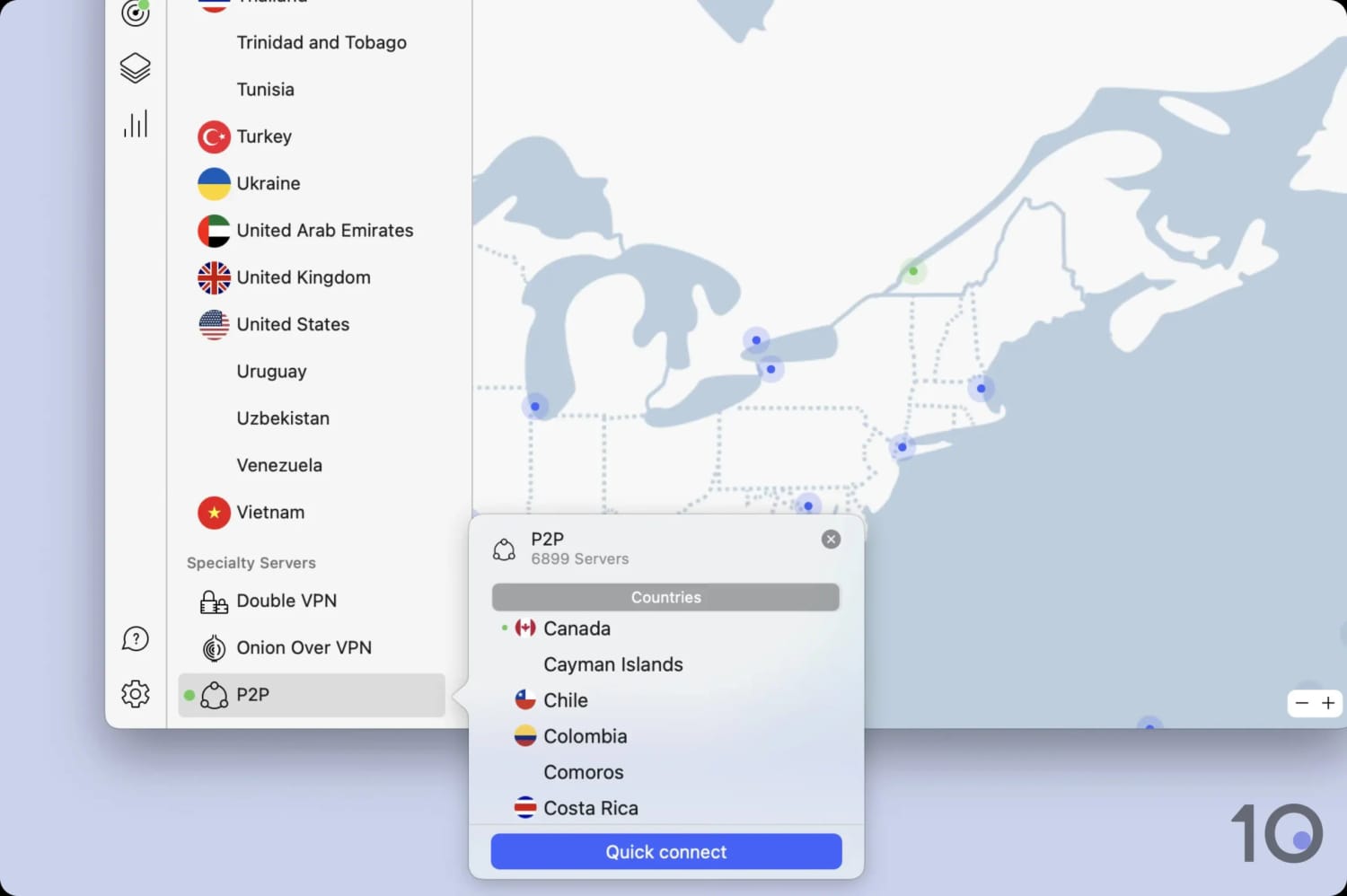
I suggest you use a P2P server for the fastest download bitrate.
In the table below, you can compare how fast NordVPN downloaded a 20GB torrent versus other VPNs:
| VPN Service | Download Bitrate | Time Taken (20GB File) |
|---|---|---|
| No VPN | 10MiB/s | 32 minutes |
| NordVPN | 9.7MiB/s | 33 minutes |
| IPVanish | 9.9MiB/s | 32 minutes |
| PureVPN | 8.1MiB/s | 39 minutes |
| CyberGhost | 3.9MiB/s | 1 hour 21 minutes |
As you can see, NordVPN downloaded files faster than most competing services. It’d be an even better VPN for torrenting if it added port forwarding support, but this isn’t essential.
If this is a sticking point for you, Proton VPN includes port forwarding and is an overall excellent product.
Device Compatibility
Ranked #3 out of 59 VPNs for Device Compatibility
NordVPN has apps for all major platforms, including Fire TV and Apple TV. You can also use it on devices that don’t support VPNs, like Smart TVs, via its Smart DNS feature, or by installing the VPN on a router. NordVPN allows simultaneous use on 10 devices, which is the industry average.
| Windows | Yes |
|---|---|
| Mac | Yes |
| iOS | Yes |
| Android | Yes |
| Linux | Yes |
| Amazon Fire TV | Yes |
| Android TV | Yes |
| Apple TV | Yes |
| Router | Manual Setup Only |
| Chrome | Yes |
Simultaneous Connections: 10
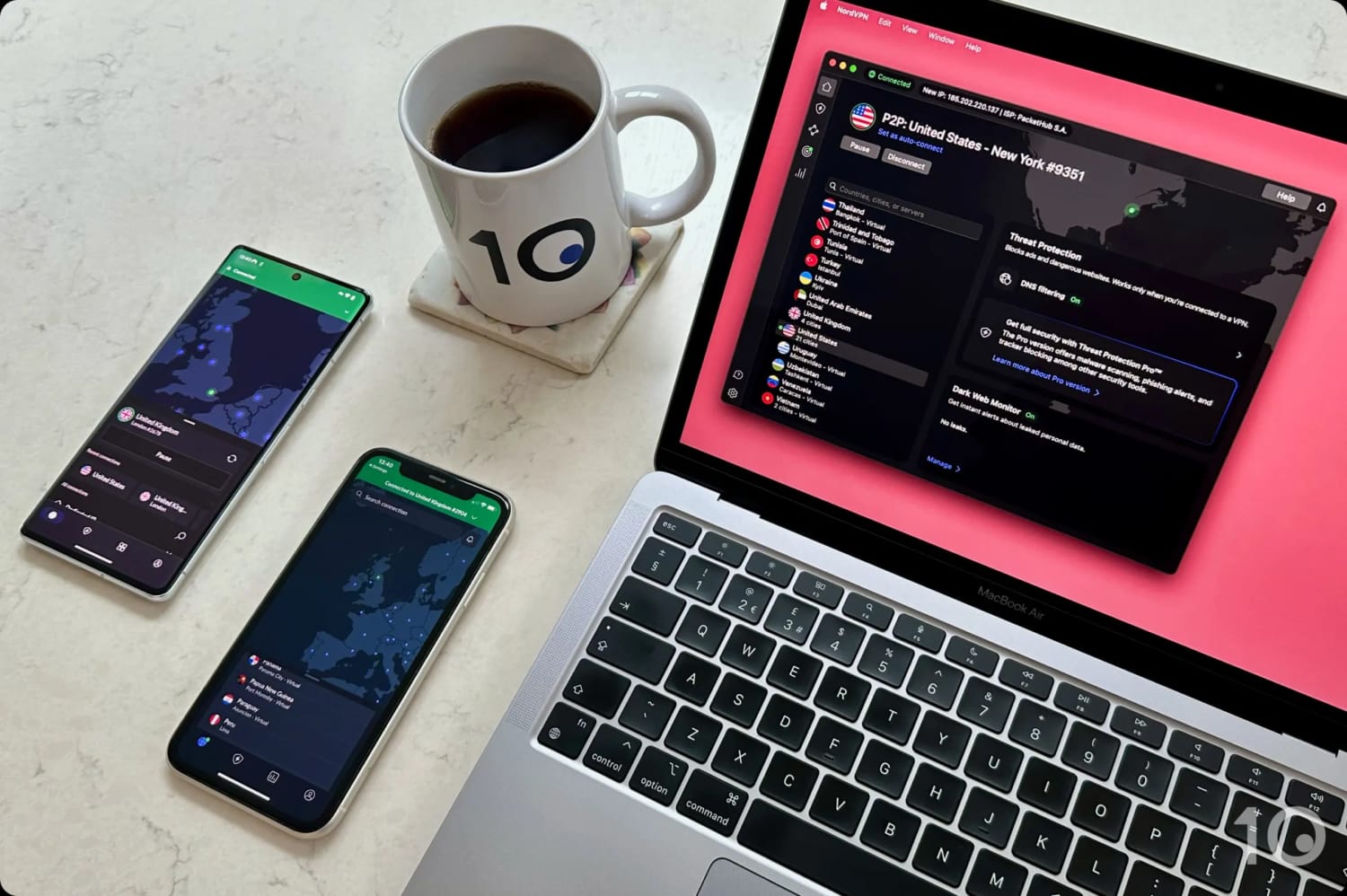
You can use NordVPN on multiple devices at once.
If you need to use NordVPN on more than 10 devices, you can install it on your home router, as long as it’s compatible. This only counts as one device toward your limit, but it protects every device connected to your WiFi router.
That said, NordVPN only supports manual router setup, which isn’t suitable for beginners. NordVPN should really develop its own router, with a dedicated web app (like ExpressVPN’s Aircove) to further improve its device compatibility.
If you simply need unlimited simultaneous connections, without needing extended device compatibility, then Surfshark could be a better choice for you.
Additional Features
Ranked #4 out of 59 VPNs for Additional Features
NordVPN’s apps come equipped with more additional features than almost any other VPN. These include multi-hop servers and Meshnet, a unique tool that lets you connect remotely to your home network from abroad. Many additional features are only available on the more expensive pricing plans, though.
| Additional Feature | NordVPN |
|---|---|
| Split Tunneling | Yes |
| VPN Obfuscation | Yes |
| Multi-Hop Servers | Yes |
| Dedicated IP | Yes (additional fee) |
| Ad Blocker | Yes (Plus & Ultimate plans) |
| Meshnet | Yes |
Multi-Hop Provides Double Encryption
NordVPN is one of only a few VPNs to include a multi-hop feature. Unlike a standard VPN connection, this routes your internet traffic through two separate VPN servers and encrypts the traffic twice.
This improves your network security by making it more difficult for an attacker to track your traffic and identify your real IP address.
To enable it, find the Specialty servers tab in the app’s server list and select Double VPN.
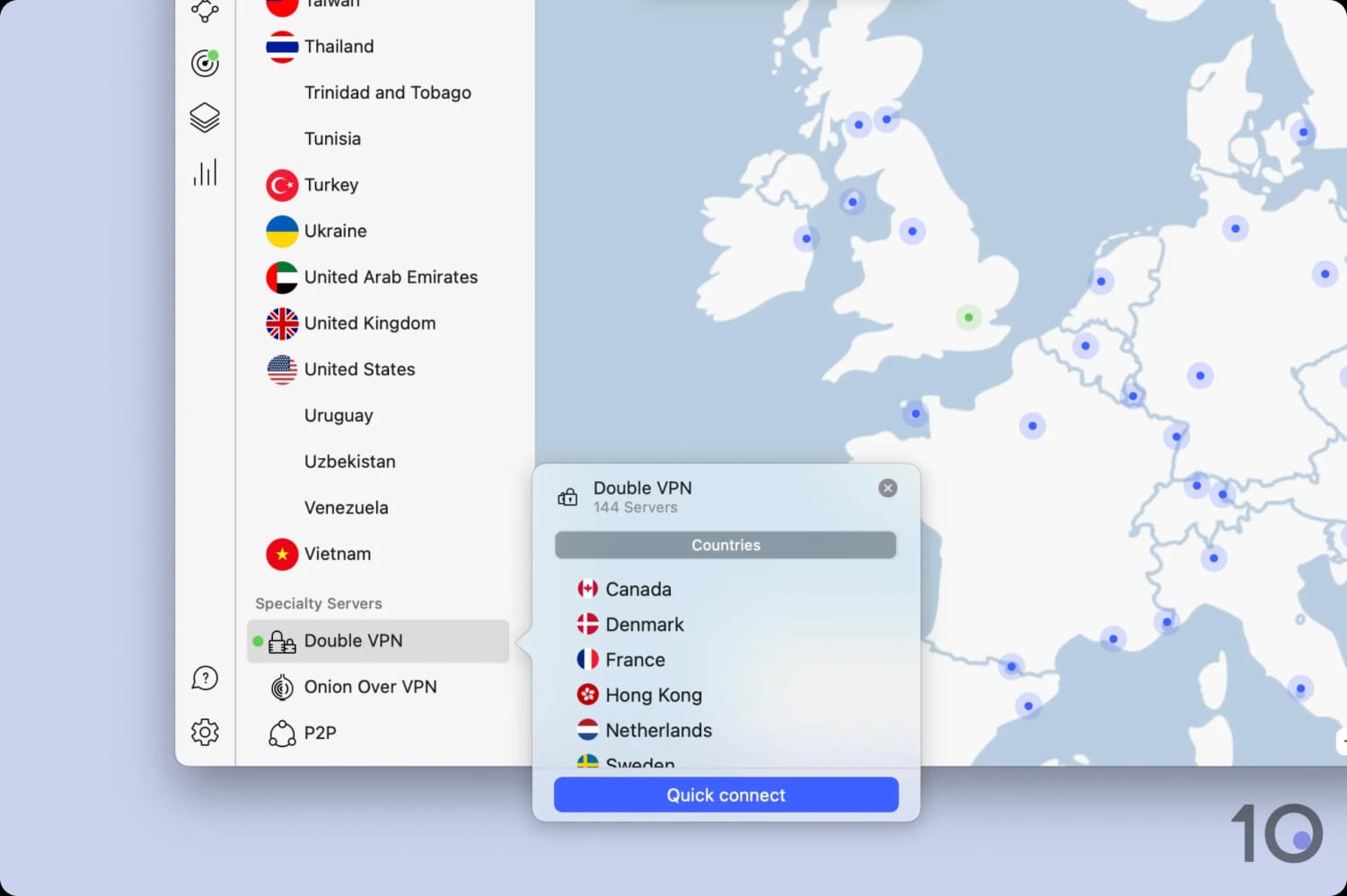
NordVPN’s multi-hop servers work perfectly.
NordVPN’s Double VPN is a good multi-hop tool, but it’s currently limited to just 10 countries, all in either Asia, North America, or Western Europe. In comparison, Surfshark’s and IPVanish’s dynamic multi-hop features offer a much wider choice of locations.
Threat Protection Blocks Malicious Websites & Ads
NordVPN’s Threat Protection feature is one of the best VPN ad and malware blockers I’ve used. Based on my tests, it blocked 100% of ads and 79% of analytic trackers.
An ad blocker improves security as malicious ads are sometimes used to infect your device with malware. By preventing most ads from loading, Threat Protection reduces the risk of your device being compromised.
Meshnet Lets You Connect Back Home for Free
Meshnet is a unique feature that no other VPN service offers. Available for free, it lets you route internet traffic through a regular internet-connected device, like a laptop, rather than a VPN server.
NordVPN primarily promotes Meshnet as a tool for file-sharing and LAN gaming, but those are both rather niche. Instead, I use Meshnet to connect to my home network while I’m traveling.
It’s also a completely free way to bypass geo-restrictions and even Netflix’s password sharing ban.
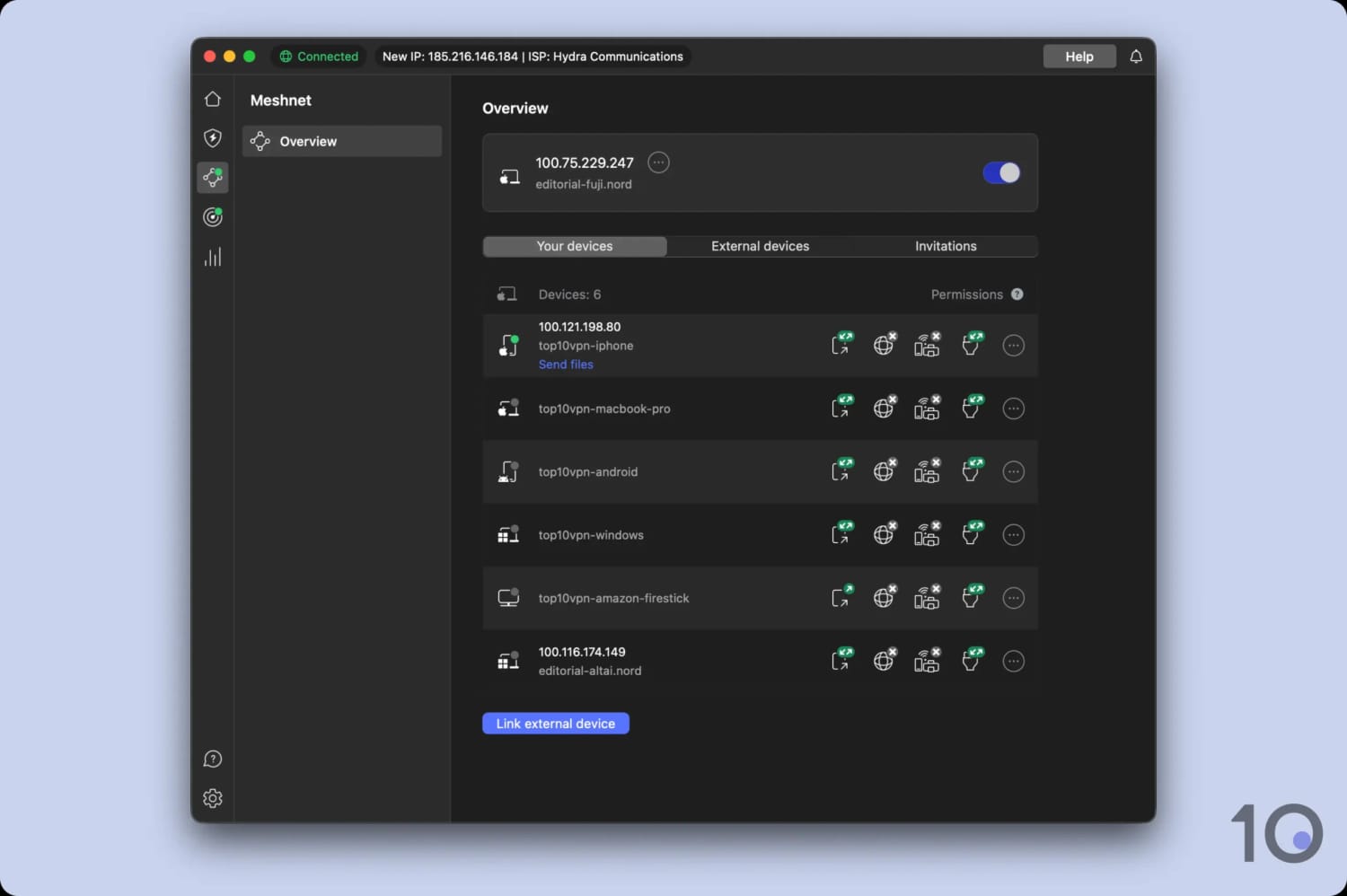
I got a residential IP address for free using Meshnet.
Dedicated IPs Can Compromise Anonymity
NordVPN provides dedicated VPN IPs for an additional $4.19 per month. I was slightly shocked to learn that these IP addresses are linked to your NordVPN account.
This means law enforcement has direct access to a user’s full details if they suspect the IP is tied to illicit activity.
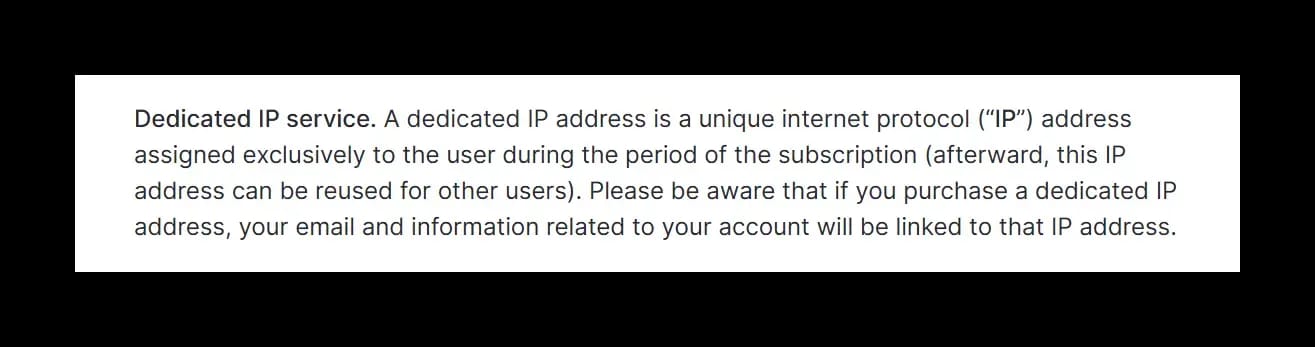
NordVPN’s dedicated IP address is linked to user accounts.
Other VPNs, like CyberGhost and ExpressVPN, have addressed this issue by using a token-based system which keeps your identity anonymous. I hope that NordVPN eventually does the same.


