



Privacy
Ranked #19 out of 59 VPNs for Privacy
PrivateVPN claims to be a no-logs VPN service that has never supplied user data to a third party. That's reassuring, but without an independent audit or court case to back this up, you're taking the VPN service at its word.
| Originating IP Address | No |
|---|---|
| Browsing Activity | No |
| Individual Connection Timestamps | No |
| Date of Last Connection | No |
| VPN Server IP | No |
| Device Information | No |
| Individual Bandwidth Usage | No |
| Account Information | Yes |
You can read PrivateVPN's full privacy policy on its website.
The only information that PrivateVPN retains is your email address, which isn’t linked to your web activity. You can also sign up with an alias email, just to be sure.
PrivateVPN permits payments via an anonymous method (Bitcoin) so that you don’t have to hand your data over to a third-party processor like PayPal or Stripe.
On paper, this qualifies PrivateVPN as a ‘no-logs’ service, but the massive caveat is that none of this has been proven. The VPN hasn’t undergone an independent audit, server seizure, or court case.
Even publishing semi-regular transparency reports detailing any data requests it has received would go a long way in validating its privacy policy.
Until then, it comes down to how much you trust PrivateVPN’s claims, especially since its Swedish jurisdiction leaves it vulnerable to intrusive data laws.
From an infrastructure standpoint, it’s also disappointing to see PrivateVPN rely on traditional disk storage instead of diskless, RAM-only servers. Diskless servers make it near-impossible to log user data because they wipe all memory every power cycle.
Failed to Disclose Data Gathering on Free Trial Users
Our research found that PrivateVPN previously logged the IP addresses of users signing up for its free trial. PrivateVPN told us these IP addresses were securely stored in a “dummy database” and linked to “no other data.”
Although this type of logging was done privately and only to prevent abuse of its free trial, the problem is that PrivateVPN didn’t disclose its logging anywhere.
To its credit, after my team raised this issue with PrivateVPN, it swiftly changed its behavior. The VPN no longer tracks the IP address of new free trial sign-ups.
Streaming
Ranked #8 out of 59 VPNs for Streaming
PrivateVPN is one of the best VPNs for streaming outside of the household names. The VPN's dedicated IP servers unblocked 10 Netflix libraries and nearly every US-based streaming service that I test. Outside of the US, the VPN has a good-to-mixed record with it sometimes failing to access certain European and Asian content platforms.
| Streaming Service | Works with PrivateVPN |
|---|---|
| BBC iPlayer (UK) | Yes |
| DAZN (Canada) | Yes |
| Disney+ (UK) | No |
| Hulu (US) | Yes |
| ITVX (UK) | Yes |
| HBO Max (US) | Yes |
| Netflix (US) | Yes |
| Netflix (UK) | Yes |
| Prime Video (US) | Yes |
| Sky Go (UK) | Yes |
PrivateVPN includes dedicated IP servers, which assign IP addresses exclusive to your account and, in my experience, perform much better for streaming than a standard VPN IP.
The catch is that these IP addresses are only available in 13 locations, restricting where you can bypass geo-restricted content. I saw this first-hand in my Netflix testing, where the regions the VPN unblocked broadly lined up with its dedicated IP locations.
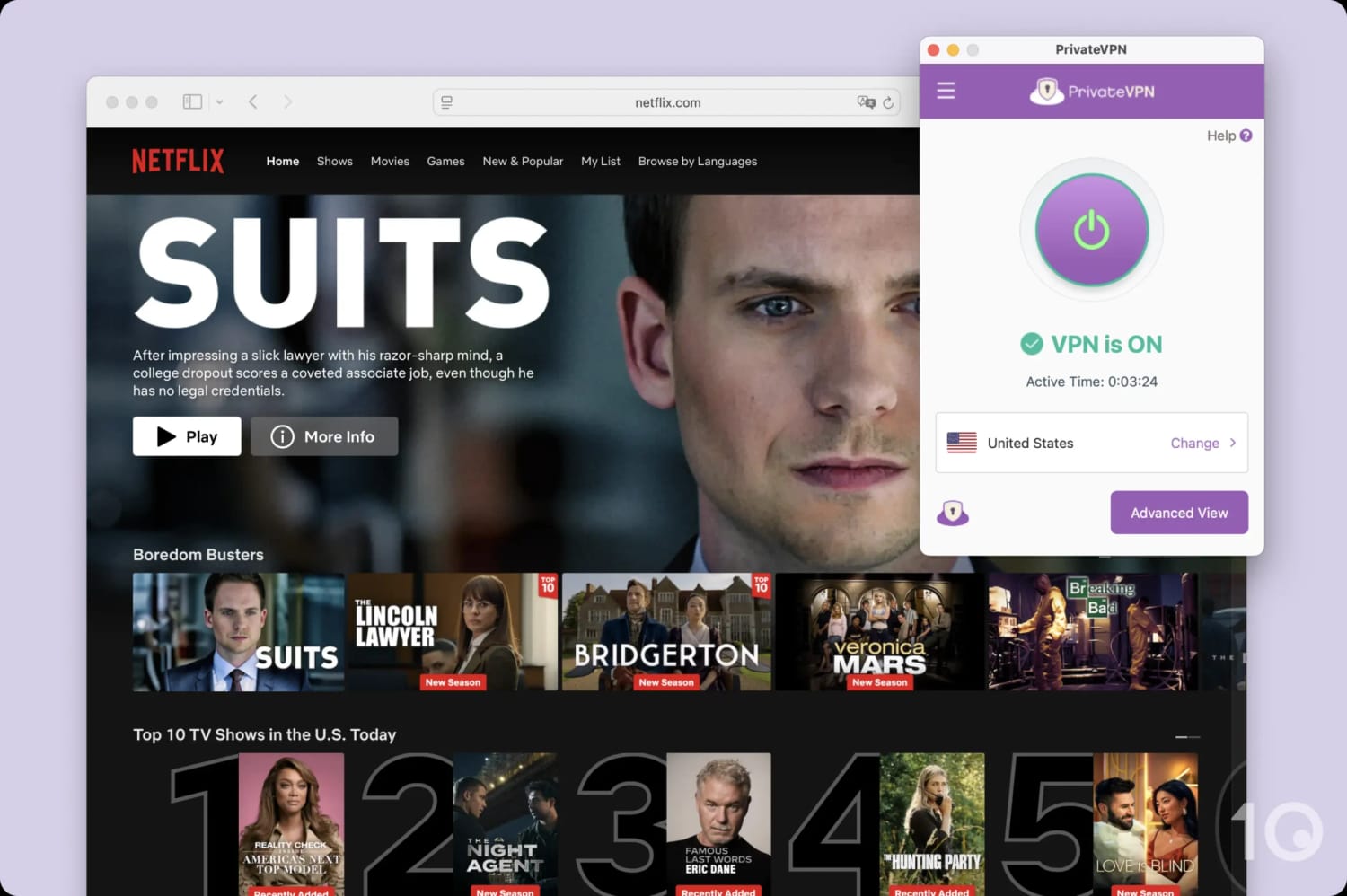
You must use the New York dedicated IP to stream US Netflix.
Yet even within this list, streaming performance varied substantially: connecting to Japan and Ireland saw my stream constantly buffer and drop to SD, whereas my video resolution was much higher in the US and Canada.
This inconsistency continued in my US streaming tests, where trial and error revealed that you have to connect to the New York dedicated IP to stream US Netflix. Interestingly, this restriction doesn’t apply to other US-based streaming services where I was able to use the main server list to access subscription services like HBO Max, Peacock, Hulu, and Prime Video, in full HD.
The VPN performs best in the UK, where it punches well above its weight. Despite having just two UK server locations, PrivateVPN consistently unblocks BBC iPlayer, something even big-name rivals like ExpressVPN occasionally struggle with. It also streamed Sky Go, ITVX, and Now TV, making it one of my favorite budget-friendly options for British content.
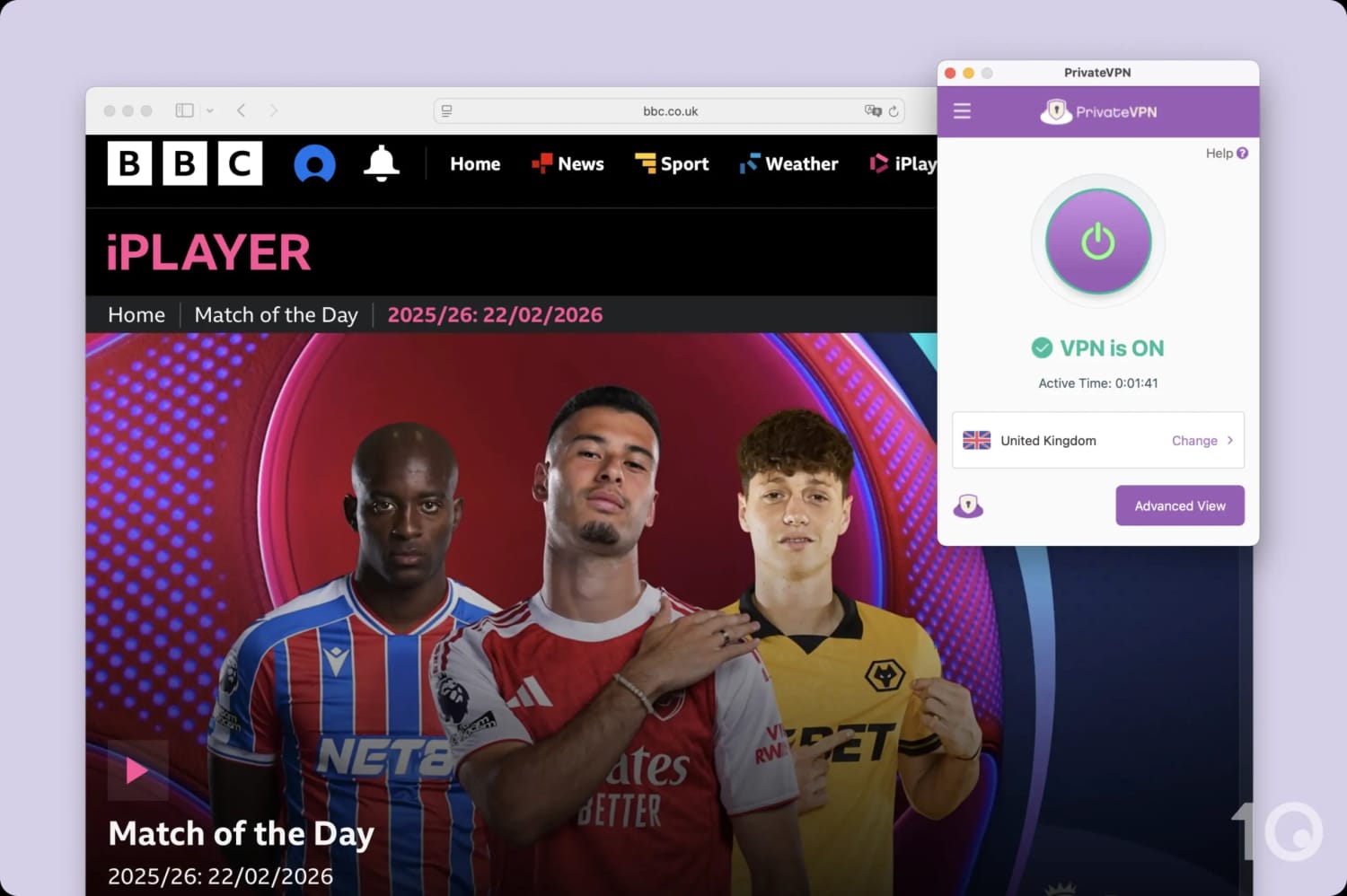
PrivateVPN successfully bypasses BBC iPlayer’s notorious VPN blocks.
Outside of the US and UK, my experience varied by dedicated IP availability. In Germany, for instance, the absence of a dedicated server made it impossible to stream ARD, RTL+, or the German version of DAZN. Despite the VPN’s success with Netflix India, I was blocked from accessing JioHotstar on every attempt.
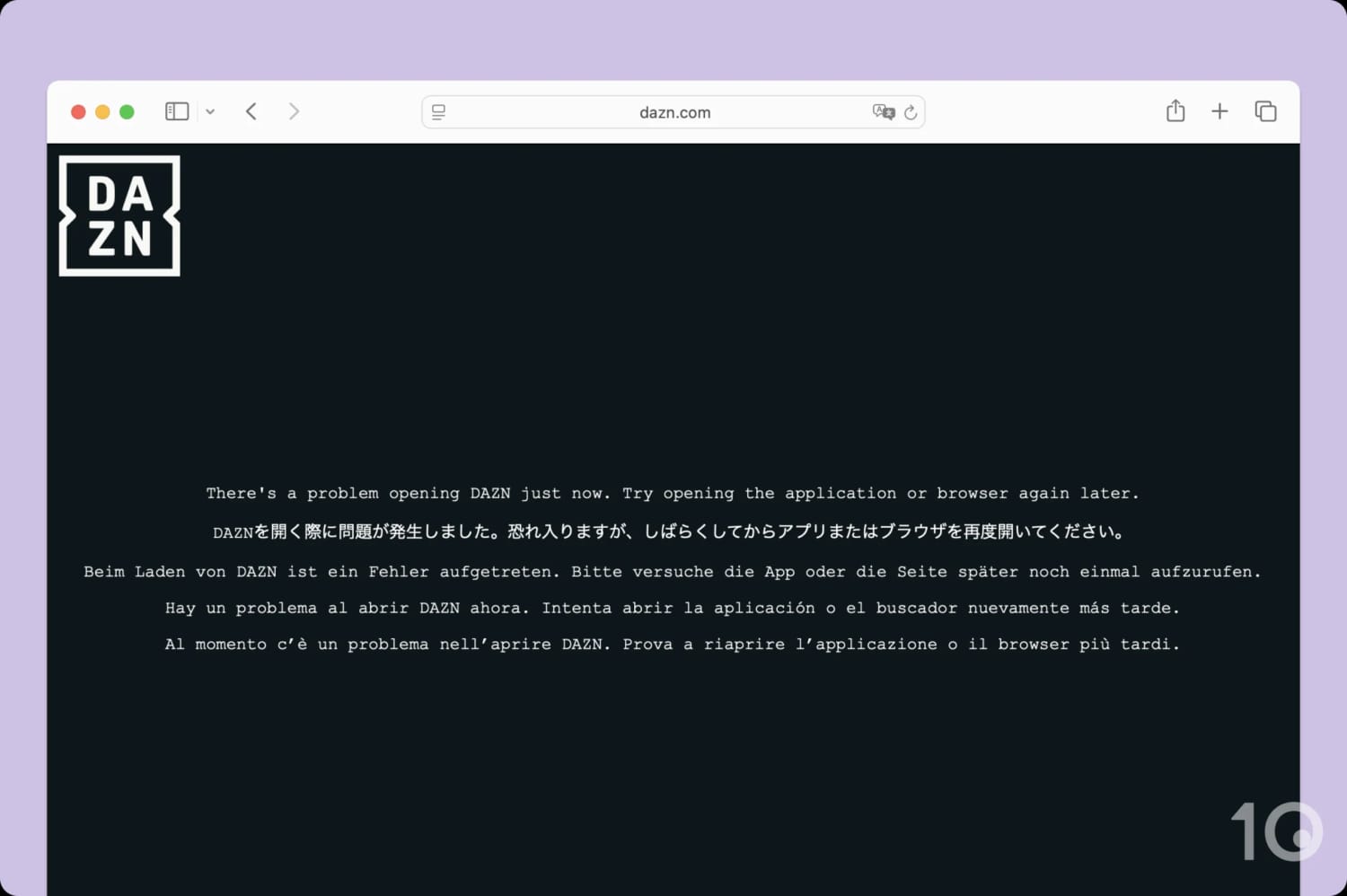
I tried PrivateVPN’s Berlin server with DAZN.
Aside from the above, the other major downside to using PrivateVPN for streaming is its poor compatibility with TV-connected devices. Though it has an app for Fire TV and Android TV, it doesn’t have a Smart DNS feature for Apple TV and games consoles. Plus, there’s no router app to use it on Roku and Chromecast devices.
Speed
Ranked #22 out of 59 VPNs for Speed
When connected to a nearby server, my test results show that PrivateVPN is fast. My download speeds dropped by just 4%, meaning the VPN is fast enough for streaming, gaming, and almost everything else. However, PrivateVPN's global speeds are less impressive, and its congested servers often lead to slowdowns.
To maintain fair and unbiased speed testing, I measured my internet speeds before and after connecting to PrivateVPN servers around the world. I performed a series of tests over several days and then took the average numbers from each.
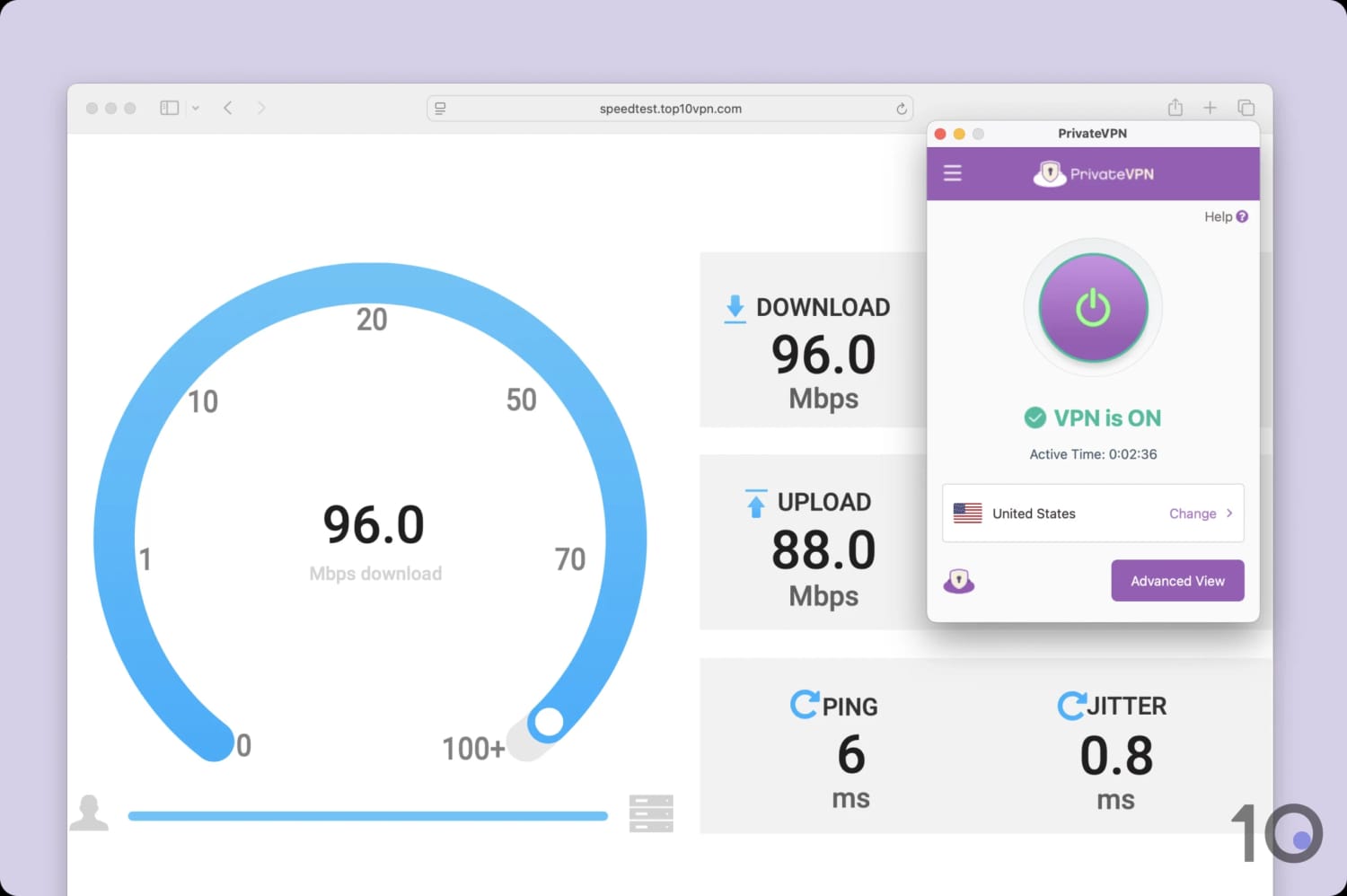
PrivateVPN is fast on nearby servers.
As you can see, PrivateVPN’s short-distance speeds are impressive. My download speed loss matched the performance of other top VPNs that cost a lot more.
However, the reductions in speed much larger than expected when connecting to some far-away servers. My download speed dropped by 39% connecting to South Africa and 24% connecting to Australia.
To prevent server congestion, the other VPNs listed above have 10Gbps servers in more locations and have server networks much larger than PrivateVPN. I’d like PrivateVPN to address both of these issues in a future update.
Security
Ranked #36 out of 59 VPNs for Security
PrivateVPN takes a no-frills approach to security, covering the fundamentals with OpenVPN and AES-256 encryption. Beyond this, its suite is quite basic: WireGuard requires manual configuration, post-quantum cryptography (PQC) is absent, and the apps remain closed-source. Moreover, my testing revealed IPv6 leaks on Linux and inconsistent kill switch performance across all platforms.
| Independent Audit | No |
|---|---|
| VPN Kill Switch | Yes |
| Leak Protection | Yes |
By default, the VPN tunnels your internet traffic via OpenVPN with AES-256 encryption. There’s nothing wrong with this setup, as it’s secure and industry-backed, but I’d like the option to select WireGuard.
PrivateVPN has partially addressed this by allowing you to manually configure a WireGuard connection, but this process is cumbersome, limited to one server location at a time, and requires some technical knowledge. I’d much prefer the ability to select WireGuard directly within the app, as I can with the other protocols.
Even more perplexing, the VPN still lets you use PPTP: an outdated and unsafe protocol from the 1990s. Why this is available in your PrivateVPN app but WireGuard isn’t, I don’t know.
Thankfully, PrivateVPN’s default setup is more than secure enough, which I tested myself using a data packet analyzer. The VPN encrypted my network traffic and displayed it as indecipherable ciphertext:
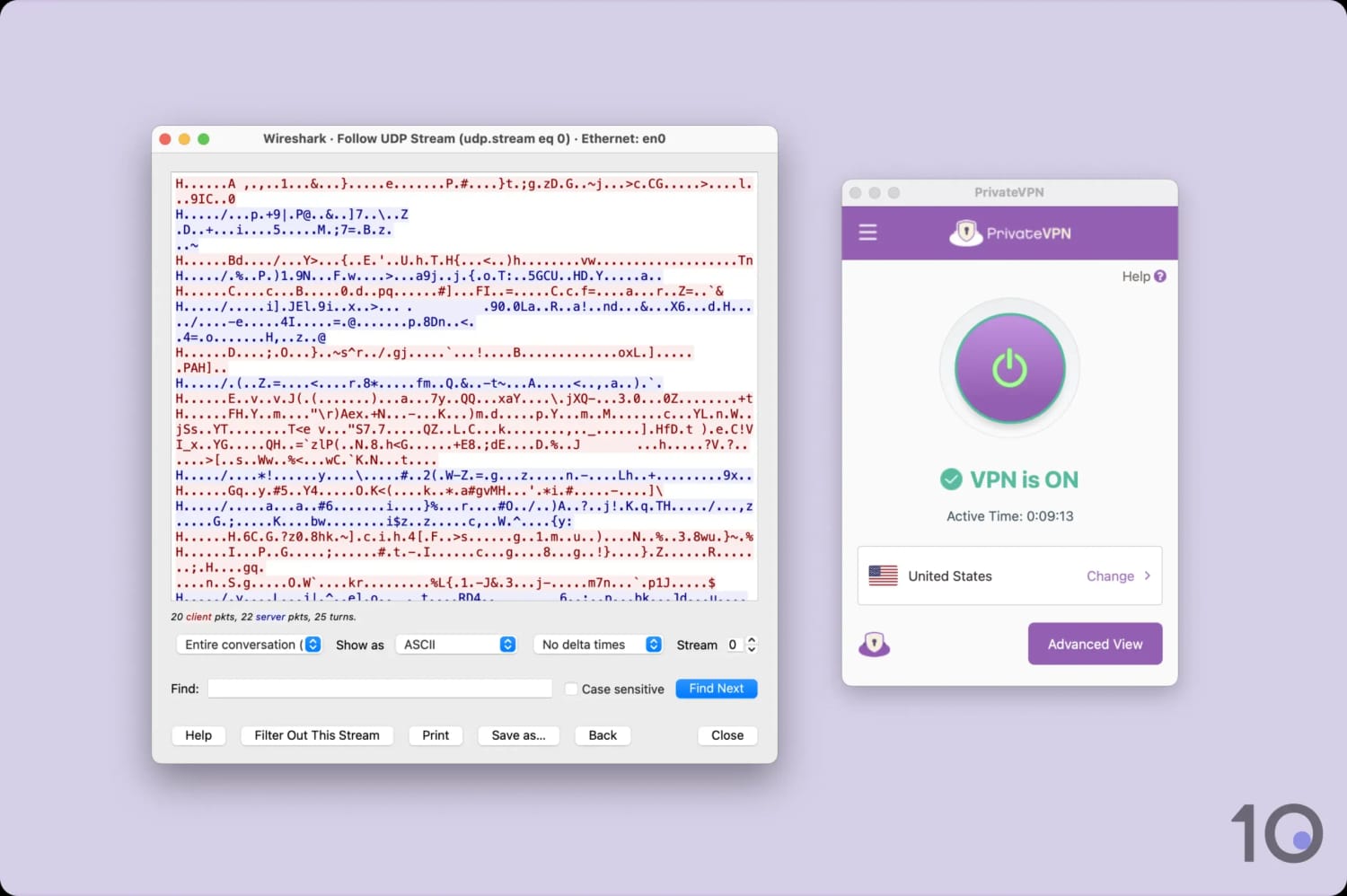
PrivateVPN’s encryption worked as intended.
To implement this encryption, the VPN uses Perfect Forward Secrecy (PFS), authenticates the data handshake using an SHA-384 hash, and encrypts the traffic with the AES-256 cipher.
In short, these protocols work together to ensure your data is kept safe, secure, and private.
The VPN has a kill switch for desktop and mobile, but it’s not enabled by default so make sure you have it turned on within the ‘Connection Guard’ tab of the settings menu. This feature is vital for cutting your internet connection in case of a sudden VPN timeout, so it’s concerning that PrivateVPN requires you to enable it manually.
When testing Connection Guard, it worked flawlessly to prevent my real IP address from leaking during an unexpected disconnect. However, I discovered that PrivateVPN’s app leaked our IP address when changing servers. The app does show you a warning before this happens, giving you the option to cancel and disconnect first, but it’s disappointing that the service hasn’t fixed it.
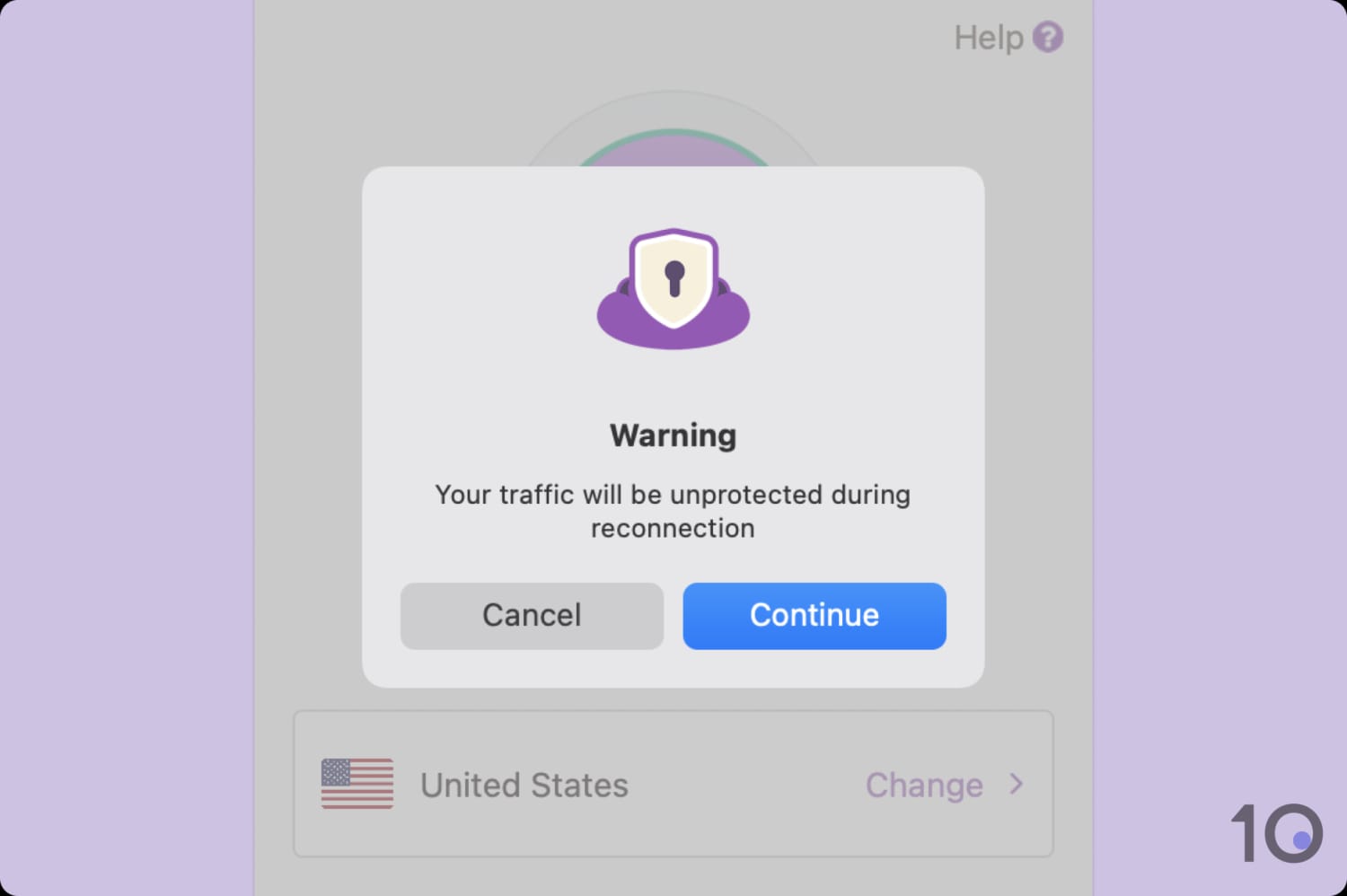
Your personal data is exposed when changing servers.
Leaks IPv6 Addresses on Linux
My research found that PrivateVPN leaks IPv6 addresses on Linux. Although its standard VPN apps come with IPv6 leak protection, this is absent from the Linux software.
This is a serious privacy issue that should be fixed as soon as possible. In the meantime, you’ll have to disable IPv6 from the Linux system settings.
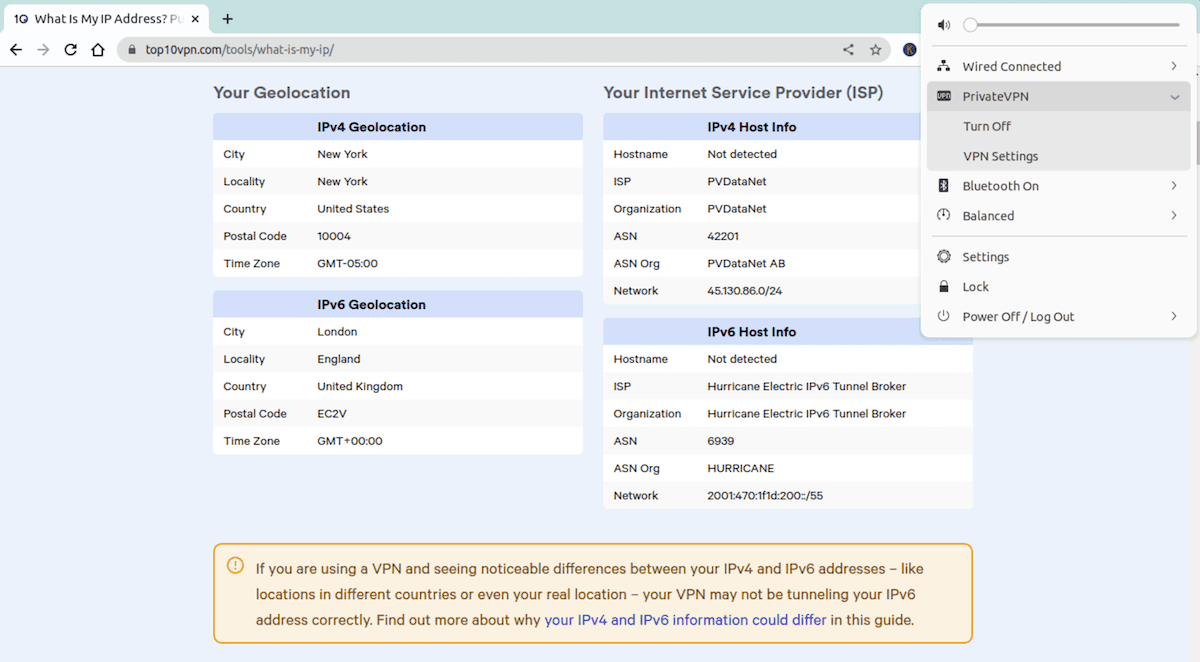
Running on Ubuntu, PrivateVPN leaked my IPv6 address.
Server Locations
Ranked #16 out of 59 VPNs for Server Locations
PrivateVPN provides IP addresses in 62 countries, covering the most popular locations. While this is nowhere near what my top picks offer, it's still a decent total for the VPN's price point. That said, the network consists of just 200 servers, which is too small for any mainstream provider and bound to bottleneck your speeds.
| Continent | Countries with Servers |
|---|---|
| Europe | 34 |
| Asia | 14 |
| North America | 5 |
| South America | 5 |
| Africa | 2 |
| Oceania | 2 |
Servers are available in popular locations like the US, the UK, Australia, Japan, Germany, and Canada. All of these include a choice of city-level servers, too, so you can connect to the nearest server to you in a specific country.
I particularly appreciate that PrivateVPN has servers in five South American countries, as many other VPN services only offer a Brazil location.
There are still some sought-after regions that PrivateVPN needs to address, though. Coverage in Africa isn’t good enough, especially without servers in Egypt and Morocco. There are no options in the Caucasus, Pakistan is a massive omission, and the Middle East is underrepresented.
If you need IP addresses from any of these countries, I recommend using either of the industry leaders for server coverage: Proton VPN or NordVPN.
In my opinion, the biggest problem here is actually PrivateVPN’s total server count. With 200 spread across 62 countries, you’re going to experience congested servers and slower download speeds.
User Experience
Ranked #7 out of 59 VPNs for User Experience
PrivateVPN’s apps are easy to use and well-designed. The interface is consistent across platforms, so you’ll get a similar experience across your devices. I do wish it was simpler to change protocol and other VPN settings, though.
Interface & Ease of Use
PrivateVPN’s interface is customizable, meaning you can choose between a ‘simple’ view and ‘advanced view’. The latter lets you change specifics like your protocol, level of encryption, and other settings in tabs on the left.
I found myself using the advanced view more often in my day-to-day, but if you preset your settings, the simple view is perfect for a quick connection.
Expand the sections below to find out how the VPN looks and feels across platforms:
Desktop & Laptop (Windows & Mac)
Exclusively on its desktop apps, PrivateVPN allows you to choose between a ‘simple view’ or an ‘advanced view’.
From the app’s advanced view, you can manually configure a range of settings, like the encryption cipher and IPv6 leak blocking. This makes the advanced view great if you want to tailor the service to suit your preferences.
On the other hand, the simple view just displays the app home screen, which makes it ideal for complete novices. That said, I do wish some of the simpler settings — like changing the VPN protocol — could be accessible from this view.

PrivateVPN’s apps for Windows and macOS.
Sadly, unlike almost every other VPN app, PrivateVPN can’t automatically choose the fastest server based on your location. You can at least sort the server list by nearest location, but this is exclusive to Windows.
Choosing a server is easy on the desktop apps, thanks to the availability of a search function and the ability to ‘favorite’ a location for future access. Each server also displays its ping to give you an idea of its distance from your physical location.
Something that bothered me over time is how the server list opens in an entirely new window and obstructs the home screen of the PC app. Because of this, it took me a while to realize that you have to close the window to return to the main app.
Thankfully, this isn’t as bad on Mac: the server list launches in a much slimmer window and to the side of the main app, leaving the latter visible.
Disappointingly, PrivateVPN isn’t usable from the menu bar on Mac. Other VPNs let you quickly change server location from here, but PrivateVPN doesn’t have this functionality.
Mobile (iPhone & Android)
PrivateVPN’s iOS and Android apps are basic but very easy to use. From the home screen, you can connect or disconnect from the VPN using the large on/off button.
Disappointingly, though, PrivateVPN hasn’t added any mobile-only features to make the app better to use. It doesn’t include a dark mode interface and there’s no integration with the Shortcuts app on iOS. Nor are there widgets available for iOS and Android.

PrivateVPN’s apps for Android and iOS.
Unlike the desktop apps, the mobile apps don’t have a ‘simple’ or ‘advanced’ view. To change the VPN’s settings, simply tap VPN Settings. I recommend turning on the kill switch from here as soon as you download the app as it’s not enabled by default on Android.
In short, PrivateVPN’s mobile apps are the most basic I’ve seen from a leading VPN service. The VPN will continue to lag behind the competition unless it puts development time into integrating with the device it’s built for.
Amazon Firestick & Fire TV
PrivateVPN features a simple and easy-to-use app for Amazon Fire TV Stick. Using it, I could quickly connect to a server to unblock 10 Netflix libraries on our TV.
Changing the server location was simple, too. Although I would have liked the ability to search for a specific location rather than scrolling through the entire list of countries.
One drawback to the app’s interface is that it hasn’t been optimized for Fire TV. As it’s a scaled-up version of its Android app, which was originally designed for touch input, it’s difficult to work out which setting you’re controlling at any given time. The only indication is the button in focus gains a faint green-colored border.

PrivateVPN’s app for Amazon Fire TV.
To fix this, I’d like to see PrivateVPN develop a custom app for Fire TV. Other VPNs, like Proton VPN and ExpressVPN, include a customized app for Firestick. These have been designed with larger screens in mind, making them much easier to use.
Torrenting
Ranked #17 out of 59 VPNs for Torrenting
PrivateVPN allows P2P traffic and port forwarding on all of its servers, making it a solid choice for private torrenting. The VPN’s use of AES-256 encryption, private DNS servers, and no logging to ensure your torrenting activity won't be traced back to you.
| Torrenting Attribute | PrivateVPN |
|---|---|
| Permits P2P Traffic | Yes |
| Average Download Bitrate | 9.6MiB/s (4% loss) |
| Countries with P2P Servers | 62 |
| Port Forwarding | Yes |
| Kill Switch | Yes |
| Logging Policy | No Logs |
I tested PrivateVPN with various torrent clients, and each time I was able to download a torrent file without any interruptions. You won’t have any trouble downloading large files like movies, music, and software.
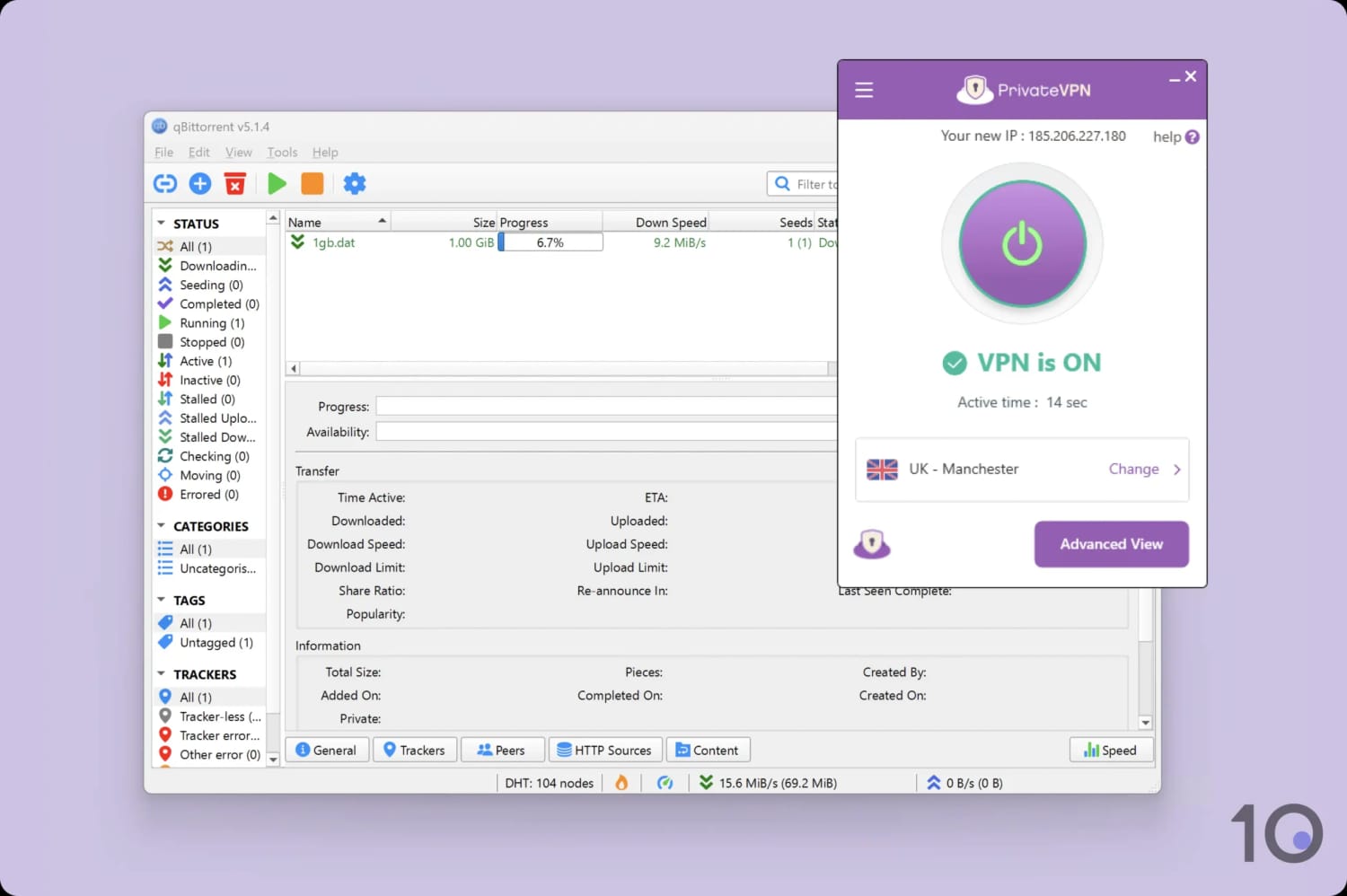
PrivateVPN is among the fastest VPNs for torrenting.
Although torrenting is allowed on all of its servers, I recommend you only connect to a location from the ‘Dedicated IP’ server list.
These servers are owned and controlled by PrivateVPN, unlike all other servers which are rented from third parties. This allows for an additional layer of control and security, which is essential when it comes to keeping torrenting activity private.
Additionally, these servers allow all ports to be forwarded automatically, so you don’t have to configure it manually. This allows PrivateVPN to be faster than many other VPNs for torrenting.
To show this, here’s a comparison table showing PrivateVPN’s performance compared to other leading torrenting VPNs when downloading a 20GB torrent file:
| VPN Service | Download Bitrate | Time To Download 20GB Torrent File |
|---|---|---|
| No VPN | 10MiB/s | 32 minutes |
| PrivateVPN | 9.6MiB/s | 33 minutes |
| Surfshark | 8.7MiB/s | 36 minutes |
| CyberGhost | 3.9MiB/s | 1 hour 21 minutes |
Device Compatibility
Ranked #26 out of 59 VPNs for Device Compatibility
PrivateVPN has native apps for all major platforms and devices, including Windows, macOS, iOS, and Android. However, there aren’t any browser extensions or a Smart DNS tool.
| Windows | Yes |
|---|---|
| Mac | Yes |
| iOS | Yes |
| Android | Yes |
| Linux | Yes |
| Amazon Fire TV | Yes |
| Android TV | Yes |
| Apple TV | No |
| Router | Manual Setup Only |
| Chrome | No |
Simultaneous Connections: 10
Given PrivateVPN is designed for streaming, I was very disappointed to discover that it doesn’t offer a Smart DNS proxy. Compounding this, the VPN doesn’t have a router app or offer any pre-installed routers for sale.
This means you’ll have to set it up on your router manually to unblock streaming sites on devices like a PS5 or Apple TV. Unless you’re tech-savvy, I don’t recommend doing this as it can brick your router.
Using PrivateVPN, you can connect up to 10 devices to a VPN server at once. This is the standard amount and more than enough unless you’re sharing an account with family or friends.
Additional Features
Ranked #25 out of 59 VPNs for Additional Features
PrivateVPN doesn’t offer a lot of additional features. The VPN is missing multi-hop, split tunneling, and a tracker blocker. However, its dedicated IPs and Stealth VPN protocol performed well in our tests. I also appreciate PrivateVPN’s 24/7 live chat customer support.
| Additional Feature | PrivateVPN |
|---|---|
| Split Tunneling | No |
| VPN Obfuscation | Yes |
| Multi-Hop Servers | No |
| Dedicated IP | Yes |
| Ad Blocker | No |
Dedicated IP Servers
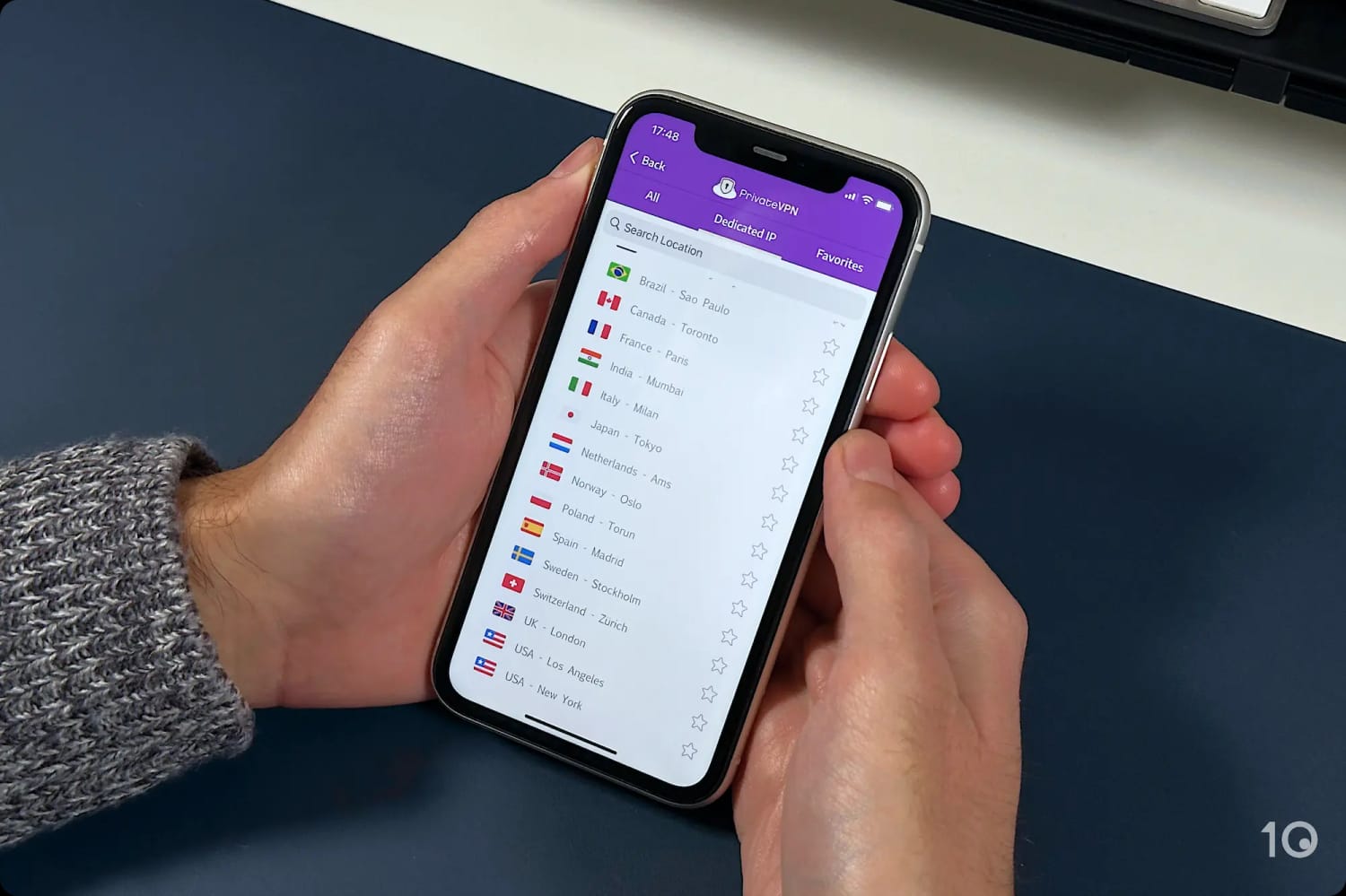
All of PrivateVPN’s apps come with a separate tab allowing you to connect to ‘Dedicated IP’ servers. Unlike most other VPNs, this feature doesn’t cost extra and is included with every subscription.
When you connect to one of the servers, your IP address won’t be shared with any other user. As the IP address is exclusive to you, these servers are excellent for bypassing streaming geo-blocks. They’re still dynamic, too, so you will get a different IP when you reconnect.
PrivateVPN owns all of these servers, with none rented from third parties. This is excellent for privacy and security, as it removes any additional intermediaries that are responsible for your data.
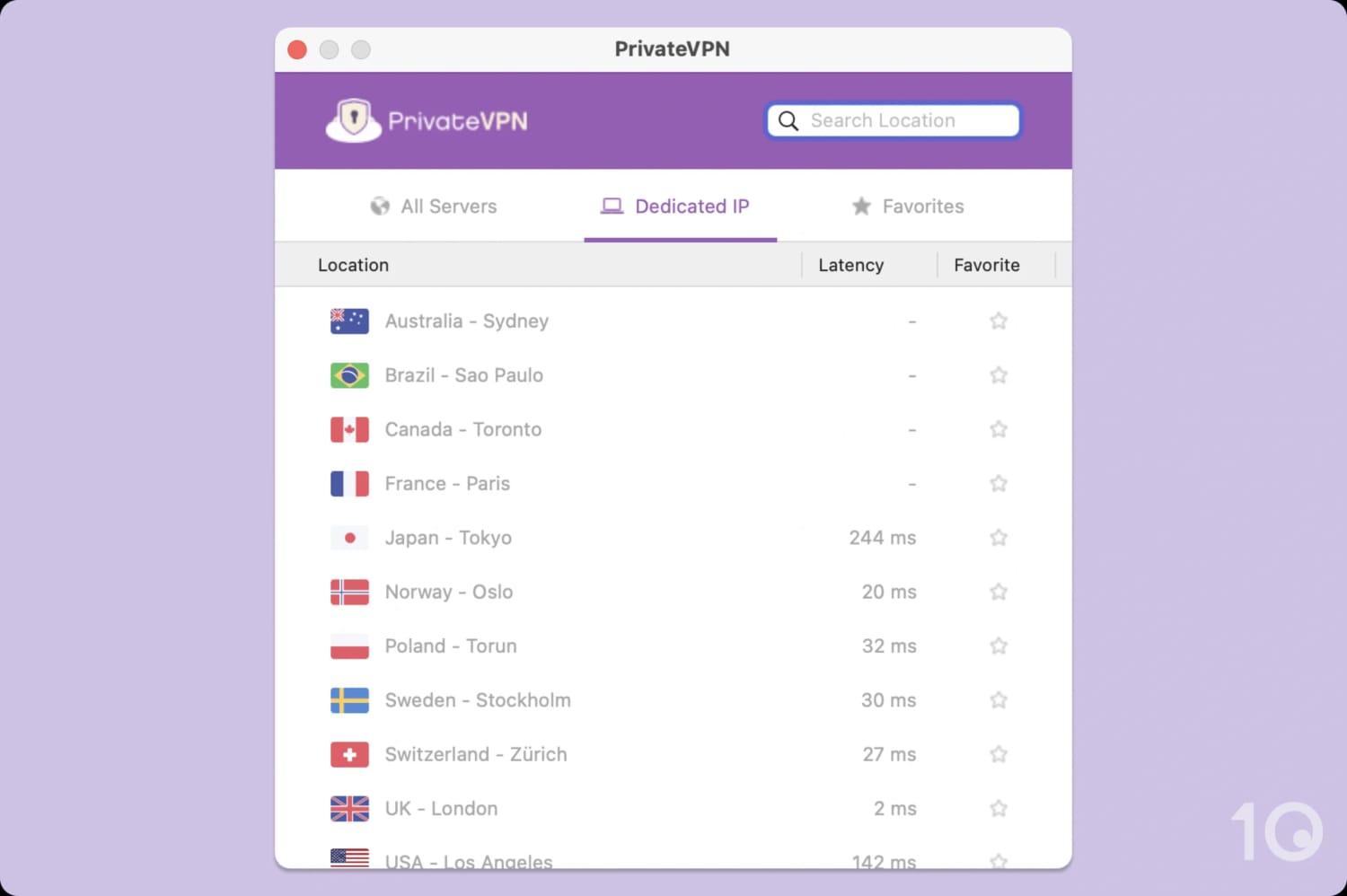
PrivateVPN provides dedicated IPs in 13 locations.
PrivateVPN Works in China
PrivateVPN is one of the most reliable VPNs to use in China. I found it works around 73% of the time. Other top-rated VPNs, like NordVPN and Surfshark, have a China uptime of 13% and 11% respectively.
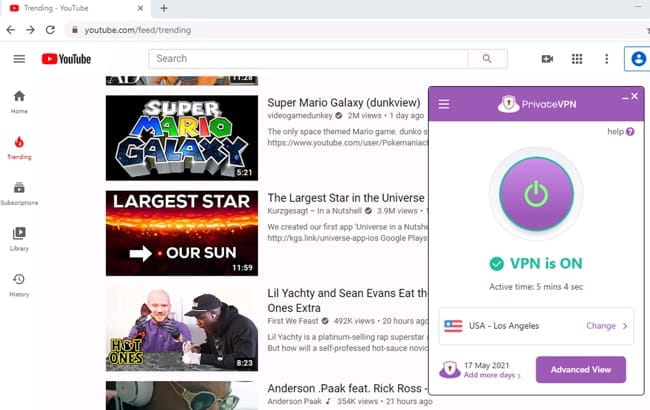
PrivateVPN works reliably in China.


