Top10VPN is editorially independent. We may earn commissions if you buy a VPN via our links.
Is Proton VPN Good for Torrenting?


The Short Answer
Proton VPN, on a paid plan, is an excellent choice for torrenting anonymously. It uses a zero-logs policy to keep your downloads hidden, records fast file-sharing speeds, and supports P2P-optimized servers. Disappointingly, the free version of Proton VPN can’t be used for torrenting since its servers detect and block P2P traffic.

When you torrent without a VPN, anyone can see the files you’ve been downloading from your IP address including your ISP, law enforcement, and anyone else downloading the same file.
If you want to torrent safely, you need a VPN that’s designed to protect your privacy while torrenting. A VPN service secures your P2P traffic with AES-256 encryption, and assigns you a new IP address that can’t be traced back to you.
Our P2P tests found that Proton VPN is a great choice for torrenting. We love that it has torrenting-specific features, fast speeds, and a private no-logs policy.
We also tested and reviewed Proton VPN’s free plan, but we found that it doesn’t support P2P traffic at all. If you want to torrent with Proton VPN, you’ll have to get a subscription.
Proton VPN’s Torrenting Performance at a Glance:
| Average Bitrate | P2P Server Locations | Port Forwarding | Kill Switch | Logging Policy | Jurisdiction | |
|---|---|---|---|---|---|---|
| Proton VPN | 9.7MiB/s | 124 | Yes | Yes | No Logs | Switzerland (Privacy Haven) |
| Proton VPN Free | Torrenting Banned | 0 | No | No | No Logs | Switzerland (Privacy Haven) |
Why Trust Us?
We’re fully independent and have been reviewing VPNs since 2016. Our advice is based on our own testing results and is unaffected by financial incentives. Learn who we are and how we test VPNs.
Later in the guide, we’ll also cover some sensible alternatives to Proton VPN that you may find more suitable to your needs.
🔄 Recent Updates
We’ve updated our guide to cover Proton VPN’s newest P2P-optimized server locations. We also added alternatives to help you find the VPN best suited to your torrenting setup.
Is Proton VPN Good for Torrenting?
| Pros | Cons |
|---|---|
| P2P-optimized servers in 124 countries | Smaller server network |
| Port forwarding feature | Live chat customer support is not 24/7 |
| Privacy-friendly jurisdiction & zero-logs policy | Free plan does not support torrenting |
| Effective kill switch & malware blocker | |
| Strong encryption & secure VPN protocols | |
| Accepts cash payments | |
Out of all 61 VPNs we’ve tested, we rank Proton VPN the fourth-best VPN for torrenting. It offers P2P-optimized servers in 124 countries across the globe, has a strict zero-logs policy, and downloads torrent files extremely fast.
Proton VPN also has its own helpful torrenting guides, showing you how to: bind your BitTorrent client to the VPN, enable NetShield (Proton VPN’s malware blocker), and set up port forwarding on Windows, macOS, and Linux.
However, it just misses out on being one of our favorite VPNs for torrenting due to its slightly smaller overall server network.
Sadly Proton VPN’s free version doesn’t support torrenting traffic at all. If that’s what you’re looking for, you’ll have to subscribe to the paid version.
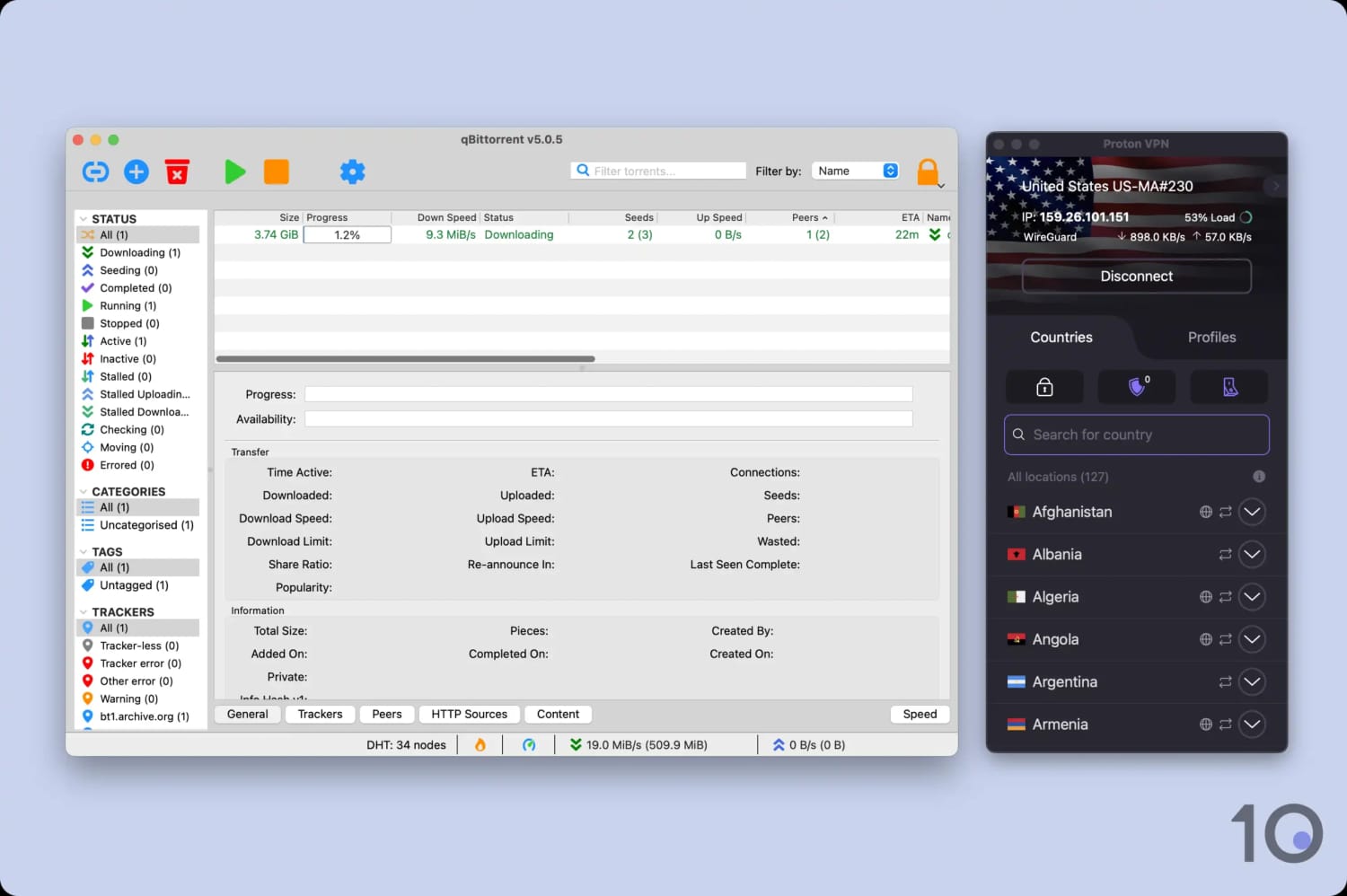
Proton VPN had a negligible impact on our file-sharing speeds.
Fast P2P Speeds
To test Proton VPN’s file-sharing speed, we downloaded a 1GB torrent file while connected to a nearby Proton VPN server. All testing was carried out using qBittorrent with a fixed 10MiB/s broadband connection to ensure a controlled testing environment.
We timed how long the file took to download and recorded the average bitrate. This test was then repeated multiple times to find the average download speed.
While using our New York server, our speed dropped from 10MiB/s to 9.7MiB/s. This is extremely fast for a VPN – though there are a couple competitors that outshine Proton VPN.
Here’s a quick comparison of the top-rated VPNs for torrenting versus Proton VPN:
| Average Bitrate (10MiB/s connection) | Time to Download 50GB Torrent File | |
|---|---|---|
| No VPN | 10MiB/s | 1 hour 19 minutes |
| PIA VPN | 9.6MiB/s | 1 hour 23 minutes |
| Astrill VPN | 10.0MiB/s | 1 hour 19 minutes |
| ExpressVPN | 9.8MiB/s | 1 hour 24 minutes |
| Proton VPN | 9.7MiB/s | 1 hour 22 minutes |
A Trustworthy No-Logs VPN
Proton VPN is one of the most private VPNs we’ve ever tested. It can be trusted to hide your real IP address and online activity from your ISP while torrenting.
There’s no record of where you signed in from, how long you were logged in, or what you accessed.
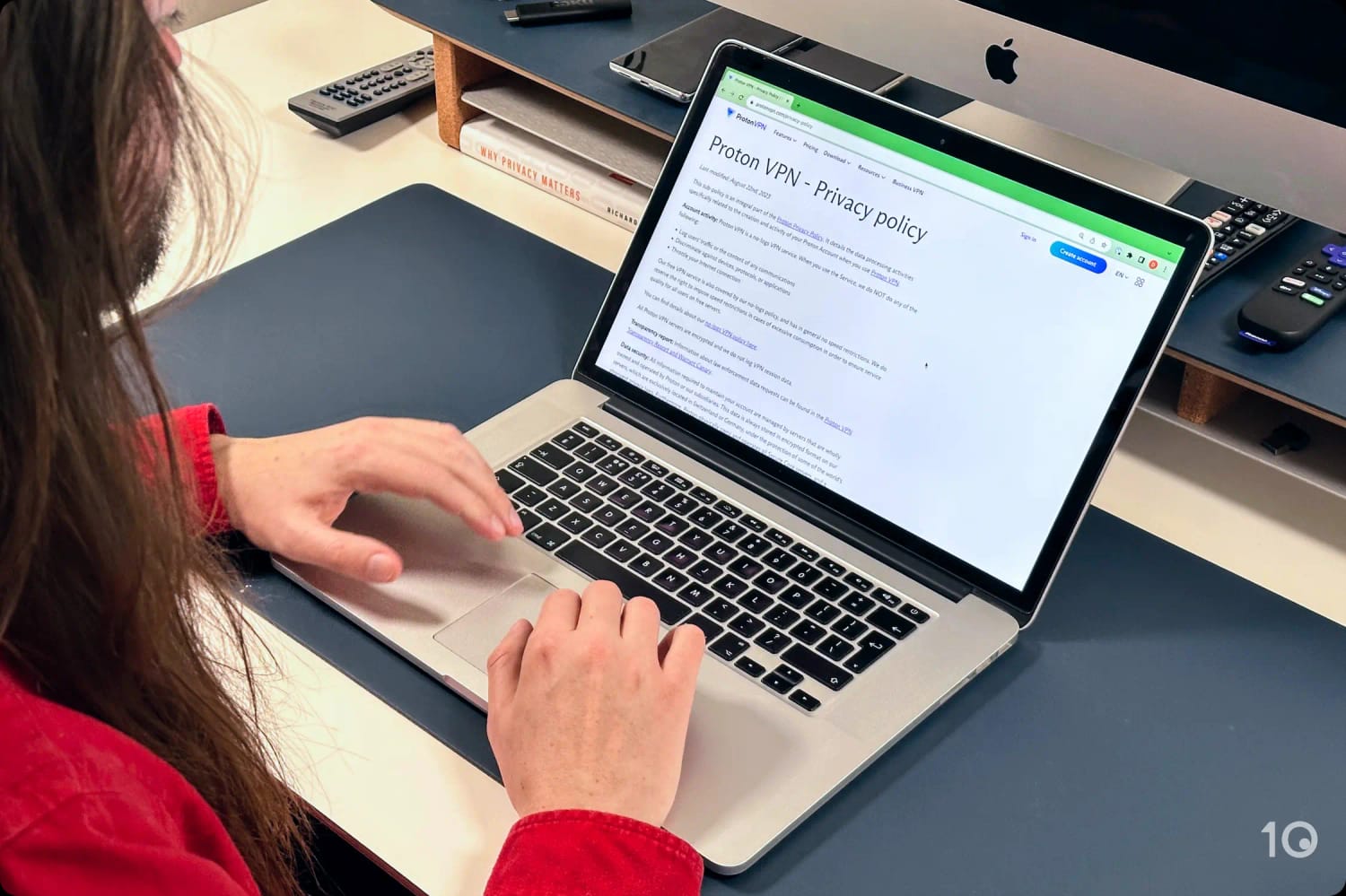
Proton VPN’s logging policy clearly describes what information is and is not retained by the service.
Here are some reasons why Proton VPN is one of the most private VPNs for torrenting:
- Genuine Zero-logs Policy: Proton VPN does not store any identifying information – no IP addresses, browsing activity, timestamps, or data usage.
- Proven No-logs in a Court Case: A Swiss court case approved a data request for Proton VPN. Proton VPN was unable to provide the requested information, as it simply hadn’t stored any.
- Independently Audited: Proton VPN publishes regular independent no-logs audits to verify their servers do not keep logs on its users.
- Based in Switzerland: With a history of respecting user privacy and not part of the EU – this is a safe VPN jurisdiction that doesn’t force VPNs to store or share user data.
- Anonymous Payment Methods: You have the option to pay with cash or cryptocurrency if you don’t want your Proton VPN account to be linked to your bank account.
Strong Encryption & Security Features
Proton VPN has a modern, comprehensive set of security features to protect your data and your privacy, which make it ideal for torrenting.
It supports both AES-256 and ChaCha20 encryption, depending on whether you want to use OpenVPN or WireGuard. Both VPN protocols are extremely secure and have been extensively checked by security professionals for bugs and vulnerabilities.
We tested Proton VPN’s encryption using Wireshark – a packet inspection tool. We found it successfully encrypted all our internet traffic, proving that it’s able to hide P2P activity from your ISP.
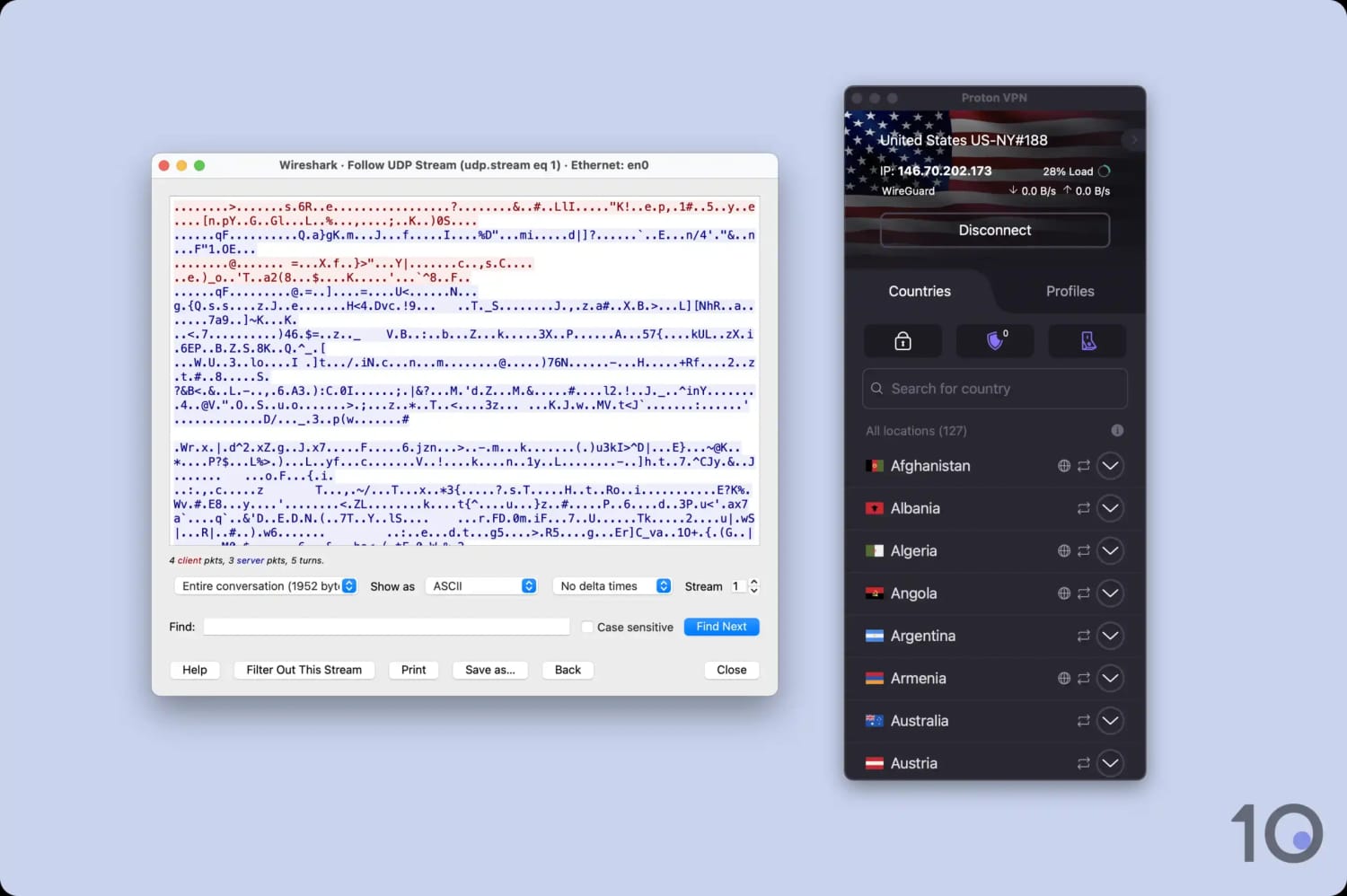
Proton VPN encrypted our test data transfers.
If your connection to the VPN drops, there is a risk that your real IP address could be exposed to your ISP or other torrenters in the swarm. Proton VPN includes an effective kill switch on Windows and macOS, which blocks all network traffic if your internet connection fails.
With Proton VPN’s port forwarding functionality, you can also bypass your router’s NAT firewall and create a direct connection to your torrenting client. This results in much faster P2P download and upload speeds.
P2P-Optimized Servers
Proton VPN offers high-performance servers that are specially configured for torrenting and other P2P activities. You can find them by looking for the two-arrow icon in the app’s server list.
You can connect to P2P-optimized servers in 124 server locations, including the US, UK, India, and more. This is exceptional and covers 98% of Proton VPN’s server network.
The only two locations where you can’t torrent are Myanmar and North Macedonia. Trying to torrent on one of these servers may lead to an error message or a redirection to a different server. This is because a number of the data centers Proton VPN rents its servers from do not allow P2P traffic.
As a solution, the provider uses a ‘Stateful Firewall’ that identifies P2P traffic and re-routes it to another VPN server that does permit torrenting.
Importantly, Proton VPN assures us that this firewall works without logging any identifiable information or seeing any of the files you’re downloading.
Can You Torrent with Proton VPN's Free Tier?
The free version of Proton VPN doesn’t support P2P traffic at all. According to the provider, this is to limit server congestion and prevent a decline in performance for those who really need the free service.
We tested this out ourselves and found Proton VPN Free disables the VPN connection if you try to torrent on their free servers.
When analyzing its privacy policy and audits, we found Proton VPN Free detects its torrenting activity using deep packet inspection. However, none of this information is stored by the VPN service.
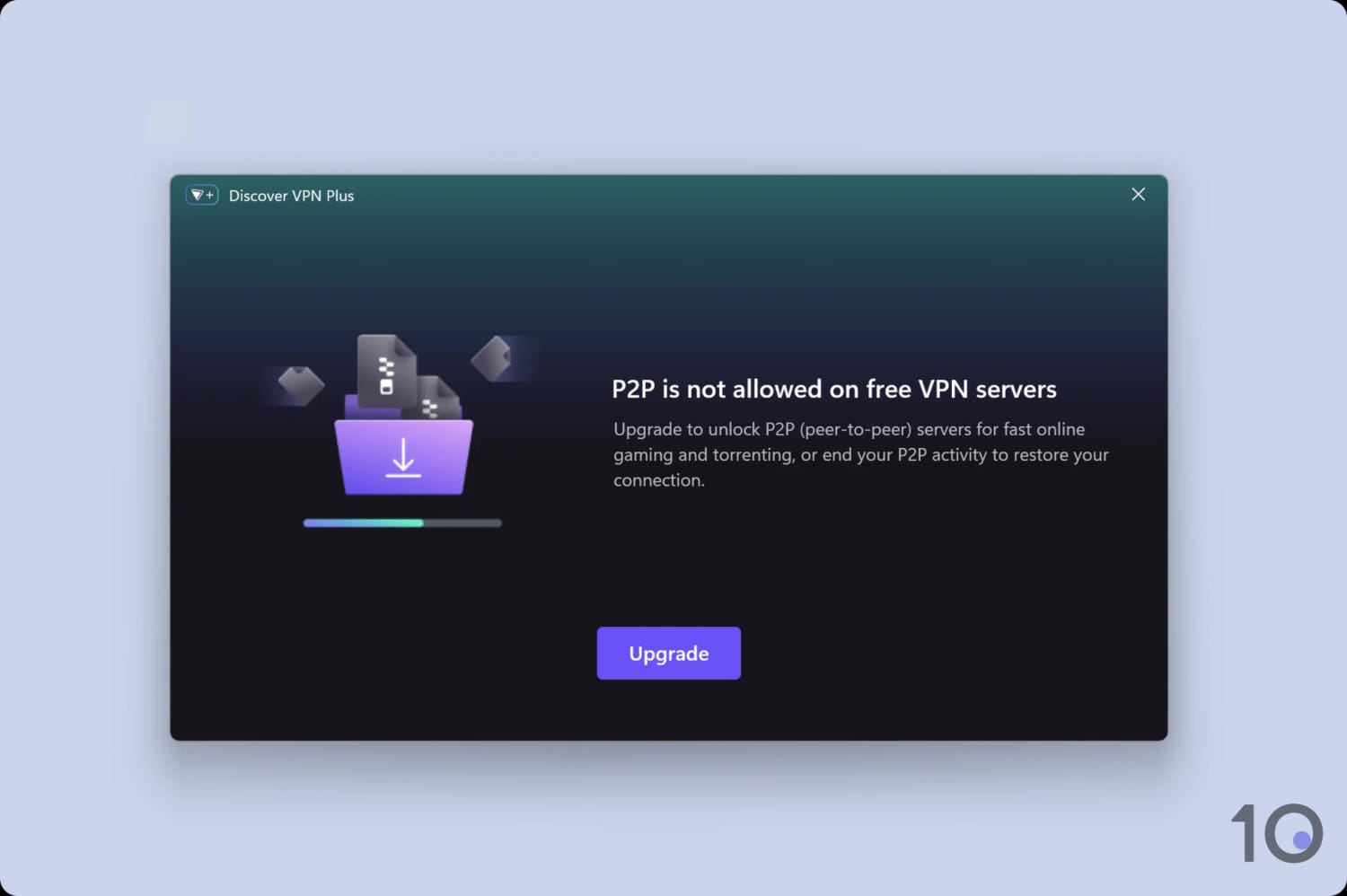
Torrent traffic is blocked on all Proton VPN Free servers.
If you want a risk-free way to trial Proton VPN for free, the service provider offers a 30-day money-back guarantee on all paid plans.
How to Torrent with Proton VPN
Setting up a VPN for torrenting can be complicated for a beginner. If you don’t configure your connection correctly, you’re at risk of leaking your real IP address to other torrenters and your activity to your ISP.
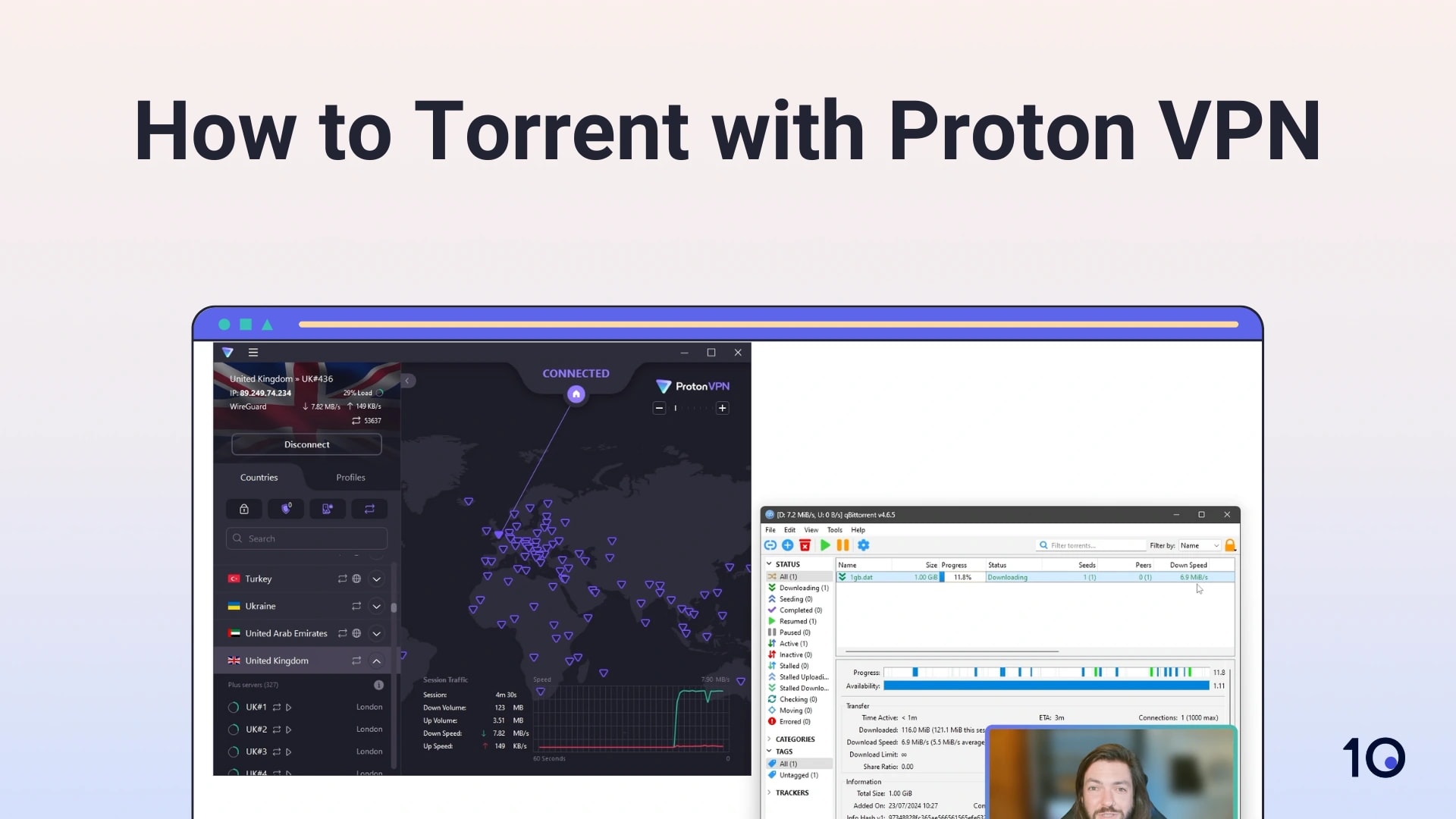
Proton VPN is a great choice for torrenting — but you need to make sure that you're using it correctly.
Quick Guide: How To Use Proton VPN for Torrenting
- Install a safe torrent client. We use qBittorrent in our tests.
- Subscribe to Proton VPN and install the app onto your device.
- Configure the Proton VPN app for maximum security. Turn on its malware-blocker (NetShield), kill switch, and port forwarding.
- Bind Proton VPN to your torrent client.
- Check for IP and DNS leaks.
If you prefer written instructions, you can expand each step below:
1. Choose a Safe Torrent Client
We recommend using qBittorrent as your personal torrent client. It’s open-source, safe, and doesn’t include intrusive ads. It also allows network binding for added security.
BitTorrent is another alternative that Proton VPN has helpful torrenting guides for.
Other popular options include: Vuze, Deluge, and uTorrent. Whichever client you choose, make sure to install the app from its official website.
2. Subscribe & Install Proton VPN
Subscribe to Proton VPN and install the app on the device you’ll be torrenting on. The best device for torrenting is a Windows laptop, as they have the flagship clients for VPNs and torrenting clients.
Proton VPN costs just $2.99 per month on a two-year subscription. This isn’t the most expensive, but it’s more than PIA, which costs just $2.03 per month on a 28-month subscription.
For maximum anonymity, we suggest paying for it via cash or cryptocurrency. Using these payment methods, it would be much harder to link the Proton VPN account back to you.
3. Configure the Proton VPN App
Now you have Proton VPN installed, you should enable the security features that will protect you when torrenting. To change settings on Windows, click on the menu icon in the top left corner. On macOS, you can change settings in Proton VPN > Preferences.
We recommend adjusting the following settings:
- Block malware, ads & trackers: Untrustworthy torrent sites might contain malware, so we recommend enabling Proton VPN’s NetShield. This prevents viruses and malware from being installed onto your device.
- Kill Switch: This setting prevents your IP address from leaking should your internet connection suddenly drop.
- Port Forwarding: Port forwarding allows you to route traffic through a specific port. This can dramatically increase the download speed of your VPN connection.
4. Bind Proton VPN to Your Torrenting Client
For optimum security, we recommend binding your Proton VPN connection to your torrenting client. When you do this, you ensure torrent files will only be downloaded when you’re connected to a Proton VPN server.
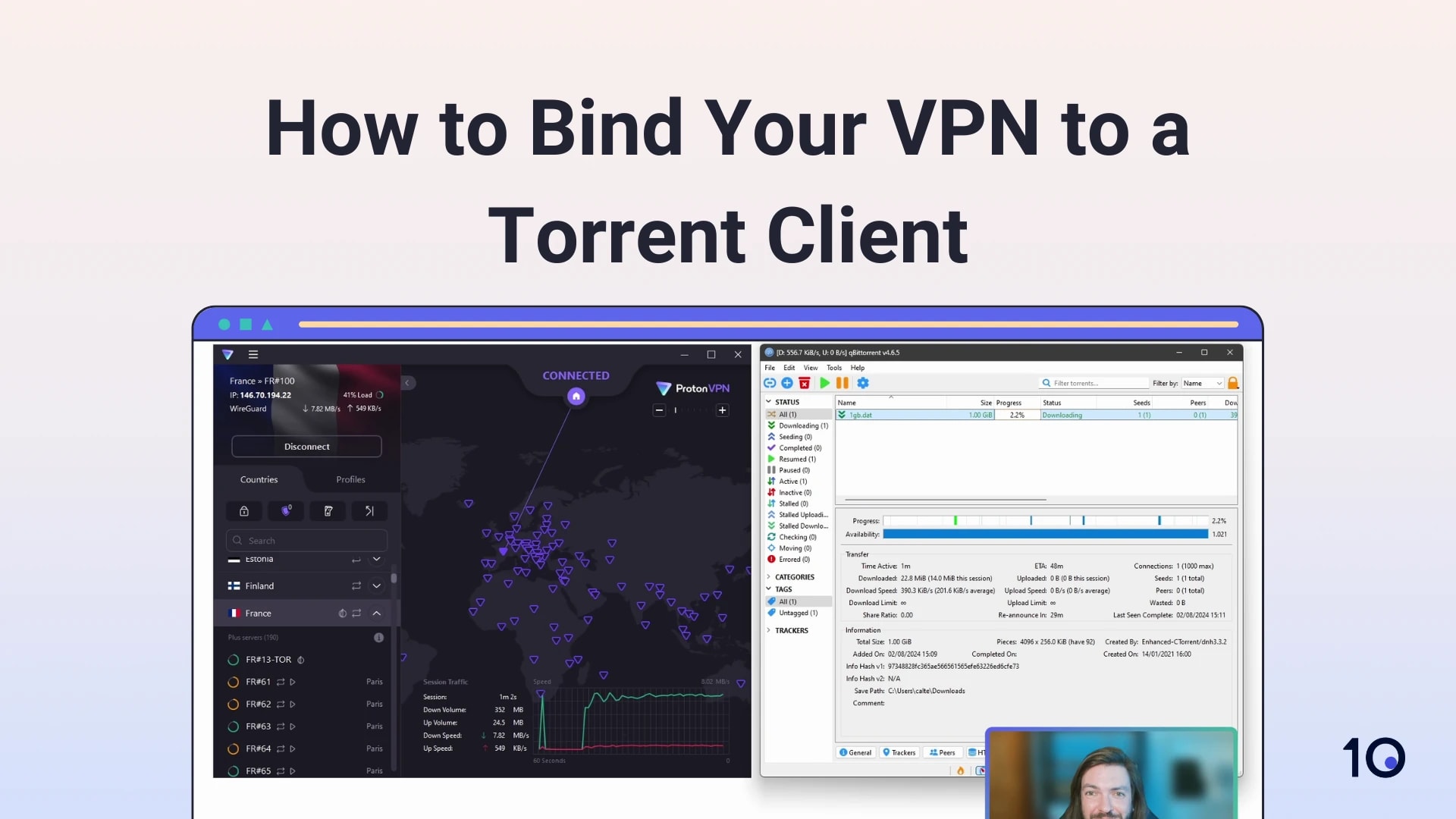
Binding Proton VPN to your torrent client prevents IP address leaks.
Once you’ve done this, go ahead and connect to one of Proton VPN’s P2P servers.
5. Test Your Connection for Leaks
Finally you can check your VPN connection is stable and there are no leaks. To do this, simply use our IP leak test tool.
If the tool doesn’t detect any leaks, you’re ready to download torrent files while you remain connected to the VPN server.
Alternatives to Proton VPN for Torrenting
While we think Proton VPN is a strong choice for torrenting, there are other VPNs that offer their advantages (and disadvantages). For example, Astrill isn’t as nice to use as Proton VPN, but its file-sharing speeds are vastly superior.
You can quickly compare Proton VPN to other top-rated torrenting VPNs in the table below:
Note: *P2P is supported on nearly all Proton VPN servers; only Myanmar and North Macedonia locations are excluded.
1. Private Internet Access: Our Favorite Torrenting VPN
Ranked #1 out of 49 VPN services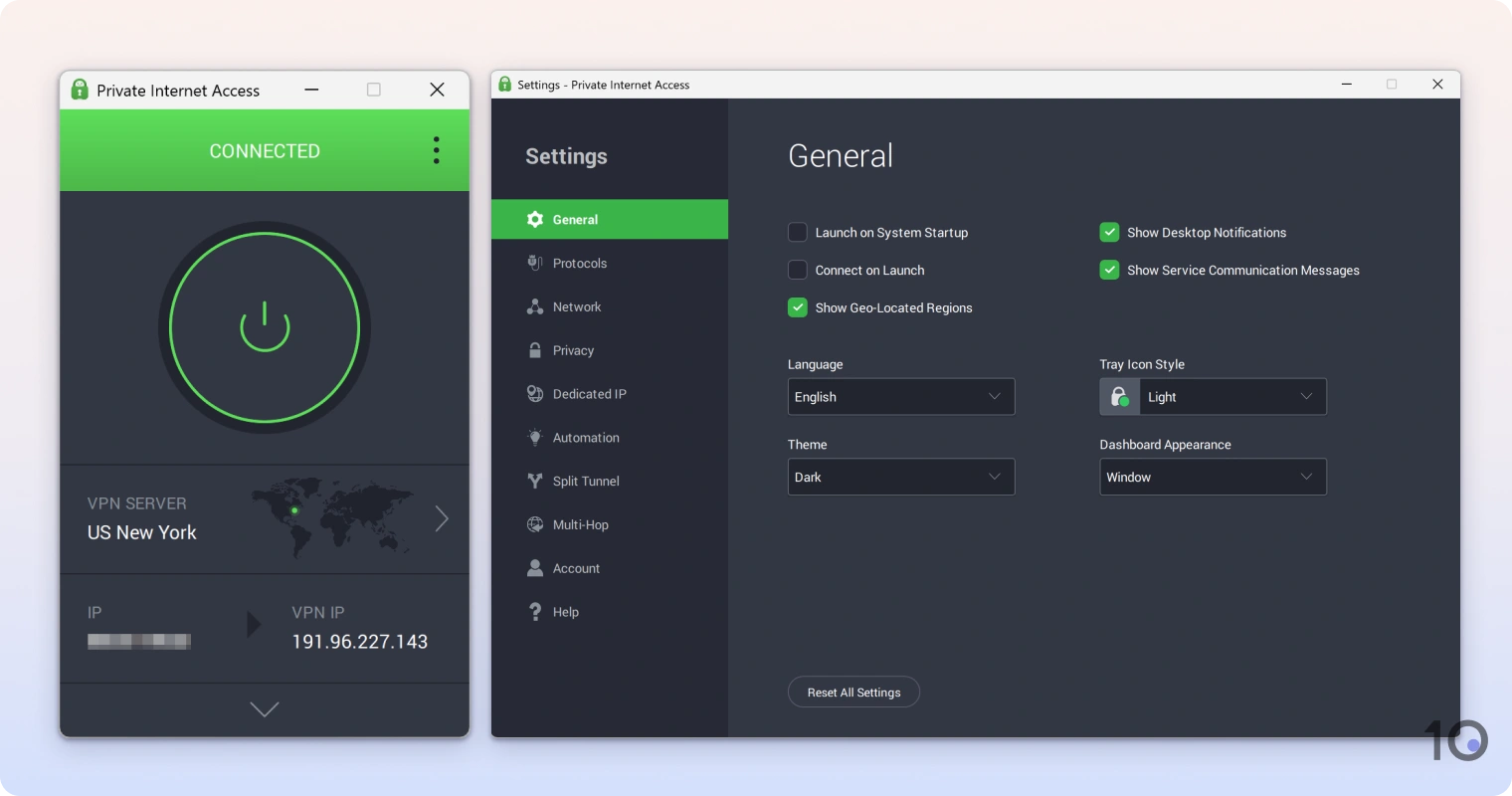
For us, Private Internet Access (PIA) is indisputably the best choice for peer-to-peer file-sharing. In fact, it champions torrenting with unrestricted access across its 18,651 servers.
Unlike Proton VPN, it uses a fully diskless server network to prevent anyone from viewing your online activity — including what you torrent.
Though not as vital, it’s also really easy to use and set up: everything is labelled clearly in the apps and can be toggled by checking boxes.
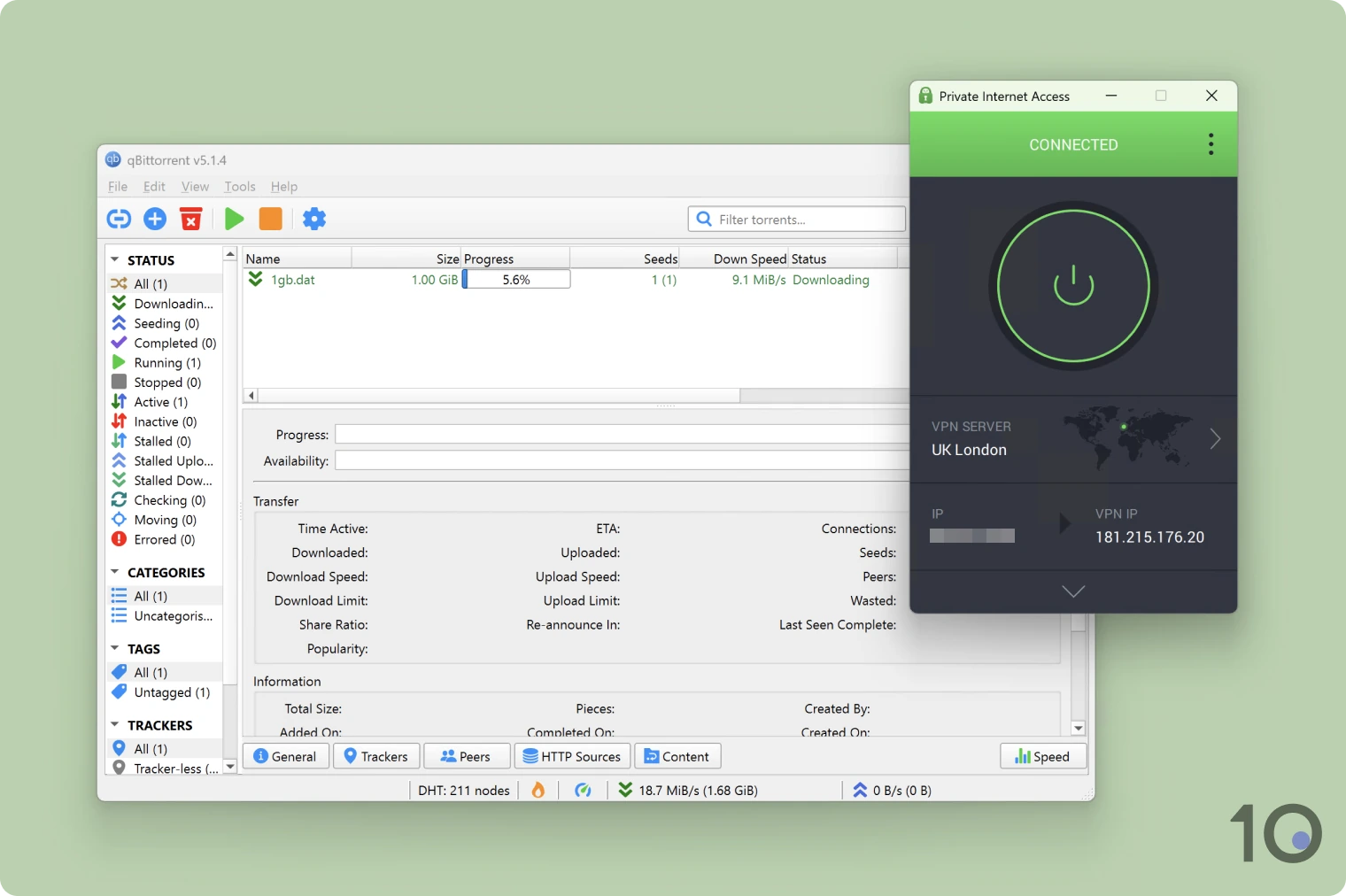
You can use PIA to torrent risk-free.
Pro-Torrenting Stance
PIA is a torrenter’s dream: all of its servers are P2P-optimized, it’s never complied with a DMCA request, and it includes a dynamic port forwarding tool.
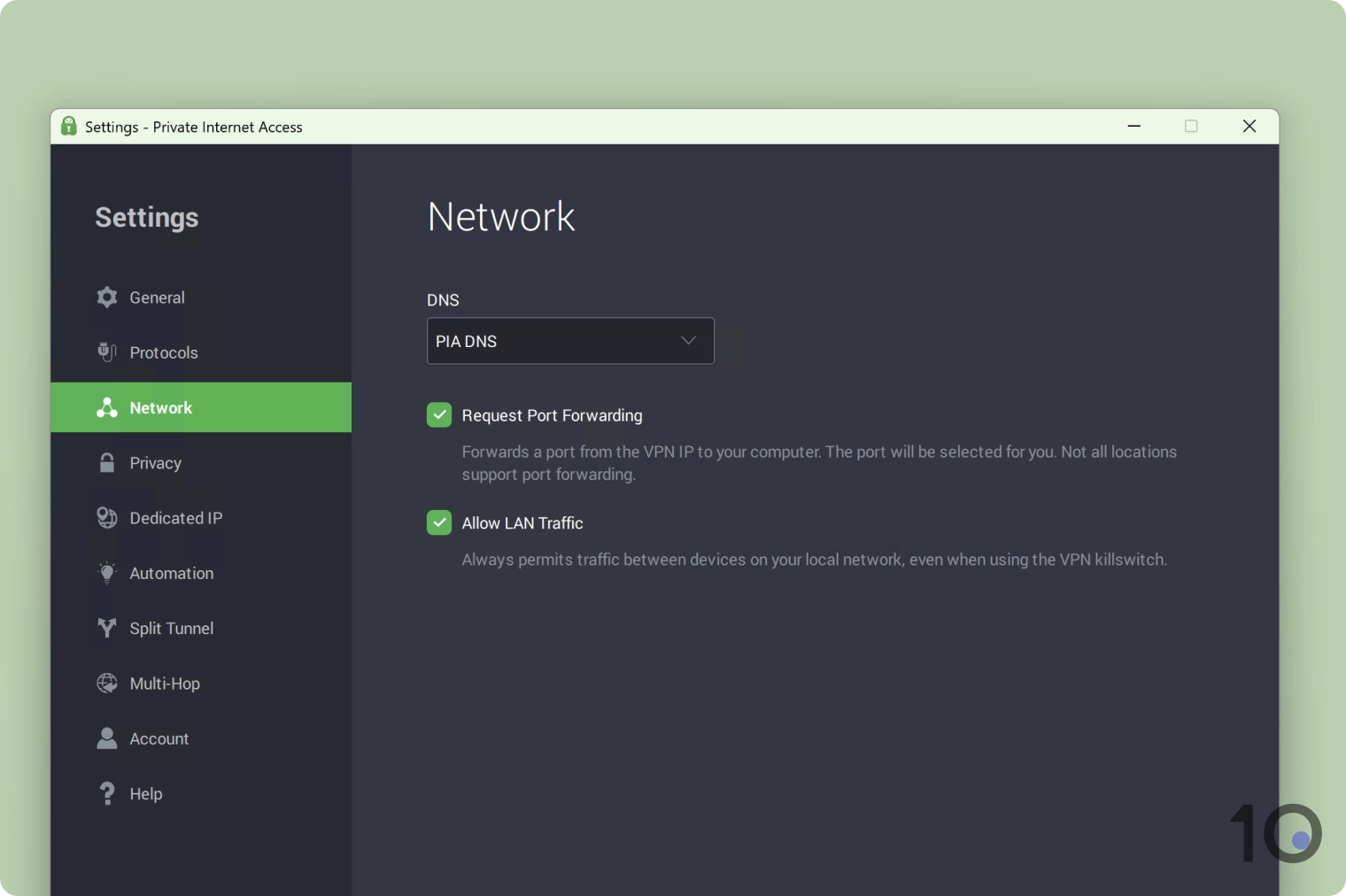
You can easily enable port forwarding in PIA’s Windows app.
Using WireGuard and port forwarding, we recorded a file-sharing speed loss of just 4%. This loss is so minimal that we almost forgot we had a VPN running.
One slight hitch: port forwarding isn’t available on PIA’s US servers, though torrenting is still fully supported.
Zero-logs & Highly-secure
The VPN service doesn’t log any of your online activity — including your file-sharing — and it uses RAM-only servers to ensure your data is regularly erased.
All of this was proven across multiple real-world instances, including a server seizure in 2016 by the Russian government.
Similar to Proton VPN, PIA open-sources its apps so you can inspect them for any vulnerabilities and flag them to the provider.
Your device is also kept safe while torrenting with PIA, due to its built-in MACE tool that blocks any ads and malware you come across in the process.
2. ExpressVPN: User-Friendly Torrenting VPN
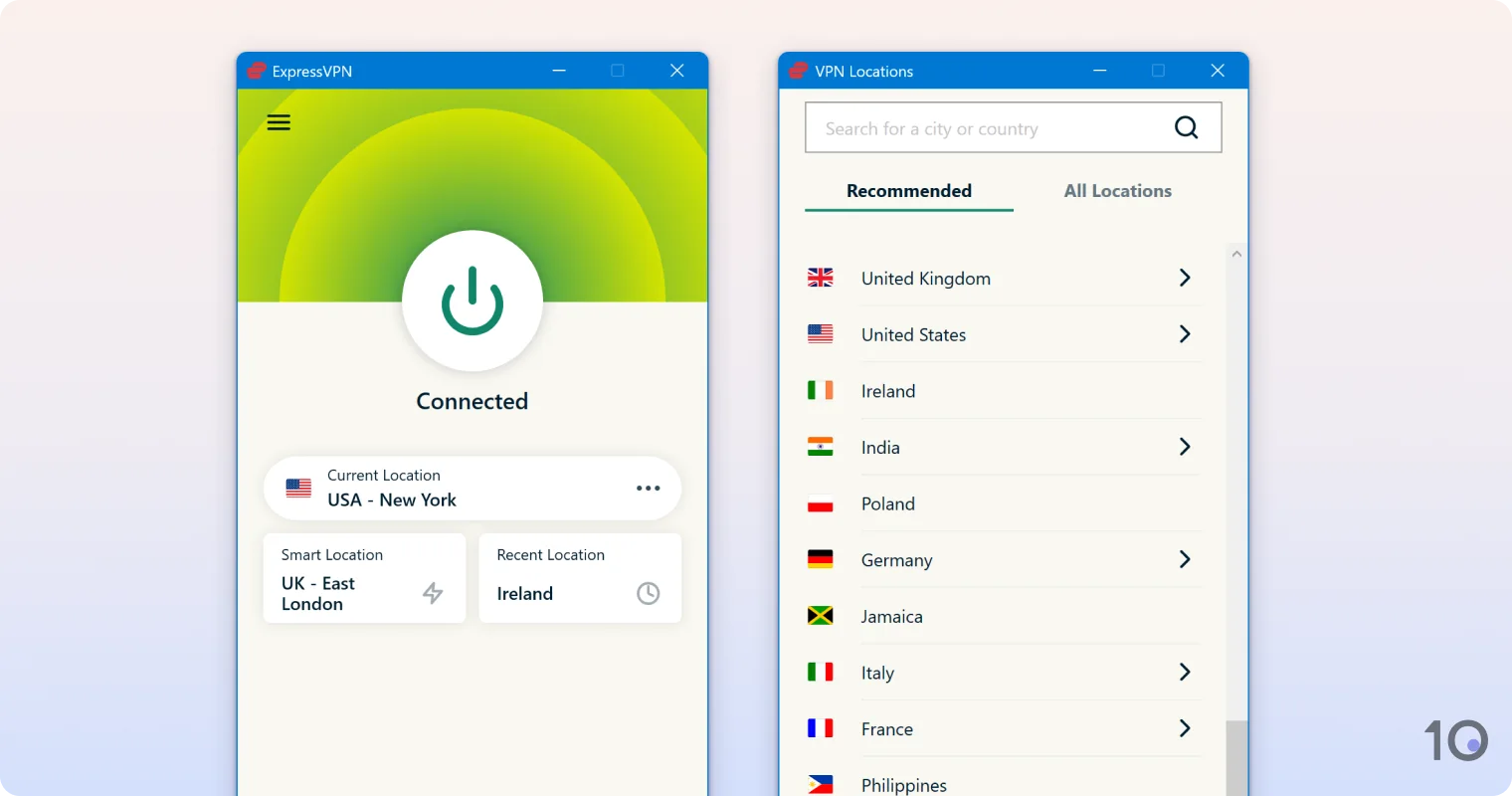
If you’re new to torrenting — or VPNs generally — we recommend using ExpressVPN. Its “plug and play” apps are designed for beginners: just click the power button and you’re good to go.
While ExpressVPN includes fewer privacy and security features than PIA or Proton VPN, it doesn’t have any deal-breaking shortcomings. It focuses purely on the essentials we expect from a top-tier VPN (like protocols and encryption), keeping the user experience streamlined.
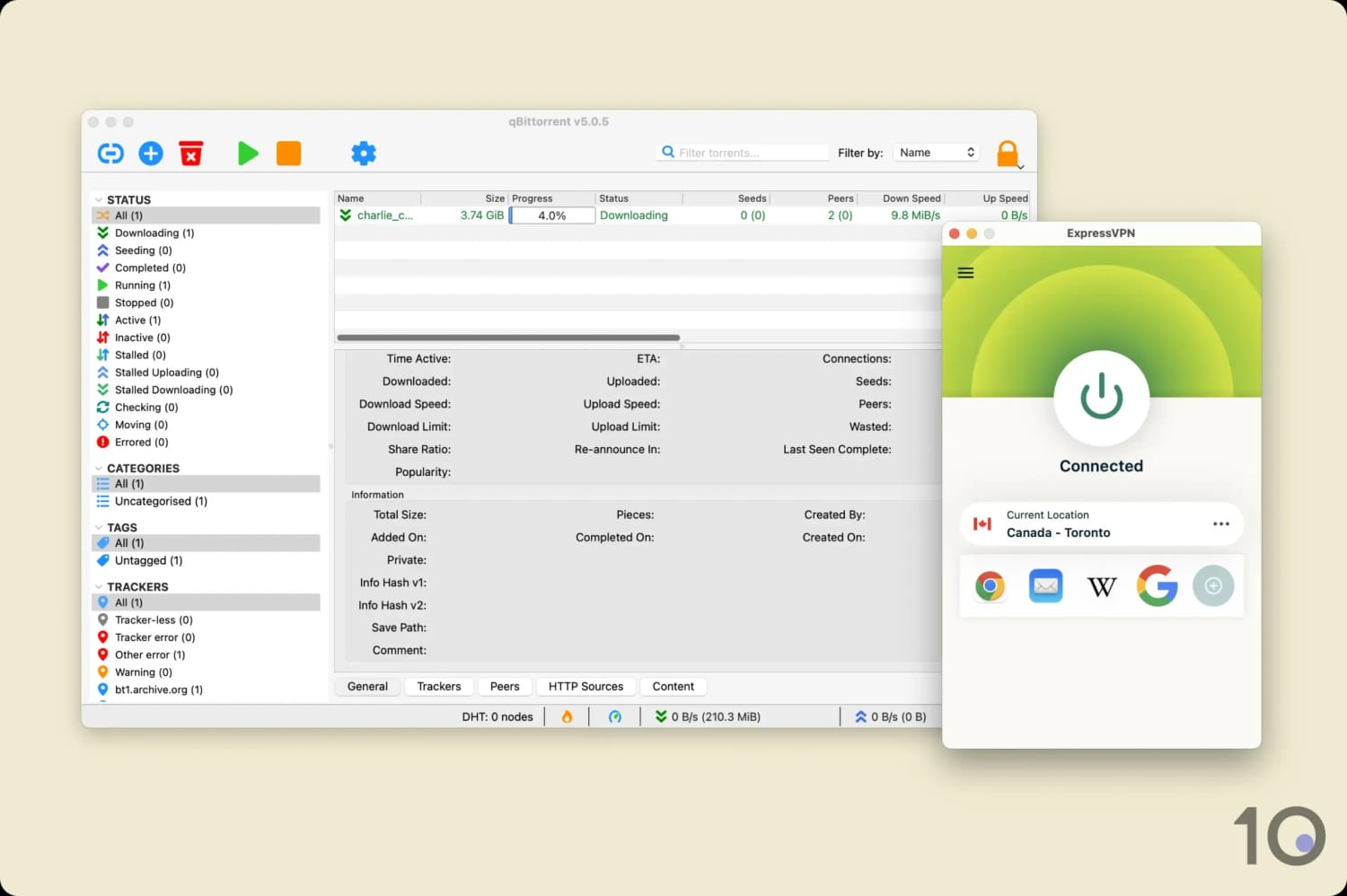
ExpressVPN’s file-sharing speeds are among the best.
Start File-Sharing in Seconds
Unlike our other recommendations, ExpressVPN requires no setup to begin torrenting. With its kill switch enabled by default and all servers P2P-optimized, you just need to connect to a server and start downloading.
All in all, it took just 30 seconds to do this ourselves and meant we could “set-and-forget” the VPN while our file downloaded.
The trade-off is that ExpressVPN’s setup is so quick due to a lack of features: there’s no port forwarding to configure.
Ultimately, you’ll need to decide if a seamless user experience or optimal torrenting performance is more important to you.
Lacks Advanced Security Features
ExpressVPN tunnels your internet traffic using Lightway and encrypts it with AES-256 or ChaCha20 (depending on your connection). This is a safe and secure configuration that keeps your torrenting activity secure.
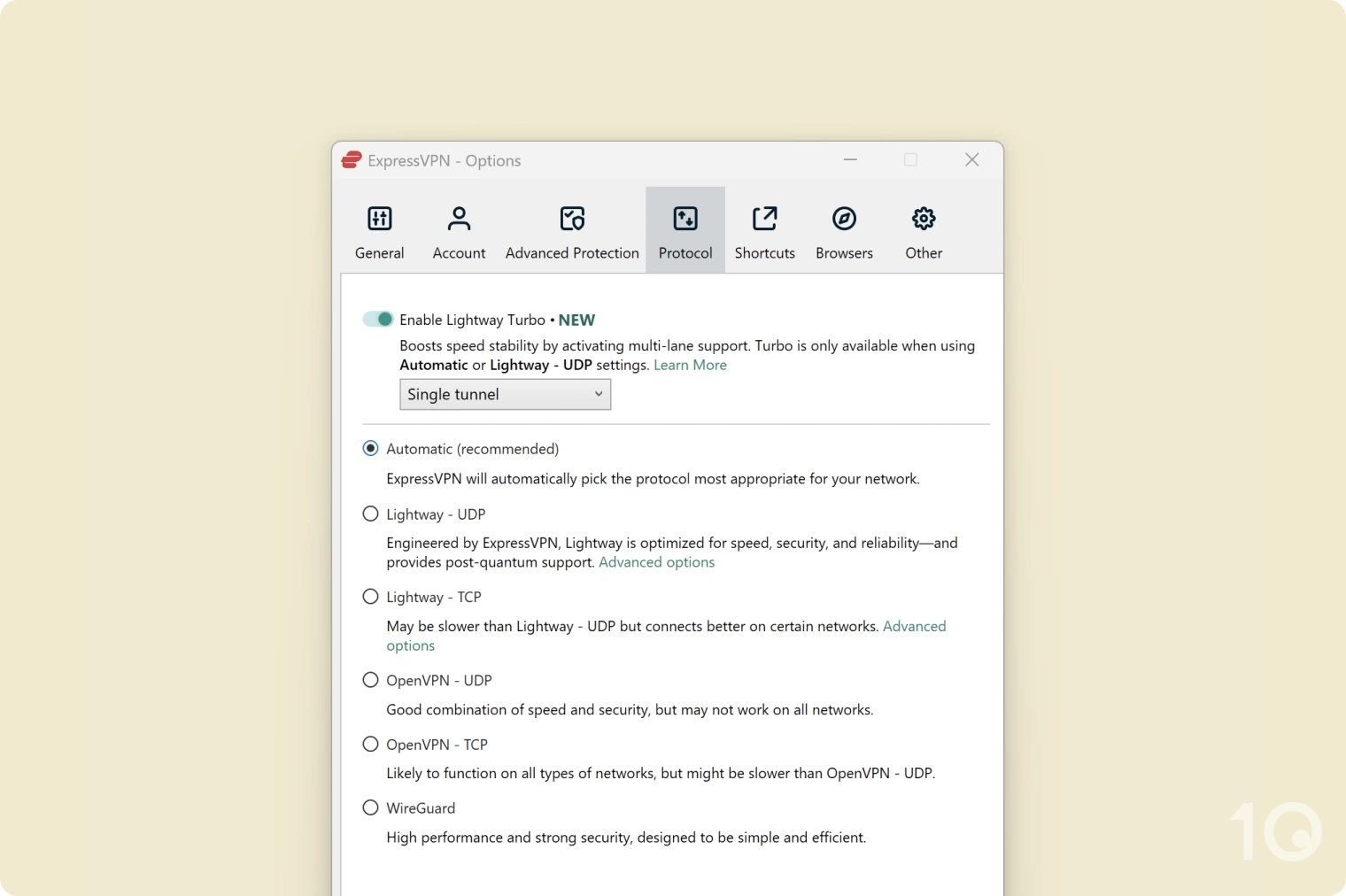
ExpressVPN’s protocol selection on Windows.
To complement this, the VPN uses built-in leak protection and its own private DNS servers to virtually eliminate the risk of data leaks.
While clearly secure and private, ExpressVPN doesn’t have open-source apps like its rivals, which means the wider cyber-security community can’t inspect its source code and flag any vulnerabilities.
Similarly, its privacy policy logs a very small amount of non-identifying data. Though proven to be safe by real-world events, we’d love ExpressVPN to go one step further and implement a true ‘no-logs’ approach like PIA or Proton VPN.