Top10VPN is editorially independent. Buying a VPN through our links supports our work.
How to Get a CyberGhost Free Trial
Follow us:
Simon Migliano
Simon Migliano is a recognized world expert in VPNs. He's tested hundreds of apps and his research has been featured on the BBC, The New York Times, and more. Read full bio
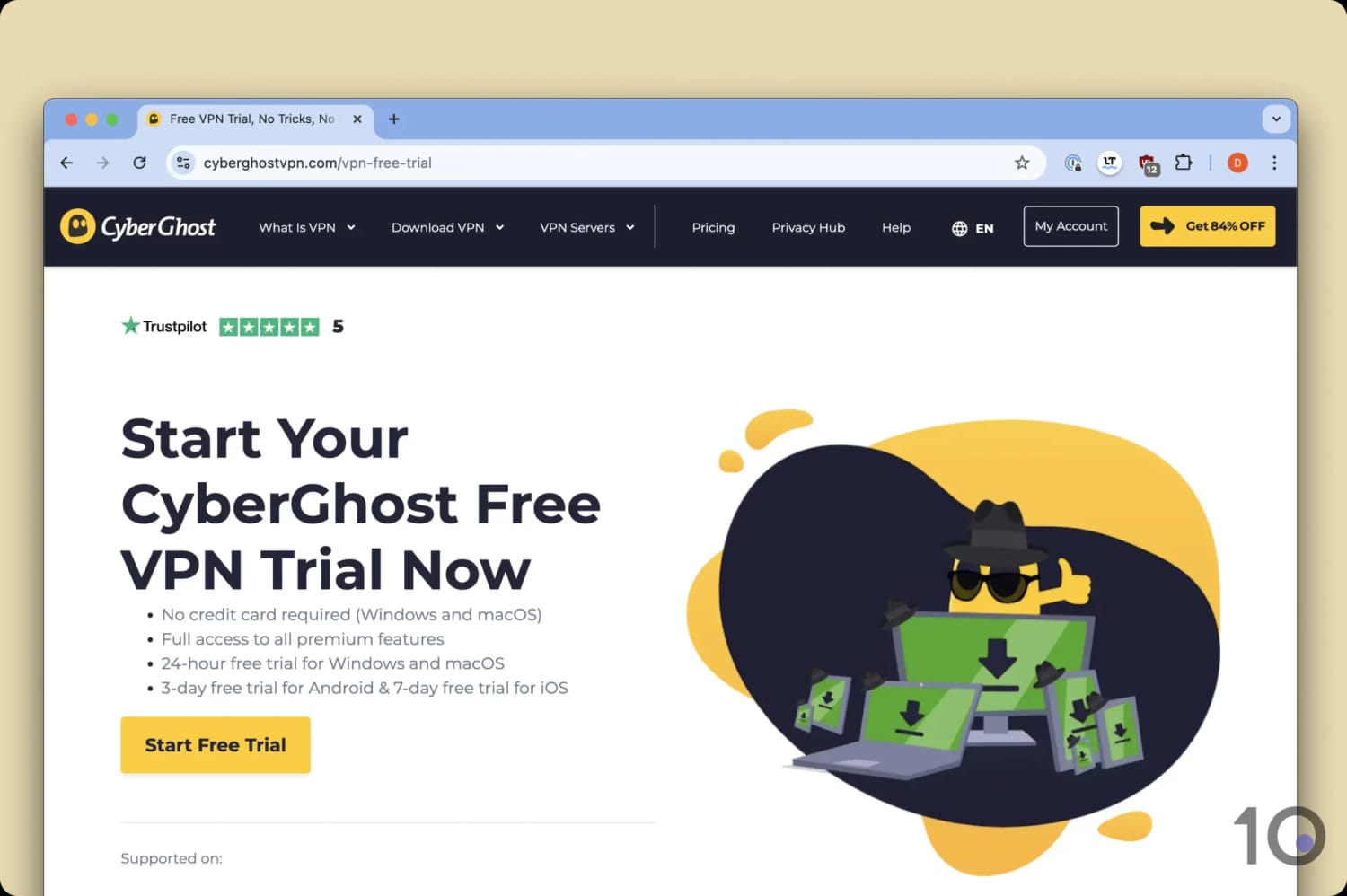
CyberGhost offers a 24-hour free trial on PC and Mac, with no payment details required. It also runs a 3-day trial on Android and a 7-day one on iOS. Or, you can try CyberGhost risk-free for 45 days through its generous money-back guarantee.
Download and install the 24-hour free trial from CyberGhost’s official website. It’s only available for PC and Mac users.
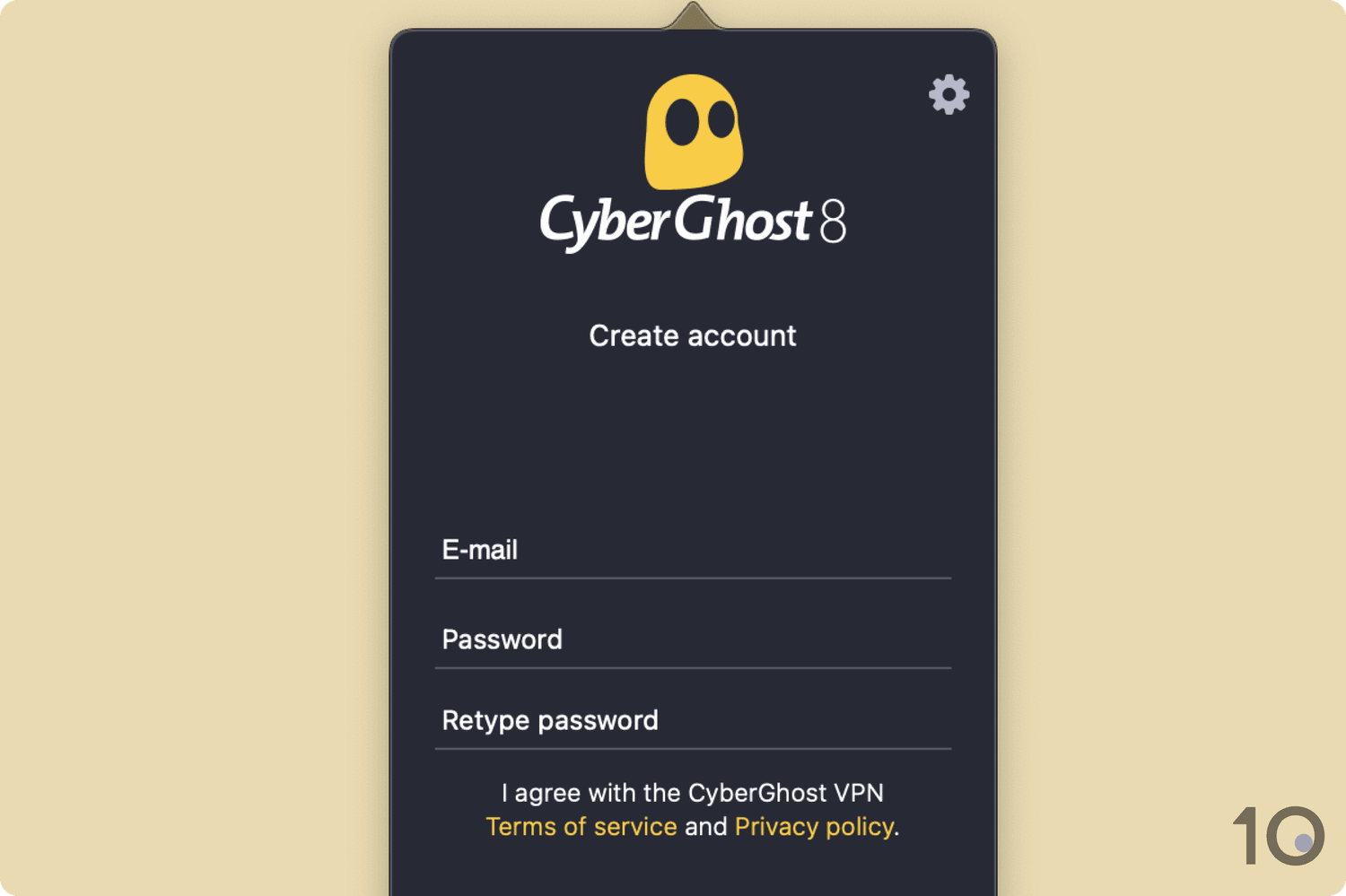
Open the application and create an account. You don’t have to submit any payment details. CyberGhost will then email you.
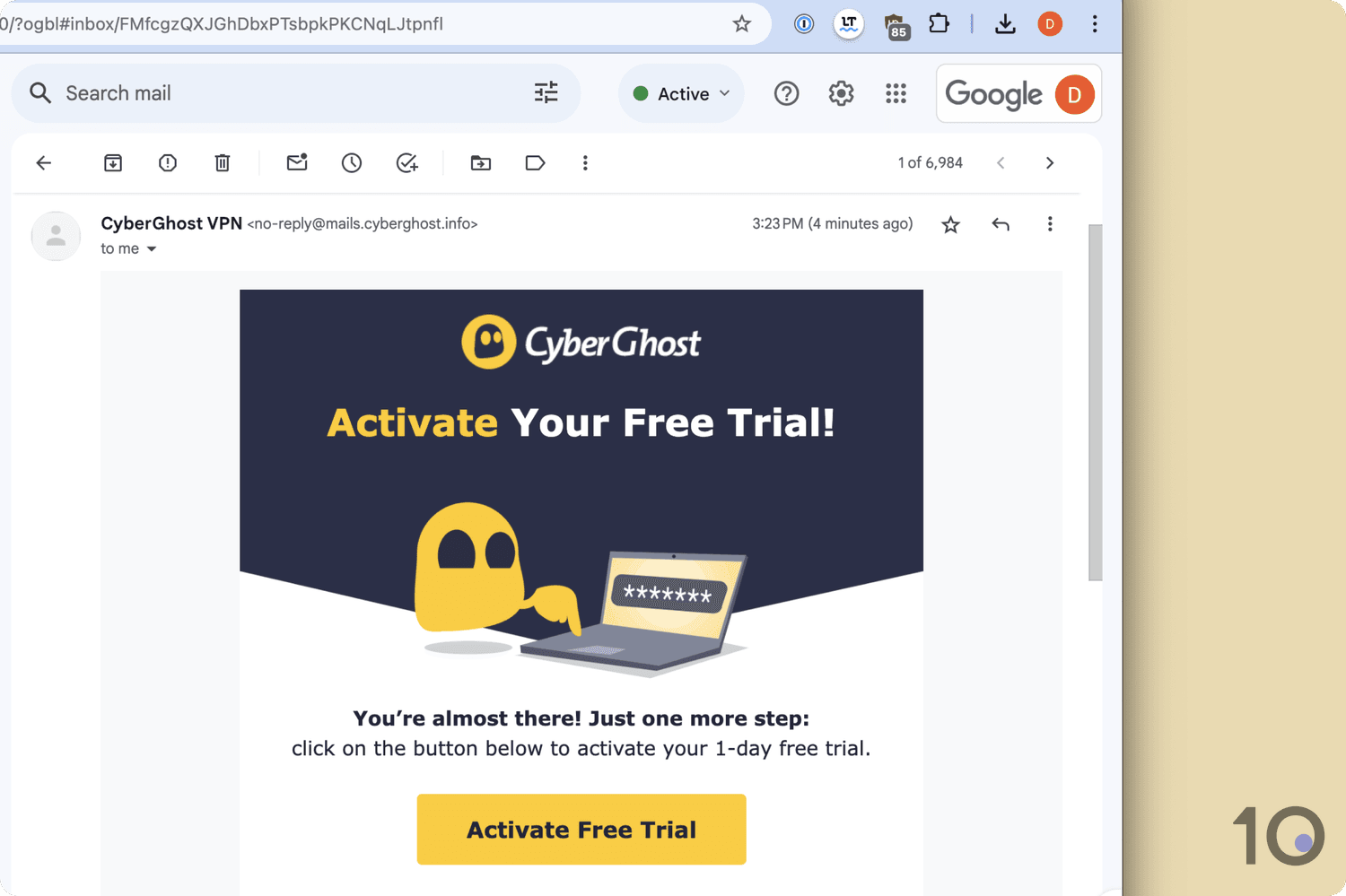
Open the email and click the Activate Free Trial button to start your 24-hour trial.
CyberGhost has one of the best free trials of any VPN: a 24-hour trial on PC and Mac with no payment details required.
You also have the option to claim a 7-day free trial on iOS and a 3-day one on Android. These trial accounts can then be used on your other devices.
CyberGhost also runs a rare 45-day money-back guarantee. Sign up for a paid plan, use it for up to 45 days, then request a refund to get your money back.
Finally, you also have the option of using CyberGhost’s free browser extension for Chrome and Firefox, although it only offers access to servers in four countries.
Why Trust Us?
We’re fully independent and have been reviewing VPNs since 2016. Our advice is based on our own testing results and is unaffected by financial incentives. Learn who we are and how we test VPNs.
VPNs Tested
59
Total Hours of Testing
30,000+
Combined Years of Experience
50+
How to Use CyberGhost for Free
The best way to use CyberGhost for free depends on your device, whether you’re happy to share payment details, and what you plan to do with the VPN.
The table below compares the options available:
Table comparing four ways you can use CyberGhost for free.
Below I’ve outlined steps for every available method. You can choose the one that suits you best, or even combine certain options.
Desktop: 24-Hour Free Trial
CyberGhost’s trial for desktop devices lasts exactly 24 hours from sign up. All you need is an email address to access it — make sure you use a real one as you’ll have to verify it.
To try CyberGhost for 24 hours, follow these step-by-step instructions on your PC or Mac:
1. Download CyberGhost via the Free Trial Page
Go to the free trial page on CyberGhost’s website. Click the Start Free Trial button and the VPN software will download to your device.
2. Create a Free Trial Account
Follow the installer prompts, open the app, and create a new account with an email and password. You’ll need to select Sign up when the app opens.
3. Activate Your Free Trial
CyberGhost will send you an email with an activation link. Go to your inbox and click the link to activate your account. If you can’t find it, check your spam folder or ask CyberGhost to resend it.
4. Log in & Start Using CyberGhost for Free
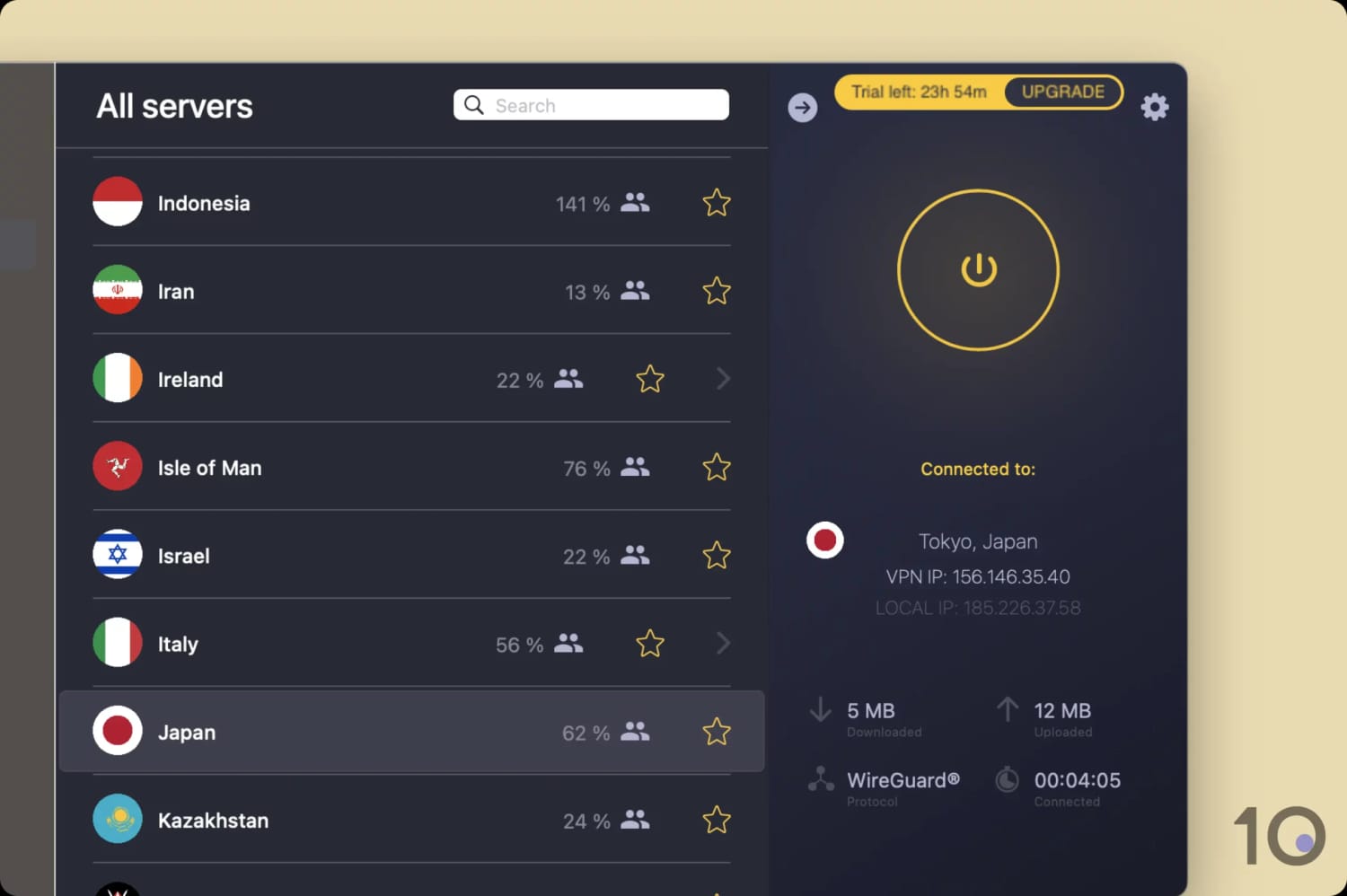
Return to the CyberGhost app and log in with your credentials. You now have unrestricted access to the full premium VPN. The countdown in the top right-hand corner will show you how long you have before the trial expires.
Android: 3-Day Free Trial
Follow the instructions below to get a 3-day CyberGhost free trial via the Google Play Store.
Though you won’t be charged, you’ll need an active payment method linked to your Google account to do this.
1. Install CyberGhost via Google Play
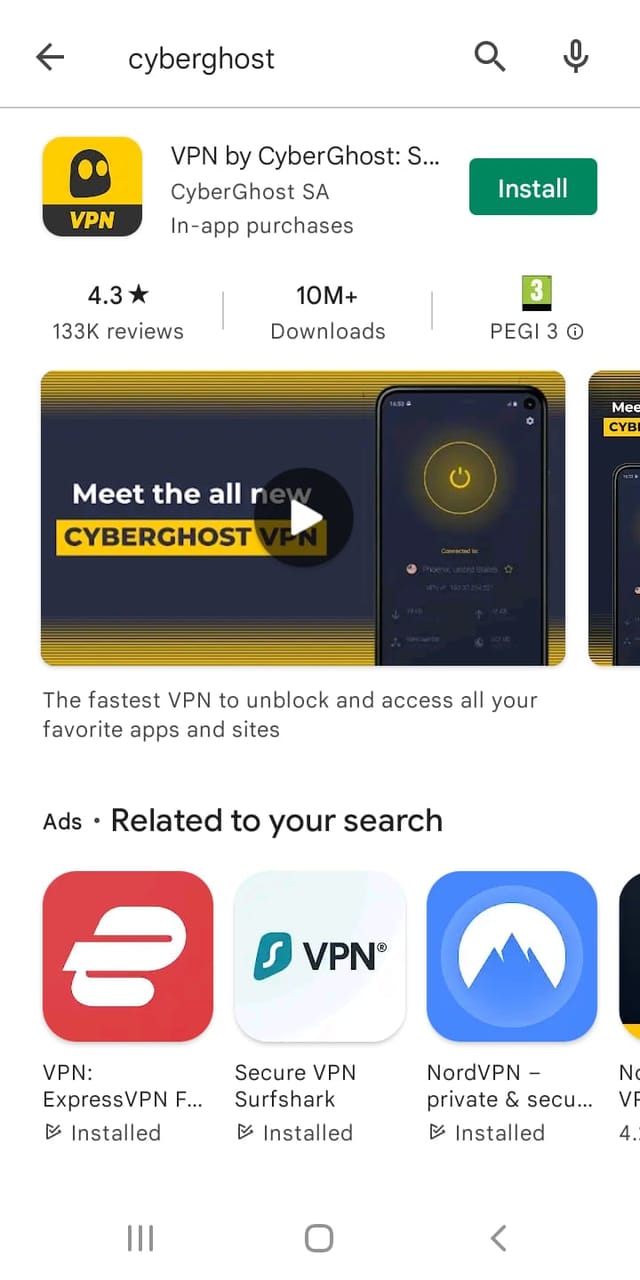
Head to the CyberGhost Google Play listing and select Install. When it finishes installing on your Android device, open the app and either agree or opt out of submitting anonymous usage data.
2. Create a CyberGhost Account
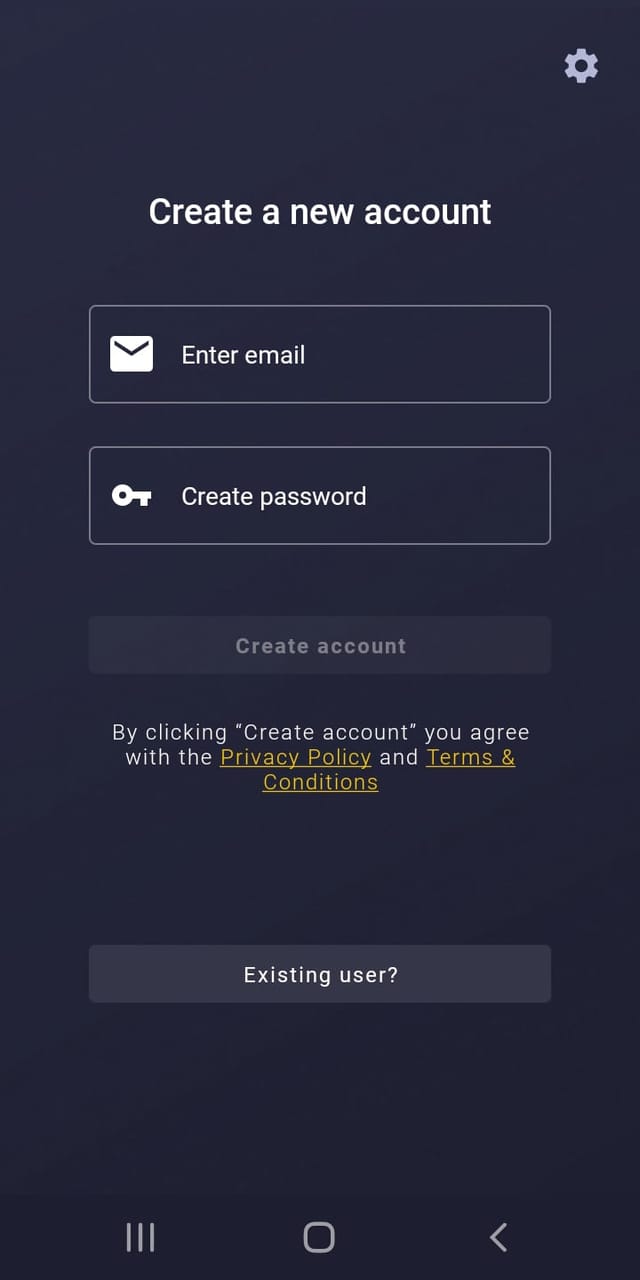
Create a CyberGhost account by entering an email and a strong password.
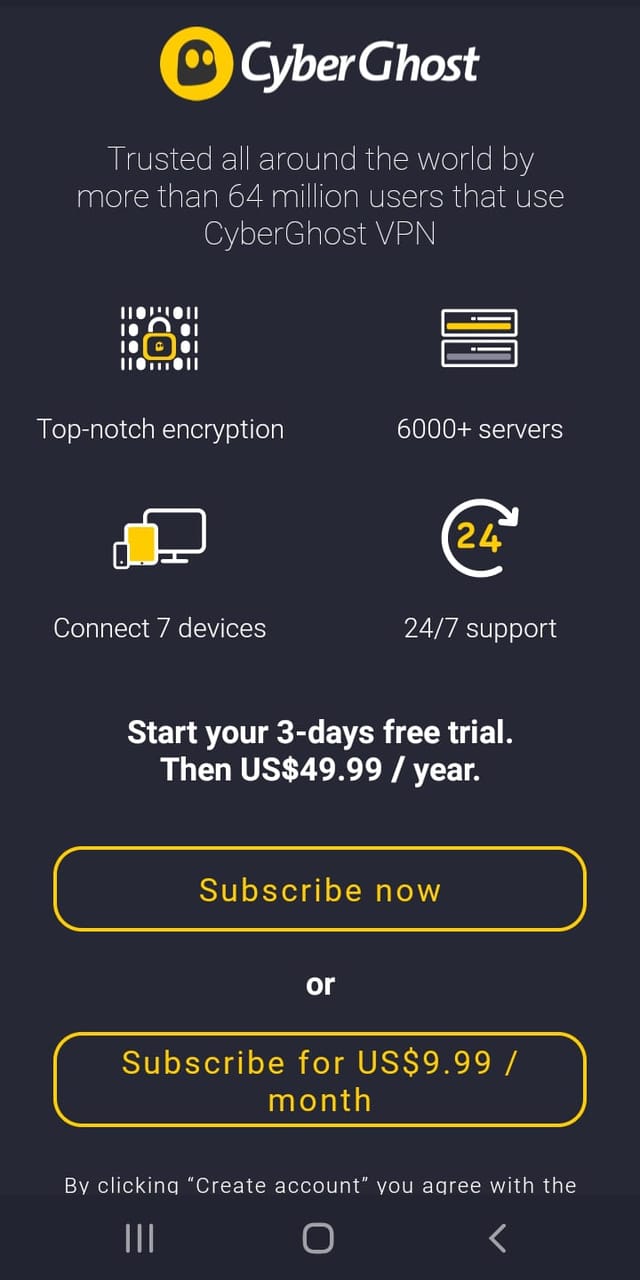
3. Select Subscribe Now
You’ll now see a sign-up screen with two options: Subscribe now and Subscribe for $9.99/month.
Be careful here: Subscribe now is the option that starts your trial, but it also enrolls you in an annual plan. You won’t be charged as long as you cancel within three days.
Enter your payment details and you’re all done. You can now use CyberGhost free for three days.
If you forget to cancel before the trial ends, you’ll be charged for a full subscription. Contact CyberGhost’s live chat support right away and ask for a refund.
iOS: 7-Day Free Trial
Getting the CyberGhost free trial on iOS works differently, as I explain below.
1. Install CyberGhost via the App Store
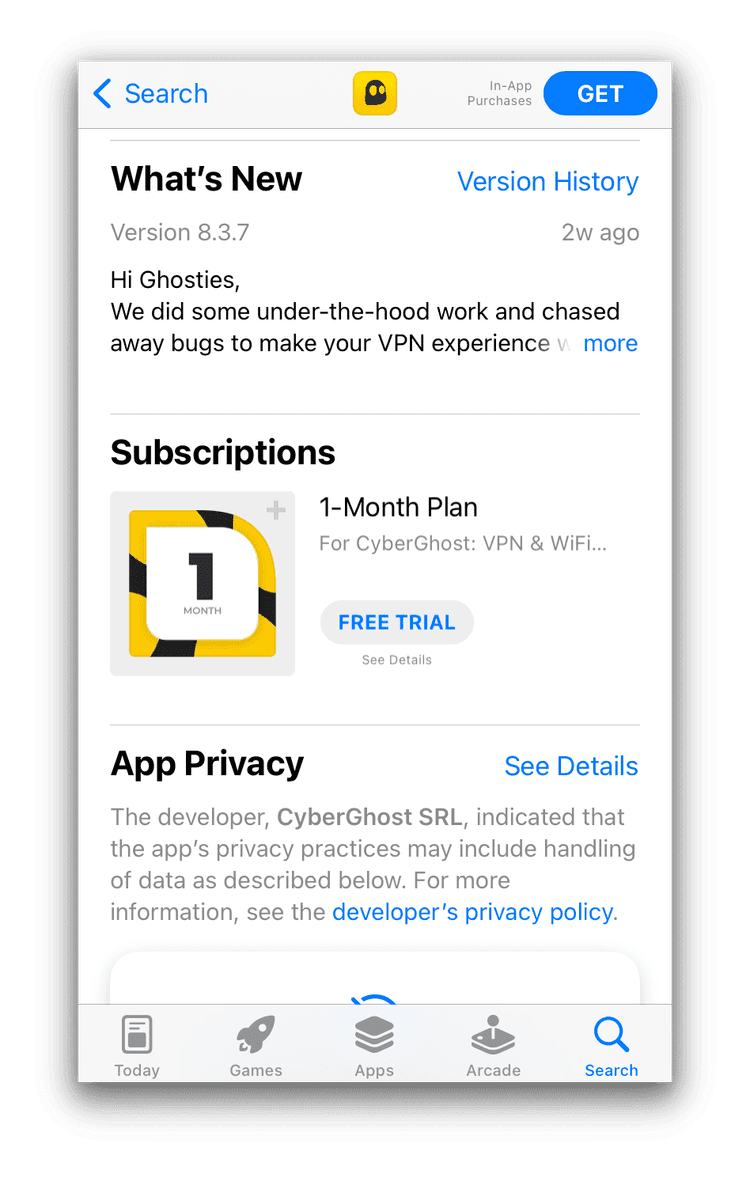
Open the App Store and search for CyberGhost, then tap on its listing. Don’t tap the Install button — instead, scroll down the section of the listing labeled Subscriptions.
There will be a 1-Month Plan option there — tap the FREE TRIAL button underneath it.
2. Subscribe to CyberGhost
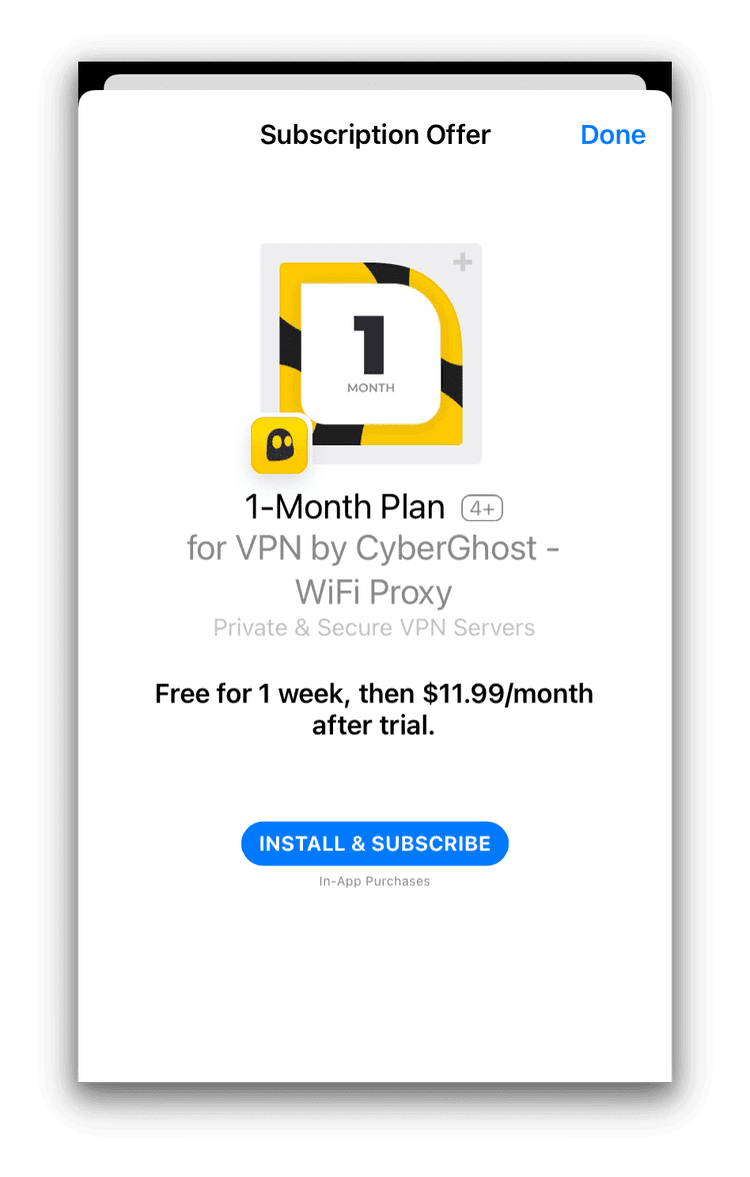
On the next screen that pops up, tap INSTALL & SUBSCRIBE.
You’re now all ready to use CyberGhost on your iPhone or iPad.
As with Android, cancel before the 7-day trial ends and your Apple ID won’t be charged. If you miss the deadline, you’ll be automatically enrolled in a paid subscription.
EXPERT ADVICE: Getting a refund for CyberGhost on iOS works differently. As the subscription is an in-app purchase, you have to request a refund through Apple Support. Beware that Apple’s support team may not be as understanding and cooperative as CyberGhost’s.
Browser Extension: Free Forever
You can install CyberGhost as a browser extension completely free on both Chrome and Firefox.
The extension is stripped down: it covers just four countries (versus 100 for the full VPN), the interface looks dated, and there are no extra features.
1. Add CyberGhost to Your Browser
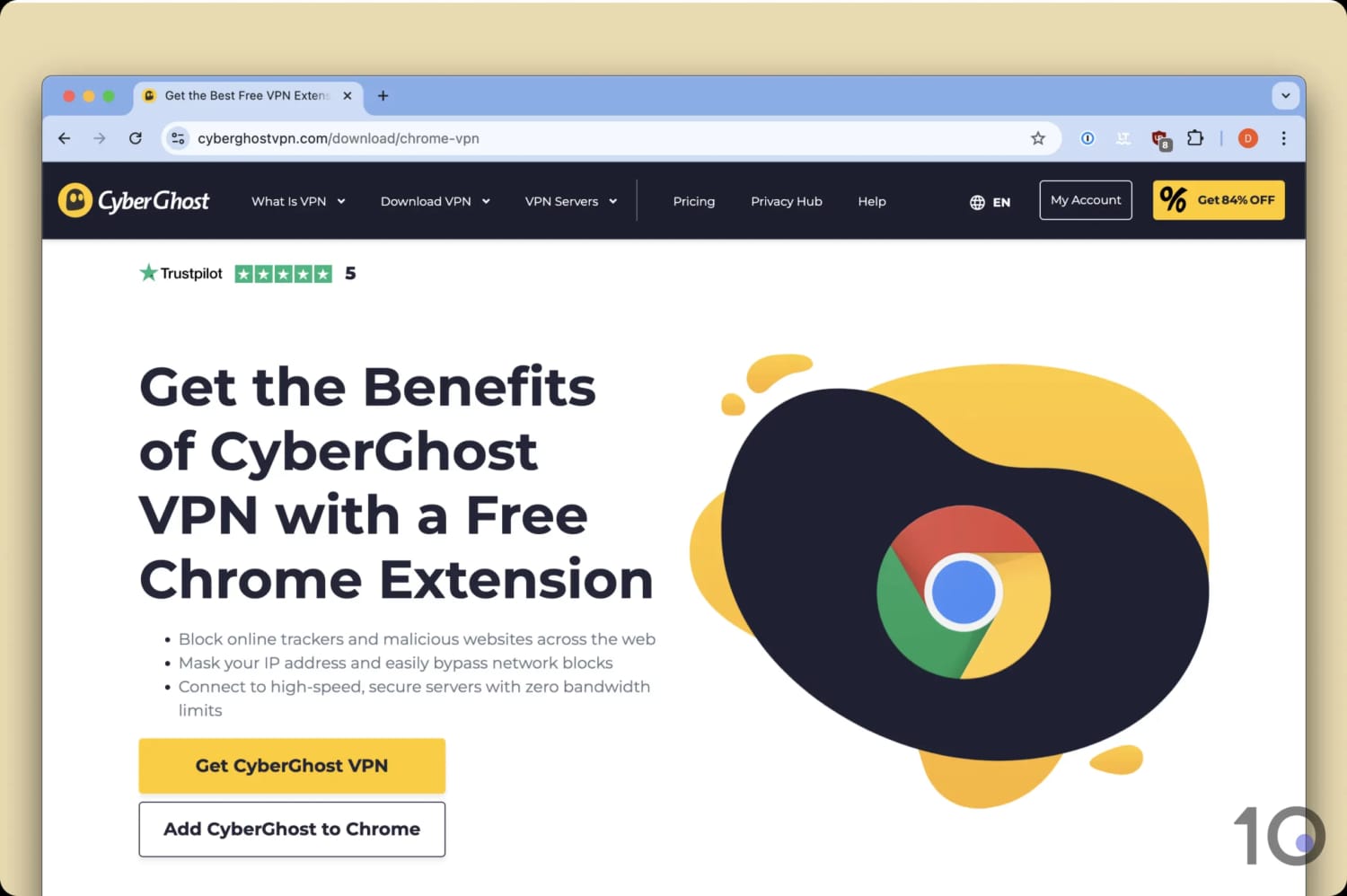
Open your Google Chrome browser and head to CyberGhost’s page for Chrome. Click Add CyberGhost to Chrome. Alternatively, you can do this via the Chrome Web Store, clicking Add to Chrome.
If you’re using Firefox, head to Firefox Add-ons, search CyberGhost, and click Add to Firefox.
2. Head to Extensions & Begin Using CyberGhost for Free
The extension will be automatically added to your browser. Click the extensions symbol, select CyberGhost, and pin it to your browser if you prefer. You can now connect to four countries — the US, Germany, the Netherlands, and Romania — completely free.
One important warning: this is a proxy, not an encrypted VPN. It changes the IP address that websites see, but my tests found it still leaks your real IP address through other channels. Don’t use it for anything privacy- or security-sensitive.
How to Cancel Your CyberGhost Free Trial
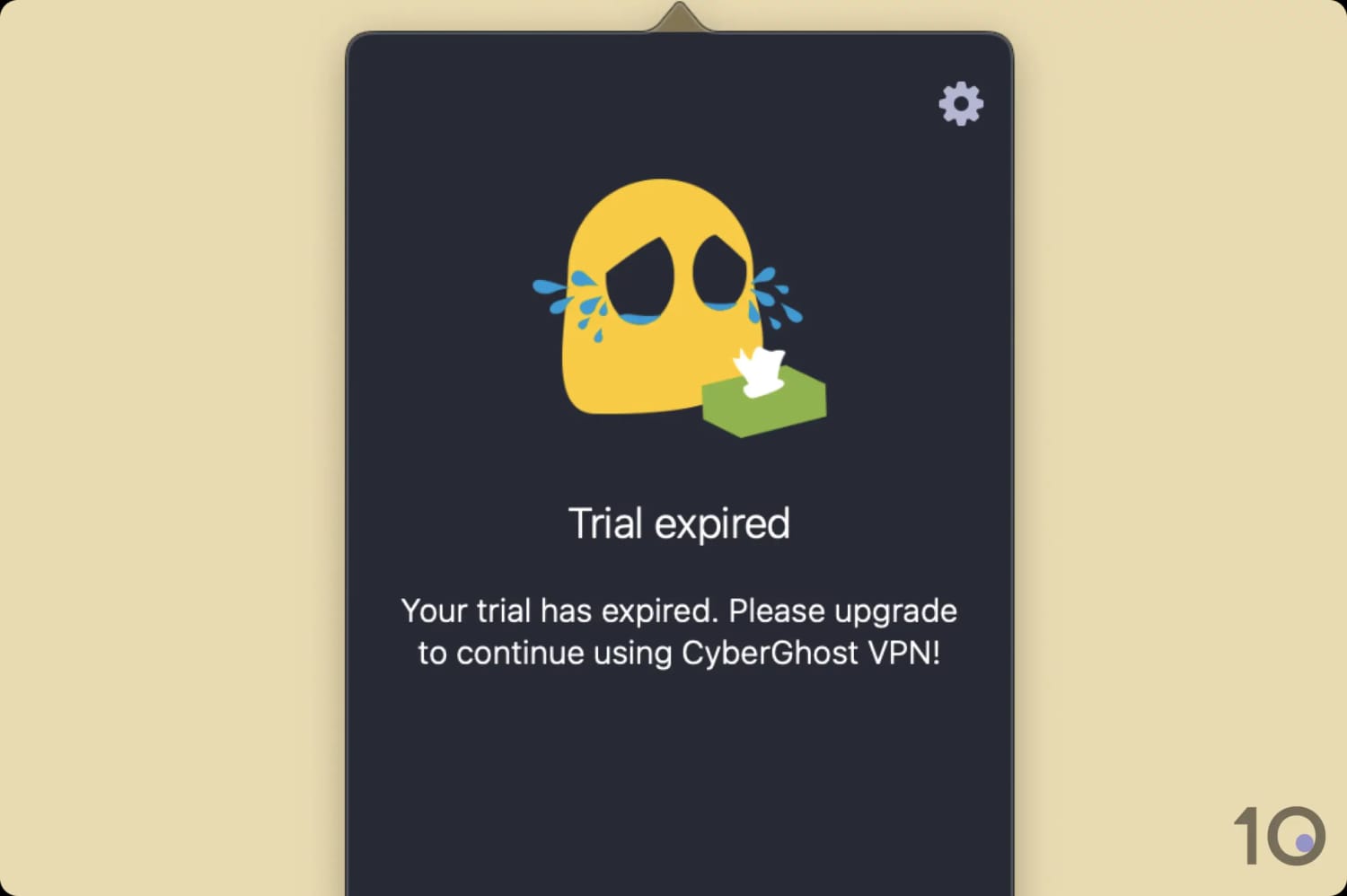
With CyberGhost’s 24-hour free trial on Windows and macOS, you don’t need to do anything to cancel it. When the trial expires, you’ll be presented with this screen:
Canceling your trial on mobile devices requires some additional steps, though.
How to Cancel a CyberGhost Free Trial on Android
If you’ve signed up for a free trial on Android, you’ll need to manually cancel the trial period to avoid being charged. Here’s how to do it:
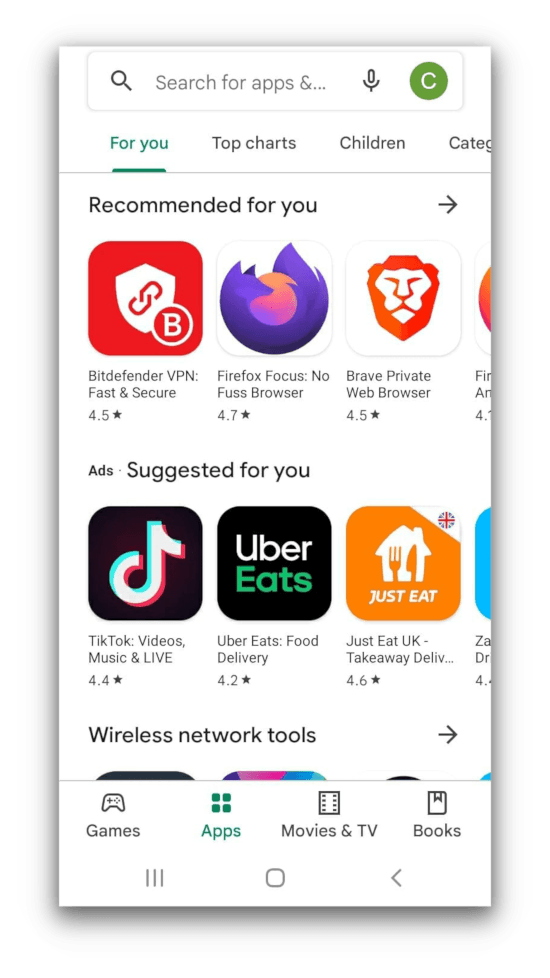
Open the Google Play app.
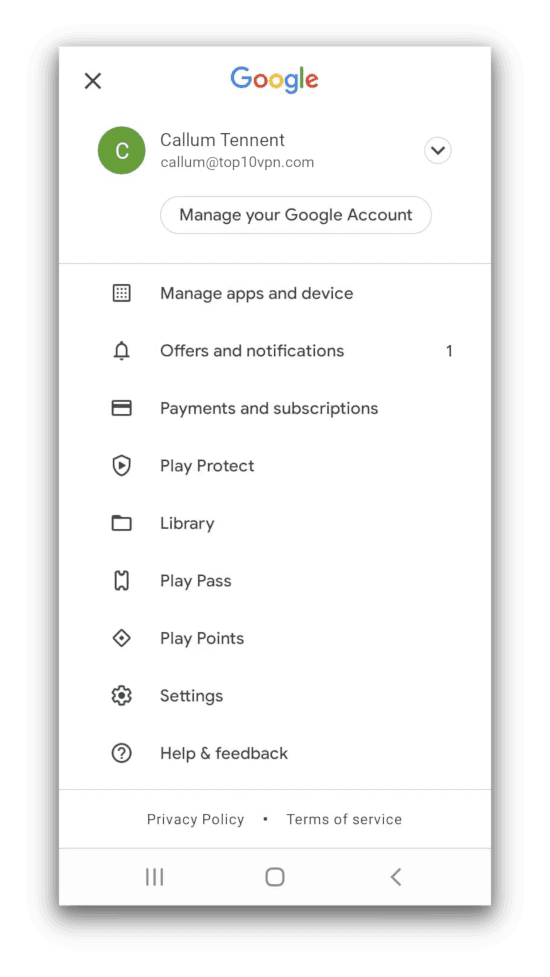
Tap on your profile picture in the top right-hand corner.
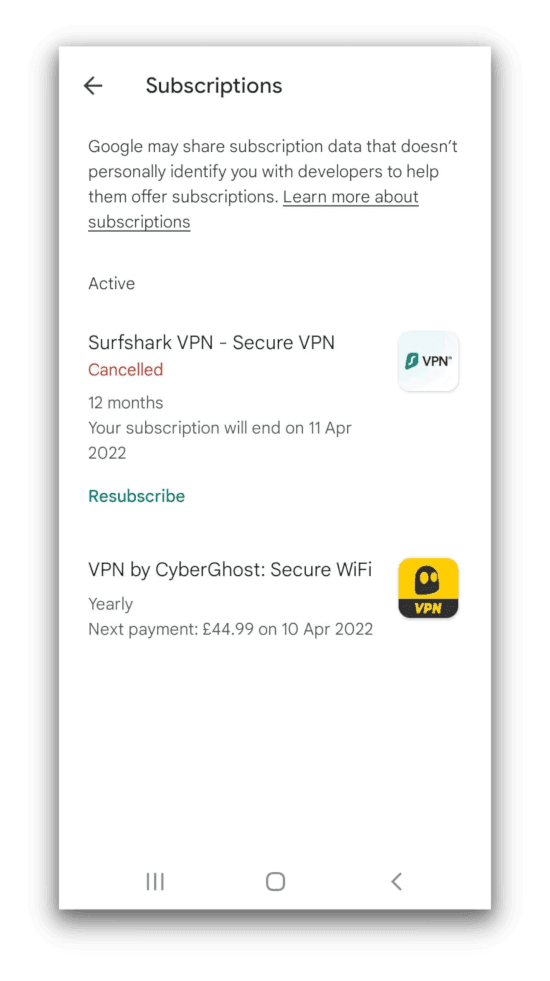
Tap Payments and Subscriptions then Subscriptions.
Tap on CyberGhost then Cancel Trial.
How to Cancel a CyberGhost Free Trial on iOS
If you’re using an iOS device, you’ll need to cancel your free trial manually to avoid being billed. Here’s how to do it:
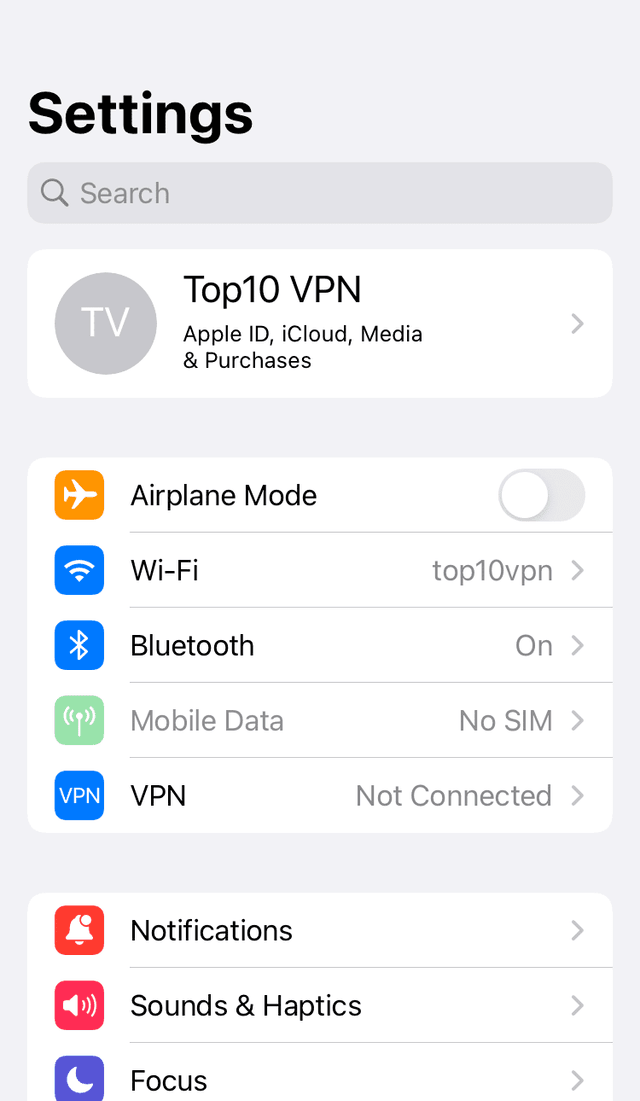
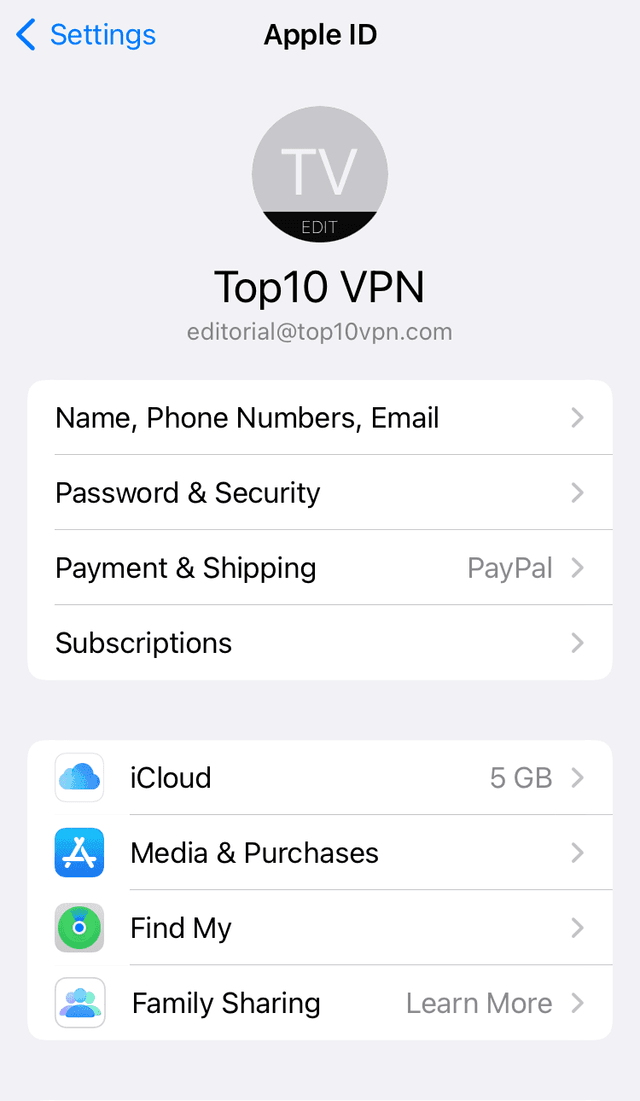
Open the Settings app and tap on your name at the top of the screen.
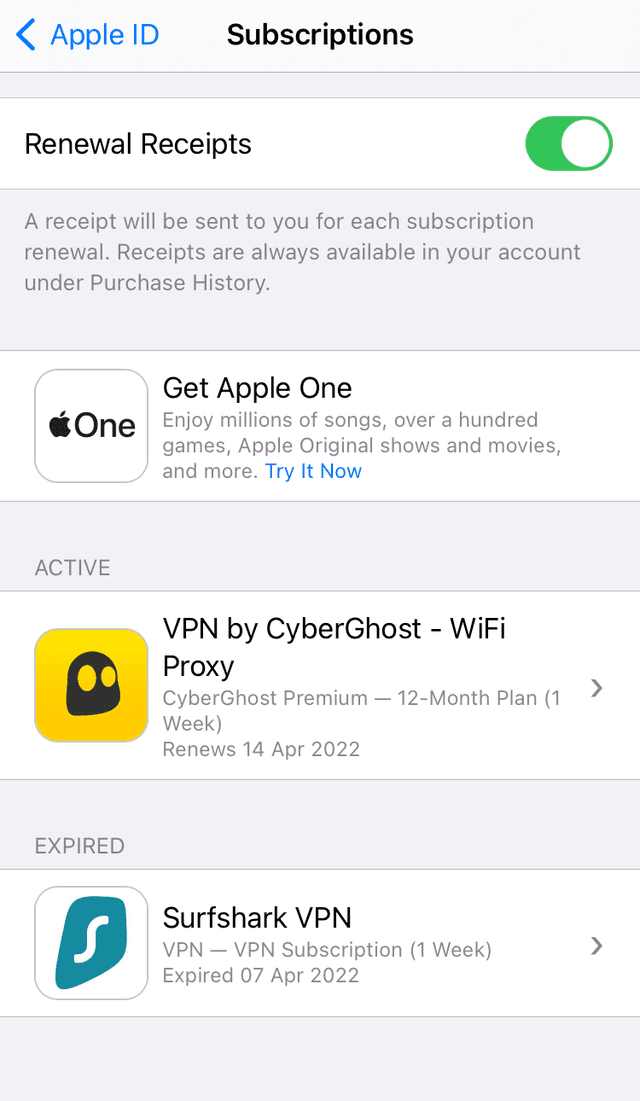
Tap Subscriptions.
Find CyberGhost and tap on it.
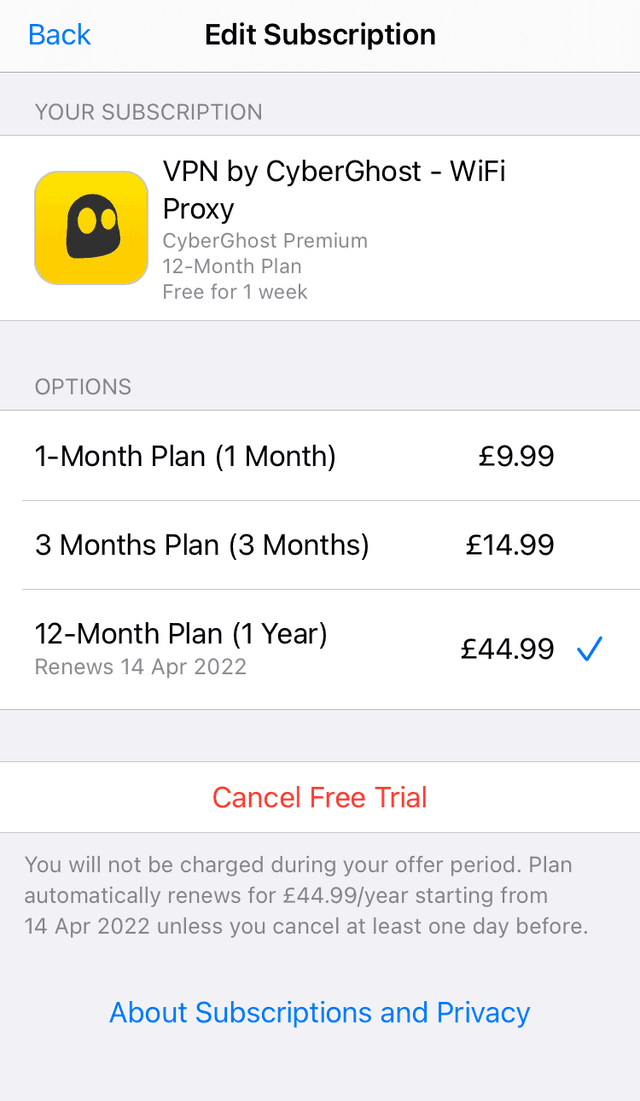
Tap Cancel Free Trial.
As long as you do this before the end of your trial period you won’t be charged.
CyberGhost's Free Trial vs Money-Back Guarantee
CyberGhost’s free trials are short. Even by combining the iOS and desktop trials, you’ll only get eight days of free use in total.
That said, there’s a way to use CyberGhost risk-free for much longer: sign up for a paid plan and ask for a refund within 45 days (14 days if you subscribed to the 1-month plan).
CyberGhost’s 45-day money-back guarantee is the longest offered by a top-tier VPN, with most other services restricting theirs to 30 days.
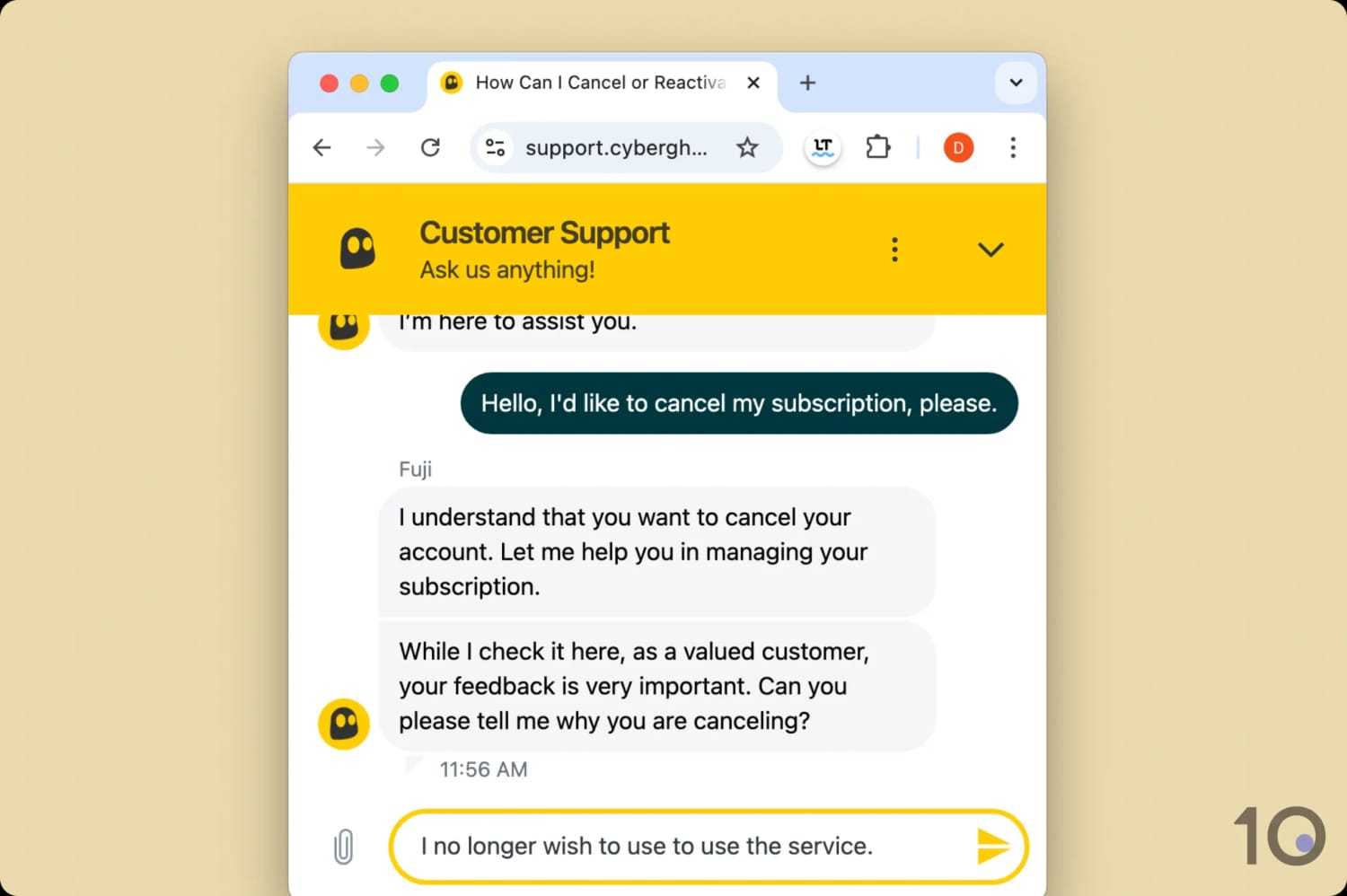
To claim your refund, just contact CyberGhost’s support team and ask. They may ask why you’re cancelling, but any answer will do as you don’t need a specific reason.
It’s easy to contact CyberGhost support and get a refund.
CyberGhost is a great value VPN, even without considering its free trial. At its cheapest, CyberGhost costs $2.19/mo over 26 months.
As with most VPNs, the multi-year plan offers the best value. A rolling monthly subscription costs $12.99 per month.
Does the CyberGhost Free Trial Require Card Details?
CyberGhost’s desktop free trial doesn’t require you to submit any credit card details: all you need to provide is a valid email address.
The mobile free trials do require a payment method linked to either your Apple or Google account.
Will I Be Charged Once the CyberGhost Free Trial Ends?
You won’t be charged anything after the desktop free trial ends since you never entered any payment details.
At the end of the Android and iOS free trial, you’ll be automatically enrolled in a paid subscription.
Don’t worry if you forgot to cancel. Once you’re rolled into a paid subscription, the service’s money-back guarantee applies — just contact a live support agent for your refund.