Top10VPN is editorially independent. We may earn commissions if you buy a VPN via our links.
The Best VPNs for USA


The Short Answer
The best VPN for connecting into the US and getting an anonymous American IP address is ExpressVPN. No other VPN provides as many US server locations, unblocking all US geo-restricted content platforms through extremely well-designed apps. Private Internet Access performed almost as well and is cheaper, while Windscribe is our free US VPN of choice, although its monthly data limit and fluctuating speeds won’t suit everyone.

VPN servers in the United States are commonly available, but the quality of the IP addresses offered is often very low, just like the providers operating them.
The end result is slow internet speeds and failures to unblock American geo-restricted websites and apps.
To help you avoid getting a bad VPN, we tested 61 services to find truly reliable ones with US IP addresses that can bypass US-based geo-blocks quickly and consistently.
Among the best VPNs that we picked, there were even two free VPNs that performed surprisingly well.
Summary: Top VPNs for the US
These five VPNs are ideal for getting anonymous and dependable US IP addresses from any country:
- ExpressVPN: Best VPN for USA Overall
- Private Internet Access (PIA): Cheap VPN for the US
- NordVPN: Offers Very Fast US Servers
- Windscribe: Best 100% Free VPN for the US
- PrivadoVPN: Free VPN That Unblocks US Netflix
Why Trust Us?
We’re fully independent and have been reviewing VPNs since 2016. Our ratings are based on our own testing results and are unaffected by financial incentives. Learn who we are and how we test VPNs.
| VPNs Tested | 61 |
| Total Hours of Testing | 30,000+ |
| Combined Years of Experience | 50+ |
That being said, the small data allowances of free VPNs, combined with their limited US locations and unblocking capabilities, will eventually frustrate you.
If you want to watch popular American TV shows and sports, including NBA, NFL and MLB live streams, without buffering, low resolution, or running out of data, you’ll need a premium (paid) VPN.
🔄 Recent Updates
We’ve updated key performance details, our testing methodology, and the list of VPNs that didn’t meet our selection criteria.
VPN Comparison Table
The table below compares our chosen VPNs based on speeds connecting into the US, ability to unblock US content platforms from abroad, and price.
VPNs with a data cap receive a reduction to their overall rating.
The Best US VPNs Reviewed
1. ExpressVPN: Best VPN for the US
Ranked #1 out of 61 VPNs for USA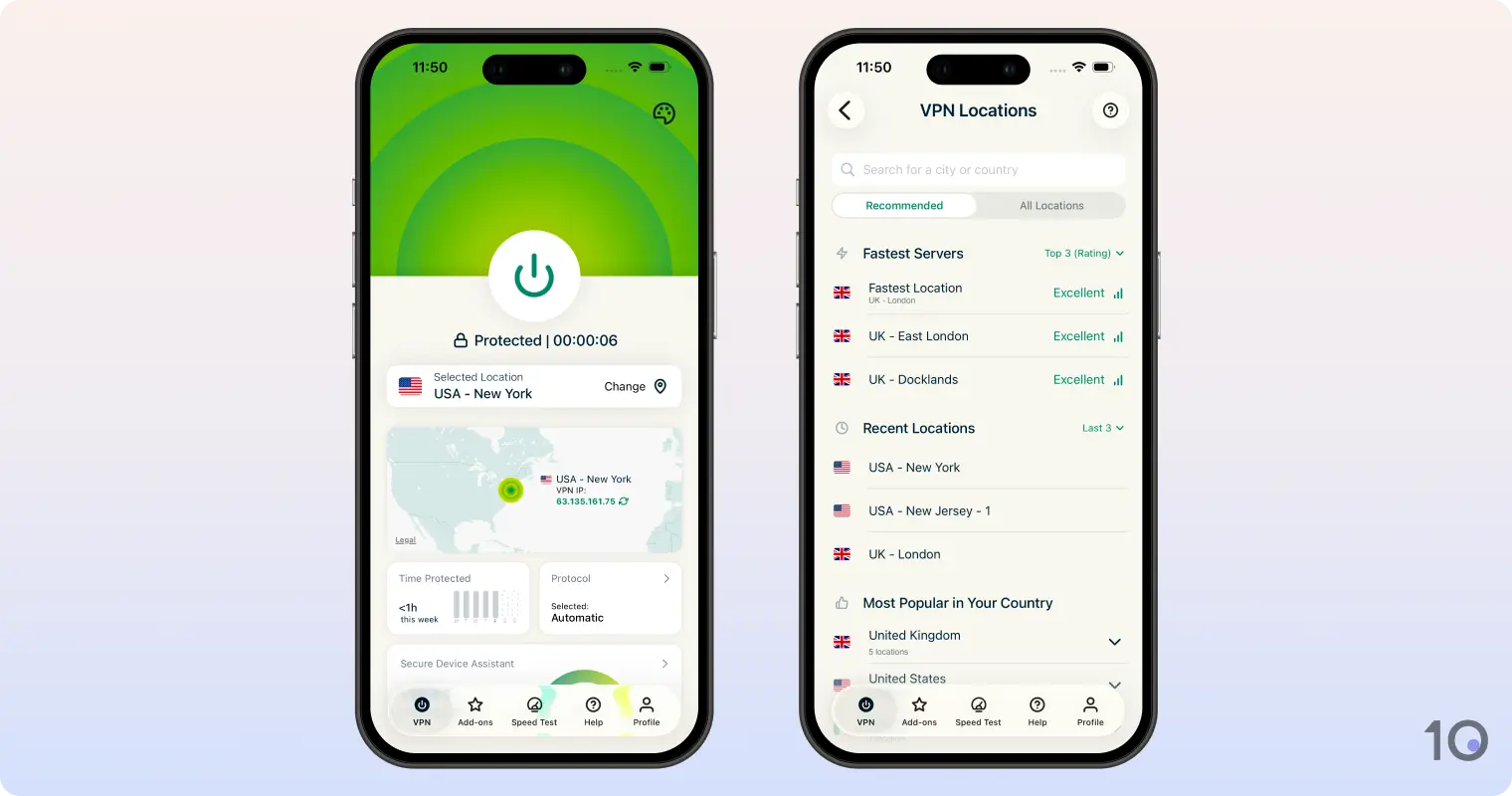
Pricing Plans - $12.99/mo
- $4.99/mo over 15 months
- $2.79/mo over 28 months
Free Trial Duration 7 Days US Servers 6,250 US Cities 57 US States 50 Simultaneous Connections 10 Support 24/7 Live Chat Compatible with  Windows
 Mac
Mac iOS
iOS Android
 Linux
Linux Amazon Fire TV
 Android TV
 Apple TV
 Router
 Chrome
ExpressVPN is a phenomenal VPN for getting an anonymous US IP address, with a remarkable ability to unblock geo-restricted American content abroad.
The VPN’s highly intuitive and well-designed apps make it a breeze to get an American IP address through its vast US server network that covers 57 cities and every single state.
While it’s more expensive than Private Internet Access, ExpressVPN’s superior usability won’t disappoint. You can even try the VPN completely free through its mobile free trials.
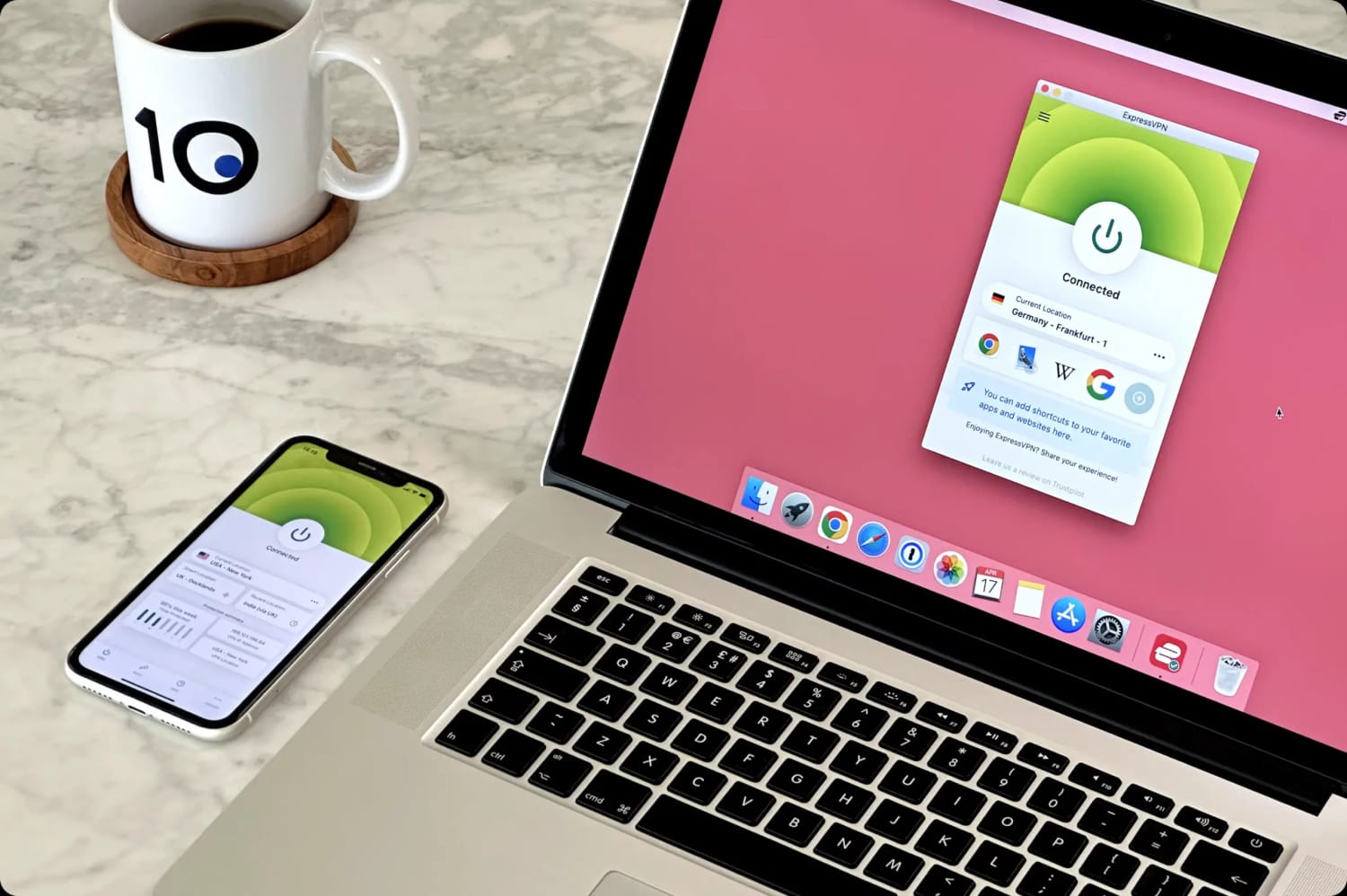
ExpressVPN is extremely easy to use on all devices.
Unmatched at Beating US Streaming Geo-restrictions
What we love about ExpressVPN is how easily it can get round US content geo-restrictions and on all popular devices, too.
We unblocked every American streaming service from abroad, including the US content libraries of Netflix, Prime Video, Disney, and Paramount+.
Also, the VPN unblocked HBO Max, bypassed Hulu’s VPN blocks and accessed Peacock TV from outside USA.
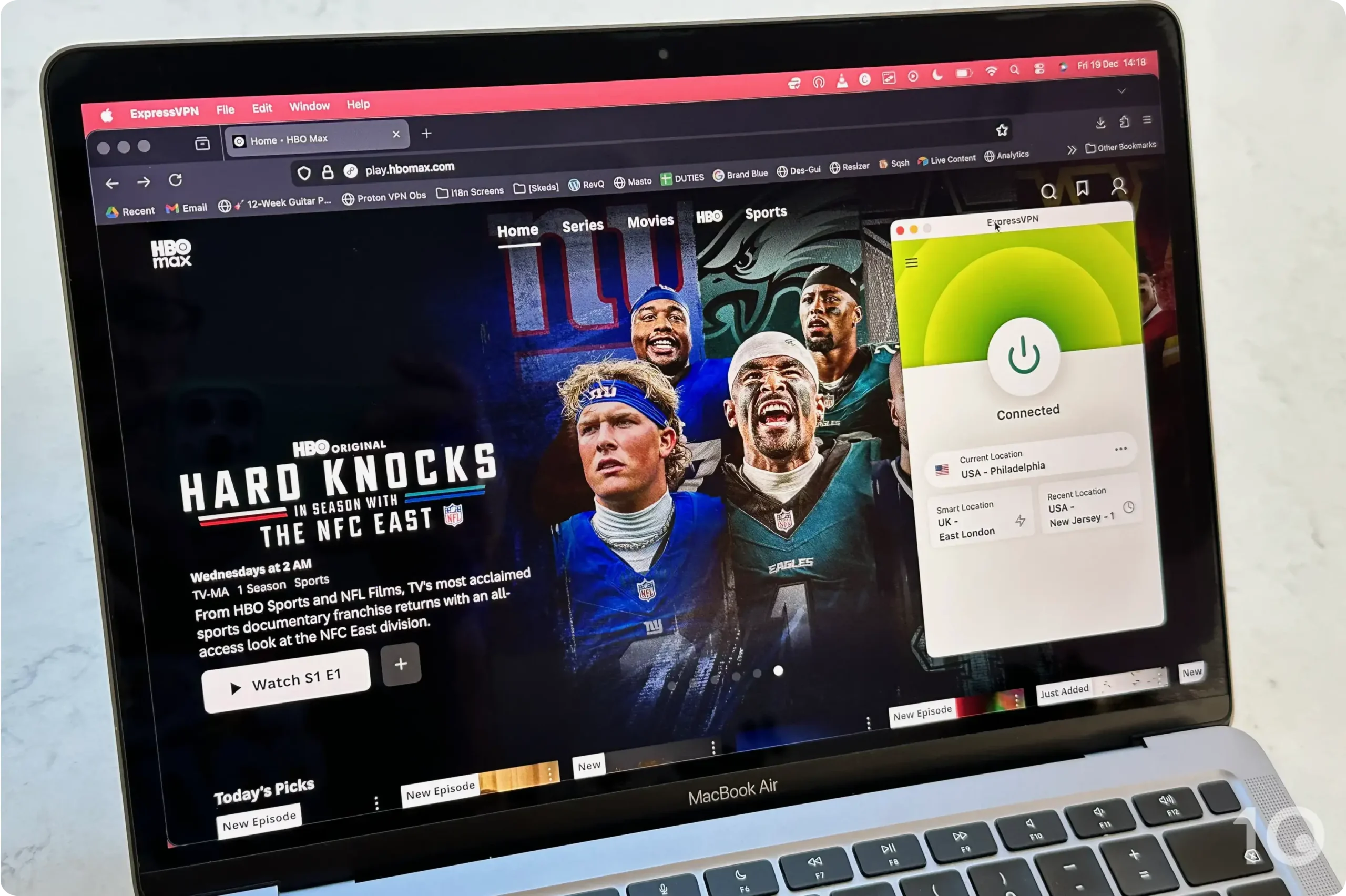
ExpressVPN is the best for unblocking US streaming services like HBO Max.
One of the great benefits of using ExpressVPN is that it delivers exceptionally fast and unrestricted access across an incredibly wide range of devices.
On top of its standard computer and mobile apps, ExpressVPN has also developed equally streamlined Android TV, Fire TV and Apple TV software. It also offers a Smart DNS proxy (called MediaStreamer), and a dedicated app for routers.
The router app is unique among VPN services, and makes it infinitely easier to access geo-restricted content on game consoles and Roku Stick, which don’t support direct VPN installs.
Quality IP Addresses from 57 US Cities
ExpressVPN provides IP addresses from 57 different US cities, including popular locations like Atlanta, Chicago, Los Angeles, Miami, and New York.
ExpressVPN has servers in every single US state, including:
- Arizona
- California
- Colorado
- Florida
- Georgia
- Illinois
- New Jersey
- New Mexico
- New York
- Texas
- Utah
- Washington
ExpressVPN has always had a highly dependable server park in the US and, over many years, we have rarely experienced unexpected internet slowdowns, which are typically linked to server congestion.
With thousands more US-based servers in its arsenal, with regularly-refreshed IP addresses, we’ve seen further improvements in speed stability and IP location accuracy.
Plus, these servers connect near-instantaneously, which significantly outperforms the multi-second delay we found with both PIA and NordVPN.
An Excellent but Slightly Expensive VPN
ExpressVPN performed exceptionally well in all our tests, but this high level of performance does come with a price tag to match.
At its cheapest, it costs $2.79/mo over 28 months, substantially more than Private Internet Access on multi-year pricing plans.
That said, there are ways for you to try ExpressVPN for free before committing.
You can either sign up to a 7-day free trial via iOS or Android, or take advantage of the provider’s 30-day money-back guarantee, which the company has always honored in our experience.
2. PIA VPN: Cheap VPN for USA
Pricing Plans - $11.99/mo
- $7.50/mo over 6 months
- $2.03/mo over 39 months
Free Trial Duration 7 Days US Servers Undisclosed US Cities 50 US States 50 Simultaneous Connections Unlimited Support 24/7 Live Chat Compatible with - Windows
- Mac
- iOS
- Android
- Linux
- Amazon Fire TV
- Android TV
- Apple TV
- Router
- Chrome
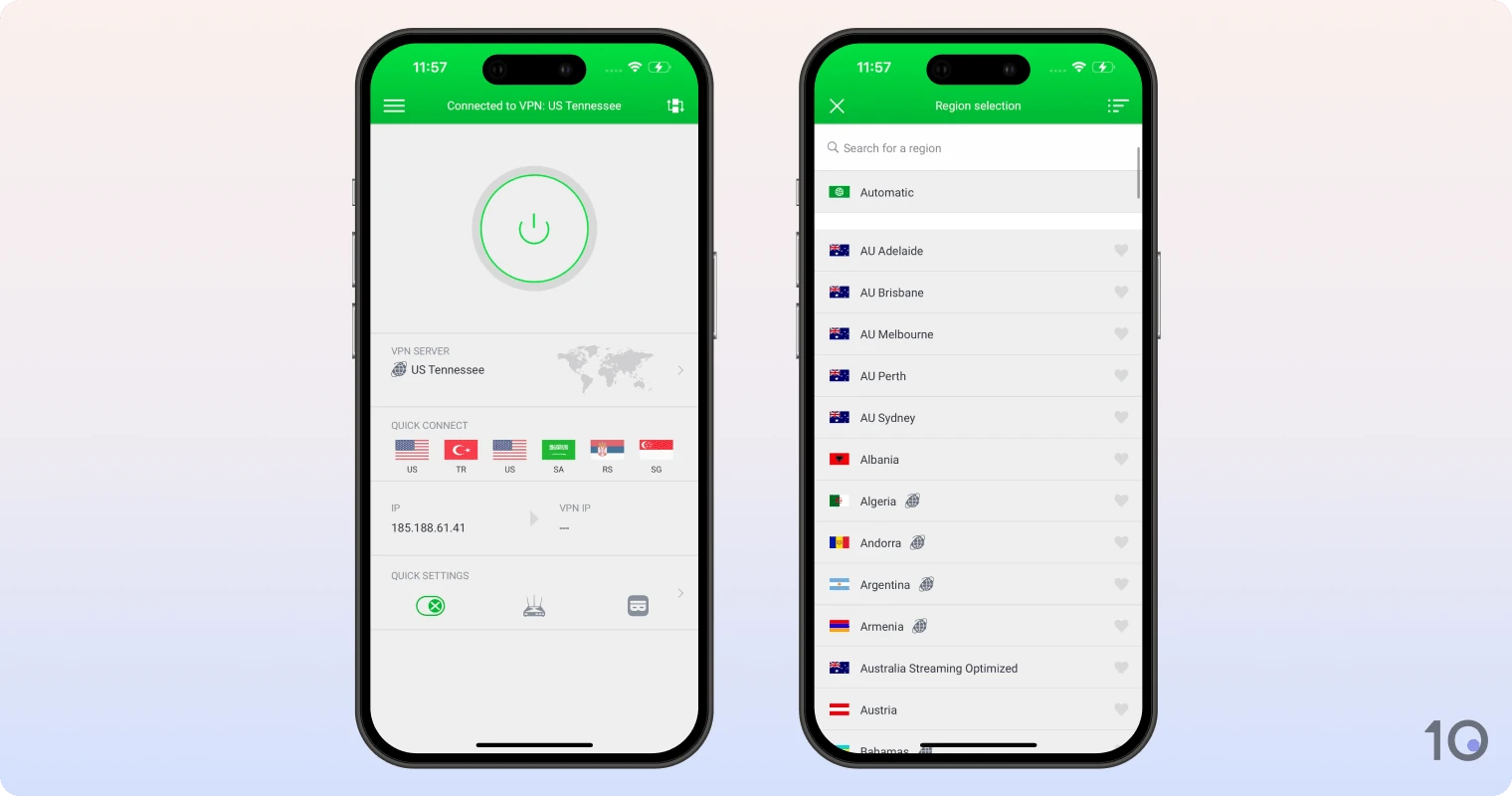
Private Internet Access (PIA) is a very affordable no-logs VPN with a very large pool of US IP addresses.
It’s in fact the only other VPN service, alongside ExpressVPN, to offer IP addresses from every single US state.
While PIA unblocked US Netflix, HBO Max, Peacock, Hulu, and many other US content platforms, its device compatibility can’t match ExpressVPN’s. It also doesn’t work with Disney+, which is surprising and rather disappointing.
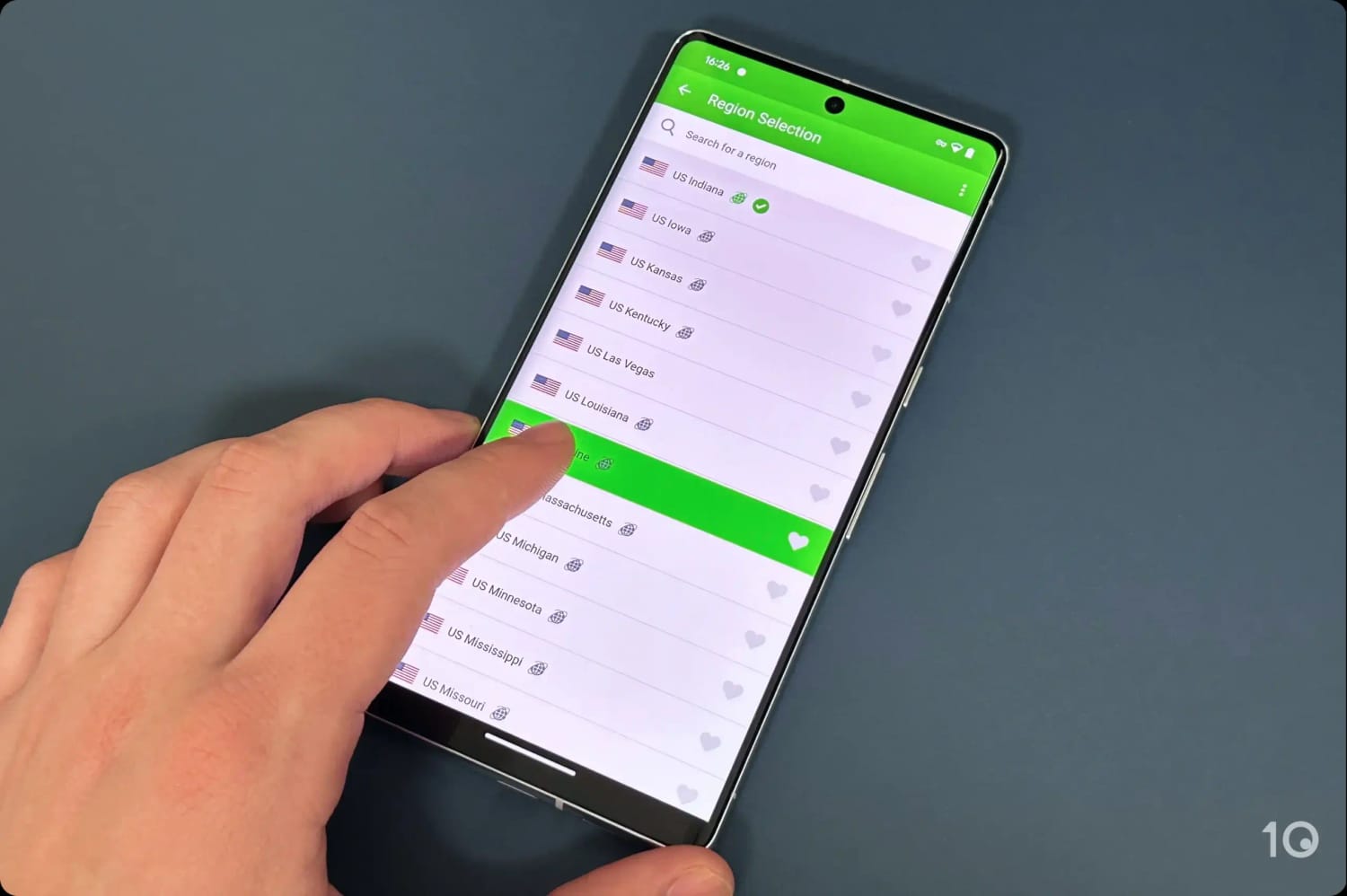
PIA VPN’s US servers in the Android app.
Exceptionally Fast US Server Network
Private Internet Access is almost as good as ExpressVPN when it comes to its range of American IP locations, with 50 on offer.
If you’re often abroad and want to access specific region-restricted content, such as local sports and news broadcasts, then PIA VPN is an excellent choice, especially if you’re on tighter budget.
Additionally, the VPN’s US speeds are among the fastest we’ve ever recorded. When connecting into locations like New York, Los Angeles, and Miami, our download speed decreased by only 14%.
Throughout many years of testing, we’ve never experienced traffic congestion thanks to the sheer amount of servers on offer.
Effective at Bypassing US Geo-blocks
PIA is an effective streaming VPN, able to get around the geo-blocks of platforms like Netflix, YouTube TV, HBO Max, Hulu, and ESPN+.

We had no issues accessing US Netflix with PIA.
That said, PIA’s streaming compatibility isn’t as reliable across different devices as ExpressVPN’s or NordVPN’s.
For instance, the Fire TV Stick app only works with Hulu and Peacock, but no other major American streaming apps.
Moreover, PIA’s Smart DNS proxy doesn’t work with streaming apps at all, which is bizarre.
On devices that don’t support VPN apps, like on PlayStation and Xbox, you’ll therefore have to set up PIA on your router, but it’ll be a painful experience versus using ExpressVPN’s router app.
Very Affordable with a 7-Day Free Trial
For a very affordable cost, you can get one of the safest and most trustworthy VPNs with a verified no-logs policy.
Every subscription plan comes with extra features like an ad and tracker blocker (MACE), split tunneling, port forwarding, and various encryption options. There’s also a SOCKS5 proxy included with the VPN.
PIA’s apps are also compact and user-friendly, which makes them suitable for beginners and experienced VPN users alike.
All of the above is available for just $2.03/mo over 39 months, making PIA one of the cheapest VPNs on the market.
You can also take advantage of a 7-day VPN free trial, available via the Apple and Google Play app stores.
3. NordVPN: Very Fast US Servers
Pricing Plans - $12.99/mo
- $4.99/mo over 12 months
- $3.39/mo over 24 months
Free Trial Duration 3 Days US Servers 3,125 US Cities 30 US States 25 Simultaneous Connections 10 Support 24/7 Live Chat Compatible with - Windows
- Mac
- iOS
- Android
- Linux
- Amazon Fire TV
- Android TV
- Apple TV
- Router
- Chrome
Similarly to ExpressVPN, NordVPN is a great all-round VPN, especially for getting an anonymous American IP address.
All its US servers consistently access American Netflix, HBO Max, Hulu, Prime Video, Peacock, Paramount+ and Disney+.
Speed-wise, the NordLynx (WireGuard) protocol continues to register extremely quick long-distance speeds connecting into 30 US locations from abroad.
That being said, NordVPN offers fewer American IP address locations and its desktop apps aren’t as eye-pleasing as ExpressVPN’s.
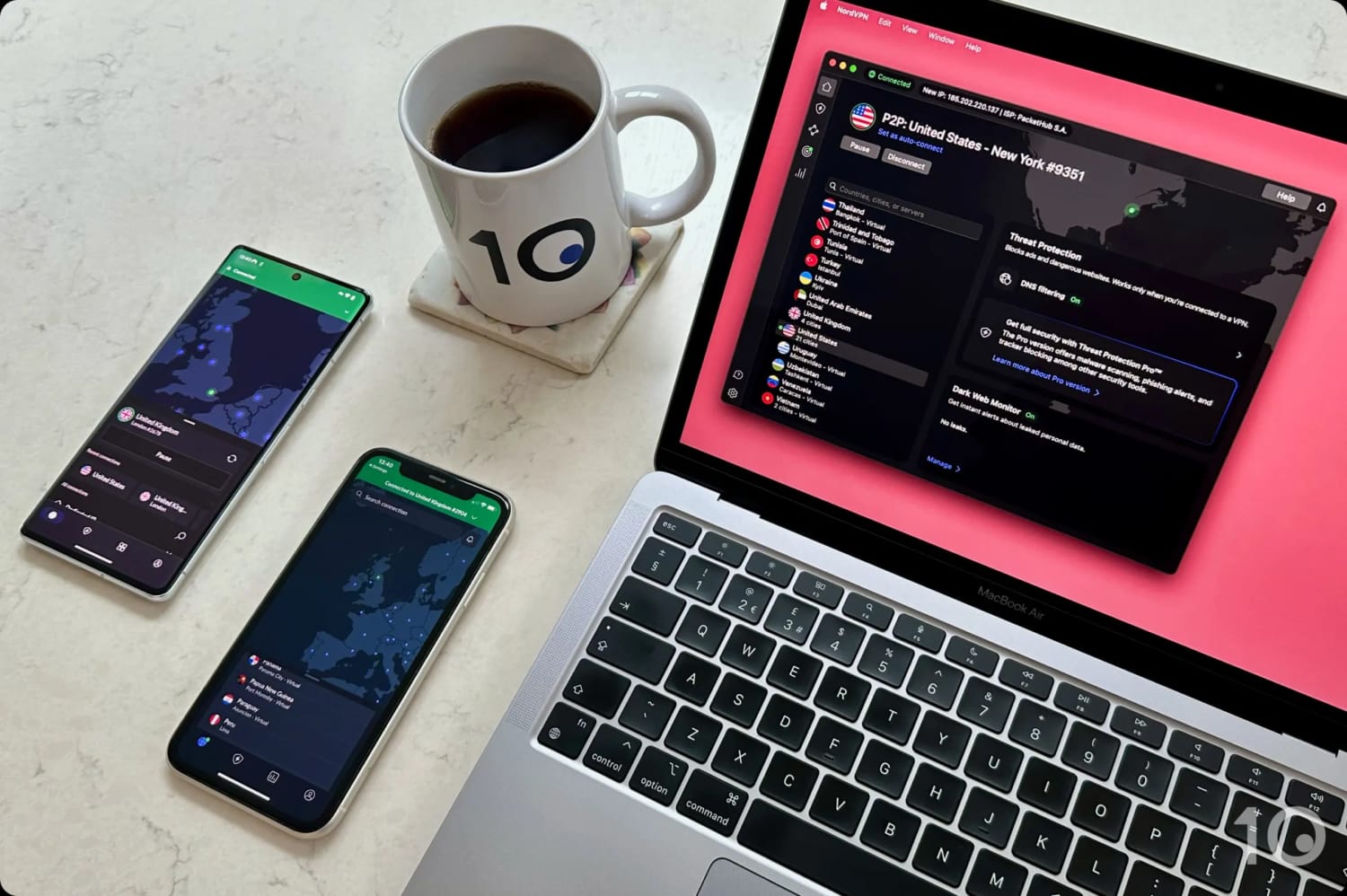
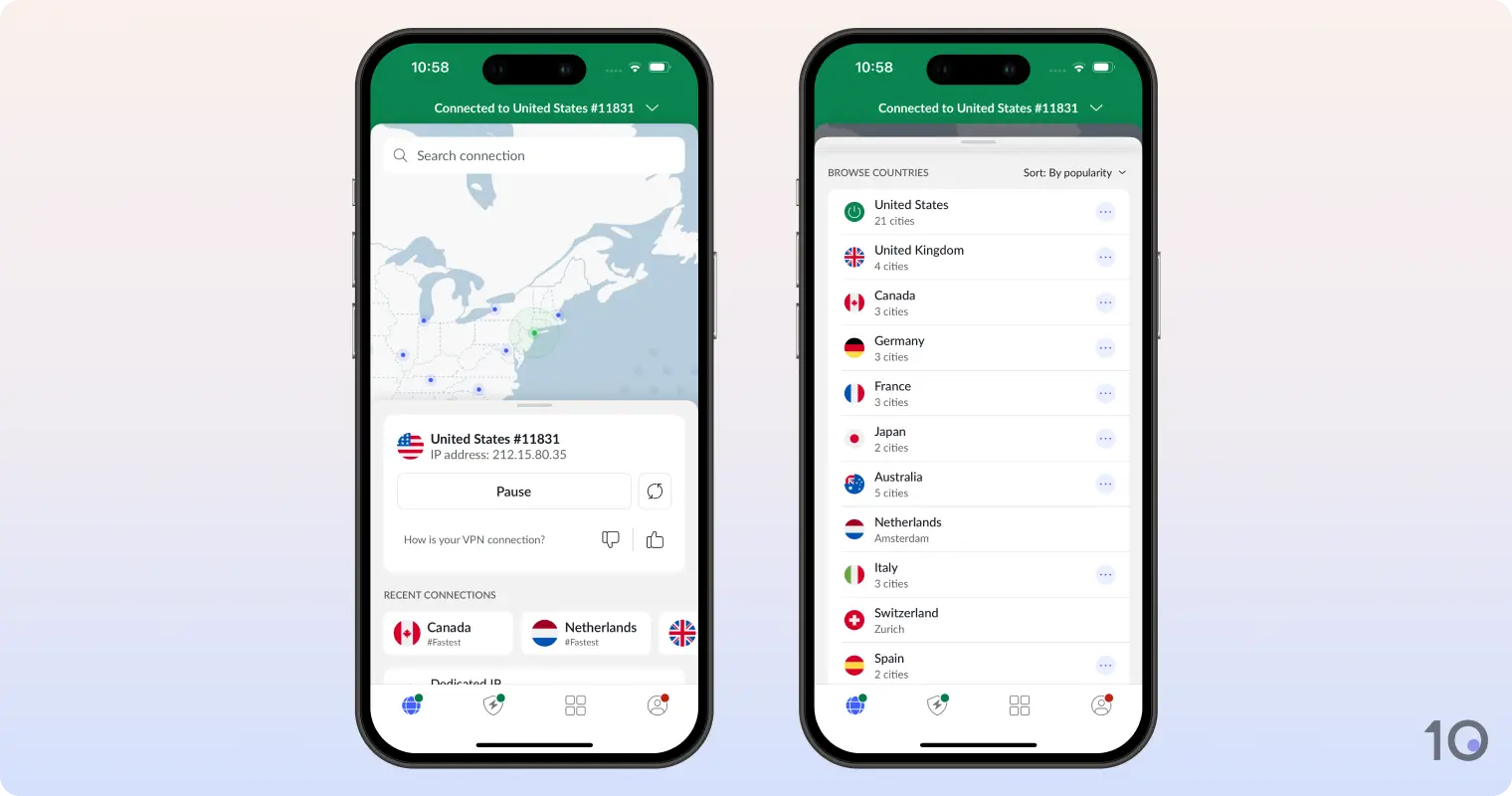
NordVPN’s apps for desktop and mobile.
US Streaming On Par with ExpressVPN
NordVPN is a great solution if you want to watch US streaming services from anywhere in the world. Everything ExpressVPN unblocks in the US, so can NordVPN.
You can unblock US Netflix, HBO Max, Hulu, Prime Video and all other American content platforms on the VPN’s US servers.
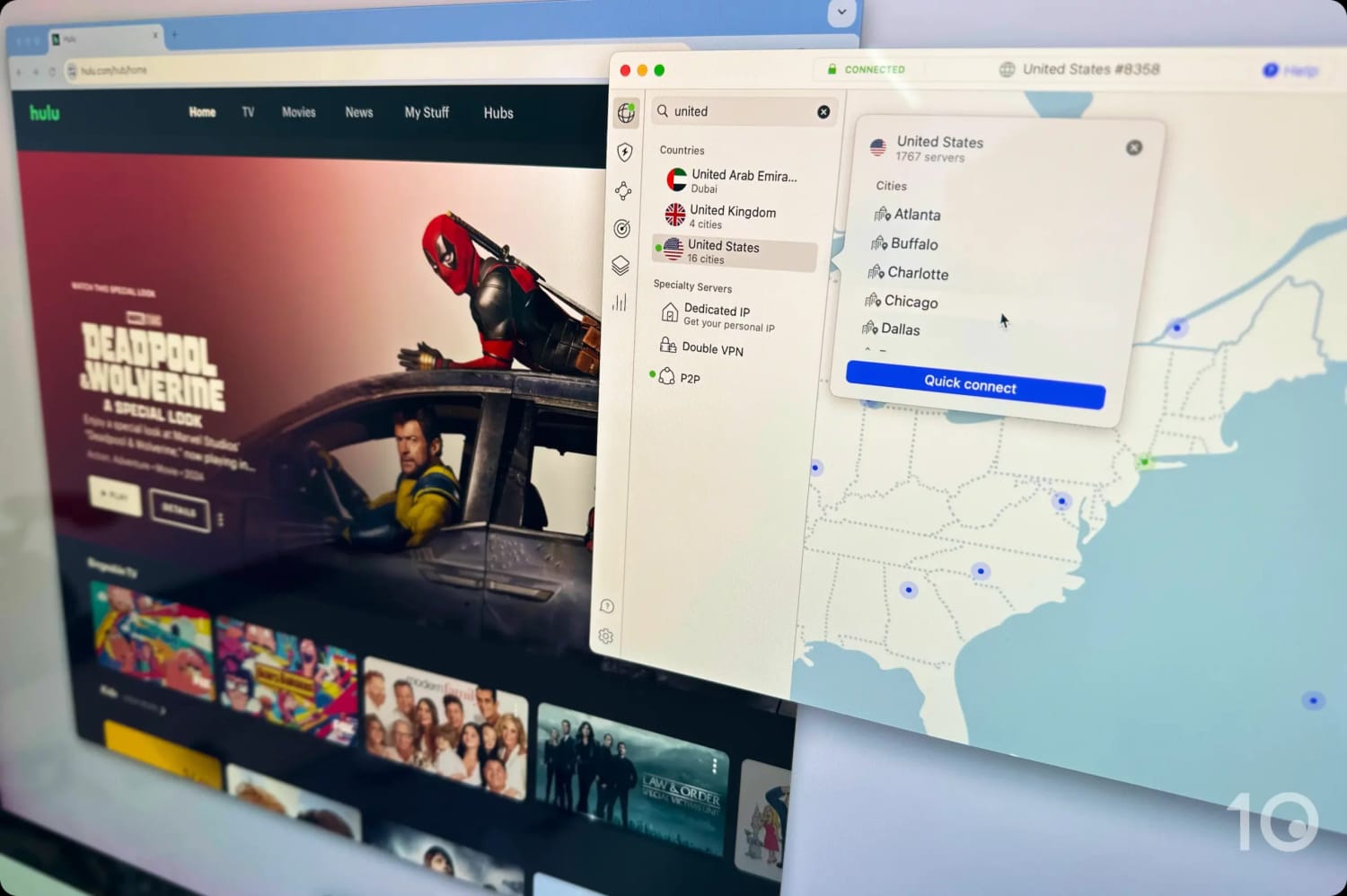
All of NordVPN’s US servers unblocked Hulu in our tests.
The only issues arise if you need to access content from one of the states that NordVPN doesn’t currently offer.
You can do this on its intuitive computer and smartphone apps, via its Fire TV Stick and Apple TV apps, and using its Smart DNS service, which worked well on our PS5 and Xbox consoles.
Doesn't Offer Servers in Every State
NordVPN runs 3,125 servers located in America, giving its customers access to one of the widest range of US VPN IP addresses.
While its city and state coverage isn’t as extensive as ExpressVPN or Private Internet Access, it still provides enough geographic variety to satisfy most users.
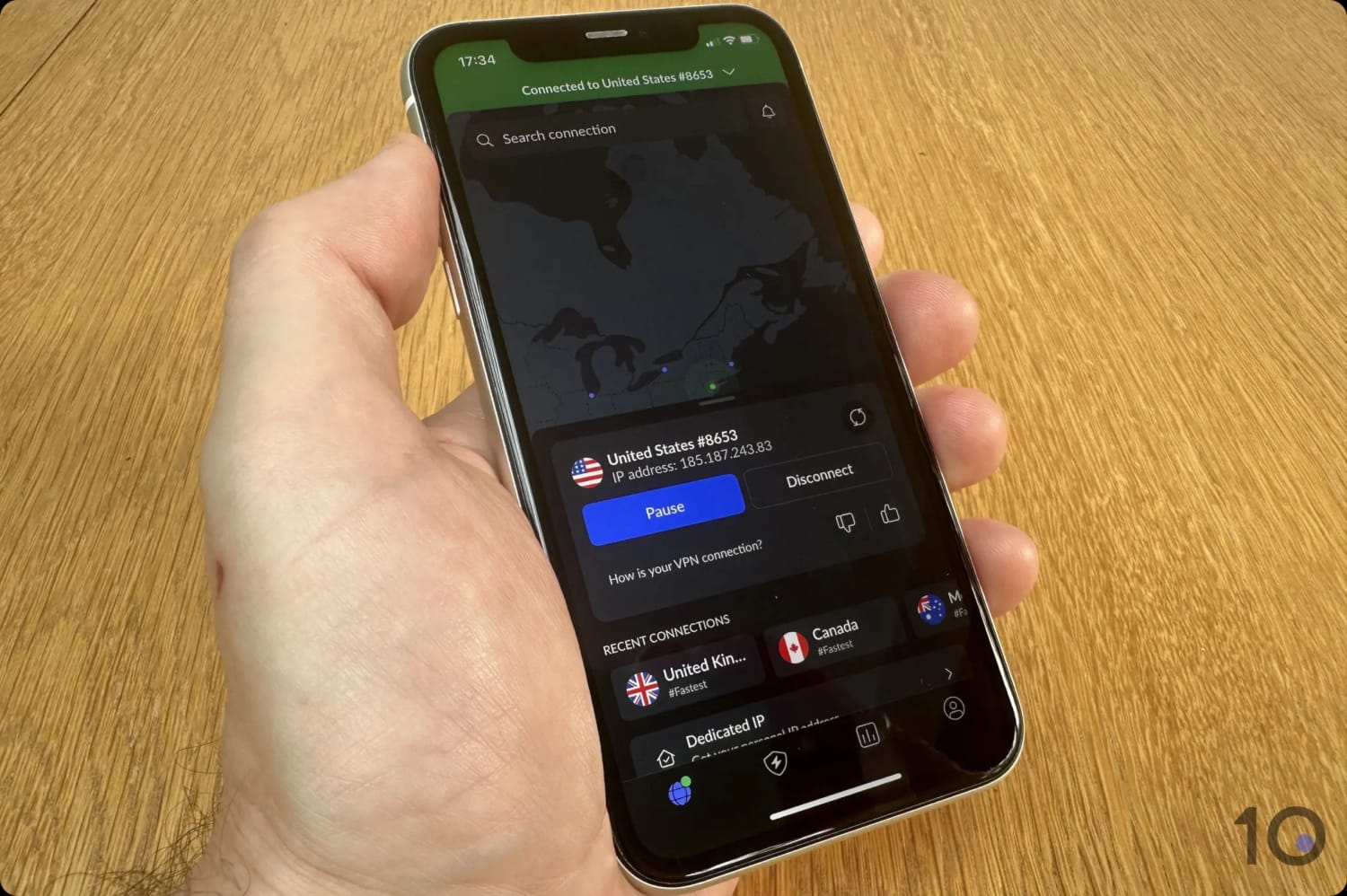
We easily connected to NordVPN’s US servers.
Most major cities and states have servers, but there are important omissions such as Detroit, Indianapolis, Las Vegas, Minneapolis, and Portland (Oregon).
Here’s the full list of US states NordVPN doesn’t currently cover:
- Alabama
- Alaska
- Arkansas
- Hawaii
- Indiana
- Iowa
- Kentucky
- Louisiana
- Maine
- Michigan
- Minnesota
- Mississippi
- Montana
- Nevada
- New Mexico
- North Dakota
- Ohio
- Oklahoma
- Oregon
- South Carolina
- South Dakota
- Washington D.C.
- West Virginia
- Wisconsin
- Wyoming
Putting the coverage shortcomings aside, NordVPN’s Nordlynx protocol performed amazingly and slowed our internet speed by only 14% connecting from abroad.
This excellent speed result is marginally better than both ExpressVPN and PIA, with all US connections maintaining a high speed throughout each session, and ensuring maximum resolution streaming.
Weaker Device Compatibility
NordVPN and ExpressVPN are almost equal but, outside of seasonal promotions, the former is slightly cheaper when you first sign up to its service.
It has to be said, though, that NordVPN’s apps aren’t as well designed. The desktop UI in particular can’t be resized, and it gives way too much prominence to useful but non-indispensable add-ons, such as Threat Protection and Dark Web.
This makes the UI bigger than necessary, and distracts from the core use of the software.
We’ve also had occasional issues using the Firestick app to unblock US streaming apps. There is no router app, either, therefore using NordVPN on devices like Roku is considerably trickier.




List of the Top Free US VPNs
1. Windscribe: Best Free VPN for USA
Ranked #1 Free VPN for the US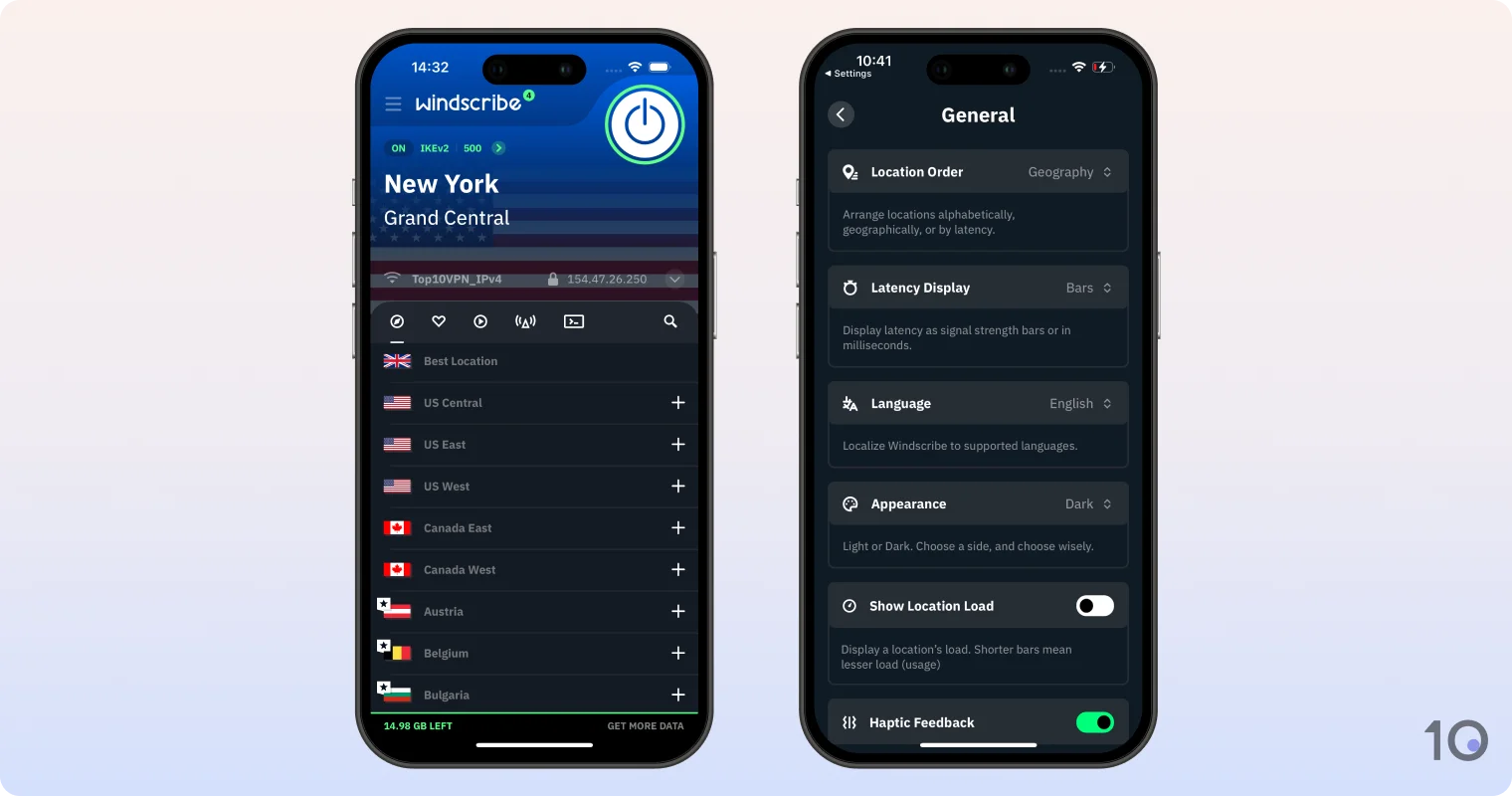
Data Cap 10GB per month Free US Servers 8 Free US States 7 Simultaneous Connections Unlimited Support Email & Online Resources Only Compatible with - Windows
- Mac
- iOS
- Android
- Linux
- Amazon Fire TV
- Android TV
- Apple TV
- Router
- Chrome
Windscribe is hands-down the best free VPN for the US. It doesn’t require any payment details on signup, and it offers a good amount of free US IP addresses that unblock popular US streaming services.
It no longer works with US Netflix, though, and its 10GB monthly bandwidth limit will limit HD streaming to roughly four hours.
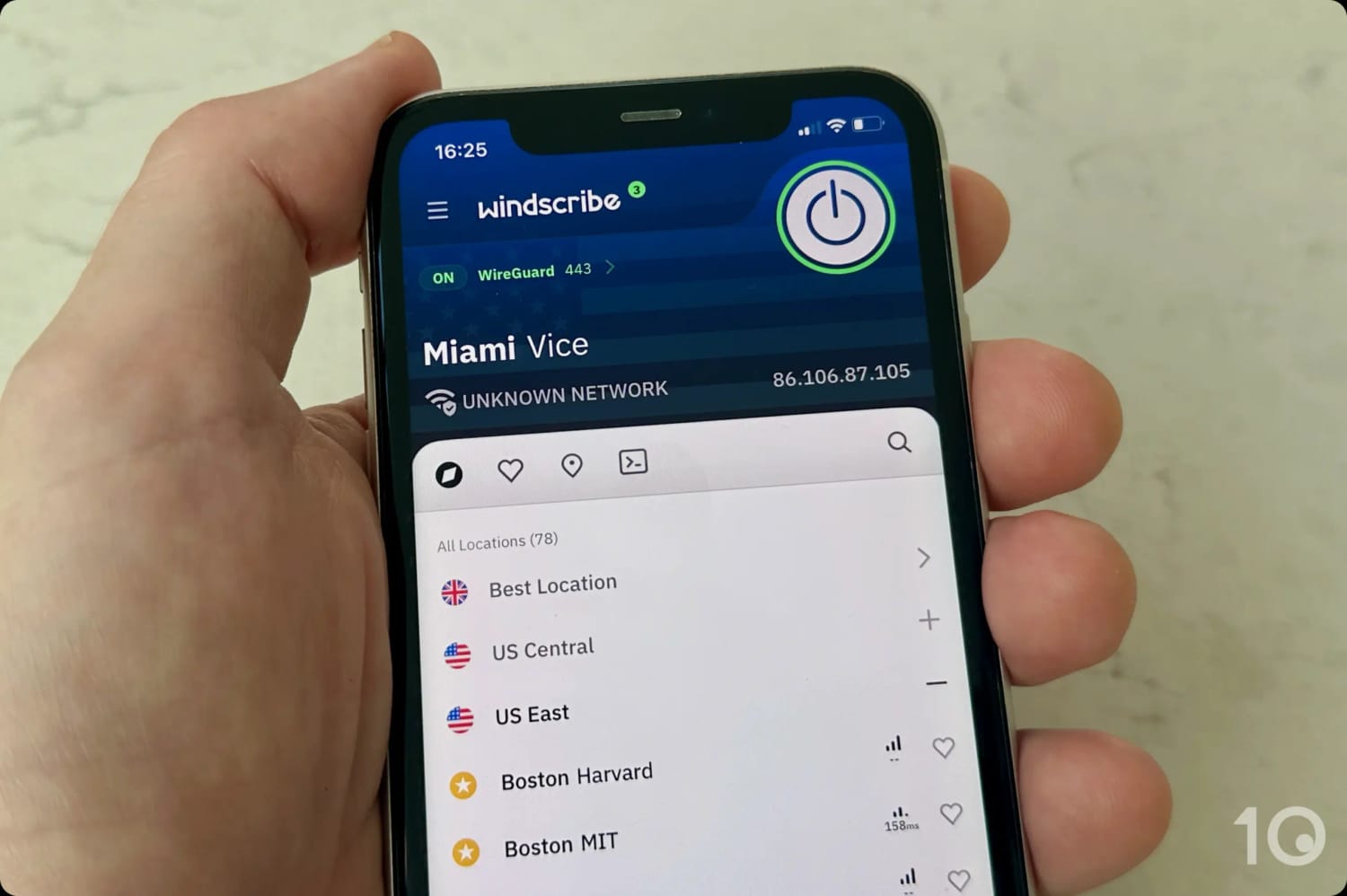
Windscribe offers access to several free US locations.
Free Servers in California, New York & 5 More States
Windscribe lets you connect to eight US cities in seven different states for free:
- Atlanta, Georgia
- Chicago, Illinois
- Dallas, Texas
- Los Angeles, California
- Miami, Florida
- New York City, New York
- Seattle, Washington
- Washington D.C.
For a free VPN, this is a very generous amount of US server locations, with options on the East Coast, West Coast, and in the South.
You can also connect into 9 other countries, with fast UK VPN servers and Canadian VPN addresses also available.
While this is a small selection of countries compared to the paid version of Windscribe, it’s still an impressive and diverse range of free locations to connect to.
Works with Many Popular US Streaming Platforms
Windscribe’s free VPN can surprisingly access most major US streaming services. It’s not quite as good as PrivadoVPN in this area, but it comes very close.
We found it to be an exceptionally effective free VPN for Amazon Prime Video as well as HBO Max, Disney+, and Hulu.
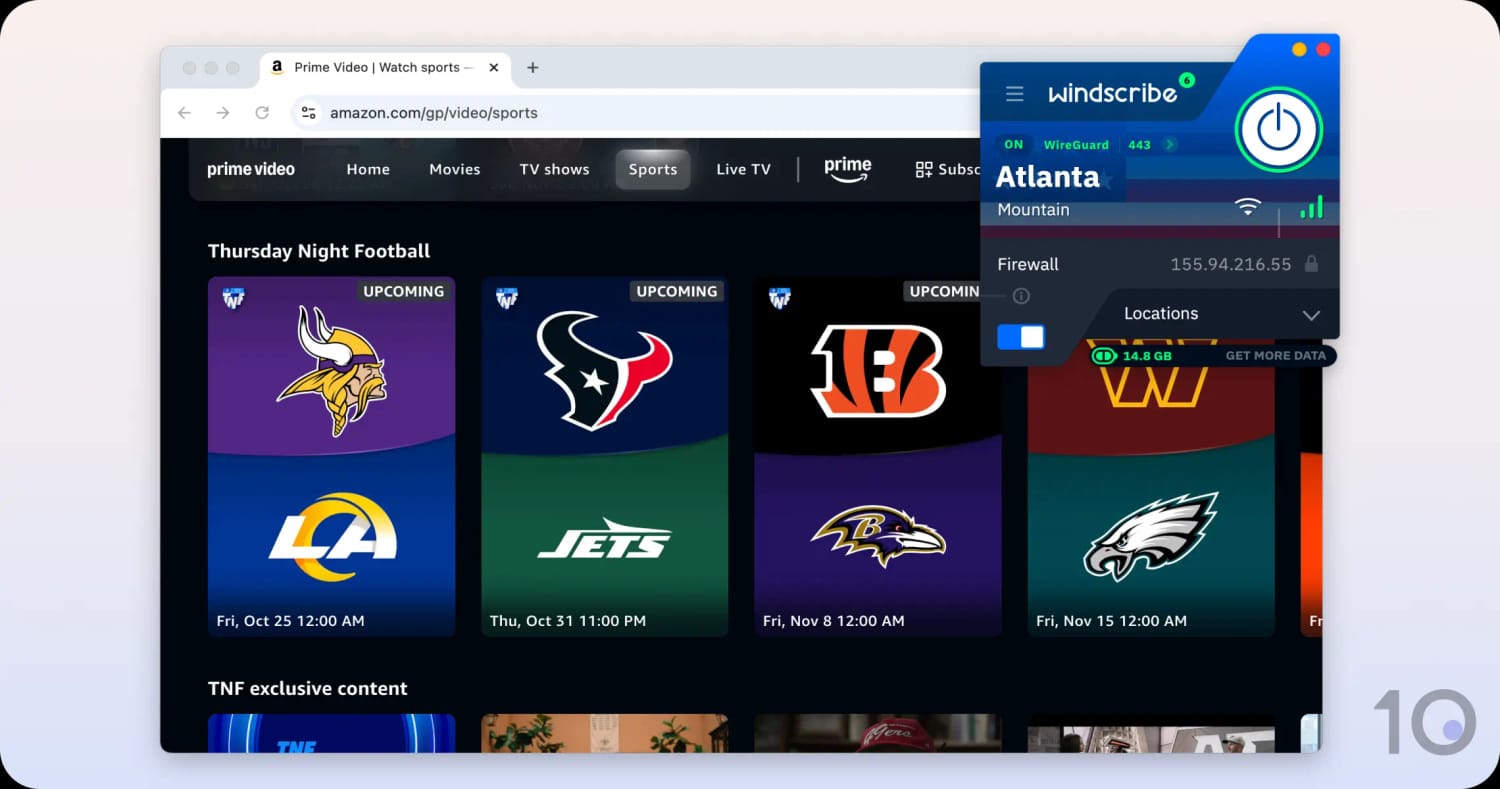
We watched Thursday Night Football on US Prime Video from abroad.
Sadly, the service’s free US servers no longer work with US Netflix, though. They used to work smoothly in the past, but for some time now Netflix blocks all of Windscribe’s free US IP addresses.
10GB Is the Biggest Drawback
As with any free service, Windscribe has its drawbacks. The key one being its 10GB monthly bandwidth limit, which will frustrate frequent VPN users.
The other limitation concerns the VPN’s streaming performance. Despite clocking fast internet speeds, we regularly experience fluctuations that lead to picture degradation and, sometimes, even buffering.
2. PrivadoVPN: Free VPN for US Streaming
Data Cap 10GB per month Free US Servers 4 Free US States 4 Simultaneous Connections 1 Support Live Chat Compatible with - Windows
- Mac
- iOS
- Android
- Linux
- Amazon Fire TV
- Android TV
- Apple TV
- Router
- Chrome
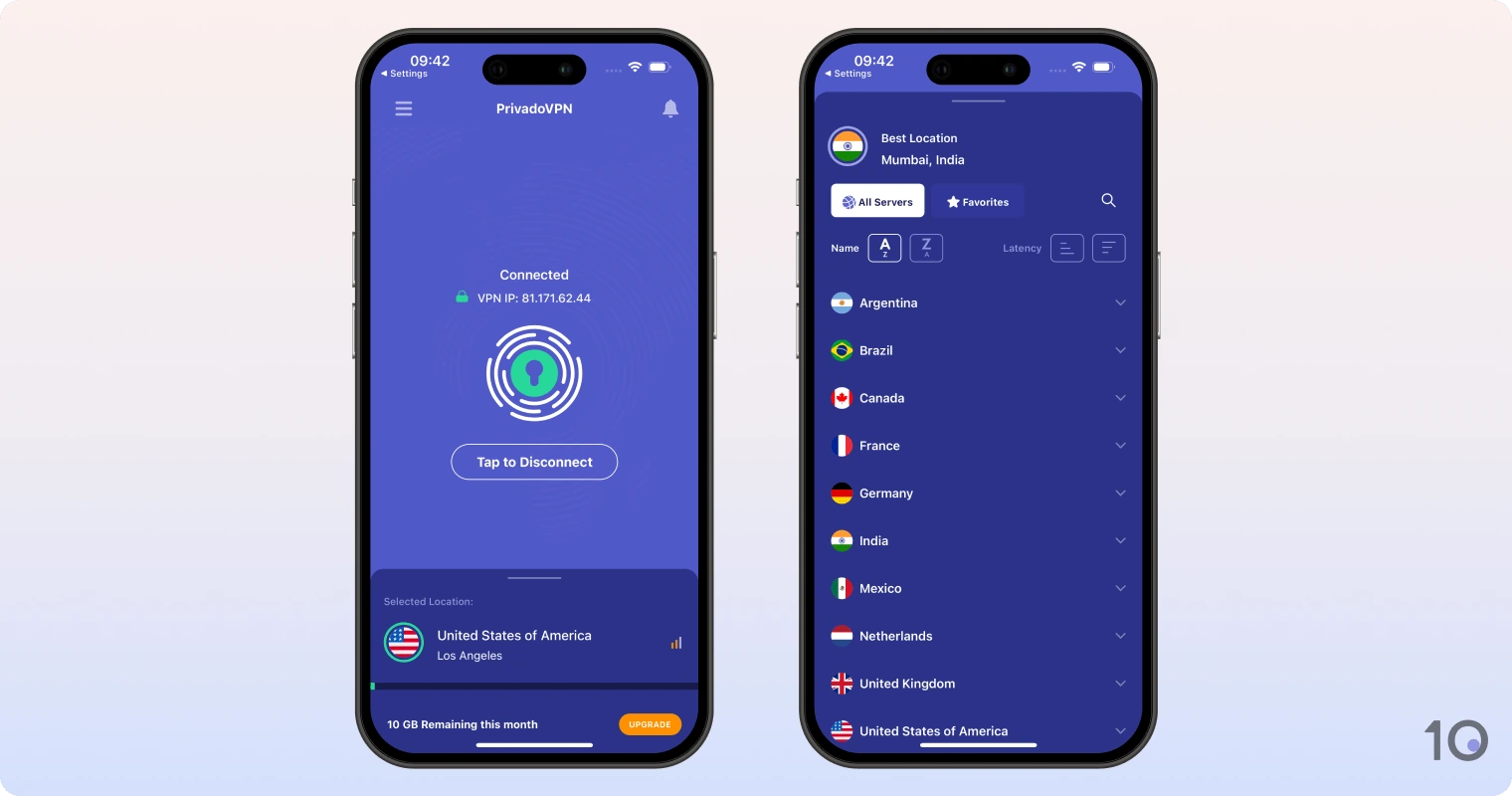
PrivadoVPN is a very good free VPN for the US, with four free server locations in the country that work with US Netflix, HBO Max, Prime Video, Hulu, and Paramount+.
While its 10GB monthly free data cap limits the amount of streaming you’ll be able to do, unblocking the American Netflix library for free is a very rare feat among free VPNs.
It’s a more basic free VPN compared to Windscribe, with fewer advanced settings, but it’s nevertheless a good option for bypassing streaming geo-blocks from abroad.
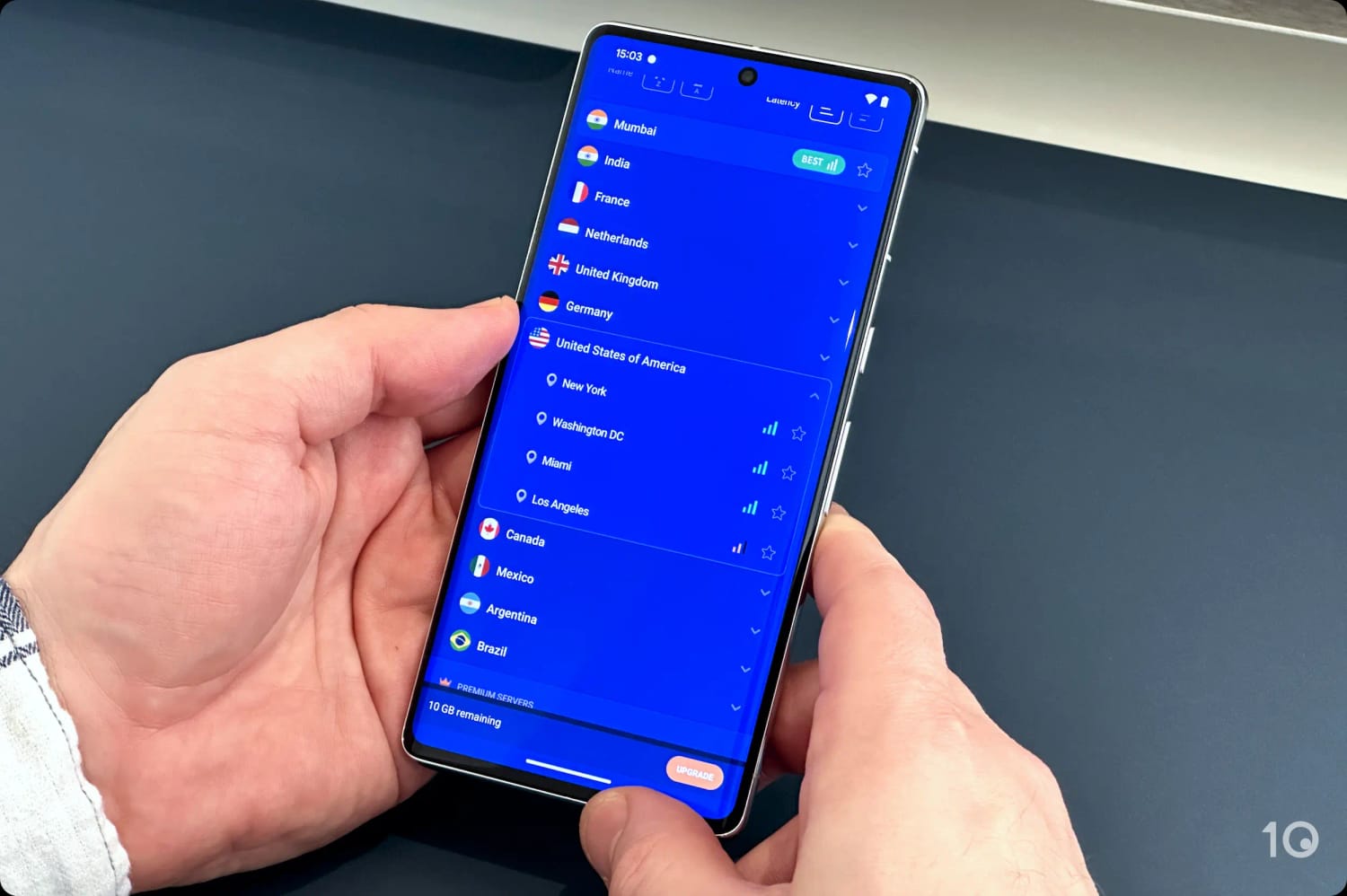
PrivadoVPN offers free US IP addresses from four cities.
The Best Free VPN for US Netflix
PrivadoVPN is one of the very few free VPNs that unblock US Netflix. Most other free services we tested couldn’t do it, not even Windscribe.
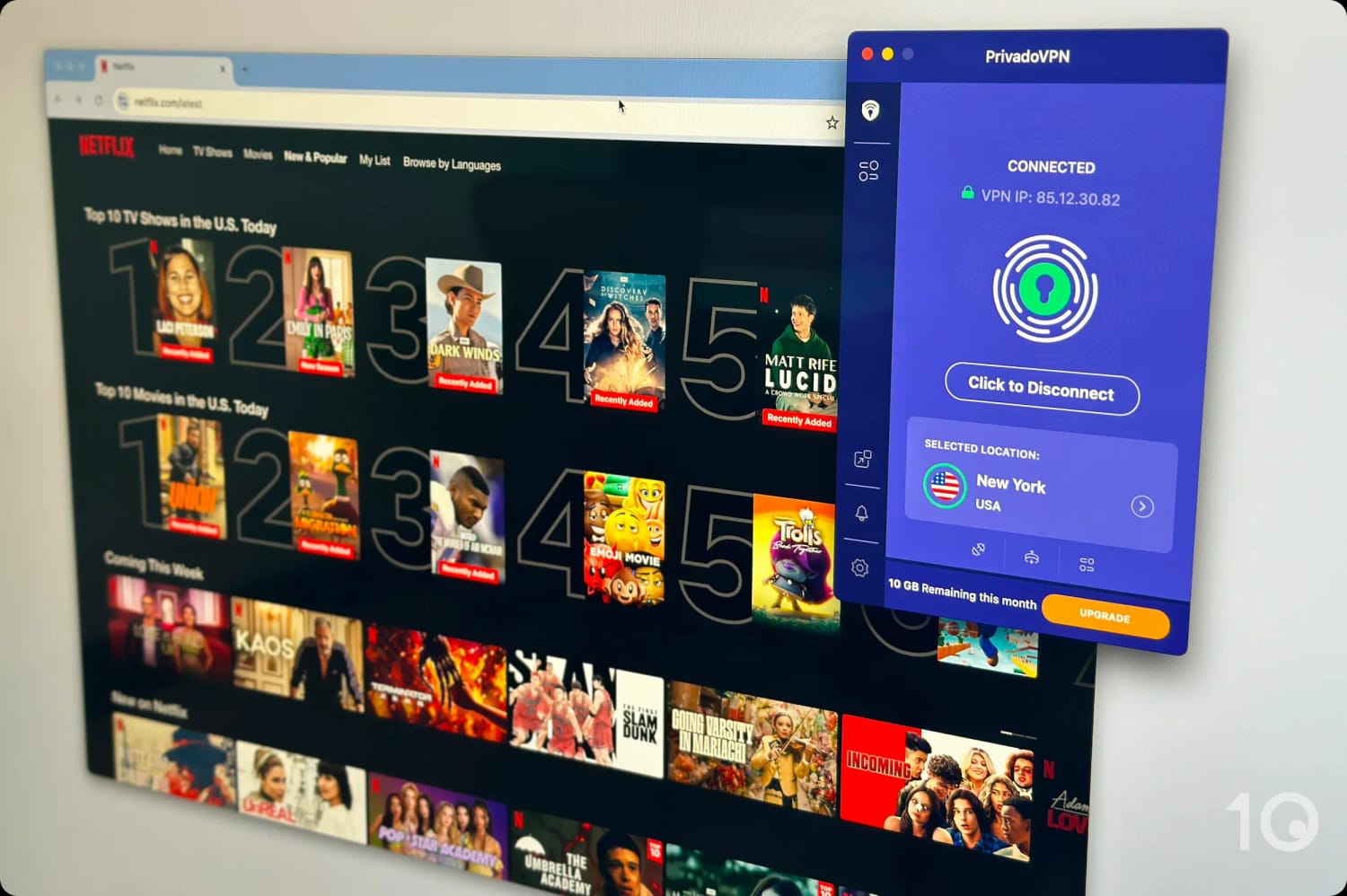
PrivadoVPN is the only safe free VPN that unblocks US Netflix.
On top of that, PrivadoVPN unblocks a variety of other major US streaming services, including HBO Max’s, Paramount Plus’s, and Prime Video’s American content library.
PrivadoVPN has also fixed its previously-faulty Fire TV Stick app, so you can now use it to stream geo-restricted content on your TV.
EXPERT ADVICE: Set up your PrivadoVPN account in a way that enables streaming. To do this, when asked to Choose Configuration, select Stream Content. Failing to do this prevents the VPN from working with streaming platforms.
Fast Servers in Four US Cities
PrivadoVPN has free servers in four US city locations: Chicago, Los Angeles, New York, and Washington D.C..
We always appreciate a good coast-to-coast reach, although it’d be even better if there were servers in the flyover states and in the South.
Windscribe does offer more free US server locations, but in general we’ve found PrivadoVPN’s server speeds not only faster but more stable, too.
In fact, our speed tests data revealed an impact on download speed of just 8% while connected to PrivadoVPN’s free US servers.
We connected quickly to each server location, with no noticeable delay to page loading times.
Restrictive 10GB of Data per Month
As with Windscribe, PrivadoVPN limits free use of its service to 10GB per month.
While this is restrictive for regular VPN users, it’s still more generous than the allowances of most other trustworthy free VPNs, like TunnelBear’s 2GB data allowance.
One thing that we found very annoying about PrivadoVPN is that it requests you manually refresh your free data each month, and which you can do only do in your online account. This is frustrating and unnecessary.



How to Get a US IP Address Using a VPN
Changing your IP address to an American one is very simple, as long as you use a dependable VPN with servers in the United States. The steps below show you how easy the process is.
Instructions: How to Get a US IP Address
- Get a recommended US VPN from our list.
- Download and install it on your device(s).
- Launch the app and sign in using your login details.
- Go to ‘Settings’ and ensure the kill switch is enabled, to prevent your real IP address from leaking unexpectedly.
- Go to the VPN’s server list, and find your preferred US location.
- Select and connect to your chosen US location.
- When the app shows you’re connected to the server, your device’s IP address will have changed to a US one.
In the video below you can see this simple process in action, using Windscribe to demonstrate it:
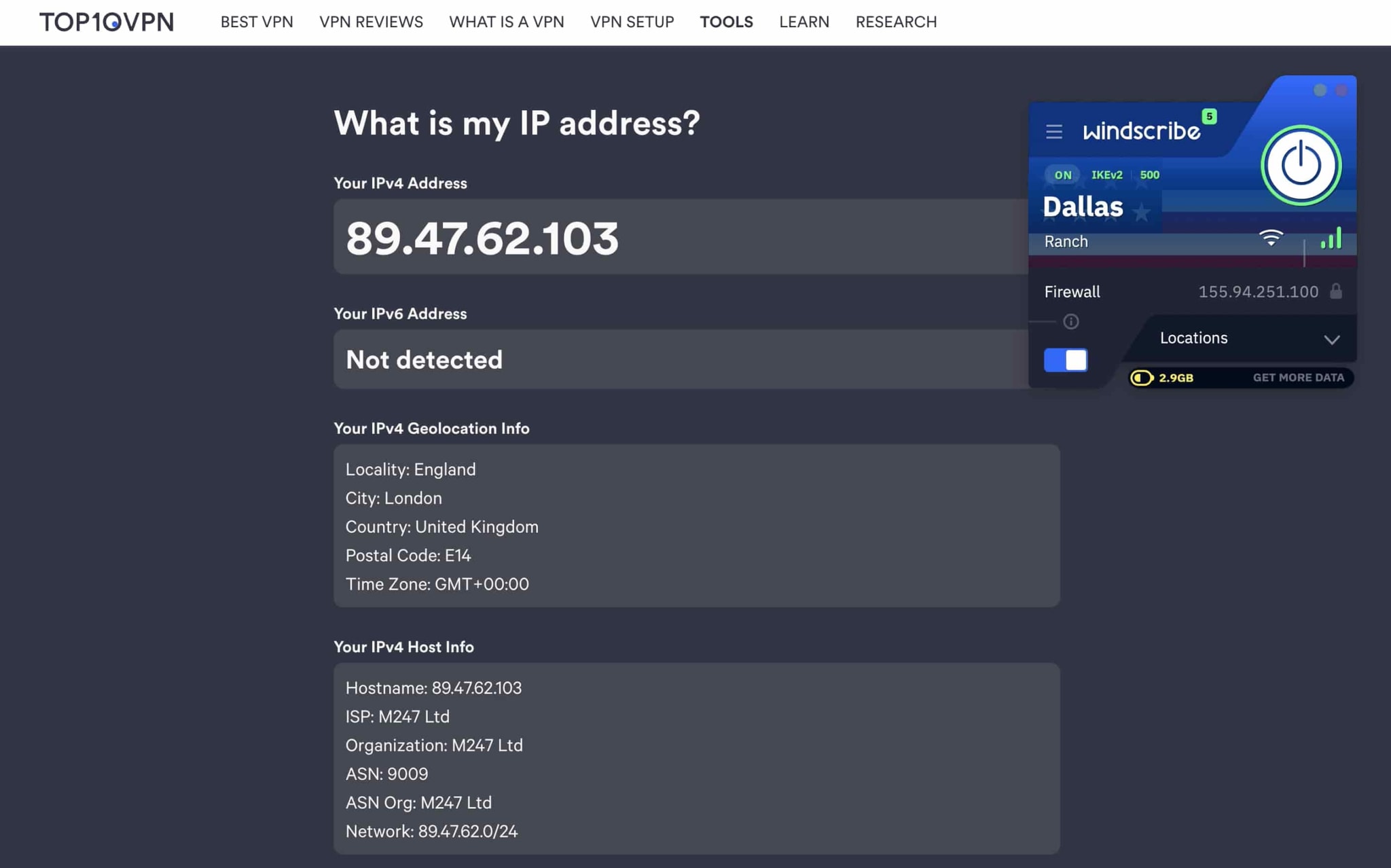
You can use Windscribe to connect to eight free US VPN servers.
How to Watch US TV & US Netflix Abroad
Depending on the VPN you’ve chosen, once you’re using an American IP address you’ll also be able to access free-to-air as well as paid-only geo-restricted streaming services.
Whether its live TV or on-demand content on Peacock, Hulu, Paramount+, Pluto.tv, or any other platform, our chosen VPNs will access it without issue.
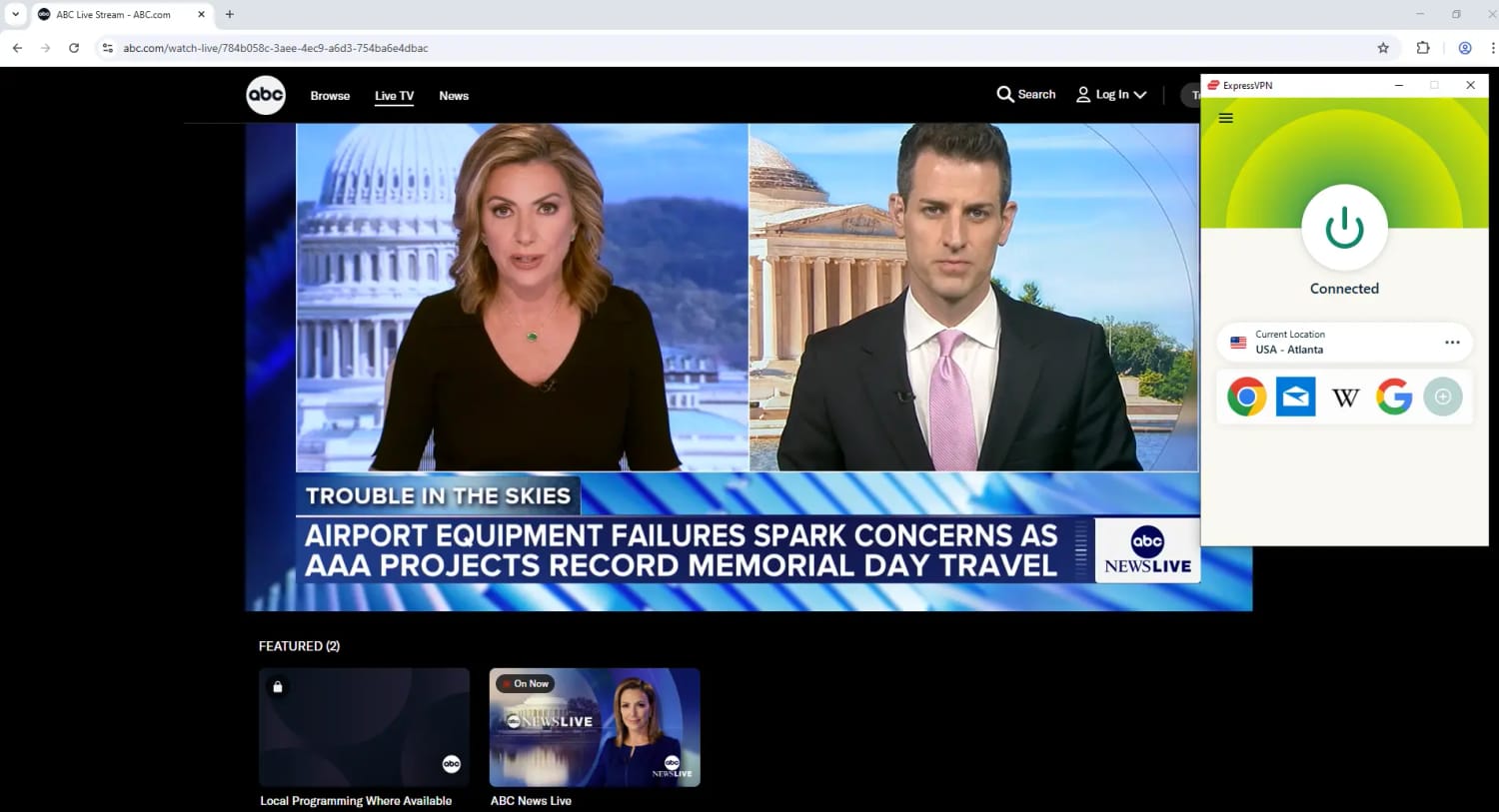
Watching local Live News on ABC with ExpressVPN.
Instructions: How to Watch US TV Abroad
- Download one of our chosen US VPNs. If it’s a paid one, subscribe to it.
- Install the VPN app on your device.
- Open the app and log in using your account credentials.
- In the app’s ‘Settings,’ check that the kill switch is activated.
- In the VPN’s server menu, pick a US city of your choice.
- Tap/click on the location in order to connect to it.
- Once you’re connected, open the streaming service’s app or website.
- Create an account or log in, if required, and start streaming.
All the subscription-only VPNs we recommend in this guide also unblock the American Netflix content library from outside the US.
Once you’ve downloaded and installed them, the steps to follow are exactly the same as above.
Watch our video tutorial on how to change your Netflix region to America and access its region-locked content titles.

If you see an error message, try one of our workarounds to fix your Netflix VPN not working.
VPNs That Didn't Make Our List
We regularly review VPNs for the US, and to date we’ve carefully tested 61. We’re surprised to see how many VPNs aren’t optimized for getting a US IP address.
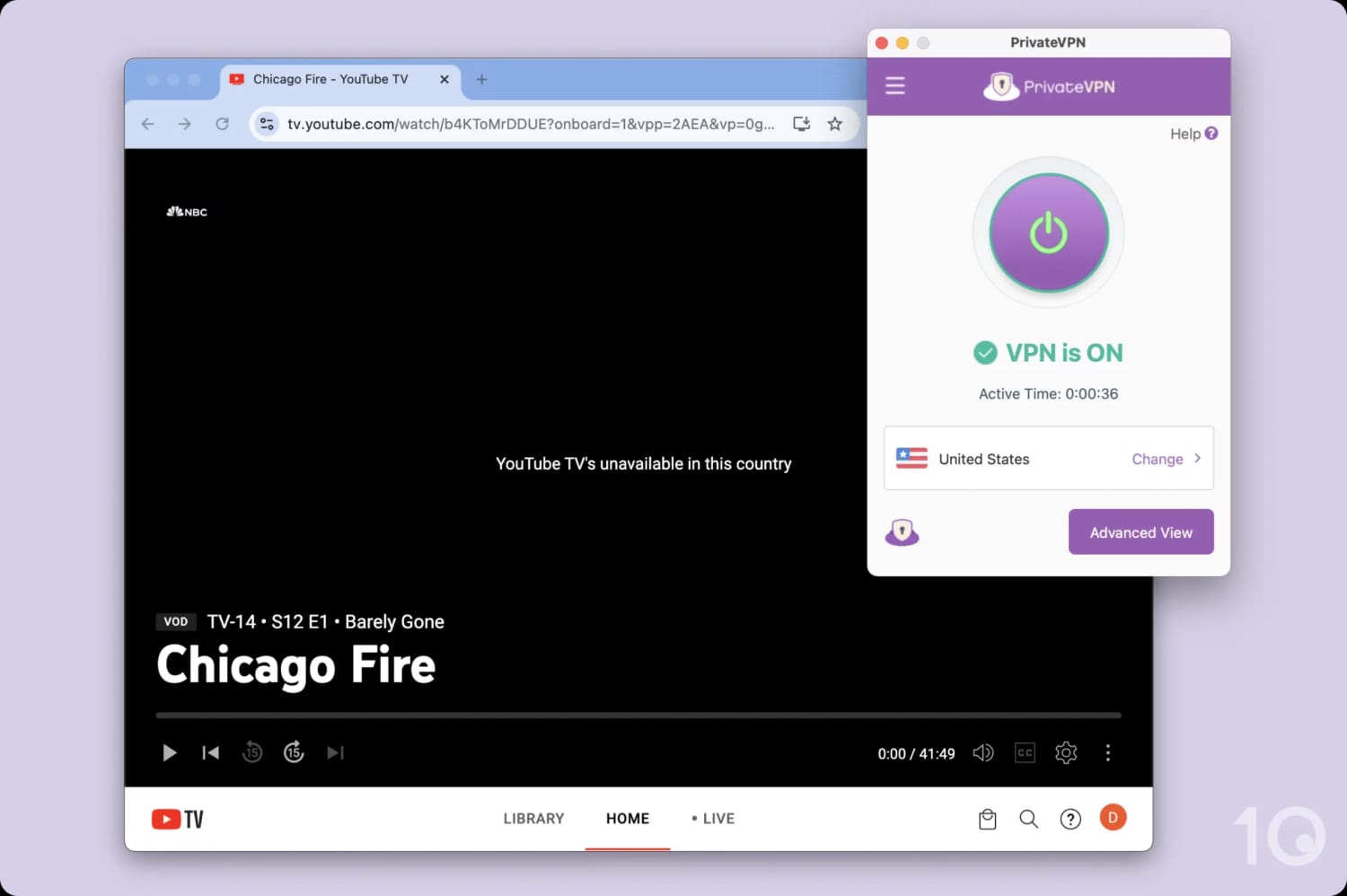
Many top-tier VPNs are detected and blocked by YouTube TV.
Based on our tests, below are popular services that aren’t good enough at the moment to make it onto our recommendations list.
CyberGhost
CyberGhost almost made it into our recommendations list thanks to its hundreds of US servers that work with most US-based content platforms.
The key reason why we don’t recommend CyberGhost is due to its international speeds. They are often slower than its rivals, inconsistent, and it sometimes takes a long time to connect to a server.
IPVanish
IPVanish certainly doesn’t have a speed issue, however it has historically struggled to bypass US streaming geo-restrictions. It has improved significantly lately and was able to access all the major US video apps in our most recent tests.
For us to consider recommending IPVanish as one of our top picks, though, we would need to see this happen consistently over a longer period of time and prove itself reliable.
PureVPN
PureVPN is a respectable VPN, but its speeds connecting into its US server locations were simply not fast enough. It also doesn’t work with US Netflix, Disney+, and Hulu.
Surfshark
Similarly to CyberGhost, Surfshark is a reliable and trustworthy service which suffers from slower long-distance connection speeds and longer server connection times than desired.
TunnelBear
TunnelBear is not a great VPN to connect into the United States. While it currently works with US Netflix and HBO Max, it can’t unblock many other services. It’s also considerably slower than most top-tier VPNs.
Urban VPN
Urban VPN is a service that has been caught logging private LLM chat data through its browser extension.
The VPN also collects other sensitive data such as your IP address and web browsing data. For these reasons, we strongly recommend you avoid using this untrustworthy VPN.
How We Test VPNs for the US
We’ve tested 61 VPN services to see which ones work best to get an anonymous American IP address from abroad, and therefore allow you to use the internet as if you were in the United States.
To make accurate and dependable recommendations, we analyze each VPN in five key areas, as the chart below shows.

Here’s a recap of how our chosen VPNs performed in our US-specific tests:
We’ve explained our methodology in more detail below. You can read about the specific tests we ran, and the weighting each category carries towards a VPN’s overall ‘US’ rating.
1. US Streaming (30%)
- Test Conducted: Connected to a server in the US and tested each VPN’s ability to unblock popular US streaming services like Netflix, HBO Max, Disney+, Amazon Prime Video, and Hulu.
- Why It’s Important: To access US-exclusive content from abroad.
- Optimal Result: Consistently unblocks all major US streaming services across a range of servers.
- Top-Performing VPN(s): ExpressVPN and NordVPN.
2. US Servers (30%)
- Test Conducted: Analyzed each VPNs server network to see how many US servers it maintains, including how many US cities and US states, and assessed if they are evenly spread across the country.
- Why It’s Important: A wide variety of US servers ensures better performance, reduces congestion, and is essential for obtaining a reliable US IP address.
- Optimal Result: Hundreds of US servers on the East and West coast and in at least 5 different US states.
- Top-Performing VPN(s): ExpressVPN.
3. Speed (20%)
- Test Conducted: Conducted in-house speed tests to assess each VPN’s average international download speed.
- Why It’s Important: Fast speeds are crucial for smooth browsing and high-quality, buffer-free streaming of US content.
- Optimal Result: Less than 10% download speed loss compared to our normal internet connection.
- Top-Performing VPN(s): ExpressVPN, Private Internet Access, and NordVPN.
4. Security (10%)
- Test Conducted: We examined each VPN’s security standards and verified that it successfully encrypts every connection.
- Why It’s Important: One of the core functions of a VPN is to encrypt the internet data transferred through its connections.
- Optimal Result: Use of best-in-class VPN protocols with AES-256 or ChaCha20 encryption, verified via our Wireshark tests. Extra settings like a working kill switch and built-in IPv6 leak protection.
- Top-Performing VPN(s): Private Internet Access.
5. Privacy (10%)
- Test Conducted: We analyzed each VPN’s privacy policy in accordance with our privacy standards.
- Why It’s Important: The US has some of the most invasive privacy laws in the world, so you need a VPN that will protect your online activity.
- Optimal Result: A verified no-logs policy, supported by evidence such as independent audits or court cases.
- Top-Performing VPN(s): Private Internet Access.
Data Cap Penalty
Data Cap Penalty
Almost every free VPN has a data cap. Although free services can still perform well in our assessment, being limited to a data cap massively reduces your VPN’s capabilities.
To reflect this, we apply a penalty to the free VPN’s overall rating for the US based on how restrictive its data cap is:
- 10GB per month: -20% to the overall rating
- 500MB per day: -25% to the overall rating
- 5GB per month: -30% to the overall rating
- 1GB or 2GB per month: -35% to the overall rating
- 200MB per day: -40% to the overall rating
- 500MB per month: -50% to the overall rating