

Top10VPN is editorially independent. We may earn commissions if you buy a VPN via our links.
The Best VPNs to Watch Disney+ & Beat VPN Blocks
Simon Migliano
Simon Migliano is a recognized world expert in VPNs. He's tested hundreds of VPN services and his research has featured on the BBC, The New York Times and more. Read full bio
The best VPN to change Disney+ region and watch geo-restricted content titles is Surfshark, thanks to its unique ability to unblock the streaming service on every single VPN server. ExpressVPN is an even faster and dependable alternative, while PrivadoVPN is a good free option to consider although limited by a small server network and a monthly data cap.
Disney+ is available in most countries, but not all. What’s more, every region has its own unique set of on-demand and live content.
Disney+ doesn’t want you to bypass these regional restrictions, though, and it restricts access by looking up your IP address location.
You can fix this by using a streaming VPN which tricks Disney+ into showing you local content, like Hulu in the UK and Canada, and ESPN in Mexico and Australia.
Summary: The Best VPNs for Disney+
While Disney+ blocks many VPNs, our recommendations below performed superbly in our tests:
We’re fully independent and have been reviewing VPNs since 2016. Our ratings are based on our own testing results and are unaffected by financial incentives. Learn who we are and how we test VPNs.
VPNs Tested
61
Total Hours of Testing
30,000+
Combined Years of Experience
50+
If you already have a VPN but it’s not working with Disney+, try one of our solutions to fix it.
We’ve also created a separate guide for using a VPN with India’s JioHostar (formerly Disney+ Hotstar), which has a lot of unique content you can’t find on disneyplus.com.
🔄 Recent Updates
We’ve added NordVPN to our list of chosen VPNs, improved our device-specific instructions, and mapped out key regional differences between Disney+ content libraries.
The Best Disney+ VPNs Compared
Sadly, not all VPNs work with Disney+. When testing 61 VPNs with the streaming service, we found that many triggered error codes and connection issues.
Our chosen VPNs bypassed Disney Plus’ geo-restrictions consistently, avoiding error codes and delivering a flawless streaming experience.
Use the table below to compare our recommended VPNs based on their test ratings, free trial options, and cheapest pricing plan:
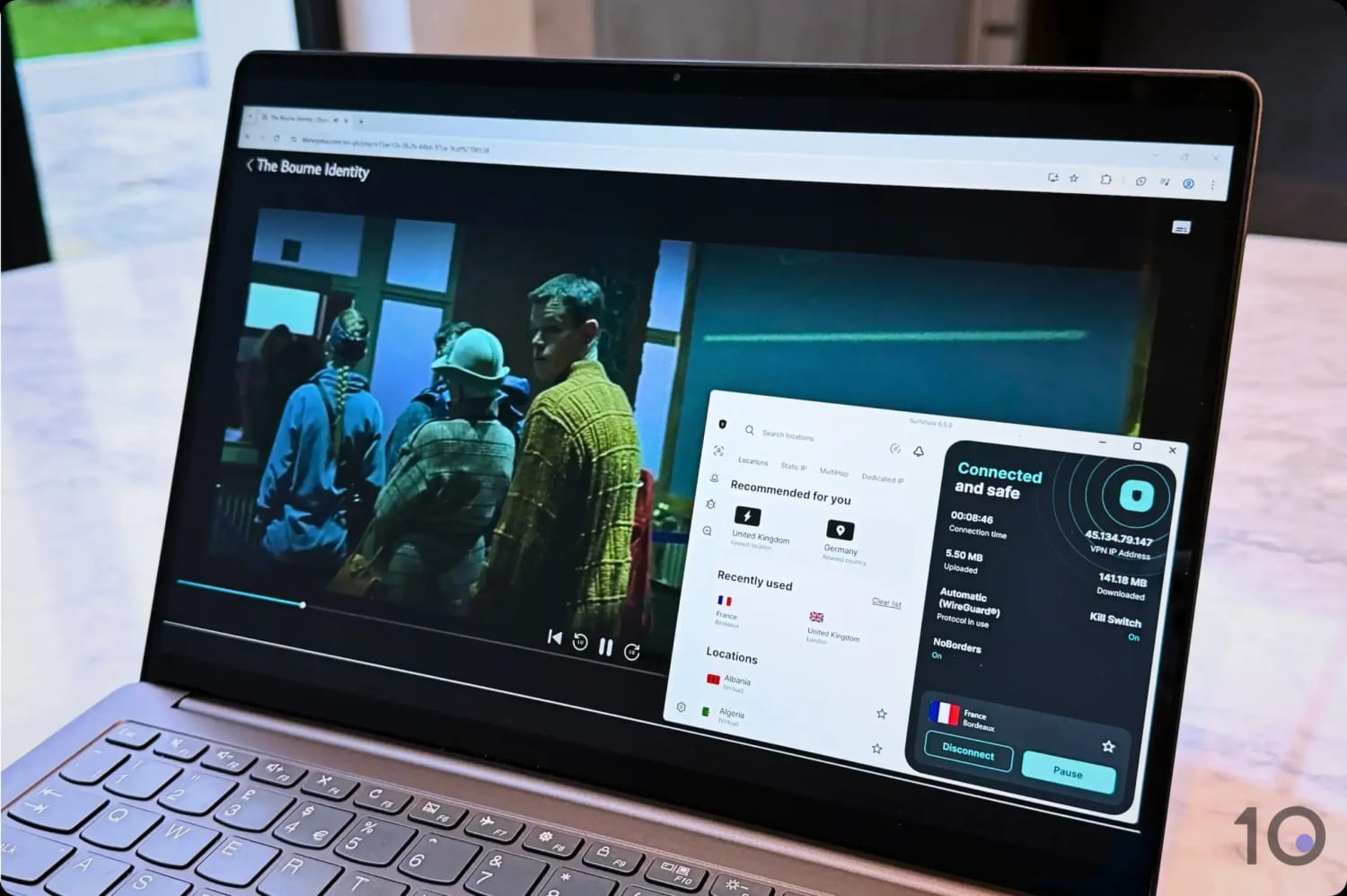
Surfshark has been our top choice for Disney+ since the streaming service launched. What puts the VPN above all the rest is the fact that it unblocks Disney+ on every server we tested.
We easily bypassed the content platform’s geo-blocks at every attempt, unlocking the UK’s Star content hub or Mexico’s ESPN live feeds without issues.
While ExpressVPN is arguably a better option on Smart TVs and is faster over longer distances, Surfshark’s unbeatable consistency in unblocking the most popular Disney+ regions place it one notch above.
Surfshark worked flawlessly with all popular Disney+ regions.
Solid Speeds for High Quality Streaming
No matter which Surfshark server location we connected to, we quickly accessed the local Disney+ catalogs and streamed videos at a very high resolution.
It was amazing to see how well the VPN unlocked regions around the world, including Australia, Brazil, Canada, France, Germany, Italy, Poland, Spain, and the UK.
All the content we watched was buffer-free and with no instances of lag or low resolution, which we did encounter with several slower VPNs, like CyberGhost.
We obviously ran Surfshark through our speed test tool, as we do with all VPNs, and found that it only slowed down our internet speed by 17%.
While ExpressVPN’s impact was even lower, Surfshark’s speed performance was nevertheless strong and resulted in high-quality streaming, without any frustrating buffering or blurriness.
User-Friendly Apps & Unlimited Device Policy
Unlike ExpressVPN, Surfshark doesn’t have a device limit, which means you can use the VPN on as many devices as you want using the same account details.
Surfshark has apps for all the major streaming devices, including Apple TV, Android TV, and Fire TV Stick. You won’t encounter Error Code 83 for device compatibility issues.
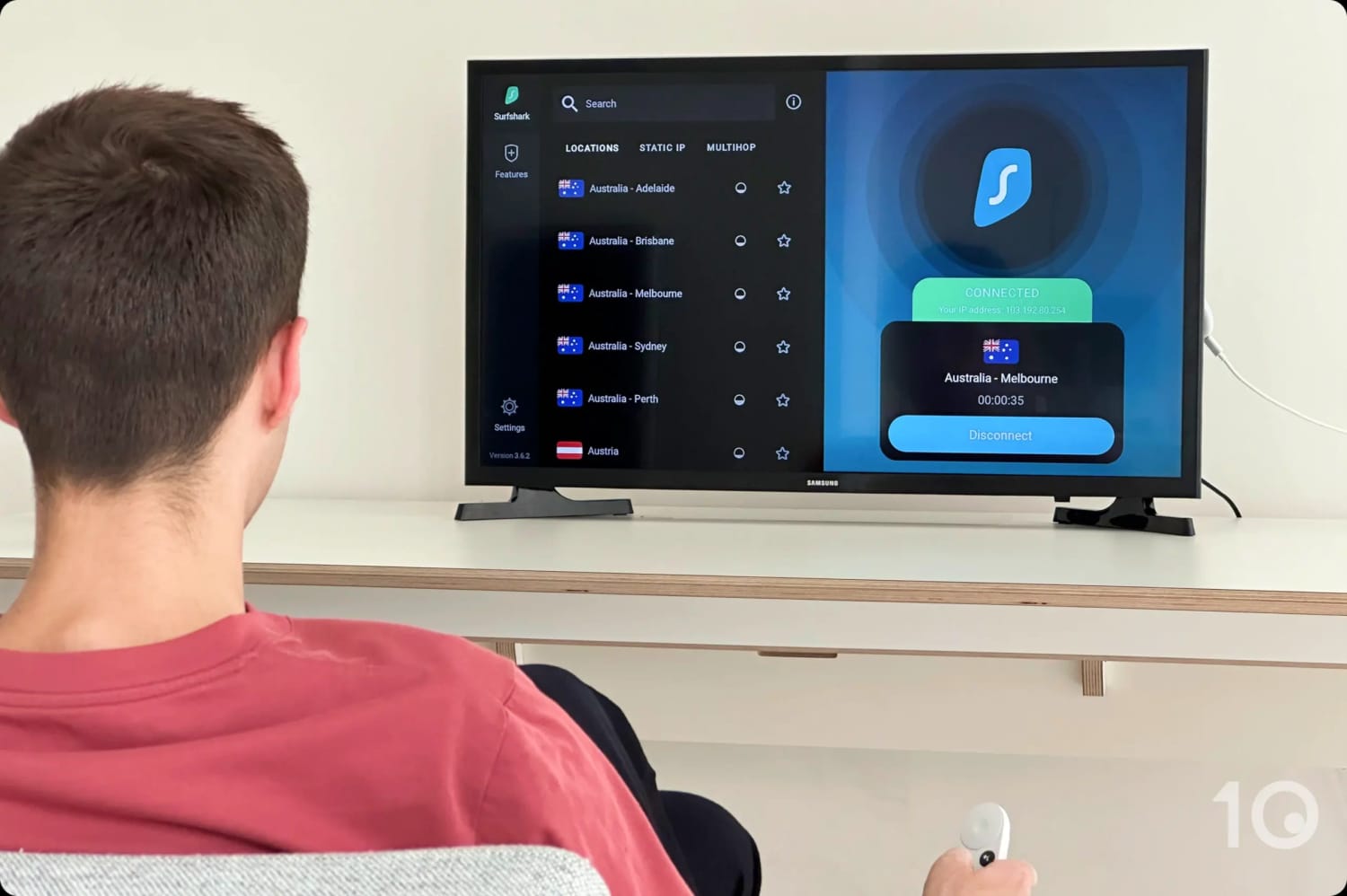
Using Surfshark on a Chromecast with Google TV.
Alongside this are user-friendly apps for Windows, macOS, iOS, and Android, as well as the option to set up Smart DNS for Smart TVs and game consoles.
The apps are simple to use and it took us little time to find and connect to a server location.
They are busier than ExpressVPN’s, and servers take a few extra seconds to connect, but otherwise you shouldn’t have any problems changing your IP address.
Very Affordable for First-time Customers
At its cheapest, Surfshark costs only $1.99/mo over 27 months compared to ExpressVPN’s $2.44/mo over 28 months. This represents incredible value as a first-time customer.
MediaStreamer (Smart DNS) unblocks Disney+ US & UK
Excellent 24/7 live chat support
7-day free trial on iOS & Android
Occasional server blocked by Disney+
Longer-term plans pricier than Surfshark's
Pricing Plans
$12.99/mo
$3.49/mo over 15 months
$2.44/mo over 28 months
Countries with Servers
109
Servers
13,360
Simultaneous Connections
10
Support
24/7 Live Chat
Compatible with
Windows
Mac
iOS
Android
Linux
Amazon Fire TV
Android TV
Apple TV
Router
Chrome
Similarly to Surfshark, ExpressVPN worked with all available Disney+ regions, including and the Star content hub.
It wasn’t as consistent around the world, with the odd server being blocked, but overall we enjoyed fast and unrestricted access.
What stands out about ExpressVPN is just how easy it is to use, even on TV streaming devices and gaming consoles. Its apps are as close as you can get to “plug-and-play” even when setting up on a router!
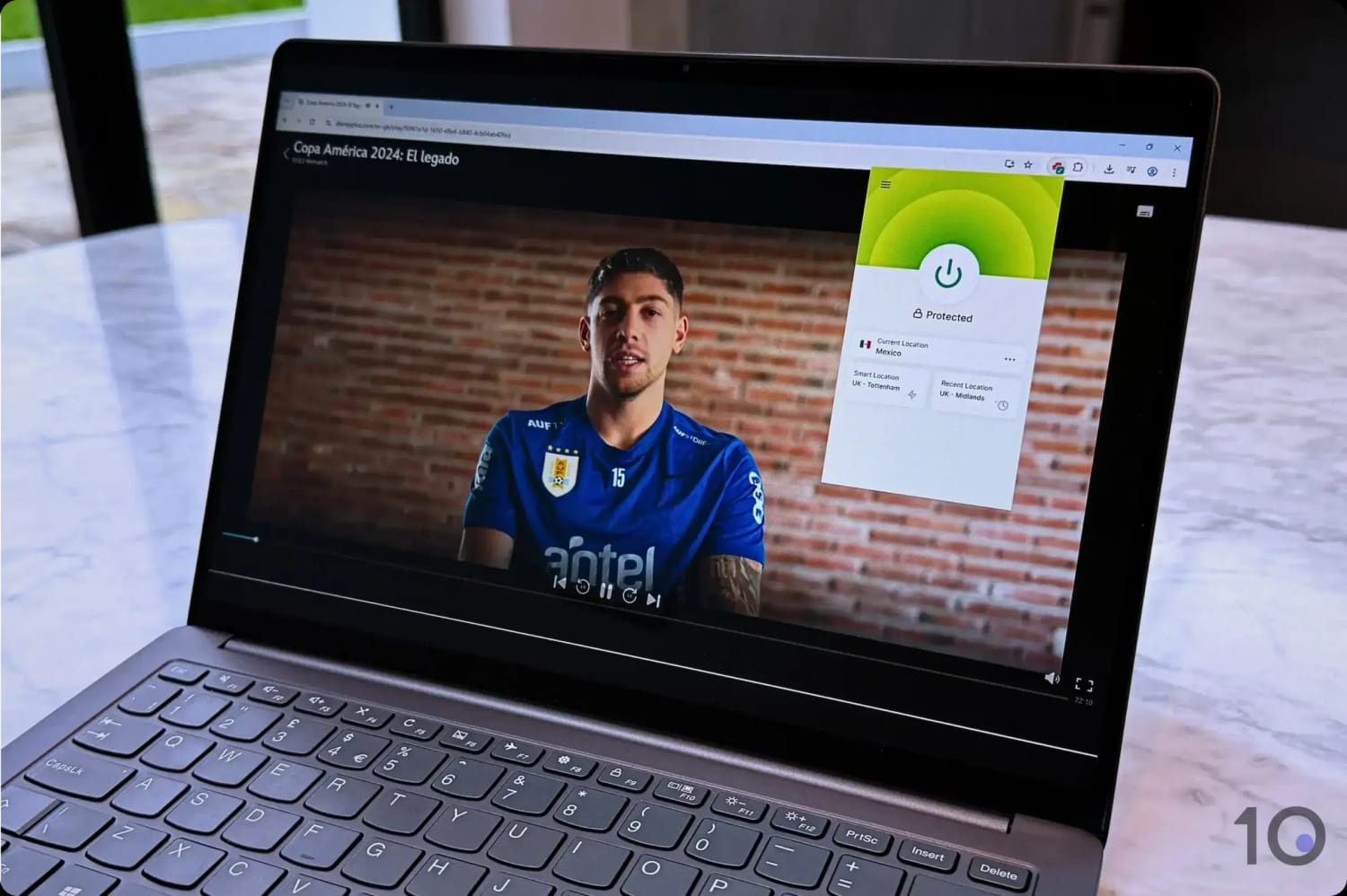
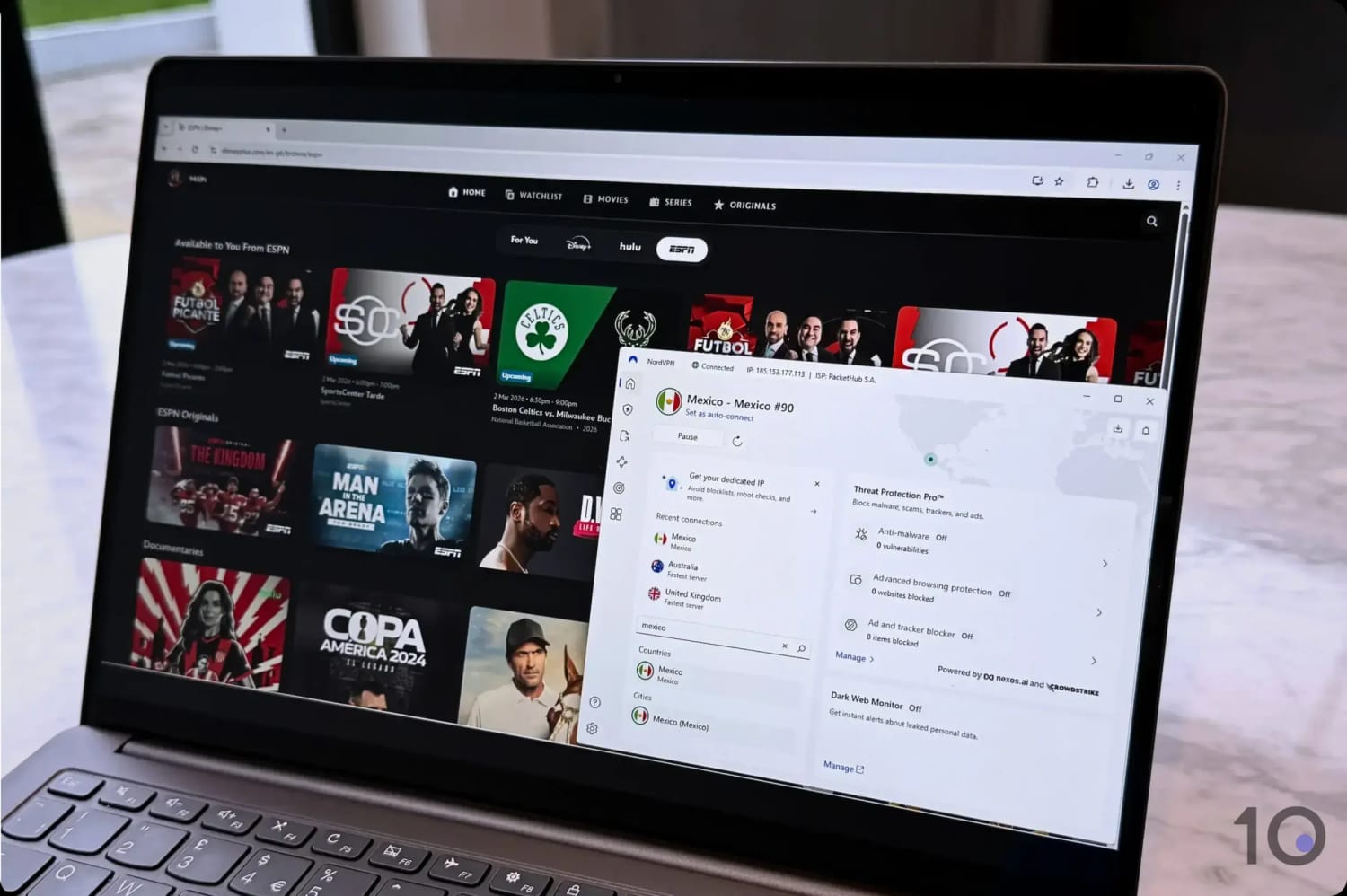
ExpressVPN accessed free ESPN content via Disney+ Mexico.
Excellent Apps for Routers & Streaming Devices
No matter which device we chose to stream Disney+ on, ExpressVPN had either a user-friendly and effective app for it, or a simpler solution compared to other VPN services.
All the apps, including those for Fire TV Stick, Apple TV, and Android TV, maintain the same design and UX which makes switching between seamless.
What’s more, no other VPN connects as quickly to servers as ExpressVPN. It’s by far the fastest VPN at changing your IP address, whether it’s on desktop, mobile, or on your TV.
ExpressVPN is also the only VPN that has an app for routers. If you want your household devices using a VPN connection, especially your Roku TV or game console, then setting up the router app is a game changer.
In fact, the router app allows you to easily assign a different IP location to as many devices as you want on your locale WiFi network.
Fast Speeds & Excellent Customer Support
Combined with an unmatched user experience is the fact that ExpressVPN is one of the fastest VPNs on the market today.
Connecting to dozens of countries where Disney+ is available, our internet speed dipped by only 15%, which is even better than Surfshark.
In the rare instance an ExpressVPN server is blocked by Disney+, you can contact the company’s excellent 24/7 live chat customer support team.
Every support agent we’ve interacted with, over many years, has always been well prepared and knowledgeable of which servers will work with Disney+.
Initially More Expensive than Surfshark
If you’re going for a multi-year plan, then ExpressVPN is noticeably more expensive than Surfshark. $2.44 per month versus $1.99.
That being said, Surfshark renews at a higher price than ExpressVPN, so the real price advantage wears off over time.
Also, the price difference is rather small all things considered, and if you prefer having a more user-friendly and compatible VPN, then ExpressVPN is the better option.
If you’re still undecided, sign up to ExpressVPN’s 7-day free trial through your mobile app store; you can then use your free trial login on the service’s other apps.
NordVPN is a giant in the VPN space and even for streaming Disney+ it’s mixing it with the very best.
It works well with all popular Disney+ regions, with only the odd server faltering, and it still commands impressively quick speeds.
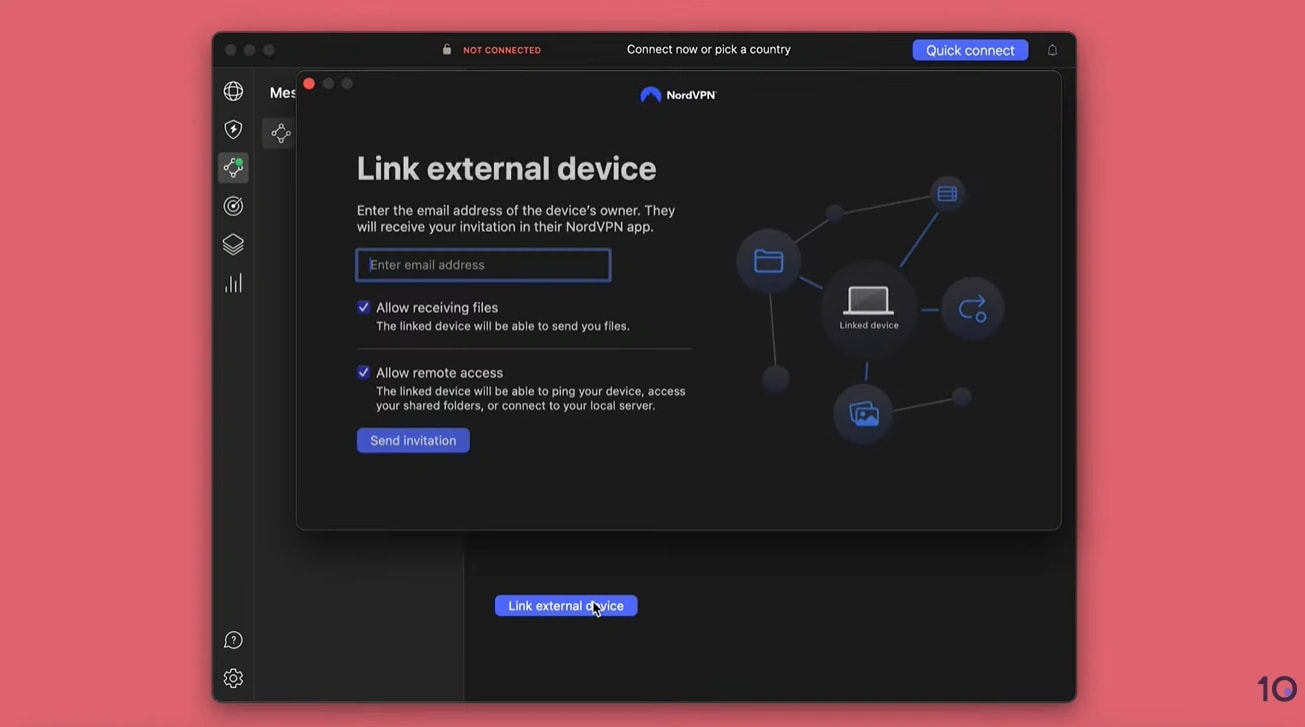
While we found the home screen on computers cluttered with additional features, its Meshnet setting is a great hack for bypassing the password-sharing ban.
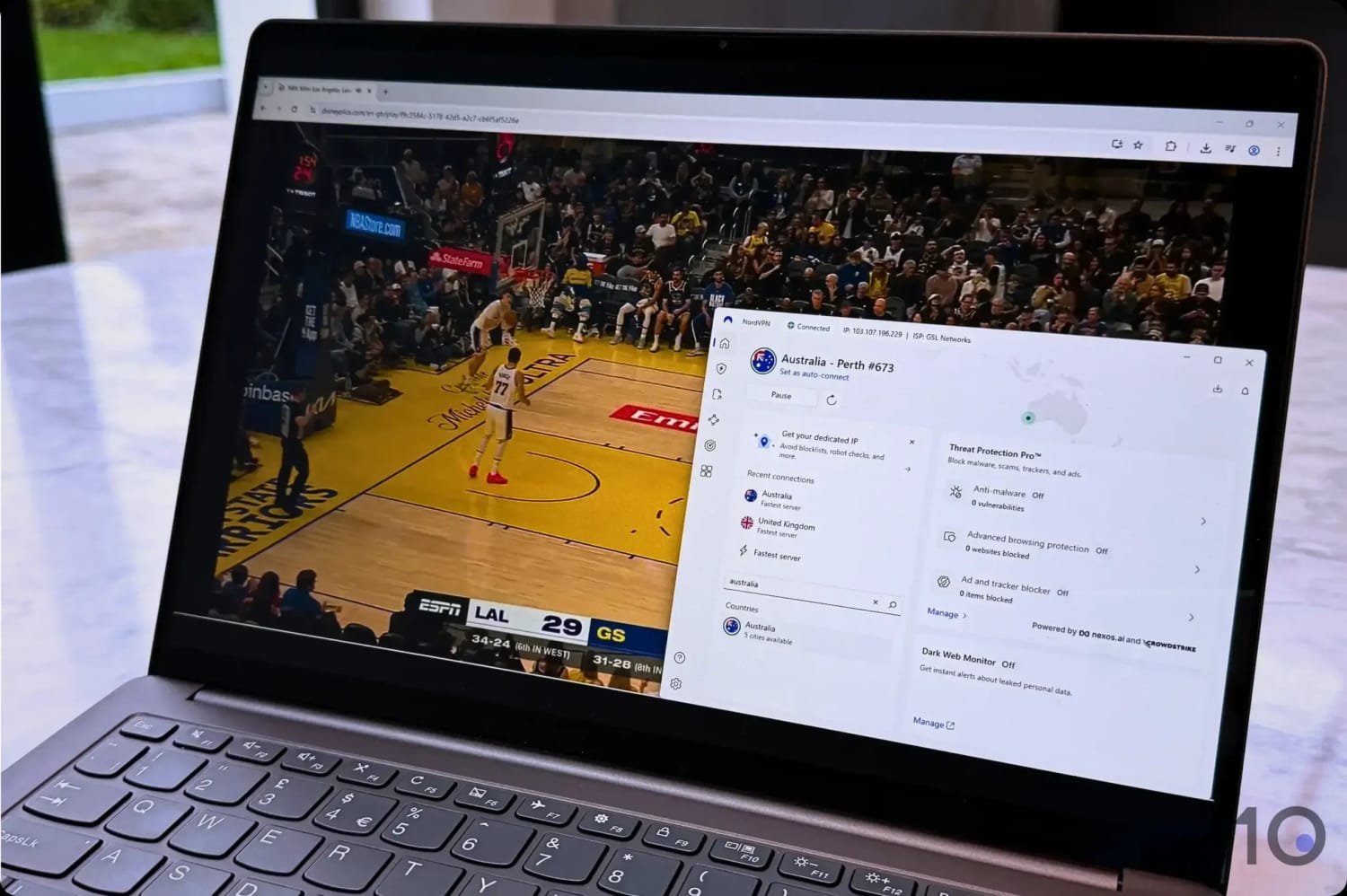
We streamed the NBA by unblocking the Disney+ Australia content library.
Outstanding Speeds on All Devices
After ExpressVPN beat Surfshark’s speeds, we thought that was it, but how we were wrong. NordVPN managed to outpace both VPNs without a struggle.
No matter the distance, NordVPN delivered phenomenally consistent and stable speeds to stream content in Ultra HD / 4K.
Now, it didn’t blow ExpressVPN out the water, but it beat it and that alone is something to write home about.
We measured a global internet speed reduction of just 14% compared to ExpressVPN’s 15%.
The best and most elegant solution we’ve found to getting round the Disney+ password-sharing ban is NordVPN’s Meshnet.
It’s free feature in NordVPN’s app that lets you create a private, secure network between devices, wherever they are in the world.
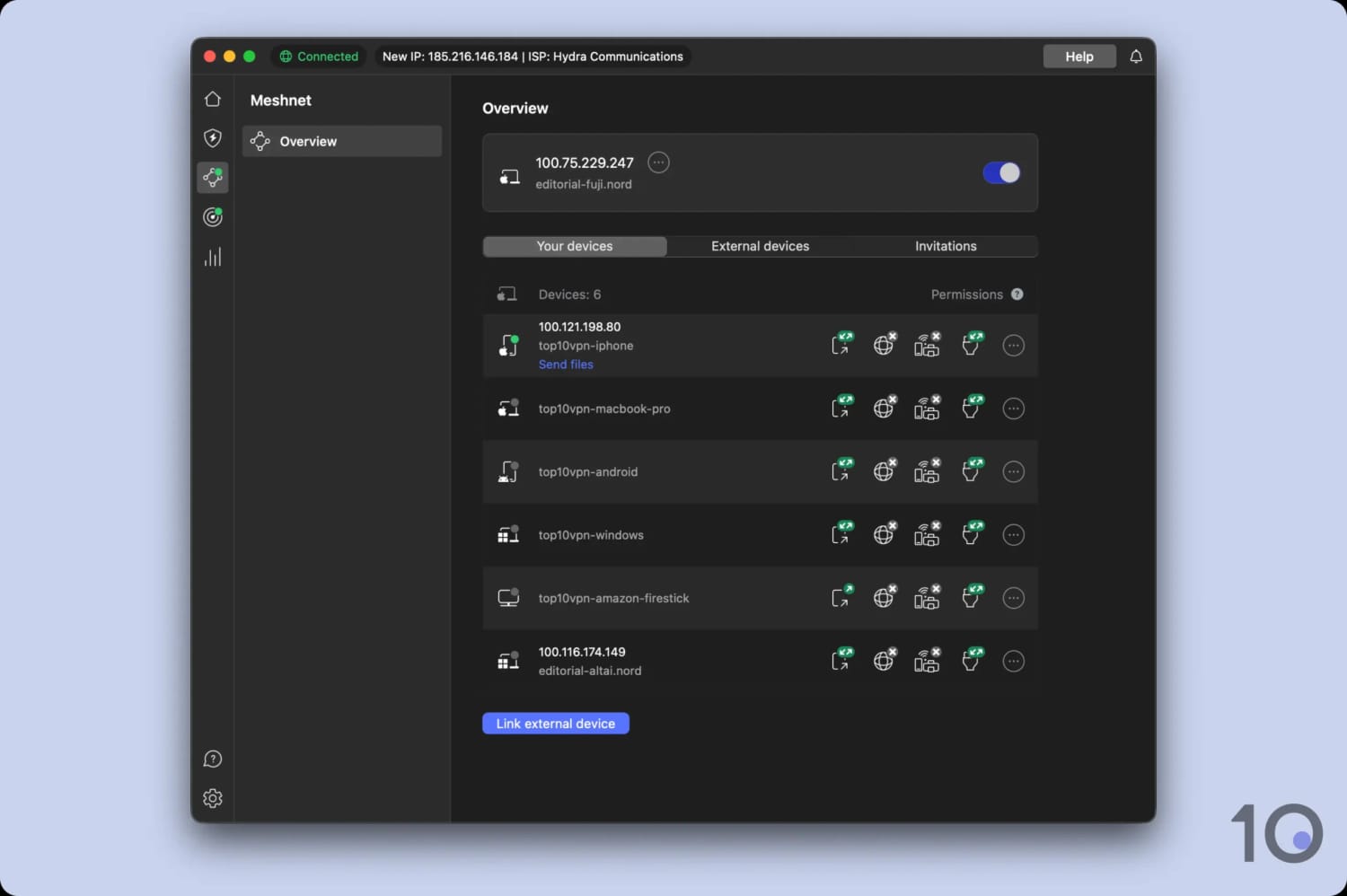
We got a residential IP address for free using Meshnet.
In other words, it’s a remote access tool that allows you to route traffic from one device through a second, and therefore using the secondary device’s IP address.
And the kicker is that you don’t even need a NordVPN subscription to use Meshnet!
If you want to know more, we’ve added a step-by-step explainer of how Meshnet works later in the guide.
Cluttered PC & Mac Software
One area where NordVPN really misses the mark is the cluttered design and frustrating UX of its desktop apps.
While the software is by no means “broken”, the choice to fill the main dashboard with “Threat Protection” and “Dark Web Monitor” feels like an upsell rather than a necessary feature.
We found it an annoying distraction when all you want to do is change your IP location.
Then there is the “Pause” button — a total head-scratcher. Adding an extra, unnecessary step just to disconnect your VPN is a baffling design choice that serves virtually no one.
Both of these decisions feel like they’re tripping over their own feet, making the basic act of connecting or disconnecting way more of a chore than it should be, especially for new users.
The mobile apps are admittedly a bit cleaner, but even they are haunted by that same “Pause” feature monstrosity.
Right now, PrivadoVPN is our favorite free VPN for unblocking Disney+. It performed exceptionally well for a free service, with excellent international speeds and consistent access to Disney+.
Obviously, it can’t compete against the likes of Surfshark and ExpressVPN, due to its minute server network and 10GB monthly bandwidth limit.
That said, PrivadoVPN is a good solution for short occasional access to a specific show or movie.
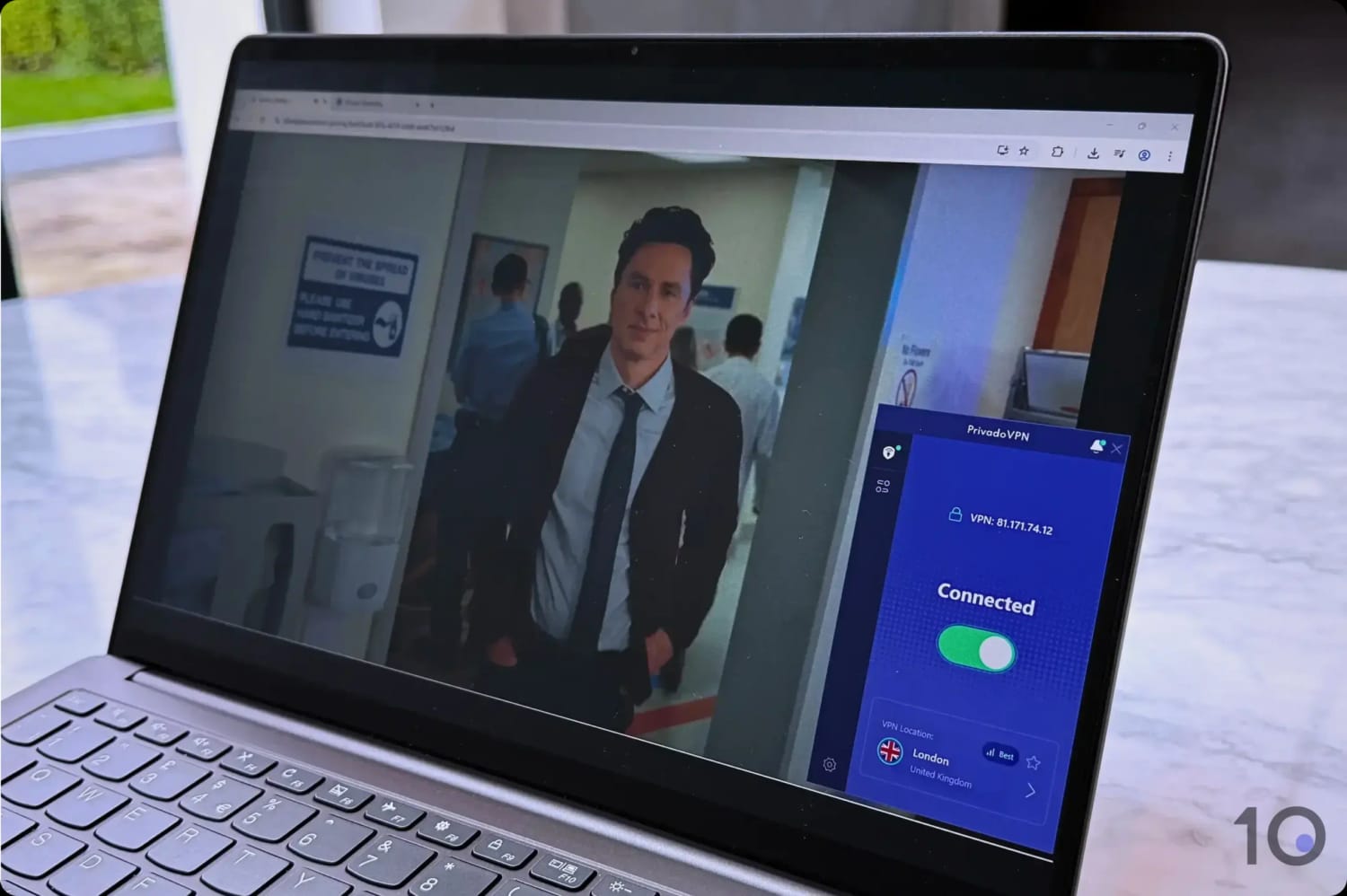
PrivadoVPN’s free servers in the UK, US and Canada work with Disney+.
Surprisingly Reliable Access to Disney+
PrivadoVPN’s free server network is limited to 11 countries, so you can only access Disney+ libraries in a select few regions.
However, the countries covered by the free service are really interesting, especially the US, UK, Canada, Brazil, France, Germany, Mexico, and the Netherlands.
The free VPN servers in the UK and in Canada stood out for unblocking local content relatively smoothly, including Hulu content like Scrubs and Grey’s Anatomy.
Sadly, Canada, the UK, and the US are the only regions PrivadoVPN works with at the moment. All the other free server locations failed to bypass Disney’s geo-restrictions.
If you want to access other international catalogs for free, use either ExpressVPN’s or Surfshark’s free trial.
Restrictive 10GB Monthly Data Limit
As with most safe free VPNs, PrivadoVPN’s main drawback is the 10GB monthly data cap, which gave us roughly 4 hours of HD streaming.
While this is enough for sporadic VPN use, you’ll have to either upgrade to a paid plan (or a better paid service) to stream a lot more geo-restricted content each month.
You also have to refresh the data allowance via your online account manually, which is inconvenient and unnecessary since no other free VPN does it.
Disappointing Device Support
PrivadoVPN’s free service is compatible with computers, smartphones and TV streaming devices via its apps for Android TV, Apple TV, and Firestick.
However, it falls short by not providing a Smart DNS proxy, and limiting browser extensions and router configuration to paid subscriptions only.
These restrictions severely reduce the VPN’s compatibility with devices such as Chromecast, Roku, and gaming consoles.
Changing Disney+ region with a VPN to access region-locked content titles (or additional dubbing options) is straightforward.
Since all regions use the same Disney+ website and app, switching from one library to another is simpler than on other platforms that use separate apps for each territory e.g. Paramount+.
Changing our Disney+ region using a recommended VPN.
Here are our instructions on how to change your Disney+ region on the most popular devices. If you encounter issues, jump to our troubleshooting section.
JustWatch is a very useful resource to find content “hidden” in other countries’ catalogs.
Computer (PC & Mac)
Accessing a foreign Disney+ catalog from your computer is one of the simplest methods. Differently to platforms like Prime Video, Disney+ doesn’t show content based on your billing country, but rather on your IP location.
Importantly, log into Disney+ before connecting to a VPN server. The platform’s VPN blocks are very aggressive during the sign-in phase; using a residential connection to log in makes it much easier avoid Error 83.
Instructions: How to Use a VPN with Disney+ on PC/Mac
Choose a VPN that works with Disney+. We recommend Surfshark, which worked great and offers a 7-day free trial on desktop.
Set up the software. Download the app from the provider’s site and follow the on-screen prompts.
Activate the Kill Switch. Enable it from the app’s settings to protect your real location from being exposed if the VPN connection cuts out. Don’t connect to a VPN server just yet.
Choose the right streaming browser: Not all browsers handle high-resolution video content equally.
On Windows: Use Microsoft Edge for 4K playback. Chrome often defaults to 1080p (Full HD).
On Mac: Safari is the best choice for Ultra HD / 4K streaming.
Disable location tracking to prevent location mismatches.
Log into your Disney+: log into your account as normal using your standard connection.
Connect to a VPN server: pick a server in your chosen virtual country from the app’s server list. Once connected, your IP location with change.
Verify the region change: If you still see your local home screen, wipe your browser’s cookies and cache.
Start watching.
Mobile (iOS & Android)
Unblocking geo-restricted Disney+ content on smartphones and tablets is almost as easy as on computers, with a few minor differences.
There is only one Disney+ app available and it’s available in all local app stores the platform operates in. This means that through one login you can access other countries’ content by changing your IP address.
Instructions: How to Use a VPN with Disney+ on iOS/Android
Get a VPN optimized for Disney+. You can install Surfshark directly from the App Store and Google Play Store.
Install the VPN app.
Disable Location Services (GPS). To prevent a location mismatch, go to your phone’s Settings > Disney+ > Location and select “Never” or “Don’t Allow.”
Sign into your Disney+ app.
Force-close Disney+. Swipe the Disney+ app away from your “Recent Apps” list to ensure it clears your old location data.
Return to your VPN app.
Connect to a VPN server. Select a server in the region you want to access (e.g. Mexico or the UK).
Relaunch the Disney+ and stream.
Android TV, Fire TV & Apple TV
It’s a similar story on Android TV, Fire TV, and Apple TV, since the Disney+ app on these devices is the same in every country.
Instructions: How to Use a VPN on Android TV, Fire TV & Apple TV
Choose a VPN with an app for your device. On streaming sticks and boxes, we enjoyed using ExpressVPN due to its better-designed apps.
Install the VPN from your device’s app store. You’ll have to first sign up via desktop or mobile.
Launch the VPN app and sign in. Complete any on-screen verification steps.
Open the Disney+ VPN app and log in.
Fully close the Disney+ VPN app and clear caches. You’ll have to go into your device’s app manager to do this.
Open your VPN app and connect to a server in the country you want to access.
Launch the Disney+ app once again. You should now see content titles from your VPN location.
Roku
Roku sticks don’t support VPN apps and the simplest solution to overcome this is to set your VPN at the router level.
This will allow you to change your Roku TV IP location and change Disney+ region.
Because of its advanced VPN router application, we strongly advise you to use ExpressVPN as using other VPNs will require considerable manual configuration.
How to Use a VPN with Disney+ on Roku
Download ExpressVPN’s router firmware. Log into your ExpressVPN account, select Router, choose your model, and click Download Firmware.
Save the activation code. Copy the code displayed on the screen as you’ll need it later in the process.
Access router admin. Enter your router’s IP address into your browser and log into the dashboard.
Flash the firmware. Go to Connectivity > Router Firmware Update, upload the ExpressVPN file, and click Start.
Complete setup. After the reboot, visit expressvpnrouter.com and follow the prompts to activate.
Importantly, verify that your home router is compatible with ExpressVPN’s router firmware.
Alternatively, you can buy ExpressVPN’s own router, AirCove, for even quicker setup.
Game Consoles
For gaming consoles like PlayStation and Xbox, you have two primary options for changing your Disney+ region: using a VPN via your router or using a Smart DNS proxy.
While a Smart DNS proxy is easier to set up on a console, it doesn’t encrypt your data or hide your IP address. VPN software is vastly more secure, versatile, and is the overall superior choice.
Surfshark, ExpressVPN, and NordVPN offer Smart DNS proxies, but they only unblock American and British content platforms.
For access to many more Disney+ regions, using a VPN through your router is the way to go, with ExpressVPN being the least complex option.
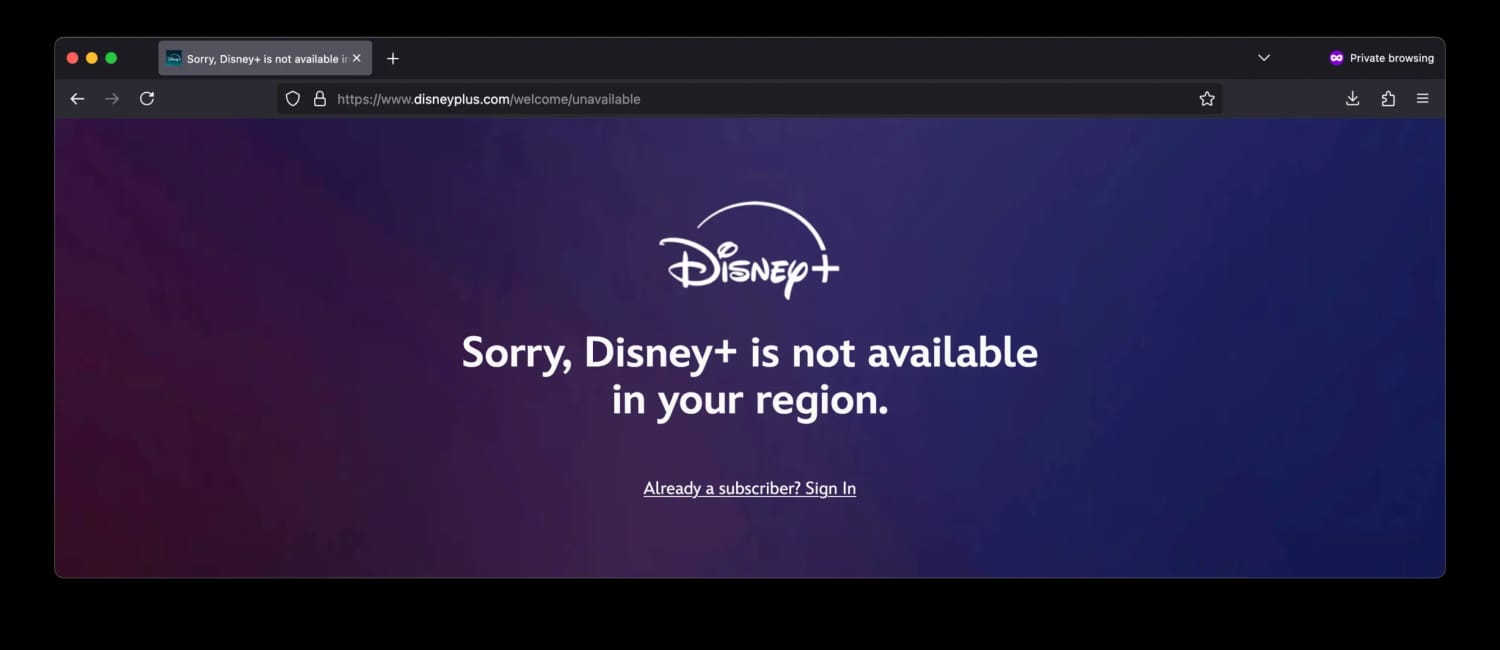
Upon launch, Disney claimed its streaming service was “VPN proof”. That’s not the case, but Disney+ is effective at detecting and blocking many VPN IP addresses.
If the streaming service detects your VPN connection, you’ll see this message (also known as error code 73): Disney+ is only available in certain regions. Depending on where you are located, you may not be able to access Disney+.
Disney+ tries to detect and block VPNs.
If you’re struggling to stream Disney+ while connected to a VPN, follow the steps listed below to fix the issue:
1. Change VPN Server
If you’re already using a good VPN for Disney+, changing server is a quick and easy way to resolve a Disney+ connection issue.
Disney+ tries to detect and ban VPN connections, so switching servers to an undetected one can fix the problem.
You won’t know which server will work, so there may be some trial and error involved.
Good VPNs get around streaming region blocks by offering thousands of updated servers that are designed to avoid detection. Surfshark, for example, manages to avoid Disney Plus blocks on all of its servers.
2. Clear Browser Cookies and Cache
Websites can collect location data through cookies and cached files. If you’re seeing an error code when using Disney Plus, like Error Code 22 or 31, it could be the service has detected your real geolocation based on these web identifiers.
Connecting to a VPN server does not remove cookies. You have to delete them from your browser.
How to clear your cache in Google Chrome:
Open Google Chrome. Click the three dot icon at the top-right of the window.
Select More Tools > Clear browsing data, then from the drop-down menu select All time.
Check Cookies and other site data and Cached images and files.
Tap Clear data.
Relaunch Google Chrome and head to the Disney+ website.
If you’re watching Disney Plus on Android or iOS you have to restart your mobile device to clear cookies and cache.
Alternatively, your browser’s incognito mode provides a private browsing window that removes most forms of online tracking, too.
3. Test for IP and DNS Leaks
Disney Plus won’t work if your VPN is leaking data.
Sometimes DNS requests and real IP addresses fall outside the encrypted VPN connection, revealing your true location and triggering Disney Plus Error Code 22 or 73.
This happens more with free VPNs. The best VPNs have leak protection built into their service.
If your VPN is leaking, check to see whether there are leak protection features in your VPN’s settings, and ask your VPN provider what can be done. Otherwise, we suggest using another, safer VPN service.
4. Get a Dedicated IP
One of the reasons why some VPN servers get blocked is because Disney+ notices too many accounts using the same IP address.
To avoid this issue, you could consider getting a dedicated VPN IP address, which only you can use.
Surfshark, ExpressVPN, and NordVPN all offer dedicated IPs, although they do cost extra.
Given the additional subscription cost, we only recommend buying a dedicated IP if you’re only interested in accessing one foreign content catalog.
5. Get a Better VPN
Most often your Disney+ issues come from using the wrong VPN since many VPNs don’t work with Disney+.
Some VPN companies don’t prioritize unblocking streaming services, while others lack the technology and resources to bypass aggressive geo-restrictions.
The most effective fix to unblock Disney+ is to use a VPN verified to work, with an excellent track record of smooth international access.
Popular Regional Content on Disney+
As it’s clear by now, there are substantial variations between Disney+ content libraries around the world.
We’ve listed below a selection of popular movies, TV shows, and live channels available in foreign catalogs but not in the US. The content below is all available with a standard Disney+ subscription:
The key difference between English-speaking libraries is that the standard US catalog doesn’t contain most Hulu content, while foreign ones in Canada or the UK do.
We also discovered that some regions host ESPN live streams and content as part of the standard Disney+ subscription package.
Similarly, by getting an Australian IP address, you can watch out-of-market NHL games, NFL Monday Night Football, and the full NBA Playoffs (including the Finals).
How to Beat the Disney+ Password Sharing Ban
The sophisticated Disney+ password-sharing ban has affected and frustrated many subscribers around the world.
The platform enforces the ban by cross-referencing IP addresses with device ID profiling and GPS data to spot inconsistencies.
They also analyze viewing patterns to spot accounts that show suspicious login behavior from geographically mismatched locations.
We found a good solution using NordVPN’s Meshnet, a free remote access feature that allows you to use another device’s IP address from abroad. Watch the video below in which I briefly explain how Meshnet works:
VPNs That Didn't Make Our List
Most VPN services struggle to bypass Disney’s VPN and proxy detection systems, with many not working at all with the content platform.
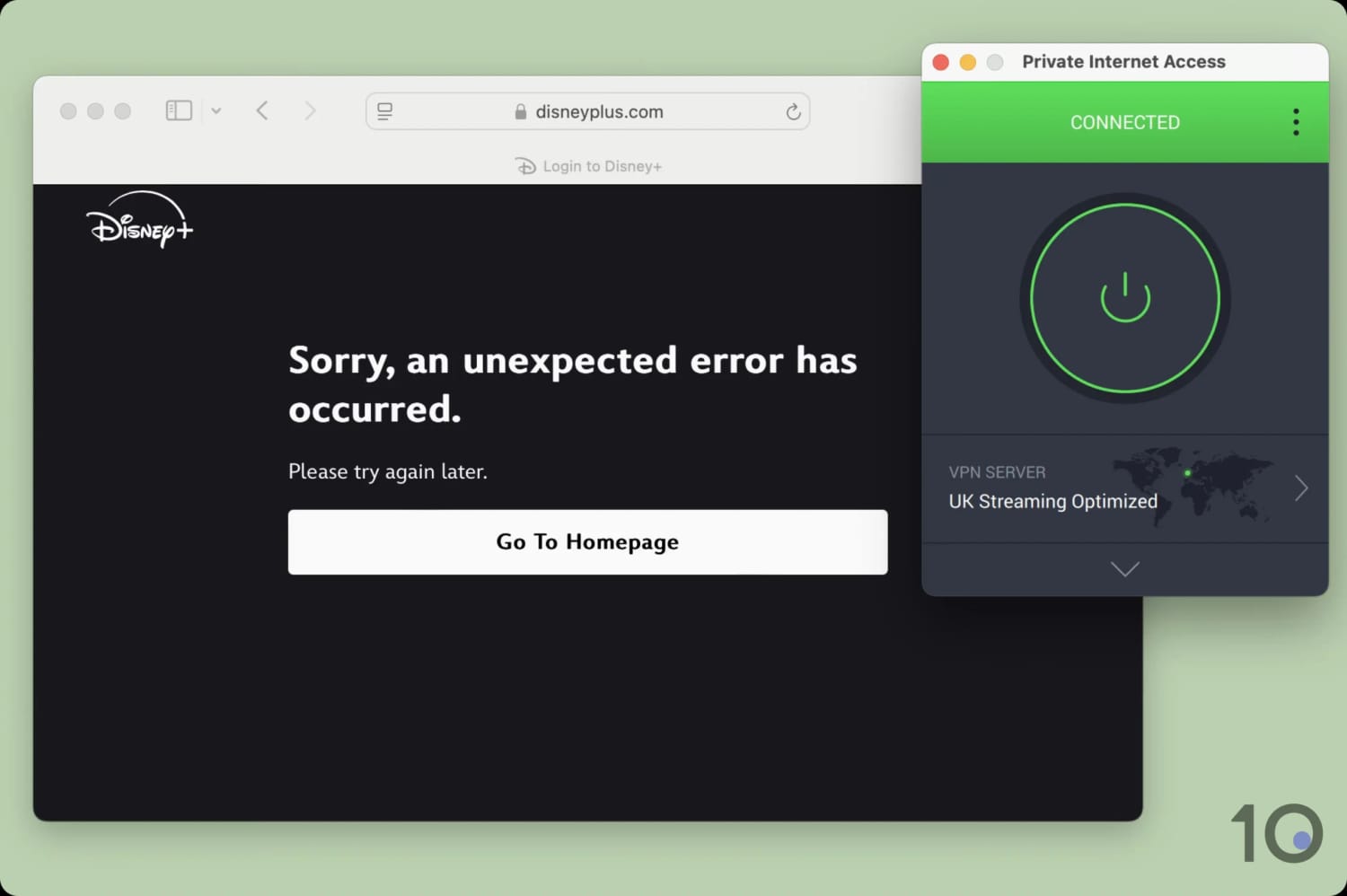
PIA failed to unblock Disney+ UK from abroad.
We’ve listed a handful of popular VPNs we don’t recommend for using with Disney+ for the reasons outlined below:
CyberGhost
CyberGhost is an ok VPN for bypassing Disney+: it worked with several regions, including the US, UK, France, and Germany.
Its Smart DNS proxy is arguably the best offered by a VPN service, since it works with several international content platforms, not just US and UK ones.
The main issue with using CyberGhost is streaming speed and consistency. On long distances in particular, the VPN is noticeably slower than our top picks, and our streams suffered from it.
IPVanish
IPVanish has improved a ton unblocking geo-restricted content, especially in English-speaking countries. In other regions, though, the VPN still has some ups and downs.
This the case with Disney+, where IPVanish worked rather well in the US, UK, Canada, and Australia, but hit a few roadblocks in Europe and Asia.
You also won’t get a free Smart DNS proxy included in your IPVanish subscription.
Private Internet Access
Private Internet Access (PIA) is generally a really good VPN, but when it comes to streaming it’s not always as reliable as we’d like.
One of the streaming services the VPN continues to struggle with to this day is Disney+. As an example, we couldn’t access popular regions like the Canada, France, Germany, and the UK.
Proton VPN
Similarly to IPVanish, Proton VPN has stepped up its paid service’s streaming game significantly. While it was a poor option in the past, it’s now a contender for certain content platforms.
That’s generally the case for popular English-language streaming services, but not for foreign ones. Trying to access geo-blocked titles in Brazil, Italy, or Mexico proved unsuccessful.
Proton VPN’s free plan is not even worth bothering with, since it won’t even let you select a server location.
Windscribe
Windscribe’s free service came close to overtaking PrivadoVPN but lost out on one key aspect: speed. Windscribe is no slouch, but PrivadoVPN’s free VPN download speeds were noticeable faster.
We measured a speed reduction of only 8% compared to Windscribe’s 13%.
Windscribe’s paid service is also good, but it’s once again slower than the very best VPNs, the app interface is starting to look dated, and there’s no router app or Smart DNS on offer.
How We Test VPNs for Disney+
We put 61 VPNs through our rigorous VPN testing process, specifically designed for bypassing Disney+’s geo-blocks. We analyzed each VPN in four key areas, as shown below:
Below is a breakdown of how we calculate each individual category rating, and its percentage contribution towards a VPN’s overall rating in relation to Disney+.
1. Unblocks Disney+ (50%)
Test Conducted: We tested 61 VPNs with the standard Disney+ plan to see if it can reliably access the service from other regions.
Why It’s Important: This is essential for accessing Disney+ content from anywhere.
Optimal Result: A VPN that unblocks and streams Disney+ content 100% of the time.
2. Speed (25%)
Test Conducted: We used our own speed testing tool to calculate the average connection speed loss of each VPN while connected to servers in 8 countries.
Why It’s Important: Fast speeds allow you to stream Disney+ and Star content in maximum resolution with no buffering time, leading to a better viewing experience.
Optimal Result: A speed loss no greater than 10% across a VPN’s entire server network.
3. Server Locations (15%)
Test Conducted: We analyzed the breadth of each VPN’s server network by going through each app’s server list, verifying IP addresses matched the advertised locations.
Why It’s Important: Extensive server networks allow you to bypass more geo-blocks and maintain faster speeds by connecting to nearby endpoints.
Optimal Result: A verified network of over 1,000 servers in more than 100 countries, offering multiple city-level connection points in key regions.
4. Device Compatibility (10%)
Test Conducted: We examined each VPNs client suite to see if it offers bespoke apps for streaming devices such as Fire TV Stick, Apple TV, Android TV, and Smart DNS. We then assessed each app according to how easy they are to install and use for Disney+.
Why It’s Important: The more apps a VPN has the more options you have to stream Disney+ on your chosen device.
Optimal Result: Apps for every major streaming device as well as a Smart DNS feature and a router application.
Data Cap Penalty
We apply a penalty to the VPN’s final overall rating for Disney+ based on its data cap:
Unlimited bandwidth: No deduction to the overall rating
10GB per month: -20% to the overall rating
500MB per day: -25% to the overall rating
5GB per month: -30% to the overall rating
1GB or 2GB per month: -35% to the overall rating
200MB per day: -40% to the overall rating
500MB per month: -50% to the overall rating
FAQs
How Many Titles Do the Most Popular Disney+ Regions Have?
Disney+ doesn’t host the same content across its regional catalogs. Some libraries have hundreds less titles than the most extensive ones.
The table below lists the approximate number of titles available in popular international Disney+ catalogs:
Disney+ Region
Number of Titles
Canada
3,400
United Kingdom
3,400
Australia
3,200
Germany
3,200
France
3,200
Italy
3,150
Spain
3,150
Mexico
3,050
Netherlands
3,000
Singapore
2,900
Philippines
2,700
Brazil
2,900
Japan
2,700
South Korea
2,500
United States
2,250
The British and Canadian content libraries are the richest catalogs available, with over 3,400 titles available.
The same can’t be said about the American one, though. Because it lacks access to the Star content hub, it has only 2,250 titles.
N.B. The number of titles available in each country changes all the time. The figures quoted above were correct as of writing.
Can I Access My Home Disney+ Content When I'm Traveling?
If you’re traveling abroad, Disney+ will automatically detect this and display local content.
To access your home country’s content titles, you’ll have to use a VPN to get an IP address from your home country.
How Does Disney+ Know I'm Using a VPN?
Disney+, like many other streaming platforms, tracks in real-time the IP addresses using its service.
An automated system looks up these IP addresses against a database of known VPN server addresses, and blocks any matching IPs.
Typically, the more Disney+ customers use the same shared IP addresses, the more likely they’ll be detected and blocked.
Will Disney+ Ban Me for Using a VPN?
No, Disney+ will not suspend and/or deactivate your account if you’re caught using a VPN. We’ve been testing numerous VPNs with Disney+ since 2019, and our original account remains active.
Where Is Disney+ Available?
Disney+ has expanded significantly since launching and is now available in over 100 countries. However it remains unavailable in the following locations, which means you’ll need a VPN to access:
South America & Central America: Belize, French Guiana, Guyana.