
Top10VPN is editorially independent. Buying a VPN through our links supports our work.
The Best VPNs for Hong Kong
Follow us:
Simon Migliano
Simon Migliano is a recognized world expert in VPNs. He's tested hundreds of apps and his research has been featured on the BBC, The New York Times, and more. Read full bio
The best VPN for Hong Kong is ExpressVPN. It’s the easiest VPN to set up and use, and it unblocked more streaming services than any other VPN I tested. Windscribe is a good free alternative but it caps usage at 10GB each month.
I tested 59 VPNs for Hong Kong, and these are the ones I’m comfortable recommending:
At first glance, Hong Kong’s internet looks open. Google, WhatsApp and Instagram all work, and there’s no Great Firewall like the one across the border in mainland China.
But since the National Security Law took effect in 2020, police have been able to order ISPs to block websites without going to court.
In March 2026, the rules were widened again to let police demand the passwords to your phone and laptop during a national security investigation.
There’s no official blocklist either, so you won’t know a site has been blocked until you try to open it.
This is why I’d never browse in Hong Kong without a VPN. All of my picks below encrypt your connection, so ISPs like PCCW, HKBN, and SmarTone can’t see the sites you visit, and they get around ISP-level blocks easily. They’ll also keep your streaming services from home working while you’re in the city.
And if you’re a Hongkonger living abroad, my picks also give you a Hong Kong IP address for reliable access to Viu, ViuTV, Netflix HK, and your banking apps.
🔄 Key Updates
I’ve rebuilt this guide around Hong Kong’s national security laws, including the March 2026 password rules, and added Proton VPN and Surfshark to my picks.
Why Trust Us?
We’re fully independent and have been reviewing VPNs since 2016. Our ratings are based on our own testing results and are unaffected by financial incentives. Learn who we are and how we test VPNs.
VPNs Tested
59
Total Hours of Testing
30,000+
Combined Years of Experience
50+
VPN Comparison Table
The VPNs I’ve chosen all offer fast servers in Hong Kong and across Asia, and reliable access to geo-restricted websites and apps. Use the table below to compare them side by side:
Fast connections through its secure Lightway protocol
Streams 18 Netflix regions & over 95% of platforms tested
150 Hong Kong servers & 33 Asian countries covered
The easiest apps I've used, on every device
No multi-hop servers
Unreliable in mainland China
Pricing Plans
$14.99/mo
$4.99/mo over 15 months
$2.79/mo over 28 months
Money-Back Guarantee
30 Days
Countries with Servers
113
Servers
13,360
Hong Kong Servers
150
Logging Policy
No Identifiable Data
Simultaneous Connections
10
Support
24/7 Live Chat
Compatible with
Windows
Mac
iOS
Android
Linux
Amazon Fire TV
Android TV
Apple TV
Router
Chrome
ExpressVPN is the VPN I’d comfortably recommend to anyone moving to, or passing through, Hong Kong.
What I like most is how little you need to do. Obfuscation and IP rotation, which other VPNs hide away in their settings, are switched on automatically, and its apps are the simplest I’ve used on any device.
ExpressVPN is just as strong for streaming. It unblocked Netflix HK, Viu and ViuTV from abroad, and a further 17 Netflix regions for expats who don’t want to lose their home library.
It also has 150 servers in Hong Kong and covers 33 Asian countries, with 400 servers in Japan and 250 in Singapore, which makes it a great choice if you travel around the region. The one exception is mainland China, where it only worked in 51% of my tests.
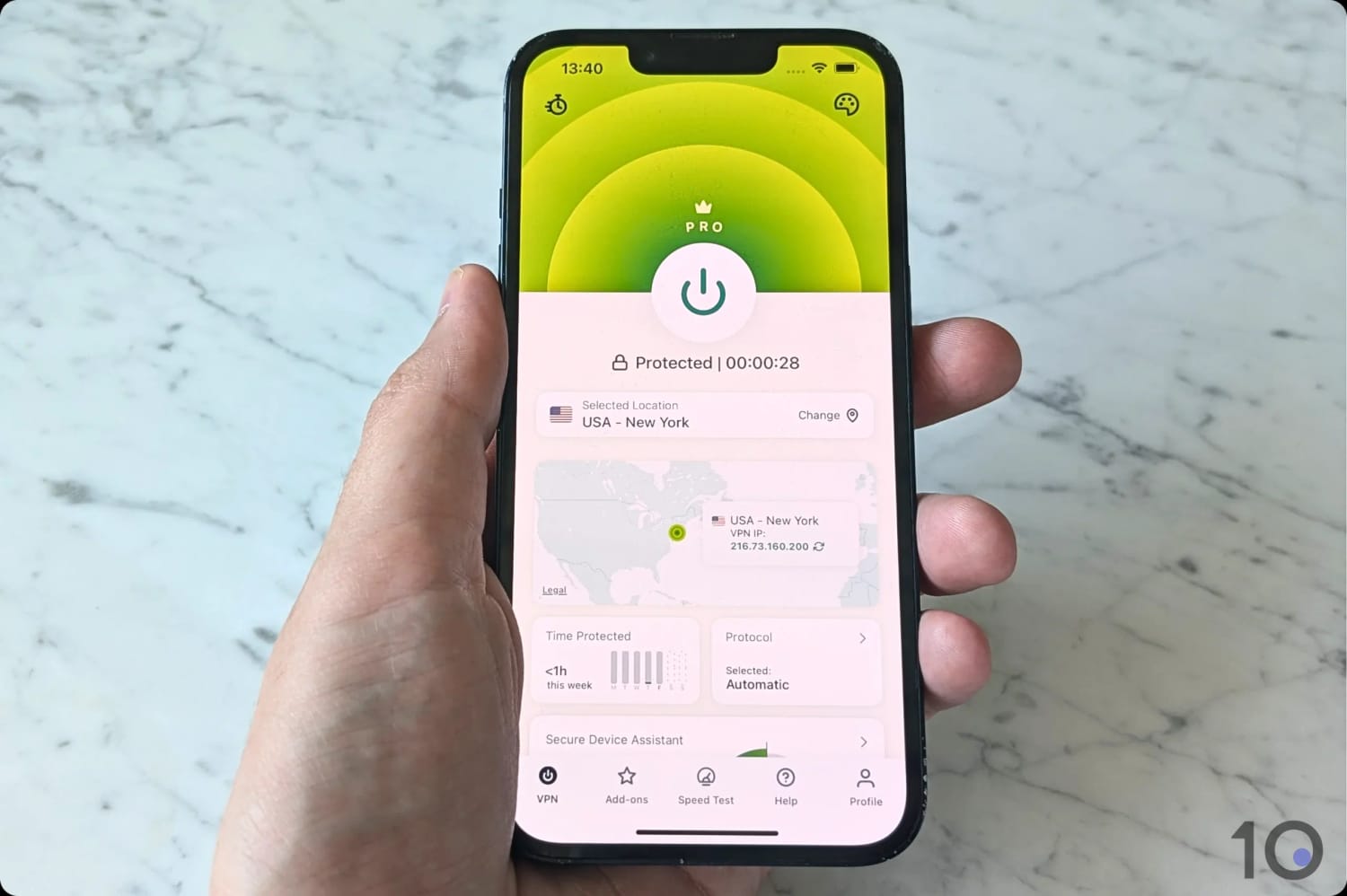
ExpressVPN is the easiest VPN to use.
Plug-and-Play Privacy & Security
ExpressVPN’s best privacy features work straight out of the box, so there are no settings to change.
All of its servers are diskless, running on RAM only, so everything is wiped each time they reboot. This was proven when Turkish authorities seized an ExpressVPN server and found no user data on it, and a KPMG audit verified the setup in 2025.
This is especially important in Hong Kong, where the National Security Law lets police require service providers to hand over information. If an ExpressVPN server in the city were ever seized, there’d be no browsing data on it to find.
Obfuscation runs silently in the background, making your VPN traffic harder for your ISP to identify.
ShuffleIP works in the background too, giving you a different IP address for each website or app you use. It makes your browsing much harder to link together, and again, you don’t have to lift a finger.
The Network Lock kill switch is built into every app, including iOS and Fire TV, and ExpressVPN passed every IP, DNS and WebRTC leak test I ran.
Unblocks Streaming In & Out of Hong Kong
ExpressVPN is the most dependable streaming VPN I’ve tested. It unblocked 115 of the 120 platforms I tried, more than any rival.
If you’re an expat in Hong Kong, you’ll be able to keep watching your usual shows from back home. It unlocks 18 Netflix regions, and BBC iPlayer, HBO Max, and Disney+ UK all streamed without a hitch.
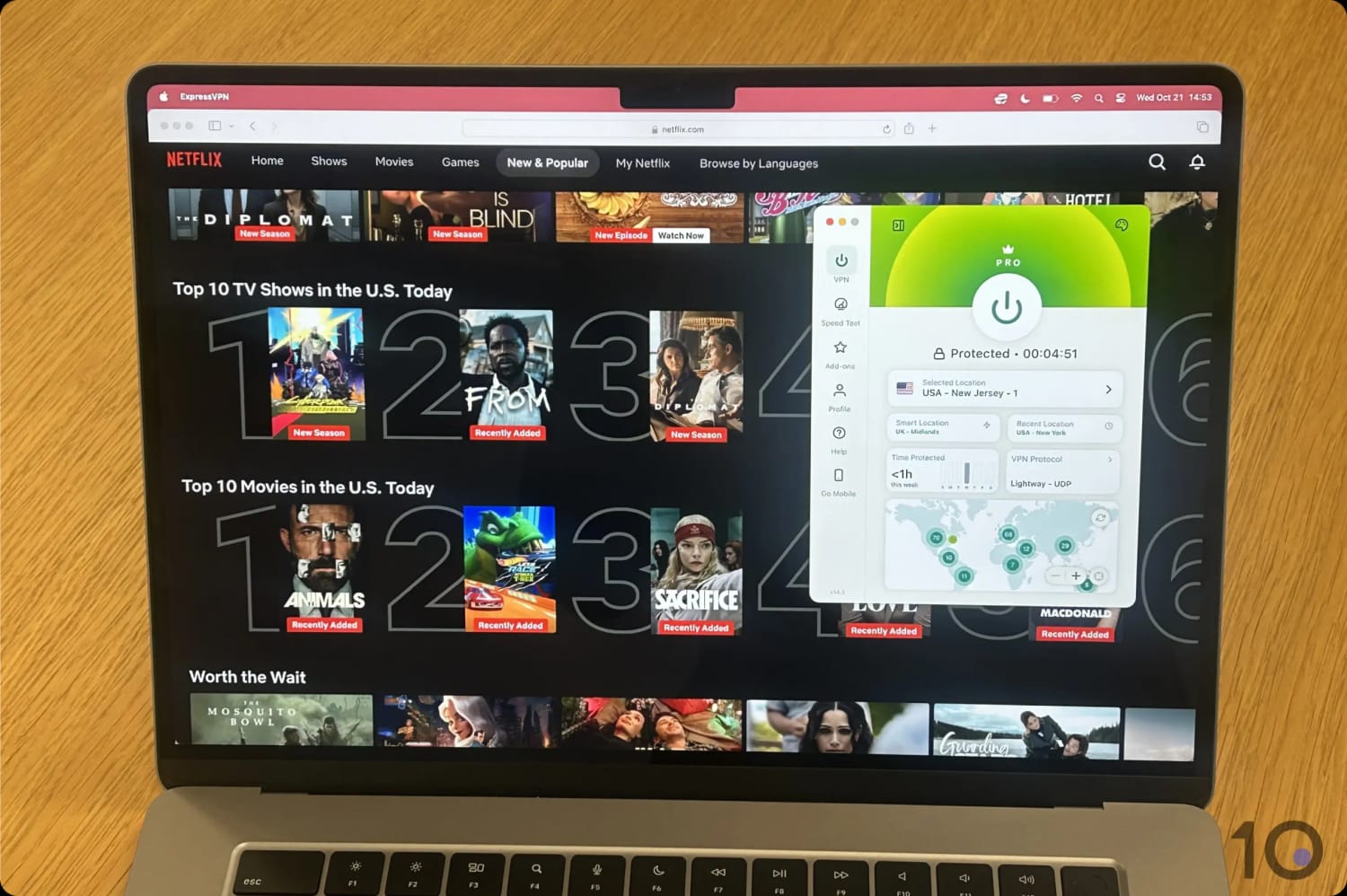
ExpressVPN is one of the most reliable VPNs at unblocking US Netflix.
Its Hong Kong servers are just as good for Hongkongers living abroad. I streamed Cantonese shows on Netflix HK, Viu and ViuTV, and it’s the only VPN I’ve tested that gets into Netflix HK consistently.
If you want to watch Cantonese films on Tubi, you’ll need a US server instead, as the free platform only works with US IP addresses.
Its Japanese servers unblocked Netflix Japan, AbemaTV, and TVer, and its Singapore servers accessed mewatch and Viu Singapore.
ExpressVPN’s apps for Fire TV, Apple TV, and Android TV share the same slick design, so streaming on your TV is just as easy as on your phone.
35 servers in Hong Kong, including obfuscated servers
Servers in 150 countries, 39 in Asia
Fastest long-distance speeds of my picks
Free Meshnet tool gives you your home IP
Double VPN & Threat Protection built in
7-day free trial via its website
Doesn't unblock Netflix HK
Keeps connection timestamps for 15 minutes
Rarely works in mainland China
Renews at a much higher price
Pricing Plans
$14.99/mo
$4.99/mo over 15 months
$2.99/mo over 27 months
Money-Back Guarantee
30 Days
Countries with Servers
150
Servers
7,130
Hong Kong Servers
35
Logging Policy
No Identifiable Data
Simultaneous Connections
10
Support
24/7 Live Chat
Compatible with
Windows
Mac
iOS
Android
Linux
Amazon Fire TV
Android TV
Apple TV
Router
Chrome
NordVPN is the fastest VPN I recommend over long distances, and it gives you a good choice in Hong Kong, with 35 servers in the city.
It also covers 39 Asian countries, 6 more than ExpressVPN, and it was one of the fastest VPNs in my speed tests.
NordVPN is also a great option for power users, with Meshnet, multi-hop servers, and a malware blocker all built in. You can try them all for free with its 7-day free trial.
It rarely gets past the Great Firewall, though, so don’t count on it for a trip to the mainland.
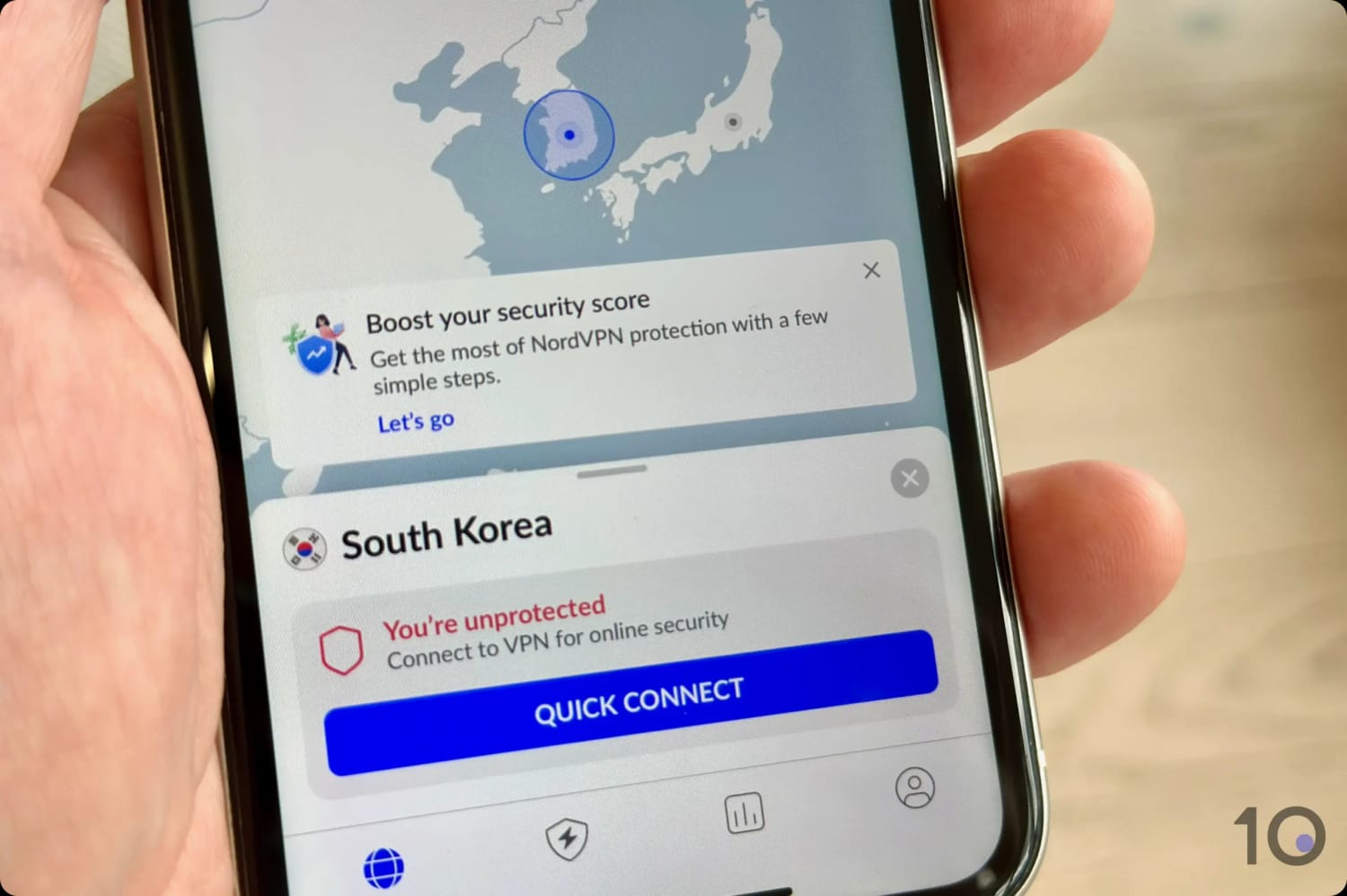
Connected to one of NordVPN’s Korean servers.
Fast, Far-Reaching Server Network
NordVPN’s network has more than doubled since 2023, from 60 countries to 150, and it now covers more of Asia than ExpressVPN.
From Hong Kong, you’ll have fast servers nearby in Taiwan, Japan, South Korea, and Singapore, as well as less common locations across the region.
In the city itself, its 35 servers include obfuscated ones that disguise VPN traffic, and P2P servers if you torrent.
NordVPN is also extremely fast. My download speed dropped by just 4% on nearby servers and 14% over long distances, the best long-haul result of my picks.
That’s more than fast enough for HD streaming, video calls, and online gaming, even on servers as far away as New York.
NordVPN streams well, too. It unblocked Disney+ HK, Viu, and ViuTV, and it’s my go-to VPN for BBC iPlayer and Netflix Japan.
Useful Extras Plus a 7-Day Free Trial
NordVPN packs in more extras than ExpressVPN, and a few are genuinely useful in Hong Kong.
My favorite is Meshnet. It links your devices over an encrypted connection, so you can route your traffic through your own computer back home and browse with your home IP address.
It costs nothing, even without a paid plan. For expats, it’s the easiest way to avoid triggering security checks from your bank or streaming services back home.
Double VPN sends your traffic through two servers instead of one, adding a second layer of encryption. It only covers 10 countries, but it’s worth having for sensitive browsing.
Threat Protection blocked almost every ad in my tests and screened out malicious sites, which is useful on hotel and café WiFi. The ad blocker comes with the Plus plan and above, not with the Basic plan.
The best way to try NordVPN is with its 7-day free trial, which you can start via its website. Combine it with the 30-day money-back guarantee and you’ve got over a month to test this top-tier VPN risk-free.
Proton VPN is the most secure VPN I’ve tested, and in Hong Kong that counts for a lot.
It’s made by Proton AG, the Swiss company behind Proton Mail. Its apps are open source and audited, and its no-logs policy held up against a real court order.
Its Secure Core servers send your traffic through an extra, hardened server first, which I’d recommend for anything sensitive.
It’s also my top paid pick from this list if you’ll be traveling to mainland China. Proton got past the Great Firewall 90% of the time from my test server in Shanghai.
On the downside, its speeds can be inconsistent, and you’ll need to turn on a couple of important settings yourself.
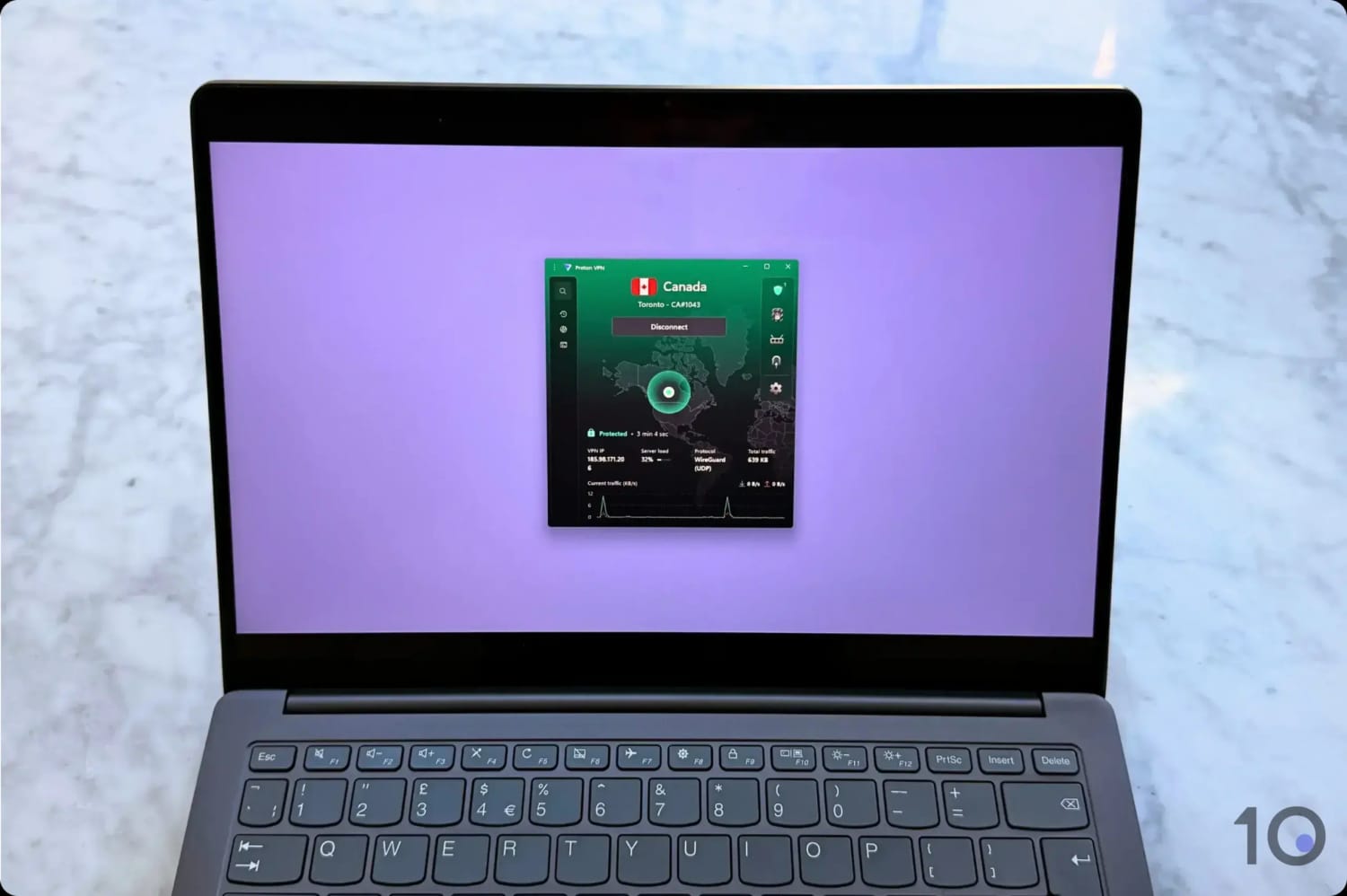
Proton VPN’s desktop app connects quickly to any server.
Best-in-Class Security & Privacy
I rank Proton VPN #1 out of 59 VPNs for security. Its apps are fully open source, it uses post-quantum encryption, and it runs its own DNS servers.
The VPN service passed every IP, DNS and WebRTC leak test I threw at it, on every platform.
Its privacy record is just as solid. Proton logs nothing about your activity, and when a Swiss court demanded user data in 2019, there was none to give. You can even pay in cash or Bitcoin, which is rare.
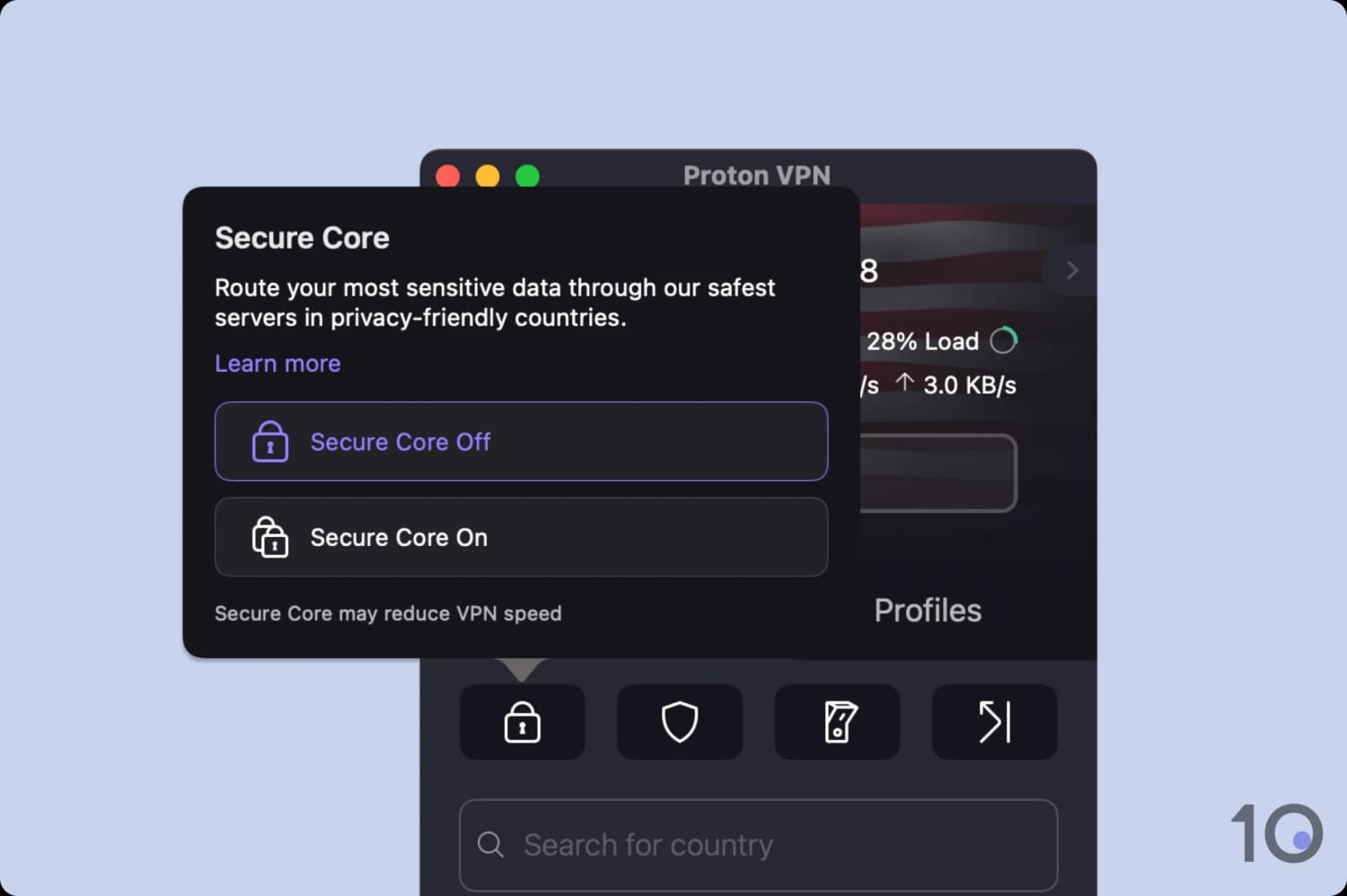
Secure Core is the feature I’d lean on in Hong Kong. It sends your traffic through a Proton-owned server in a privacy-friendly country before it leaves via the location you picked. Even if that exit server were compromised, it would only see Proton’s own server, never your real IP address.
Make sure you turn off Secure Core before you start streaming.
Proton is also open about the risks. It describes Hong Kong as a high-risk server location and advises against using its servers there for sensitive communications.
That’s why, in Hong Kong, I’d use Secure Core or connect to a nearby country like Japan or Taiwan, and only use its Hong Kong servers to get a local IP address from abroad.
Keep in mind that Secure Core cut my download speeds by 82%, so it’s not to be used for streaming.
Surprisingly, the kill switch is off by default, so make sure you turn it on first.
Works Reliably in Mainland China
After years of failing in China, Proton VPN now beats the Great Firewall 90% of the time, making it one of my top VPN choices for the Chinese mainland.
If you live in Hong Kong and cross the border regularly, Proton is the one to pick; NordVPN and Surfshark barely work there, and ExpressVPN only manages about half the time.
Proton’s success in China comes down to its Stealth protocol, which hides your VPN connection inside an additional TLS layer so the Firewall sees regular HTTPS traffic.
Alternative Routing also helps. If the Firewall blocks Proton’s servers, this feature automatically reconnects you through third-party cloud networks.
I’d strongly recommend setting Proton VPN up before you travel:
Open Proton VPN and go to Settings > Security Options > Protocol, then select Stealth.
Switch on the kill switch.
Under Settings > Advanced, check that Allow alternative routing is enabled.
Connect to a server in Tokyo or Taipei. I found Proton’s Hong Kong server less dependable from the mainland.
It also costs around a quarter of the price of Astrill, the most effective VPN for China right now.
Surfshark is the VPN I’d use for mobile gaming. Its Android app can spoof your GPS location as well as your IP address, something very few VPNs offer.
This pairing lets you play region-locked mobile games that check both, including Japan-only titles.
It’s also great value for families and roommates. One subscription covers unlimited devices, and its long-term plan is the cheapest of my paid recommendations at $2.49/mo over 27 months.
That said, the mobile app can be slow to connect, it doesn’t unblock as many streaming platforms as ExpressVPN or NordVPN, and it rarely works in mainland China.
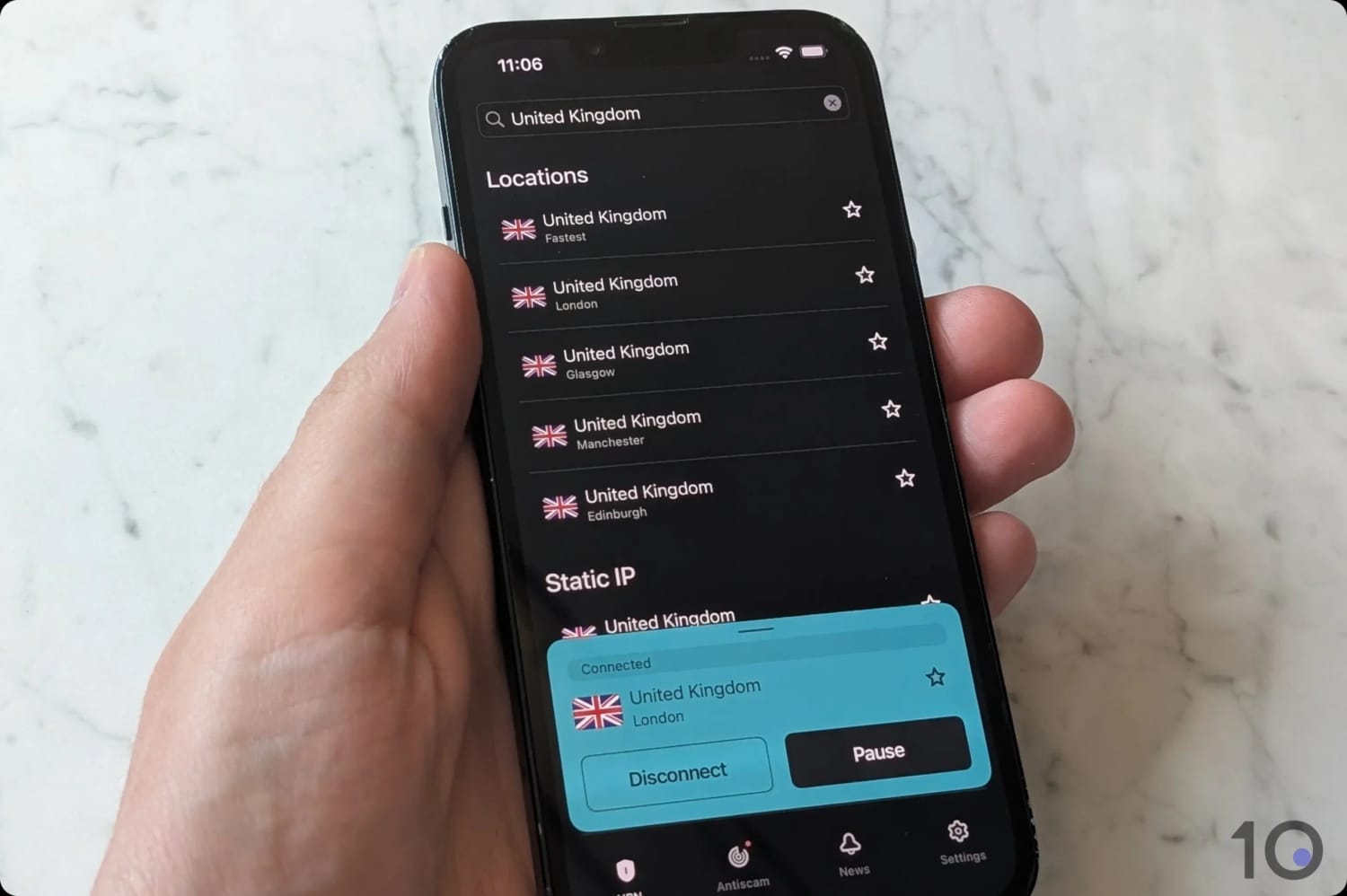
Getting a UK IP address using Surfshark’s mobile app.
Built for Mobile Gamers
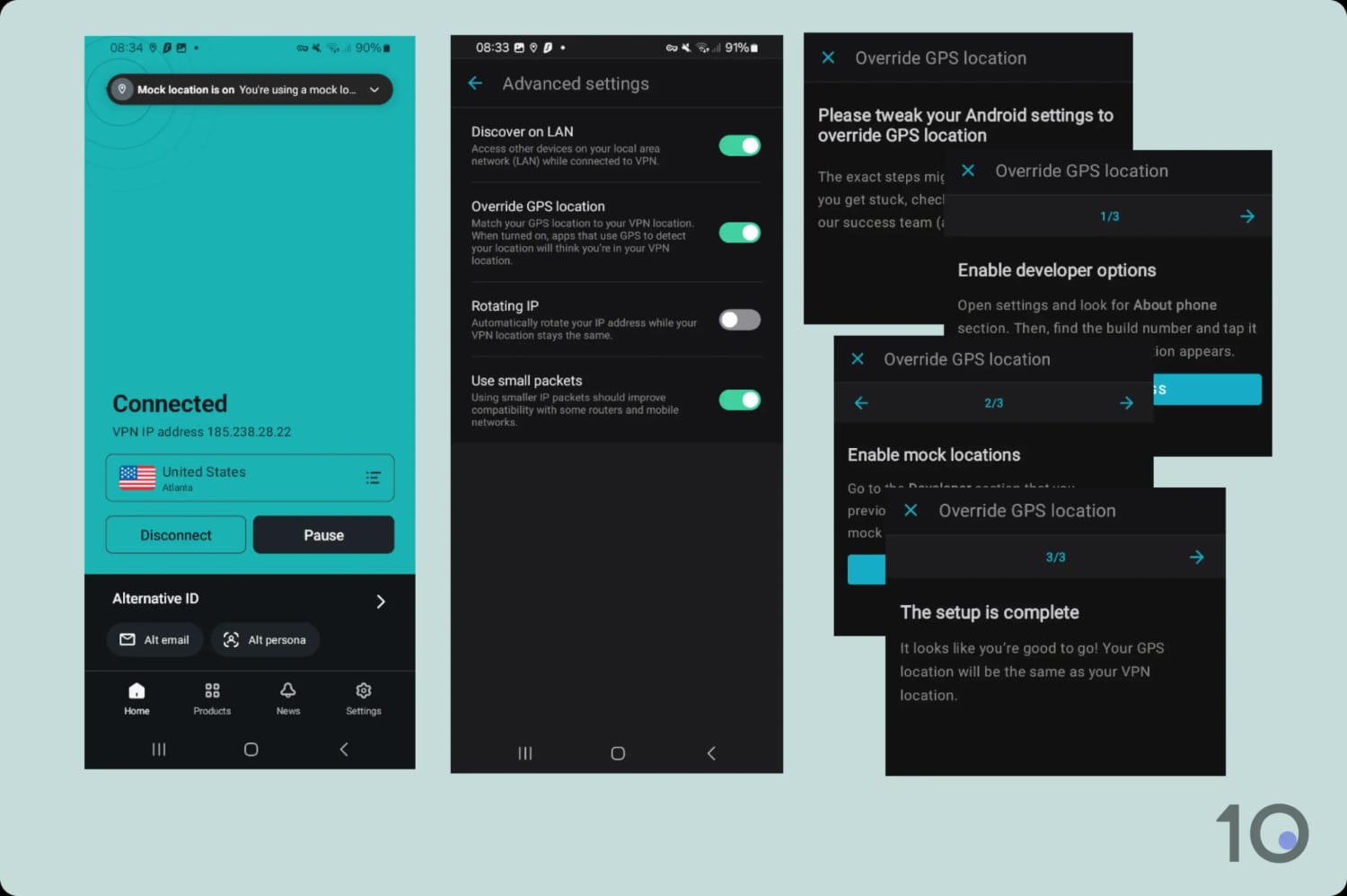
Location-based games check your phone’s GPS as well as your IP address. On Android, Surfshark’s Override GPS Location changes your phone’s coordinates to match your VPN server.
Setting up Surfshark’s Override GPS location.
I used it with Pokémon GO and Monster Hunter Now, and to play Japan-only Dragon Quest Walk, which won’t run without both Japanese IP and GPS data. None of my other paid picks can do this.
With 80 servers in Japan and 30 Asian countries in total, you’ll also find low-ping servers close to Hong Kong.
If your signal is spotty, switch on Use Small Packets. It shrinks the packets your phone sends, which noticeably steadied my connection on a weak cell signal.
Privacy Extras & No Device Limit
Surfshark has more extra features than any other VPN I review, which is why I rank it #1 out of 59 in that category.
Dynamic MultiHop sends your traffic through two servers and, unlike NordVPN and Proton VPN, lets you choose both. Rotating IP swaps your IP address every five minutes without changing your location.
Its servers are also diskless, and Deloitte has verified its logging policy more than once. It does hold your user ID and connection timestamps briefly, but deletes them within 15 minutes of you disconnecting.
Surfshark also has no limit on simultaneous connections. I ran it on a laptop, a Fire TV, and an iPhone at the same time without any problems, so it can easily cover a whole household.
Just remember to turn on the kill switch, which isn’t enabled by default.
Free servers in 10 countries, including the US & UK
Free obfuscation that works in mainland China
Diskless servers & a reliable kill switch
Unlimited device policy
10GB monthly data cap
Doesn't work with Netflix HK
Speeds fluctuate, causing buffering
No human live chat support
Data Cap
10GB per month
Countries with Servers
10
Servers
10
Hong Kong Servers
---
Logging Policy
No Identifiable Data
Simultaneous Connections
Unlimited
Support
Email & Online Resources Only
Compatible with
Windows
Mac
iOS
Android
Linux
Amazon Fire TV
Android TV
Apple TV
Router
Chrome
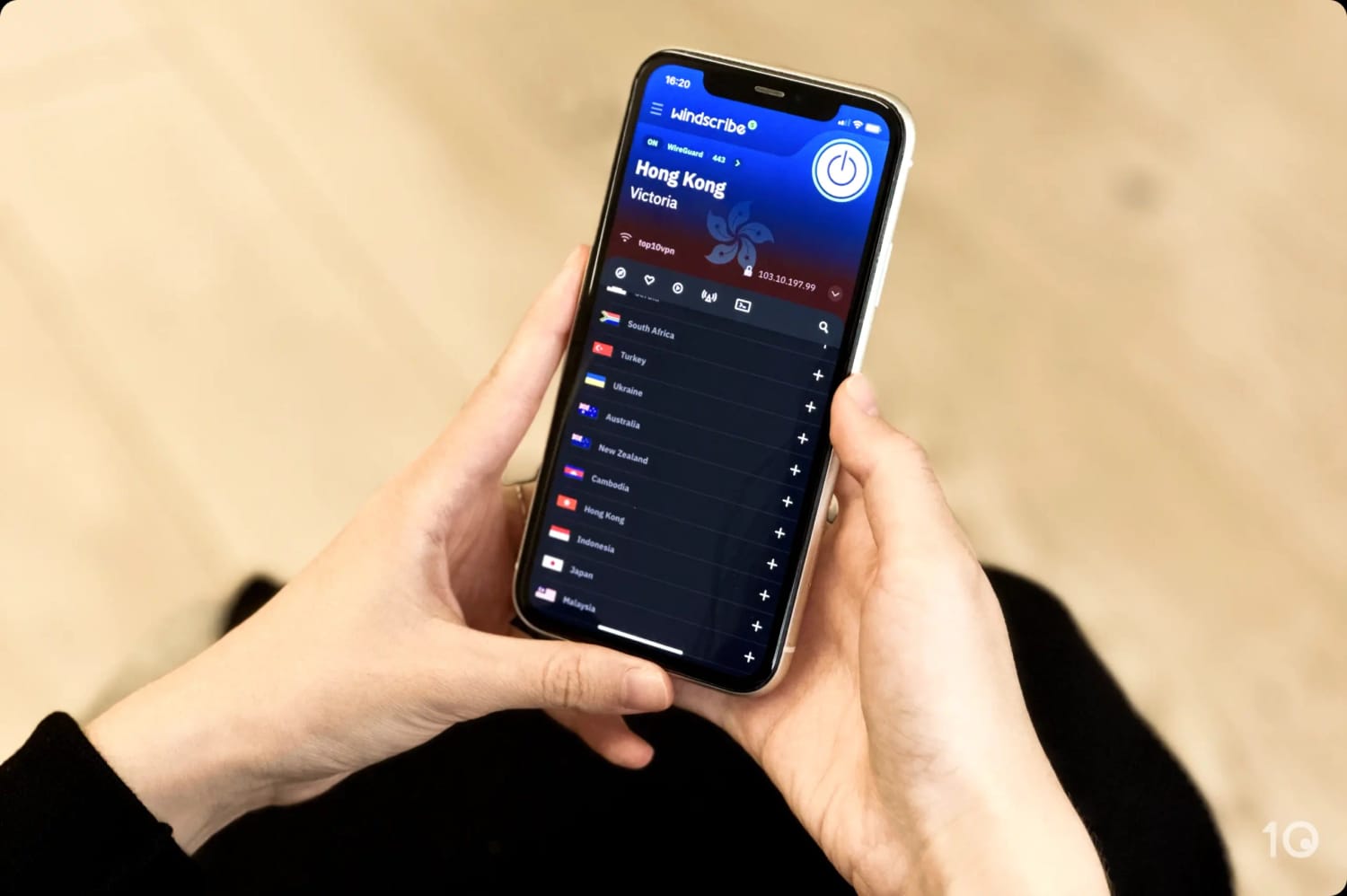
Windscribe is the only free VPN I trust that gives you a Hong Kong IP address.
Its free Hong Kong (Victoria) server unblocked Viu, ViuTV, and Disney+ HK in my tests, and its US and UK servers cover the content you’d miss from home.
It’s also surprisingly effective in mainland China, getting around the Great Firewall 82% of the time for free.
The downside is the 10GB monthly data cap, which only covers about four hours of HD streaming. I’d use it as a backup or for short trips rather than as your everyday VPN.
Windscribe offers a free server in Hong Kong.
Free Access to Hong Kong & Home Content
Windscribe’s free server list spans 10 countries: Canada, France, Germany, Hong Kong, the Netherlands, Norway, Romania, Switzerland, the UK, and the US.
The great thing about this selection is that you can pick any of these locations, unlike Proton VPN’s free plan which only connects you to the nearest free server.
From abroad, Windscribe’s Hong Kong server streamed Cantonese dramas on Viu and ViuTV, plus Disney+ HK. It couldn’t crack Netflix HK, unfortunately.
For expats in Hong Kong, the free UK and US servers unblocked BBC iPlayer, UK Netflix, HBO Max, and Hulu. They’re also the ones to use for ChatGPT, which OpenAI doesn’t offer in Hong Kong.
A Free Backup for Mainland Trips
Most free VPNs are useless in China, but Windscribe worked 82% of the time on my Shanghai test server, nearly matching some paid VPNs.
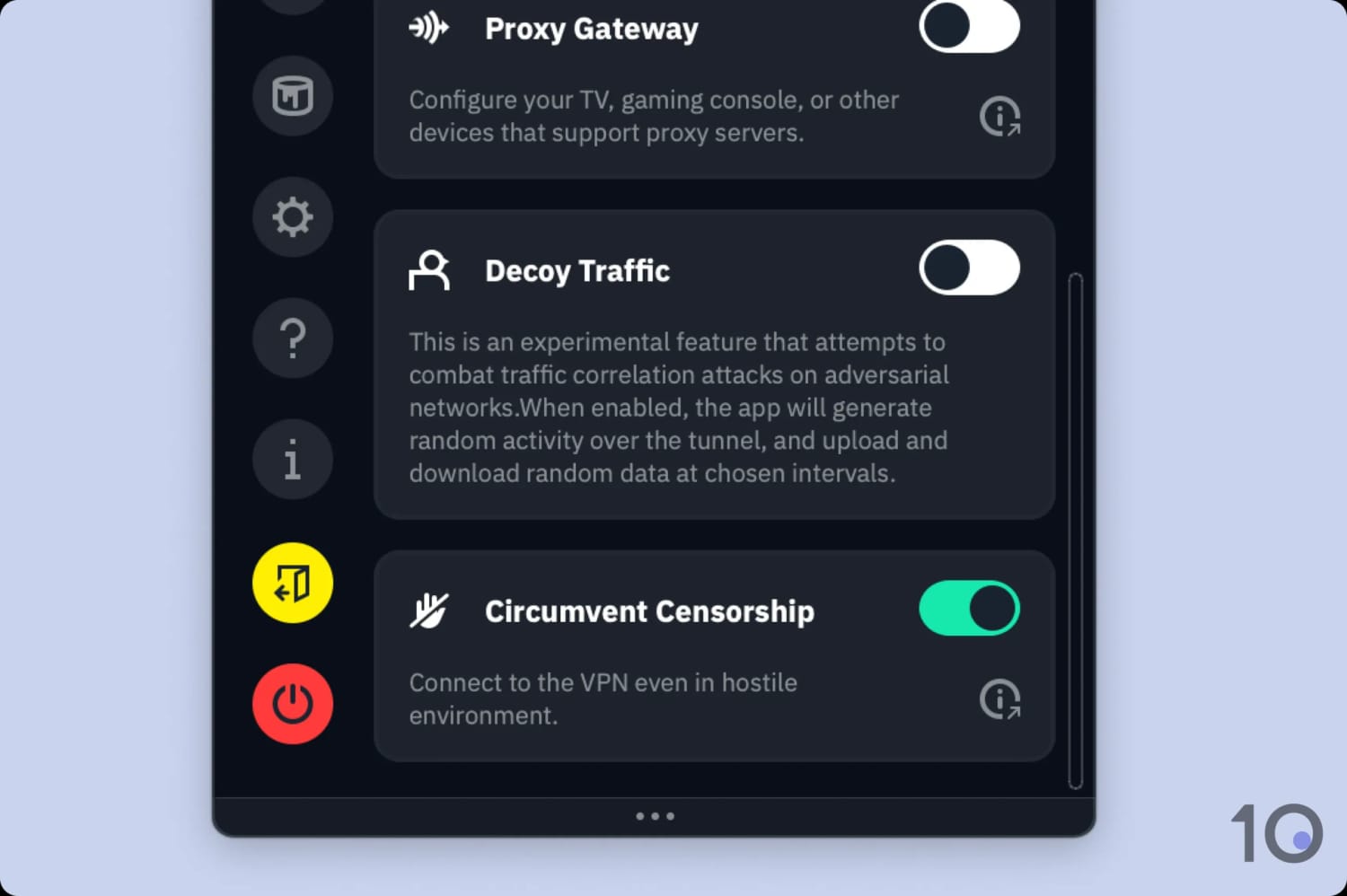
Its most effective anti-censorship tool is AmneziaWG, a fork of WireGuard that scrambles the traffic patterns China’s deep packet inspection (DPI) uses to spot VPNs. Windscribe built it into its free and paid apps.
It only takes a few seconds to turn on: go to Preferences > Connection, switch on Circumvent Censorship, pick an AmneziaWG profile and make sure your protocol is set to WireGuard. If one profile won’t connect, try the next one down the list.
It takes seconds to activate the anti-censorship mode.
Windscribe says it works particularly well in China, and suggests switching the WireGuard port from 443 to 80 if you still can’t get through.
In my tests, the most reliable free server from the mainland was Hong Kong (Victoria).
Windscribe’s servers are diskless, it leaked nothing in my tests, and its Firewall kill switch cut my connection instantly every time the VPN dropped.
I’d install Windscribe alongside a paid VPN before you cross over to China. Just keep an eye on your data limit, and expect slower speeds at peak times.
For most visitors, browsing in Hong Kong works much as it does at home.
Since 2020, though, the city has built a legal framework that lets authorities block websites, order content removed, and access personal devices in the name of national security.
ISPs including PCCW, HKBN, SmarTone, and China Mobile Hong Kong have been reported blocking sites under it, and HKBN has confirmed doing so.
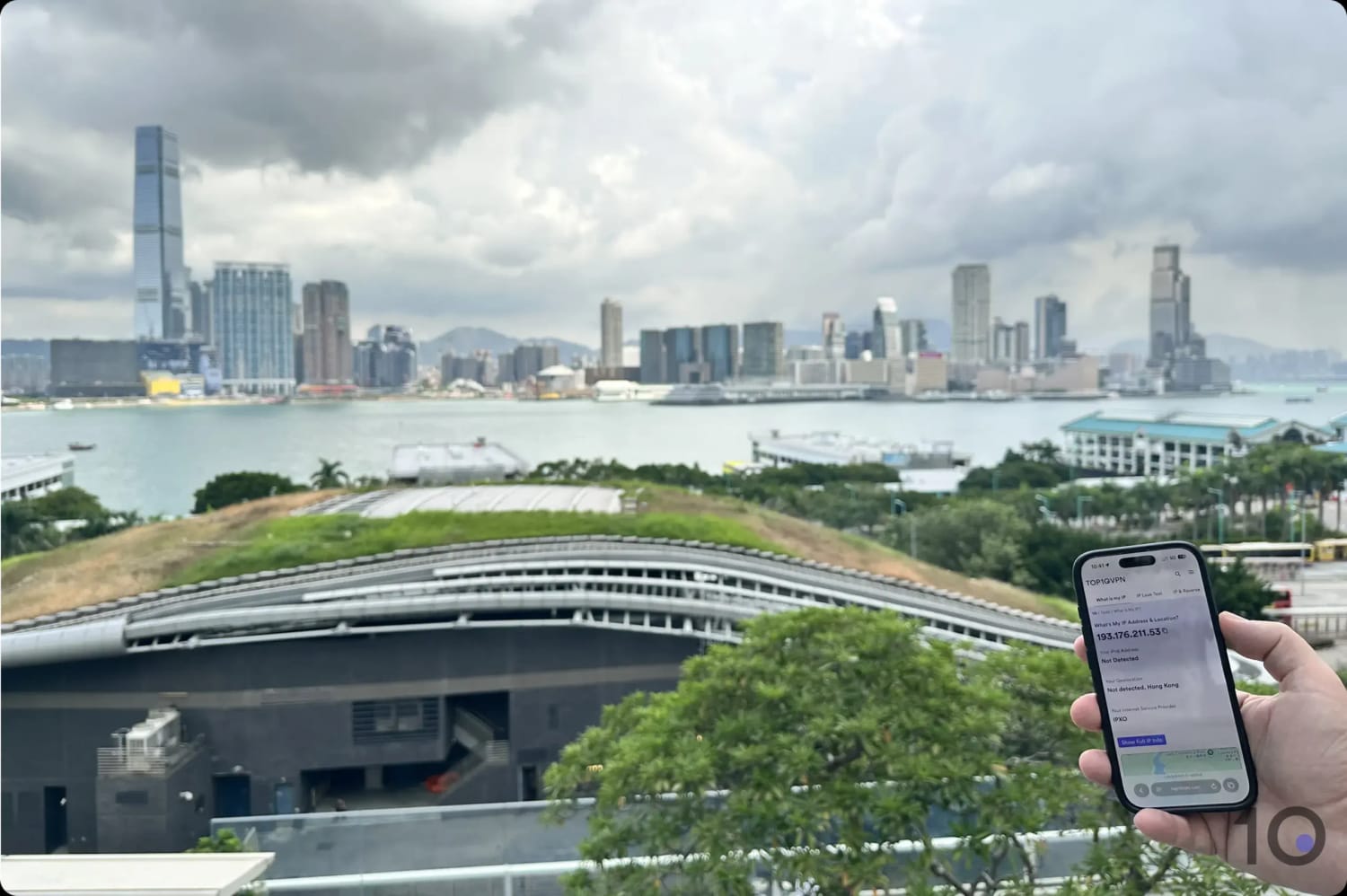
I tested VPNs and internet access while visiting Hong Kong.
I’d use a VPN in Hong Kong for four main reasons:
1. Get Around National Security Blocks
Hong Kong doesn’t publish a list of blocked websites. Blocks are carried out by individual ISPs, mostly by tampering with DNS, so a site can fail on one network and load on another.
Behind those blocks is a growing set of national security laws:
The National Security Law (2020)
Imposed by Beijing on 30 June 2020, the National Security Law (NSL) criminalizes secession, subversion, terrorism and collusion with foreign forces.
The implementation rules for its Article 43 let police order publishers, platforms, hosting companies and ISPs to delete information or block access to it when it’s likely to constitute or cause a national security offense.
No court order is needed. The first site blocked this way, HKChronicles, was cut off in January 2021, reportedly on an order from the Secretary for Security.
The Safeguarding National Security Ordinance (2024)
Hong Kong’s own security law, known as Article 23, took effect on 23 March 2024. Among other offenses, it covers sedition, which carries up to seven years in prison.
The first arrests under it, in May 2024, were over Facebook posts. In June 2025, police warned that even downloading the mobile game Reversed Front: Bonfire could count as possessing a seditious publication, and it vanished from Hong Kong’s App Store the next day.
Court Injunctions
In May 2024, the Court of Appeal granted an injunction against the 2019 protest song Glory to Hong Kong. YouTube responded by geo-blocking 32 videos of it for viewers in Hong Kong, though they remain viewable elsewhere.
The 2026 Amendments
On 23 March 2026, the government amended the Article 43 rules without a Legislative Council vote. Police can now require people under national security investigation to hand over the passwords to their phones and laptops. Refusing is a criminal offense carrying up to a year in jail.
The US Consulate has warned that the rule applies to everyone in Hong Kong, including travelers transiting through the airport.
The number of blocked sites is still fairly small, but these laws make it easy for the authorities to add more at any time.
A VPN gets around these blocks by connecting you to a server outside Hong Kong, so your ISP can’t see which sites you’re visiting.
2. Keep Your Browsing Private
Under the NSL’s implementation rules, the Chief Executive can authorize police to intercept communications and carry out covert surveillance in national security cases, with no court warrant required.
Without a VPN, your ISP can see every website you visit, and it can be required to assist police.
A VPN encrypts your connection, so PCCW, HKBN or SmarTone see only that you’re connected to a VPN server, not what you do there. Obfuscation tools, like Proton VPN’s Stealth protocol, can hide your VPN use too.
The same goes for hotel, airport and café WiFi, where anyone sharing the network can try to snoop on unencrypted traffic.
Where you connect matters too. A server in Hong Kong sits under Hong Kong jurisdiction, and Proton VPN itself calls the city a high-risk server location.
For privacy inside the city, I connect to a nearby server in Taiwan, Japan or Singapore, and save Hong Kong servers for getting a local IP address from abroad.
Choose your provider just as carefully. Avoid VPNs based in Hong Kong or mainland China, and stick to services with a proven no-logs policy, like the ones above.
3. Use Apps That Aren't Offered in Hong Kong
Not every restriction in Hong Kong comes from the government.
OpenAI doesn’t list Hong Kong among ChatGPT’s supported regions and tightened its blocks on access from the city in mid-2024.
Anthropic’s Claude isn’t offered there either, and TikTok pulled out of Hong Kong days after the NSL took effect in 2020.
A VPN server in the US, UK or Japan gets you an IP address where these services operate. Keep in mind that OpenAI says accounts used from unsupported regions may be blocked.
4. Stay Connected on Trips to Mainland China
Once you cross into Shenzhen, you’re behind the Great Firewall. Google, WhatsApp, Instagram and most VPN websites are blocked on the mainland, even though they work in Hong Kong, and VPNs are only legal there if the government has approved them.
Make sure you install your VPN before you travel, and don’t assume the biggest brands will work.
In my China tests, NordVPN worked just 13% of the time, Surfshark 11% and ExpressVPN 51%. Proton VPN managed 90%, and Windscribe’s free plan 82%.
If you need the most reliable option, Astrill has never failed in my tests from Shanghai.
If you’re traveling on to Tokyo or Singapore, you can keep using the same VPN. Neither restricts VPNs, and all my paid picks have fast servers in both.
How to Get a Hong Kong IP Address
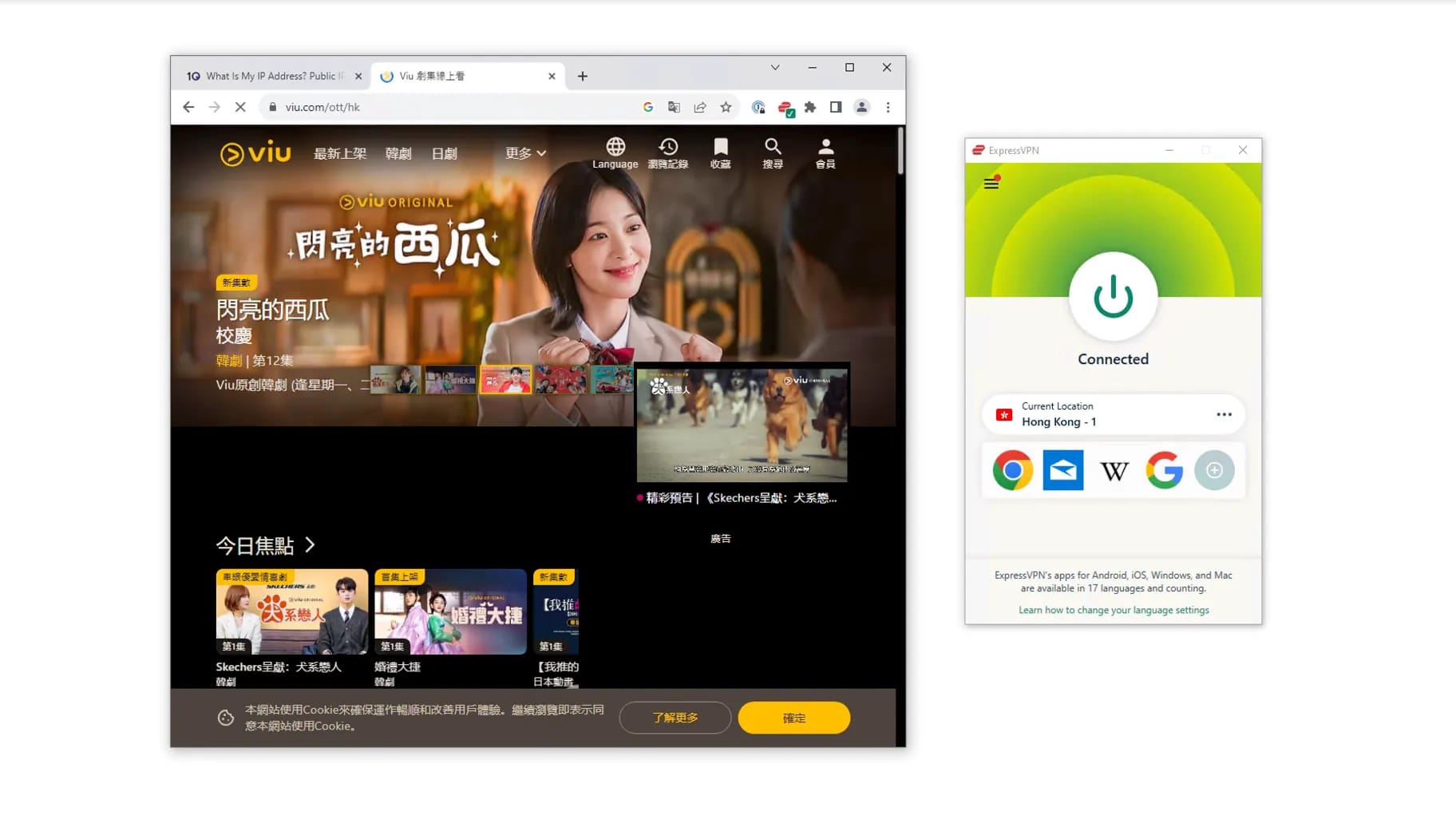
Any of my picks will get you a Hong Kong IP address in a few clicks. Watch my short video, or follow the steps below.
I used ExpressVPN to get a Hong Kong IP address and unblock Viu from abroad.
You can also follow the step-by-step instructions below:
How to Get a Hong Kong IP Address
Choose a VPN with Hong Kong servers. I’d go with one of my picks above.
Download its app for your phone, computer, or TV.
Sign in with your account.
Switch on the kill switch so your real IP address can’t leak if the connection drops. Some VPNs leave it off by default.
Pick a Hong Kong server and connect.
Check your new IP address with an IP finder tool.
Hong Kong VPN Testing Methodology
I only recommend VPNs I’ve tested myself. My team and I put 59 VPNs through the same tests, then used my rating calculator to give each one a score for Hong Kong.
Here’s how much each category counts toward the overall rating:
You can see each pick’s scores in the table below:
Below is more on what each category covers, and why it matters in Hong Kong:
1. Global Servers (30%)
Test Conducted: Evaluated each VPN’s server network, counting its servers and the countries they cover. I paid close attention to coverage across Asia, particularly in nearby Taiwan, Japan, Singapore, and South Korea.
Why It Matters: Expats and travelers need fast servers back home and wherever they’re heading next, from Tokyo to London, plus reliable access to the streaming services in each.
Optimal Result: Servers in 100 countries or more, with a solid presence on every continent.
2. Hong Kong Servers (25%)
Test Conducted: Counted each VPN’s servers in Hong Kong.
Why It Matters: A Hong Kong server is the only way to get a Hong Kong IP address from abroad.
Optimal Result: Multiple servers in Hong Kong that offer fresh local IP addresses.
3. Speed (15%)
Test Conducted: Ran in-house speed tests to measure each VPN’s average download speed loss on nearby and long-distance servers.
Why It Matters: Fast speeds keep HD streams, video calls home and mobile gaming smooth, even on long hauls from Hong Kong to Europe or the US.
Optimal Result: Less than 10% speed loss on nearby servers, and less than 20% over long distances.
4. Streaming (10%)
Test Conducted: Tested every VPN against global platforms like Netflix, Disney+ and BBC iPlayer, plus Hong Kong services including Netflix HK, Disney+ HK, Viu and ViuTV.
Why It Matters: Geo-blocks cut both ways: expats lose their home libraries in Hong Kong, and Hongkongers abroad lose access to Cantonese content.
Optimal Result: Consistent access to both Hong Kong and international libraries.
5. Privacy (10%)
Test Conducted: Analyzed each VPN’s privacy policy to establish what data it stores and for how long, and checked its jurisdiction and ownership.
Why It Matters: Hong Kong’s national security laws let police require service providers to hand over information. That’s why I only recommend VPNs that don’t log your activity.
Optimal Result: A no-logs policy proven by audits or real-world events, diskless servers, and no ties to Hong Kong or mainland China.
6. Security (10%)
Test Conducted: Inspected encrypted traffic with packet sniffers, ran IP, DNS and WebRTC leak tests, and forced connection drops to test each kill switch.
Why It Matters: It stops your real IP address and browsing activity leaking to your ISP, or to anyone snooping on hotel and café WiFi.
Optimal Result: WireGuard or OpenVPN with AES-256 or ChaCha20 encryption, post-quantum protection, zero leaks, and a kill switch that works every time.
Data Cap Penalty
While free VPNs can be enough for some users, most limit the amount of data you can use for free each month.
To account for these data caps, I apply a penalty proportional to the limit: the stricter the cap, the greater the rating reduction. Here’s the breakdown:
Unlimited bandwidth: No deduction to the overall rating
10GB per month: -20% to the overall rating
500MB per day: -25% to the overall rating
5GB per month: -30% to the overall rating
1GB per month: -35% to the overall rating
200MB per day: -40% to the overall rating
500MB per month: -50% to the overall rating
VPNs I Don't Recommend for Hong Kong
Plenty of VPNs have Hong Kong servers but many don’t meet the high bar I’ve set.
The well-known names I’ve listed below either fell short in my testing, or simply aren’t safe to use.
CyberGhost
CyberGhost runs 70 Hong Kong servers, but they triggered far more CAPTCHAs than usual in my tests. It’s also slower than my picks over long distances, and it rarely works in mainland China.
Hong Kong VPN
This free Android app from developer Helalik is popular on Google Play, but its privacy policy lets it collect your IP address, device details, and connection timestamps.
The privacy policy itself was even created using a generic template from “privacypolicytemplate.net.”
Hong Kong VPN’s privacy policy was written using a generic privacy policy template.
IPVanish
IPVanish is fast and easy to use, but it struggles with Asian streaming platforms. It couldn’t unblock Viu in my Indonesia tests, Netflix Japan was the only Japanese service it reliably opened, and it rarely works in mainland China.
Mullvad
Mullvad is one of the most private VPNs I’ve tested, and it gets past the Great Firewall 85% of the time. But it rarely beats streaming geo-blocks, and its network spans just 50 countries, with no servers in Taiwan or South Korea.
Private Internet Access
PIA’s no-logs policy has been proven in several real-world cases, which few VPNs can claim. Streaming is its weak spot: only a few Netflix libraries opened for me, and Disney+ and Sky Go in the UK remain blocked.
Urban VPN
Urban VPN’s free app works as a peer-to-peer proxy network rather than a true VPN. Your traffic isn’t encrypted, and the app records your IP address and browsing activity.
Yes, VPNs are legal in Hong Kong, and so is getting a Hong Kong IP address from abroad. Mainland China’s VPN restrictions don’t apply in the city.
Using a VPN doesn’t make anything else legal, though. Publishing or possessing material deemed seditious remains an offense under the National Security Law and the Safeguarding National Security Ordinance, with or without a VPN.
Since March 2026, police can also require anyone under national security investigation to unlock their devices.
Which VPN Has the Most Servers in Hong Kong?
ExpressVPN has the most, with 150 servers in Hong Kong. Surfshark and CyberGhost have 70 each, NordVPN has 35, and Proton VPN has 11.
Is There a Free VPN with Hong Kong Servers?
Windscribe is the only safe free VPN I’ve found with a Hong Kong server. You get 10GB of data a month.
Proton VPN’s free plan is safe and has no data cap, but it picks your server location for you, so you can’t choose Hong Kong.
Which VPNs Work in China?
Astrill worked every time in my tests. It unblocks search engines and social media platforms like X (previously Twitter) and Instagram with unbelievable ease.
Proton VPN’s paid plan and Windscribe are also reliable options. Windscribe’s free tier is remarkably good at getting past the Great Firewall, although it caps data to 10GB a month.
Can My ISP in Hong Kong See That I'm Using a VPN?
It can tell you’re connected to a VPN, but that’s all it sees. The sites you visit and what you do on them stay encrypted.
To hide the VPN itself, use an obfuscation feature such as Proton VPN’s Stealth protocol or NordVPN’s obfuscated servers in Hong Kong.
How Can I Watch Hong Kong TV Outside Hong Kong?
Connect to a Hong Kong server first. Viu and ViuTV are the easiest to unlock: ExpressVPN, NordVPN, and Windscribe’s free plan all got me in.
Netflix HK is harder, and only ExpressVPN managed to access it consistently.
If Disney+ HK won’t load, try a Singapore server: many of the same Cantonese titles are in the Singapore library.