


Top10VPN is editorially independent. We may earn commissions if you buy a VPN via our links.
The Best Cheap VPN Services
Simon Migliano
Simon Migliano is a recognized world expert in VPNs. He's tested hundreds of VPN services and his research has featured on the BBC, The New York Times and more. Read full bio
Our favorite cheap VPN right now is Private Internet Access (PIA), which costs just $2.03/mo over 39 months. This is 48% below the average price of a VPN. For such a low price, you’ll get fast speeds, best-in-class security, and access to popular geo-restricted content. For the cheapest pay-monthly VPN, Mullvad costs only $5.50 per month, with its core focus on privacy and security rather than beating geo-blocks.
Let’s get one thing straight: cheap doesn’t always mean low quality. Quite the opposite in fact, with many cheaper VPNs performing better than more expensive ones.
Not always, though. Several low-cost VPNs we examined failed very basic security tests, like keeping your IP address concealed! Those apps simply aren’t worth the risk.
It shouldn’t come as a surprise then that finding a budget-friendly VPN that doesn’t compromise on quality requires a good amount of research.
And while you’re searching, you also have to watch out for websites promoting VPNs that aren’t that cheap (NordVPN and Proton VPN) or aren’t very good (TotalVPN).
We do things properly here, and in this guide you’ll only see recommended top VPNs that cost as little as $1.99 and no more than $3.00 per month.
Summary: The Best Cheap VPNs
Here’s a summary of the most affordable high-quality VPNs right now:
We’re fully independent and have been reviewing VPNs since 2016. Our ratings are based on our own testing results and are unaffected by financial incentives. Learn who we are and how we test VPNs.
VPNs Tested
61
Total Hours of Testing
30,000+
Combined Years of Experience
50+
The cheapest prices almost always come with multi-year pricing plans, however there are a couple of affordable pay-monthly plans (like Mullvad’s) worth considering for shorter periods of use.
🔄 Recent Updates
We’ve added IPVanish to our guide because of its solid performances and a cheapest price of $2.19 per month. We’ve also included useful tips on how to save even more on a VPN subscription.
How We Chose the Best Cheap VPNs
Everyone has a different opinion on what’s cheap and what’s not. That’s why choosing the most affordable VPNs is rather subjective.
One thing is non-negotiable for us, though: even a low-cost VPN must deliver exceptional performance, otherwise you may as well go for a free (secure) VPN rather than waste your money on a poor service.
After analyzing the cost of dozens of VPN services, we’ve calculated an average price of $3.87 per month on multi-year subscription plans. Paying month-to-month, the cost rises to $11.15.
Below is a quick list of the criteria that we consider key in a top-tier cheap VPN, which is based on our own methodology for finding such services.
✅ Pricing: Cheapest monthly price of less than $3.00 (via a multi-year plan).
Settings ideal for anonymous torrenting & P2P traffic
Effective ad & tracker blocker (MACE) included
7-day free trial via iOS & Android
Mac app has minor usability issues
No post-quantum encryption
Smart DNS doesn't work well
Doesn't work with Disney+ or DAZN
Pricing Plans
$11.99/mo
$7.50/mo over 6 months
$2.03/mo over 39 months
Servers
18,651
Countries with Servers
91
Logging Policy
No Logs
Jurisdiction
US (Five Eyes Member)
Simultaneous Connections
Unlimited
Support
24/7 Live Chat
Compatible with
Windows
Mac
iOS
Android
Linux
Amazon Fire TV
Android TV
Apple TV
Router
Chrome
When it comes to great yet very affordable VPNs, in our opinion none are better than Private Internet Access (PIA).
Despite its low price, the VPN service is actually our third-best VPN overall, only falling slightly behind ExpressVPN and NordVPN.
PIA far outshines our other cheap recommendations when it comes to privacy, security, torrenting, and bypassing strict internet firewalls.
The service’s fast internet speeds, proven no-logs policy, and wide range of security settings will not disappoint if you’re looking for a budget-friendly VPN to improve your privacy online.
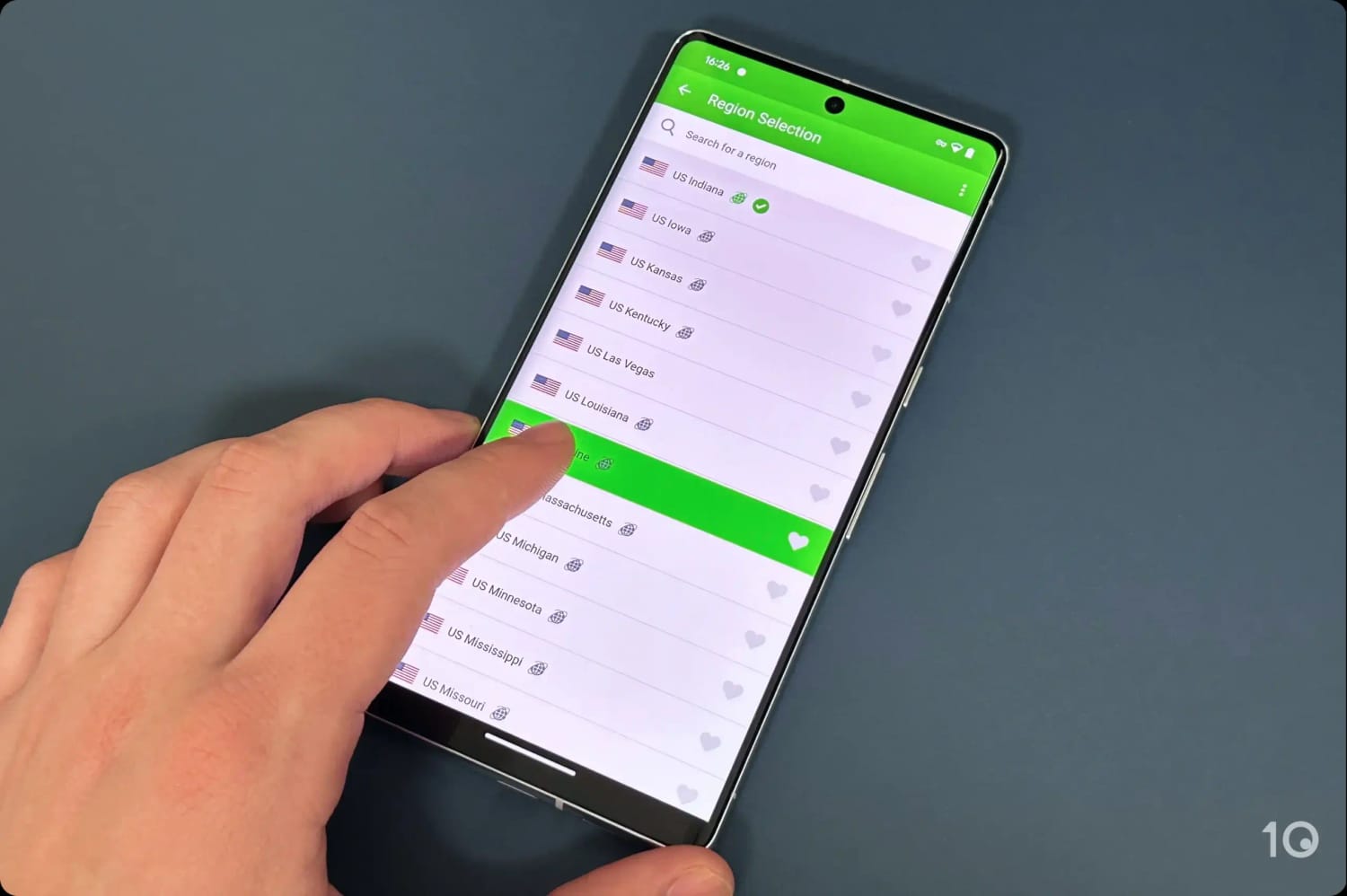
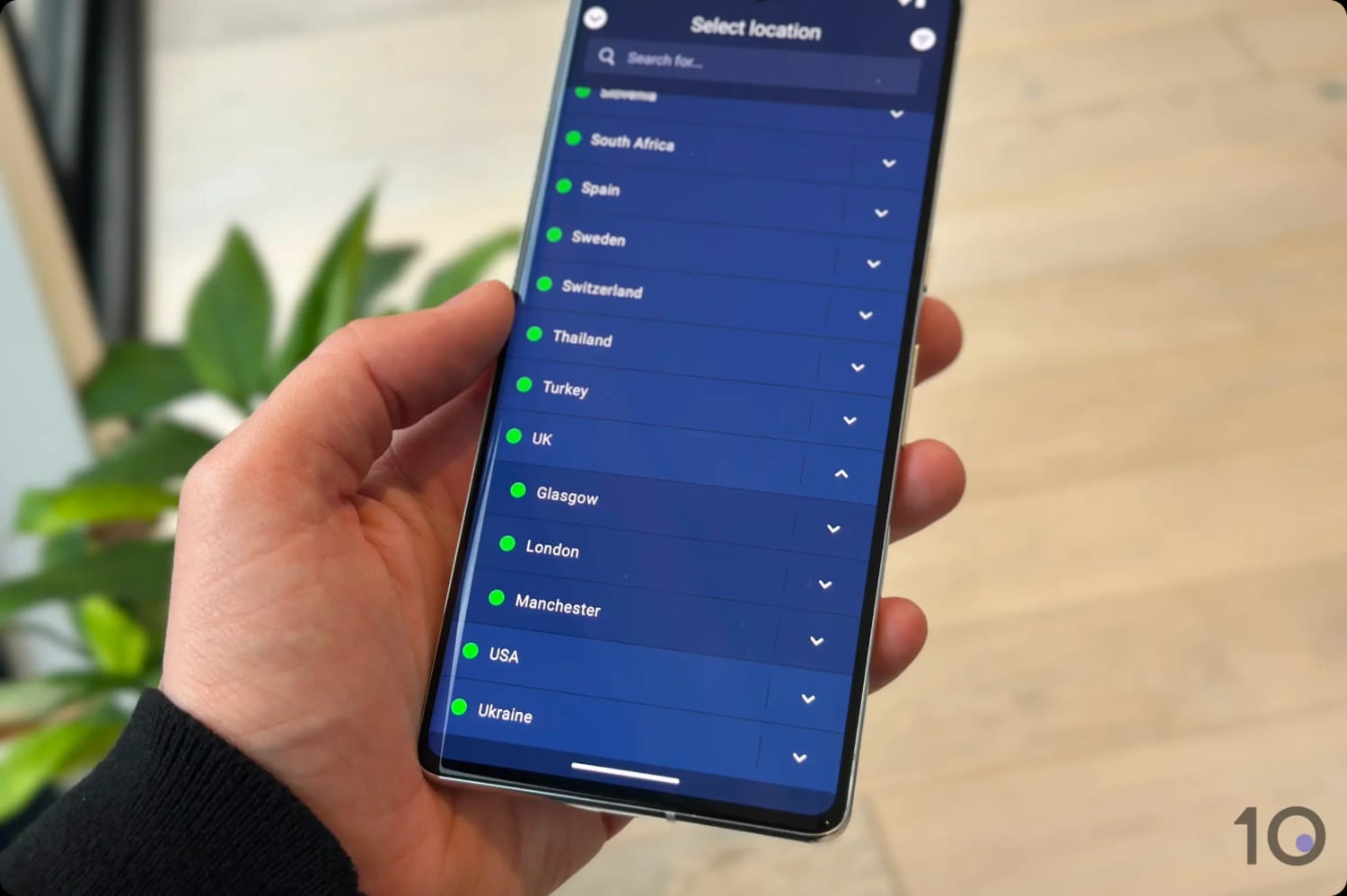
PIA VPN’s US servers in the Android app.
Secure No-Logs VPN for Torrenting
Even if it comes at a bargain price, PIA doesn’t cut corners when it comes to internet security or privacy, which is great if you’re using a VPN for torrenting.
PIA also comes with high-end security features including OpenVPN and WireGuard protocols, AES-256 and ChaCha20 encryption, a VPN kill switch, a SOCKS5 encrypted proxy, and effective IP leak blocking.
This high levels of security, combined with very fast torrenting bitrates, are at the heart of PIA’s exceptional torrenting and P2P file-sharing performances.
Additionally, you’ll get access to the most user-friendly VPN port forwarding feature we’ve seen, and which is supported on all its non-US VPN servers.
You can go one step further and hide your identity even from PIA, by subscribing with a throwaway email address and paying with cryptocurrency.
Dependable for Streaming Netflix, HBO Max & More
PIA is a solid choice for unblocking geo-restricted content, particularly titles available on US and UK content platforms.
The VPN works with 6 Netflix regions, including Australia, India, the UK, and the US, and is also very useful for getting a cheaper Netflix subscription.
We had no issues accessing US Netflix with PIA.
PIA also unblocks many other popular geo-restricted streaming services like Amazon Prime Video, BBC iPlayer, HBO Max, Hulu, ITXV, and more.
And thanks to the VPN’s fast and stable international speeds, you won’t experience any buffering even when streaming from the other side of the world.
Huge Server Network with Excellent US Coverage
Private Internet Access offers access to the largest VPN server network, with 18,651 servers spread around the world.
This is especially impressive considering that VPNs with extensive server networks almost always come at a higher cost, yet PIA breaks that trend.
This expansive server park contributes to the VPN’s exceptional international connection speeds, with no severe slowdowns due to congested servers.
Connecting to servers close by, our Internet speed slowed down by only 4% while internationally the reduction was just 14%.
One of PIA’s other strong attributes is being able to offer VPN IP addresses from any US state. This is very handy for American users who want to bypass sports blackouts, or access content only available in certain states.
It’s priced very similarly to its sister VPN, Private Internet Access, but it can’t match PIA’s impressive speeds, server network quality, and arsenal of security settings.
Nonetheless, CyberGhost is a good option for beginners who want a user-friendly service to get started.
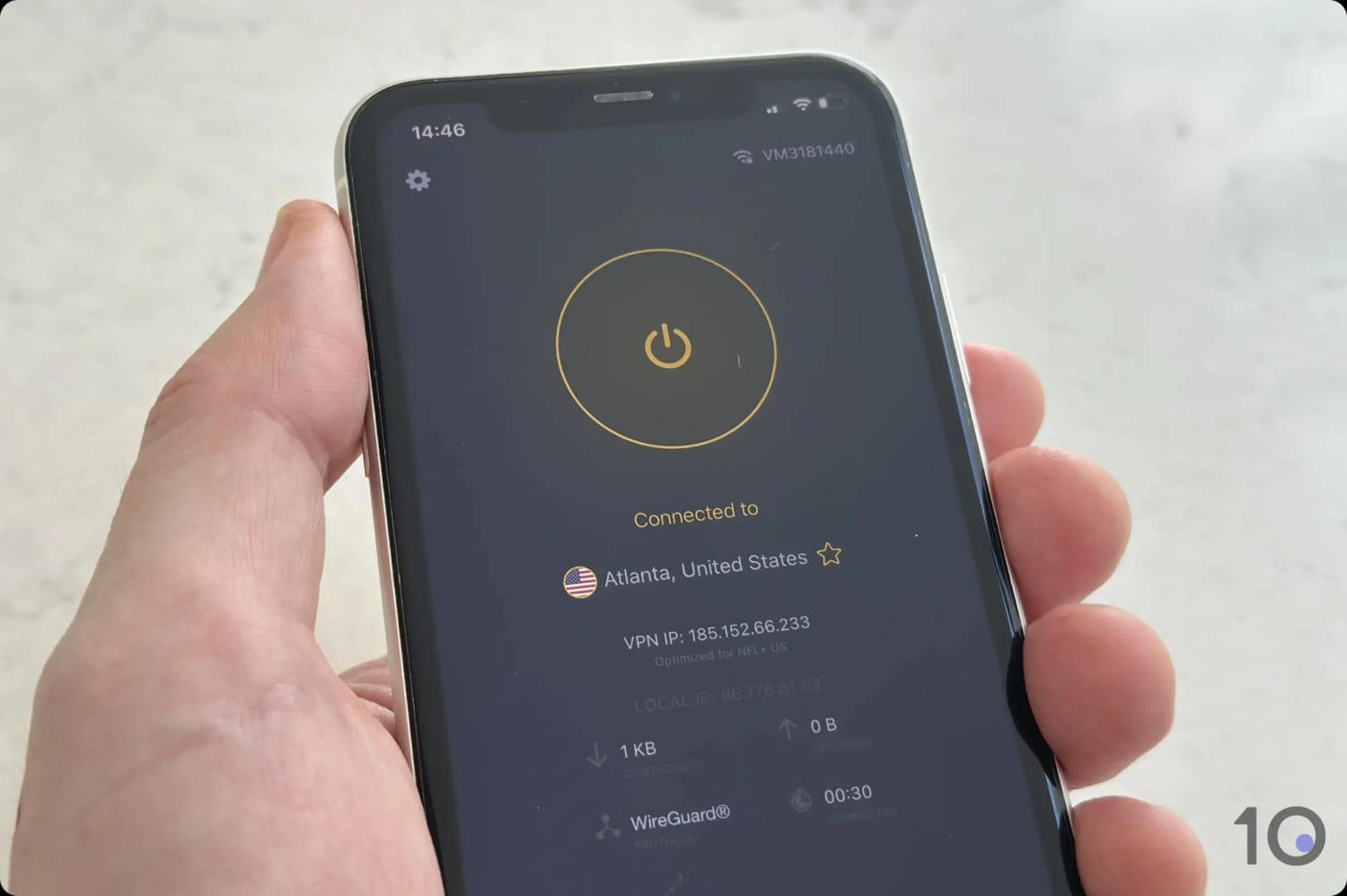
Connected to one of CyberGhost’s US servers on mobile.
Excellent Free Trials & 45-day Refund Guarantee
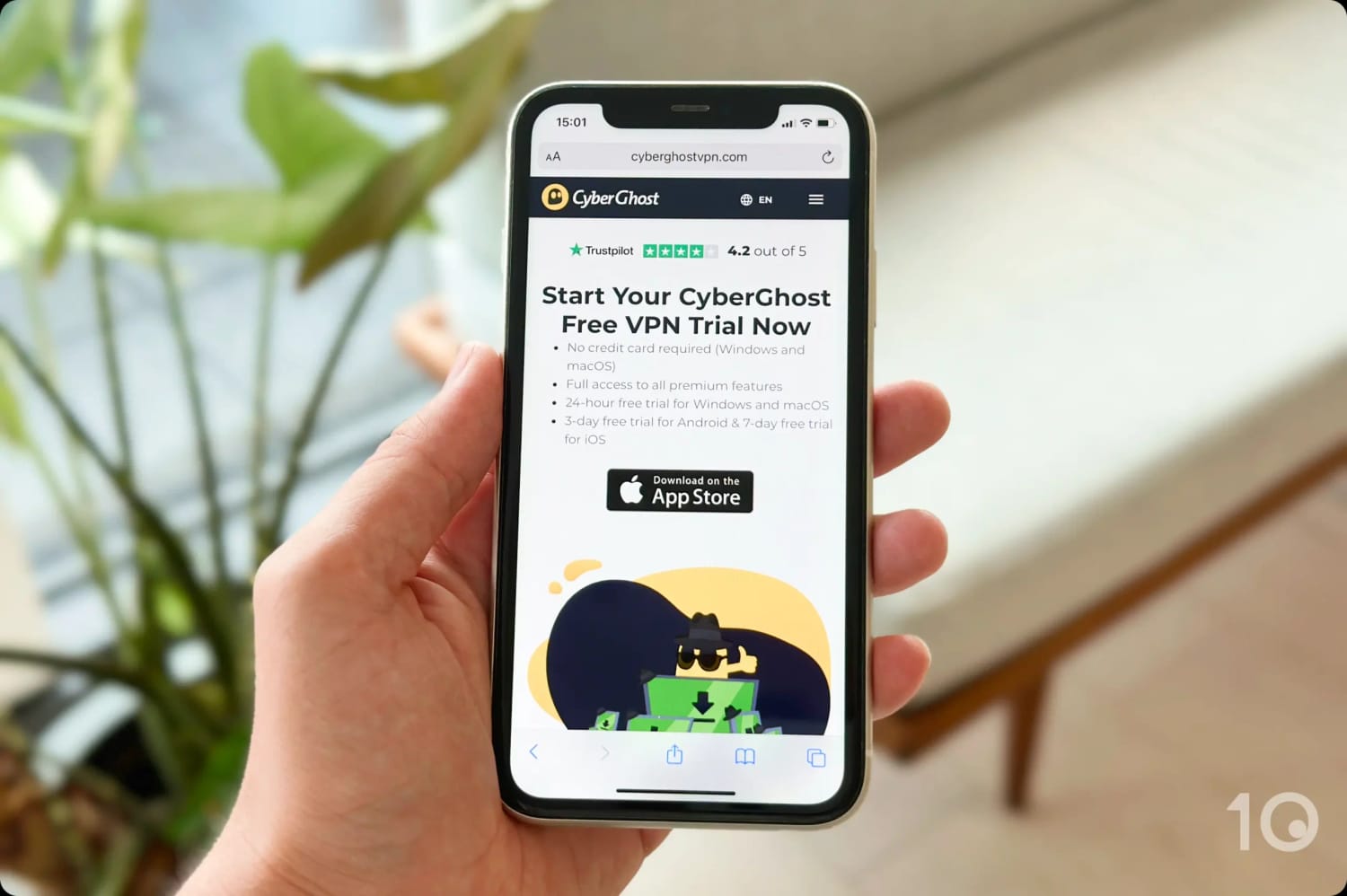
CyberGhost has the best range of free trials out of any VPN we’ve reviewed:
24-Hour macOS & Windows Free Trial: Full paid version with no credit card required.
3-Day Android Free Trial: Full paid version of the app.
7-Day iOS Free Trial: Full paid version of the app.
Free Chrome Extension: Unlimited data, with servers in the US, Netherlands, Germany, and Romania.
The VPN also has an extremely generous money-back guarantee, allowing you to claim a refund up to 45 days into your subscription, if you decide it’s not for you.
We simply love CyberGhost’s free trial options.
User-Friendly Apps & Smart DNS for Streaming
CyberGhost is one of the easiest VPNs to use for streaming, and its Smart DNS proxy makes it ideal for use across multiple devices like Smart TVs and game consoles.
The VPN provides clearly-labeled, optimized streaming servers that successfully unblock major services in Brazil, Canada, Finland, France, Germany, Poland, the US, and the UK.
We had very few issues with these dedicated servers, except for the BBC iPlayer and HBO Max ones, which were rather unreliable. We actually found the standard UK and US servers much more dependable.
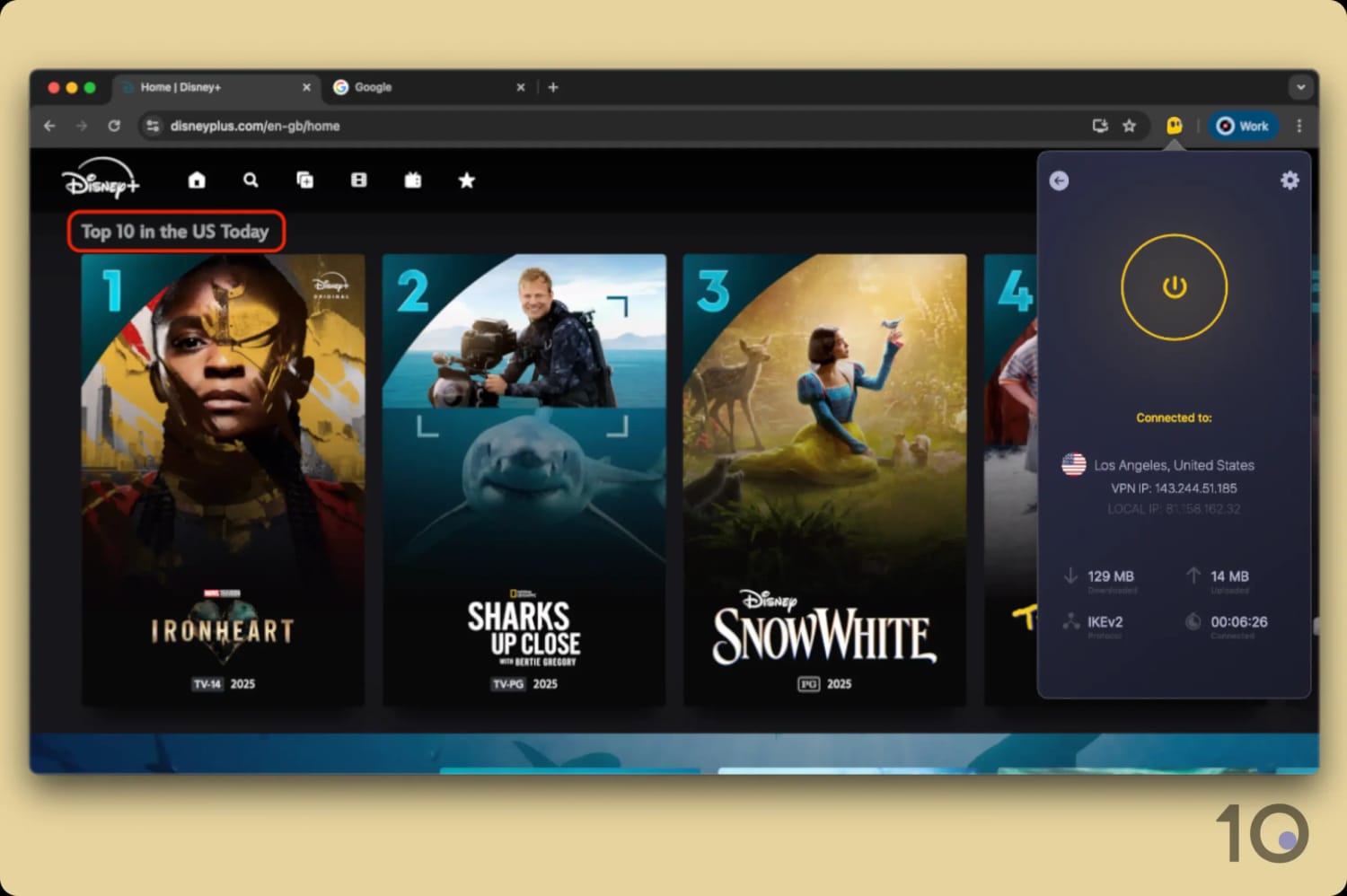
The VPN service works well with all other popular content platforms like Disney+, Prime Video, Hulu, and 10 Netflix regions, including the US, UK, France and Germany.
CyberGhost worked well with Disney+.
The only exception is DAZN, which continues to be a tough nut to crack for CyberGhost.
We were really impressed by the VPN’s exceptional performance on our TV, thanks to a well-designed Firestick app and a Smart DNS proxy that covers five different countries: Germany, Japan, Netherlands, UK, and US.
We used the proxy to access geo-restricted content on our PS5 and Xbox, as well as our our Apple TV, since CyberGhost has yet to develop a native app for the device, surprisingly.
International Speeds Keep Slowing Down
Despite these good streaming performances, CyberGhost’s cross-country speeds have been slowing down at an alarming pace over the years.
We thought we’d never say this, but we’ve even started to experience sudden blurriness and buffering at times of peak traffic.
With a lackluster 19% average slowdown, CyberGhost’s international speeds pale in comparison to the results posted by PIA and IPVanish (14% and 12% reduction respectively).
As we’ve raised with CyberGhost numerous times, the lack of investment in speeding up its server infrastructure is really holding back the service from punching higher.
So far our feedback has fallen on deaf ears, but something needs to change, and fast.
Surfshark’s best available price is slightly cheaper than PIA and CyberGhost’s long-term plans, but by only a few cents per month.
It’s without a doubt a great VPN, better than CyberGhost overall, but it’s pay-monthly price is incredibly expensive and it’s renewal price way more than its introductory $1.99 offer. For these reasons, Surfshark misses out on second spot by a whisker.
If you with Surfshark, you’ll particularly appreciate the wide range of powerful features it comes with, such as multi-hop servers, Android GPS spoofing, and regularly rotating IPs.
We recommend signing up first to a Surfshark 7-day free trial via the official website or your app store, as it’s a great way to test the VPN without paying anything upfront.
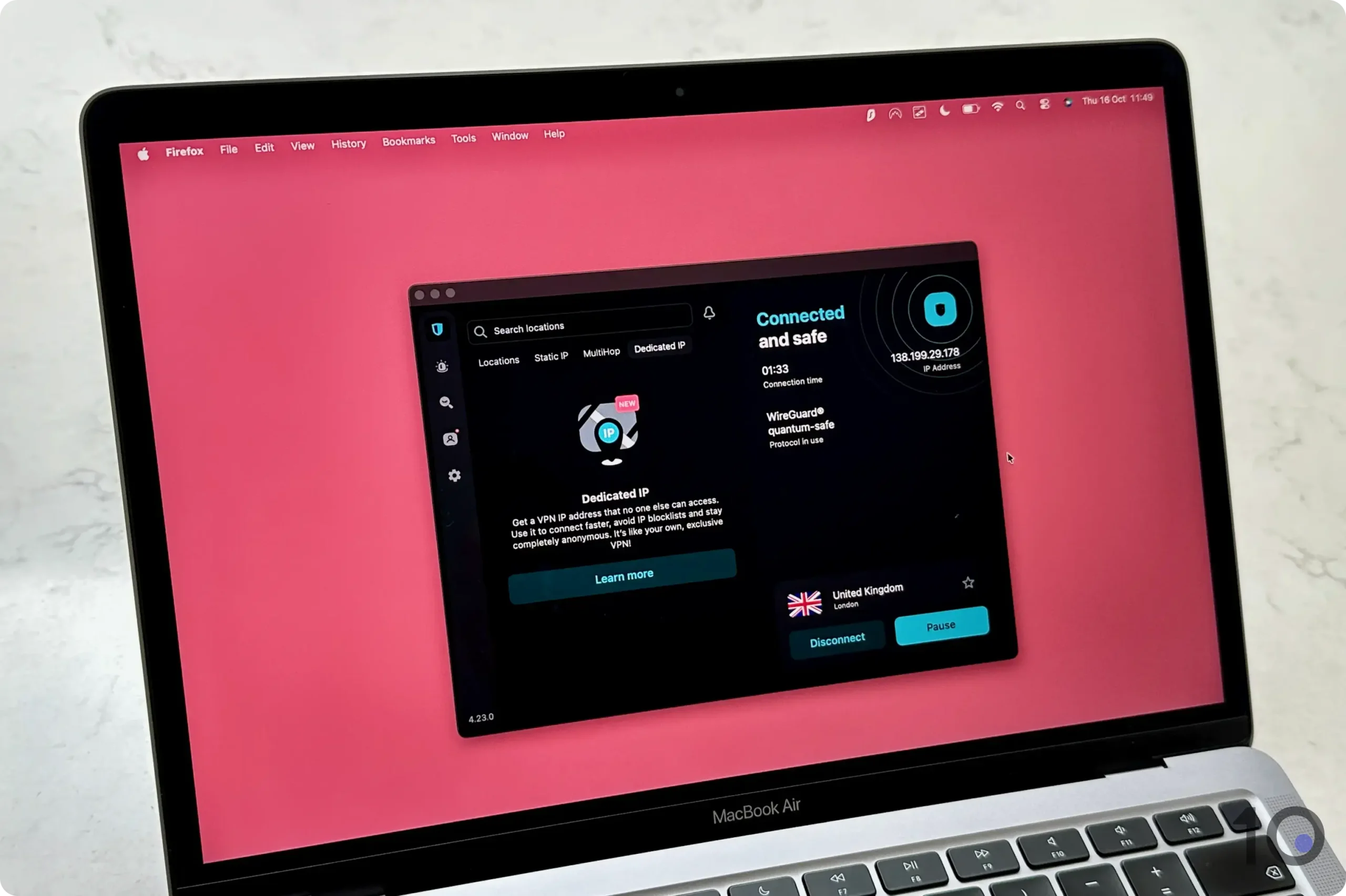
Surfshark’s desktop application.
Many Powerful Free Security Settings
Surfshark provides one of the richest selections of additional settings included in your standard VPN subscription.
On top of basic requirements like AES-256 and ChaCha20 encryption, WireGuard and OpenVPN protocols, and a working kill switch, you’ll also get very useful settings such as dynamic double VPN servers and ‘Rotating IP.’
The latter changes your IP address every five to 10 minutes without changing your online location, further strengthens your anonymity and security online without ever revealing your true location.
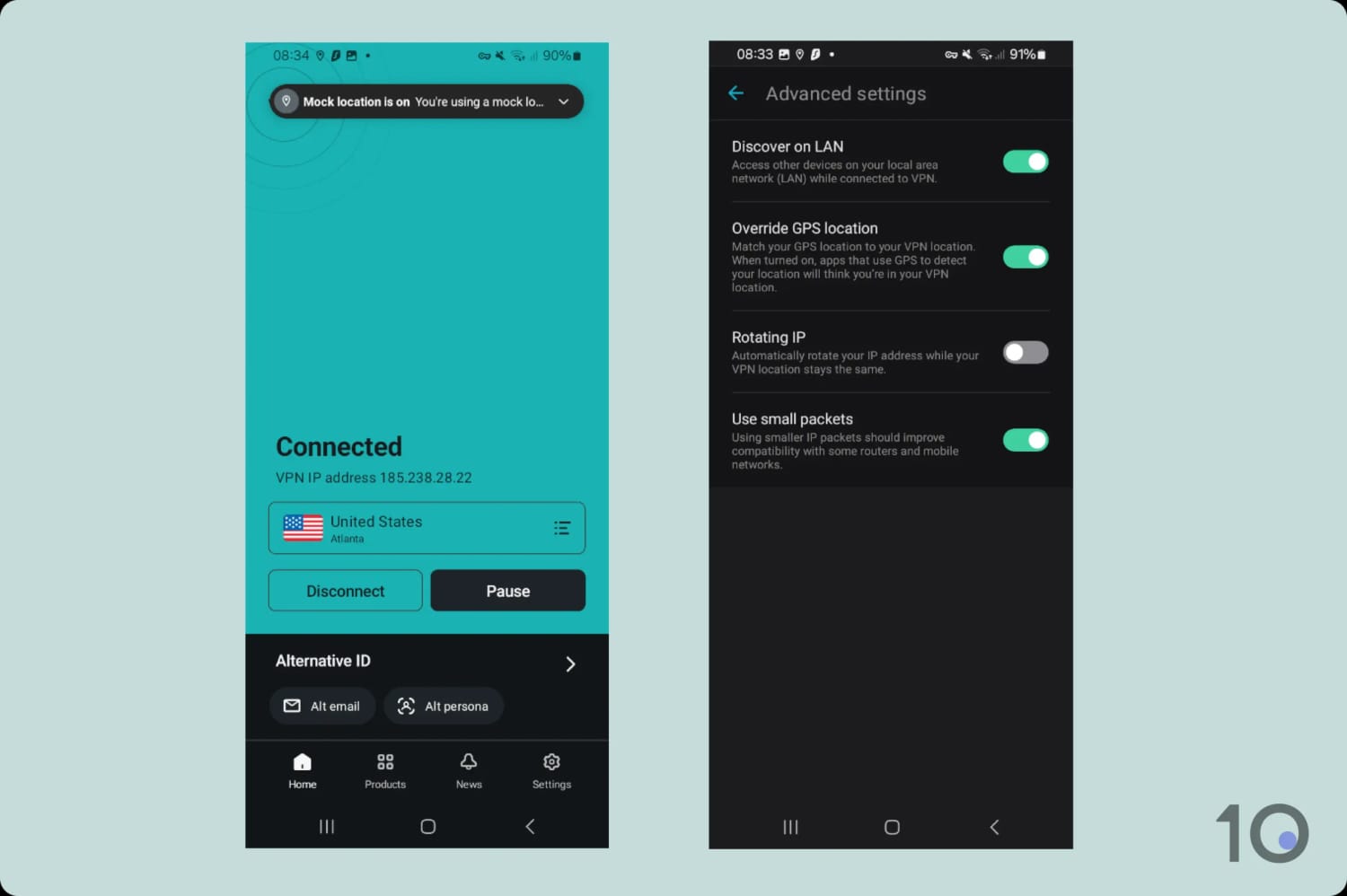
But our favorite is the fake GPS location spoofer in its Android app. This rare feature prevents Android mobile applications using location services to detect your real location. It’s very simple and works very well.
Once you’ve set up ‘Override GPS location’ you’ll be able to spoof your GPS data on any Android device and have it match your VPN server location.
Using Surfshark’s Override GPS location function.
It’s a highly effective workaround at bypassing GPS-based geo-blocks, and much quicker than having to install a separate GPS spoofer app on your phone or tablet.
Great for Streaming on (Android) Mobile
We put Surfshark’s ‘Override GPS location’ to the test against sophisticated GPS geo-fencing on apps like NFL+, ESPN+ and Kayo Sports, and the results were impressive.
Surfshark’s great unblocking qualities aren’t limited to Android, though. The VPN has established itself as a dependable streaming VPN, working with many of the most popular content platforms around the world.
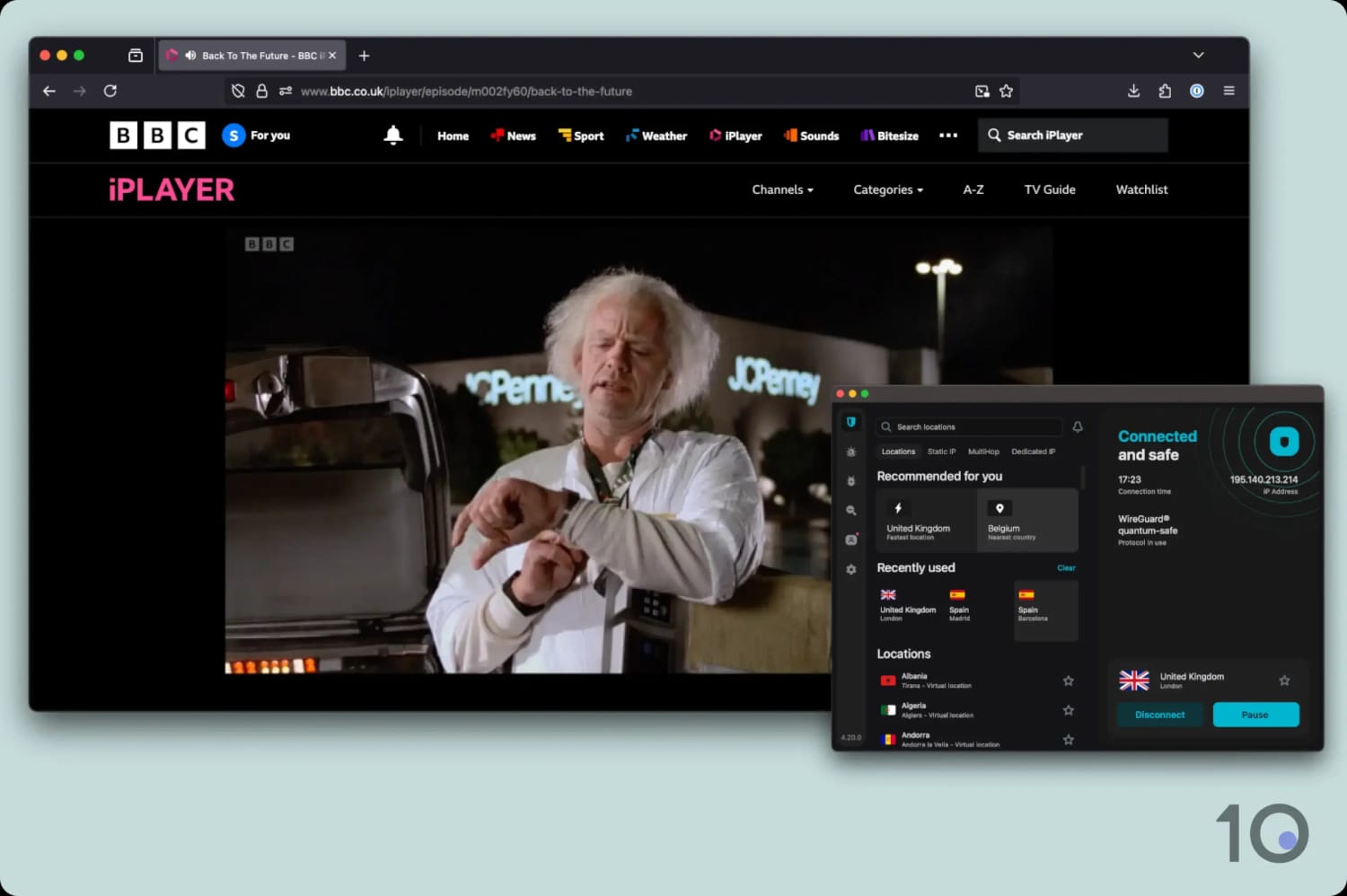
These include Netflix (with access to 9 regions), Disney+, HBO Max, Prime Video, JioHotstar, and BBC iPlayer.
Watching BBC iPlayer abroad with Surfshark.
International Speeds Need a Boost
Speed is where Surfshark loses its footing a bit. The VPNs speeds are not far off the fastest VPNs, but they don’t quite measure up to the likes of ExpressVPN, NordVPN or PIA.
When we connected locally, we experienced a slowdown of 4%, and over long distances, that slowdown climbed to 17%.
These aren’t bad results by any stretch, but PIA’s performance is simply better: international speeds dropped by just 14% in our latest speed checks.
Server connection times were also somewhat disappointing. Out of all the affordable VPNs on our list, Surfshark’s servers consistently took the longest to connect, especially on mobile.
It’s only a few extra seconds of waiting time, but that can feel like an eternity when you’re trying to change IP address quickly.
IPVanish is our new entry as a result of its frequent promotional offers that bring the monthly price of its service down to a very competitive $2.19.
It’s an underrated VPN that actually does a great job at enhancing your online privacy, particularly on devices like Fire TV and Android TV.
Similarly to PIA, it offers a wide range of settings aimed at improving your anonymity while streaming or sharing files. It lacks some of the international streaming access and device compatibility that Surfshark offers, though.
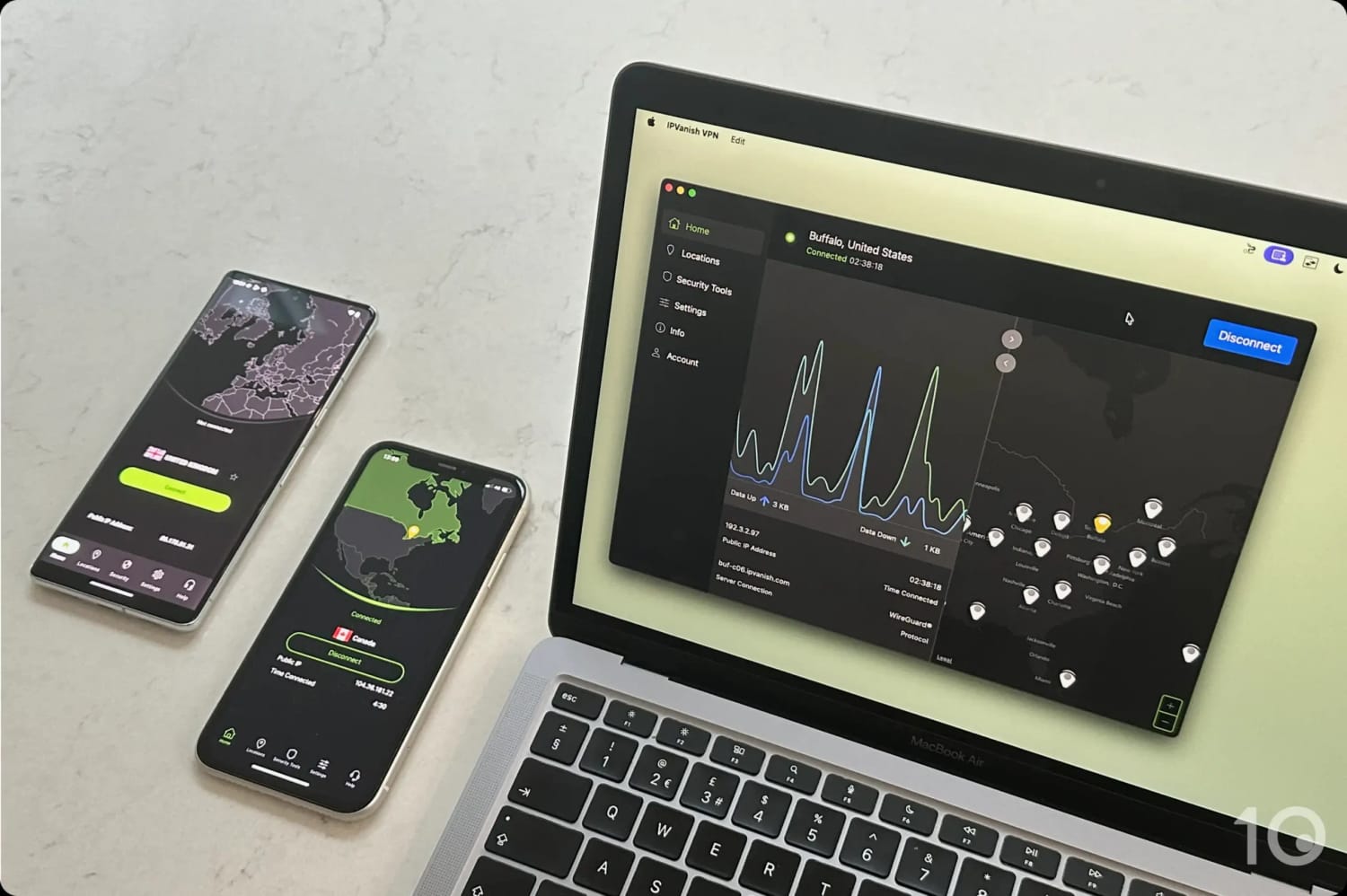
The IPVanish apps on desktop and mobile.
Excellent for Anonymous TV Streaming
One of IPVanish’s key strengths is concealing your IP address and ensuring your ISP doesn’t see what you’re doing online.
This is especially true when you’re using the VPN to stream Kodi and IPTV apps anonymously.
Not only does IPVanish clock in amazing speeds, but all that traffic will also flow through 100% no-log servers.
Anonymous streaming on TV is where IPVanish has focused its efforts since the begging, and it should come as no surprise that it has developed very good VPN apps for Android TV, Fire TV, and Apple TV.
On Fire TV, the company has taken a novel approach to protect your IP address by creating a separate kill switch application.
While it may sound odd at first, and installing two separate apps is a little annoying, this approach avoids the risk of your VPN being shut down by Fire TV’s renowned memory issues.
If your Firestick shuts down your VPN app, the kill switch app will still run and cut your internet connection to stop your real IP address leaking.
Great Improments in Beat Geo-restrictions
What’s really gone unnoticed by many VPN review websites is the massive progress IPVanish has made in relation to unblocking geo-restricted content, especially English-speaking streaming services.
This used to be a major pain point for the VPN service, and something that really held it back. Now, the situation has completely changed.
Not only does IPVanish unblock the vast majority of US and UK content platforms, including 16, HBO Max, Hulu, and Disney+, but it even beats some of its more streaming-focused rivals.
That being said, there’s room for improvement. IPVanish still struggles with some platforms, such as Kayo Sports and DAZN, and more generally with foreign-language streaming services.
Limited Compatibility
Now to the not so good: IPVanish’s device compatibility is underwhelming. It lacks a number of features that affect the product’s usability on a handful of devices.
The most glaring omissions are the lack of typical VPN browser extensions, for quicker unblocking of geo-blocked content, and a Smart DNS proxy, which is really helpful to use on game consoles.
The PC and Mac interface could also do with some TLC. While you can hide it, the waveform chart is very distracting and the map is not only extremely prominent but also not very well designed.
Using the mobile apps was much more enjoyable, thanks to a more streamlined and simplified approach.
If you don’t want to sign up to a yearly or multi-year plan, then Mullvad’s rolling month-to-month plan is the cheapest you can get at just $5.50.
The VPN’s main strength lies in its privacy and security features. When you sign up, it generates a random account number, so you don’t need to provide your email address. The VPN also even accepts payments using cash or cryptocurrency.
That being said, Mullvad continues to struggle to bypass geo-blocks, lacks free trial options, and offers a money-back guarantee much shorter than most other top-tier VPNs.
Mullvad’s apps are user-friendly and clutter-free.
Verified No-Logs Policy & Useful Extra Settings
Mullvad is an excellent choice if you prioritize privacy and security over content access. It’s always been like this, and that’s how the company likes it.
The VPN’s open-source apps can use either the OpenVPN or WireGuard protocols (and therefore AES-256 or ChaCha20 encryption), and its no-logs policy was even stress-tested during a server seizure in 2023, with no user data extracted.
Similarly to PIA and Surfshark, the company has also switched its entire infrastructure to diskless (RAM-only) servers as further proof of its commitment to privacy.
And while you won’t get as many advanced settings, there are still more than enough for most people: Multi-hop servers, Bridge Mode (its VPN-through-Shadowsocks solution) and WireGuard MTU, which reduces data packets to improve VPN connections on unstable networks.
Despite this varied suite of security settings at your disposal, Mullvad is still intuitive and comfortable to use, regardless of your experience level.
Doesn’t Work with Many Streaming Services
If you want to unblock streaming services or bypass online restrictions, Mullvad is a poor choice for unblocking these websites.
The VPN has never claimed to unblock streaming services, and in our most recent tests we found it doesn’t work with Netflix, Disney+, Hulu, ITVX, and many other services.
It’s not all doom and gloom, though, as Mullvad is (somehow) still capable of unblocking the UK’s Sky Go and the American HBO Max and Prime Video content libraries.
That being said, Surfshark is a far better product for unlocking geo-restricted content around the world.
No Free Trial Available
Unlike our other cheap VPN recommendations, Mullvad doesn’t offer any free trial option whatsoever.
It’s a surprising move, but with a flat fee of just $5.50 per month, the risk is small compared to long-term subscriptions.
There’s also a 14-day money-back guarantee that applies to your first payment, if you decide the service isn’t for you.
Lastly, Mullvad’s top-up system means your subscription won’t automatically renew if your account balance is empty. This feature ensures you won’t face unexpected renewal fees at the end of your subscription period.
The flipside is that if you forget to top-up your account, your VPN will stop working, so don’t forget to add money!
If you’re going on vacation, or you simply don’t need to use a VPN for very long, then you’re most likely looking at 1-month VPN subscription plans.
As you’ll have noticed, there’s a big difference in price when you compare month-to-month prices with the monthly costs associated with 12-month or longer plans.
Pay-monthly plans vary considerably in price among top-rated services, with Mullvad at the cheaper end and Astrill at the most expensive. Across over 30 paid-for VPNs we examined, a month-to-month plan costs $11.15 on average.
We’ve listed below the VPN providers with the cheapest rolling month-to-month plans available right now, priced $8.50 or less.
The two cheapest pay-monthly VPNs, Mullvad and IVPN, are both good choices with impressive privacy and security characteristics.
Both VPNs have strict no-logs policies, advanced security settings, and servers in a satisfactory number of countries. That being said, they aren’t particularly good at bypassing content geo-restrictions.
If you want to get round streaming geo-blocks, then Windscribe is a much better option. It costs more ($9.00 per month), but it has excellent unblocking capabilities that challenge premium VPNs you find in the $12.99 price range.
The Absolute Cheapest VPNs
While extremely low-priced VPNs are tempting, the trade-offs involved are often not worth the risk.
That’s why our recommendations prioritize a balance between affordability and essential performance requirements.
That being said, we want to be completely transparent with you and show you the full list of the cheapest VPNs available on the market:
While many of these VPNs cost less than $2.00 per month, they significantly underperform compared to our picks, as their overall VPN rating shows.
For instance, services like FastestVPN, PrivadoVPN and ZoogVPN often suffer from connection instability, inability to bypass geo-restrictions, limited features and server locations.
Finally, some providers like FastestVPN even offer dirt-cheap lifetime VPN subscriptions, but these come with their own risks. These plans are only valid for the company’s lifetime, and service quality can worsen dramatically over time.
How to Save Even More on a VPN Subscription
If you still find the prices of these cheap VPNs too high, don’t despair. There are a few tricks for you to save even more on a VPN subscription.
Some of the tips below are curiously “ignored” by VPN review websites, since they involve another website getting the referral fee over them.
We just want you to get the best deal possible, so we’ve listed a handful of ways to bring down the cost of a VPN subscription even more.
Seasonal Promotions
The simplest way to save money on a VPN subscription is to wait for popular sale periods, like Black Friday and the Back-to-School season.
We’ve noticed that VPNs rarely offer discounts randomly, and almost always align them with seasonal events. So, if you’re hoping to find a coupon or discount at a random time, you’re unlikely to have much luck.
Also, if you need a VPN immediately and aren’t near one of these seasonal events, waiting for a discount isn’t going to be a viable option.
Cashback Offers
You can get a much cheaper VPN subscription by purchasing one through cashback websites like TopCashback.
Cashback websites work by giving you back a large percentage of the commission they earn when you buy a VPN through their links.
Through these websites, you can get heavy discounts on some of the highest-rated VPNs in the industry, including ExpressVPN, NordVPN and Proton VPN.
Keep in mind that you’ll only get the cashback on signup, and not when your subscription renews.
Free Trials & Refund Guarantees
VPN free trials let you experience the full version of a VPN app for a limited period of time without paying upfront.
With most free trials, you’ll get up to seven days of free use before being charged. You’ll often have to provide payment information upfront, so remember to cancel in time.
If you forget to cancel and your trial upgrades to a paid plan, many services give you at least 30 days to request a refund. This also means that you can use a VPN for up to 37 days risk-free.
Some trials, like CyberGhost’s 24-hour free trial, don’t even require payment details, allowing you to test the VPN with zero financial risk.
Referral Schemes
Many VPN providers add a number of free months of service to your subscription when you refer a friend.
We’ve successfully used this scheme with top-shelf services like ExpressVPN, NordVPN, and Private Internet Access.
To do this, find the ‘Refer a Friend’ page in your account settings. Then, copy the link, and either send it directly to someone or share it via social media.
Once your friends sign up, you’ll usually receive at least one additional month of service for free.
Popular VPNs We Don't Consider Cheap
While testing 61 VPNs, we came across some truly great VPNs that we simply don’t consider affordable enough to label them as “cheap.”
Below are three of the most popular VPNs that we see promoted as “cheap” across the internet, but that didn’t meet our own selection criteria.
ExpressVPN
Pay-Monthly Price: $12.99
Cheapest Long-Term Price: $2.44/mo over 28 months
ExpressVPN is the best VPN we’ve reviewed overall, with very intuitive and secure apps that are excellent at unblocking geo-restricted websites and apps.
While its yearly and multi-year pricing plans have got significantly cheaper in recent times, they’re still more expensive than those of our top picks.
NordVPN
Pay-Monthly Price: $12.99
Cheapest Long-Term Price: $3.39/mo over 24 months
NordVPN is arguably the most popular VPN on the market, and its performances in our tests were outstanding thanks to its undeniable strengths in speed, security, and streaming.
That being said, NordVPN’s cheapest price is still too high for it to qualify as a budget-friendly VPN. It also renews at a much higher price of $12.99 per month.
Proton VPN
Pay-Monthly Price: $9.99
Cheapest Long-Term Price: $2.99/mo over 24 months
Proton VPN’s pricing has improved massively in recent times and the service is nowadays a lot more affordable than it used to be.
However, there are VPNs of similar (and better) quality that are priced even more competitively, which is why Proton VPN didn’t make our list.
How We Evaluate Cheap VPNs
As we’ve made abundantly clear throughout our guide, a cheap VPN can’t compromise on quality.
Therefore, when we test and review VPNs with budget-conscious consumers in mind, we can’t just factor in the price of a product, but also the overall performance in core areas such as privacy, security, and speed.
As such, we developed a framework we believe allows us to pick excellent VPNs that are also priced extremely competitively.
This is how our chosen VPNs fared in our latest assessments:
Below we explain in more detail the importance of each criteria, and how much it contributes to the overall “affordability” rating of a VPN service.
1. VPN Quality (50%)
Tests Conducted: We test each VPN in a number of key categories: privacy and logging policy, speed, security and technical features, streaming, ease of use, torrenting, server locations, bypassing censorship, and customer support.
Why It’s Important: A truly valuable VPN must excel in performance across the board, not just in price.
Optimal Result: A VPN with an overall rating above 8.0, demonstrating a strong set of features.
2. Long-Term Price (20%)
Tests Conducted: Compared the cheapest long-term subscription plan (more than one one year) offered by each VPN service.
Why It’s Important: Long-term plans provide the best opportunity for discounts and low subscription prices.
Optimal Result: A monthly cost of less than $3.00 on a 12-month or longer plan.
3. Pay Monthly Price (15%)
Tests Conducted: Evaluate the cost of month-to-month plans, comparing them across all VPN services we’ve tested.
Why It’s Important: Cheap short-term plans are helpful if you only need a VPN temporarily or can’t afford the upfront cost of a long-term plan.
Optimal Result: A monthly price below $8.00.
4. Renewal Price (10%)
Tests Conducted: We looked at each VPN’s renewal price, to see if the costs stays the same or whether it increases at the end of your initial subscription.
Why It’s Important: Some VPN services may be affordable to begin with but they renew at a much higher subscription price, which could catch you by surprise.
Optimal Result: A subscription plan that renews at the same or at a very similar price.
5. Free Trial (5%)
Tests Conducted: Compared each VPN’s free trial restrictions, length of trial, whether credit card details were required, and ease of cancellation.
Why It’s Important: A generous free trial allows you to use a VPN without paying, allowing you to assess its suitability before committing to a subscription.
Optimal Result: Free trials that offer unrestricted access, require no payment information, and provide easy cancellation options. Trials earning a rating of 7.5 or higher are considered excellent.