
Top10VPN is editorially independent. We may earn commissions if you buy a VPN via our links.
What Is a Virtual Private Network & How Does It Work?


Overview
In this guide we’ll explain what a virtual private network is, how it works, and what it can and can’t do for you. By the end of it, you’ll have a clear understanding of its purpose and whether you need one or not.

A virtual private network (VPN) is an application that creates an encrypted connection between your device and a remote server, before connecting you to your destination website or application.
When a VPN connects your device to a remote server, your device’s public IP address changes. In turn, this hides your true online location from the websites and applications you use.
Changing your IP location allows to bypass content geo-restrictions, and stricter internet firewalls in high censorship countries. It also hides your browsing activity from Internet Service Providers (ISPs) and other “snoopers.”
While there are different types of virtual private networks, in this guide we’ll focus mostly on personal (consumer) VPNs that everyday people can use on their devices.
We’ve also prepared this short but helpful video, if you’d rather watch than read:
Why Trust Us?
We’re fully independent and have been reviewing VPNs since 2016. Our advice is based on our own testing results and is unaffected by financial incentives. Learn who we are and how we test VPNs.
| VPNs Tested | 61 |
| Total Hours of Testing | 30,000+ |
| Combined Years of Experience | 50+ |
How Does a VPN Work?
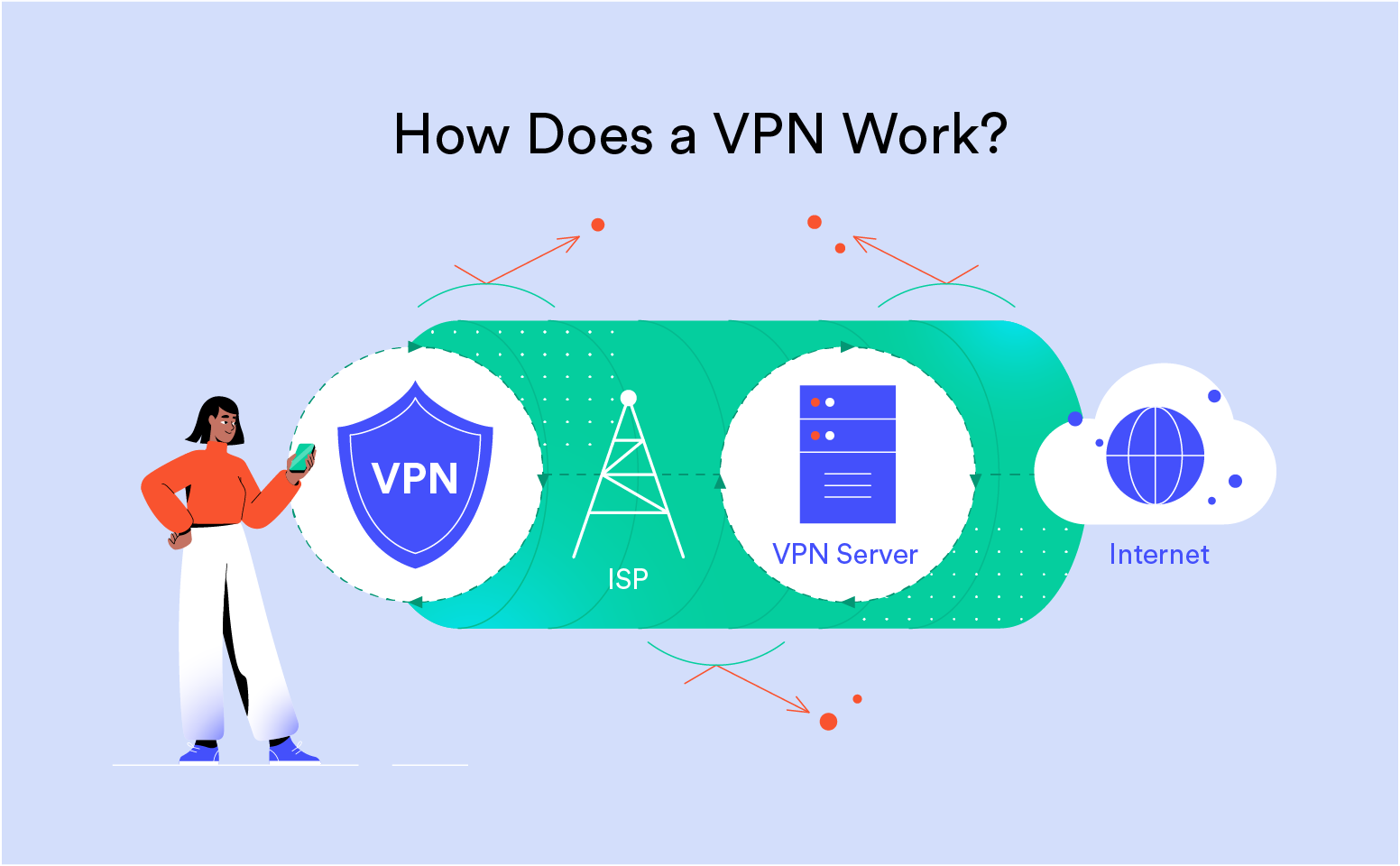
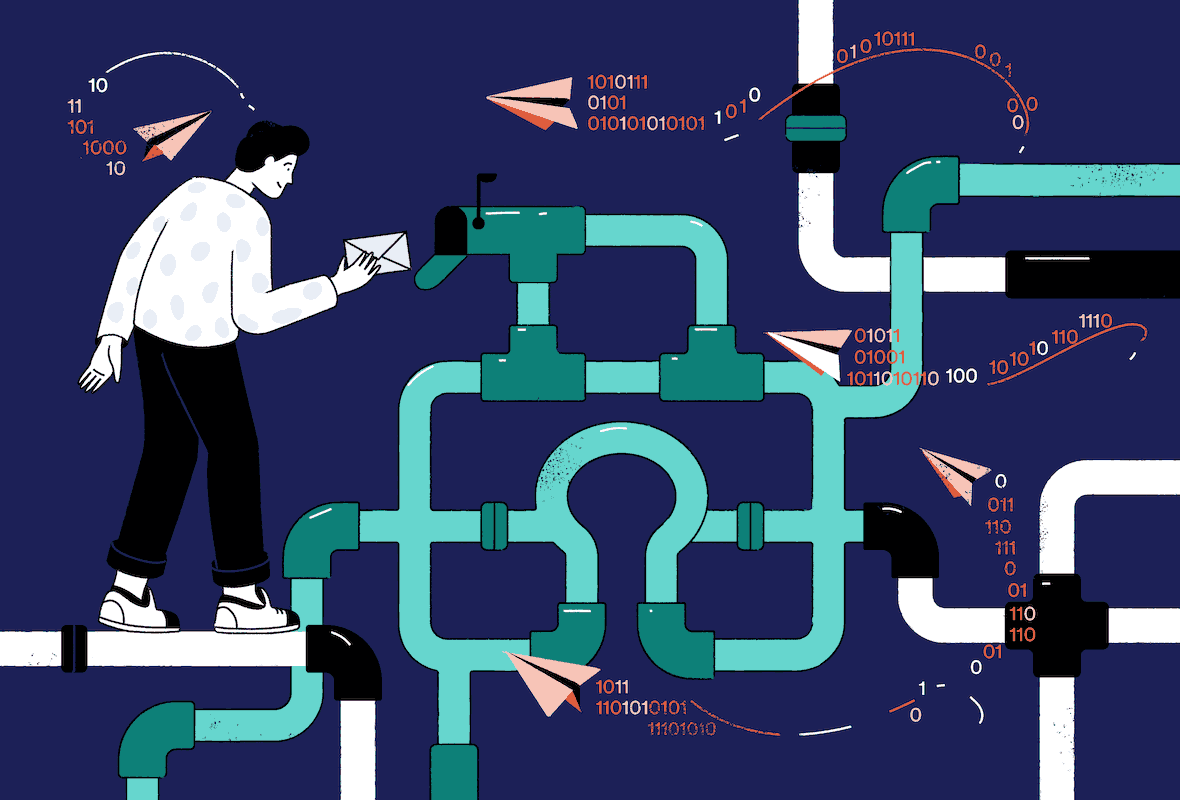
As we’ve explained above, a VPN establishes an encrypted connection between your device and a remote VPN server. This secure connection is often referred to as the VPN tunnel.
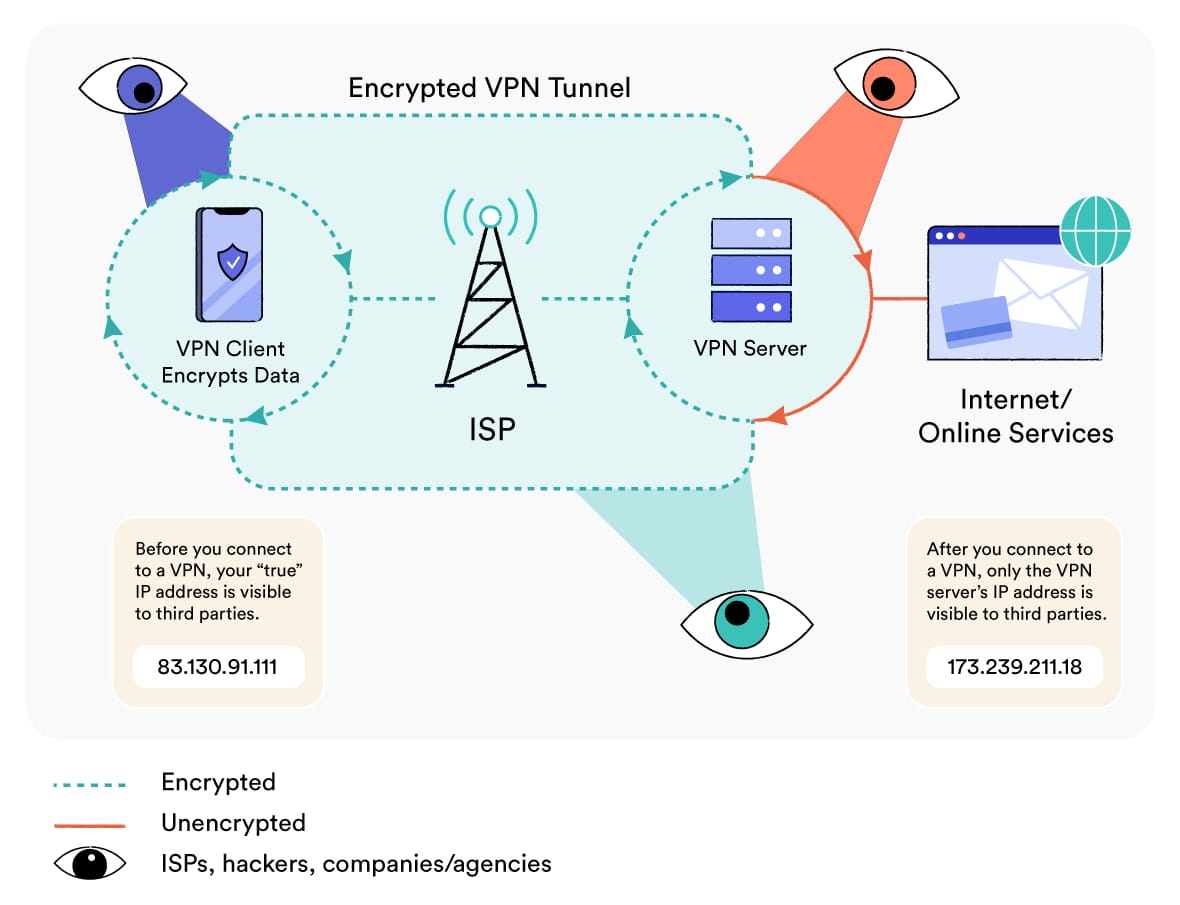
Once you’re connected to a remote VPN server, all internet data leaving your device will travel through it. The VPN server then forwards it onto the website you’re visiting, application you’re using, or company network you’re accessing remotely.
The website or application then sends back the data to your device along the same route. It first goes through the VPN server, then through the VPN tunnel and onto your device.
There are five key steps in this process, which we have outlined below. If you prefer a more technical explanation, we cover each stage in our dedicated guide on how a VPN tunnel works.
Key Stages of How a VPN Works
- Handshake & Authentication
- Encryption
- Encapsulation
- Decryption, Forwarding & Re-Encryption
- Hash Authentication
VPN Protocols & Encryption Ciphers
Different protocols and encryption ciphers are involved in how a VPN works.
In simple terms, the VPN protocol determines how the VPN tunnel is formed, while the encryption cipher (or algorithm) encrypts the data that flows through that tunnel.
Depending on the protocol being used, a VPN may have varying connection speeds, capabilities, and vulnerabilities. All quality apps allow protocol selection within their settings: the most secure (non-proprietary) protocols are WireGuard and OpenVPN.
For even greater online protection, we also recommend using VPN protocols that are set up with Perfect Forward Secrecy (PFS).
The encryption cipher is the algorithm (i.e. a set of rules) used to encrypt and decrypt data. Ciphers are usually paired with a specific key-length. Generally, the longer the key length, the stronger the encryption is.
For example, AES-256 is considered more secure than AES-128. Where possible, we recommend using a VPN with AES or ChaCha20 encryption.
What Can You Do with a VPN?
To this day, there is still a lot of false or misleading information on what a personal VPN can or can’t do.
This misinformation is really not good, and makes it tricky for beginners to know whether they actually need a VPN or not.
So, to clarify a few things, we’ve outlined eight benefits of using a high-quality VPN:
Protect Your Internet Privacy
A good VPN hides your IP address and replaces it with an anonymous one, which makes it much harder for websites to identify you.
A VPN also encrypts your web browsing data, meaning your Internet Service Provider (ISP) is unable to see the websites and apps you use.
Without a VPN, your ISP can see all the websites you visit, and will almost certainly log that information.
In some countries, local laws require ISPs to collect and store customers’ internet activity data for long periods of time.
This is the case in the US, UK, Australia, and much of Europe, where governments can then access this information whenever they like.
Often, these countries are also members of international agreements like the Five Eyes Alliance, which are designed to collect mass surveillance data and share it among themselves.
Stream Geo-blocked Content
Streaming services like Netflix and Prime Video have different content libraries based on your online location.
These platforms use your IP address to determine your location, and therefore which content to show you.
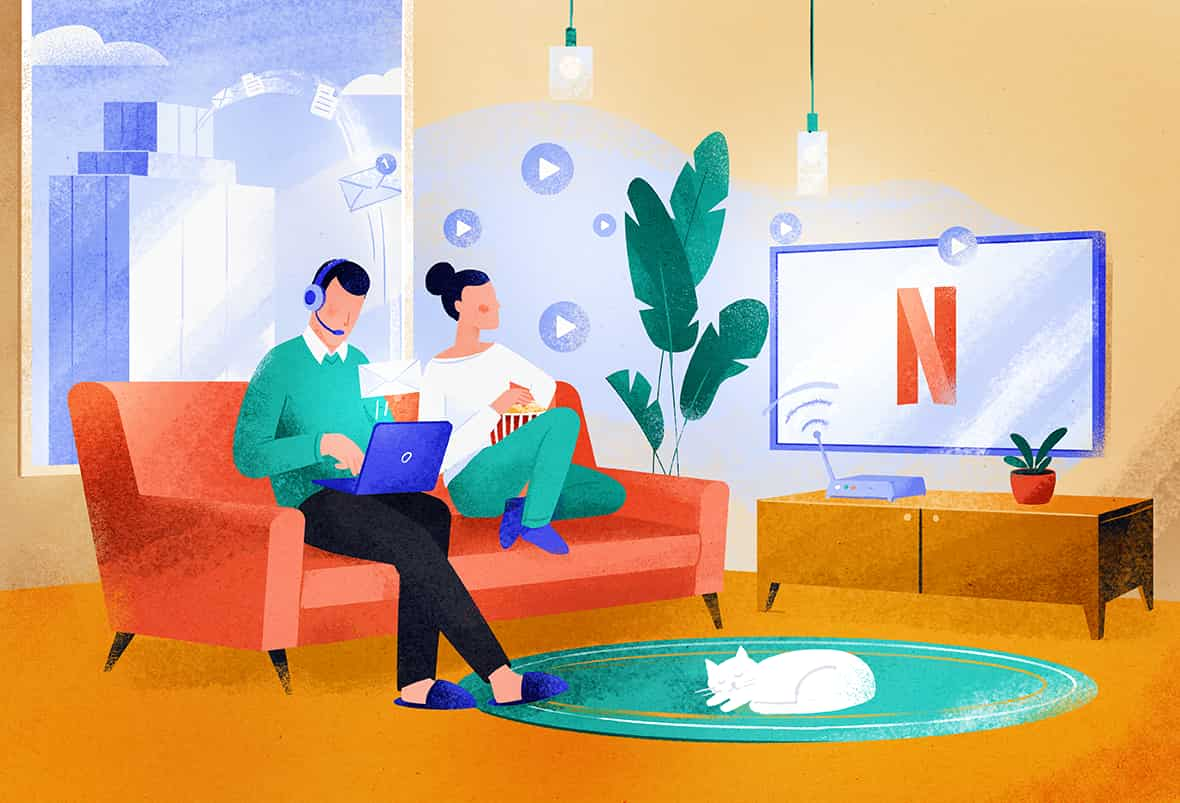
You can use a VPN to replace your IP address with one in a country of your choice, allowing you to bypass geographic restrictions and unblock ‘hidden’ content on Netflix, Amazon Prime Video, and many other content platforms.
Torrent Files Anonymously
Torrenting files without a VPN is risky since your IP address is visible to other peers in the torrent swarm.
Moreover, your ISP can see all the files you’re seeding and downloading. It can then work with content owners and authorities to issue legal notices for copyright infringement.
VPNs protect your identity and activity while torrenting by encrypting your P2P traffic and masking your public IP address.
This prevents your ISP, copyright holders, and other peers in the swarm from seeing what you download or share.
Bypass Internet Censorship
Authoritarian governments block thousands of websites in order to limit their citizens’ access to information.
Our research shows that these intentional internet shutdowns cost the world economy billions every year.
China, for example, uses its infamous “Great Firewall of China” to block popular websites like Google, Facebook, and YouTube.
Citizens (and tourists) in countries affected by internet censorship can use a VPN to bypass website restrictions and access the global internet.
The VPNs that work best in these situations are those with advanced VPN obfuscation (stealth) technology, which evades more sophisticated internet filtering systems by making VPN traffic appear like normal non-VPN data.
Stay Safe on Public WiFi
While most public WiFi networks are now relatively secure, some risks persist, especially if you connect to a fake WiFi network.
A VPN is a great tool to stay safe on public WiFi. A trustworthy VPN used on public WiFi protects you against a number of threats that still exist.
Since a VPN encrypts all internet data leaving your device, it makes it undecipherable through encryption. If a hacker intercepts your connection, they’ll only see strings of unintelligible letters.
An added benefit is that this will also stop the WiFi owner seeing your web activity.
Avoid Bandwidth Throttling
Some ISPs deliberately slow down your internet connection to avoid network congestion at peak times. Others do it to prevent you from using more data than they like. This is called bandwidth throttling.
ISPs usually choose to throttle your internet connection when you perform bandwidth-heavy activities like downloading (or torrenting) large files, streaming, and online gaming.
VPN encryption stops ISPs from throttling your connection because it prevents them from seeing what you’re doing.
Save Money on Online Purchases
Some online products are cheaper in some countries than others. Online retailers use your IP address location to change the price of goods.
We see this especially with streaming subscription services (e.g. Netflix), and online videogames on platforms like Steam.
Country or state tax rates applied at checkout can also affect the price of a product depending on where you’re connecting from.
Thanks to a VPN, you can quickly change your online location and potentially access cheaper prices.
Access Company Networks Remotely
For security purposes, many office/company networks only allow access to approved IP addresses.
If you have a dynamic home IP address that changes frequently, or you’re often traveling, you’ll constantly have to ask the network administrator to whitelist your new IP address.
Some VPN services offer dedicated VPN IP addresses that are unique to you and no other customer can use.
Dedicated IPs cost extra, but allow you to keep the same IP address wherever you are, and therefore access any web service that uses IP whitelisting.
What Does a VPN Not Do?
We hope it’s clear by now that using a VPN makes your online activity much more private than using the internet without one. That being said, a VPN doesn’t make you completely anonymous.
Encrypting the data you transfer over the web and hiding your real IP address is a great start, but there are other ways individuals, companies, and governments can identify you online.
A virtual private network won’t protect you from:
-
Cookies and Trackers. Cookies and web trackers are tiny files used by websites and advertisers to customize their services to specific users. They store information — such as your name, gender, location, and sometimes browsing habits — that can be used to identify you even when you use a VPN.
-
Malware/Phishing. While some VPNs now come with malicious ad, tracker and URL blockers, they still don’t fully protect your from malware and phishing scams like antivirus software does.
-
Browser Fingerprinting. Your device provides the websites you visit with detailed information about your operating system, browser, and hardware. The sum of this information forms a unique ‘fingerprint’ that can be used to track and identify you.
-
Traffic Fingerprinting. When you use a VPN, your ISP can still see that data is being passed between your device and a VPN server — it just can’t see the contents or destination of that data. It’s sometimes possible to identify the type of data being transmitted (e.g. web browsing, streaming, P2P) through the analysis of timing and density. This is known as “traffic fingerprinting.”
-
Account Monitoring. If you’re signed into personal accounts (such as Facebook or Google) while browsing the internet, it doesn’t matter if you’re using a VPN. These companies will be able to monitor your activity and link it back to your profile.
Our guide to the best private browsers explores a number of ways you can keep your browsing activity private and free from tracking, which extend beyond using a VPN.
And if you’re looking for complete browsing anonymity, you may want to consider using the Tor Browser. Tor differs from a VPN in a number of important ways, but not all of them are beneficial.
Useful Related Resources
If you still have more questions about VPNs, you can find more in-depth answers in the guides listed below:
 Different Types of VPN
 VPN Tunneling & Encryption
 VPN Protocols Explained
 VPN Logging Policies Explained
 What Does a VPN Hide?
 Are VPNs Legal?
 VPN Leaks Explained
 How Much Do VPNs Cost?
 Are VPNs Really Worth It?
 The Disadvantages of VPNs
 Do VPNs Use More Mobile Data?
 Are Virtual Server Locations Safe?
 How VPN Jurisdictions Affect You